1
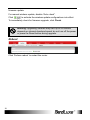
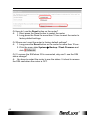
Appendix B: FAQ Q: How do I use the Reset button on the router? A: 1. Short press the Reset button to restart the router. 2. Long press the Reset for more than 10 sec to reset the router to factory default settings. Q: Where can I reset the router to factory default settings? A: 1. Long press the Reset button on the router for more than 10 sec. 2. Click the menu tabs System Backup / Flash Firmware and . click Q: If I remove the SIM when 3G is connected, why can’t I see the SIM status change? A: You have to restart the router to see the status. It is best to remove the SIM card when the router is OFF. 65