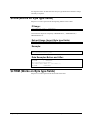
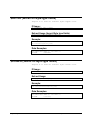
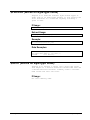
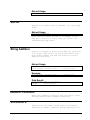
1
Suprtool/Open 5.7 User Manual by Robelle Solutions Technology Inc. Suprtool/Open 5.7 Table of Contents • 1 Program and manual copyright © 1981-2015 Robelle Solutions Technology Inc. Permission is granted to reprint this document (but not for profit), provided that copyright notice is given. Qedit and Suprtool are trademarks of Robelle Solutions Technology Inc. Oracle is a trademark of Oracle Corporation, Redwood City, California, USA. Other product and company names mentioned herein may be the trademarks of their respective owners. Robelle Solutions Technology Inc. Suite 372 - 7360 137 Street Surrey, B.C. CanadaV3W 1A3 Phone: 604.501.2001 Support: 289.480.1060 E-mail: [email protected] E-mail: [email protected] Web: www.robelle.com 2 • Table of Contents Suprtool/Open 5.7 Table of Contents Table of Contents 3 Welcome to Suprtool 15 Introduction............................................................................................................................... 15 Suprtool Components ............................................................................................................... 15 STExport - Data Export Utility .................................................................................. 15 Suprlink - Multidataset Access .................................................................................. 15 Documentation .......................................................................................................................... 16 Notation .................................................................................................................................... 16 Suprtool Version 5.7 18 Highlights in Suprtool 5.7......................................................................................................... 18 Installing Suprtool 19 Overview................................................................................................................................... 19 Who Needs To Use These Instructions .................................................................................... 19 Instructions for Installing .......................................................................................................... 19 Quick Start Guide for Suprtool 20 How to Run Suprtool ................................................................................................................ 20 What is a Task? ......................................................................................................................... 20 Copying Files ............................................................................................................................ 20 Copying One File ....................................................................................................... 20 Appending to a File .................................................................................................... 21 Fields in Data Files ................................................................................................................... 21 What is a Self-Describing File? ................................................................................. 21 Creating an SD File .................................................................................................... 21 Define Fields in a Data File........................................................................................ 21 Create an SD File from a Data File ............................................................................ 22 Repeating Commands ............................................................................................................... 22 Repeating a Command ............................................................................................... 22 Selecting Database Records ...................................................................................................... 23 Select All Records ...................................................................................................... 23 Look at the First Few Records ................................................................................... 23 Selecting by Criteria ................................................................................................................. 24 Simple Criteria ........................................................................................................... 24 Complex Criteria ........................................................................................................ 24 String of Digits ........................................................................................................... 24 Suprtool/Open 5.7 Table of Contents • 3 Selecting by Date ...................................................................................................................... 24 Select by Today's Date ............................................................................................... 25 Select by Particular Date ............................................................................................ 25 Select by Year ............................................................................................................ 25 Select Prior Month ..................................................................................................... 25 Selecting by Lists of Values ..................................................................................................... 26 Finding Data Based on a List ..................................................................................... 26 Finding Data Based on a File ..................................................................................... 26 Finding Data Based on Another Table’s Criteria ....................................................... 27 Finding Data in a Data File ........................................................................................ 27 Sorting Database Records ......................................................................................................... 27 Sort Records ............................................................................................................... 27 Sort Records in Descending Order ............................................................................. 28 Sort by Multiple Keys ................................................................................................ 28 Duplicate Records ..................................................................................................................... 28 Report without Duplicate Records ............................................................................. 28 Report Only the Duplicate Records ........................................................................... 29 Report Only the Unique Records ............................................................................... 29 Report Only the Duplicates and Their Originals ........................................................ 30 Deleting Duplicate Data File Records ........................................................................ 30 Decimal Places.......................................................................................................................... 31 Converting Numbers ................................................................................................................. 31 Counts and Subtotals ................................................................................................................ 32 Count and Subtotal on Sort Keys ............................................................................... 32 Sort by Count or Subtotal ........................................................................................... 32 Total by Field ............................................................................................................. 33 Running Totals ........................................................................................................... 33 Running SubTotals ..................................................................................................... 33 Listing Records ......................................................................................................................... 34 Changing the Output Record Format ........................................................................................ 34 Producing a Condensed Table Listing ...................................................................................... 35 Simple Reports.......................................................................................................................... 35 Your First Report ....................................................................................................... 35 Column Headings ....................................................................................................... 36 Printing Mailing Labels .............................................................................................. 36 Running Suprtool 39 Running Suprtool ...................................................................................................................... 39 Setting Up a PATH for Suprtool .............................................................................................. 39 Bourne and Korn Shells ............................................................................................. 39 C Shell ........................................................................................................................ 40 Dynamic Loading ..................................................................................................................... 40 Control Characters and stty ...................................................................................................... 40 Suprmgr Configuration Files .................................................................................................... 41 On-Line vs. Batch Access......................................................................................................... 41 Command Line Options ............................................................................................................ 41 Initial Command Line: -ccmdstring .......................................................................... 41 Default Outcount File Name: -oc .............................................................................. 41 Exit with Verify: -v ................................................................................................... 42 Combining -c and -v ................................................................................................... 42 Loader Warnings ........................................................................................................ 42 Unix/Linux Notes ..................................................................................................................... 42 Shell Commands ........................................................................................................ 42 Hardcoded File Names and ROBELLE Variable ..................................................................... 43 ROBELLE Variable ................................................................................................... 43 4 • Table of Contents Suprtool/Open 5.7 /opt/robelle/suprmgr ................................................................................................... 43 Outcount File .............................................................................................................. 43 Differences Between MPE and Open ....................................................................................... 43 Record Length ............................................................................................................ 44 Line Feeds .................................................................................................................. 44 Duplicate Output Files ............................................................................................... 44 Classic Reals .............................................................................................................. 44 Input from Stdlist ....................................................................................................... 45 Missing Features ........................................................................................................ 45 Suprtool Issues and Solutions 47 A Suprtool Task ........................................................................................................................ 47 Input Choices.............................................................................................................. 47 Processing Selections ................................................................................................. 47 Output Choices ........................................................................................................... 47 Suprtool and Oracle .................................................................................................................. 48 Data-Types ................................................................................................................. 48 Number Data-Type ..................................................................................................... 48 Order By vs. Sort ........................................................................................................ 49 Restrictions ................................................................................................................. 49 Suprtool and Self-Describing Files ........................................................................................... 49 Create an SD File from a Table .................................................................................. 49 Create an SD File from a Data File ............................................................................ 49 SD Files as Input ........................................................................................................ 50 Listing SD Files .......................................................................................................... 50 Decimal Places and Date Formats .............................................................................. 50 Extended Field Names ............................................................................................... 50 Restrictions of SD Files.............................................................................................. 51 Suprtool and Sorting Files ........................................................................................................ 51 Suprtool and Personal Computers ............................................................................................ 51 Downloading to the PC .............................................................................................. 51 Decimal Places ........................................................................................................... 51 Spreadsheets ............................................................................................................... 52 Two-Digit Year Solutions......................................................................................................... 52 What If I Have Four-Digit Years? .............................................................................. 52 What does Set Date Cutoff do? .................................................................................. 52 Stddate and Set Date Cutoff ....................................................................................... 53 What does Set Date ForceCentury do? ...................................................................... 53 What If I Have Two-Digit Years? .............................................................................. 53 What Is Wrong with Two-Digit Years? ..................................................................... 54 How Do $Today and $Date Work? ............................................................................ 54 Will Suprtool Generate an Error for Two-Digit Year Dates? .................................... 55 How Do I Use $Today and $Date with yymmdd Dates? ........................................... 55 aammdd Date Format ................................................................................................. 55 Invalid Dates .............................................................................................................. 56 Can Suprtool Convert Two-Digit Years to Four Digits? ........................................... 56 Case 1: Converting a J2 Date from yymmdd to ccyymmdd ..................................... 56 Case 2: X6 yymmdd Data to X8 ccyymmdd ............................................................. 57 Case 3: Different Date Formats X6 MMDDYY Data to X6 YYMMDD ................. 59 Performance .............................................................................................................................. 60 Eloquence Performance .............................................................................................. 60 Sort Performance ........................................................................................................ 60 Oracle Performance .................................................................................................... 61 Analyzing Performance Data ..................................................................................... 61 Variable Substitution ................................................................................................................ 61 Suprtool/Open 5.7 Table of Contents • 5 Suprtool Functions .................................................................................................................... 62 UC4/Scripting and Functions ................................................................................................... 62 String/Byte Functions ............................................................................................................... 62 $TRIM (Works on byte type fields) ......................................................................................... 63 If Usage: ..................................................................................................................... 63 Extract Usage (target: Byte type fields) ..................................................................... 63 Example:..................................................................................................................... 63 Data Examples Before and After: .............................................................................. 63 $LTRIM (Works on Byte type fields) ...................................................................................... 63 If Usage: ..................................................................................................................... 64 Extract Usage (target: Byte type fields) ..................................................................... 64 Example:..................................................................................................................... 64 Data Examples before and after: ................................................................................ 64 $RTRIM (Works on Byte type fields) ...................................................................................... 64 If Usage: ..................................................................................................................... 64 Extract Usage (target: Byte type fields) ..................................................................... 64 Example:..................................................................................................................... 64 Data Examples: .......................................................................................................... 64 Data Result ................................................................................................................. 64 $UPPER (Works on Byte-type fields) ...................................................................................... 65 If Usage: ..................................................................................................................... 65 Extract Usage (target: Byte type fields) ..................................................................... 65 Example:..................................................................................................................... 65 Data Examples: .......................................................................................................... 65 $LOWER (Works on Byte-type fields) .................................................................................... 65 If Usage: ..................................................................................................................... 65 Extract Usage: ............................................................................................................ 65 Example:..................................................................................................................... 65 Data Examples: .......................................................................................................... 65 $PROPER (Works on Byte-type fields) ................................................................................... 66 If Usage: ..................................................................................................................... 66 Extract Usage: ............................................................................................................ 66 Example:..................................................................................................................... 66 Data Examples: .......................................................................................................... 66 $SPLIT (Works on Byte-type fields) ........................................................................................ 66 If Usage: ..................................................................................................................... 66 Extract Usage: ............................................................................................................ 67 Data Examples: .......................................................................................................... 67 Data Examples: .......................................................................................................... 67 $FINDCLEAN (Works on Byte-type fields) ............................................................................ 67 If Usage: ..................................................................................................................... 67 $CLEAN (Works on Byte-type fields) ..................................................................................... 67 If Usage: (Not commonly used) ................................................................................. 68 Extract Usage: ............................................................................................................ 68 Example:..................................................................................................................... 68 Data Examples: .......................................................................................................... 68 $TRANSLATE (Works on Byte-type fields) ........................................................................... 68 If Usage: ..................................................................................................................... 68 Extract Usage: ............................................................................................................ 68 Data Examples: (Using above code) .......................................................................... 68 $ETOA ...................................................................................................................................... 68 Extract Usage: ............................................................................................................ 69 $ATOE ...................................................................................................................................... 69 Extract Usage: ............................................................................................................ 69 String Addition ......................................................................................................................... 69 Extract Usage: ............................................................................................................ 69 6 • Table of Contents Suprtool/Open 5.7 Example:..................................................................................................................... 69 Data Result: ................................................................................................................ 69 Numeric Functions.................................................................................................................... 69 $TRUNCATE ........................................................................................................................... 69 If Usage: ..................................................................................................................... 70 Extract Usage: ............................................................................................................ 70 $ABS......................................................................................................................................... 70 IF Usage: .................................................................................................................... 70 Extract Usage: ............................................................................................................ 70 $TOTAL ................................................................................................................................... 70 IF Usage: .................................................................................................................... 70 Extract Usage: ............................................................................................................ 70 $SUBTOTAL ........................................................................................................................... 70 IF Usage: .................................................................................................................... 71 Extract Usage: ............................................................................................................ 71 Example of $TOTAL and $SUBTOTAL ................................................................... 71 $COUNTER ............................................................................................................................. 71 IF Usage: .................................................................................................................... 71 Extract Usage: ............................................................................................................ 72 $SUBCOUNT ........................................................................................................................... 72 IF Usage: .................................................................................................................... 72 Extract Usage: ............................................................................................................ 72 Examples for $counter and $subcount: ...................................................................... 72 $SIGNED .................................................................................................................................. 73 IF Usage: .................................................................................................................... 73 Extract Usage: ............................................................................................................ 73 Arithmetic Operations .............................................................................................................. 73 + - * / mod .................................................................................................................. 73 If Usage: ..................................................................................................................... 73 Extract Usage: ............................................................................................................ 73 Conversion/Formatting ............................................................................................................. 73 $NUMBER ............................................................................................................................... 73 If Usage: ..................................................................................................................... 74 Extract Usage: ............................................................................................................ 74 Data Examples: .......................................................................................................... 74 $EDIT ....................................................................................................................................... 74 If Usage: ..................................................................................................................... 74 Extract Usage: ............................................................................................................ 74 Data Examples: .......................................................................................................... 74 Other Functions ........................................................................................................................ 75 $LOOKUP ................................................................................................................................ 75 If Usage: ..................................................................................................................... 75 Extract Usage: ............................................................................................................ 75 $NULL ...................................................................................................................................... 75 $READ ..................................................................................................................................... 75 If Usage: ..................................................................................................................... 75 Date Functions .......................................................................................................................... 76 $TODAY .................................................................................................................................. 76 If Usage: ..................................................................................................................... 76 Extract Usage: ............................................................................................................ 76 $DATE ...................................................................................................................................... 76 If Usage: ..................................................................................................................... 76 Extract Usage: ............................................................................................................ 76 $INVALID ................................................................................................................................ 76 If Usage: ..................................................................................................................... 76 Extract Usage: ............................................................................................................ 76 Suprtool/Open 5.7 Table of Contents • 7 $STDDATE .............................................................................................................................. 77 If Usage: ..................................................................................................................... 77 Extract Usage: ............................................................................................................ 77 $DAYS ..................................................................................................................................... 77 If Usage: ..................................................................................................................... 77 Extract Usage: ............................................................................................................ 77 Suprtool Commands 78 General Notes ........................................................................................................................... 78 Abbreviating ............................................................................................................... 78 Uppercase or Lowercase ............................................................................................ 78 Multiple Commands per Line .................................................................................... 78 Continuation ............................................................................................................... 79 Comments on Command Lines .................................................................................. 79 OS Commands............................................................................................................ 79 Calculator ................................................................................................................... 80 Control-Y Interrupt .................................................................................................... 80 Add Command [Add] .............................................................................................................. 81 Notes........................................................................................................................... 81 Examples .................................................................................................................... 81 Base Command [BA] ............................................................................................................... 83 Before Command [B] .............................................................................................................. 85 Chain Command [C] ................................................................................................................ 87 Clean Command [CL].............................................................................................................. 89 Removing Bad Characters .......................................................................................... 89 Define Command [D] .............................................................................................................. 91 Delete Command [DEL] .......................................................................................................... 96 Do Command [DO] ................................................................................................................. 98 Duplicate Command [DU] ....................................................................................................... 99 Edit Command [ED] .............................................................................................................. 104 Exit Command [E] ................................................................................................................. 105 Export Command [EXP]........................................................................................................ 107 Extract Command [EXT] ....................................................................................................... 108 Constants .................................................................................................................. 108 Dates ......................................................................................................................... 110 Range of Fields......................................................................................................... 112 Numeric Expressions................................................................................................ 113 $SubTotal Function .................................................................................................. 115 $Total Function ........................................................................................................ 115 $Counter Function .................................................................................................... 115 String Expressions .................................................................................................... 116 Splitting Variable Length Strings ............................................................................. 117 Cleaning your Data ................................................................................................... 118 Un-printables ............................................................................................................ 119 Clean Command Syntax ........................................................................................... 119 Setting the Clean Character ...................................................................................... 119 Cleaning a Field ....................................................................................................... 119 Cleaning your data ................................................................................................... 120 Extract from a Table ................................................................................................. 120 Data Conversion ....................................................................................................... 121 $Number Function.................................................................................................... 122 Numeric to Byte Conversion .................................................................................... 123 $Edit Function .......................................................................................................... 124 Placeholders and Format Characters ........................................................................ 124 Byte-Type Formatting .............................................................................................. 124 8 • Table of Contents Suprtool/Open 5.7 Z-placeholder for byte-fields .................................................................................... 125 Overflow and limits .................................................................................................. 125 Numeric field edit-masks ......................................................................................... 126 Signs ......................................................................................................................... 126 Decimal Places ......................................................................................................... 127 Data and Edit mask: ................................................................................................. 127 Currency and Dollar signs ........................................................................................ 127 Overflow and floating dollar .................................................................................... 128 Set CurrencySymbol ................................................................................................ 128 Overflow and limits .................................................................................................. 128 Restrictions ............................................................................................................... 128 Form Command [F] ............................................................................................................... 131 Get Command [G] ................................................................................................................. 134 Help Command [H] ............................................................................................................... 136 If Command [IF] .................................................................................................................... 137 Expressions............................................................................................................... 137 Constants .................................................................................................................. 140 Subscripts ................................................................................................................. 141 Numeric Expressions................................................................................................ 142 String Expressions .................................................................................................... 144 Date Selection .......................................................................................................... 147 Long Expressions ..................................................................................................... 152 Input Command [I] ................................................................................................................ 155 Item Command [IT] ............................................................................................................... 157 Date Formats ............................................................................................................ 157 Decimal Places ......................................................................................................... 160 Notes......................................................................................................................... 161 Key Command [K] ................................................................................................................ 163 Link Command [LIN] ............................................................................................................ 165 List Command [L] ................................................................................................................. 166 Format ...................................................................................................................... 166 LaserJet Listings ....................................................................................................... 167 Headings in Listings ................................................................................................. 168 Simple Reports ......................................................................................................... 169 List Device ............................................................................................................... 170 List File .................................................................................................................... 170 Listredo Command [LISTREDO] ......................................................................................... 173 Numrecs Command [N] ......................................................................................................... 174 Open Command [OP] ............................................................................................................ 175 Remote Databases and Oracle Issues ....................................................................... 175 Output Command [O] ............................................................................................................ 176 Put Command [P] .................................................................................................................. 182 Q Command [Q] .................................................................................................................... 183 Redo Command [REDO] ....................................................................................................... 184 Reset Command [R] .............................................................................................................. 187 Select Command [SEL] ......................................................................................................... 188 Set Command [S] ................................................................................................................... 189 Allbase ...................................................................................................................... 191 Arithmetic................................................................................................................. 191 Baseclose .................................................................................................................. 191 Blocksize .................................................................................................................. 191 Buffer ....................................................................................................................... 191 CleanChar ................................................................................................................. 191 CurrencySymbol....................................................................................................... 192 Date Cutoff ............................................................................................................... 192 Date ForceCentury ................................................................................................... 193 Suprtool/Open 5.7 Table of Contents • 9 Date IfYY2000Error ................................................................................................ 193 Date MapToPHDate8 ............................................................................................... 194 DecimalSymbol ........................................................................................................ 194 Defer ......................................................................................................................... 194 DumpOnError........................................................................................................... 195 EditStopError ........................................................................................................... 195 Eofread ..................................................................................................................... 195 FastRead ................................................................................................................... 195 Filecode .................................................................................................................... 195 Filename ................................................................................................................... 196 Firstrec ...................................................................................................................... 196 Hints ......................................................................................................................... 196 HPUXCmdErr “<string>” ........................................................................................ 196 Ifcheck ...................................................................................................................... 197 Ignore ....................................................................................................................... 197 InitExtents ................................................................................................................ 197 ItemAbbreviateDate ................................................................................................. 197 ItemLock .................................................................................................................. 197 Interactive ................................................................................................................. 198 LabelledTapeRewind ............................................................................................... 198 Limits ....................................................................................................................... 198 Table Size ................................................................................................................. 198 Read Only ................................................................................................................. 199 List ............................................................................................................................ 199 List Date ................................................................................................................... 199 List PCL ................................................................................................................... 199 List Time .................................................................................................................. 201 List FormFeed .......................................................................................................... 201 Lock .......................................................................................................................... 201 MakeAbsent ............................................................................................................. 201 NLS .......................................................................................................................... 201 NumBug ................................................................................................................... 202 Openmode ................................................................................................................ 202 Oracle Rows ............................................................................................................. 203 Oracle Integer ........................................................................................................... 203 Oracle OpenFix ........................................................................................................ 203 Oracle PassShift ....................................................................................................... 204 Oracle SpaceNull...................................................................................................... 204 Oracle ZeroNull........................................................................................................ 204 Pattern....................................................................................................................... 204 Prefetch..................................................................................................................... 205 Privmode .................................................................................................................. 205 Progress .................................................................................................................... 205 Prompt ...................................................................................................................... 206 RealMap ................................................................................................................... 206 Recover..................................................................................................................... 206 Redo ......................................................................................................................... 206 SDExtname............................................................................................................... 207 Sortfast ..................................................................................................................... 208 Squeeze..................................................................................................................... 208 Statistics ................................................................................................................... 208 Subsystem................................................................................................................. 208 Suspend .................................................................................................................... 208 ThousandSymbol ...................................................................................................... 208 Userlabels ................................................................................................................. 208 Varsub ...................................................................................................................... 208 10 • Table of Contents Suprtool/Open 5.7 VarsubCompat .......................................................................................................... 209 VarsubDebug ............................................................................................................ 209 Warnings .................................................................................................................. 209 Sort Command [SO] .............................................................................................................. 210 Table Command [TA]............................................................................................................. 212 Adding Individual Values to a Table ....................................................................... 212 Adding Values from a File ....................................................................................... 213 TRanslate Command [TR] ...................................................................................................... 216 Total Command [T] ................................................................................................................ 218 Update Command [UP] ......................................................................................................... 220 Use Command [U] ................................................................................................................. 221 Userpause Command [USER] ............................................................................................... 223 Verify Command [V] ............................................................................................................. 224 Xeq Command [X] ................................................................................................................ 225 Calculator Command [=] ........................................................................................................ 226 Suprtool Errors and Warnings 229 Two Types Of Messages ........................................................................................................ 229 Errors ...................................................................................................................................... 229 Warnings ................................................................................................................................. 230 Welcome to STExport 231 Welcome to STExport ............................................................................................................ 231 Installing STExport ................................................................................................................. 231 Accessing STExport 233 How To Run STExport ........................................................................................................... 233 How to Xeq an STExport Task ............................................................................................... 233 Hardcoded File Names and ROBELLE Variable ................................................................... 233 ROBELLE Variable ................................................................................................. 233 Using STExport in Batch ........................................................................................................ 234 Command Line Options .......................................................................................................... 234 Default Outcount File Name: -oc ............................................................................ 234 Variable Substitution -v ........................................................................................... 234 Introduction to STExport 235 Importing Data ........................................................................................................................ 235 Input File ................................................................................................................................. 235 Data-Types .............................................................................................................................. 235 Formatting Commands ........................................................................................................... 236 Commands .............................................................................................................................. 236 Performance Considerations ................................................................................................... 236 STExport Commands 237 General Notes ......................................................................................................................... 237 Abbreviating ............................................................................................................. 237 Uppercase or Lowercase .......................................................................................... 237 Comments on Command Lines ................................................................................ 237 OS Commands.......................................................................................................... 237 File Names................................................................................................................ 238 Calculator ................................................................................................................. 238 Control-Y ................................................................................................................. 238 Suprtool/Open 5.7 Table of Contents • 11 Before Command [B] ............................................................................................................ 239 Clean Command [CL]............................................................................................................ 241 Removing Bad Characters ........................................................................................ 241 Columns Command [C] ......................................................................................................... 242 Date Command [DA] ............................................................................................................. 243 Decimal Command [DEC] .................................................................................................... 245 Delimiter Command [DE] ..................................................................................................... 246 Do Command [DO] ............................................................................................................... 247 Escape Command [ES] .......................................................................................................... 248 Exit Command [E] ................................................................................................................. 249 Exit Abort [EA] ........................................................................................................ 249 Exit Suspend [ES] .................................................................................................... 249 Exit Xeq [EX]........................................................................................................... 249 Floating Command [FL] ........................................................................................................ 251 Form Command [F] ............................................................................................................... 252 Heading Command [HEA] .................................................................................................... 253 Help Command [H] ............................................................................................................... 255 HTML Command [HT] ......................................................................................................... 256 Dynamic Web Pages ................................................................................................ 258 Web Server ............................................................................................................... 258 Shell Script ............................................................................................................... 259 Perl Script ................................................................................................................. 261 CGI Script ................................................................................................................ 262 Input Command [I] ................................................................................................................ 264 Listredo Command [LISTREDO] ......................................................................................... 265 Output Command [O] ............................................................................................................ 266 Quote Command [Q] ............................................................................................................. 267 Redo Command [REDO] ....................................................................................................... 268 Reset Command [R] .............................................................................................................. 269 Set Command [S] ................................................................................................................... 270 CleanChar ................................................................................................................. 270 Mapped ..................................................................................................................... 270 Redo ......................................................................................................................... 270 Statistics ................................................................................................................... 271 Varsub ...................................................................................................................... 271 VarsubCompat .......................................................................................................... 272 VarsubDebug ............................................................................................................ 272 Warnings .................................................................................................................. 272 Xmltagchar ............................................................................................................... 273 ZonedFix .................................................................................................................. 273 Sign Command [SI] ............................................................................................................... 274 Spaces Command [SP] .......................................................................................................... 275 Use Command [U] ................................................................................................................. 276 Verify Command [V] ............................................................................................................. 277 Xeq Command [X] ................................................................................................................ 278 XML Command [XML] ........................................................................................................ 279 Zero Command [Z] ................................................................................................................ 282 Example of STExport Output 283 Example .................................................................................................................................. 283 Limits Within STExport 287 Maximums .............................................................................................................................. 287 12 • Table of Contents Suprtool/Open 5.7 Welcome to Suprlink 288 Welcome to Suprlink .............................................................................................................. 288 Terminology and HP-UX ....................................................................................................... 288 Notation .................................................................................................................................. 288 Installing Suprlink .................................................................................................................. 289 Hardcoded File Names and ROBELLE Variable ................................................................... 289 ROBELLE Variable ................................................................................................. 289 Accessing Suprlink 291 How To Run Suprlink ............................................................................................................. 291 How to Xeq a Suprlink Task .................................................................................................. 291 Suprtool Link Command ........................................................................................................ 291 Exit with Verify ...................................................................................................................... 291 Using Suprlink in Batch.......................................................................................................... 292 Command Line Options .......................................................................................................... 292 Default Outcount File Name: -oc ............................................................................ 292 Variable Substitution -v ........................................................................................... 292 Introduction to Suprlink 293 How Report Programs Work .................................................................................................. 293 Input Files ............................................................................................................................... 293 Link Files ................................................................................................................................ 293 Output Files ............................................................................................................................ 294 Sort Keys ................................................................................................................................ 294 Selection Logic ....................................................................................................................... 294 A Link Example ...................................................................................................................... 294 A Join Example....................................................................................................................... 295 Performance Considerations ................................................................................................... 296 Another Example .................................................................................................................... 297 Illegal Digits ........................................................................................................................... 297 Selecting Non-Matches ........................................................................................................... 298 Suprlink with Quiz/QTP ......................................................................................................... 299 Suprlink Commands 301 General Notes ......................................................................................................................... 301 Abbreviating ............................................................................................................. 301 Uppercase or Lowercase .......................................................................................... 301 Continuation ............................................................................................................. 301 Comments on Command Lines ................................................................................ 302 OS Commands.......................................................................................................... 302 File Names................................................................................................................ 302 Calculator ................................................................................................................. 302 Control-Y ................................................................................................................. 302 Before Command [B] ............................................................................................................ 304 Do Command [DO] ............................................................................................................... 306 Exit Command [E] ................................................................................................................. 307 Exit Abort [EA] ........................................................................................................ 307 Exit Suspend [ES] .................................................................................................... 307 Exit Xeq [EX]........................................................................................................... 307 Form Command [F] ............................................................................................................... 308 Help Command [H] ............................................................................................................... 310 Input Command [I] ................................................................................................................ 311 Join Command [J] .................................................................................................................. 312 Suprtool/Open 5.7 Table of Contents • 13 Link Command [L] ................................................................................................................ 314 Listredo Command [LISTREDO] ......................................................................................... 316 Output Command [O] ............................................................................................................ 317 Redo Command [REDO] ....................................................................................................... 318 Reset Command [R] .............................................................................................................. 319 Set Command [S] ................................................................................................................... 320 Mapped ..................................................................................................................... 320 Redo ......................................................................................................................... 320 Statistics ................................................................................................................... 321 Varsub ...................................................................................................................... 321 VarsubCompat .......................................................................................................... 321 VarsubDebug ............................................................................................................ 322 Use Command [U] ................................................................................................................. 323 Verify Command [V] ............................................................................................................. 324 Xeq Command [X] ................................................................................................................ 325 Example Suprlink Output 327 Example .................................................................................................................................. 327 Limits Within Suprlink 329 Maximums .............................................................................................................................. 329 Welcome to Calling Suprtool 331 Calling Suprtool ...................................................................................................................... 331 Suprtool2 Routine ................................................................................................................... 331 Importance of the Exit Command........................................................................................... 331 Environment Variables ........................................................................................................... 332 Control Record........................................................................................................................ 332 Examples of Calling Suprtool 335 Copying the Examples ............................................................................................................ 335 COBOL Example ..................................................................................................... 335 C Sample .................................................................................................................. 338 Installing the Suprtool2 Interface 340 Installing ................................................................................................................................. 340 Suprtool2 Error Messages 341 Error Numbers ........................................................................................................................ 341 Glossary of Terms 342 Commonly-used Terms .......................................................................................................... 342 Special Characters .................................................................................................................. 345 Index 14 • Welcome to Suprtool 350 Suprtool/Open 5.7 Welcome to Suprtool Introduction Welcome to version 5.6 of Suprtool Open-- the data manipulation handyman for Eloquence, Oracle databases and fixed-length data files. Use Suprtool to quickly select and sort data records. Combine multiple data files using Suprlink. Use STExport to convert fields in a self-describing input file into an output file that can be imported into other applications. The Suprtool commands are: Add EDit ITem Q Use BAse Exit Key REDO USERpause Before EXPort LINk Reset Verify Chain EXTract List SELect Xeq Clean Form LISTREDO Set :OS command Define Get Numrecs SOrt =expression DELete Help OPen TAble DO IF Output Total Duplicate Input Put UPdate The minimum abbreviation of each command is shown in capital letters. Suprtool Components The Suprtool package consists not only of Suprtool, but also of other programs that perform useful database functions. These other programs are STExport and Suprlink. STExport - Data Export Utility STExport converts fields in a self-describing input file into an output file that can be imported into different applications. Use STExport to produce a formatted output file that can be used to import data into databases and applications. Other databases have different requirements for the format of input data. You will have to experiment with the various STExport formatting options to find a format that your particular database tool accepts. Suprlink - Multidataset Access Suprlink is a program that works with Suprtool to add "multidataset" capability to Suprtool. Suprlink is not a set of callable routines. To run Suprlink you can run as a Suprtool/Open 5.7 Welcome to Suprtool • 15 separate program as /opt/robelle/bin/suprlink or suprlink, provided you have the correct PATH settings. Rather than take the regular path to multiple datasets -- random retrieval via Eloquence keys -- we have chosen to follow a different path: fast serial extracts plus a very efficient merge. To understand what Suprlink does, think of the process of writing a report. Your report program (written in COBOL, RPG, PowerHouse, or some other language) hunts all over the database with DBFIND and DBGET to collect your data. It would be faster if the report program could just read a sorted disc file with a big record containing all the data necessary for the report, and this is Suprlink's function. Suprtool can extract the desired fields from the desired records of the sales detail dataset and put them in a disc file. Then Suprtool can extract the desired fields from the customer master dataset and write them to a second disc file. If Suprtool sorts both files by customer, Suprlink can "link" them together, producing a third file whose composite record consists of the related fields from both files. This file is just what we need to feed into the report program. For example, a sales report program might read a disc file whose records consist of sales transactions plus customer information. This file has been sorted by customer number and date. If there are several sales for the same customer, the customer information is just repeated in each record. The report program reads the records, checks for level breaks, and formats and prints the records. Documentation The user manual contains the full description of all the Suprtool suite of products including Suprlink, STExport, and Suprtool2, as well as usage tips and commands for each. The manuals are up-to-date with all the latest changes. To see only the changes in the latest version, see the "What's New" section of the manual, or see the change notice. You can download our manuals and Change Notices in various formats and even order printed (hardcopy) manuals from our web site at: http://www.robelle.com/library/manuals/. Notation The Suprtool documentation uses a common notation in describing all commands. Here is a sample command definition: EXTRACT field (subscript)] [=value] [,...] UPPERcase letters - literal symbols to be used in the command as they appear (e.g., EXTRACT). Lowercase, underlined or italic - "variables" to be filled in by the user (example: field). Each such "variable" is defined elsewhere in terms of literal symbols (consult the index). In the help file, underlining and italics are not available and variables appear simply in lowercase. Brackets - enclose optional fields (example: [(subscript)]). 16 • Welcome to Suprtool Suprtool/Open 5.7 Braces - enclose comments in examples. For example, >INPUT ACTREC {input from a data file}. Braces can be used for comments in actual Suprtool commands. Up lines - separate alternatives from which you select (example: Set Ignore [On|Off]); sometimes, the alternatives are shown listed on several lines. Dot-dot-dot (...) - indicates that the variable may be repeated many times in the command. Other special characters - literal symbols that must appear in the command as they are shown in the format (example: the comma above). Some commas in Suprtool are optional. In examples, there is an implied carriage return at the end of each line. Suprtool/Open 5.7 Welcome to Suprtool • 17 Suprtool Version 5.7 Highlights in Suprtool 5.7 • Suprlink now has it’s own “Suprmgr” file. Suprlink will process all the commands in /opt/robelle/linkmgr on startup. • STExport now has it’s own “Suprmgr” file. STExport will process all the commands in /opt/robelle/stexpmgr on startup. • Set Comlog On has been added to Suprtool, Suprlink and STExport to log all commands entered in Suprtool, Suprlink or STExport are logged in it’s own file. • Suprtool would potentially have problems with system commands in variable-length scripts if the command ended in a number that had a length of eight numbers. • Suprtool now has the $proper function which will shift the first character in a string and any first character after a space or ampersand. • Suprtool now has the Translate command and a $translate function to obfuscate test data or any byte field from being readable. • Suprtool/Open would not parse a negative number into a quad integer container. • Suprtool for Itanium and Suprtool/Open would not properly convert negative, single and double integers when output/,display is invoked. • Suprtool for Itanium and Suprtool/Open incorrectly reallocated if/extract code space on subsequent tasks, which would eventually cause Suprtool to fail with the error, “Unable to allocate heap space.” 18 • Suprtool Version 5.7 Suprtool/Open 5.7 Installing Suprtool Overview Suprtool and associated tools can be downloaded from our web site using simple instructions found underneath the download. Who Needs To Use These Instructions Since the install requires root access the system manager should use the following installation instructions to install Suprtool/Open. No one can be using Suprtool/Open during the installation. The installation should only take a few minutes. Instructions for Installing If you received a production release tape from Robelle, then you can install using the instructions on this web page: http://www.robelle.com/downloads/install-soprod.html Suprtool/Open 5.7 Installing Suprtool • 19 Quick Start Guide for Suprtool How to Run Suprtool Use the following command to access Suprtool: /opt/robelle/bin/suprtool SUPRTOOL/Open Copyright Robelle Solutions Technology Inc. 1981-2013. (Version 5.6) > Suprtool prints its version number and the current date and time right after a banner. Suprtool then prompts with ">". Press Return after typing each command. To exit Suprtool, type "Exit" at the Suprtool prompt. >exit What is a Task? Tasks are the building blocks with which Suprtool helps you to solve data processing problems. In a task, Suprtool reads information from a file or database, selects and processes some information, and writes out the result. You can visualize a Suprtool task like this: Input Records Suprtool selects and processes Output Records The examples that follow all consist of Suprtool tasks. Simple solutions require only one task. Complex solutions consist of several tasks, often with the output of one task becoming the input for the next task. Copying Files Copying One File Use the Input command to specify a data file. 20 • Quick Start Guide for Suprtool Suprtool/Open 5.7 >input file1,reclen 80, nolf >output result >xeq The Output command creates the file called "result", which is a copy of the input file. Appending to a File To append to an existing file, use the Append option in the Output command. >input file2, reclen 80, nolf >output result,append >xeq Fields in Data Files What is a Self-Describing File? A self-describing (SD) file is actually a pair of files, one with data and the other with field information. These files have the advantage of behaving like data files, which can provide field information to Suprtool without you having to define all the fields. The Input command is also simpler because there is no need for either the Reclen or the LF parameters. Creating an SD File To create an SD file, use the Link option in the Output command. >select * from sales >output result,link >xeq Now the data file "result" has the same field names as the Sales table. Suprtool can read this data file and know about the fields automatically. >input result >if sales_total>20000 and product_price<5000 >output custlist >xeq Define Fields in a Data File A regular data file does not have any field information associated with it. If you need to work with the fields in a data file, you need to tell Suprtool about the fields using the Define command. For example, say you have a data file with lines that look like this: 12345678John Rutherford 98765432Catherine Smith | | | <29> | Account First name Last name 8-byte 12-byte <32> 16-byte Age 2-byte integer Use these Define commands to tell Suprtool about the fields: Suprtool/Open 5.7 Quick Start Guide for Suprtool • 21 >input >define >define >define >define datafile, reclen 38, lf account, 1, 8, byte first_name, 9, 12, byte last_name, 21, 16, byte age, 37, 2, int | | | | field name | Length | Start Data-type position Now you can use the field names "account", "first_name", "last_name", and "age" to refer to the corresponding parts of the line, just as if this were a database record. >input >define >if >ext >output >xeq datafile ... age>65 account, last_name result Create an SD File from a Data File To create an SD file from a data file, follow these steps: >input >define >define >define >define 1. Define the fields that you want to include in the SD file. 2. Extract the fields in the order you want. 3. Use the Link option in the Output command to create the SD file. datafile, reclen 38, lf account, 1, 1, byte first_name, 9, 12, byte last_name, 21, 16, byte age, 37, 2, int >extract account, age, first_name, last_name >output >xeq result,link Repeating Commands Repeating a Command Use the Listredo command to see a list of your most recent commands. Use the Do command to repeat a command, or use the Redo command to modify a command before repeating it. 22 • Quick Start Guide for Suprtool Suprtool/Open 5.7 >listredo >listredo input {20 most recent commands} {most recent Input commands} >input result >... >xeq >do input {repeat previous Input command} >input result >if quantity > 10000 >... >redo if then repeat} {modify previous If command, If you have used two commands that begin with the same letter, you have to be careful when repeating those commands. Make sure you use enough letters to identify each command distinctly from the other. In the following example, if you wish to repeat the Input command instead of the If command, you need to use "do i s" instead of just "do i". >i somefile >if <expression> >... >xeq >do i s {repeats previous Input command} Selecting Database Records These examples show you how to get records from an Oracle table. It assumes you have opened the database with the Open command. The results are written to a data file called "result", which can be read either by a program or by a report writer. /opt/robelle/bin/suprtool >open oracle demo reader Select All Records This example extracts all the records from the table. Note that we didn't specify any selection criteria, so Suprtool selects all the records. >select * from sales >output result >xeq {input table} {output file} {Xeq command performs the task} Look at the First Few Records If you want to look at the first few records of a dataset, use the Numrecs command. This command tells Suprtool to extract at most the number of records specified. Then, instead of sending the result to a file, send it to the screen with "output *,ascii". The example shows you how to look at the first 10 records in your dataset. Suprtool/Open 5.7 Quick Start Guide for Suprtool • 23 >select * from sales >numrecs 10 >output *,ascii >xeq {first 10 records} {output to screen, format numbers} Selecting by Criteria Simple Criteria To tell Suprtool to choose records based on certain criteria, you can either use any valid SQL command (e.g., select, where), or you can select all the records and use an If command. In the following example Suprtool extracts all records with a sales_total value greater than 20000 from the Sales table. Both tasks produce identical results, but one way may be faster than the other. >select * from sales >if sales_total > 20000 >output result >xeq Complex Criteria To choose records using more complex criteria, combine several simple criteria using AND, OR, NOT, and parentheses. In this example Suprtool extracts all records that have a sales_total value greater than 20000 and a product_price value less than 5000 from the sales table. >select * from sales >if sales_total>20000 and product_price<5000 >output result >xeq String of Digits If you have a byte-type field that consists entirely of digits, and you want to use this field as a numeric field, you need to define a new display field on top of the existing field. For example, suppose your data looks like the following, where the customer account number is stored in the 8-digit byte-type field at the start of the record: 20476789...rest of customer record... To find all customers with an account greater than 20470000, you would do the following: >select >define >if >output >xeq * from table accountnum, account, 8, display accountnum > 20470000 result Selecting by Date The following section on dates does not apply to SQL columns, only to defined fields and SD fields. Disc files usually store dates as numeric or character fields; you can use the Define command to isolate the field. 24 • Quick Start Guide for Suprtool Suprtool/Open 5.7 Before Suprtool can use a date field, it has to know the format of a particular date field. Use the Item command to specify the format. For example, to tell Suprtool that the item purch_date is a date field with a format of yyyymmdd (e.g., 20040319), you would use: >define purch_date, 11,8 >item purch_date, date, yyyymmdd {8 bytes, starts in byte 11} {date format} In the following date examples, we show the Define and Item commands in each example. In practice, however, you only need to use these commands once per date field, not once per task. Select by Today's Date For this example, select all the sales records whose purchase date is today. Note the use of $today in the If command to indicate today's date. >input >define >item >if >output >xeq saledata,reclen 70,nolf purch_date, 11,8 purch_date,date,yyyymmdd purch_date = $today result {select today's date} Other tricks with $today >if >if purch_date = $today(-1) purch_date = $today(+1) {yesterday} {tomorrow} Select by Particular Date To specify a particular date, use the $date function in the If command. The $date function has the form $date(year /month /day). This example selects all the sales transactions for August 12, 2000. >input >define >item >if >output >xeq saledata,reclen 70,nolf purch_date, 11,8 purch_date,date,yyyymmdd purch_date = $date(2000/08/12) result Select by Year Suppose we want to select all the sales transactions for 2000. Suprtool does not have a shorthand for specifying "everything in that year". To specify an entire year, use a date range from January 1st to December 31st. >input >define >item >if saledata,reclen 70,nolf purch_date, 11,8 purch_date,date,yyyymmdd purch_date >= $date(2000/01/01) and & purch_date <= $date(2000/12/31) >output result >xeq Select Prior Month In the $date function, use a * to indicate the current year, month, or day. Similarly, a *-1 means the previous year, month, or day. For this example, select all the sales Suprtool/Open 5.7 Quick Start Guide for Suprtool • 25 transactions for the prior month. Note the use of the special keywords "first" and "last" to indicate the first and last day of the month. >input >define >select >item >if saledata,reclen 70,nolf purch_date, 11,8 * from sales purch_date,date,yyyymmdd purch_date >= $date(*/*-1/first) and & purch_date <= $date(*/*-1/last) >output result >xeq Selecting by Lists of Values Sometimes you want to find records based on criteria contained in another file or table. Finding Data Based on a List Suppose we want to find all orders for the customers "1234", "9876", and "5555." We simply use a list of values after the equal sign in the If command. A match is made if a customer matches any one of the values in the list. >select * from order_details >if cust_no = "1234", "9876", "5555" >output orders >xeq If we wanted to find orders for all customers except "1234", "9876", and "5555", we would simply change the equal sign in the If command to a not-equal sign. A match is made if a customer does not match any values in the list. >select * from order_details >if cust_no <> "1234", "9876", "5555" >output orders >xeq Finding Data Based on a File If you have a large list of values in a file, you can load them into Suprtool and select data based on this list. First use the Table command to load values from an external file into a table, then use the $lookup function of the If command to match data to the table. Suppose our list is in a self-describing file called Custlist. We create a programtemporary table called cust_table. Note that this is not the same as an Oracle table. >select >table >if >output >xeq * from order_details cust_table, cust_no, file, custlist $lookup(cust_table, cust_no) orders If you want to find all customers not on the list, just negate the If condition by simply putting "not" in front of the $lookup. 26 • Quick Start Guide for Suprtool Suprtool/Open 5.7 >if not $lookup(cust_table, cust_no) Finding Data Based on Another Table’s Criteria Sometimes you need to find data from one table based on conditions from another table. This is a typical example: you want to find all of the pending orders for those customers whose accounts receivable balance is 0. First we find the customers with an AR balance of 0, and extract their customer numbers to a file. >select >if >ext >output >xeq * from receivables ar_balance = 0 cust_no custlist,link Now we can find information by loading a file of customer numbers into a table and then applying the $lookup feature. >select >table >if >output >xeq * from order_details cust_table, cust_no, file, custlist status="PENDING" and $lookup(cust_table,cust_no) orders Finding Data in a Data File So far, the examples have looked up data from a table. If you want to look up information in a data file, you need to tell Suprtool about the fields. Use the Define command to do this. The following example gives you some idea of the byte-size of one kind of record in a data file. John Smith Anna-May 12-bytes 12345678 Richardson 16-bytes 98765432 8-bytes If you want to look up customers based on a list of customer numbers in the selfdescribing file Custlist, use the following task. Notice how the start position and number of bytes is entered into the Define command. This defines the position within the input file, not the table file. >input >define >table >if >output >xeq flatfile, reclen 36, nolf cust_no, 29, 8, byte cust_table, cust_no, file, custlist $lookup(cust_table, cust_no) result Sorting Database Records Sort Records To tell Suprtool to sort table records, you can either use any valid SQL command (e.g., select, order by), or you can select the records and use a Sort command. Here are two examples where Suprtool extracts all records from the Sales table into a data Suprtool/Open 5.7 Quick Start Guide for Suprtool • 27 file called "result". The records are sorted by the field cust_account. Both tasks produce identical results, but one way may be faster than the other. Sorting in the Select command: >select * from sales >output result >xeq order by cust_account Sorting in the Sort command: >select * from sales >sort cust_account >output result >xeq Sort Records in Descending Order This example extracts all records from the Sales table into a data file called "result". The records are sorted by the field sales_total in descending order (i.e., show highest totals first). Use the Desc option in the Sort command to do this. >select * from sales >sort sales_total desc >output result >xeq {descending order} Sort by Multiple Keys This example extracts all records from the Sales table into a data file called "result". The records are sorted by the field cust_account, then by sales_total in descending order. Use two Sort commands to do this because the Sort command only accepts one field at a time. >select >sort >sort >output >xeq * from sales cust_account sales_total desc result {input} {first sort key} {second sort key} {output} Duplicate Records In the following examples, the key field is in the first four bytes of the record. "Duplicate-ness" is based on records having the same key value. In any group of records with the same key value, the first record is considered to be the "original", and the rest are considered to be the "duplicates". Report without Duplicate Records This is an example of filtering out duplicated records (the original remains). This is done by using the None option of the Duplicate command. Input Result 1111 a 1111 a 2222 b 2222 b 2222 c 3333 e 2222 d 28 • Quick Start Guide for Suprtool Suprtool/Open 5.7 3333 e >select >sort >dup >output >xeq * from table keyfield none keys result Report Only the Duplicate Records This is an example of keeping only the duplicated records (the original is not kept). This example is the opposite of the previous example. Use the Only option of the Duplicate command to do this. Input Result 1111 a 2222 c 2222 b 2222 d 2222 c 2222 d 3333 e >select >sort >dup >output >xeq * from table keyfield only keys result Report Only the Unique Records This example shows how to report only those records without duplicates. That is, if the records have duplicates, both the originals and their duplicates are omitted from the report. Input Result 1111 a 1111 a 2222 b 3333 e 2222 c 2222 d 3333 e You have to use two Suprtool tasks to accomplish this. The first task creates an intermediate file Dupfile that contains the keys of the duplicate records. The second task creates the desired output file Result that contains only the unique records. Suprtool/Open 5.7 Quick Start Guide for Suprtool • 29 >select >sort >extract >dup >output >xeq * from table keyfield keyfield only keys dupfile >get >table >if >output >xeq dataset dup-table, keyfield, sorted, dupfile not $lookup(dup-table, keyfield) result Report Only the Duplicates and Their Originals This performs the opposite function to the one outlined above. It keeps only the duplicates and their originals. Input Result 1111 a 2222 b 2222 b 2222 c 2222 c 2222 d 2222 d 3333 e Once again, you have to use two Suprtool tasks to accomplish this. The first task creates an intermediate file Dupfile that contains the keys of the duplicate records. The second task creates the output file Result that contains only duplicate files and their originals. >select >sort >extract >dup >output >xeq * from table keyfield keyfield only keys dupfile, link >select >table >if >output >xeq * from table dup_table, keyfield, sorted, dupfile $lookup(dup_table, keyfield) result Deleting Duplicate Data File Records The following tasks read the file datafile and create two new files. The file named "result" does not have duplicate records. The other file named "archive" has only the duplicate records. Task 1: Identify which records to delete. 30 • Quick Start Guide for Suprtool Suprtool/Open 5.7 >input datafile,reclen 38, nolf >define key1,1,8 >define key2,13,12 >define >ext >sort >sort >dup >out >xeq rec,1,38 rec key1 key2 only keys dupfile, link {length of the record} Task 2: Write records to archive. >input >table >if >output >xeq datafile, reclen 38, nolf duptab, rec, sorted, dupfile, hold $lookup(duptab, rec) archive Task 3: Delete the records. >input datafile >if not $lookup(duptab, rec) >output result >xeq Decimal Places Data in disc files often has an implied number of decimal places. For example, dollar amounts usually have two implied decimal places for the cents. In this case, the number stored is scaled by a factor of one hundred (e.g., you would enter 10000 to represent $100.00). >input saledata, reclen 70, nolf >def total_sales, 40,4, integer >if total_sales > 99900 >out result >xeq {find sales > $999} You can use Suprtool's Item command to identify defined fields that have an implied number of decimal places. Once you do this, you can then enter regular, unscaled numbers. For example, to enter five cents, use 0.05; to enter $100.00, use 100. If a field is a dollar and cents amount scaled by 100, use the following to tell Suprtool about the decimal place: >item total_sales, DECIMAL, 2 With the Item command, the previous example becomes more understandable: >input >def >item >if >out >xeq saledata, reclen 70, nolf total_sales, 40, integer total_sales, decimal, 2 total_sales > 999 result {find sales > $999} Converting Numbers There are several ways to convert binary numbers (e.g. I2, P8) into human-readable ASCII form. You can use STExport's Output,ASCII or Output,DISPLAY if you want to convert all numbers. Suprtool/Open 5.7 Quick Start Guide for Suprtool • 31 If you want to convert only some of your numeric fields, you can use Suprtool's numeric conversion feature to convert the binary fields to display fields. define mynumber,1,6,display get dataset ext some-fields... ext mynumber = binary-number output filename xeq Note that this technique also works for converting a number from one numeric type to another numeric type. You can also convert from binary numbers to a formatted byte field using the $edit function: >in mysdfile >def a,1,10,byte >def b,1,10,byte >ext a=$edit(int-field,"$$,$$$.99-") >ext b=$edit(int-field,"999999999-") >list >xeq >IN FILE1SD.NEIL.GREEN (0) >OUT $NULL (0) A = $11.11B = 000001111- Counts and Subtotals Count and Subtotal on Sort Keys This example counts the number of sales transactions for each customer and produces the total sales for each customer. We use the Count and Total options of the Duplicate command. Note that we made the output file self-describing so we can easily work with it later. >input >ext >sort >dup >list >out >xeq transactions {self-describing file} cust_account cust_account {need to sort by key} none keys count total sales_total standard result, link The output file contains three fields. The first field is the cust_account that we extracted. Suprtool created two new fields at the end of each output record: st-count and st-total-1. St-count contains the number of times each cust_account occurred, while st-total-1 contains the total sales for each cust_account. Sort by Count or Subtotal When Suprtool counts or subtotals, the output is sorted according to the key fields. If you want your output file to be sorted by the count or by a total, you must process the output file with a second task. The following example sorts the previous file of totals by ST-COUNT. We choose a descending sort sequence, so that we can see first the customers with the largest number of orders. 32 • Quick Start Guide for Suprtool Suprtool/Open 5.7 >input result >sort st-count, desc >list standard >xeq {input from previous task} {highest counts appear first} {produce a simple report} Total by Field If you want to get a single total for a field, without caring about subtotals on sort breaks, you can use the Total command. Total prints out the result on $stdlist. For example, to compute the total sales value for 2000 transactions, use these commands: >select >if >total >output >xeq * from sales purch_date>=000101 and purch_date<=001231 sales_total $null Running Totals You can get a running total on a field using the $total function.. The target data must be a packed field with 28 digits, in order to help avoid overflow issues. A sample use of the total function could be: >def mytotal,1,14,packed >get orders >ext mytotal = $total(sales-amount) >xeq Running SubTotals Suprtool has the ability to keep a running subtotal for any numeric field based on a given sort key. The target data must be a packed field with 28 digits, in order to help avoid overflow issues. A sample use of the $subtotal function could be: >def mytotal,1,14,packed >get orders >sort order-number >ext order-number >ext part-number >ext description >ext sales-amount >ext mytotal = $subtotal(sales-amount,order-number) >out sales,link >xeq This would result in a file containing a running subtotal in the field mytotal for a given order-number. You could then generate a simple report with the simple Suprtool commands: >in sales >list standard >xeq The basic syntax for the $subtotal function in the extract command is: extract targetfield = $subtotal(field,sort-field) You must specify the sort command before referencing the sort-field in the $subtotal function. You can subtotal up to ten fields per task. Suprtool/Open 5.7 Quick Start Guide for Suprtool • 33 Listing Records You can print selected input records either formatted or with the Octal, Hex, Decimal, or Character representations. To dump all sales records with a negative amount, use these commands: >select * from sales >if sales_total < 0 >list lp >xeq This finds the entries that meet the selection criteria and prints them to the default line printer, showing column names and column values converted to ASCII. If you suspect that your data is bad, you can dump the records in Octal/Char format instead: >select * from sales >if sales_total < 0 >list octal,char >xeq If you want the listing in column format, use List Standard: >select * from sales >if sales_total < 0 >list standard lp >xeq You can send the list output go to a file and to also append to an existing file using the file option in the list command. The File option takes the next parameter as being the filename: >in test/file1sd >list stan file myslist >xeq If the file myslist exists it will be over-written, unless you specify the Append option. If you specify the append option the new report will be added to the file. So if you want to incorporate multiple reports you just need to do the following: >in test/file1sd >list stan file myslist >xeq >in test/file2sd >list stan file myslist append >xeq Changing the Output Record Format You can change the output file record format by using the Extract command. The Extract command causes Suprtool to assemble Output records by stringing together fields extracted from Input records. You would use the following to extract two of the nine fields from the customer records: >select * from customer >extract cust_account >extract credit_rating >output out1 >xeq {input from a table} {extract the key value and} { one other field} {output file will have two fields} You can easily insert data into the middle of a record, again using the Extract command. Define the first and second halves of the record as two big chunks. Now Extract the first part, note the constant you wish to insert, then Extract the second part. 34 • Quick Start Guide for Suprtool Suprtool/Open 5.7 >input myfile, reclen 95, nolf >define part1,1,60,byte >define part2,61,35,byte >extract part1, "constant", part2 >output newfile >xeq {95 bytes wide} {first 60 bytes} {remaining 35} {extract an 8-byte constant} {103 bytes now} Producing a Condensed Table Listing When debugging test databases, it is often desirable to produce a condensed listing of a table on $stdlist. The following example combines the Extract command with the ASCII output option (i.e., all binary and packed-decimal data is converted into readable ASCII characters). For readability, each data value is prefixed with an abbreviated column name. This listing is more compact than the one produced by the List command. >select * from customer >extract "Account=",cust_account," " >extract "C/R=",credit_rating >output *,ascii >xeq {* implies $stdlist} The output would look like: Account=04598921 C/R= Account=44657844 C/R= Account=98753198 C/R= 500000 2000000 300000 Simple Reports You can produce simple reports with Suprtool's List command. You select the records for the report with the If command and the fields for the report with the Extract command. Reports can include running headings with the date, title, and page number and an optional line of column headings. Suprtool can produce default titles and headings. >select >extract >extract >list >xeq * from customer cust-account credit-rating standard The output would look like this: Jan 17, 2000 11:59 Page 1 CUST_ACCO CREDIT_RATING 4598921 44657844 98753198 5000.00 20000.00 3000.00 Your First Report Our report selects all customers in California, sorts the records by city, and reports on the city, account number, and name of each California customer: Suprtool/Open 5.7 Quick Start Guide for Suprtool • 35 >select >if >sort >extract >extract >extract >extract >list >xeq * from customer state = "CA" city city cust_account name_first name_last standard {input table} {California customers} {sort by city name} {city first on each line} {followed by account#} {and first name} {and finally last name} {produce a quick report} These commands produce a report with four columns. The title consists of the date and page number. The column headings are the name of each column that we extracted. Column Headings Column headings default to uppercase field names. The names are truncated if they are longer than the field itself. One space is inserted between fields. Suprtool does not automatically align user-specified headings with the data columns. We suggest specifying heading strings with the same length as the fields they represent, while taking into account the space between the data columns. In our example, we enter one column heading per line (using Suprtool's continuation character "&"): >list standard,heading & {----+----1----+----2} "City " & "Account " & "First Name " & "Last Name" {field is X12} {field is Z8} {field is X10} {field is X16} We included one space between fields. Note that an extra space was needed for the Account heading (it is an 8-digit field, but we used 10 characters). Because cust-account is a zoned-decimal field, an extra space is required for the sign. Printing Mailing Labels You can print mailing labels by combining the Extract command with the List Oneperline command. We assume that each mailing label starts with two blank lines, followed by the customer name and address, followed by another blank line. The Suprtool commands to produce the labels are as follows: >select >extract >extract >extract >extract >extract >extract >extract >list >xeq * from customer {input customers} " " {first field} " " {second field} customer_name {name first} street_address(1) {three lines of address} street_address(2) street_address(3) " " {last blank field} oneperline, noname, noskip, norec The line extract " " 36 • Quick Start Guide for Suprtool Suprtool/Open 5.7 creates a single field that consists of a blank space. Each of these blank fields results in a blank line on our mailing labels, since the List command puts one field on each output line. If you want to combine two fields on one line, you would first have to create an output file with the combined fields and use this file as input to List Oneperline. Suprtool/Open 5.7 Quick Start Guide for Suprtool • 37 Running Suprtool Running Suprtool To run Suprtool, type this command: /opt/robelle/bin/suprtool Suprtool. Copyright Robelle Solutions Technology Inc. 1981-2013. (Version 5.6) Type ? for help. > Suprtool prints its version number and prompts with ">". Press Return after each command you type. For example, if you type >define a,1,4,double Suprtool add the defined field a to it's internal table and makes it a double integer. Setting Up a PATH for Suprtool You can invoke Suprtool with the command: /opt/robelle/bin/suprtool If you wish to just type suprtool in order to invoke Suprtool/Open, you must either add /opt/robelle/bin to your PATH or copy /opt/robelle/bin/suprtool to a directory that is currently on your PATH. Similarly, the man pages for Suprtool are in /opt/robelle/man/man1/suprtool.1. To make the man pages available to everyone, you can either add /opt/robelle/man to your MANPATH or you can copy the man pages to a directory that is currently on your MANPATH. Bourne and Korn Shells See Configuring Different Shells (above) for a discussion on the files that are automatically executed by the Bourne and Korn shells. The easiest way to change the two PATHs for all the users on your machine is to logon as root, and add these two lines to the file /etc/profile after any existing PATH or MANPATH statements: Suprtool/Open 5.7 Running Suprtool • 39 PATH=$PATH:/opt/robelle/bin MANPATH=$MANPATH:/opt/robelle/man Remember to delete any PATH or MANPATH settings in /etc/d.profile so that new users do not override your changes. You also have to warn existing Bourne and Korn shell users to change the .profile file in their home directories. C Shell See Configuring Different Shells (above) for a discussion on the files that are automatically executed by the C shell. The easiest way to change the two PATHs for all the users on your machine is to logon as root, and add these two lines to the file /etc/csh.login after any existing PATH or MANPATH statements: set path ($path /opt/robelle/bin) setenv MANPATH "$MANPATH":/opt/robelle/man Remember to delete any PATH or MANPATH settings in both /etc/d.login and /etc/d.cshrc so that new users do not override your changes. You also have to warn existing C shell users to change their .login and .cshrc files in their home directories. Dynamic Loading Suprtool dynamically loads the required Eloquence and Oracle routines on startup. Suprtool requires two Eloquence libraries, namely: libimage3k.sl and libeqdb.sl. and one from Oracle, typically libclntsh.sl. This library will have other dependencies, and this varies by version of Oracle. The Oracle library is only loaded if you have the Oracle option enabled. In this version if any of the dynamic loading of Eloquence or Oracle fails, Suprtool will continue. Printing Loader Warnings When loading Oracle libraries Suprtool would report warnings on startup if it failed to load the Oracle libraries. Suprtool by default no longer prints these warnings. To check if your libraries were loaded you can run Suprtool with the –lw option: suprtool -lw Control Characters and stty Most Linux/Unix users have Control-D configured as the end-of-file character, and Control-C as the interrupt character. If you use Robelle-style modify, you must reassign Control-D to a different control character. If you are familiar with MPE, you may want to assign Control-Y as your interrupt character. A standard shell configuration file (.profile for Bourne and Korn shells, and .login for the C shell) usually contains a line like: stty erase "^H" kill "^U" intr "^C" eof "^D" swtch "^Z" To change both the end-of-file and interrupt characters, you should change the "intr" and "eof" control keys as follows: stty erase "^H" kill "^U" intr "^Y" eof "^E" swtch "^Z" Note that many programs require an end-of-file signal. Many introductory books on UNIX assume that Control-D signifies the end-of-file. Once you have changed the 40 • Running Suprtool Suprtool/Open 5.7 control character, remember to use Control-E for the end-of-file (at least Control-E is easy to remember since end-of-file starts with the letter "E"). Suprmgr Configuration Files When you run Suprtool, it automatically "uses" this configuration files if it exists: /opt/robelle/suprmgr The system manager usually creates /opt/robelle/suprmgr, and puts Suprtool commands in it to set Suprtool options. To check the options for your site, examine this configuration file. On-Line vs. Batch Access You normally run Suprtool as an on-line session. You type Suprtool commands on your terminal, and Suprtool prints responses on your terminal. If you redirect stdin or stdout, Suprtool assumes that it is in batch. Suprtool in batch is almost identical to Suprtool on-line, except for answering questions. When Suprtool asks a question in batch, it does not expect an answer from stdin because no one is there to answer. Suprtool assumes that you want your batch task to complete, so it always selects the option that completes the command successfully. This is normally a "yes" answer, as in "yes, purge the file". Suprtool prints the question on stdout, as well as the answer that it has selected for you. Command Line Options You can invoke Suprtool/Open with various options. The syntax for invoking Suprtool/Open is suprtool [-cv] Initial Command Line: -ccmdstring You can specify commands by using the -c option followed by the actual commands. There must be no space between the -c and the command list. If there is a space within the command, the whole command must be enclosed in single or double quotation marks; otherwise, the quotation marks are optional. Here are some examples: suprtool -c"use usefile" suprtool -c"set prompt $" Default Outcount File Name: -oc If you want to know how many records Suprtool has processed, use the -oc option. This option sets the file name for outcount to ".stoutcount". After a successful task, Suprtool writes the number of output records to the .stoutcount file. You can then use this file in shell scripts to check for specific record counts. For example, suppose that you want to check for at least ten records from an Oracle database. You would write a shell script like: Suprtool/Open 5.7 Running Suprtool • 41 #!/bin/sh # # Select records from an Oracle table and check that there # are at least ten. suprtool -oc << !EOD open oracle scott tiger select * from emp if sal > 1000.00 output /dev/null exit !EOD if [ `cat .stoutcount` -ge 10 ]; then echo "More than 10 records found" fi Exit with Verify: -v Some users inadvertently Exit from Suprtool by entering the Exit command instead of Xeq. To prompt for Exit approval, use the -v option. suprtool -v >e Okay to exit [no]: > Combining -c and -v You can combine both the -c and -v options with the following command: suprtool -c"use usefile" -v Loader Warnings Suprtool by default does not print loader warnings. These are errors or problems when Suprtool starts up. Suprtool will attempt to find the Eloquence libraries and if configured, the Oracle libraries. You may use both, none or one of these libraries, so these warning/errors may be perfectly valid for your site. If you want to see the loader warnings you can run Suprtool with the –lw option: suprtool -lw Unix/Linux Notes This section describes Suprtool/Open features that interact with the outside OS environment. Shell Commands You can execute shell commands by typing them anywhere you type a Suprtool command. If a command is both a shell and Suprtool command, you must precede the shell command by an exclamation mark (!) or a colon (:). Shell commands are executed by your default shell (the one configured in /etc/passwd or /etc/shadow for your user name). 42 • Running Suprtool Suprtool/Open 5.7 $suprtool >whoami >!whoami >:whoami >set ... >!set ... {these 3 commands are identical} {does Suprtool's Set command} {does Linux/Unix's Set command} The shell commands are executed by a child copy of your shell, child shells cannot change environment variables in the parent's environment. To change the value of an environment variable, you must first exit Suprtool. Hardcoded File Names and ROBELLE Variable Some file names are hardcoded into Suprtool. This section describes the hardcoded file names that Suprtool/Open may need. Suprtool will normally look for files in the /opt/robelle directory unless you set the ROBELLE variable. ROBELLE Variable Normally Suprtool looks files in the /opt/robelle directory. If you move Suprtool you must set the ROBELLE variable. export ROBELLE="/users/robelle" /opt/robelle/suprmgr This is an optional file that is designed to contain configuration commands. You cannot change this file name. If you move Suprtool/Open to a different directory you must set the ROBELLE variable so Suprtool may find this file. For example, if you move Suprtool to the /users/robelle directory you must set the ROBELLE variable in the following manner: export ROBELLE="/users/robelle" You can then put your suprmgr file in the /users/robelle directory. Outcount File If you want to automatically check the number of output records that Suprtool produced, you must produce an outcount file. This file contains a string with the number of output records that Suprtool processed. By default, no outcount file is produced. If you invoke Suprtool/Open with the "-oc" option, Suprtool writes the number of output records to a file called ".stoutcount." Use Set Filename Outcount to specify your own file name for the output count. If you add Set Filename Outcount to the Suprmgr file, every successful invocation of Suprtool/Open produces a file. While these files are small, they may clutter up a busy system so that is why the default file name is none. Differences Between MPE and Open We have tried to make the MPE and Open versions of Suprtool as compatible as possible. This section describes how Suprtool/Open is different from Suprtool/MPE. Suprtool/Open 5.7 Running Suprtool • 43 Record Length On MPE, Suprtool can obtain the record length of a file. There is no concept of record length on many Linux and Unix based platforms because a file consists of a string of bytes. In Suprtool/Open, there are two ways to determine the record length. 1) Specify the record length with the Rec parameter of the Input command. 2) Use self-describing files. If the specified record size is incorrect, Suprtool/Open cannot verify it. The most common symptom of an incorrect specification in size is an offset of one or more characters in each field. Line Feeds In MPE, there is no separator between records in a file. In Linux and Unix based systems there may not be a separator, or there may be a line feed between each record. For Suprtool to correctly read a data file, it must know whether the line feeds are present. You can specify whether or not a file has line feeds via the LF or NOLF options in the Input command. Suprtool and STExport allow control over whether or not line feeds will be written to the output file or not. For details please see the Output Commands for both Suprtool and STExport. Duplicate Output Files If the output file already exists (and you haven't requested the Erase or Append option), Suprtool has to decide what to do. This is how Suprtool/Open handles duplicate output files: • In Suprtool/Open, the duplicate output file processing takes place at the beginning of a task (in Suprtool/MPE it occurs at the end). • If Suprtool/Open is in batch, it purges any existing file with the same file name (Suprtool/MPE chooses a new output file name of the form OutputNN). If the Suprtool/Open task is on-line, it prompts the user to purge the file. • When Suprtool/Open purges a data file, it always deletes any associated .sd file, even if the output option is not Query or Link. Classic Reals Suprtool/Open does not support Classic real numbers (real or long). If you are porting data files from MPE to Linux or similar OS, you should first convert any Classic floating point numbers to their IEEE floating point equivalents. You can do this by using the Extract command on Suprtool/MPE. 44 • Running Suprtool Suprtool/Open 5.7 $suprtool >base >get >define >extract >extract >extract >extract >out >xeq sample customer ieee-credit-rating,1,4,ieee cust-no name-first name-last ieee-credit-rating = credit-rating mpefile The Classic and IEEE floating point formats are not identical. Be sure to check the IEEE values after converting them from Classic floating point. Eloquence still allows for a schema to use “R” type items, but internally they are stored as IEEE. Suprtool and STExport will just map the real and long data types to their respective IEEE data types. Suprlink does not need to map these data items as it does not support Real, Long or IEEE key values. You can turn this mapping off with Set RealMap Off, but you should not need this option. Define Command Suprtool will not allow you to define a real type item. Although Suprtool can map “R” items in SD files and in Eloquence datasets, we do not allow the creation of real or longs using the define command. Input from Stdlist In Suprtool/MPE, "input *" means read the input data from the stdin input device. This is usually a job stream, and data is terminated by an !EOD symbol. Suprtool/Open does not support reading data from stdin (via Input * or any other method). If you need to create temporary data in the middle of a script, it is easy to use a temporary file. For example, the following script creates a temporary file, writes three lines of data to it, then uses this file as input to Suprtool/Open. At the end of the script we make sure that we remove the temporary file that we created. #!/bin/sh datafile=`mktemp` echo "1234567 Line 1" >> $datafile echo "2345678 Line 2" >> $datafile echo "3456789 Line 3" >> $datafile suprtool input define define extract extract list exit !EOD << !EOD $datafile,rec 14,lf key ,1,7 line ,8,7 key line standard rm $datafile Missing Features The following Suprtool features on MPE are currently not available in Suprtool/Open: Extracting a range of fields from an SQL database Suprtool/Open 5.7 Running Suprtool • 45 Export command (STExport exists as a separate program) Link command (Suprlink exists as a separate program) Table Command with the File option requires that the file being loaded is self-describing. Out= option of the Listredo command Output Ask, Num,Key, and Num,Query Output Temp (There are no temporary files in Linux/Unix) 46 • Running Suprtool Suprtool/Open 5.7 Suprtool Issues and Solutions A Suprtool Task Suprtool's primary function is to extract data quickly; its focus is batch extraction. The key principle is: the bigger the input data source and the smaller the subset of data selected, the more performance improves. Your aim is to replace serial reads and selection with Suprtool. To do this, break your task into components: an input choice, some processing selections, and the output choice. Input Choices Suprtool reads fixed-length data files. You can create self-describing files with Suprtool's Query or Link output options. It is easier to work with self-describing files because they have information about the fields in each input record. Often you select a subset of the input records using the If command. Only selected records are passed to the processing stage and the output choice. Processing Selections If you do not specify any processing, the input records are quickly copied to the output choice. Some of your processing choices are 1. Sort the records into ascending or descending sequence (Sort or Key). No records are output until all of the selected input records have been sorted. 2. Total one or more input record fields (Total). 3. Remove or select duplicate records (Duplicate). Output Choices Usually you wish to extract a subset of your records to feed into a report program, so the default output file is a data file. The default output file format matches the input file format, unless you use the Extract command. You can specify different formats for the output file by qualifying the Output command. To have readable ASCII output, use "output xxx,ascii". To produce "self-describing" files, use Output xxx,Link. By default, every output record is identical to the corresponding input record. The Extract command assembles output records by stringing together fields extracted Suprtool/Open 5.7 Suprtool Issues and Solutions • 47 from the input records. With the Extract command you can insert constant values into the output record. Each output record is written to the output choice. You can also see a formatted listing of each record with the List command. Suprtool and Oracle You specify an Oracle database with the Open command. You can open any Oracle database to which you normally have access. If you cannot open your Oracle database, check with your system or database administrator so that your environment can be set up properly. Once Suprtool has opened the database, use the Form command to obtain information about the tables in the database. Use the Select command to choose what data to read from your Oracle databases. Oracle access is available as a separate add-on module to Suprtool. Data-Types When you specify a Select command, Suprtool figures out how to translate the Oracle internal data-types so that Suprtool can process them. Not all Oracle datatypes can be processed by Suprtool. The following table lists the Oracle data-type and the corresponding Suprtool data-type: Oracle Data-Type Suprtool Data-Type Varchar2 Byte Number Varies, see below Long Not supported Rowid Not supported Date Oracle Date Raw Not supported Long raw Not supported Char Byte Mislabel Not supported Number Data-Type Oracle numbers are translated into a variety of Suprtool data-types. The translation depends on the precision of the number and the number of decimal places. The following table describes the translation for each case: Precision Decimal Places Suprtool Data-Type None Any 8-byte IEEE 1-4 Zero 2-byte Integer 5-9 Zero 4-byte Integer 1-9 Non-zero Packed-decimal 10-27 Any Packed-decimal 28-38 Any 8-byte IEEE In packed-decimal translations Suprtool uses the precision of the number to determine the size of a packed-decimal number. 48 • Suprtool Issues and Solutions Suprtool/Open 5.7 Order By vs. Sort Oracle's Order By statement on the Select command does not always generate the same results. Specifically, sorted fields with null field values appear at the beginning when they are sorted by Suprtool's Sort command. Restrictions Suprtool/Open cannot handle all Oracle database concepts. The current restrictions are: Suprtool/Open can handle varchar2, char, date, and number data-types. It cannot handle any other data-type. Because any Oracle Select command can be used, it is possible to generate column names that are not compatible with Suprtool/Open. For example, >select sal + comm from bonus This example produces a column called "sal + comm". In some cases Suprtool/Open correctly uses this as the column name (e.g., the List command). You cannot refer to this column by name in any Suprtool/Open command that accepts field names as a parameter. Suprtool and Self-Describing Files A problem with data files is that there is no field information. Self-describing files solve this problem by providing field information about the file. Suprtool reads and writes SD files; Suprlink requires SD files as input and creates an SD file as output. Create an SD File from a Table You request an SD file using the Link option of the Output command. If you extract columns from the table, only the extracted columns appear in the SD file. >select * from sales >output salefile,link from sales} >xeq {input from a table} {salefile has all of the columns Create an SD File from a Data File You must Define and Extract the fields you want to have in the SD file. Use the Link option of the Output command to create the file as a self-describing file. Although Suprtool itself allows longer field names, SD files only store the first 16 characters of a field name, unless SDExtName is on. Suprtool/Open 5.7 Suprtool Issues and Solutions • 49 >input sales.data,reclen 16,nolf {input from a data file} >define cust_no,1,6,byte >define invoice_date,7,6,integer >define sales_qty,13,4,packed >extract cust_no,invoice_date,sales_qty >output salefile,link {salefile has all of the extracted columns} >xeq SD Files as Input When you specify an SD file as input to Suprtool, all the field information becomes available. You can select, extract, and total fields without the Define command. In addition, the Input command no longer needs any Reclen or LF parameters. >input salefile >form >if sales_total > 10000 >extract cust_account >extract sales_qty >extract sales_tax >extract sales_total >total sales_total >output newfile,link >xeq {self_describing file} {display the fields in the file} {select based on a field} {only extract a few fields} {total a field from the file} {create a new SD file} Listing SD Files Suprtool normally lists data files in an Octal/Char format. When listing an SD file, Suprtool produces a formatted listing with field names and field values converted into ASCII: >input salefile >list >xeq {self-describing file} {produce a formatted listing} Decimal Places and Date Formats You use the Item command to identify items with an implied number of decimal places or a date format. If you create a self-describing file, this information is retained. When you input such a file, all Suprtool commands are automatically informed about the decimal places and date formats. The Form command shows these extra attributes as comments at the end of each field description. For example, >input salefile >item deliv_date ,date ,yyyymmdd >item purch_date ,date ,yyyymmdd >item sales_tax ,decimal,2 >item sales_total,decimal,2 >output newfile,link >xeq >form newfile {self_describing file} {creates SD file with item attributes} {shows decimal pts. and dates} Extended Field Names A few users have expressed interest in having the ability to have SD field names be greater than 16 characters. However, a large number of customers have software that relied on the SD format remaining the same. The compromise was to add Extended names to the end of the .sd file. The new Extended names will be written out and 50 • Suprtool Issues and Solutions Suprtool/Open 5.7 used inside Suprtool when you turn on this feature with Set SDExtname On. Suprtool will only use this information if this setting is turned on. Suprtool and Suprlink now have a new optional extended name format for SelfDescribing files. Not all portions of Suprtool and Suprlink handle the new extended name format. The Suprtool List command does not utilize the extended name. Suprlink does not use the full extended names for key items, but rather uses the regular truncated name just as it did previously. Suprlink does however, carry on the Extended information and writes it to the output file. Restrictions of SD Files So far in this section, we have shown how to create self-describing files using the Link option of the Output command. The Link option produces a special form of self-describing file. Not all software can read this form of self-describing file. You can use the Query option to create an old-style self-describing file. The Query option has the following restrictions. Self-describing files were originally created by HP in MPE so that files could be fed into HPWORD and HP graphics packages. One problem with HP's definition was that no provision was made for compound fields (e.g., 10J2). When Suprtool creates an SD file with compound fields via the Query option, it uses a special data-type. When you input such a file to Suprtool, all compound fields are treated as byte arrays. Suprtool correctly copies and extracts these fields, but you cannot select with them. The Query option is not capable of retaining information about decimal places or date formats. Suprtool and Sorting Files When Suprtool sorts two records that have the same key value, the first record read by Suprtool is the first record on the output file. For data files, this means that input records with the same key values appear in the same order in the output file. Suprtool and Personal Computers You can format files to be downloaded to your PC for use in spreadsheets or databases with the PRN option of the Output command. Suprtool formats your file as a PC structure (a comma-delimited file). Not all PC applications support the PRN format. For more precise data conversion, create a self-describing file then use STExport. See the STExport manual for details. You transfer the Suprtool output file to your PC and then import it into your PC application. Downloading to the PC After you have created a PRN file using Suprtool, you can use FTP or any of the many terminal emulator programs available to download the file to the PC. This includes Reflection from Attachmate. Decimal Places Be sure to specify which fields have decimal places when creating the PRN file. Suprtool reserves extra space for decimal points that appear in the PRN output. Suprtool/Open 5.7 Suprtool Issues and Solutions • 51 When formatting numeric fields, Suprtool inserts the decimal point at the correct place. When you import your file into your PC application, numeric fields are automatically formatted correctly. Spreadsheets The following procedure allows you to include literal headings in your spreadsheet using only one file, the size and shape of which is computed by STExport. We have tested this method with MS Excel; it should work with any spreadsheet that supports the importing of delimited files. There are two steps. First, build a self-describing file with Suprtool, then use STExport to convert it to PRN and add the headings. 1. In Suprtool build a self-describing file: >input >define >item >extract >output >xeq ... items... items... fields... sdfile,link 2. In STExport convert to PRN and add the header line: $input sdfile $heading fieldnames $output pcdata $exit The file Pcdata is a variable-length PRN file with both headings and data. Two-Digit Year Solutions Suprtool often has to process dates in both the twentieth and twenty-first centuries. If you include the century in your dates, Suprtool should behave as most users expect. If you do not include the century in your dates, how Suprtool behaves will be dependent on your specific application and data. What If I Have Four-Digit Years? If your dates have four-digit years, Suprtool should work as expected. Selection based on the $today or $date features will select dates in both the twentieth and twenty-first centuries. Dates that do not collate correctly (e.g., mmddccyy) will not be accepted by Suprtool's If command for relative selection (e.g., <, <=, >, or >=). If you have these date formats you can use the $stddate function, converts any date format to a ccyymmdd type date. Suprtool, as it has always done, will continue to sort dates based on their numeric value and not on any implied date order. You can either use two-digit years by applying a cutoff rule or you can force all years to be specified as four digits. What does Set Date Cutoff do? Date Cutoff tells Suprtool what century to use when Suprtool generates a constant date value from the $date function. 52 • Suprtool Issues and Solutions Suprtool/Open 5.7 Suprtool would assume 19 for the century for any user-specified $date with a twodigit year. For example: >item date-field,date,ccyymmdd >if date-field <= $date(40/12/26) With Set Date Cutoff xx, Suprtool assumes 20 for the century if the two-digit year specified in the $date function is less than the value of Set Date Cutoff. For example: >set date cutoff 50 >item date-field,date,ccyymmdd >if date-field <= $date(40/12/26) Suprtool in this case assumes the full $date to be 2040/12/26, because the 40 in $date is less than the 50 in Set Date Cutoff. The default value of Set Date Cutoff is 10. Stddate and Set Date Cutoff When $Stddate has to convert from a date with only a two-digit year, the conversion to the four-digit year will use the value of Set Date Cutoff when converting the date. For example, >get sales-detail >set date cutoff 15 >def new-ship-date,1,4,double >item ship-date,date,mmddyy >ext order-no / sales-amount >ext new-ship-date = $stddate(ship-date) >out salesinfo,link >xeq In this example, if any ship-date has a year of 14 or less, then the century applied to the new-ship-date field will be 20. Ship-dates with a year of 15 or more will have a century of 19 applied. What does Set Date ForceCentury do? Set Date ForceCentury On will not allow a yy date to be entered in the $date function, it will force the user to enter a full ccyy date. >set date forcecentury on >item date-field,date,ccyymmdd >if date-field >= $date(98/12/10) Error: You must specify the century or Set Date ForceCentury off The default value for Set Date ForceCentury is off. What If I Have Two-Digit Years? If you have dates with two-digit years, there are two main solutions to making your application ready for the Year 2000: Convert all of your date data to use four-digit years and modify your programs to process four-digit years, or Assume that certain dates are in the twentieth century and some in the twenty-first (this is usually called date windowing). The first solution requires that you change all Suprtool Item commands for two-digit years to a four-digit year format. If you have not already done so, you may want to Suprtool/Open 5.7 Suprtool Issues and Solutions • 53 isolate all of these Item commands in a single file per input source (e.g., one file for every dataset in every database in your application or just one file for every database). You can nest use-files, making this approach even easier (e.g., having one database use-file that then includes each dataset use-file with a list of Item commands). You may also want to use Suprtool to assist you in changing your actual data from two-digit years to four. See "Can Suprtool Convert Two-Digit Years to Four Digits?" on page 56 for more details. If you do not include the century in your dates (the second solution above), you will have the following problems: Selecting dates in yymmdd format will not produce the expected results in relative operations (e.g., <, <=, >, or >=). You will need to change all of your If commands to use the $stddate function. Sorting dates that include both 20th and 21st century dates, will not collate the way most users expect, whether with Suprtool, the COBOL sort verbs, or HPs sort tools. This is because Suprtool, and all HP-supplied tools, sort based on the numeric value of a date. To make this work correctly within Suprtool, you will need to use the $stddate function in an Extract command to generate a date with a four-digit year, then sort on this new date field with another Suprtool task. What Is Wrong with Two-Digit Years? Currently the date format of yymmdd collates (sorts) correctly if the date is not beyond December 31, 1999. Given the current date of 981210, numerically this is less than next year whose date value is 991210. At the turn of the century dates in the yymmdd format (or yymm) will no longer sort correctly because the value of December 10, 2000 (001210) is less than 981210. Consequently, if we have a date beyond 1999, stored in yymmdd format, a relative operation such as: >if date-field >= $date(98/12/10) will not find the date of December 10, 2000. You will need to use the $stddate function to make this task work correctly. >if $stddate(date-field) >= $date(98/12/10) How Do $Today and $Date Work? Suprtool's date functions ($date and $today) are a short-hand method of generating a numeric constant. So a date selection like: >item invoice-date,date,YYMMDD >if invoice-date < $today is exactly the same as: >if invoice-date < 980401 {on 1st April, 1998} Suprtool does record selection on the numeric value of the field and not on the implied date value. If we move the calendar ahead to January 1, 2000 and do the same commands as above, the result would the same as if you had typed: >if invoice-date < 000101 {on 1st January, 2000} If you have some invoice dates from the previous century (e.g., 990101 for December 1st, 1999), they will not be selected. 54 • Suprtool Issues and Solutions Suprtool/Open 5.7 Will Suprtool Generate an Error for Two-Digit Year Dates? Sometimes. Because dates beyond 1999 will not collate properly for the YYMMDD and YYMM formats, starting in version 4.0.11 the If command produces an error if the year specified in a $date or $today function is greater than 1999 and the date format is YYMMDD or YYMM, and you are performing a relative operation (e.g., <, <=, >, or >=). >item enddate, date, yymmdd >if enddate >= $date(*+4/*/*) {21st. century date} ^ Error: Cannot use a date beyond 1999 for this format Suprtool returns this error by default, but you can override it with the following set command: >set date ifyy2000error off This tells Suprtool to allow the previously described relative operations and suppress the error message. While you can override the error checking, the behavior of $today and $date is not changed. How Do I Use $Today and $Date with yymmdd Dates? If you need to have Suprtool select dates in YYMMDD format with $Today or $Date, you need to use one of the following solutions: Change the date storage format to include the century in all datasets and data files, so you can use the following item command: >item invoice-date,date,CCYYMMDD Use the $stddate function that adds the century component to dates in a ccyymmdd format in a J2 container. Also see "Case 1: Converting a J2 Date from yymmdd to ccyymmdd" on page 56 and "Case 2: X6 yymmdd Data to X8 ccyymmdd" on page 57 for more specific details on converting two-digit-year date formats into four-digit-year date formats. aammdd Date Format The aammdd date format was developed by James Overman of HP for use in the MM3000 product. This format is only available for the X6 data-type. The aammdd format is similar to yymmdd, but the year portion of the date use a combination of numbers and letters of the alphabet to represent years beyond 1999. By substituting a letter of the alphabet in the first position of the year, we can extend a six-digit date and also ensure that the dates collate correctly. For example, YY of AAMMDD Suprtool/Open 5.7 CCYY A0 - A9 2000 - 2009 B0 - B9 2010 - 2019 C0 - C9 2020 - 2029 Suprtool Issues and Solutions • 55 Because letters are greater than numbers in the collating sequence we can ensure that aammdd dates beyond 1999 will order correctly. Suprtool also supports other date formats with this two-digit year representation. These formats are aamm, mmddaa and ddmmaa. Invalid Dates The If command has a $invalid function to find all invalid dates for a particular field. An invalid date is any number of a particular date format whose date equivalent cannot be found on the calendar. For example, a date with a month of 99 will be considered invalid. >base store.demo Database password [;]? >get d-sales >item deliv-date,date,ccyymmdd >if $invalid(deliv-date) >out baddates,link >xeq Can Suprtool Convert Two-Digit Years to Four Digits? Suprtool is capable of converting dates from one format to another using a variety of Suprtool features. We will show how Suprtool can convert common dates without the century to those that have the century included. While Suprtool can convert your data, it is up to you to change your programs. Adager, a third-party program for changing Image database structures, has the ability to change date fields. Suprtool can convert data in Image databases, flat files, self-describing files and KSAM files. Case 1: Converting a J2 Date from yymmdd to ccyymmdd The $stddate function can convert six-digit date formats to ccyymmdd. But what if all the dates are not actually dates, but some dates are filled with 9s as a flag to an application? Consider this dataset with two date fields, J2 items and in the date format yymmdd. Database: STORE.DB.GREEN D-SALES Detail Set 5 Entry: Offset CUST-ACCOUNT Z8 1 (!M-CUSTOMER) DELIV-DATE J2 9 PRODUCT-NO Z8 13 (M-PRODUCT) PRODUCT_PRICE J2 21 PURCH_DATE J2 25 SALES-QTY J1 29 SALES-TAX J2 31 SALES_TOTAL J2 35 Capacity: 602 (14) Entries: 10 Highwater: 10 Bytes: 38 First, we need to know and understand our data. Are there any invalid dates? If so, does the value have some other logical meaning? 56 • Suprtool Issues and Solutions Suprtool/Open 5.7 >get d-sales >item deliv-date,date,yymmdd >item purch_date,date,yymmdd >if $invalid(deliv-date) or $invalid(purch_date) >list >xeq >GET D-SALES (9) >OUT $NULL (0) CUST-ACCOUNT = 10010 DELIV-DATE PRODUCT-NO = 50513001 PRODUCT_PRICE PURCH_DATE = 999999 SALES-QTY SALES-TAX = 2691 SALES_TOTAL = = = = 999999 19220 2 21910 >GET D-SALES (10) >OUT $NULL (1) CUST-ACCOUNT = 10010 DELIV-DATE PRODUCT-NO = 50513001 PRODUCT_PRICE PURCH_DATE = 1 SALES-QTY SALES-TAX = 21910 SALES_TOTAL = = = = 125213 19220 2691 21910 IN=10, OUT=2. CPU-Sec=1. Wall-Sec=1. In this example, we see two records that do not contain proper dates. The first record contains all 9s, which is probably used as some sort of flag. We may need to add 99 in front of these dates. Once all the incorrect dates are fixed, we can start converting. We can add a prefix of 19 or 20 to all the appropriate dates by using the following Extract statement. Please note that we are updating this directly. In case we need to redo this task, we only convert those dates that have not yet been converted. In this example we set the cutoff year to 30 so any dates before 30 will have 20 as the century and the others will have 19. >get d-sales >set date cutoff 30 >item purch_date,date,yymmdd >item deliv-date,date,yymmdd >if not $invalid(purch_date) and not $invalid(deliv-date) >update >ext purch_date = $stddate(purch_date) >ext deliv-date = $stddate(deliv-date) >xeq We have now converted all the J2 yymmdd dates to a ccyymmdd format and added the correct century to the date. Case 2: X6 yymmdd Data to X8 ccyymmdd The following Suprtool task shows how you can generate a new file to put into a new database with dates in a different format. Consider the deliv-date and purch_date fields of the D-Sales dataset: Database: STORE.DBOLD.ACCOUNT D-SALES Detail Set 5 Entry: Offset CUST-ACCOUNT Z8 1 (!M-CUSTOMER) DELIV-DATE X6 9 PRODUCT-NO Z8 15 (M-PRODUCT) PRODUCT_PRICE J2 23 PURCH_DATE X6 27 SALES-QTY J1 33 SALES-TAX J2 35 SALES_TOTAL J2 39 Capacity: 611 (13) Entries: 15 Highwater: 15 Bytes: 42 You want to convert to a date format with room for a cc at the beginning of the deliv-date and purch_date: Suprtool/Open 5.7 Suprtool Issues and Solutions • 57 Database: STORE.DB.ACCOUNT D-SALES Detail Set 5 Entry: Offset CUST-ACCOUNT Z8 1 (!M-CUSTOMER) DELIV-DATE X8 9 PRODUCT-NO Z8 17 (M-PRODUCT) PRODUCT_PRICE J2 25 PURCH_DATE X8 29 SALES-QTY J1 37 SALES-TAX J2 39 SALES_TOTAL J2 43 Capacity: 608 (16) Entries: 0 Highwater: 0 Bytes: 46 In order to convert these dates you need to be able to put either a 19 or 20 in front of the yymmdd date, depending on the value of the year. Before you can do either of these you must confirm, once again, that you have no invalid dates. >base store.dbold >get d-sales >item deliv-date,date,yymmdd >item purch_date,date,yymmdd >if $invalid(deliv-date) or $invalid(purch_date) >list >xeq Once you have confirmed that there are no invalid dates you can start converting the dates that you have. Because there are two date fields in this dataset you must be careful to add the appropriate century for the proper field. For this example, assume that if a year is less than 1950 then the century should be 20. You can easily convert each date by processing each field separately by using an intermediate self-describing file: >base store.dbold,1 Database password [;]? >get d-sales >set squeeze off >item deliv-date,date,yymmdd >if deliv-date >= $date(1950/01/01) >out sales01,link >ext cust-account >ext "19" >ext deliv-date / sales_total >xeq IN=15, OUT=14. CPU-Sec=1. Wall-Sec=5. Now insert 20 to the century for the appropriate records: >base store.dbold >get d-sales >if deliv-date < $date(1950/01/01) >ext cust-account >ext "20" >ext deliv-date / sales_total >out sales01,link,append >xeq Now you can convert the other field from the flat file, (sales01) and add a century to the purch_date field: 58 • Suprtool Issues and Solutions Suprtool/Open 5.7 >reset >base {close the open database} >in sales01 >item purch_date,date,yymmdd >if purch_date >= $date(1950/01/01) >set squeeze off >out sales02,link >ext cust-account / product_price >ext "19" >ext purch_date / sales_total >xeq IN=15, OUT=15. CPU-Sec=1. Wall-Sec=1. Because you extracted all 15 records you know you do not have any records with the purch_date field that need to be updated with a "20". Now you can insert the records into the new database: >base store.db >in sales02 >put d-sales >xeq Now you have converted two dates from an X6 format to an X8 format. Case 3: Different Date Formats X6 MMDDYY Data to X6 YYMMDD The following Suprtool task shows you how to convert a date in a self-describing file from mmddyy to yymmdd format. Consider the following self-describing file with the deliv-date and purch-date fields: File: SALES04.DATA.ACCOUNT (SD Version B.00.00) Entry: Offset CUST-ACCOUNT Z8 1 DELIV-DATE X6 9 <<MMDDYY>> PRODUCT-NO Z8 15 PRODUCT-PRICE I2 23 PURCH-DATE X6 27 <<MMDDYY>> SALES-QTY I1 33 SALES-TAX I2 35 SALES-TOTAL I2 39 Limit: 115 EOF: 15 Entry Length: 42 Blocking: 97 You want to convert these two dates to a data format of yymmdd before adding a century in front of the year. This can be easily accomplished by defining each sub part of the date and extracting those parts in the new order. You can use string addition to re-order the field in one pass. Suprtool/Open 5.7 Suprtool Issues and Solutions • 59 >in sales04 >def new-deliv,1,6 >item new-deliv,date,yymmdd >def deliv-date-mm,deliv-date[1],2 >def deliv-date-dd,deliv-date[3],2 >def deliv-date-yy,deliv-date[5],2 >def new-purch,1,6 >item new-purch,date,yymmdd >def purch-date-mm,purch-date[1],2 >def purch-date-dd,purch-date[3],2 >def purch-date-yy,purch-date[5],2 >ext cust-account >ext new-deliv = deliv-date-yy + deliv-date-mm + deliv-date-dd >ext product-no / product-price >ext new-purch = ext purch-date-yy + purch-date-mm + purch-date-dd >ext sales-qty / sales-total >out sales05,link >xeq You now end up with a file that looks like this: File: SALES06.DATA.ACCOUNT (SD Version B.00.00) Entry: Offset CUST-ACCOUNT Z8 1 NEW-DELIV X6 9 <<YYMMDD>> PRODUCT-NO Z8 15 PRODUCT-PRICE I2 23 NEW-PURCH X6 27 <<YYMMDD>> SALES-QTY I1 33 SALES-TAX I2 35 SALES-TOTAL I2 39 Limit: 115 EOF: 15 Entry Length: 42 Blocking: 97 Performance Many sites use Suprtool because it provides access to their data many times faster than they are used to. Suprtool also enables them to perform time-consuming DP functions with only a few simple commands. The typical Suprtool task consists of extracting some data for a report, then feeding the Suprtool output file into the final report program. For example, you might fill a data file with the subset of data needed, then report that file with Microfocus COBOL. Eloquence Performance Suprtool/Open has high-speed dataset reads for Eloquence databases. Suprtool by default calls dbget to do serial reads, however, if you use Set FastRead On, you will efficient large reads. Testing has shown that the CPU time can be improved by anywhere from two to five times and Wall time has improved anywhere from two to six times. In order to turn this feature on for all accesses you can put the command: Set FastRead On into the file /opt/robelle/suprmgr. This means that Suprtool will use the faster reads for all runs of Suprtool. Set FastRead On must be set prior to the Base command otherwise it will be ignored. The “regular” version of Suprtool/AMXW refers to the version that does NOT use the ROBELLELIB_IMAGE variable to find and load the IMAGE intrinsics. Sort Performance Suprtool/Open uses its own set of sorting routines. These routines are generally faster than the sorting algorithms provided with software tools and SQL databases. 60 • Suprtool Issues and Solutions Suprtool/Open 5.7 Because sort performance varies a lot from application to application, we recommend that you test Suprtool/Open in your own environment. You can improve the performance of sort operations by moving the sort workspace to a different physical disk drive than the input file uses. You can move the sort scratch space by setting the TMPDIR environment variable to a directory that resides on another physical disk drive, provided you have read and write access to that directory. export TMPDIR="/var/tmp/sortscratch" Oracle Performance Suprtool/Open provides you with easy ways to let either Oracle or Suprtool do most of the work. Whether it is best to use Oracle or Suprtool depends on your specific machine, database, and application. You can use the Select command to force Oracle to do much of the processing or you can use Suprtool to do the work. In our testing, Suprtool consistently sorts two to four times faster than Oracle. Your performance improvements may be different from ours, so we recommend that you take some common tasks and try them with both tools. Here is an example of sorting with Oracle and then with Suprtool: Oracle sorts data >select * from emp order by ename Suprtool sorts data: >select * from emp >sort ename Analyzing Performance Data It is better to test Suprtool with your own database and your own application needs, rather than trust a "generic" performance test. The ideal test is an actual production report whose bad performance is causing you a problem. If you obtain improvements by using Suprtool, you know that you can achieve better speed in practice as well as in tests. Use Suprtool as a front end to your problem report, producing a small extract file that contains just the fields and records needed for your final program. Once you get that working, consider linking in data from other files or datasets using Suprlink. For comparison purposes, run the Suprtool test at the same time as you would normally run the original program. Comparing a standalone midnight run against a mid-day run does not give valid results, nor does comparing two runs in succession. Variable Substitution Suprtool supports environment variable substitution. To use this enhancement you must do a: >set varsub on Due to how Unix/Linux processes work with environment variables any variables must be exported prior to running Suprtool, STExport or Suprlink. All of these modules support variable Substitution. Suprtool/Open 5.7 Suprtool Issues and Solutions • 61 export tablefile='abcdefghijklmnopqrstuvwxyzabcd' export infile='file1sd' ./suprtool -oc << \!EOD set varsub on in $infile table mytable,char-field,file, & /users/robdev/suprtool/test/$tablefile if $lookup(mytable,char-field) out file05,link exit !EOD Suprtool examines a command line and looks for variables denoted by the "$" sign. Since Suprtool has some functions that begin with a $-sign, these will take precedence regardless of the value set in the variable of the same name. Suprtool Functions Suprtool supports environment variable substitution. To use this enhancement you must do a: >set varsub on Over the years we've grown the if/extract function list, to the point where it needs it's own documentation for both the if and extract commands. Functions can be used in both the if and extract commands, however, some functions were sometimes written to either be specifically used in either if or extract, but typically have an application in both. UC4/Scripting and Functions UC4 is a scripting/scheduling/job system found on many platforms and is common on HP-UX. It also resolves environment variables for you when it runs your scripts. Suprtool has a number of functions that require a "$" sign in front of them making them look like variables. This causes an issue with UC4 as it tries to resolve any variables. So if a script has a $lookup in it and $lookup is not a variable then the $lookup is removed, for example what would happen is: >if $lookup(mytable,key) becomes: >if (mytable,key) In order to rectify this all that needs to happen is you "Escape Out" the Environment Variable from being resolved by changing the script to be: >if \$lookup(mytable,key) When you do this UC4, (and HP-UX for that matter), now knows that the $lookup is not a token that needs to be resolved as an environment variable but the $lookup is a literal. String/Byte Functions Suprtool has a number of functions that work on String/Byte type fields. In all cases 62 • Suprtool Issues and Solutions Suprtool/Open 5.7 the target and source of these functions are byte type fields and are treated as strings internally to Suprtool. $TRIM (Works on byte type fields) Purpose is to remove spaces from the beginning and the end of a field. If Usage: >if $trim(last_name) = “ARMSTRONG” This means that Suprtool will qualify "ARMSTRONG", " ARMSTRONG", " ARMSTRONG" etc. Extract Usage (target: Byte type fields) EXT byte_target=$trim(byte_source) Example: DEF lastname,1,16,byte EXT lastname=$trim(last_name) Data Examples Before and After: >IN STRINGS.NEIL.GREEN (0) >OUT $NULL (0) LASTNAME = ARMSTRONG ext lastname=$trim(lastname) >IN STRINGS.NEIL.GREEN (0) >OUT $NULL (0) LASTNAME = ARMSTRONG $LTRIM (Works on Byte type fields) Purpose is to remove spaces from the left side of the field. Suprtool/Open 5.7 Suprtool Issues and Solutions • 63 If Usage: if $ltrim(first_name) = "NEIL " Extract Usage (target: Byte type fields) ext byte_target=$ltrim(byte_source) Example: DEF lastname,1,16,byte EXT lastname=$ltrim(last_name) Data Examples before and after: >IN STRINGS.NEIL.GREEN (0) >OUT $NULL (0) LASTNAME = ARMSTRONG ext lastname=$ltrim(lastname) >IN STRINGS.NEIL.GREEN (0) >OUT $NULL (0) LASTNAME = ARMSTRONG $RTRIM (Works on Byte type fields) Purpose is to remove spaces from the right side of the field. If Usage: if $rtrim(first_name) = "Neil" Extract Usage (target: Byte type fields) extract byte_target=$rtrim(byte_source) Example: def lastname,1,16,byte ext lastname=$rtrim(last_name) Data Examples: >IN STRINGS.NEIL.GREEN (0) >OUT $NULL (0) LASTNAME = ARMSTRONGbb >IN STRINGS.NEIL.GREEN (0) >OUT $NULL (0) LASTNAME = ARMSTRONG It is difficult to show what $RTRIM does in a simple instance, however, it is perfect for constructing/merging two separate fields into on as in: ext fullname=$rtrim(first-name) + " " + $trim(last-name) Data Result Neil Armstrong 64 • Suprtool Issues and Solutions Suprtool/Open 5.7 $UPPER (Works on Byte-type fields) Purpose is to make all relevant bytes "Upper" case. If Usage: if $upper(first_name) = "NEIL" Extract Usage (target: Byte type fields) extract byte-target=$upper(byte-source) Example: def lastname,1,16,byte ext lastname=$upper(last_name) Data Examples: >ext lastname=$upper(lastname) >IN STRINGS.NEIL.GREEN (0) >OUT $NULL (0) LASTNAME = ARMSTRONG $LOWER (Works on Byte-type fields) Purpose it to make all relevant bytes "Lower" case. If Usage: if $lower(first_name) = "neil" Extract Usage: ext byte_target=$lower(byte_source) Example: def newfirstname,1,16,byte ext newfirstname=$lower(first_name) Data Examples: >ext lastname=$lower(lastname) >IN STRINGS.NEIL.GREEN (0) >OUT $NULL (0) LASTNAME = armstrong Suprtool/Open 5.7 Suprtool Issues and Solutions • 65 $PROPER (Works on Byte-type fields) Purpose is to make the relevant bytes either Upper or Lower Case in an intelligent manner. It will Upshift the first character in a field and anything following a space or dash. If Usage: if $proper(first_name) = "Neil" Extract Usage: ext byte_target=$proper(byte_source) Example: def fullname,1,30,byte ext fullname=$proper(first_name) Data Examples: >ext fullname=$proper(fullname) >IN STRINGS.NEIL.GREEN (0) >OUT $NULL (0) FULLNAME = Neil Armstrong $SPLIT (Works on Byte-type fields) Purpose is to extract a string into a byte type field that begins at a certain character instance and ends and a second character instance. Commonly used to reformat name fields and read .CSV files. If Usage: Not that commonly used. 66 • Suprtool Issues and Solutions Suprtool/Open 5.7 Extract Usage: extract field=$split(field_from,start_pos,instance,end_pos,instance) define acct-x,1,12,byte define fullname,1,30 ext acct-x=$split(record,first,",") ext fullname=$split(record,",",",") Data Examples: Source Data of record 123456789,"Neil Armstrong",435 acct-x result 123456789 Data Examples: >IN STRINGS.NEIL.GREEN (0) >OUT $NULL (0) ACCT-X = 123456789 >IN STRINGS.NEIL.GREEN (0) >OUT $NULL (0) FULLNAME = "Neil Armstrong" $FINDCLEAN (Works on Byte-type fields) Purpose is to find any specified character(s) in any byte string fields anywhere in a given byte field. If Usage: clean "^10" if $findclean(e-mail) Records will qualify if a Line Feed is in the e-mail field. $CLEAN (Works on Byte-type fields) Purpose was to "clean" and remove unwanted characters from any byte-string fields in any point in the field. Typically used to removed un-printable characters from byte fields. Suprtool/Open 5.7 Suprtool Issues and Solutions • 67 If Usage: (Not commonly used) clean "N" if $clean(first_name)=" eil" Extract Usage: extract byte_target=$target(byte_source) Example: clean "N" set cleanchar " " extract byte_target=$clean(byte_source) Data Examples: Source: Neil Target: eil Example, remove Line Feed from E-mail Address field and shift data to the left: Clean "^10" set cleanchar "<null>" ext e-mail=$clean(e-mail) $TRANSLATE (Works on Byte-type fields) Purpose to translate any character from a byte type field to any defined byte, primarily to obfuscate data and was primarily designed for the extract command. If Usage: translate "A:C" if $translate(Full_Name)="Neil Crmstrong" { not commonly used } Extract Usage: translate "A:C" translate "B:D" translate "a:f" extract New-byte-field=$translate(byte-field) Data Examples: (Using above code) Source Data: Barry Armstrong Result Data Dfrry Crmstrong $ETOA Purpose is to convert Ebcidic to Ascii, for a byte type field. 68 • Suprtool Issues and Solutions Suprtool/Open 5.7 Extract Usage: Extract $etoa(char-field) $ATOE Purpose is to convert Ascii to Ebcidic, for a byte type field. Extract Usage: Extract $atoe(char-field) $etoa and $atoe cannot be used in if command, nor do they put a result in a field, they just extract the converted byte-type field. String Addition Suprtool is capable of doing string addition, again this is with byte type fields, you can do add various byte type fields together and even the results of various functions from above. Extract Usage: extract target_byte_field = byte-field1 + " " + byte-field2 extract FullName = $trim(first_name) + ' ' + $trim(last_name) Example: extract FullName = $trim(first_name) + ' ' + $trim(last_name) Data Result: >IN STRINGS.NEIL.GREEN (0) >OUT $NULL (0) FULLNAME = "Neil Armstrong" Numeric Functions There are a number of functions that are used to assist and help perform some arithmetic operations. $TRUNCATE Purpose is to not round a given result or arithmetic expression or number. Suprtools default behaviour is to Suprtool/Open 5.7 Suprtool Issues and Solutions • 69 round a result, the $truncate function will change that behaviour. If Usage: if $truncate((qty * price) / 100 = 100 Extract Usage: extract new_price=$truncate((qty * price) / 100) $ABS Purpose is to return the absolute value of a given number. IF Usage: if $abs(credit-field)=5000 Extract Usage: extract newnum=$abs(credit-amt) $TOTAL Purpose is to provide a running total for any numeric field and deposit the result into a packed-decimal field. IF Usage: Not commonly used in if Extract Usage: define mytotal,1,18,packed ext mytotal=$total(sales-amount) $SUBTOTAL Purpose is to provide a running total for any numeric field and deposit the result into a packed-decimal field. The target packed-decimal field is reset to 0 on a control break on the specified sort field. 70 • Suprtool Issues and Solutions Suprtool/Open 5.7 IF Usage: Not commonly used. Extract Usage: define target,1,18,packed sort sort-field ext target=$subtotal(fieldtototal,sort-field) Example of $TOTAL and $SUBTOTAL >in file1sd.suprtest >def mytotal,1,14,packed >def mysubtotal,1,14,packed >sort char-field >ext char-field >ext int-field >ext mytotal=$total(int-field) >ext mysubtotal=$subtotal(int-field,char-field) >list >xeq >IN FILE1SD.SUPRTEST.GREEN >OUT $NULL (0) CHAR-FIELD = 11111 INT-FIELD MYTOTAL = 1111 MYSUBTOTAL = 1111 >IN FILE1SD.SUPRTEST.GREEN >OUT $NULL (1) CHAR-FIELD = 22222 INT-FIELD MYTOTAL = 3333 MYSUBTOTAL = 2222 >IN FILE1SD.SUPRTEST.GREEN >OUT $NULL (2) CHAR-FIELD = 22222 INT-FIELD MYTOTAL = 5555 MYSUBTOTAL = 4444 >IN FILE1SD.SUPRTEST.GREEN >OUT $NULL (3) CHAR-FIELD = 33333 INT-FIELD MYTOTAL = 8888 MYSUBTOTAL = 3333 >IN FILE1SD.SUPRTEST.GREEN >OUT $NULL (4) CHAR-FIELD = 33333 INT-FIELD MYTOTAL = 12221 MYSUBTOTAL = 6666 >IN FILE1SD.SUPRTEST.GREEN >OUT $NULL (5) CHAR-FIELD = 33333 INT-FIELD MYTOTAL = 15554 MYSUBTOTAL = 9999 = 1111 = 2222 = 2222 = 3333 = 3333 = 3333 $COUNTER Purpose is to provide a running counter starting from 1, and the target/result field is a double integer. IF Usage: Not commonly used. Suprtool/Open 5.7 Suprtool Issues and Solutions • 71 Extract Usage: define mycounter,1,4,double ext mycounter=$counter $SUBCOUNT Purpose is to provide a running counter starting from 1, and the target/result field is a double integer. The counter is reset when the control-break occurs on the specified sort field. IF Usage: Not commonly used Extract Usage: define mysubcount,1,4,double sort customer-no ext mysubcount=$subcount(customer-no) Examples for $counter and $subcount: in file1sd.suprtest def mycount,1,4,double define mysubcount,1,4,double sort char-field ext char-field ext mycount=$counter ext mysubcount=$subcount(char-field) list xeq >IN FILE1SD.SUPRTEST.GREEN >OUT $NULL (0) CHAR-FIELD = 11111 MYCOUNT MYSUBCOUNT = 1 = 1 >IN FILE1SD.SUPRTEST.GREEN >OUT $NULL (1) CHAR-FIELD = 22222 MYCOUNT MYSUBCOUNT = 1 = 2 >IN FILE1SD.SUPRTEST.GREEN >OUT $NULL (2) CHAR-FIELD = 22222 MYCOUNT MYSUBCOUNT = 2 = 3 >IN FILE1SD.SUPRTEST.GREEN >OUT $NULL (3) CHAR-FIELD = 33333 MYCOUNT MYSUBCOUNT = 1 = 4 >IN FILE1SD.SUPRTEST.GREEN >OUT $NULL (4) CHAR-FIELD = 33333 MYCOUNT MYSUBCOUNT = 2 = 5 >IN FILE1SD.SUPRTEST.GREEN >OUT $NULL (5) CHAR-FIELD = 33333 MYCOUNT MYSUBCOUNT = 3 = 6 72 • Suprtool Issues and Solutions Suprtool/Open 5.7 $SIGNED When the target of an extract conversion is a packed or display- type field, Suprtool always converts positive values to a neutral number. To ensure that expressions with positive values have a positive result, use the $signed function: IF Usage: Not commonly used: Extract Usage: extract packed-field=$signed(int-field) extract display_field=$signed(dbl-field / 10) Arithmetic Operations + - * / mod Suprtool has the ability to perform any and all Arithmetic functions on numeric fields. If Usage: if sales-total <> (sales_qty * unit_price) + sales_tax Extract Usage: ext sales-total=(sales_qty * unit_price) + sales_tax Conversion/Formatting $NUMBER Purpose is to convert a that can be put into an must be numeric and the type field, even though characters in it. Suprtool/Open 5.7 freeform number, to a number actual numeric field. The target source field must be a display it can have non numeric Suprtool Issues and Solutions • 73 If Usage: if $number(disp-field)=500 Extract Usage: define disp-field,byte-field,display length} define newdouble,1,4,double ext newdouble=$number(disp-field) {define byte as display with same Data Examples: $5.00 ---> 500 Notes: Suprtool will try and match the decimal places of the defined by the item command of the numeric target to the decimal places in the actual data and handle the data properly. For example if the target field has an item command definition of two decimal places, Suprtool will handle the data Raw data accordingly: Raw Data 5.1 5.123 5.139 Result of $number 5.10 5.12 5.14 $EDIT Purpose is to format a number or byte-string field to a particular format using an editmask similar to the syntax found in Cobol into a target byte-type field. Primarily designed to help format data for list and/or reports. If Usage: if $edit(somefield,"$$$$.99-")="$5.00" {Not commonly used} Extract Usage: ext byte-field=$edit(dbl-field,"$$$$.99-") ext byte-field=$trim($edit(dbl-field,"$$$$.99-")) Data Examples: 500 74 • Suprtool Issues and Solutions $5.00 Suprtool/Open 5.7 Other Functions $LOOKUP Purpose is to determine if a key value has been loaded into memory with options to reference associated data. If Usage: if $lookup is capable of determining if a key value exists and also compare against a field specified with the data field. table tablename,key,file,filename if $lookup(tablename,key) table tablename,key,file,filename,data(data-field) if $lookup(tablename,key,data-field) = inputsrcdatafield Extract Usage: table tablename,key,file,filename,data(data-field) extract target-field=$lookup(tablename,key,data-field) $NULL Purpose is to return true or false if an Oracle field has Nullness. open oracle suprtest suprpass select * from file1 if $null(somefield) $READ Purpose is to expand the command line limit for an if command beyond 256 characters. If Usage: if $read -number=1 and -number=3 and -// Suprtool/Open 5.7 Suprtool Issues and Solutions • 75 Date Functions $TODAY Purpose is to determine the current date. If Usage: If date-field=$today(-1) if date-field=$today Extract Usage: ext target-date=$today The date-field and target-date must be defined as having a particular date format (item command) and in a proper container for that particular date type. $DATE Purpose is to determine a given date. If Usage: if date-field=$date(*/*/*) Extract Usage: ext date-field=$date(*/*/*) Date-field must be defined as having a particular date format (item command) and in a proper container $INVALID Purpose is to determine if a given date is valid or not. If Usage: item check-date,date,ccyymmdd if $invalid(check-date) Extract Usage: Not typically used in extract. 76 • Suprtool Issues and Solutions Suprtool/Open 5.7 $STDDATE Purpose is to convert from any supported Suprtool date in any container to CCYYMMDD in a double integer container. For date formats with only two digit years Suprtool will look at the value of Set Date Cutoff in order to determine what century to convert it to, whether it be 19 or 20. If Usage: item my-yymmdd-date,date,yymmdd if $stddate(my-yymmdd-date) = 20141213 Extract Usage: item my-yymmdd-date,date,yymmdd define new-ccyymmdd-date,1,4,double ext new-ccyymmdd-date=$stddate(my-yymmdd-date) $DAYS Purpose is to convert any supported Suprtool date to a number of days since 4713BC or Julian Day format. Main purpose in if is to compare two dates and get the diffference. Main purpose in extract is to typically transform a date to be so many days away from the current date value. If Usage: if ($days(entry-date) - $days(order-fulfill-date)) >=30 Extract Usage: extract new-date=$stddate($days(entry-date) + 10) the footer - can be used anywhere Suprtool/Open 5.7 Suprtool Issues and Solutions • 77 Suprtool Commands General Notes When you run Suprtool, it prompts for commands with a ">" character and reads command lines from the standard input device. Suprtool commands contain a command name which may include one or more optional parameters that are each separated by commas. In this chapter, we describe the Suprtool commands in alphabetic order. Each command name is followed by its minimal abbreviation in brackets. For example: [D] for Define and [DU] for Duplicate. Most Suprtool commands work within the context of the input file. In general, the Base, Chain, Get, Open, Select and Input commands must be entered before other commands. Once the input source has been specified, commands can be entered in any order. Abbreviating You may shorten the command name to any substring that uniquely defines the command. For example, Form can be abbreviated as FO or F, since there are no other commands that start with "F". Duplicate, however, can be abbreviated only to DU, since there is also a Define command in Suprtool. >i sdfile >l >x {Input command} {List command} {Xeq command} Uppercase or Lowercase You can enter the letters in either uppercase or lowercase because Suprtool upshifts everything in the command line except literal strings within quotes (e.g., "abc") and disc file names. These two commands are identical: >EXTRACT QTY >extract qty Multiple Commands per Line You can enter several commands on a single line, if you separate them with semicolons. An entire "task" can be placed on one input line. >in sdfile;out new;xeq >in sdfile;if cust-status<>10,20,30;list;x Caution: Suprtool cannot distinguish between several commands on one line and several commands entered on several lines. This is not a problem when using Suprtool in batch, as Suprtool stops executing when an error occurs. But when using 78 • Suprtool Commands Suprtool/Open 5.7 Suprtool interactively, specifying multiple commands separated by a semicolon, Suprtool keeps on parsing the rest of the line after it finds an error. For example, if you misspell the "fldname" when you type the following, >get dsetname; if fldname="value";delete;out filename;xeq Suprtool sends you an error message with the typo, but continues with the rest of the command line. This has the effect of deleting all the entries in the dataset. It is risky to type Xeq on the same command line as any other command unless: You are not concerned with the consequences if you make a mistake (e.g., any "extract" task should be safe). You don't make any mistakes. The usual reason for putting all the commands on one line, including the Xeq, is to permit repetition of the task by using the Before command. It is not necessary to type everything on one line because with the Listredo command, Suprtool allows you to pick and choose any of your last 1000 commands. Continuation The maximum physical command line is 256 characters. You may enter commands on multiple input lines by putting an "&" continuation character at the end of the line. The maximum total command length is 256 characters. The separating comma in commands is not optional. Should your If command exceed 256 characters, use the Table command, or $read. >in sdfile >if status="20" and & state="AZ","CA","OR" >output outfile {continue the If command} {select several states} Comments on Command Lines Comments may appear at the end of any command line, as long as they are surrounded by curly braces. Many of the examples in this manual show comments at the end of command lines. You can enter a comment as the only item in a Suprtool command line. When you enter continued command lines, the comment can appear before or after the continuation character: >{The following task extracts all customer records for} >{ the different customers we are interested in.} >in customer {input self-describing file} >if status = "10" or & {prepaid status} status = "20" or & {current status} status = "30" {arrears status} >output outfile {output to a disc file} >exit {execute the task and exit} OS Commands If Suprtool doesn't recognize the command you have entered, it tries to interpret it as an operating system command. Suprtool also interprets any command line beginning with an exclamation mark (!) or a colon (:) as an O/S command. For example: Suprtool/Open 5.7 Suprtool Commands • 79 >!# sort custfile by custnum >input custfile >key 1,10 >ls sort* >out sortcust >exit {comment} {no '!' on the next command} {check for file name} Calculator Any command line beginning with an equal sign (=) is treated as a calculator expression. This feature can be used to compute blocking factors and do other calculations without the need of an electronic calculator. For help, type =?. Control-Y Interrupt You can interrupt a Suprtool task with the Control-Y key (hold down Control while striking Y). Suprtool responds by telling you how much work it has done (IN=,OUT=,etc.) and asks if you wish to stop. Hit the Return key to continue or type YES to stop the task. Even though you abort the task, your output file is saved (although it may be empty if you stop before the sort phase is over). Many sites use Control-C as the interrupt key instead of Control-Y. Use the 'stty' command to display your 'intr' setting. You may see some Suprtool messages indicating Control-Y is the key combination to enter, when in fact you will need to use whatever you have defined in stty. 80 • Suprtool Commands Suprtool/Open 5.7 Add Command [Add] Specify an SQL table to which you wish to Add records. Add tablename Add Ownername.tablename Use the Add command to "insert" records into an Oracle table. You must specify at the very least the Oracle tablename and you must have opened the Oracle database to which you wish to add records. The tablename specified must be a valid table and not a view. The fields from the input source, or the extracted names must be the same as the column names in the table to which you wish to add records. You do not have to specify all columns in the table; unreferenced columns will be given default values depending on their data-type. You cannot currently add records from another SQL table. However, you can extract the records you want into a file and then add from that file. In the case where you have two target tables of the same name you can Insert records via the add command into the proper table by specifying the Ownername.Tablename. Notes Suprtool cannot currently support integers larger than two words. The Ownername.Table name syntax must be separated by a period or other special character. While typically Oracle syntax typically only allows for just the ".", the syntax parsing in Suprtool is such that several special characters will be allowed such as: !.~`=|<> which will work as the separator between the Ownername and Tablename. Although this may seem like incorrect behaviour it was the best way to allow for backward compatibility and not breaking our other parsing behaviour and is documented here for completeness. Examples The first example shows a typical Add task. A self-describing file's records are added to the table called customer. This assumes that the self-describing file has the same structure and that the field names are the same as the column names. >open oracle scott tiger >in custrecs >add customer >exit {open SQL database} {input file you wish to add} {specify the Oracle table} {execute the task} Our next example shows how to add by redefining the fields from a self-describing file into a table. The names are redefined so that the field names being extracted will match those in the table of the SQL database. Suprtool/Open 5.7 Suprtool Commands • 81 >open oracle scott tiger >in custrecs >def cust_name,custname >def cust_addr,address >extract cust_name >extract cust_addr >add customer >exit {open SQL database} {input file you wish to add} {redefine the items to match} {the names in the table} {extract data under the column name} {specify the Oracle table} {execute the task} Another example shows input from a flat file. >open oracle scott tiger >in salehist >def cust_number,1,6,byte >def item_no,7,10,byte >def sales,18,4,double >extract cust_number >extract item_no >extract sales >add customer >exit {open SQL database} {input file you wish to add} {redefine the items to match} {the names in the table} {extract data under the column name} {specify the Oracle table} {execute the task} Final example shows use of the Ownername with the Tablename : >open oracle scott tiger >in custrecs >add scott.customer >exit 82 • Suprtool Commands {open SQL database} {input file you wish to add} {specify the Oracle owner and table} {execute the task} Suprtool/Open 5.7 Base Command [BA] Opens a specified Eloquence database. Once you have it open, you can extract data from datasets, delete entries, load new entries into datasets and Update certain entries. To close the current database, use Base without parameters. BAse [[host][:service]/]database Open an Eloquence database (close current base). Suprtool will open an Eloquence database, the syntax has been improved to allow you top optionally specify the hostname, and or service, to connect to a given database. base sample,5 base :eloqdb/sample,5 base hostname.robelle.com:eloqdb/sample,5 Basename is the name of your database. Mode is the DBOPEN mode that you want (i.e., mode-1 for shared updates, mode-5 for shared read-only), and password is the DBOPEN database password. When the password is included in the Base command, it is always upshifted. Use the ? option to specify lowercase passwords. Suprtool opens the Base, which remains open until you do another Base command, a Reset Base, or a Reset All, even if you do several extracts from the database. Examples The first example shows a typical Suprtool task. A dataset in the Store database is read and a subset of the entries are sorted into a disc file: >base store,5,READER >get d-sales >if sales-total>10000 >sort cust-account >output salesout >exit {open for read access only} {select an input dataset} {choose a subset of all entries} {sort by account number} {output has same structure} { as the d-sales dataset} Our next example opens the database with the Creator password (which is the default). No output file is produced; instead, we produce a formatted listing of the input dataset: >base store >form sets >get d-inventory >list >exit {use the Creator password} {you cannot remember the names} { of the datasets in Store} {print the dataset fields formatted.} { no output file is created} In session mode, this command would prompt for the database password. If none is entered, or Suprtool is not running interactively, the Creator password is used by default (;). Because the open mode was not specified, the database is opened in mode-1. Database Passwords in Batch In batch mode, it is necessary to specify a database password without the password being echoed on the job stream listing. A special database password is provided to allow for this. When a question mark "?" is used as the database password, Suprtool prompts for the password on the next physical input line without echoing. This occurs in batch mode or in session mode. For example: Suprtool/Open 5.7 Suprtool Commands • 83 >base store,5,? Password > >get d-inventory terminal.} >exit {Suprtool prompts for the password.} {Password is on this line, but it won't} {show on job stream listing or Open Modes Base does not allow mode-7 for exclusive read access, but it does allow mode-4 for exclusive update while others read. Mode-4 disallows changes while you are extracting from the database. Mode-3 for fully exclusive access is tolerated, but causes Suprtool to use slow DBGETs to extract from datasets. Suprtool allows you to open a second database in the Put command when you are copying from one database to another. Eloquence Libraries If the Eloquence libraries have not been loaded Suprtool will print an error on the Base command. To find out specific error messages as to why the libraries have not been loaded then just run Suprtool with the –lw option, which means print loader warnings. 84 • Suprtool Commands Suprtool/Open 5.7 Before Command [B] Repeat any combination of the previous 1000 command lines, with or without editing. BEFORE [ start [ / stop ] ] [ string ] [ ALL | @ ] (Default: redo previous line) (BQ=redo without change) The Before command allows you to modify the commands before it executes them. If you don't need to change them, use BQ or Do. The Before command uses Qedit-style Control characters for modifying the commands. The default mode is to replace characters. To delete use Control-D, and to insert use Control-B. If you prefer HP-style modify (D, R, I, and U), use the Redo command instead of Before. Examples >ll *.fd *.fd not found >Before ll *.fd s ll *.sd >listredo -10/ >before 5 >bef 8/10 >b ls >b ls * >b @* >before -2 >before -5/-2 {".sd" is not spelled right} {redo most recent command} {last command is printed} {you enter changes to it} {the edited command is shown} {you press Return} {redo 5th command in stack} {redo 8th through 10th} {redo last ls command} {redo "ls *" command} {redo last containing "*"} {redo command before previous} {redo by relative lines} Modify Operators If you wish to change any characters within the line, the modify operators are the regular Control Codes used in Qedit: Characters Suprtool/Open 5.7 Action Any printing characters replace the ones above. Control-D plus spaces deletes columns above. Control-B puts you into "insert before" mode. Control-A starts appending characters at the end of line. Control-A, Control-D, plus spaces deletes from the end. Control-T ends Insert Mode, allowing movement to a new column. Control-G recovers the original line. Control-O specifies "overwrite" mode (needed for spaces). Suprtool Commands • 85 Persistent Redo Redo commands can be saved in a permanent file and can therefore be used from another session. You can use the Set redo command to specify a filename to save your redo commands. Please see "Redo" on page 206 for details. 86 • Suprtool Commands Suprtool/Open 5.7 Chain Command [C] Selects an Eloquence dataset and a search path as the input source for the next extract. For detail datasets, the Chain command does a DBFIND on the specified search path and uses DBGET mode-5 to read the records. For master datasets, the Chain command uses DBGET mode-7. You must have read access to all fields in the dataset entry. Only one Chain, Get, or Input command is allowed per extract task. CHAIN setname,search-field=value [,...] CHAIN setname,search-field=table-name When using Chain, the size of the output file defaults to the size of the Chain dataset. If the dataset is large and the selected subset is small, you should use the Numrecs command to reduce the size of the output file. Selection by Individual Values Suppose you want to find all the sales records for customer account "1234". Assuming that cust-account is a search field in the d-sales dataset, you would use this: >base store,5,READER >chain d-sales,cust-account="1234" customer 1234} >out out1 >xeq {open for read access only} {read the sales records for If you want to select sales records for more than one customer, you would use: >chain d-sales,cust-account="12345","67890","39201" >out out2 >xeq Values with Decimal Places You can specify values with decimal places for search fields with implied decimal places. For example, >item unit-cost,decimal,2 {two implied decimal points} >chain d-inventory,unit-cost=10,10.5,10.75 >out out3 {select records for 1000, 1050, and 1075} >xeq Selection with a Table You can specify the records to read using a table. The Table command may appear before or after the Chain command. Use this option when you have a file of key values to search for: >{select the sales records that match the values in custfile} >chain d-sales,cust-account=sales-table >table sales-table,cust-account,file,custfile >out out4 >xeq Combining Chain with If The Chain command selects an input dataset and a set of key values to search for. To specify additional selection criteria, use the Chain command to specify the key values and the If command for the additional selection criteria: Suprtool/Open 5.7 Suprtool Commands • 87 >{select records for customer 1234 where the sales-qty is } >{ greater than 100} >chain d-sales,cust-account="1234" >if sales-qty > 100 >out out5 >xeq Notes The Chain command is intended to replace a Get and If combination where the primary selection is by key value. In many cases, it is still faster to use the Get command to read the entire dataset than it is to use the Chain command to use search-paths. Use Set Stat On to compare the performance of the Chain and Get commands. The Chain command always reads the chain values in sorted order by ascending search-value. You do not need to specify a Sort command to have the output file sorted by the search field. 88 • Suprtool Commands Suprtool/Open 5.7 Clean Command [CL] Specifies what characters to clean when using the $Clean function. CLEAN [ SPECIAL | <string> <range> ] (Default: None) Suprtool will "clean" or replace all of the characters specified in the Clean command from a byte type field when invoked by the $Clean function. To define what characters that need to be replaced you use the clean command with the character you want to clean in quotes. Since most of the characters that you will need to clean are unprintable, you can enter the decimal equivalent of the character. This is denoted by entering the "^" character in quotes preceding the decimal number of the character you wish to clean. An example of how easy it would be to clean your database of certain "bad" characters in byte-type fields would be as follows: >base mydb,1,; >get customer >clean "^9","^10","^0","^7" >update >ext address(1) = $clean(address(1)) >ext address(2) = $clean(address(2)) >ext address(3) = $clean(address(3)) >xeq The SPECIAL keyword automatically defines Clean characters of Decimal 0 thru to Decimal 31. >base mydb,1,; >get customer >clean special >update >ext address(1) = $clean(address(1)) >ext address(2) = $clean(address(2)) >ext address(3) = $clean(address(3)) >xeq You can also specify a range of characters with the following syntax: >base mydb,1,; >get customer >clean "^0:^10" >update >ext address(1) = $clean(address(1)) >ext address(2) = $clean(address(2)) >ext address(3) = $clean(address(3)) >xeq The above task would clean all byte type fields of any characters from Decimal 0 (Null) to Decimal 10. (Line Feed) Removing Bad Characters You can have the Clean function clean the field, and instead of replacing with a space, the $clean function will essentially shift characters to the left by Setting the CleanChar in the following manner: Suprtool/Open 5.7 Suprtool Commands • 89 >Set Cleanchar “<null>” Suprtool will pad the field that was cleaned with the appropriate amount of characters with a space at the end of the field. 90 • Suprtool Commands Suprtool/Open 5.7 Define Command [D] Defines fields that can be used in the Duplicate, Extract, If, Item, Sort, Table, and Total commands. With Define, you can do selection on ordinary data files using the same kind of readable "expression" that you use with databases. You can also access data fields that are not actually structured as defined in the database (e.g., implicit subfields within an IMAGE field). DEFINE field, definition field is an identifier up to 32 characters long, must begin with a letter, and can consist of letters A through Z, digits 0 through 9, or the following symbols: +-*/?#%&@_$' In the case where the field name is written to a self-describing file, only the first 16 characters are used. definition can be in two different forms: absolute or relative. Absolute Definitions DEFINE field, byteposition,sublen [,type] [,subcount] (Default: type=BYTE, subcount=1) The byteposition is a positive integer giving the byte index where the field starts. The first byte is always number 1, not 0. The sublen is the number of bytes in the field. When the subcount is 1 (default), the sublen is the total number of bytes in the field. When you specify a subcount, the sublen is the byte-length of each subfield. See Data-Types below for the definition of type. >input uxfile,reclen 40, lf >def qty,14,4,double >def name,5,6 >sort name >total qty field "QTY"} >exit {input from a disc file} {double integer (PIC S9(9) COMP)} {character string of 6 bytes} {sort using the field "name"} {total all the values of the Relative Definitions DEFINE field, fieldname [ (subscript) ] [ [offset] ] [,sublen] [,type] [,subcount] (Default: sublen/type=same as fieldname) The fieldname is a field from an Eloquence dataset specified in Get or Chain, or a column from a table specified in Select, or a field from a self-describing file, or another Defined field. Relative definitions are similar to COBOL's Redefine verb. The sublen and type are optional. They default to the total byte length and type of the fieldname. The (subscript) parameter is an optional sub-item index for arrays such as Eloquence compound items like 5J2 or 4X20. The first sub-item is number 1, and if no subscript is provided, Suprtool uses the first sub-item. The [offset] parameter is optional and specifies a byte offset from the position that would otherwise be used. This allows you to define fields relative to other fields. The [offset] starts at 1 and not at 0 (i.e., FIELD[1] is the first byte of the field). Suprtool/Open 5.7 Suprtool Commands • 91 To define a field that corresponds to the second index of the address array of the customer file, you would use: >in customer >define city,address(2) >if city="Vancouver" >list >xeq {self-describing file} Data-Types Here are the valid types: Type Description BYTE printable ASCII characters INT/INTEGER two's complement DOUBLE two's complement IEEE IEEE floating-point PACKED packed-decimal PACKED* packed-decimal, last nibble unused DISPLAY zoned-decimal numeric field LOGICAL unsigned integer CHARACTER for Native Language Support The Define command also accepts Fpoint as the data-type for IEEE numbers. The following table shows the Suprtool definitions for the IMAGE data-types: IMAGE Type Number of Bytes COBOL Declaration SUPRTOOL Definition I1 2 S9(4) COMP >define a,1,2,integer I2 4 S9(9) COMP >define a,1,4,double I4 8 S9(18) COMP >define a,1,8,integer J1 2 S9(4) COMP >define a,1,2,integer J2 4 S9(9) COMP >define a,1,4,double J4 8 S9(18) COMP >define a,1,8,integer Un n A(n) >define a,1,n,byte Xn n X(n) >define a,1,n,byte Zn n 9(n) >define a,1,n,display Pn n/2 S9(n-1) COMP-3 >define a,1,n/2,packed K1 2 >define a,1,2,logical K2 4 >define a,1,4,logical E2 4 >define a,1,4,ieee E4 8 >define a,1,8,ieee Data-type Display may have a trailing overpunch sign. 92 • Suprtool Commands Suprtool/Open 5.7 Packed-Decimal Fields When defining packed-decimal fields, you must convert the number of decimal digits into a byte count. The last digit of a decimal field is always used for the sign. There are two data-types for decimal fields: PACKED for those that end on a byte boundary and PACKED* for those that end in the middle of a byte. Here are some example definitions of packed-decimal fields: Suprtool Definition Description >define m,1,2,packed s9(3) COMP-3, P4 in IMAGE, 2 bytes, 4 nibbles, last is sign digit >define n,1,2,packed* s9(2) COMP-3, P4 in IMAGE, 2 bytes, 4 nibbles, last digit is unused >define p,1,6,packed s9(11) COMP-3, P12 in IMAGE, 6 bytes, 3 words, 11 digits Data-Type Warning The Define command accepts field definitions of any combination of byte-length and data-type. However, many combinations have limited usefulness in Suprtool. In these cases, Suprtool prints a warning. For example: >def field,1,1,integer Warning: Length of 1 is of limited use for the data-type INTEGER Examples The following examples show the various data-types and combinations that are available with the Define command: >define >define >define >define >define >define >define >define a,11,4,double b,21,2,int e,21,8 f,address(5) g,address(5)[3],4 h,address(5)[4],2,byte i,x[6],4 j,invoice,6,byte {J2 or I2, S9(9) COMP} {J1 or I1, S9(4) COMP} {character string} {fifth occurrence of address} {relative offset} {middle of the address} {starts at sixth byte of X} {redefine field as Byte} Absolute Example The following example shows the most basic use of the Define command to create a new field definition at an absolute location in the input record. {"amt" is an integer that starts at the 11th byte of file} >def amt,11,2,int >if amt > 1000 {"amt" is now a field we can select on} >output outfile Absolute Example with Subcount IMAGE and Suprtool allow fields to be repeated. In the next example, we define an amount field that repeats twelve times (e.g., once for each month of the year). We use a subscript when we want to refer to a specific month. Suprtool/Open 5.7 Suprtool Commands • 93 >def amt,11,2,int,12 repeats 12 times} >if amt(5) > 1000 >output outfile {"amt" is an integer that {we select on the 5th subfield} Relative Examples Use the simplest form of relative definitions to rename existing fields. >def quantity,qty >if quantity = "100 " {"quantity" is a more readable name} {selection on the new field} The Define command copies the byteposition, sublength, and type to the new field, but it does not copy the subcount. Define assumes that you want the first subfield: >def amount,amt >if amount > 1000 as amt(1)} {amt is 12J2} {amount is 1J2 and is the same Relative Example with Subcount Because Suprtool defaults the subcount to one, you might want to specify an explicit subcount when giving a new name to an existing field. >def amount,amt,,,12 >if amount(5) > 1000 selecting for May} {amt is 12J2; same length and type} {amount is 12J2; we are Relative Example with Subscript Use subscripts to define a new field that corresponds to a specific subfield. >def may,amt(5) >if may > 1000 {amt is 12J2} {may is the fifth subfield} Relative Example with Offset Many applications define subfields within a larger character field. A common example is a part-number where the first four digits are the warehouse location, the second four digits are the bin number, and the last four digits are a serially assigned number. Use the offset parameter to define new fields that are relative to the start of the part number. The file INVOICES is a self-describing file. >in invoices >def warehouse,part,4 >def bin,part[5],4 >def release,part[9],4 >if bin = "100" {part is 12 bytes} {warehouse starts at part} {bin is second four bytes} {release is the last four bytes} {use any field for selection} Note that redefining the digits of a larger numeric field only works when the field is a character field (type X, U, or A). Relative Example Combining Subscripts and Offsets If we have ten part numbers combined into one field (e.g., 10X12) we can still define a single field that corresponds to the bin number of one of the parts. 94 • Suprtool Commands Suprtool/Open 5.7 >in invoices >def bin3,allparts(3)[5],4 fifth byte …} >if bin3 = "100" {allparts is 10X12} {we are checking starting at the {… of the third part} Notes The purpose of the Define command is to tell Suprtool to look at a portion of the input record in a certain way. For example, if the record contains ASCII digits in the first ten bytes, Define could be used to assign a field definition to the first six bytes. In this case, the field must be defined as data-type Byte, Char or Display. The Extract command may be used for data conversion. See the Data Conversion section of the Extract command for details. The Define command cannot be used to convert data from one format to another. Using the same example, the Define command could not be used to treat the first six digits of the ten digit ASCII field as Integer, Packed, Real, or any other numeric data format. If the input record contains ASCII digits, Define cannot change them to another data-type. It may be helpful to think of the Suprtool Define command as similar to a COBOL REDEFINES clause, or a FORTRAN EQUIVALENCE statement. Suprtool/Open 5.7 Suprtool Commands • 95 Delete Command [DEL] Deletes all entries selected from the input Eloquence dataset. DELETE Delete has no parameters, and can be entered only after the source of input records has been specified using Get or Chain. Delete causes Suprtool to "delete" the input records after they have been read, either all of the input records, or a subset defined by the If command. Delete is not supported for SQL or disc files, only for Eloquence datasets. Examples >:comment Delete and sort old transactions, write to file. >base store >get d-sales {dataset to delete from} >if purch-date<980101 {select which records to delete} >delete {ask for deletion} >sort cust-account {sort by account and sort} >sort purch-date { by date} >output oldsales {output file with deleted and sorted records} >exit Losing Records Delete can be combined with other operations, such as select, sort, write to output file, and even a Put to another dataset. Care must be used when combining operations, because such combinations cannot be restarted if the Suprtool "run" is aborted for any reason (including hitting Control-Y and answering "yes"). See "Suprtool and " on page 48 for more details on using the Delete and Put commands in combination. Suprtool deletes records during the input phase. This means that records are deleted before they are sorted. All of the selected input records are deleted before the first output record is written when sorting the input. If you press Control-Y and answer "yes" before a delete task has completed, there may be no way to recover your deleted records. Warning Message When deleting records from the input dataset, Suprtool asks for permission to delete all records if there is no If command to select the records to be deleted: Delete all records from the D-SALES dataset [no]: Respond Yes for the task to continue. In batch mode, Suprtool assumes Yes and keep processing. Note that if there is no If command, but there is some other command to limit the number of records deleted (e.g., the Numrecs command or a record-range on the Get command), Suprtool still asks the question, implying that all records in the dataset will be deleted. In these cases, only the records that are read, based on the limiting factor, will be deleted. 96 • Suprtool Commands Suprtool/Open 5.7 Notes For Eloquence manual master datasets, a DBDELETE call fails if the entry to be deleted is a "chain-head" with related detail entries still linked to it. When this happens, Suprtool, by default, prints an error and stops processing the input data. If Set Dumponerror On, the record is printed on $stdlist. If Set Ignore On has been entered, Suprtool continues processing and prints a count of "chain-heads" at the end. Records that cannot be deleted are not included in the output file. Suprtool/Open 5.7 Suprtool Commands • 97 Do Command [DO] The Do command repeats (without changes) any of the previous 1000 commands. DO [ start [ / stop ] ] [ string ] [ ALL | @ ] (Default: repeat the previous command) Commands are numbered sequentially from 1 as entered and the last 1000 of them are retained. Use the Listredo command to display the previous commands. You can repeat a single command (do 5), a range of commands (do 5/10) or the most recent command whose name matches a string (do list). If you want to modify the commands before executing them, use Redo or Before. Examples >listredo >do >do 39 >do 5/8 >do list >do grep >do grep job * >do @job >do -2 >do -7/-5 >do 5/ {see the previous 20 commands} {do previous command again} {do command line 39 again} {do command lines 5 to 8 again} {do most recent List command} {do last starting with "grep"} {do last "grep job *" command} {do last containing "job"} {do command before previous one} {do by relative line number} {do command lines 5 to "last"} Notes The Do command can be abbreviated to ,., as in MPEX . You cannot use ";" to combine commands on the same line. 98 • Suprtool Commands Suprtool/Open 5.7 Duplicate Command [DU] By default, Suprtool copies all selected input records to the output file. The Duplicate command determines what to do with duplicate output records. Duplicate records can be discarded, producing an output file without duplicates. Alternatively, you may be interested in seeing the duplicate records, so you can create an output file consisting solely of the duplicate records. When deciding whether an output record is a duplicate, Suprtool either compares the keys only or the entire output record. DUPLICATE NONE | ONLY RECORD | KEYS [num] [ COUNT ] [ TOTAL ... ] None The None option removes duplicate records from the output file. Suprtool compares each output record with the previous output record. If they are not the same, the record is added to the output file. This option corresponds to the former Nodup and Nodupkey options of the Output command. >key 1,4 >duplicate none keys Input 1111 2222 2222 3333 Output 10 25 35 48 1111 2222 3333 10 25 48 Only The Only option is the exact opposite of None. Only selects all output records that would not be written by the None option. When the Only option finds a record that duplicates a record already in the set, it writes that duplicate to the output file. Note that the first record is not written to the output file. Here are two examples: >key 1,4 >duplicate only keys Input 1111 2222 2222 3333 Output 10 25 35 48 2222 35 Input 1111 2222 2222 2222 Output 10 25 35 42 2222 2222 35 42 Record Suprtool has two methods for comparing output records: Record and Keys. The Record option compares the entire output record. This option can be specified without a sort, but in that case the input file must already be sorted. Note that there are two data fields in the records in the following example, so that a comparison of the entire record yields no duplicates. Suprtool/Open 5.7 Suprtool Commands • 99 >duplicate none record Input Output 1111 2222 2222 3333 10 25 35 48 1111 2222 2222 3333 10 25 35 48 Keys The Keys option compares only the sort keys to determine whether an output record is a duplicate. This option requires that at least one sort key be specified. {sort by agent} >sort agent >duplicate none keys >output agents {create roster of agents} The Keys Num option determines the level at which Suprtool compares sort keys. This option controls which duplicate records get included in (or excluded from) the output file. In the following example we sort by agent and by bill-date (in descending order), but only check for duplicates at the agent level. {sort by agent} {sort by date} {only check for duplicate agents} {create roster of agents} >sort agent >sort bill-date,desc >duplicate none keys 1 >output agents Count The Count option causes Suprtool to produce a new field in the output record with the number of occurrences of each key value. The count field is called st-count, and is an I2-type field. The Count option can only be used with Duplicate None Keys. >key 1,4 >duplicate none keys count Input 1111 2222 2222 3333 Output 10 25 35 48 1111 2222 3333 10 25 48 1 2 1 {two records for key value 2222} Total The Total option allows up to 15 fields to be subtotaled for each duplicate key. Separate the fields with spaces, not commas. The Total option can only be used with Duplicate None Keys. A new field is created at the end of the output record for each total. Each field is called st-total-n: >sort customer-no >extract customer-no >duplicate none keys total sales-qty sales-amt The above commands will create a self-describing file with the field customer-no and the total by each customer of the sales-qty in the field st-total-1. Similarly the field st-total-2 will contain the total sales-amt by customer number. The following data-types are chosen for each total based on the data-type of the field: 100 • Suprtool Commands Suprtool/Open 5.7 Data-Type Total Data-Type IEEE E4 all others P28 Please see the P28 Fields section on how to define these fields in Cobol and PowerHouse programs. Note that for byte fields, there can be only digits in the field. If there are other characters such as "+", "-", or ".", then Suprtool reports an error. You can use the Link output option to easily see the fields that Suprtool creates. For repeated fields (e.g., 6I2), the first subfield is subtotaled if you don't provide a subscript. You can combine the Count and Total options, but the Count option must appear before the Total option. You cannot combine the Total command with the Total option of the Duplicate command. >key 1,4 >def field,5,2,integer >duplicate none keys total field Input 1111 2222 2222 3333 Output 10 25 35 48 1111 2222 3333 1 2 4 10 60 48 {25 + 35 = 60} Deleting Duplicate Records There is no direct way to delete duplicate records. Specifying both the Delete and Duplicate commands does not delete all duplicate output records. This is because the Delete command occurs in the input phase, as records are read and selected, but the Duplicate command occurs in the output phase after the sort has taken place. The Duplicate command is not part of the selection process; it is the If command that determines what records are deleted. A common mistake is to specify the Duplicate and Delete commands without an If command. In this case, Suprtool asks your permission to delete all input records. Answer "No" to this question to abort the task. It may be possible to remove duplicates from an input dataset using Suprtool, but only through roundabout methods. These are too case-specific to document here. If you need to do this, call Robelle technical support for assistance. Self-Describing Files When you are using the Count or Total options, the sort information is not retained in the output file. This means that if your output file is in LINK format, there are no sort keys. If you are going to use this file from Suprlink, use the BY-clause of the LINK command to manually specify the sort keys. Non-Self-Describing Files If the input file is not a self-describing file and you are using Count or Total, you also need to extract all the fields from the file. You can quickly extract the fields by defining a new field that contains the entire record. For example, if your records are 56 bytes long, then you do the following to extract all the fields: Suprtool/Open 5.7 Suprtool Commands • 101 >define entire,1,56,byte >extract entire Output Restrictions When you are using the Count and Total options, the only Output formats that you can use are Data, Data-Num, Query, and Link. If you want to quickly see the Count or Total results without using a second pass, use the List Standard command. >select * from table >sort key_field >duplicate none keys count total data_field >output result,link >list standard >xeq Notes The option of Only or None must be specified before the option of Record or Keys. Reversing the order causes a syntax error in the Duplicate command. You cannot combine the Total command with the Total option of the Duplicate command. It is important to note that if the field being sorted is the result of a $function, then you may not be sorting on the value of the field after the function has transformed the field. For example the following task may not give you the result you expect: >base store,5 >get d-sales >def cust-accountx,1,6,byte >ext cust-accountx = $edit(cust-accout,"zzzz99") >sort cust-accountx {sorting on transformed field before it has value from function} >dup none keys >output dsales >exit In this instance you will not be sorting on cust-accountx as transformed by the $edit function, but rather the first six bytes of d-sales. Therefore it is important to note when you are using extract to transform a field, you will not be sorting on that transformed value. Therefore the way to do the transformation would be to either divide into two tasks or if you can logically sort on the field before the transformation in order to achieve the result, so the task could be: >base store,5 >get d-sales >def cust-accountx,1,6,byte >ext cust-accountx = $edit(cust-accout,"zzzz99" >sort cust-account {Note sorting on source field} >dup none keys >output dsales >exit or if two tasks are necessary: 102 • Suprtool Commands Suprtool/Open 5.7 >base store,5 >get d-sales >def cust-accountx,1,6,byte >ext cust-accountx = $edit(cust-accout,"zzzz99" >output tempsales >xeq >in tempsales >sort cust-acctx >dup none keys >output dsales >exit Suprtool/Open 5.7 Suprtool Commands • 103 Edit Command [ED] This is not currently enabled in Suprtool/Open. 104 • Suprtool Commands Suprtool/Open 5.7 Exit Command [E] Exit Suprtool in one of two ways. EXIT [ ABORT | XEQ ] (Default: XEQ) Users are often frustrated when they exit Suprtool after specifying only part of a task because Suprtool starts processing the task. To exit Suprtool without executing the current task, use the Abort option. Typing Exit with no parameters means Exit Xeq. Suprtool recognizes special command names which specify both the Exit command and an exit option (e.g., EA means Exit ABORT). Exit Abort [EA] Cancels the current operation and terminates Suprtool. The Exit command without parameters always attempts to perform the task currently specified, while Exit Abort cancels the task and terminates immediately. Thus, Exit Abort is similar to Reset All;Exit. Examples You began to specify a sort, stopped for coffee, and decided to cancel the task on your return: >!# You began to specify a sort, stopped for >!# coffee, and decided to cancel the task >!# upon your return. >open oracle demo reader >select * from customer >sort name_last; sort name_first ...coffee break ... >exit abort {cancel the sort and terminate} End Of Program Exit Xeq [EX] Signal the end of command input and the start of an extract operation. After the Suprtool task completes, Suprtool terminates. Exit Xeq is the default option (i.e., specifying Exit starts execution of the current task). Suprtool/Open 5.7 Suprtool Commands • 105 Examples $/opt/robelle/bin/suprtool >exit No action taken. {no input was specified} $/opt/robelle/bin/suprtool >input rep23.newdata >out rep23.data >xeq >input rep24.newdata >out rep24.data >exit {copy one file} {copy and stop} Notes on Exit Xeq If you have entered neither sort keys nor an input source, Exit terminates Suprtool without performing any task. If you have defined an input source but without any sort keys, Suprtool does a copy operation prior to stopping. 106 • Suprtool Commands Suprtool/Open 5.7 Export Command [EXP] You cannot use Suprtool's Export command to invoke STExport/Open, but you can run STExport/Open by itself. /opt/robelle/bin/stexport STExport/Open/Copyright Robelle Solutions Technology Inc. 1988-2013 (Version 5.6) $ STExport/Open only accepts self-describing files created by Suprtool/Open or the MPE SDUnix program. STExport has it's own section in this manual. Suprtool/Open 5.7 Suprtool Commands • 107 Extract Command [EXT] Assembles output records by stringing together fields extracted from input records. There can be up to 512 extracted fields, and the same field may be extracted more than once. Constant values may be used instead of the value of the field from the Input record. EXTRACT field [(subscript)] [=value |=field2 ] [,...] EXTRACT field1 [(subscript1)] \ field2 [(subscript2)] EXTRACT target-field [=expression] (Default: subscript=entire field) Field Parameter Each extracted field must be an Eloquence field name, an SQL database table column, or a field in an SD file, or a Defined field. If the field requires an Item definition, then the Item command must precede the Extract command. Extract specifies a rearrangement of the Input data fields to produce the Output data record. The subscript parameter is valid only for compound items. The total item is extracted if it is compound and no subscript is specified. >extract account >extract rating >output out1 {extract the key value and} { one other field} {output file has two fields} Cumulative Extracts The Extract command is cumulative. If two Extracts are specified in one run, all fields of the two Extract commands are used. >extract status,balance,account,purchased is equivalent to >extract status,balance >extract account,purchased Constants Extracting Constants The value part of the Extract command is used to place a constant in each record of the output file. In this case, the field defines the type and length that the value occupies. The value portion must match the type of the field. String values will be extended with blanks to fill the entire field. If the input data does not have a field of the correct size and type, you can create one using the Define command. >ext account >ext rating=0 >output out2 {key value} {place the value "0" in the "rating" field} The total number of bytes that you can extract for all constants is 5,100 bytes. 108 • Suprtool Commands Suprtool/Open 5.7 Packed and Display Constants When extracting non-negative packed and display constants, Suprtool extracts them as unsigned unless you use a leading plus sign. For the value zero, you can use a leading plus or minus sign to get a positive or negative 0. >def >ext >ext >ext >ext >ext field,1,6,packed field = 1 field = +1 field = +0 field = 0 field = -0 {unsigned 1} {signed 1} {positive 0} {unsigned 0} {negative 0} Decimal Places If a field has implied decimal places, Suprtool scales the input values according to the number of decimal places. For example, >item tax ,decimal,2 >item total,decimal,2 >extract tax = 1.02 >extract total = 100 >output out3 {two implied decimal pts.} {same} {specified decimal pts.} {value stored as 10000} Blank Fill If you want to create an output record that consists of fifty blanks followed by the customer name, use: >define filler,1,50 >ext filler=" " >ext name String Constants You can specify a string constant without referring to a field. For example, to leave a space between fields, you must do the following: >extract account," ",rating >output *,ascii Suprtool uses the length of the string to determine the size of the field. The following example extracts the same fields as the previous example, but each output record identifies the field: >extract "Customer Account=",account," " >extract "Credit Rating=",rating >output *,ascii The output would look like: Customer Account=04598921 Credit Rating= Customer Account=44657844 Credit Rating= Customer Account=98753198 Credit Rating= 5000 20000 3000 The spaces after "Credit Rating=", before the rating value, is due to the numeric field Rating being extracted with blanks for its leading zeros. This is the result of the Ascii option of the Output command. Repeated Fields If the field is an IMAGE repeated field (e.g., 10J1), the Extract command places the value in each of the repeated fields when you do not specify the subscript. If you specify a subscript, only that one repeated field will have the new constant value. Suprtool/Open 5.7 Suprtool Commands • 109 In this example, Address is a repeated field (2X20). We wish to extract the data as it exists in the input record rather than forcing it to a constant value. >ext account >ext address {extract key value} {take both of the repeated fields} In the next example, we assume that the Balance field is a repeated field (12J2). We wish to make each of the 12 repeated fields in the output record equal to 100: >extract name >extract balance=100 If we only wanted to extract the sixth field of BALANCE and set it to 100 we would do the following: >extract name >extract balance(6)=100 Character Constants Use the ^-character to specify any ASCII character. The number (the actual ASCII value), or letter (^A means control A), must follow immediately after the ^-character. Suprtool treats character constants as strings. When you extract the constant to a field longer than one byte, Suprtool pads it with spaces. >define field,1,1 >ext field = ^0 >ext field = ^G >ext field = ^27 >ext field = ^252 >ext field = ^186 {byte field} {binary zero} {Control-G (bell)} {escape} {Roman-8 box} {Euro currency symbol €} You can also extract the constant directly without referring to a defined field. This always produces a one-byte constant with no blank padding. >ext >ext >ext >ext ^0 ^13,^10 ^M,^J ^27,"&dB" {binary zero} {Carriage Return, Line Feed} {CR, LF again} {escape sequence} Dates Extracting Today's Date To extract today's date, use the following: >item >extract >extract >extract field,date,ccyymmdd field=$today field=$today(-1) field=$today(+1) {identify date format of field} {today's date} {yesterday's date} {tomorrow's date} Use the Item command to qualify the field as a date. Suprtool uses the date format to determine the output format of the date. The $today function accepts one optional argument which is the number of days before or after today. The maximum number of days in either direction is 9999. Oracle dates include both the date and the time. If you extract an Oracle date using $today, the time is always 00:00 (i.e., midnight). Extracting Relative Dates The Extract command provides the same relative date features as the If command (see "Date Selection" on page 147 for a complete description of the options of 110 • Suprtool Commands Suprtool/Open 5.7 $date). You must first use the Item command to identify the field name as a date. Suprtool uses the field type and length along with the date format to determine the output format of the date. Note that the three parts of $DATE are always specified in (year/month/day) order, regardless of the date format of the field. >item >extract >extract >extract field,date,mmddyy field=$date(*/*/*) field=$date(*/*-1/01) field=$date(*/*-1/last) {today's date} {start of last month} {end of last month} Oracle dates include both the date and the time. If you extract an Oracle date using $date, the time is always 00:00 (i.e., midnight). $Stddate Similar to the If command, the Extract command is also capable of utilizing the $stddate function. This will allow for conversion of any of the supported Suprtool date formats to be converted to a date in the ccyymmdd date format in a double integer container. For example, >in sdfile {a self describing file} >def new_ship_date,1,4,double >item ship_date,date,mmddyyyy >ext order_no / sales_amount >ext new_ship_date = $stddate(ship_date) >out salesinfo,link >xeq Invalid Dates Because the $stddate must have a valid date in order to properly convert the date to the ccyymmdd format, a value of 0 will be returned for any invalid dates. An invalid date is any number of a particular date format whose date equivalent cannot be found on the calendar. This means that if you attempt to extract use the $stddate function against a value that is not a valid date then the extracted value will be 0. $Days As with the $stddate function, the $days function is also available to the Extract command. You can convert any supported date to a Julian Day number in the following manner: >in ordfile >def ship-days,1,4,double >def order-days,1,4,double >def delay,1,4,double >ext order-no >ext ship-days=$days(ship-date) >ext order-days=$days(order-date) >ext delay=$days(ship-date)-$days(order-date) >out neword,link >xeq IN=15, OUT=15. CPU-Sec=1. Wall-Sec=1. Invalid Dates If an invalid date is encountered, the extracted value will be zero. Therefore in the example above, if the order has not yet been shipped (ship-date does not contain a valid date) the resulting delay value will be negative. Suprtool/Open 5.7 Suprtool Commands • 111 Add and Subtract Dates With the $days function, you can generate a date that is n days before or after any date. In the following example, we show you how to get the previous day's date. >input YOURFILE >def origdate,1,8 >def yesterday,1,8 >item origdate,date,yyyymmdd >item yesterday,date,yyyymmdd >ext origdate >ext yesterday = $stddate($days(origdate) – 1) >out tmpfile,link >xeq {or +7 for next week} Sample output: ORIGDATE YESTERDAY 19990101 19981231 19991231 19991230 19990301 19990228 Date Limits The $date function in Suprtool can generate dates between the years 1583 and 2583. Some date formats have limits based on their particular format, such as 2027 for a Calendar date and 2259 for the aammdd aamm, mmddaa, ddmmaa dates. Range of Fields Extracting a Range of Fields You can specify a range of fields to extract using the following: Extract Field1 \ Field4 This feature only works with Eloquence fields, input files "equated" to an Eloquence dataset and for self-describing files. If you specify a range, Suprtool extracts all 4 of the field names between field1 and field4 inclusive. When specifying a range of a self-describing file that has been equated to an Eloquence dataset, the Eloquence dataset definition takes precedence. >get d-sales >ext product-no\sales-qty >out dsales >xeq {a self-describing file} is exactly the same as: >get >ext >ext >ext >ext >out >xeq d-sales product-no product-price purch-date sales-qty dsales {a self-describing file} {first field in the range} {last field in the range} Extracting a Range of Subscripted Fields Suprtool accepts a subscript on either field in a range. You can even use this feature to extract a range from a single field. For example, if sales_amt is a 12J2 field: 112 • Suprtool Commands Suprtool/Open 5.7 >in sales >ext sales_amt(4)\sales_amt(6) >out dsales >xeq {a self-describing file} is equivalent to: >in sales >ext sales_amt(4) >ext sales_amt(5) >ext sales_amt(6) >out dsales >xeq {a self-describing file} {first subscripted field} {intermediate subfield} {last subscripted field} Alternate Syntax for Extracting a Range Suprtool accepts a slash "/" in place of the backslash "\" to specify a range. Use the slash with care, because it is a valid character in field names. For example, >extract a/b would produce the error message: Error: Field "A/B" does not exist To use a slash in an extract range, surround it with spaces: >extract a / b Numeric Expressions You can specify arithmetic expressions for any numeric data-type in the Extract command. Arithmetic expressions involve the operators +, -, *, / and mod. Extract arithmetic expressions work exactly as If command arithmetic expressions. To extract an expression, use this syntax, EXTRACT target-field = expression Target-Field The target-field determines the byte-length, data-type, and repeat-count for the expression. The expression is extracted during the output phase and cannot be used by other Suprtool commands that accept fields (e.g., sort). To avoid confusion, it is best to define a new field name for the target-field instead of using an existing field name. Examples >extract budget99 = actual98 + 1000 >extract total = cost * qty >extract day = ccyymmdd-date mod 100 In the following example, the field total is used twice. In the first case, it is used to tell Suprtool how to format the arithmetic expression. In the second case, it is used in the sort command. Warning: In this example, the output file is sorted by the value of total as it appears in the input record. It is not be sorted by cost * qty. Suprtool/Open 5.7 Suprtool Commands • 113 >extract total = cost * qty >sort total {sort by input total} Restrictions You can only use one expression in each Extract command, and the expression must be the last item. If you want to extract several expressions or more fields after an expression, you need to use several Extract commands. Incorrect >extract name, i=sales + tips, c=cost + expense, dept Correct >extract name, i=sales + tips >extract c=cost + expense >extract dept Constants vs. Expressions If you have an arithmetic expression that starts with a constant, Suprtool assumes that you are attempting to extract a single constant value and not an arithmetic expression. To specify an arithmetic expression that starts with a constant, surround the expression with parentheses. For example, Incorrect >extract c = 6000 - cost Error: Missing comma or invalid arithmetic expression Correct >extract c = (6000 - cost) Numeric Truncation The accuracy of arithmetic computations is limited to approximately sixteen digits. Suprtool may truncate four-word integers (quad), or large packed-decimal numbers, or display numbers when they are converted to floating-point. Suprtool does not produce any error or warning in this case. $Abs function Suprtool supports an $abs function, which returns the absolute value of a number. For example, if a field called Credit contains the value -547.83, the $abs function returns 547.83. This function will work on a field or even on an expression such as: >def newcredit,1,4,double >ext newcredit = $abs(credit / 100 * 1.07) This function will also work in the If command: >if $abs(credit / 100 * 1.07) > 500.00 $Truncate function Suprtool supports a $truncate function which returns the number to the left of a decimal place. For example if the field stddev contains the value 547.83, the $truncate function will return 547. Note that there is no rounding. This function will work on fields and expressions. For example, 114 • Suprtool Commands Suprtool/Open 5.7 >def newdev,1,4,double >ext newdev = $truncate(stddev / 100 * 1.07) This function will also work in the If command: >if $truncate(stddev / 100 * 1.07) > 200 $SubTotal Function Suprtool has the ability to keep a running subtotal for any numeric field based on a given sort key. The target data must be a packed field with 28 digits, in order to avoid overflow issues. A sample use of the $subtotal function could be: >def mytotal,1,14,packed >get orders >sort order-number >ext order-number >ext part-number >ext description >ext sales-amount >ext mytotal = $subtotal(sales-amount,order-number) >out sales,link >xeq This would result in a file containing a running subtotal in the field mytotal for a given order-number. You could then generate a simple report with the simple Suprtool commands: >in sales >list standard >xeq The basic syntax for the $subtotal function in the extract command is: extract targetfield = $subtotal(field,sort-field) You must specify the sort command before referencing the sort-field in the $subtotal function. You can subtotal up to ten fields per pass and the $subtotal function is also available in the if command, however, by nature it is of limited use. $Total Function Suprtool has the ability to keep a running total for any numeric field. The target data must be a packed field with 28 digits, in order to help avoid overflow issues. A sample use of the total function could be: >def mytotal,1,14,packed >get orders >ext mytotal = $total(sales-amount) >xeq You can total up to ten fields per pass and the $total function is also available in the if command, however, is of limited use. $Counter Function For years Suprtool has had the ability to output a record number to an output file with the num option of the output command: Suprtool/Open 5.7 Suprtool Commands • 115 >in mysdfile >out myfile,num,data The above could would generate an output file called myfile, however, you would lose the SD information and you can only put the number at the beginning or the end of the data. Suprtool now has a counter function that allows you to place a $counter at any spot as well as preserve the SD information. >in mysdfile >def mycount,1,4,double >ext field1 >ext field2 >ext mycount=$counter >out myfile,link >xeq The file myfile will be self-describing and contain the fields field1, field2 and mycount. The field mycount is defined as a double integer, since this is the only field type that the $counter function can use. Each record will have a unique ascending number starting with one. String Expressions You can combine byte-type fields together and use the built-in string functions to create new fields out of existing ones. This can reduce the number of tasks required to provide a solution. String expressions may involve the + operator and $upper, $lower, $trim, $ltrim or $rtrim. To extract a string expression, use this syntax: EXTRACT target-field = expression Target-Field The target-field determines the byte-length for the expression. The data-type must be Byte or Char. The expression is extracted during the output phase and cannot be used by other Suprtool commands that accept fields (e.g., Sort). Examples >extract id-no = warehouse-no + bin-no >extract full-name = first-name + last-name Constants vs. Expressions If you have an string expression that starts with a string, Suprtool assumes that you are attempting to extract a single string value and not an string expression. To specify a string expression that starts with a constant, surround the expression with parentheses. For example, Incorrect >extract name = " " + product-desc Error: Missing comma or invalid arithmetic expression Correct >extract name = (" " + product-desc) Variable Length Strings String expressions use variable-length strings. Suprtool keeps track of the length of every string, and all operations are done using the actual string length. For fields, the 116 • Suprtool Commands Suprtool/Open 5.7 length of the string is the length of the field. If you do not want to retain all the spaces in a field, use one of the built-in trimming functions. String constants are created with the exact length of the constant. For example, the string "abc" is three characters long and the string "a" is one. When assigning the string expression to the target field, Suprtool pads the final string value with spaces to fill out the target field. String expressions longer than the target field generate an error. >in testfile >def a,1,10,byte >ext a="I'm too long for this container" Error: String is too long for the specified item String Truncation Suprtool produces an error if the string expression is longer than the target field. You cannot override this error with Set Ignore On. To help avoid the error, you may want to trim the expression of trailing spaces before assigning it to the target field. For example, >extract new-field = $trim(a + b + c) Upshifting Strings ($Upper) Use the built-in function $upper to upshift all the characters of a string expression into uppercase characters. This function can be used to upshift a single field, a complicated string expression, or any subpart of an expression. Both ASCII and Roman-8 characters are upshifted by $upper. For example, >extract city-up = $upper(city) >extract full-name = $upper(first + last) Downshifting Strings ($Lower) If you want to downshift all characters of a string expression to lowercase, use the built-in function $lower. This function can be used to downshift a single field, a complicated string expression, or any subpart of an expression. Both ASCII and Roman-8 characters are downshifted by $lower. For example, >extract city-lower-case = $lower(city) >extract city-state = $lower(city + state) Trimming Spaces Using $Trim, $LTrim, $RTrim Use one of three built-in string functions to remove leading or trailing spaces from a string expression. The three functions are: $Trim: Remove leading and trailing spaces from the string expression. $LTrim: Remove leading spaces. $RTrim: Remove trailing spaces. Splitting Variable Length Strings Suprtool can extract portions of a byte field based on the occurence of certain characters. Consider the following Data: Suprtool/Open 5.7 Suprtool Commands • 117 Armstrong/ Neil/ Patrick Green/ Bob/ Miller Edwards/ Janine/ Armstrong/Arthur/Derek The $split function can extract each token into separate fields. The syntax for the $split function is: $split(Field,Start Character,Occurence,End Character,Occurence) The following task will $split the data in the wholefield into three separate fields. >in namefile >define lastname,1,30 >define firstname,1,20 >define middlename,1,20 >extract lastname = $split(wholename,first,"/") >extract firstname=$trim($split(wholename,"/","/")) >extract middlename=$trim($split(wholename,"/",2," ",2)) >out names,link >xeq The first extract statement tells Suprtool extract the bytes from the field wholename, starting at the beginning (first keyword), and stopping at the "/" character. The second extract statement, tells Suprtool to extract the bytes between the first occurence of the "/" character to the next occurence of the "/" character, and then that string is trimmed of spaces as it is nested within the $trim function. The third and final extract statement tells Suprtool to extract the bytes beginning with the second occurence of the "/" character to the second occurrence of the space character. If the target field is not long enough to hold the data Suprtool will abort with an error. You can easily prevent this from happening on blank fields by nesting the $split statement within a $trim or $rtrim function. First/Last The $split function also has a Last keyword, whereby you can split the field from a given occurrence of a character to the end of the field. So in the given example from above the extracting out of the middlename could be coded as such: >extract middlename=$trim($split(wholename,"/",2,last)) The above means to extract out all the data from the second occurrence of the "/", to the end of the field and trim all spaces. Naturally as noted above we also have the First keyword, which indicates the start of the field. Unprintables You can specify an unprintable character for Suprtool to use as the character to $split on, using the following syntax: >extract middlename=$split(wholename,^9,2,last) This means that the split would start at the second occurrence of Decimal Nine, or the Tab character. Please note that for specifying unprintable characters you do not put in quotes. Cleaning your Data In this day and age of migrations we were looking at issues that customers have run into when importing data into new databases. What came from this investigation where ways to Clean up your data in any given byte type field. 118 • Suprtool Commands Suprtool/Open 5.7 We have added two methods to clean your data, you can use Suprtool to clean an individual byte type field, or STExport to clean all of the byte-type fields for a given file that you are exporting. Un-printables Sometimes un-printable or extraneous characters get stored in files or databases that have no business being there. This may be some tab characters in an address field or perhaps and embedded carriage return or line-feed. Suprtool now supports the clean function which will replace individual characters for a given byte field. There are three things that Suprtool needs to know in order to "clean" a field. Suprtool needs to know which characters it needs to clean, what character it needs to change the "bad" characters to, and also what field does it need to clean. Clean Command Syntax You can specify special characters Decimal 0 thru Decimal 31 via the command: Clean special You can also specify a range or characters by using the following syntax: Clean "^0:^31","^240:^255" The Clean command is used to tell Suprtool what characters it needs to look for in a given byte type field. For example: Clean "^9","^10","." This will tell Suprtool to replace the tab character (Decimal 9), Line Feed (Decimal 10), and a period to whatever the Clean character is set to. The CLean command takes both, decimal notation and the character itself, however, it is probably most convenient to use the Decimal notation for the characters that you wish to clean. The Decimal notation is indicated by the "^" character. Setting the Clean Character By default, Suprtool will replace any of the characters specified in the clean command with a space. You can specify what character to use to replace any of the characters that qualify with the following set command: >set CleanChar "." This will set the character to replace any of the qualifying "to be cleaned" characters to be a period. Cleaning a Field You call the clean function, the same way you normally use other functions available to if and extract. For example: ext address1=$clean(address1) The above shows how to clean the field address1. You do not necessarily need to have the target field be the same as the source field. Suprtool/Open 5.7 Suprtool Commands • 119 def new-address,1,30 ext new-address=$clean(address1) Cleaning your data An example of how easy it would be to clean your database of certain "bad" characters in byte-type fields would be as follows: >base mydb,1,; >get customer >clean "^9","^10","^0","^7" >set cleanchar " " >update >ext address(1) = $clean(address(1)) >ext address(2) = $clean(address(2)) >ext address(3) = $clean(address(3)) >xeq The above task will look at the three instances of address and replace the tab, linefeed, null and bell characters with a space. If you want to just remove the characters all you need to do is set the CleanChar in the following manner: >Set CleanChar “<null>” This means that the $clean function will remove the characters specified in the clean command, but not replace with any character, which effectively shifts the text to the left and pad the equivalent amount of spaces at the end. Extract from a Table Suprtool has the ability to load data into a table via the Table command, and extract that data out of the table using the Extract command. The Extract command can utilize the $lookup function to return data. The syntax for the $lookup function would look as follows: >extract target = $lookup(table-name,key-field,data-field) The Table name, key-field and data-field are all defined by the Table command, which must be input before the Extract command. A classic example: your boss comes to you with a list of new prices for certain parts and asks you to update the Part-Master dataset. Just load the new prices into a Table, index by the product number (prodno), then Extract the price field from each record and replace it with a $lookup on the table. Here is the code: >table newprices,prodno,file,bosslist,data(price) >get part-master >if $lookup(newprices,prodno) >update >extract price = $lookup(newprices,prodno,price) >xeq We do the If $lookup to select only the parts which have new prices, then do Extract with $lookup to replace the existing price with a new one. The Update command forces a database update on each selected record and must come before the Extract command. Now let's see how a Table can be used to add additional useful information to a record. Let's say we build this table of Canadian provinces (The file prov-file is 120 • Suprtool Commands Suprtool/Open 5.7 assumed to be a Link, or self-describing, file, created by a previous pass of Suprtool.) >table provtab,prov-code,file,provfile,data(prov-name) At this point the key into the Table is the prov-code item and for each entry in the Table there is one associated prov-name. To append prov-name to each output record, we read the customer dataset, extracting the customer name. We also Define prov-name as a new field and extract it for the output record, but we fill it with a value that is based on the prov-code for each customer entry: >get >ext >def >ext >out >xeq customers cust-name full-prov-name,1,30 full-prov-name=$lookup(provtab,cust-prov-code,prov-name) somefile To update a dataset, you do the same commands, but you insert an Update command prior to the Extract from a Table. Below is an example that shows how to update an Eloquence record using data values from a Table. Let's assume that we have new unit cost information for each product: >form newcosts File: NEWCOSTS.NEIL.GREEN (SD Version B.00.00) Entry: Offset PRODNO Z8 1 UNIT-COST P8 9 Limit: 13 EOF: 13 Entry Length: 12 Blocking: 64 We load a table with the product number key value (prod-no)and the new unit cost data value (unit-cost): >table prodcost-table,prodno,file,newcosts,data(unit-cost) We can then select that unit-cost field from the prodcost-table using the Extract command: >extract unit-cost = $lookup(prodcost-table,prodno,unit-cost) Here is the entire task, keeping in mind that Update must be specified before the Extract command. >base store.suprtpis Database password [;]? >get d-inventory >table prodtable,prodno,file,newcosts,data(unit-cost) >update >if $lookup(prodtable,prodno) >extract unit-cost = $lookup(prodtable,prodno,unit-cost) >xeq If you did not specify the If $lookup, then records that did not qualify under the $lookup function in the extract field, will result in zeroes for any numeric field and spaces for any byte type fields. Data Conversion You can convert numeric fields from one data-type to another. Any nonbyte field type is considered to be numeric. You can also lengthen or truncate character fields. The general syntax for doing conversions is: EXTRACT target-field = source-field Suprtool/Open 5.7 Suprtool Commands • 121 Target-Field The target-field determines the byte-length, data-type, and repeat-count for the expression. The expression is extracted during the output phase and cannot be used by other Suprtool commands that accept fields (e.g., Sort). To avoid confusion, it is best to define a new field name for the target-field instead of using an existing field name. The following example shows defining a new target-field as a double integer. The Extract command target-field then takes the definition from the Define command and extracts data from the source-field (display-field). >in oldfile >def salesqty,1,4,double >ext order-no / order-date >ext salesqty = display-field Packed and Display Fields When the target of an extract conversion is a packed- or display-type field, Suprtool always converts positive values to a neutral packed- or display-value. To ensure that expressions with positive values have a positive result, use the $signed function: >extract packed_field = $signed(int_field) >extract display_field = $signed(dbl_field / 10) Truncation errors can occur when Suprtool converts from nonfloating-point to floating-point. See the discussion under Numeric Truncation above. Byte Fields Use the Extract command to shorten or lengthen byte-type fields. If the target-field is longer than the source-field, Suprtool fills the trailing space in the target-field with spaces. Byte to Numeric Conversion Suprtool cannot explicitly convert from a byte field to a numeric field such as a double integer. The Extract command, however, does allow conversion from a display field to a double integer (or any other numeric field). You can define a byte field to be a display field if all of the characters in the field contain a number. For example if you have a six-character byte field that looks like this: 012345 you can define it in the following manner: >def display-field,1,6,display This field can then be converted to any of the other numeric types that Suprtool supports. If the field is six characters and contains blanks, decimal, currency or a sign symbol in the data then you can utilize the $number function. $Number Function Suprtool now has the ability to accept free-form "numbers" as display data types. This means numbers in the form: 122 • Suprtool Commands Suprtool/Open 5.7 1234.45-12345 -123.2134 12343 $123.45 can now be accepted and converted to any other numeric data type. Consider the following data: Item-number 12345 34563 21312 New-Price +123.45 + 27.5 + 1.545 Suprtool can now read and convert the data in New-Price using the number function. Let's say we want New-Price to be a double integer and currently occupies eight bytes starting in position six. Here is the task you would use to convert the NewPrice free-format number into a double integer. >in mynums >def item-number,1,5,byte >def new-price-ascii,6,8,display >def new-price,1,4,double >item new-price-ascii,dec,2 >item new-price,dec,2 >ext item-number >ext new-price=$number(new-price-ascii) >out somefile,link >xeq The $number function take the free-format number and make it a valid display number. It will determine the decimal, sign and add leading zeroes. It will round the number to the defined number of decimal places. In the case of 1.545 number, Suprtool will round the value to be 1.55, since the given number of decimal places is two and the preceding value is five or greater. If you have a whole number such as 54, with no decimal point the value becomes 54.00. Suprtool will not accept data that has: More than one sign. More than one decimal place. Spaces in between numbers. Signs that are in between numbers. Characters that are not over punch characters. Fields that when edited do not fit in the defined space for the display field. You can control the character that defines the currency, thousand and decimal symbol for other currencies and formats using the following commands: >set decimalsymbol "." >set thousandsymbol "," >set currencysymbol "$" Suprtool in the above case will strip the currency and thousand symbols and use the decimal symbol to determine the number of decimal places. You can set these characters to any values you want but the defaults for each are used in the above set commands. The Decimal and thousand symbols are only single characters. The currency symbol allows for four characters. Numeric to Byte Conversion Suprtool has several ways to convert binary numbers (e.g., J4, I2, P8) into humanreadable ASCII form. You can use STExport or Suprtool's Output,Ascii or Output,Display commands. Suprtool/Open 5.7 Suprtool Commands • 123 If you want to convert only some of your numeric fields, you can use Suprtool's numeric conversion to convert binary fields to display fields. For example, here is a conversion of a J4 field to an Z18 field: define mynumber 1,18,display get dataset extract some-fields... extract mynumber = binary-number output filename xeq You can also use the $Edit function to format and directly convert to byte format. $Edit Function Suprtool can format fields using edit-mask features similar to edit-mask features of Cobol. Suprtool employs two distinct types of edit-masks: one for byte type fields and the other for numeric fields. The type of mask utilized depends on the source type of the field. If the source field is numeric, then the numeric edit-mask logic is applied, if the source field is byte type, then the byte edit-mask logic and characters apply. The target field must always be a byte type field. Placeholders and Format Characters An edit-mask consists of "placeholder" characters, such as "9" for a numeric column, and "format" characters, such as "." for the decimal place. Sometimes an edit-mask character acts as both a placeholder and a format character, such as the "$" in floating dollar signs. Byte-Type Formatting For Byte type fields there are two placeholder characters. These are: X ~ place the data in the matching column for the X in the edit-mask Z ~ place the data in the matching column unless the data is a zero; if the data is a zero, then replace with a space The format characters are as follows: B (space) / (slash) , (comma) . (period) + (plus) - (minus) * (asterisk) and a Space. Please note that you can denote a space using two methods, either by putting a "B" in the mask or a space itself. For example, suppose you have data that is in ccyymmdd format in an X8 field. Here is how you would use a "xxxx/xx/xx" mask to format the data: 124 • Suprtool Commands Suprtool/Open 5.7 >in mydate >form File: MYDATE.TEST.NEIL (SD Version B.00.00) Entry: Offset A X8 1 <CCYYMMDD> Limit: 10000 EOF: 2 Entry Length: 8 >def formatdate,1,10 >ext formatdate=$edit(a,"xxxx/xx/xx") >list >xeq >IN MYDATE.NEIL.GREEN (0) >;OUT $NULL (0) FORMATDATE = 2003/09/24 >IN MYDATE.NEIL.GREEN (1) >;OUT $NULL (1) FORMATDATE = 2003/09/24 As you see in the example above, the placeholder character is the "x" and the "/" is the format character. You insert a space either by specifying a "B" or by putting an actual Space character in the edit-mask. An example of inserting a space might be the formatting of Canadian postal codes (e.g., V3R 7K1): >in postal >form File: POSTAL.NEIL.GREEN Entry: Offset POSTAL-CODE X6 1 Limit: 10000 EOF: 2 Entry Length: 6 >def post1,1,7,byte >def post2,1,7,byte >ext post1=$edit(postal-code,"xxx xxx") >ext post2=$edit(postal-code,"xxxbxxx") >list >xeq >IN POSTAL.NEIL.GREEN (0) >OUT $NULL (0) POST1 = L2H 1L2 POST2 = L2H 1L2 >IN POSTAL.NEIL.GREEN (1) >OUT $NULL (1) POST1 = L2H 1L2 POST2 = L2H 1L2 Z-placeholder for byte-fields The Z-placeholder character works differently for byte-fields than for numeric fields. For byte type fields, if the Z placeholder and the corresponding data is "0", then the zero is suppressed, regardless of the position. This is primarily for suppression of zeroes in byte type date fields: ext a=$edit(date-field,"xxxx/zx/zx") The above edit mask would then edit a byte type date of 20031005, to be: 2003/10/ 5 Overflow and limits An edit mask is limited to 32 characters in total for both numeric and byte type fields. If data overflows the edit-mask, by default Suprtool will fill that field with asterisks. There is an option to have Suprtool stop when it encounters a formatting overflow: >set editstoperror on will force Suprtool to stop if there is data left over after applying the edit-mask. With byte-type fields, leading spaces do not cause overflow. Therefore if your data consists of: Suprtool/Open 5.7 Suprtool Commands • 125 " L2H1L2" and your edit mask is: "xxxBxxx" It is not an overflow since there are only spaces to the left of the "L". If the data was: " JL2H1L2" an overflow exception would occur. Numeric field edit-masks Our edit-masks for numeric fields are patterned after those in COBOL. We provide four placeholder characters, each with a slightly different effect: "9" - insert a digit from 0 to 9 in this position "$" - if you specify more than one dollar sign, you get a floating dollar sign. This means that there can be as many numeric positions as there are dollar signs, but if some positions are not needed because the value is small, the $ floats to the right next to the first digit and the preceding positions are blank. "*" - if there are enough digits in the value, the * position is replaced by a numeric digit; if not, an asterisk is printed. Leading asterisks are often used for check writing, so that no one can insert a different value. "z" - insert a numeric digit at this position; if the rest of the data to the left is a zero then a space will be placed at this position. For example: >ext a=$edit(int-field,"$$,$$$.99-") >ext b=$edit(int-field,"99,999.99-") >ext c=$edit(int-field,"cr99999.99") >ext d=$edit(int-field,"-$9999.99") >ext e=$edit(int-field,"**,***.99+") >ext f=$edit(int-field,"zz,zzz.99+") >list >xeq >IN FILE1SD.NEIL.GREEN (0) >OUT $NULL (0) A = $11.11B = 00,011.11C = CR00011.11 D = -$0011.11 E = ****11.11F = 11.11>IN FILE1SD.NEIL.GREEN (1) >OUT $NULL (1) A = $22.22B = 00,022.22C = CR00022.22 D = -$0022.22 E = ****22.22F = 22.22- Signs As shown in the example above, there are also numerous format characters for numeric edits, including four ways to specify the sign. You can specify a sign, with +, -, or the typical accounting specification of "CR" and "DB". You will note in the example above that the "cr" in the mask was up-shifted to be "CR". This is because the entire mask is up-shifted as the mask is being parsed. You can specify more than one sign in a numeric field edit, although Suprtool will give you a warning that having two sign edit-mask characters does not really make sense. Cobol gives a Questionable warning when compiling an edit-mask with two sign characters. Suprtool will apply the sign in both places. Keep in mind that most data has three states: • 126 • Suprtool Commands Postive Suprtool/Open 5.7 • Negative • Neutral Any neutral data will not display the sign. If you specify a "+" sign in the edit-mask and the data is negative, it will of course display a "-" sign. Decimal Places For numeric-type edits, Suprtool attempts to adjust the data according to the number of decimal places in the edit-mask, when compared to the number of decimal places defined in the field. For example if the data field has one decimal place, and the edit mask has two decimal places, then the data is adjusted: Data and Edit mask: 102.3 ZZZZ.99 will result in the final data being: 102.30 Similarly, if the data has three decimal places and the edit-mask only has two, then the data will be rounded appropriately with the same rules as outlined in the $number function. You can specify more than one decimal place in an edit-mask. However, Suprtool will print a warning and it will utilize the right-most decimal place for data alignment. The decimal place character is defined by a set command: >set decimalsymbol "." If you define another character as the decimal symbol, Suprtool will use that character as the point to align the decimals. If you define a decimal symbol that is not an allowed edit-mask character with Set Decimalsymbol, Suprtool will assume that the field has zero decimal places and adjust the data accordingly. Currency and Dollar signs Suprtool edit-masks support both fixed and floating dollar signs. Logic for floating dollar-signs will be invoked if more than two dollar signs are defined in the editmask. A floating-dollar edit mask attempts to put the dollar sign at the left most position of the significant data. For example if you have the following data and edit mask: 0001234.54 $$$$$$.$$ the data would end up as: $1234.54 Suprtool will not however, put the dollar sign to the right of the decimal place. If you had the same edit mask and the data was, .09, the data would end up being formatted as: $.09 Similarily, the $edit function will attempt to place the dollar sign correctly in most cases. For example Suprtool will not format data in the form of: Suprtool/Open 5.7 Suprtool Commands • 127 $,123.50 Suprtool, does attempt to fixup these cases and would format the data in the following manner: $123.50 Overflow and floating dollar If the number of digits in the data is equal to the number of placeholder dollar signs, then the dollar sign is dropped and not added to the edited field. 12345.50 $$$$$.99 would result in: 12345.50 Set CurrencySymbol If Set CurrencySymbol is not equal to "$", then after the formatting has been applied, whatever symbol(s) are defined within the set command, are used to replace the "$" symbol in the data. For example, if you have the Currency symbol set as "CDN". >set currencysymbol "CDN" Suprtool will replace the "$" after the edit-mask has been applied with CDN, provided there is room to the left of the dollar-sign.It is recommended that if you are using multiple characters for the dollar symbol that you leave enough characters to the left of the symbol. For example if the CurrencySymbol is defined as CDN, then you should leave two spaces to the left of a fixed dollar sign definition. If there is not enough room, to put in the currency symbol, then the dollar symbol is blank. Overflow and limits An edit mask is limited to 32 characters in total for both numeric and byte type fields. If data overflows the edit-mask, by default Suprtool will fill that field with asterisks. There is an option to have Suprtool stop when it encounters a formatting overflow: >set editstoperror on will force Suprtool to stop if there is data left over to place when applying the editmask. With numeric-type fields, leading zeroes do not cause overflow. Restrictions You can only use one expression in each Extract command, and the expression must be the last item. If you want to extract several expressions or more fields after an expression, you need to use several Extract commands. Incorrect >extract name, i=sales + tips, c=cost, dept Correct 128 • Suprtool Commands Suprtool/Open 5.7 >extract name, i=sales + commission >extract c=cost >extract dept Extracting Bits The Extract command can be used to define individual bits from one data item as separate fields. >def >def >ext >ext order-shipped,1,2,int order-paid ,1,2,int order-shipped=status-field.(0:1) order-paid=status-field.(1:1) This makes it easier to check the status of certain bits within a given field. EBCDIC Conversions Use the $etoa or $atoe functions to convert specific fields from EBCDIC to ASCII or vice versa. Each of these functions accepts a single parameter that is a byte-type field: Extract $ETOA(char-field) Extract $ATOE(char-field) There are several restrictions on the $etoa and $atoe functions: They do not work with either the ASCII or PRN output options. You cannot extract an EBCDIC constant. The following example would produce an error message: >extract $etoa(char-field) = 'abcdef' You cannot extract a range of fields using $etoa or $atoe. Notes The Extract command is valid only with Output xxx,data Output xxx,data,num Output xxx,query Output xxx,link Output xxx,ascii Output xxx,prn The Extract occurs logically after the sort phase, if any, but prior to the final Output, Put, or List. An If command can refer to fields of the input record that are not included in the extracted output record. The sort keys can be fields that are not among those extracted. If the extracted record length is shorter than the input record length, Suprtool attempts to speed up sorts by doing the extract before sorting. Suprtool can only do the extract before sorting if the output option is DATA (the default), QUERY, or LINK, and all of the sort keys are included in the Extracted fields. One advantage of not using the Extract command is that the output file from Suprtool has exactly the same format as the input dataset which created the file. You can then use the =setname option of the Input command to define all of the fields in Suprtool/Open 5.7 Suprtool Commands • 129 the output file. Even if you change your database structure, many of your job streams that use Suprtool and the =setname option will not have to be changed. 130 • Suprtool Commands Suprtool/Open 5.7 Form Command [F] The Form command displays information about an Eloquence or SQL database, or the current Select command, or the fields in a self-describing file. The Form command is similar to the Form command of QUERY on the HP e3000. FORM [ SETS | ITEMS | PATHS | dataset | data-item | filename ] (Default: depends) The Form command displays the structure of a database, dataset, table or selfdescribing file. When showing the form of an Eloquence dataset or a self-describing file, Suprtool shows the byte offset of each field after the subcount, type, and sublength. The first field always appears at offset one. If you have specified a date format or the number of implied decimal places with the Item command, these attributes appear as part of the form listing. Dataset List >ba sample Database: sample TPI: Eloquence B.07.00 B.07.00.11 Sets: CUSTOMERS PARTS ID ORDERS LINEITEMS Set Item Num Type Count 1 MDX 10 2 MDX 10 3 MDX 1 4 DDX 7 5 DDX 7 Capacity 1355 524 2259 1008 1008 Entry Count 1177 182 47 47 272 Load Entry Factor Length 87 % 112 35 % 53 2 % 2 5 % 21 27 % 22 B/F 0 0 0 0 0 Suprtool shows the type of each dataset (e.g., "M" for Manual master, "A" for Automatic master, "D" for Detail). If you have enabled dynamic dataset expansion, Suprtool adds "DX" to the type of the dataset (e.g., "MDX", "DDX"). Since Eloquence has these features available by default the Type of Dataset will always be either MDX or DDX. Detail Datasets If you request information about a specific detail dataset, Suprtool prints the path information in DBSCHEMA format. The path shows the related master dataset and the sort item-name. When displying the form of an Eloquence dataset, Suprtool shows the capacity in a format similar to the one in DBSCHEMA. Suprtool/Open 5.7 Suprtool Commands • 131 >form orders Database: SAMPLE ORDERS Detail Set# 4 Entry: Offset ORDERNO X16 1 ORDERID I2 17 (!ID) ORDERDATE I2 21 CUSTNO X6 25 (CUSTOMERS) ORDERSTAT I1 31 ORDERTYPE X2 33 ORDERVALUE E4 35 Capacity: 1008 (0), 0, 0, 0 Entries: 47 Highwater: 0 Bytes: 42 Master Datasets The Form Sets command indicates which datasets have MDX enabled. A Form command on these datasets shows details of their expansion setting. >form parts Database: SAMPLE PARTS Master Entry: PARTNO PARTLOOKUP DESCRIPA DESCRIPB PARTUNIT PROFITGROUP MATNUMBER PRICEUNIT PRICE1 PRICE2 Capacity: 524 (0), 0, 0, 0 Set# 2 Offset X16 1 <<Search Field>> X10 17 X20 27 X20 47 X2 67 X4 69 X16 73 X2 89 E4 91 E4 99 Entries: 182 Bytes: 106 SQL Select When showing the form of an SQL select, Suprtool shows the column's name, the SQL type and the Suprtool type. When showing the form of a self-describing file, Suprtool shows the byte offset of each field after the subcount, type, and sublength. The first field always appears at offset one. >open oracle scott tiger >select * from emp >form Column Name: Oracle Type: EMPNO ENAME JOB MGR HIREDATE SAL COMM DEPTNO Number Varchar2 Varchar2 Number Date Number Number Number (4) (10) (9) (4) (7,2) (7,2) (2) Nulls: N Y Y Y Y Y Y Y Suprtool Type: Integer Byte Byte Integer Oracle Date Packed Packed Integer SQL Database If an Allbase database is open and no input file has been specified, the default Form command shows all of the tables in the database. If a Select command has been specified, the default Form command shows the columns in the Select command. The exact format of the Form command is different for each SQL database. 132 • Suprtool Commands Suprtool/Open 5.7 Third-Party Indexing If the database is enabled for indexing, the Form command shows any third-party index that corresponds to an IMAGE/Eloquence field. When doing a Form dataset, each field is checked to see if it is a byte-type or Z-type third-party index. If it is, the comment "<<TPI>>" is shown. Indexes that have a name other than an Image-item name are shown at the end of the form listing. The Form command only shows those indexes that can be referenced by the Chain command. For example, >form m-customer M-CUSTOMER Master Entry: CITY CREDIT-RATING CUST-ACCOUNT Set# 1 Offset X12 1 J2 13 Z8 17 CUST-STATUS X2 NAME-FIRST X10 NAME-LAST X16 STATE-CODE X2 STREET-ADDRESS 2X25 POSTAL-CODE X6 Capacity: 211 (7) Entries: 20 Additional Third-Party Indexes: SI-LAST-NAME X16 <<TPI>> <<Search Field>> <<TPI>> 25 27 <<TPI>> 37 <<TPI>> 53 <<TPI>> 55 <<TPI>> 105 Bytes: 110 B Self-Describing Files The Link output option produces an SD file with information about how the file was sorted, what fields are compound, and the date format or the number of implied decimal places for any fields. The Form command shows all of this information: File: custfile (SD Version B.00.00) Has line feeds Entry: Offset CHAR_FIELD X5 1 <<Sort #1>> REPEATED_I1 3I1 6 {compound field} DATE_FIELD J2 12 <<YYYYMMDD>> COST_FIELD J2 16 << .2 >> Entry Length: 20 Blocking: 1 Default Form If a Chain, Get, Select, or Input command of a self-describing file has been entered, a Form command without parameters shows the fields in the current input source. If a Base command has been specified, but no input source, a Form command without parameters does a Form Sets. If an Open command has been specified, but no input source, a Form command without parameters shows the tables in the SQL database. Form Keywords The Form command shows items, paths, and sets before it searches for a dataset or file with these names. Use a string (e.g., "sets") to display the form of a dataset or file that matches one of the Form keywords. >form "paths" Suprtool/Open 5.7 {paths is the name of a dataset} Suprtool Commands • 133 Get Command [G] Selects an Eloquence dataset from a previously opened Base as the input source for the next extract. You must have read access to all fields in the dataset entry. Only one Chain, Get, or Input command is allowed per extract task. Get always reads the dataset serially. GET setname [(startrecord/[endrecord]) | (#count)] (Default: all records) Dataset Input The first example shows the most common use of the Get command. An input dataset is specified as input to Suprtool. We select a subset of the entire input dataset using the If command: >base store >get d-inventory >if unit-cost<10000 >output out1 >xeq {serially read dataset} {the UNIT-COST field is} { automatically defined by Get} FastRead Suprtool/Open can read Eloquence datasets in two modes, one is with dbget mode-2 serially and the other is a large “blocked” fast read method. The default method used depends on your version of Suprtool. Suprtool has two flavours in terms of which set of “Image” intrinsics it uses. The first or regular version loads the Eloquence libraries by using the SHLIB_PATH or looks for the Eloquence libraries in their default location. This setting must be turned on prior to the Base command. See the Set command for details Selection by Record Number The (startrecord/endrecord) parameter permits selection of input records on the basis of the Eloquence record numbers. These numbers always start with 1, and the endrecord parameter is assumed to be the last record in the dataset if it isn't specified. Note that you should use extreme care when you are using the record number selection option on master datasets. This is because the record numbers of master dataset entries can be changed as entries are added or deleted from the dataset. For example, if there are deleted entries in the master dataset, then you could get fewer records than expected. When debuggin software, it is convenient to scan the first few records of a dataset. Specifying a startrecord/endrecord makes this easy. >get m-product(1/20) >list >xeq {first twenty records} {produce a formatted list of each …} {… record with no output file} This example gets any records that are in the first twenty locations. This may be fewer than twenty records, if there were deleted or unused entries in the first twenty record numbers. 134 • Suprtool Commands Suprtool/Open 5.7 Random Selection The #count parameter selects every "nth" record from the dataset, where "n" is equal to count. This option is designed to allow "random" selection from the dataset. It cannot be combined with the (startrecord/endrecord) option. Test databases can be constructed from random samplings of production databases. Using the #count parameter and the Put command we build a test dataset: >base store >get d-inventory(#15) >put d-inventory,test >exit Suprtool/Open 5.7 {every 15th record is read} {put to the d-inventory dataset in …} {… Test database} Suprtool Commands • 135 Help Command [H] The Help facility has been disabled in Suprtool/Open. 136 • Suprtool Commands Suprtool/Open 5.7 If Command [IF] Specifies a subset of records to select from the input source during the next extract task. The If command supports full logical expressions, with comparisons between all data-types, between data fields and constant values, or between one data field and another. The If command also provides partial string compares, bit field extracts, subscripted IMAGE fields, AND-OR-NOT operators, and parentheses to override precedence. You can use arithmetic expressions involving any numeric data-types. IF expression Note: The examples below show multiple If commands. These are for illustrative purposes only. Suprtool does not permit multiple If commands in a single task. Instead you can combine multiple conditions using AND and OR. Alternatives to the If command There are a few selection criteria that the If command cannot perform. In these cases, you need to use other Suprtool commands. If you wish to select by record numbers, use the record number options in the Input command. If you wish to limit the number of records selected, use the Numrecs command. There Is No Else Clause The If command in Suprtool does not have an Else clause but the output command does. To write out the records that do not match the If criteria, you can use output,else to get both the selected data and the data that was not selected by an if criteria. See the output command for details. >get dataset >if expression >output file1,else,link >xeq {this task is the "If … then"} {file1 and temp file else created} You can also use a second task with the same criteria negated by a NOT. >get dataset >if expression >output file1,link >xeq {this task is the "If … then"} >get dataset >if not (expression) >output file2,link >xeq {this task is the "else"} Expressions An expression specifies the logical criteria that Suprtool uses to select records from the input source. Simple Expressions The simplest expression is a single comparison between two fields (e.g., A=B) or a field and a constant (e.g., A="XX"): field relation field field relation constant Suprtool/Open 5.7 Suprtool Commands • 137 Fields A field can be a temporary, Defined field, or a field from a self-describing file, or an Eloquence field, or a column from a database table. Each field has a type (see "Key Command [K]" on page 163 for further details). The constant must match the type of the field. If the field has a byte-type, you must surround the constant with quotes. >if name="TAMMY ROSCOE" >if rating>10000 >if balance=arrears {name is byte} {rating is integer} {compare two fields} Constants A constant is a value that matches the data-type of field. Constants are either a string constant in quotes, a numeric constant, or a date constant specified with $date or $today. See the next section about Constants for more details. Constant Type "NATHAN ARMSTRONG" string constant 12345 numeric constant $date(00/07/09) date constant July 9, 2000 Relations A relation is one of the size comparison symbols (Suprtool does not use words like "EQUALS" as in QUERY): Relational operator Means = equal to > greater than < less than >= greater than or equal to <= less than or equal to <> not equal to Complex Expressions Complex expressions can be made by combining the AND, OR, and NOT operators, arithmetic operators (+, -, *, / and mod), and parentheses. The order of precedence of operators, from highest to lowest, is Operator 138 • Suprtool Commands Precedence ( ... ) Highest. NOT Take the opposite. AND Both must be true. OR One or the other must be true. - Unary minus. */ Higher than addition and subtraction. Suprtool/Open 5.7 +- Lowest. Use parentheses where necessary to change the order of evaluation. >if status="1" and amount>100 or purchased="000115" >if (status="1" or status="2") and amount>100 Multiple Values You can check a data field for several test values without using the AND and OR operators. After the equals or not-equals sign, list the alternate values separated by commas. The OR operator is = (equal sign). Instead of "IF A=5 OR A=6 OR A=7", use "IF A=5,6,7". This selects a record if A is equal to 5, 6, or 7. The AND operator is <>. Instead of "IF A<>5 AND A<>6 AND A<>7", use "IF A<>5,6,7". This selects a record if A is anything but 5, 6, or 7. >if field = 5,6,7 >if part = "12345","67890","39201","92308","14892" >if delivered <> 981231,990101 This method works well if you are searching for a small number of values. Use the $lookup function to check a data field for many test values. IF $LOOKUP(tablename, fieldname) The $lookup function returns TRUE, if the specified field name contains a value from the specified table. You can also look for values that are not in a table. IF NOT $LOOKUP(tablename,fieldname) See the Table command for a complete description of how to combine tables and the $lookup function. (Note: Suprtool's Table command is not related to tables in databases.) $lookup parameter function tablename The name of a table specified in the Table command. fieldname A field from the input record. This field must be exactly the same length as the item used in the Table command. Multiple Values and Table Data Suprtool can use the “data” loaded into a Table in a comparison operation. The $lookup function will return the data value from the table to compare against another field or literal. >In file1sd >Table mytable,char-field,data,tabfile,data(id-field) >If $lookup(mytable,char-field,id-field) = int-field So what Suprtool will do in this case is read a record, lookup the record in the table and retrieve the data item in the table. If Suprtool does NOT find an entry in the table, a zero will be returned if the data type is numeric and spaces will be returned if it is a byte type. So using the case above, if no entry is found in the table, zero is returned, and if intfield is equal to zero, then the record will qualify. If you don’t want to have any values returned from the table lookup, you just preface the if with a standard lookup. Suprtool/Open 5.7 Suprtool Commands • 139 >get >table >if ord-details cust-table, cust-no, file, custlist,data(state-code) $lookup(cust-table,cust-no) and & $lookup(cust-table, cust-no, state-code) = state-code >output orders >xeq When using $lookup to return data, the $lookup must always be on then left side of the expression. If not Suprtool will stop with an error: >if id-field=$lookup(mytable,char-field,id-field) Error: $lookup in this context (data comparison) must be on left side Performance of $Lookup Short-circuit evaluation means that the If command does not always need to evaluate all the parts of the command. Due to the nature of the $lookup function, it can be, at times CPU intensive, however, since the If command uses short-circuit evaluation, $lookup should be specified as the last part of the If command. For example, >if status = "10" and $lookup(cust-table,account) is faster than >if $lookup(cust-table,account) and status = "10" because Suprtool can evaluate status = "10" faster than $lookup. When the status is not "10" Suprtool knows the record will not be selected, therefore there is no need to do the $lookup. $Null(fieldname) The If $null(fieldname) command selects any rows that have null values in them. This feature is available only for SQL databases and only on columns that allow null values: >if $null(SALESTOTAL) If you want to find only those values that are not null, you can add the NOT keyword in front of $null: >if not $null(SALESTOTAL) Constants This section describes numeric and string constants. See also Date Selection. Numeric Constants Numeric constants are not enclosed in quotes. Numeric constants may be just simple whole numbers (e.g., 5, 0, -56, 10004) or they may have a decimal point (e.g., 5., 0.0, -.56, 99.9, 1.4). IEEE numbers may also have a scale factor (e.g., 5E-5, 0.01E+4). "Over-punches" for the sign are not required, or recognized, in Suprtool. Always enter -11 as -11, not 1J for a DISPLAY field. String Constants String constants are delimited with double- or single-quote marks. That is, either "VANC" or 'VANC'. Any characters within quotes are not upshifted. If the constant is shorter than the field to which it is being compared, the constant is padded with blanks. String constants are expected for fields of type BYTE, U, or X, but numeric constants are expected for fields of type Z (zoned decimal). 140 • Suprtool Commands Suprtool/Open 5.7 >if field = " " >if field = "XX" >if field = 'XX' {check for all blanks} {double-quotes are okay} {so are single-quotes} If you want to compare for a quote itself, you include two quotes in the string for each quote you want. >if field = "AB""CD" {look for AB"CD} Character Constants Use the ^-character to specify any ASCII character. The number (the actual ASCII value), or letter (^A means control A), must follow immediately after the ^-character. Suprtool treats character constants as strings. When you compare the constant to a field longer than one byte, Suprtool pads the constant with spaces. >define field,1,1 >if field = ^0 >if field = ^G >if field = ^27 >if field = ^252 {byte field} {binary zero} {Control-G (bell)} {escape} {Roman-8 box} To look for "null values" or "low values" in byte-fields, it is usually sufficient to check the first byte for a binary zero: >define first-byte,bigfield,1,byte >if first-byte = ^0 Subscripts Use subscripts to access individual items in repeated fields, or to access substrings. Numeric Subscripts For repeated numeric fields only one index is allowed. If Table has the form 10J2, it holds ten double integers. Table(1) is the first sub-item. Table is the same as Table(1). Table(5) is the fifth sub-item. >if table(5) = 23 >if table(2) = 20 or table(4) = 30 >if table(8) = 31 and table(9) = 28 Character Subscripts Character string fields may have 1, 2, or 3 subscripts after them. Character string fields are allowed more than one subscript value. If ADDR has the form 5X30, it consists of 5 substrings of 30 characters each. ADDR(1) is the first 30-character sub-item of ADDR. ADDR without subscript is the same as ADDR(1). ADDR(2) is the second 30-character sub-item of ADDR. ADDR(2,4) is the second sub-item, starting with the 4th byte and extending for the remainder of the sub-item, 27 bytes. ADDR(2,4,6) starts at the same location, but extends for only 6 bytes. Suprtool/Open 5.7 Suprtool Commands • 141 If NAME has the form X50, it is not a repeated field. NAME is the same as NAME(1). NAME(1,4,6) is the first (and only) sub-item, starting at the 4th byte and extending for 6 bytes. NAME(1,10) is a field that starts at the 10th byte and implicitly extends to the end of the field (for the remaining 41 bytes). >if name(1,4,6) = "HAWAII" >if addr(3) = "VANCOUVER, B.C." >if addr(3,11,20) == "@B.C.@" {pattern matching} Numeric Expressions Bit Selections The If command can extract and test any series of one or more contiguous bits in a field. Suprtool allows bit extracts only on Integer or Logical fields of two bytes in length (one 16-bit word). To do a bit extract from another type of field, first use Define to redefine the data as a two-byte Logical field. Once Suprtool extracts a bit string, it always treats it as an Unsigned Integer, a Logical, and never interprets it as negative. The format for bit extracts calls for a starting bit number and a bit count. The 16 bits in a computer word are numbered from the left, 0 to 15. The two bytes to extract from need not be on a "word boundary" (i.e., they can start in any byte position). See "Define Command [D]" on page 91 for how to define a two-byte logical field. field . (startbit : bitcount) >define bitfield,name,2,logical >if bitfield.(4:2)=3 How to Check a Byte for a Numeric Value Because Suprtool does not have one-byte integers, it can be difficult to check a single byte for a specific numeric value. Use a two-byte integer Define field and the bit-extract operator to solve this problem: >define word,transcode,2,integer >if word.(0:8)=13 See "Character Constants" on page 141 for an alternate method. Decimal Places Use the Item command to specify the number of implied decimal places in an item. If you do not do this, you must scale all numbers in the If command. For example, let's assume that you want to find all inventory records with a cost equal to $80.59. If you do not use the Item command, your If command would look like this: >if cost = 8059 {no decimal places} By telling Suprtool about the number of decimal places in the cost item, your If command looks more natural (which usually means you will make fewer mistakes): 142 • Suprtool Commands Suprtool/Open 5.7 >item cost,decimal,2 >if cost = 80.59 {decimal places included} Numeric Conversion The If command can compare two numeric fields to each other (not just one field to a constant). All relation operators are supported: <, <=, =, <>, >, and >=. However, you cannot compare a byte-field to a numeric-type field. Suprtool usually converts the field on the left side of a relational operator to floatingpoint. Then the floating-point number is converted into the type of the field on the right side of a relational operator and the comparison is done. The exceptions to this rule are integer-to-double, packed-to-packed, and display-to-display comparisons, which use a direct comparison algorithm. Truncation errors can occur when Suprtool converts from one field type to floatingpoint. See also Accuracy and Numeric Truncation. Arithmetic Expressions You can specify arithmetic expressions for any numeric data-type in the If command. Arithmetic expressions involve the operators +, -, *, / and mod. The Mod operator returns the remainder between a dividend and a divisor. Arithmetic expressions cannot start with a numeric constant (e.g., if 2 + a = 10 is invalid). Arithmetic is not allowed on byte-type fields. If you have a byte-type field that consists entirely of numeric digits, redefine the field as display type and use the redefined field name in the If command. Examples >if >if >if >if field + 10 = 1115 cost * qty > 10000 total < qty * price + tax yymmdd-date / 100 mod 100 <= 03 {numeric field} {first quarter} Missing Features Arithmetic overflow in computations will cause Suprtool to abort. Accuracy By default, Suprtool uses floating-point arithmetic to compute. In some cases, there can be slight inaccuracies due to rounding errors. Numeric Truncation The accuracy of arithmetic computations is limited to approximately sixteen digits. Suprtool may truncate four-word integers (quad) or large packed-decimal or display numbers when they are converted to floating-point. Suprtool does not produce any error or warning in this case. $Abs function Suprtool supports an $abs function, which returns the absolute value of a number. For example, if a field called Credit contains the value -547.83, the $abs function returns 547.83. This function will work on a field or even on an expression such as: Suprtool/Open 5.7 Suprtool Commands • 143 >if $abs(credit / 100 * 1.07) > 500.00 This function will also work in the Extract command: >def newcredit,1,4,double >ext newcredit = $abs(credit / 100 * 1.07) $Truncate function Suprtool supports a $truncate function which returns the number to the left of a decimal place. For example if the field stddev contains the value 547.83, the $truncate function will return 547. Note that there is no rounding. This function will work fields and expressions: >if $truncate(stddev / 100 * 1.07) > 200 This function will also work in the Extract command: >def newdev,1,4,double >ext newdev = $truncate(stddev / 100 * 1.07) String Expressions You can do comparisons with byte-type fields in numerous ways using Suprtool. These powerful features minimize the number of tasks you must execute in order to select the data you need. The fewer the number of tasks, the faster your data is delivered to the users and applications that need it. You can combine byte-type fields together and use the built-in string functions to create string expressions. String expressions involve the + operator and the other string functions such as $lower, $upper, $trim, $ltrim and $rtrim. Fixed vs. Variable Length Strings String comparisons are done using fixed- and variable-length strings. For most users, there should be no difference between the two types of strings. When doing string comparisons, Suprtool always pads shorter strings with spaces, with the one exception of comparing two fixed-length fields (see "Byte Fields" below). String expressions involving the + operator or the $upper, $lower, $trim, $ltrim and $rtrim built-in functions are done using variable-length strings. Suprtool keeps track of the length of every string, and all operations are done using the actual string length. For fields, the length of the string is the length of the field. If you do not want to retain all of the spaces in a field, use one of the built-in trimming functions. When creating string expressions, string constants are created with the exact length of the constant. For example, the string constant "abc" is three characters long and the string "a" is one. Byte Fields For historical reasons, comparing two byte-type fields to each other is a special case. If the two fields are exactly the same length, Suprtool compares them completely. If one field is shorter, the comparison is done for the length of the shortest field. Suprtool does not check for spaces in the trailing characters of the longer field. For example, 144 • Suprtool Commands Suprtool/Open 5.7 >define >define >if short, 1,10 long ,11,15 short = long {ten character field} {fifteen character field} In this example, Suprtool compares the ten bytes in the short field with the first ten bytes of the long field, but ignores the last five bytes of the long field. If the expression on either side of the equal sign consisted of more than one field (using the + operator) or involved any of the string functions, ($upper, $lower, $trim, $ltrim or $rtrim), Suprtool would have compared both sides of the equal sign by padding the shorter field with spaces. It is only the case where you are directly comparing one byte-type field to another that Suprtool uses the length of the shortest field for the comparison. You cannot compare a byte-field to a numeric-type field. If you have a byte-field that consists entirely of numeric digits, redefine the field as a display-type and use the redefined field name in the If command. Character Type Byte-type fields can also be checked to see whether they contain only Alpha, Numeric, Alphanumeric, or Special characters. The complete field is compared against the specified character types. Type Characters Alpha A-Z, a-z (52 characters) Numeric 0-9 (10 characters) Special anything else (194 characters, including spaces, punctuation, Roman-8 letters, binary junk) Alphanumeric A-Z, a-z, 0-9 (62 characters) For the test result to be true, all the characters in the field must be of the specified character type. To test a substring, use the Define command to define a subfield. >if field = alpha >if field <> numeric Examples: String Class "1234" numeric "12.3" no class, contains both numeric and special "ABCD" alpha "B JONES" no class, contains both alpha and special " special " "A1B2" alphanumeric Pattern Matching Suprtool can also select records based on a pattern of characters, rather than an exact string of characters. For example, use the following to select all records with "CONNOR" anywhere in the Name field, Suprtool/Open 5.7 Suprtool Commands • 145 >if name == "@CONNOR@" The double equals (==) is the operator for pattern matching. The at signs (@) means anything before or after "CONNOR" is acceptable, including nothing. For character fields, there are two comparison operators for patterns: "==" (matches), and "><" (does not match). The pattern is specified as a quoted string, using the special characters listed below. Embedded spaces are allowed in the pattern and must be matched in the target field. These are the special characters: Character Meaning @ Zero, or more, characters of any type. # A single numeric character. ? A single alphabetic or numeric character. ~ Zero, or more, blank characters. & Escape character to match the next character explicitly (&@ looks for the @ character). ^ Reserved for future use. ! Reserved for future use. Any other character must be matched, one for one. >if name=="@ZANDER@" >if name=='@ZANDER@ARMSTRONG@' >if name><"@#@" >if name=='@qedit@','@suprtool@' {does name contain ZANDER anywhere?} {does name contain ZANDER perhaps …} {… other characters, then ARMSTRONG?} {does name not contain numerics?} {qedit or suprtool?} For more information, see Special Characters in the Glossary. Finding Special Characters With the $Clean function you can clean "bad" characters inside of text fields, however the $Clean function does not report back what records were "cleaned". For this reason we have the $FindClean function. $FindClean will return true if it finds a character defined using the Clean command. This makes it extremely easy to find a set of Special characters that you can define. >in cleansd >clean "^9","^10" >if $findclean(nonprint) >list The above task will list the record if the field nonprint has a Tab (Decimal 9) or a Line Feed (Decimal 10) anywhere in the field. You can Find and clean the "bad" characters from a field at the same time: >in cleansd >clean "^9:^10" >if $findclean(nonprint) >extract nonprint=$clean(nonprint) >list Trimming Spaces ($Trim, $Ltrim, $Rtrim) Use one of three built-in string functions to remove leading or trailing spaces from a string expression. The three functions are: 146 • Suprtool Commands Suprtool/Open 5.7 $Trim: Remove leading and trailing spaces from the string expression. $LTrim: Remove leading spaces. $RTrim: Remove trailing spaces. Because Suprtool pads shorter strings with spaces when doing comparisons, trimming spaces is most useful when creating a combined string with several fields. For example, you might want to combine a person's first and last name (including a space between the two): >if $trim(first) + " " + $trim(last) = "Joe Smith" Mixed Case ($Upper and $Lower) By default, Suprtool does an exact match when comparing two string expressions. If the expressions vary in the capitalization of characters, Suprtool finds them to be different. To do caseless string comparisons or pattern matches, use the $upper or $lower functions. Both ASCII and Roman-8 characters are shifted by $upper and $lower. For example, >if $upper(city) = "VANCOUVER" >if $lower(city) = "edmonton" Note that if you use the $upper or $lower functions, Suprtool does not upshift or downshift any constants used in the comparison. You must explicitly specify the constants in the correct case or you can use $upper or $lower with the constant: >if $upper(city) = $upper("vancouver") Use the $upper or $lower functions for caseless pattern matching. As with other comparison operators, you must specify constants in the correct case when doing pattern matching: >if $upper(city) == "VAN@" >if $lower(city) == "ed@" You can use $upper and $lower with string expressions that combine many fields and string functions as shown in the following example: >if - $read $upper($trim(first) + " " $trim(last)) = "JOE SMITH" // + Date Selection The If command has four functions to help select records based on dates: $date, $today, $days and $stddate. The $date function works for any date. The $today function works for the current date and dates relative to today. The $stddate and $days functions work for almost any date. To use these date functions, you must first identify the date format of an item by using the Item command. The $date function makes it easier to specify a target date for certain date formats (e.g., PHdate or ASK). To select records based on a specific date, use this feature: >if field=$date(year/month/day) Suprtool checks the date's validity. To select the transactions for January 1999, you would do the following: Suprtool/Open 5.7 Suprtool Commands • 147 >item trans_date,date,phdate >if trans_date >= $date(1999/01/01) and & trans_date <= $date(1999/01/31) Relative Dates You can specify a relative date using the $date function. Then you can create job streams that don't rely on hard-coded dates. The general syntax of the $date function is: $date(year/month/day) The year can be a specific number (e.g., 2000) or an asterisk "*" for the current year. To specify a relative year, you add or subtract years from the one you specified: >if field=$date(2000/01/01) >if field=$date(2000-1/01/01) >if field=$date(*-1/01/01) {January 1, 2000} {January 1, 1999} {January 1, last year} The month can be a specific number (e.g., 6 for June) or an asterisk "*" for the current month. To specify a relative month, you add or subtract months from the one you specified: >if >if >if >if field=$date(2000/06-1/01) field=$date(*/*/01) field=$date(*/*-1/01) field=$date(*/*-18/*) {May 1, 2000} {start of current year and month} {start of last month} {exactly eighteen months ago} The day can be a specific number (e.g., 15), an asterisk "*" for the current day, the word "first" for the first day of the month, or the word "last" for the last day of the month. You cannot add or subtract relative days; use $today instead. >if field=$date(2004/01/first) >if field=$date(*/*/*) >if field=$date(*/*-1/last) {January 1, 2004} {today's date} {last day of previous month} Combining these features makes it possible to generate batch jobs that require no operator input. For example, to select all of the transactions for last month you would use: >item trans_date,date,phdate >if trans_date >= $date(*/*-1/first) and & trans_date <= $date(*/*-1/last) Month End Suprtool is always expecting a valid date. Suppose that you have a month-end job that contains the following If command: >if field = $date(*/*-1/*) When you run the job on May 31, 2000, if Suprtool were to use the literal interpretation of $date(*/*-1/*), it would use the date April 31, 2000. In fact, there is no such date; April has only 30 days. Whenever you specify * for the day, and the day is greater than the last day of the month you specified, Suprtool uses the actual last day of the month instead of the current day of the month. In our example, Suprtool would use April 30, 2000. Suprtool will take leap years into account when calculating the last day of February. Today's Date To select records based on today's date, use the following: 148 • Suprtool Commands Suprtool/Open 5.7 >if field=$today >if field=$today(-1) >if field=$today(+1) {today's date} {yesterday's date} {tomorrow's date} Use the Item command to qualify the field as a date. The $today function accepts one optional argument which is the number of days before or after today. The maximum number of days in either direction is 9999. yymmdd and Beyond 1999 Because dates spanning the turn of the century will not collate properly for the yymmdd form, you need to use $stddate to compare these dates. >item ship-date,date,yymmdd >if ship-date < $date(2000/12/31) >if $stddate(ship-date) < $date(2000/12/31) {will not work} {will work} Finding Invalid Dates Use the $invalid function to find invalid dates. An invalid date is a number in a date format whose date equivalent cannot be found on a calendar. For example, a month value of 99 would be considered invalid. >input sdfile >item deliv-date,date,ccyymmdd >if $invalid(deliv-date) >out baddates,link >xeq {a self-describing file} $Stddate Function The $stddate function converts any date format in nearly any data-type container and internally converts it to the ccyymmdd format in a double integer container. This allows you to compare dates with dissimilar formats and data-types. For example, >in orddets >item order-date,date,ccyymmdd >item bill-date,date,mmddyyyy >if $stddate(bill-date) <= order-date >output badords,link >xeq This feature is also available for dates that have two-digit years. The century portion of the date will be generated by $stddate, which uses the normal cutoff rules specified by Set Date Cutoff. >in invdets >set date cutoff 20 >item invoice-date,date,yymmdd >item close-date,date,mmddyyyy >if $stddate(close-date) <= $stddate(invoice-date) >out badinvs,link >xeq In this case all invoice-date values with a yy portion between 20 and 99 will have a 19 for the century. All invoice date values with a yy portion of less than 20 will have 20 for the date generated by the $stddate function. Invalid Dates A date must be valid before $stddate can convert it to the ccyymmdd format. Otherwise, a value of 0 will be returned for any invalid dates. An invalid date is a Suprtool/Open 5.7 Suprtool Commands • 149 number in a date format whose date equivalent cannot be found on a calendar. This includes dates selected by the $invalid function. We can eliminate the invalid dates from the above task by changing the If command slightly. >input sdfile >set date cutoff 20 >item invoice-date,date,yymmdd >item close-date,date,mmddyyyy >if (not $invalid(close-date) & or not $invalid(invoice-date)) & and $stddate(close-date) <= $stddate(invoice-date) >out badinvs,link >xeq In this example, if either the close-date or the invoice-date are invalid, then they will not be evaluated by the $stddate function and will not be selected. Although your requirements may be different, you need to remember that invalid dates evaluated by the $stddate function will return a 0 value. $Days Function Suprtool supports a $days function, which converts any supported date to a Julian Day number (the number of days since 4713 BC). This allows for Date arithmetic, in which you can calculate the difference between two dates, even if they have dissimilar formats. For example you could find all orders that were not shipped within 30 days of being ordered. >form ordfile File: ORDFILE.SALES.MFG (SD Version B.00.00) Entry: Offset ORDER-DATE X8 1 <<CCYYMMDD>> SHIP-DATE X8 9 <<MMDDYYYY>> ORDER-NUMBER X6 17 Limit: 10000 EOF: 15 Entry Length: 22 Blocking: 16 >in ordfile >if $days(SHIP-DATE) - $days(ORDER-DATE) >=30 >list >xeq Invalid Dates As with the $stddate function, if a date is not a valid date, then the result of the $days function will be zero. In the example above, if the order has not yet been shipped, then the SHIP-DATE will likely be blank, or zero, or some other special value. $Days(SHIP-DATE) will be zero, and the resulting calculation will be a negative number. Notes on Relative Dates The $date and $today functions always generate a constant from the date, just as if you had typed it. For example, when run on February 13, 2004, the follwing task: >item field,date,yymmdd >if field > $today is the same as: >if field > 010213 Suprtool normally does no date conversion of the actual dates. Dates that do not start with the year do not collate correctly, so Suprtool does not allow relative 150 • Suprtool Commands Suprtool/Open 5.7 comparisons with them (<, <=, >, and >=), although you may still compare for strict equality or inequality. The following examples will be rejected by Suprtool: >item trans_date,date,ddmmyy >if trans_date >= $date(*/*-1/first) and & trans_date <= $date(*/*-1/last) Error: Invalid date format for the comparison >input myfile,reclen 80, nolf >define mydate,1,6 >item mydate,date,ddmmyy {e.g., 301100} >define .... >if mydate > $date(00/11/01) Error: Invalid date format for the comparison >if mydate > $date(01/11/00) Error: Invalid date: Year = 1 Month = 11 Day = 00 If the date format does not allow the specification of a certain day, such as yymm, ccyymm, yyyymm, aamm, ccyy and mmyyyy, then you do not need to specify the entire date format, although Suprtool will allow either format for $date. >item trans_month,date,yymm >item purch_date,date,yymm >if trans_month <= $date(*/*/*) and & purch_date >= $date(00/01) Because dates beyond 1999 in the yymmdd and yymm date types do not collate correctly, relative comparisons are no longer valid. Suprtool produces an error in the following case: >item trans_date,date,yymmdd >if trans_date >= $date(2004/01/01) Error: Cannot use a date beyond 1999 for this date format. You can override this setting by entering the Set Date Ifyy2000error command: >set date ifyy2000error off >item trans_date,date,yymmdd >if trans_date >= $date(2004/01/01) Century and $Date Suprtool needs to generate a $date or $today date in the ccyymmdd format. If you specify a two-digit year in the $date function, Suprtool needs to assume a century for the given date: >item trans-date,date,ccyymmdd >if trans-date >= $date(01/01/01) Suprtool assumes 20 for the century if the specified year is less than the Set Date Cutoff value, and 19 if the specified two-digit year is greater than or equal to this value. Oracle Dates Oracle dates contain both the date and the time. The $date and $today functions check the date, but ignore the time. Date Limits The $date function in Suprtool can generate dates between the years 1583 and 2583. Some date formats have limits based on their particular format, such as 2027 for a Calendar date and 2259 for the aammdd aamm, mmddaa, ddmmaa dates. Suprtool/Open 5.7 Suprtool Commands • 151 Non-Collating Date Types You can use the $stddate function to convert the non-collating date format to a J2 data item with a date format of ccyymmdd. For example, to select the purchases by the field purch_date for November 2000 in a ddmmyy X6 field, you would use the $stddate function as follows: >item purch_date,date,ddmmyy >if $stddate(purch_date) >= $date(2000/11/first) and & $stddate(purch_date) <= $date(2000/11/last) Dynamic Date Selection Using a first pass to generate a Suprtool command dynamically, then using that command in a second pass, is a powerful technique. You can use the If command for dynamic date selection. Suppose you have a control file that maintains the start and end of a range of dates in which you are interested. You can use the control file to select records from another file or dataset, based on this date range. This is a two-step process, in which the first Suprtool pass creates the If command with your dates, and the second pass does the actual selection from the dataset. >input datecntl, reclen 12, nolf >define start_date,1,6,byte >define end_date,7,6,byte >extract "if sales_date >= '" >extract start_date >extract "' and sales_date <= '" >extract end_date >extract "'" >output seldate,temp >xeq {read the one_line control file} {start date is the first six bytes} {end date is the next six bytes} {assemble the If command} {write the If command to a file} This task produces a usefile that looks like this: if sales_date >= '001101' and sales_date <= '001231' Now you can use this file named seldate to do the actual selection: >open oracle demo reader >select * from sales >use seldate >output sdetail >exit {use the file that has the If command} Long Expressions Long If commands can use an ampersand to continue the command over several lines: >if status = "20" and >> state = "AZ", >> "CA", >> "OR" & & & {no ampersand on the last line} This is awkward to use and, for internal reasons, the maximum length is restricted to 256 characters. The $read function makes it easier to enter long If commands. Its maximum length is based on the complexity of the expression, not on the number of characters. $Read Function The $read function reads the If expression from $stdinx, or from the usefile if the If command is in a usefile. $Read continues to prompt for input lines until you press Return or enter "//." You must remember to enter all the necessary parts of the If 152 • Suprtool Commands Suprtool/Open 5.7 expression, including connectors like AND and OR and commas. You do not use an ampersand (&) to continue from one line to the next when using $read. >if $read -status = "20" and -state = "AZ", "CA", "OR" - {prompt for the expression} {$read prompts with "-"} {the comma is still needed} {no comma on the last line} {blank line to terminate $read} Redoing $Read When prompting for an expression, $read saves each line in the redo stack and accepts the Before, Do, Listredo, and Redo commands. This provides an easy way to specify all or part of a previous $read expression. Error: Data Overflow While the $read function permits long expressions, there are other internal limits within the If command. The first is a limit on the amount of space for constants. Suprtool must blank-fill all string constants to their full length. The following example overflows the data space: >define char-256,1,256 >if char-256 = "a","b","c" Error: Data Overflow In this example, Suprtool attempted to create three 256-byte constants. There wasn't enough room for the last constant. Solutions to this problem include: If possible, define short fields. If you have long field names, you may want to use the Define command to define shorter subfields. Use tables and $lookup for many values. Split the extract task into multiple passes. On the first pass, use an If expression that results in the fewest possible number of output records. Use the output file from the first pass as input to the second. Apply the remainder of your If expression during the second pass. Error: Code Overflow Suprtool translates If commands to an internal machine representation. There is a limit on the size of this code. When an error occurs, there is little you can do except use tables and $lookup wherever possible, and when this fails use multiple passes. $Read in Usefiles When you specify $read in a usefile, Suprtool expects the If expression to appear in the usefile. This provides a method for storing and executing complicated If commands. You can also manipulate Suprtool into prompting for portions of an If command. When the If command with $read is the last command in a usefile, Suprtool satisfies the $read from $stdinx. The $read function can appear anywhere in which a space can appear, so you can use this to prompt the user for values. Suprtool/Open 5.7 Suprtool Commands • 153 >use prompt.use >in sdfile >if status=$read and & state = $read -"10" -// -"AZ", -"CA", -"OR" -// {first line of usefile} {continue the If command} {last line of the usefile} {prompt for status} {end of prompt for status} {prompt for state} {user must remember comma} {user also enters quotes} {end of the second read} $-functions Some $-functions were originally designed for if command and some are more suited for the extract command. Because of this some $-functions don’t work in the if command, such as $edit, and others such as $number have interesting side effects. Specifically with $number, when you work on byte type fields, they will be updated internally to be treated as display: Get dataset Def display-field,byte-field,display If $number(display-field) > 10000 Out somefile,link xeq The field byte-field will have leading zeroes and treated as a display. 154 • Suprtool Commands Suprtool/Open 5.7 Input Command [I] Opens the file that will be the input source for the next extract task. The file must contain fixed-length records with or without a line feed separator. If you are selecting records, the selection parameters must appear after any Reclen, LF, or NOLF parameters. The record length is the length of the data portion of each record, not including the line feed. If you specify LF, Suprtool/Open includes the line feed as part of the data by increasing the record length by one character. If you have an input file with 80-byte records, and each record is separated with a line feed, you would use: >input uxfile,reclen 80,lf >list char >xeq Since Uxfile has line feeds, the List command shows a dot (.) as the 81st character of each record. This dot corresponds to the line feed character. To read every fifth record in Uxfile, you would use: >input uxfile,reclen 80,lf, (#5) >list char >xeq To examine a file which has no line feeds between records (e.g., the Suprtool object code), you would use: >input /opt/robelle/bin/suprtool,rec 256,nolf >num 10 >list hex,char >xeq Suprtool executes the Input command immediately – it does not wait for an Xeq command before opening the Input file. INPUT file [,RECLEN length] [, LF | NOLF] [(startrecord/[endrecord])] [(#count)] (Default: all input records) Input File The first example shows the most common use of the Input command. An input file is specified as the input source to Suprtool. We select a subset of the input data with the If command. Before using the If command, we must define a field within the input record: >input invent, r 80, nolf >define a,11,2,int >output outfile >if a<10000 >xeq {input is from a disc file} {"A" is an integer that starts…} { at the 11th byte of Invent} {records with field "A" less than…} { 10000 are written to Outfile} Selection by Record Number The (startrecord/endrecord) parameter specifies a range of input records by record number. The default value for endrecord is the highest record in the file. The first record number is 0 for disc files. Suprtool/Open 5.7 Suprtool Commands • 155 The (startrecord/endrecord) parameter must come after the reclen and LF/NOLF parameters, if it is present. You can check your record selections with the Verify command. When debugging software, it is convenient to scan the first few records of a file. The startrecord/endrecord parameter makes it easy to scan these records: >input invent,r 80,nolf, (0/19) >list >xeq {first twenty records} {produce a list of each record} { in "OCTAL,CHAR" format} Random Selection The (#count) parameter specifies that every "nth" record in the input file should be selected. This option is designed for random sampling of the input file. The (startrecord/endrecord) parameter cannot be used with this parameter. Like (startrecord/endrecord), (#count) must come after the =setname, if present. Test files can be constructed from random samplings of production files. We can build a test file with the #count parameter: >input dinvent(#15) >output dtest >xeq {every 15th record is read} {create an output file with every} { 15th record from Dinvent} Notes Only one Input, Chain, Get, or Select command is allowed per extract task. The Input command opens the specified file immediately. The file is held open until the input is reset or the current task completes. 156 • Suprtool Commands Suprtool/Open 5.7 Item Command [IT] Use the Item command to specify the number of implied decimal points or the date format for an item. The $date and $today functions of the If command work only with dates. The Item command must precede any If or Extract commands. ITEM itemname,DATE | DECIMAL,attribute Itemname The itemname must be an Eloquence itemname, a Defined field, an SD (selfdescribing) field, or a column name. If the itemname exists both as an Eloquence itemname and as a Defined field, the attribute is associated with the Eloquence itemname and the Defined field is deleted. If the itemname exists both as an Eloquence itemname and as an SD field, the attribute is only associated with the Eloquence itemname and a warning is produced. The itemname cannot be qualified with a subscript. Date Formats For dates, the attribute must be one of the following: Attribute Attribute ASK ccyymm Calendar ccyy ddmmyy aammdd ddmmyyyy aamm mmddyy mmddaa mmddyyyy ddmmaa Oracle SRNChronos PHdate mmyyyy yymm yyddd yymmdd ccyyddd yyyymm HPCalendar yyymmdd JulianDay yyyymmdd EDSDate ccyymmdd PHDate8 Abbreviations When specifying the Date keyword, you can use a leading subset for the date attribute. For example, if you want to specify the Calendar date type, you can specify only CA. >item cal-date,date,ca If you do not like this feature, you can turn it off by specifying the following command in your Suprmgr file: Suprtool/Open 5.7 Suprtool Commands • 157 >set itemabbreviatedate off Data-Types for Dates Each date attribute is compatible with certain data-types. For more information, see the table on data-types in the Define command. The following table shows the compatibilities: Date-Attribute Data-Type Compatibility ASK J1 and K1 Calendar J1 and K1 ddmmyy X6, Z6, J2, K2, and P8 or greater ddmmyyyy X8, Z8, J2, K2, and P10 or greater mmddyy X6, Z6, J2, K2, and P8 or greater mmddyyyy X8, Z8, J2, K2, and P10 or greater Oracle X7 PHdate J1, K1, J2, and K2 yymm X4, Z4, J1, and K1 yymmdd X6, Z6, J2, K2, and P8 or greater yyymmdd J2, P8 yyyymmdd X8, Z8, J2, K2, and P10 or greater ccyymmdd X8, Z8, J2, K2, and P10 or greater ccyymm X6, Z6, J2, K2, and P8 or greater yyyymm X6, Z6, J2, K2, and P8 or greater aammdd X6 aamm X4 mmddaa X6 ddmmaa X6 ccyy X4, Z4, J1, and K1 SRNChronos X6 mmyyyy X6, Z6, J2, K2, and P8 or greater yyddd X5, Z5, J2, K2, and P8 or greater ccyyddd X7, Z7, J2, K2, and P10 or greater HPCalendar J2, K2 EDSDate J2, P8 JulianDay J2 PHdate8 J1, K1, J2, and K2 Date Limits The $date function in Suprtool can generate dates between the years 1583 and 2583. Some date formats have limits based on their particular format, such as 2027 for a Calendar date and 2259 for the aammdd aamm, mmddaa, ddmmaa dates. 158 • Suprtool Commands Suprtool/Open 5.7 Calendar The Calendar attribute is provided for users who have fields containing the 16-bit MPE Calendar date format as an unsigned, logical value with seven bits for the year of the century (bits 0-6), followed by nine bits for the day of the year (bits 7-15). The Calendar date format only supports dates up to the end of the year 2027. PHdate and PHdate8 The PHdate and PHdate8 attributes are compatible with the COGNOS PowerHouse date format. If the data-type is J1 or K1, the date is stored as a LOGICAL value with seven bits for the year of the century (bits 0-6), four bits for the month (bits 7-10), and five bits for the day (bits 11-15). If the data-type is J2 or K2, the date is stored as yyyymmdd. PHDate and PHDate8 date formats are similar, however PHDate values for the year range from 0 - 99, whereas PHDate8 year values are from 0 - 127. A year of 0 in PHDate could mean either 1900 or 2000 depending on user applications. A year of 0 in PHDate8 means 1900, and 100 means 2000. The PHDate8 date format is found in PowerHouse version 8.19 and higher. ASK The ASK attribute is compatible with the ASK manufacturing software. ASK uses a special date format stored as a single integer or a single logical (i.e., J1 or K1 in IMAGE). This date is relative to January 1, 1973. yyymmdd The yyymmdd attribute is similar to yymmdd, except that the first digit denotes the century. If the first digit is a 1 (one) then the century is 19, and if the first digit is a 2 (two) then the century is 20. Only data-types of P8 and J2 are supported for this date attribute. This date format is used by some third-party software packages such as MACS and APS. EDSDATE The EDSDATE date format is similar to the yyymmdd format, in which the first digit represents the century. The first digit in the EDSDATE is either 0 or 1: a 0 represents a century of 19 and a 1 represents a century of 20. JulianDay The JulianDay number is the absolute count of the days that have elapsed since January 1, 4713 BC on the Julian calendar. Typically "Julian Day numbers" refer to an integer number corresponding to whole days, while the "Julian Date" may mean an integer plus a decimal value that resolves the Julian count to precise parts of a day. Suprtool supports the "JulianDay" number and does not attempt to support an hour or point in the day. aammdd and Related Date Formats The aammdd attribute is similar to yymmdd, except the aa portion of the date uses a combination of letters and numbers in order to represent dates beyond 1999. The aammdd date format was developed by James Overman of HP for use in their MM3000 product. This format is available only for X6 data-type. Suprtool/Open 5.7 Suprtool Commands • 159 By substituting a letter of the alphabet in the first position of the year, we can extend a six-digit date and also ensure that the dates collate correctly. For example: YY of AAMMDD CCYY 00 - 09 1900 - 1909 90 - 99 1990 - 1999 A0 - A9 2000 - 2009 B0 - B9 2010 - 2019 C0 - C9 2020 - 2029 Because letters are greater than numbers in the collating sequence you can ensure that aammdd dates beyond 1999 will order correctly. Suprtool also supports other date formats with this two-character year representation. These formats are aamm, mmddaa and ddmmaa. Oracle Oracle dates include both the date and the time. The $date and $today functions only apply to the date part of Oracle dates. SRN Chronos The Srnchronos date format is used in applications from Software Research Northwest. Like Oracle dates, this format includes the date and time, but the time portion is ignored by the $date and $today functions. DDD Dates Dates consisting of ddd in the format name use the ddd to represent the nth day in the current year. This means that January 1 will be day 001, and Dec 31 will be day 365 on non-leap years. Some people refer to these type of dates as Julian dates. HPCalendar The HPCalendar date format is supported by HP's new HPCalendar intrinsic and consists of a 32-bit integer number, whereby the first 23 bits represent the year and the last nine bits represent the day of the year. Decimal Places The decimal attribute is the number of implied decimal places in an item. The minimum number of implied decimal places is 0. The maximum is based on the datatype of the item: Data-Type 160 • Suprtool Commands Maximum Implied Decimal Places I1 5 I2 10 I3 15 I4 19 K1 5 K2 10 Suprtool/Open 5.7 Pn n-1 Zn n You cannot specify implied decimal places for byte-, char-, or IEEE-type items. Once you define a decimal place, almost every command in Suprtool is affected. Suprtool accepts numeric values with decimal points or scales integers according to the number of implied decimal places (e.g., specify two implied decimal places, then enter 1,000 to represent 1,000.00). All formatting commands format fields with a decimal point when appropriate. Constant Values When specifying numeric constants for a field with implied decimal places, there are different formats that you can use. For example, assume that we use the Item command to specify two implied decimal places for an amount field. The following are examples of constant values for this item: Constant Interpretation 0 zero value padded as necessary 1 $1.00 0.01 $0.01 .01 also acceptable for $0.01 Notes SQL Columns You must redefine any SQL columns before you can use the Item command. >sel * from emp >def salary,sal >item salary,decimal,3 >if salary > 15.275 {correct scale} Compound Items When you specify a compound item, the attribute applies to all elements of the compound item. >item monthly_totals,decimal,2 >if monthly_totals(5) > 1000.00 {12 occurrences} You cannot apply an attribute to only one sub-item of a compound item: >item monthly_totals(5),decimal,2 Error: Missing attribute for the Item Command When to Specify the Item Command The Item command affects almost all other Suprtool commands. It should be used as follows: For databases, specify it immediately after the Select command, but before any Extract or If commands. Suprtool/Open 5.7 Suprtool Commands • 161 For disc files, it is best to specify the Define and Item commands immediately after the Input command. Usefiles You can use a usefile as a mini data dictionary for Suprtool. For databases, it is a good idea to put all the Item commands associated with a database into a usefile. After the Base command has been specified, the usefile can describe the items in the database to Suprtool. For disc files, you can put both the Define and Item commands in a usefile and execute them right after specifying the file with the Input command. If you use the Link output option, both date formats and implied decimal places are saved in the self-describing file so they never need to be specified again. base store use store.usefile 162 • Suprtool Commands Suprtool/Open 5.7 Key Command [K] Specifies the next sort field for an extract task, using an explicit byte position in the record, not a field name. See the Sort command for specifying sort fields by table column name or Defined field, or by field name in an SD file. Up to 20 Sort and Key commands may be specified per extract task; the first is the major sort field. [KEY] byteposition,bytelen [,type] [,DESC] (Default: type=BYTE, ASCENDING order). Parameters Desc specifies that the field is to be sorted in Descending order. The byteposition is a number between 1 and the length of the input records, specifying where the sort field begins. The bytelen parameter is a number from 1 to the length of the record, specifying how long the sort field is. The type is a word that gives the desired data-type of the field for sorting purposes: Type Description BYTE (unsigned, straight compare) INT/INTEGER (two's complement) DOUBLE (two's complement) IEEE (IEEE floating-point) PACKED (packed-decimal) PACKED* (packed-decimal, last nibble unused) DISPLAY (zoned-decimal numeric field) LOGICAL (unsigned, like BYTE, 2 characters) CHARACTER (for Native Language Support) The Key command also accepts FPOINT as the data-type for IEEE numbers. Examples The first example sorts an integer (PIC S9(4) COMP) field which starts on the 11th byte of the input record. We sort the entire input file based on one key: >input bigfile,r 40,lf >key 11,2,int >output outfile >xeq {input from a disc file} {key is an integer that starts} { at the 11th byte of Bigfile} {create Outfile and prompt for} { more Suprtool commands} >input discfile,r 40,lf >key 14,4,double,desc >output ofile2 >exit {another input file} {double integer (PIC S9(9) COMP)} {sort input in descending order} The following examples show the various data-types and combinations that are available with the Key command: Suprtool/Open 5.7 Suprtool Commands • 163 >key >key >key >key >key >key 1,10 1,10,desc 11,4,double 1,6;11,4,ieee 21,6,packed 21,6,packed* {byte data-type} {descending sort sequence} {I2 or J2, S9(9) COMP} {X6 string and an E2 field at byte 11} {P12, S9(11) COMP-3} {P12, S9(10) COMP-3, wasted byte} Notes The command name, Key, is optional. Any command that starts with a numeric character is assumed to be a Key command. The Verify command shows all of the current key fields, and the Reset command cancels them. If no sort fields are defined prior to the Xeq or Exit command, Suprtool performs a copy, not a sort. 164 • Suprtool Commands Suprtool/Open 5.7 Link Command [LIN] You cannot use Suprtool's Link command to invoke Suprlink/Open, but you can run Suprlink/Open by itself. /opt/robelle/bin/suprlink Suprlink/Open/Copyright Robelle Solutions Technology Inc. 1988-2013 (Version 5.6) + Suprlink/Open provides high-speed data file linking based on a sort key. Suprlink/Open only accepts self-describing files created by Suprtool/Open or the MPE SDUnix program. Suprlink has it's own section in the manual. Suprtool/Open 5.7 Suprtool Commands • 165 List Command [L] The List command is used to produce formatted listings of the selected records. You may specify the List command, or the Output command, or both, or neither. If List is used instead of Output, Suprtool sets the Output to $null, so that only a listing is produced. LIST [ OCTAL|HEX|DECIMAL ] [ CHAR ] [ NOREC ] [ LABELS ] [ RECORD ] [ DUPLEX ] [ ONEPERLINE ] [ LP ] [ NONAME ] [ NOSKIP ] [ STANDARD ] [ DEVICE name ] [ DATE format ] [ TIME format ] [ PCL format ] [ LEFTJUSTNUM ] [ RIGHTJUSTNUM ] [ TITLE "string" ] [ HEADING "string" ["string" ...]] [FILE filename | APPEND | RECLEN number] (Default: Octal/Char or "Formatted") If Suprtool knows about the fields in the input source (e.g., because you have used the Extract command), the list records are formatted with field names, and internal binary data-types (e.g., integer) are converted to ASCII. You cannot combine the Ask or Query,Num output-options with the List command. Here is a typical use of List: to find any entries in the Customer table that do not have a valid value for "status". >open oracle demo reader >select * from customer >if status<>10,20,30,40 >list >xeq {input from a database} {read this table} {the only valid values} {print bad entries} Format You can override the defaults with a specification in the List command (e.g., List Hex,Char). If the input source is not self-describing and no Extract command is specified, the default output format is Octal,Char, which also shows both input and output record numbers. Decimal Places The List command formats numbers using the implied number of decimal places. For example, the following Suprtool commands format the unit cost with two decimal points. We specify the Rightjustnum keyword, because numbers with decimal points are hard to read if they are left justified: >item cost,decimal,2 >list rightjustnum >xeq {two implied decimal points} {numbers right justified} { with decimal points} Listing Record Numbers The Norec keyword prevents the printing of the input and output record numbers. The input record numbers are not printed if Output xxx,Data is used and the file is sorted. 166 • Suprtool Commands Suprtool/Open 5.7 Listing One Field per Line Suprtool normally attempts to list more than one field on every line of list output. The Oneperline keyword causes every field to be shown on a different line. Listing without Field Names (Noname) When Suprtool knows the record structure of the output file, it shows the name of each output field. The Noname keyword causes the field names to be suppressed. By only extracting a few fields, it is possible to fit the listed output for each record on one line. Suppressing Blank Lines Between Records By default, Suprtool prints a blank line between each record. The Noskip keyword removes this blank line. If you combine the Noskip, Norec, Noname, and Title options when extracting a few fields, Suprtool can produce a simple report. Numeric Justification (Leftjustnum and Rightjustnum) The List command normally left justifies all numeric fields. Specifying List Standard causes all numeric fields to be right-justified, unless you override the default with the Leftjustnum keyword. Use the Leftjustnum or Rightjustnum keyword to specify the alignment of the numbers. The two keywords are mutually exclusive. The last one that appears on the command line is the one that is applied. LaserJet Listings There are two methods to select different printing options for a LaserJet and other PCL-compatible printers. You can permanently set the PCL option for all listings by using Set List PCL, or you can use the List command to select the PCL option for just one task. PCL stands for Printer Command Language, which is an HP standard for printers. The following is a summary of the PCL values: PCL Font Orientation Dimensions 1 Lineprinter landscape 175 cols/60 lines 2 Courier landscape 100 cols/45 lines 3 Courier "standard" portrait 80 cols/60 lines 4 Lineprinter portrait 132 cols/80 lines 5 Courier A4 "tight" portrait 80 cols/60 lines 6 Lineprinter legal landscape 223 cols/60 lines See the Set command for a complete description of the PCL options. By default, Suprtool assumes that the List output device is not PCL-compatible (List PCL 0). If you use the List command to your terminal with a global Set List PCL value other than zero, your terminal screen may be cleared. To avoid this situation, you can explicitly specify the PCL setting along with the device: Suprtool/Open 5.7 Suprtool Commands • 167 >get d-sales >list serialp,pcl 2 >xeq A4-Size Paper Most of the PCL options, with the exception of PCL 5, were designed and tested with North American letter-size paper. This is especially true with PCL 5 for A4 paper: it reduces the horizontal spacing between characters so that 80 columns of Courier output fits on a single line. In addition, if you add 2000 to a PCL code, Suprtool adjusts the number of rows and columns for that option to match A4 paper. For example, to print Landscape on A4 paper, use PCL 2004 instead of PCL 1. In general, selecting A4 paper gives you more space along the long side of the paper and less space along the short side. If you are happy with the way letter-size rows and columns work on A4 paper, simply do not add 2000 to the PCL code. Roman-8 vs. ASCII The PCL option requests a Roman-8 character set, but some combination font cartridges only supply the ASCII character set (half as many characters means twice as many fonts in a single cartridge). If you ask for Landscape Lineprinter and get Landscape Courier instead, your Lineprinter font probably has the ASCII character set instead of the Roman-8 character set. To request an ASCII font, add 1000 to the PCL code. For example, if you have a Super Cartridge (55 fonts in one!), use PCL 1001, 1004, and 1006. To select both ASCII and A4 paper, add 3000. Double-Sided Printing on LaserJets The LaserJet IID and IIID can print on both sides of the paper. The Duplex keyword enables double-sided printing on these printers. >list duplex Headings in Listings Specifying a Title in the List command forces Suprtool to produce a formatted listing with page-headings, page-numbers, today's date and the current time. If you want just the date and page numbers, use an empty string. For example, >list title " " The following example prints a report on a LaserJet in Landscape (sideways) mode, using the tiny Lineprinter font, including a page heading with the title. The physical command line limit is 256 characters. As a result, the maximum size of the heading is less than 256 characters because the List command and heading options need to be included in the command line. >in custs {self-describing file} >if status<>10,20,30,40 {the only valid values} >set list pcl 1 {select LaserJet option} >list title "Invalid CUSTOMER Records" >xeq {include title on listing} Changing the Date Format When you select page headings by specifying a title, each page includes today's date. By default, this date is formatted as mmm dd, ccyy (e.g., Mar 20, 2000). You can override this format with the Date keyword. Use the Set command to specify a 168 • Suprtool Commands Suprtool/Open 5.7 different default date format for future List commands (e.g., Set List Date 2). The valid date formats are as follows: Value Format Example 0 (default) mmm dd, ccyy Mar 20, 2000 1 yy/mm/dd 00/03/20 2 mm/dd/yy 03/20/00 3 dd/mm/yy 20/03/00 4 dd mmmyy 20 Mar00 >list title "Example Report" date 3 >xeq {heading date is in dd/mm/yy format} Changing the Time Format When you select page headings by specifying a title, each page includes the current time. By default, the time is in 24-hour format (e.g., 23:02). You can override this format with the Time keyword. Use the Set command to specify a different default time format for future List commands (e.g., Set List Time 2). The valid time formats are as follows: Value Format Example 0 none 1 (default) 24-hour 23:02 2 AM/PM 11:02PM >list title "Example Report" time 2 >xeq {time will be in AM/PM format} Simple Reports A Fast Method for Producing Simple Reports For self-describing files, datasets, and database tables, the Standard keyword is equivalent to List Noname,Noskip,Norec,Rightjustnum with default column headings. For data files, the Standard keyword is equivalent to List Octal,Char. In either case, the Standard keyword provides a default title that describes the input source. You can override the title, date format, time format, or any other option selected by the Standard keyword, by specifying them in addition to the Standard keyword. For example, Suprtool/Open 5.7 Suprtool Commands • 169 >select * from customer >list standard >xeq {use all Suprtool defaults} >select * from customer >list standard,date 3 >xeq {override the date format} >input uxfile,reclen 80,nolf >list standard,char >xeq {override the format options} >input uxfile,reclen 80,nolf >list standard,leftjustnum >xeq {left justify numbers} >get m-customer >list standard,title "Customer List" >xeq {override title} >get m-customer >list standard,heading " " >xeq {no column headings} Listings with Subheadings When using the Title or Standard keywords, you can also include subheadings with the Heading keyword. You can specify multiple columns by repeating the string after the Heading option (e.g., List Heading "First " "Second") or specify the Heading option multiple times (e.g., List Heading "First ", Heading "Second"). Being able to specify multiple columns makes it easier to align column headings when using the Standard keyword. If you specify the Heading keyword without the Title keyword, a default title is produced. >select * from customer {read this table} >extract account {Z8 } >extract firstname {X10} >extract lastname {X16} >extract rating {J2 } >extract status {X2 } >sort lastname >sort firstname >list standard,title "Customer List", & heading "Account " " First and Last Names" & " " "Credit " "Status" >xeq List Device By default, the List command lists lines to $stdlist. You can also redirect output to an attached printer. To redirect to a file we have the file option. List File The File keyword allows for the output from the List command to be directed to a file. The List command also has a new option to Append to an existing file, so you can have multiple reports in a single file. The File option takes the next parameter as being the filename: 170 • Suprtool Commands Suprtool/Open 5.7 >in test/file1sd >list stan file myslist >xeq If the file myslist exists it will be over-written, unless you specify the Append option. If you specify the append option the new report will be added to the file. So if you want to incorporate multiple reports you just need to do the following: >in test/file1sd >list stan file myslist >xeq >in test/file2sd >list stan file myslist append >xeq In this case the RECLEN parm merely tells the List command where to fold the lines. The Reclen parm can be a value from 56 to 256 and defaults to 80 bytes. >List FILE myreport RECLEN 132 Device LP Use the LP option to send listings to the lp command. The LP option assumes the list device is 80 columns wide. >list lp User Specified Device Use the Device option to specify a specific logical device for the listing. The device name must appear after the Device option. The device name is case-sensitive so that the device "SHIPPING" is different than the device "shipping". The Device option assumes that the list device is 80 columns wide. >list device LP >list device serialp {same as List LP} {send to device serialp} Listing to Attached Printer If you wish to list to a printer that is attached to your terminal, use List Record. Suprtool uses Record mode on your terminal or PC to print on the attached printer. To use this option, you must be using an HP terminal or HP terminal emulator and your data communication settings must be setup correctly. You can combine this option with other listing options. You cannot interrupt Record mode with Control-Y, but you can do a Soft Reset. This unlocks the keyboard and causes the rest of the output to appear on the screen. You can then stop it with Control-Y. List record may not return complete control to your PC when running Reflection. The report printed and the keyboard unlocks, but control is not passed to your terminal. You can get control back by doing a Soft Reset (Alt-S). You can prevent this problem by setting DISABLE-COMP-CODES to yes. If you are listing to an attached printer from a terminal, your terminal may remain locked after the printout is completed. This generally happens when you have handshaking enabled. (G-H straps set to No). You can do a soft reset to unlock your terminal. If handshaking is disabled (G-H straps set to Yes), the List command works and returns control to the terminal but two "S" characters will be printed on the terminal. There is currently no known workaround to these problems. Suprtool/Open 5.7 Suprtool Commands • 171 ROBELLE_LP Typically when printing with the list command inside Suprtool, (or Qedit for that matter), and you are sending the output to a printer device, the “lp” program is used to accept the data from a pipe. In some cases third party spoolers employ their own “lp” program. If the ROBELLE_LP variable is set to the name of the third-party lp program, Suprtool (and Qedit) will use that program if the output is not to a file. This variable must be set before Suprtool is run. export ROBELLE_LP=/opt/thirdpartyspooler/llp ./suprtool in somefile list device LP exit If the variable is not set then Suprtool uses /usr/bin/lp as it has previously. Notes The List operation occurs logically after the sort phase, if any, and after any Extract, but before the final Output or Put operation. A Reset turns off the current List options. For more examples of the List command, see Suprtool Issues and Solutions. 172 • Suprtool Commands Suprtool/Open 5.7 Listredo Command [LISTREDO] The Listredo command displays any of the previous 1000 commands. LISTREDO [ start [ / stop ] ] [;ABS] [;OUT=file] [ string ] [;REL] [ ALL | @ ] [;UNN] (Default: display previous 20 commands) (BJ and ,, are short for LISTREDO) Commands are numbered sequentially from 1 as entered and the last 1000 are retained. You can display a single command, a range of commands, all 1000, or all the commands whose name matches the string. You can display the commands with ABSolute line numbers (the default), RELative line numbers (-5/-4), or UNNumbered. If you want to redo any of these commands, see Do, Redo, and Before. Examples >listredo >listredo >listredo >listredo >listredo >listredo >listredo >listredo >listredo 5 5/10 help -10 ALL rm rm xx @rm @;rel {print all Help commands} {print last ten commands} {print entire redo stack} {print all rm commands} {print all "rm xx" commands} {print all with "rm" anywhere} {print ALL, relative numbers} Saving to a File Saving the Listredo commands to a file is not supported in Suprtool/Open. Notes The :Listredo command can be abbreviated to BJ as in Qedit, or to ,, (comma comma) as in MPEX. You cannot use a semi-colon (;) to combine commands on the same line. Persistent Redo Redo commands can be saved in a permanent file and can therefore be used from another session. You can use the Set redo command to specify a filename to save your redo commands. Please see the Set Redo command ("Redo" on page 206) for details. Suprtool/Open 5.7 Suprtool Commands • 173 Numrecs Command [N] Limits the number of records selected and the size of the sort scratch file. NUMRECS size | percentage% (default: size=10,000 or EOF of input source) Parameters To limit the number of records selected from the input source and to reduce the size of the sort scratch file, use the Numrecs command. If you select more than size entries, Suprtool prints a warning message, and ignores the rest of the input records. However, the output file will have the records that were selected. Use a percent sign (%) to specify the Numrecs as a percentage of the input file size. The percentage can range from 1 to 500, but values over 100 have no effect on non-MPE operating systems. Reducing File Sizes Suppose that the d-sales dataset contains 100,000 entries, but you use the If command to select 15% of the entries. We would specify 15 as the percentage on the Numrecs command to reduce the size of the sort scratch file and the output file: >get d-sales >numrecs 15% >if sales-qty<100 >sort cust-account >output out2 >xeq {specify input} {specify 15000 as file size} {select a subset of d-sales} {sort using the dataset path} {output file will have room for} { 15000 records} Disc Files vs. Datasets When you specify a source of records using the Input command (as opposed to reading a dataset using the Get or Chain command), Suprtool attempts to duplicate all of the input file's attributes in the output file. This includes the file limit. For this reason, the Numrecs value is ignored if the output file limit is smaller than the input file limit. Numrecs is still useful when reading disc files to reduce the size of the sort scratch file. 174 • Suprtool Commands Suprtool/Open 5.7 Open Command [OP] Specify an SQL database to open. Only one database can be open at a time. OPEN ORACLE username [password][remotedb@instance] OPEN ALLBASE dbename owner Oracle Database Use the Open command to connect to an Oracle database. You must specify your Oracle username and password. If you do not specify the password in the Open command, Suprtool prompts for your password (without echoing it on the screen). To read data from an Oracle table or view, use the Select command. Use Set Oracle Rows to specify how many rows for Suprtool to fetch when it is reading Oracle data. >open oracle scott tiger Allbase Database Use the Open command to connect to an Allbase database. You must specify your Allbase dbename and owner. To read data from an Allbase table or view, use the Select command. Use Set Allbase Rows to specify how many rows for Suprtool to fetch when it is reading Allbase data. >open allbase inventory anne Remote Databases and Oracle Issues In order to connect to the remote database using Suprtool, you need to specify the connection parameters as follows: >open oracle username/password@machine Oracle Libraries If the Oracle libraries have not been loaded Suprtool will print an error on the Open command. To find out specific error messages as to why the libraries have not been loaded then just run Suprtool with the –lw option, which means print loader warnings. Suprtool/Open 5.7 Suprtool Commands • 175 Output Command [O] Define the name of the output file as one of these: a new disc file (default), an existing file (Append or Erase option), or * for $stdlist. If you use List, Put, Update or Total, Output defaults to $null. Output produces the same record format as the input source (adjusted by Extract commands), unless you override it with format keywords. OUTPUT filename format [ERASE | APPEND] (Default: DATA only, "new" file) New Files The filename is the name of a new disc file to be built by Suprtool (Output xxx). If Suprtool cannot Save the new file because of a duplicate file name, you may purge the old file or give the new file a different name. If Suprtool is running in batch mode, it renames the new file as Outputnn, where nn is the lowest number between 00 and 20 that makes a valid new file name. The Outputnn file is built in the same directory as the duplicate output file and not in your current directory. Existing Files The filename is the name of an old disc file to erase (Output xxx,erase) or to append to (Output xxx,append). Output xxx,erase does not purge the existing file; it simply overwrites the contents of the file. $Stdlist Specify output to $stdlist by a single asterisk (Output *). Use this filename with the ASCII option for a quick listing of a file or database table. Format Options The format and length of the output records is determined by which of the following format keywords is selected: Keyword(s) 176 • Suprtool Commands Format DATA Default ELSE Records not qualified by if condition KEY Sort keys only NUM J2 record numbers only NUM,KEY J2 record numbers plus sort keys NUM,DATA J2 record numbers plus data record QUERY Self-describing file LINK New format self-describing file NUM,QUERY Query "numbers" format ASK COGELOG ASK select file ASCII Convert numeric to ASCII DISPLAY Convert numeric to display (zoned-decimal) PRN Personal computer format NOLF Do not write out Line Feeds to the end of the Suprtool/Open 5.7 record LF Write out Line Feeds to the end of the record DATA DATA is the default; output records are the same length and format as the input records. ELSE ELSE tells the output command to output any records to the .else file that do not qualify under a certain if command. If you have a task that looks for all records with an amount >= 0, then the records <0 will end up in a file with the same name as the output file but with the extension .else. The ELSE option cannot be used with num or key or any duplicate option or command. KEY KEY creates output records containing only the sort keys, concatenated from left to right (major key to minor key). NUM NUM creates output records of four bytes in length, containing the double-integer record number of each input record. The record number of the first record is 1 for database tables and 0 for disc files. NUM,KEY NUM,KEY creates output records containing the four-byte record number, followed by the sort key values, concatenated from left to right (major key to minor key). NUM,DATA NUM,DATA creates output records containing the four-byte record number, followed by the full data record. This can be useful to create "transaction" files from detail datasets that will later be updated back to the database after a processing stage. QUERY QUERY creates a self-describing output file. A self-describing file is a data file plus an extra file which contains information about the structure of each record in the data file. This extra file is created with the output file name plus the extension ".sd". This ".sd" file contains the name, type, length, and offset of each field in the data file. QUERY self-describing files have no provision for repeated fields. These fields appear with an "unknown" type in the .sd file. See the LINK option for a better selfdescribing file format. The QUERY option produces a file that is similar to the file produced by the SAVE command in the MPE QUERY program. LINK The QUERY output option has some major drawbacks. Compound fields are not handled, date and decimal point information is not saved, and sort information is not Suprtool/Open 5.7 Suprtool Commands • 177 part of the file description. The LINK option produces a self-describing file that solves all these problems. This option is the recommended way to generate files for Suprlink. We are also encouraging third-party software vendors to accept this format. To convert a self-describing file back into a non-SD file, simply purge the corresponding ".sd" file. NUM,QUERY NUM,QUERY creates output records in QUERY "numbers" format. This is an undocumented feature of QUERY that is used by some application packages. Records in a "numbers" file contain the dataset number and the record number in ASCII format. A QUERY "numbers" file is usually used as input to a report program. Substituting Suprtool for QUERY in these batch jobs should improve the speed. ASK ASK is a QUERY-replacement tool from COGELOG. ASK creates output records in ASK select-file format. Suprtool can be used to scan and select records quickly from a dataset. ASK Version C can produce reports from the resulting select-file. This option cannot be used with any other Output option. Recent versions of ASK read self-describing files. For these versions use the Link option instead of the Ask option. ASCII ASCII converts all binary input fields into their equivalent ASCII values. All binary fields are right-justified in their fields with a trailing sign. The sign can be a blank, "+", or "-". Byte fields are not affected by this option. The size of the ASCII field depends on the format of the binary field: Field Format Output Size I1, J1 6 bytes I2, J2 11 bytes I3, J3 16 bytes I4, J4 20 bytes K1 5 bytes K2 10 bytes E2 12 bytes E4 23 bytes Zn n+1 bytes Pn n bytes Any fields with implied decimal places (see the Item command) are formatted with a decimal point in the correct position. Suprtool reserves two additional positions for each output field that has an implied decimal point. DISPLAY DISPLAY converts all binary input fields into their equivalent display values (also known as zoned-decimal). The size of the display field depends on the format of the binary field: 178 • Suprtool Commands Suprtool/Open 5.7 Field Format Output Size I1, J1 5 bytes I2, J2 10 bytes I3, J3 15 bytes I4, J4 19 bytes K1 5 bytes K2 10 bytes Pn n-1 bytes P*n n-2 bytes The last digit of the number is replaced with a letter corresponding to positive or negative values. See the following table. Units Digit Positive Negative No Sign 0 { } 0 1 A J 1 2 B K 2 3 C L 3 4 D M 4 5 E N 5 6 F O 6 7 G P 7 8 H Q 8 9 I R 9 Positive values for I- and J-type fields are converted into neutral (i.e., no sign) display values. The sign is preserved when converting packed fields to display. DISPLAY is not supported for Real or IEEE fields. Byte fields are not affected by this option. Display fields in the input record are not converted into display. PRN Many PC software packages import PRN files (these files are also called delimited in some PC documentation). A PRN file has quotes around character-fields and a comma between each field. Binary values are output in ASCII with an optional leading sign. Not all applications accept PRN files; for more precise conversion of data, use STExport. PRN converts each input-field to a fixed-width output-field, filling with trailing spaces where necessary. All binary values are converted into their equivalent ASCII value, left-justified in their fields. The sign precedes the ASCII value for the number and can be missing, "+", or "-". See the ASCII output-option for the field width of each data-type. Output fields with implied decimal places (see "Decimal Places" on page 160) are formatted with a decimal point in the correct position. Like the ASCII option, Suprtool reserves two extra columns for each output field with implied decimal places. Suprtool/Open 5.7 Suprtool Commands • 179 Lotus 1-2-3 accepts records only up to 240 bytes long. Because the PRN option leaves room for the maximum value of any field, you may need to restrict the number of output fields using the Extract command. While some PC software allows alternate characters to be used to delimit character fields, Lotus 1-2-3 accepts double quotes only. Since Lotus 1-2-3 rejects character fields that contains a double quote, Suprtool removes all double quotes from character fields when generating the PRN format. Suprtool removes quotes by replacing them with a space. See STExport for a method of including header lines in the file to be down-loaded. NOLF If you need to ensure that line feeds are not written to the end of each record, then you should specify the NOLF option. It is usually preferable to specify the LF option. LF If you need to ensure that line feeds are written to the end of each record, then you should specify the LF option. When extracting from SQL databases, Suprtool writes out records without line feeds. Files with line feeds are usually processed more easily by most other applications or import programs, so it is advisable to use the LF option if you are uncertain. By default, whether Suprtool writes out a line feed depends on the input source. For example, if the input source has line feeds, then line feeds will be written out at the end of each record. When filling up PowerHouse subfiles, some versions of Quiz will abort if no line feeds are found at the end of the record. It is recommended that when you write to a PowerHouse subfile, you should always use the LF option on the Output command. Examples One reason to use $stdlist as the output file is to obtain a quick listing of the ASCII fields in the input source. The following example lists the Account, Lastname, and Firstname columns of the Customer table and separates them by two spaces: >open ora demo reader >select * from customer >extract account >extract " " >extract lastname >extract " " >extract firstname >output * >sort account >exit {input from a database} {use the Customer table} {account number will be first} {two spaces} {the customer's last name} {two more spaces} {the customer's first name} {output the records to $stdlist} {sorted by the account number} The following examples demonstrate other combinations of options on the Output command. The entire Issues chapter of the manual should be reviewed for extended examples using the Output command. Many Output options were intended for specific application areas. 180 • Suprtool Commands Suprtool/Open 5.7 >output >output >output >output >output >output newfile accum,append keyfile,key transf,num,data querynum,num,query $null If you want to find out how many records are qualified by some selection criteria, without producing an output file, send the output to $null. The Out= count on $stdlist displays the number of qualifying records. Notes The output file must be an "old", existing file if the Append or Erase option has been specified. Suprtool/Open 5.7 Suprtool Commands • 181 Put Command [P] Directs output records to be DBPUT into an Eloquence dataset. Put can be combined with Output to a file, but if no Output command is entered, Suprtool defaults the output file to $null. It is your responsibility to ensure that the output records match the format of the target dataset. The DATA option of the Output command is the only valid output option when Put is specified. PUT setname [,[host][:service]/]database]] (Default: database=Base) Parameters If database is not specified, setname must be a valid dataset of the Base previously opened. You must have write access to the dataset selected. If database is included, the specified database is opened. This Put database is closed after the task is completed, unlike the database opened with Base. It is possible to copy records from one database to another with Suprtool. Examples For the first example, we assume that the D-SALES dataset is designed to contain a week's worth of transactions. Each night, the transactions from a week ago are moved to the monthly dataset: D-SALES-MON. The D-SALES and D-SALESMON datasets have exactly the same field declarations. The following Suprtool task would move one day's transactions from D-SALES to D-SALES-MON. >base store >get d-sales >if purge-date=000401 >put d-sales-mon >exit {read the weekly dataset} {select one day's transactions} {adding them to the monthly dataset} For the next example, we assume that the D-SALES-MON dataset is in a different database. >base store >get d-sales >if purch-date=000401 >put d-sales-mon,ostore >exit {select one day's transactions} {add to OSTORE database} {the output file defaults to $null} This example shows how Suprtool can read a disc file and Put each record in a database: >input dsales >put d-sales,store >exit {"dsales" has exactly the same format} { as the d-sales dataset} Notes If the dataset selected for output is a master dataset, it is possible that some of the output records may be duplicate key values. If this happens, Suprtool prints an error message and terminates the task, unless you have enabled Set Ignore, in which case the duplicates are counted and reported at the end of the task. Duplicate records are not written to the output file. 182 • Suprtool Commands Suprtool/Open 5.7 Q Command [Q] Prints a message on $stdlist. Q [ "string" ] (Default: print a blank line) The string of up to 253 characters is printed on $stdlist. The string is truncated to the record width of $stdlist. The string must be embedded in quotes. Either single-quotes (') or double-quotes (") are permitted. The quotes are not printed on $stdlist. Examples The Q command is often combined with the Userpause command. The example is a usefile that provides an explanation of how long a task takes: >q >q "We will select all transactions over $10,000. Since" >q "there are many transactions, this task will take" >q "some time (usually more than fifteen minutes)." >q >userpause "Press any key when you are ready to start." Suprtool/Open 5.7 Suprtool Commands • 183 Redo Command [REDO] Enables you to modify and repeat any of the previous 1000 command lines. REDO [ start [ / stop ] ] [ string ] [ ALL | @ ] (Default: redo the previous command) (Comma "," is short for REDO) The Redo command allows you to modify the commands before it executes them. If you don't need to change them, use the Do command. Commands are numbered sequentially from 1 as entered and the last 1000 are retained. Use the :Listredo command to display the previous commands. You can redo a single command, a range of commands, or the most recent command whose name matches a string. The Redo command uses MPE-style editing logic (D, I, R, U and >). The default mode is to replace characters. To delete, type DDDD under the characters to be removed. To insert, type I under the insertion spot, then the new characters. To undo your changes, type U. To append to the end of the line, use >xxx. To delete from the end of the line, use >DD. To replace at the end of the line, use >Rxxx. And to erase the rest of the line, use D>. If you prefer Qedit-style editing (Control-D, etc.), use the Before command instead of the Redo command. Examples {".sd" is not spelled right} >ll *.fd *.fd not found >redo ll *.fd s ll *.sd {redo most recent command} {last command is printed} {you enter changes to it} {the edited command is shown} {you press Return} >listredo all >redo 5 >redo >redo -2 >redo 8/10 >redo -10/ >redo rm >redo rm temp >redo @temp {redo 5th command in stack} {redo previous command} {redo command before previous} {redo 8th through 10th} {redo -10 through last} {redo last "rm" command} {redo last "rm temp"} {redo last containing "temp"} Notes The Redo command can be abbreviated to a comma, as in MPEX. You cannot use ";" to combine commands on the same line. Hpmodify Keys – Reference Here are the MPE-style REDO sub-commands: Directive 184 • Suprtool Commands Effect Suprtool/Open 5.7 i INSERT. If text follows the i, this text is inserted in the current line starting at the i position. r REPLACE. If text follows the r, this text replaces the same number of characters in the current line beginning at the r position. d DELETE. Deletes a character from the current line for each d specified in the edit line. Note that "d d" does not specify a range as it does in MPE V but simply deletes one character above each d. Multiple d's may be followed by an INSERT or REPLACE operation. d> DELETE. Deletes to the end of the current line from the position specified by d>. May be followed by an INSERT or REPLACE operation. > APPEND. If text follows the >, this text is appended to the end of the current line. If a > without text is positioned beyond the end of the current line, then a simple replacement is performed instead. >d DELETE. Deletes from the end of the current line, right-to-left. Multiple d's and INSERT and REPLACE strings may be specified after >. >r REPLACE. Replaces characters at the end of the command line. The last (rightmost) character of the replacement string is at the end of the line. c CHANGE. Changes all occurrences of one string to another in the current line starting at the c. The search string and replace string must be properly delimited. A proper delimiter is a non-alphabetic character (such as ' " or /). The substitution is specified as cdelim search-string delim [replace-string [delim]]. Omitting the replace-string causes occurrences of search-string to be deleted, with no substitution. u UNDO. A single u in column one cancels the most recent edit of the current line. Using the Undo command twice in a row cancels all edits for the current line and re-establishes the original, unedited line. If u is placed anywhere other than column one of the current line, then a simple replacement is performed. Undo makes sense only if you have a line on which you have performed some editing that can be "undone." other Simple replacement. Any other character (not i, r, d, d>, >, >d, >r, c, or u) will be put into the current line at the position above where it is placed, replacing any existing character. Simple replacement also occurs for the editing characters i, r, c, or > if they are not followed by text; or if > appears at or beyond the current end of line. Hpmodify Examples Here are examples of the MPE-style REDO sub-commands in action: Edit Suprtool/Open 5.7 Action u First occurrence undoes the previous edits. The u must be in column one. u Second occurrence undoes all edits on the current line. The u must be in column one. rxyz Replaces the current text with xyz starting at the position of r. xyz Replaces the current text with xyz starting at the position of x. ixyz Inserts xyz into the current line, starting at the position of the i. ddd Deletes three characters, one above each d. Suprtool Commands • 185 d xyz Deletes a single character above the d, skips one space, then replaces the current text with xyz starting at the position of x. ddixyz Deletes two characters, then inserts xyz in the current line starting at the position of the i. d d Deletes one character above the first d, skips two spaces and deletes a second character above the second d. It does not delete a range of characters, making it unlike the MPE V version of Redo. d d>xyz Deletes a single character above the first d, skips two spaces and deletes to the end of the line beginning at the second d, and then places xyz at the end of the line. >xyz Appends xyz to the end of the current line. >ddxyz Deletes the last two characters from the end of the current line and then places xyz at the end of the line. >rxyz Replaces the last three characters in the current line with xyz. >ixyz Appends xyz to the end of the line. In this case, the i command is superfluous, because > accomplishes the same result. Using >xyz would be sufficient. c/ab/def Changes all occurrences of ab to def. c"ab" Deletes all occurrences of "ab". cxyz Replaces the current text with cxyz, starting at c. Because delimiters have not been specified (as they were in the previous two examples), this is a simple replacement with the four characters. Persistent Redo Redo commands can be saved in a permanent file and can therefore be used from another session. You can use the Set redo command to specify a filename to save your redo commands. See "Redo" on page 206 for details. 186 • Suprtool Commands Suprtool/Open 5.7 Reset Command [R] Resets aspects of the current task. RESET [ ALL | @ | command [...] ] (Default: Delete/Sort/Key/If/List) Parameters More than one command can be Reset at once by entering several commands separated by a space or a comma. If no parameters are specified, Suprtool cancels the previous Sort, Key, If, Delete, and List commands. The other commands remain unchanged. If ALL is specified, all of the Input and Output commands are canceled and database/files are closed. In fact, the only options that are not reset to the initial condition are Define, Item, Open, and Set options. Examples You began to specify a sort, but then you discovered that you specified the wrong database so you decided to start all over: >base ostore >get d-sales >sort cust-account >reset all >base store {oops, wrong database} {now we have correct one} In the next example, you entered an incorrect If command: >if delivered>000401 >reset if >if purchased>000401 {wrong field used} {only reset the If command} { and specify it again} This time both the If command and the Extract commands are incorrect: >if delivered>000401 >extract delivered >reset if,extract >if purchased>000401 >extract purchased,account {wrong field used} { in both commands} {only reset the If and Extract} { commands and start again} Notes By resetting certain commands, other commands are also reset. For example, resetting the Base command resets almost all other commands, except the Define and Output commands. Resetting the Put command closes the output database when the database for the Put command is different from the input database. Resetting the Chain, Get, or Input command resets everything except the Base, Define and Table commands. Resetting the Table command resets everything except the Base and Define commands. Resetting either the Define or Item command resets both Define and Item settings. Suprtool/Open 5.7 Suprtool Commands • 187 Select Command [SEL] Specify a select statement for the currently open SQL database. The select command supports all of the features of the select command of the open SQL database. Only one select command can be specified at a time. SELECT select-command Allbase sorts data: >select * from user.account@emp order by ename Suprtool sorts data: >select * from user.account@emp >sort ename The select-command can contain any expression or clause that is supported by the SQL database. Some features (e.g., ORDER BY) may be done faster by Suprtool (e.g., the Sort command). Some Select commands can exceed the 256-character command line limitation. The Select command, however, can be considerably larger if you use the $read feature of the Select command. This feature is similar to the If command $read feature and is invoked by entering the Select command on a line by itself (unlike If, you do not specify $read explicitly). >select -ename,salary,tax_paid -from scott.employee -order by ename -// > The Suprtool prompt changes from ">" to "-" after entering the Select command by itself on a line. The entire command gets sent to the Select command parser after terminating with two slash marks (//) or a blank line. You might realize greater performance gains with the Select command if you specify only the columns that you need in your output file for either tables with many items or when you need only a couple of items from a given table. The following Select command >select col1,col2,col3 from user.account@emp may be faster than >select * from user.account@emp Your mileage may vary. 188 • Suprtool Commands Suprtool/Open 5.7 Set Command [S] Enables or disables certain operating options within Suprtool. These options are not reset by Xeq or Reset commands. SET ALLBASE ROWS number SET ARITHMETIC CLASSIC|IEEE (has no effect in Suprtool/Open) SET BASECLOSE ON|OFF (not supported in Suprtool/Open) SET BLOCKSIZE [size] (has no effect in Suprtool/Open) SET BUFFER [size] (has no effect in Suprtool/Open) SET CLEANCHAR <string> SET CURRENCYSYMBOL <string> SET DATE CUTOFF [number] SET DATE FORCECENTURY ON|OFF SET DATE IFYY2000ERROR ON|OFF SET DATE MAPTOPHDATE8 ON|OFF SET DECIMALSYMBOL <string> SET DEFER ON|OFF (has no effect in Suprtool/Open) SET DUMPONERROR ON|OFF SET EDITSTOPERROR ON|OFF SET EOFREAD ON|OFF (has no effect in Suprtool/Open) SET FASTREAD ON|OFF SET FILECODE number (not supported in Suprtool/Open) SET FILENAME Help|Link|Edit|Hint|Export|Outcount filename SET FIRSTREC [0|1] (has no effect in Suprtool/Open) SET HINTS ON|OFF (has no effect in Suprtool/Open) SET HPUXCmdErr <string> SET IFCHECK ON|OFF SET IGNORE ON|OFF (has some effect in Suprtool/Open) SET ITEMABBREVIATEDATE ON|OFF] SET ITEMLOCK <fieldname> SET INTERACTIVE ON|OFF SET LABELLEDTAPEREWIND ON|OFF (has no effect in Suprtool/Open) Suprtool/Open 5.7 SET LIMITS [Mpe ON|OFF] [ReadOnly ON|OFF] [Tablesize size] SET LIST DATE number SET LIST PCL [0|1|2|3|4|5|6] SET LIST TIME number Suprtool Commands • 189 SET LOCK [number] (has no effect in Suprtool/Open) SET MAKEABSENT ON|OFF (has no effect in Suprtool/Open) SET NLS [number] SET NUMBUG ON | OFF SET OPENMODE [number] (has no effect in Suprtool/Open) SET ORACLE ROWS number (not supported in Suprtool/MPE) SET ORACLE INTEGER ON | OFF (not supported in Suprtool/MPE) SET ORACLE OPENFIX ON|OFF (not supported in Suprtool/MPE) SET ORACE ZERONULL ON | OFF (not supported in Suprtool/MPE) SET PATTERN NEW|OLD SET PREFETCH [number] (not supported in Suprtool/Open) SET PRIVMODE ON|OFF (has no effect in Suprtool/Open) SET PROGRESS Percent [number] Minimum [number] SET PROMPT character SET REALMAP ON|OFF SET RECOVER ON|OFF (has no effect in Suprtool/Open) SET REDO filename SET SDEXTNAME ON|OFF SET SORTFAST ON|OFF (has no effect in Suprtool/Open) SET SQUEEZE [ON|OFF] (has no effect in Suprtool/Open) SET STATISTICS ON|OFF SET SUBSYSTEM ON|OFF (has no effect in Suprtool/Open) SET SUSPEND ON|OFF (has no effect in Suprtool/Open) SET THOUSANDSYMBOL <string> SET USERLABELS ON|OFF (has no effect in Suprtool/Open) SET VARSUB ON|OFF SET VARSUBCOMPAT ON | OFF SET VARSUBDEBUG ON | OFF SET WARNINGS ON|OFF Each option is its own Set command. That is, you cannot specify multiple options in the same command. Instead, use multiple Set commands. For example, to Set Statistics On and to define a PCL format for the List command, you would specify two Set commands: >set stat on >set list pcl 1 or 190 • Suprtool Commands Suprtool/Open 5.7 >set stat on;set list pcl 1 When Suprtool starts running, all the options are set to initial "factory settings". The Suprmgr file may contain Set commands to override the initial values. Set commands remain set until the end of the Suprtool run, or until changed by another Set command. Add system-wide Set commands to the /opt/robelle/suprmgr configuration file. Some commands have optional parameters (e.g., the numeric value of Set Date Cutoff). If the command is specified without a value, the default that Suprtool uses may be different from the program's initial value. When that is the case, the command description will show the initial value and the default-when-omitted value. Allbase SET ALLBASE ROWS number (Initially: 100) If you open an Allbase database, Suprtool reads more than one row at a time when processing the input source. By default, Suprtool fetches 100 rows at a time. You can vary the number of rows that Suprtool fetches with Set Allbase Rows. The minimum number of rows is 1 and the maximum number is 990. You must specify Set Allbase Rows before entering the Select command. Arithmetic SET ARITHMETIC Classic | IEEE This command has no effect in Suprtool/Open. Baseclose SET BASECLOSE ON | OFF This command is not supported in Suprtool/Open. Blocksize SET BLOCKSIZE [size] This command has no effect in Suprtool/Open. Buffer SET BUFFER [ size ] (Initially: depends; Default: no change) This command has no effect in Suprtool/Open. CleanChar SET CleanChar " " (Default: space) Suprtool/Open 5.7 Suprtool Commands • 191 By default, Suprtool will replace any of the characters specified in the clean command with a space. You can specify what character to use to replace any of the characters that qualify with the following set command: >set CleanChar "." This will set the character to replace any of the qualifying "to be cleaned" characters to be a period. If you want to Clean a field and not replace with any character you just need to set the clean character in the following manner: >set CleanChar “<null>” CurrencySymbol SET CurrencySymbol "$" (Default: period) This setting is used to change the Currency character which is used to edit the data in a field used by the $Number function. The defined currency symbol(s) is stripped from the field prior to converting to number, in the $number function. The CurrencySymbol can be up to our characters. >set CurrencySymbol "$" The default character for the Currency Symbol is the Dollar sign. Date Cutoff SET DATE CUTOFF [ number ] (Initially: 10; Default: 00) Date Cutoff tells Suprtool what century to use when Suprtool generates the date value from the $date and $stddate functions. This setting only affects the date values generated by the $date and $stddate function in the If and Extract commands. This does not affect user data. Versions of Suprtool without Set Date Cutoff would assume 19 for the century for any user-specified $date with a two-digit year. Now with Set Date Cutoff xx, Suprtool assumes the following: a value of 20 for the century if the two-digit year specified in the $date or $stddate functions is less than the value of Set Date Cutoff; a value of 19 for the century if the two-digit year is greater than or equal to Set Date Cutoff. The initial value of Set Date Cutoff is 10. Therefore the default behavior in $date and $stddate is to treat the two-digit years with values of 00..09 as 2000..2009, and the two-digit years with values of 10..99 as 1910..1999. yy Value in $date 192 • Suprtool Commands With Cutoff 10 With Cutoff 25 00 2000 2000 … … … 09 2009 2009 10 1910 2010 11 1911 2011 … … … Suprtool/Open 5.7 24 1924 2024 25 1925 1925 26 1926 1926 … … … 99 1999 1999 We recommend that you always provide a four-digit year when using $date. However, for reasons of backward compatibility, we introduced Set Date Cutoff. See "Date ForceCentury" on page 193 for more information. $Stddate and Set Date Cutoff When $stddate has to convert from a date in only a two-digit format, the conversion to the four-digit date will use the value in Set Date Cutoff. For example, >input salesdetail {a self-describing file} >set date cutoff 15 {range is 1915-2014} >def new-ship-date,1,4,double >item ship-date,date,mmddyy >ext order-no / sales-amount >ext new-ship-date = $stddate(ship-date) >out salesinfo,link >xeq In this example, if any ship-date has a year of 14 or less, then the century applied to the new-ship-date field will be 20. Ship-dates with a year of 15 or more will have a century of 19 applied. Date ForceCentury SET DATE FORCECENTURY ON | OFF (Initially: OFF) Set Date ForceCentury On will not allow a yy date to be entered in the $date function; it will force the user to enter a full ccyy date. >set date forcecentury on >item date-field,date,ccyymmdd >if date-field >= $date(00/12/10) Error:You must specify the century or Set Date ForceCentury off The default value for Set Date ForceCentury is off. Date IfYY2000Error SET DATE IFYY2000ERROR ON | OFF (Initially: ON) By default Suprtool considers dates with a two-digit century component from the $date and $today functions to be invalid when the dates resolve to be greater than 1999 and the If operation is a relative operation (e.g., greater than or equal to). You can control whether Suprtool considers this condition an error by using the following Set command: Suprtool/Open 5.7 Suprtool Commands • 193 >set Date Ifyy2000Error Off The following example shows what is considered to be an error by the If command and how the Set command can turn off the error check: >def a,1,6 >item a,date,yymmdd >if a >= $today ^ Error: Cannot use a date beyond 1999 for this format >set date ifyy2000error off >if a >= $date(2000/01/03) We have chosen this condition to be an error by default because when the $date function in the If command resolves a date in a yymmdd format to a value beyond 1999, the result is not always a useful value. For example, a December 10, 2000 date in a yymmdd format would have a value of 001210, and comparisons to this value could be logically incorrect. If you would have included a Delete command in a dataset selection task, you could have removed all of your records. Date MapToPHDate8 SET DATE MAPTOPHDATE8 ON | OFF (Initially: OFF) This set command will change any item command reference to phdate to mean phdate8, for assistance in converting to the newer phdate format found in PowerHouse version 8.19 and higher. The set command: >set date MapToPhdate8 on changes only the reference to phdate8 in the Item command. It does not change references that already exist in self-describing files nor does it change the data. With this setting enabled, any Item command reference, such as: >item mydate,date,phdate will actually mean phdate8. DecimalSymbol SET DecimalSymbol " " (Default: period) This setting is used to change the Decimal character which is used to edit the data in a field used by the $Number function. >set DecimalSymbol "." The default character for the Decimal Symbol is a period. Defer SET DEFER ON | OFF This command has no effect in Suprtool.UX. 194 • Suprtool Commands Suprtool/Open 5.7 DumpOnError SET DUMPONERROR ON | OFF (Initially: ON) With DUMPONERROR, Suprtool attempts to produce a formatted listing of records that cause a database error. The information printed may include the input record number, the output record number and the data values of the record. Suprtool uses current options of the List command to print the data values. If no List command is specified, Suprtool uses the List defaults. EditStopError SET EDITSTOPERROR ON | OFF (Initially: OFF) An edit mask is limited to 32 characters in total for both numeric and byte type fields. If data overflows the edit-mask, by default Suprtool will fill that field with asterisks. To have Suprtool stop when it encounters an overflow when applying the edit-mask, just turn on editstoperror: >set editstoperror on This will force Suprtool to stop if there is data left over to place when applying the edit-mask. With numeric-type fields, leading zeroes do not cause overflow. With byte-type fields, spaces do not cause overflow. Eofread SET EOFREAD ON | OFF This command has no effect in Suprtool/Open. FastRead SET FASTREAD [ ON | OFF ] (Initially: ON (some versions)) Testing has shown that the CPU time can be improved by anywhere from two to five times and Wall time has improved anywhere from two to six times faster. You can enable or disable this feature for all runs of Suprtool on your system by putting the command: Set FastRead On Or Set Fastread Off into the file /opt/robelle/suprmgr. This means that Suprtool will use the faster reads for all runs of Suprtool. Filecode SET FILECODE [ number ] This command is not supported in Suprtool/Open. Suprtool/Open 5.7 Suprtool Commands • 195 Filename SET FILENAME Help | Link | Edit | Hint | Export | Outcount filename Currently the only filename relevent to Suprtool is the Outcount filename. /set filename Outcount myoutcount Firstrec SET FIRSTREC [ 0 | 1 ] This command has no effect in Suprtool/Open. Hints SET HINTS ON | OFF This command has no effect in Suprtool/Open. HPUXCmdErr “<string>” SET HPUXCmdErr “<string>” (Initially: Spaces) Some OS's are different in terms of whether or not a file operation is an error or a warning. With file operations such as rm or mv, the shell that executes these commands returns an error condition to Suprtool which impacts scripts that are converted from one operating system to another. For example, on MPE a purge command on a file that does not exist was only considered a warning. On Linux/Unix, an rm command on a file that does not exist is considered an error, which halts Suprtool when run in batch . For example the ksh returns an error code of 2 if you attempt to remove a file that does not exist. rm file1x rm: file1x non-existent echo $? 2 We have added Set HPUXCmdErr command, which will tell Suprtool to ignore errors from certain OS commands. Please note that this does not impact Suprtool’s internal checking of Suprtool commands. For example if you want Suprtool to ignore the common occurrence of stopping a script when an “error” occurs you just need to set the string in HPUXCmdErr as follows: /opt/robelle/bin/suprtool << \!EOD set hpuxcmderrs "rm,:rm,!rm" :rm file1x rm file1y !rm file1y exit !EOD If the command returns an error Suprtool will check to see if it was an rm,:rm or !rm command and ignore the error. 196 • Suprtool Commands Suprtool/Open 5.7 Ifcheck SET IFCHECK ON | OFF (Initially: ON) With Set Ifcheck On, the If command produces an error if any field used in the If command is not contained entirely within the input file record. For compatibility reasons, users may wish to disable this error checking by turning Set Ifcheck Off. Ignore SET IGNORE ON | OFF (Initially: OFF) This command tells Suprtool to continue processing if there are errors in these situations: "duplicate-key" errors in writing to an IMAGE master dataset, "chainhead" errors in deleting entries from an input dataset or putting records to a detail dataset, a record changed before Suprtool could delete it. Traps on divide by zero or bad numeric data are not available as yet InitExtents SET INITEXTENTS ON | OFF (Initially: OFF) Set InitExtents has no effect on Suprtool/Open. ItemAbbreviateDate SET ITEMABBREVIATEDATE ON | OFF (Initially: ON) The specification of the Date format within the Item command by default expects the entire keyword. For example for the date format of Calendar, you would have to specify the entire token of Calendar. If you Set ItemAbbreviateDate On, you would only have to specify CAL for the Calendar date format. ItemLock SET ITEMLOCK <fieldname> (Initially: Spaces) Item Level locking on Deletes and Updates can be invoked during a task with the Set itemlock command. For example $suprtool base order,1,; get dline set itemlock item-num del out save,link exit The Set command must be specified after the Base and Get/Chain have been specified. This field/setting is reset after each task. Item-Level locking is not invoked for PUT operations. Suprtool/Open 5.7 Suprtool Commands • 197 There are some cases where Suprtool needs to use the "@" lock descriptor, when doing a dblock-mode 5 which is an unconditional Item Level lock, however it may appear as if it is doing a set level lock, however, since Suprtool could be working against different Image call "interpreters". Interactive SET INTERACTIVE ON | OFF (Initially: depends) If you run Suprtool from a session, Set Interactive is On. If you run Suprtool from a batch job or with Stdin or Stdlist re-directed, Set Interactive is Off. When it is On, Suprtool waits for answers to questions and continues processing even if there are errors. When it is Off, Suprtool aborts on any error, assumes the "correct" answer to any question, and generally acts as if there is not an intelligent being typing in the command. Suprtool chooses the "correct" answer, which allows the task to continue. In most cases, this is the default answer. However, there are cases where Suprtool picks a different answer from the default. For example, an "output filename,erase" command has a default answer of "no," but with Interactive Off, Suprtool uses the answer "yes." However, if you run Suprtool on a Remote Session that was created from a batch job, Set Interactive is On even though you are NOT interactive. If you wish to have proper batch error processing, your first command after starting Suprtool should be Set Interactive Off. Set Interactive Off is also useful when automating on-line tasks with usefiles: Suprtool –c"set interactive off;use usefile" LabelledTapeRewind SET LABELLEDTAPEREWIND ON | OFF This command has no effect in Suprtool/Open. Limits SET LIMITS [MPE ON|OFF] [READONLY ON|OFF] [Tablesize size] (Initially: MPE ON, ReadOnly OFF, Tablesize 1 megabyte) When Set Limits MPE is Off, you cannot execute any OS command (e.g., !rm). This is an irreversible option -- once disabled, it cannot be enabled again by the user. Table Size You can control the size of a table with the Set Limits TableSize command. By default an individual Table will be 50 Megabytes in size and you can have up to 10 tables. The Global limit for all tables is up to 500 Megabytes. You can control the size of a given table with the command: >Set Limits TableSize n If you enter the command Set Limits TableSize 100 and the next table command that you build will have a limit of 100 Megabytes. 198 • Suprtool Commands Suprtool/Open 5.7 Read Only Suprtool normally allows any user with the proper access capabilities to add records to a database. To prevent users from accidentally updating their database, we provide the following setting within Suprtool: >set limits ReadOnly On The ReadOnly setting, once turned on, cannot be turned off for the current run of Suprtool. This disables all commands that potentially change data for the specified database. If Set Limits ReadOnly is enabled, then the Add, Put, Delete and Update command in Suprtool will return an appropriate error message. You can Set Limits Readonly on the command line using the -c option. For example the following command file can be used to restrict who has write access to a given database. In this example only the root user is allowed write access: if [ $USER = "root" ] then /opt/robelle/bin/suprtool else /opt/robelle/bin/suprtool -c'set limits readonly on' fi List SET LIST option value Use Set List to configure default values for the List command. You can configure the default date, time, and format for LaserJet listings. List Date SET LIST Date number (Initially: 0) When you select page headings with the List command by specifying a title, each page includes today's date. By default, this date is formatted as mmm dd, ccyy (e.g., Mar 20, 2000). Use Set List Date to specify a different default date format for future List commands (e.g., Set List Date 2). The valid date formats are as follows: Value Format Example 0 (default) mmm dd, ccyy Mar 20, 2000 1 yy/mm/dd 00/03/20 2 mm/dd/yy 03/20/00 3 dd/mm/yy 20/03/00 4 dd mmmyy 20 Mar00 List PCL SET LIST PCL [ 0|1|2|3|4|5|6 ] (Initial & Default: 0) Suprtool/Open 5.7 Suprtool Commands • 199 Use Set List PCL to configure the default format for LaserJet listings. This option defines the List device as a PCL device and indicates the orientation and font for the report. Set List PCL affects only the List command; it is ignored by the Output command. PCL stands for Printer Command Language, which is an HP standard for printers. The LaserJet is one of the first PCL devices to be released by HP. By default, Suprtool assumes that your List output device is not PCL-compatible (List PCL 0). PCL 1. To print the Suprtool List output in Landscape mode (across the wide part of the paper) with the tiny Lineprinter font (16.66 pitch or 8 lines per inch), you should do the following (this setting prints 175 columns per line): >:comment Maximum of 175 columns with this font >set list pcl 1 >:comment You will need LaserJet with proper font cartridge >list device laser123 PCL 2. To print the listing in Courier font, Landscape mode, 6 lines per inch, and 100 columns wide, use: >set list pcl 2 >list device laserjet PCL 3. This option selects the "standard" Portrait orientation with the Courier font of the LaserJet (80 columns across by 60 lines). You would use Set List PCL 3 when you insert a Font cartridge that overrides the default font (e.g., 92286F cartridge). PCL 4. Selects Portrait orientation and Lineprinter font of the L cartridge (and others). This option prints 132 columns across the page by 80 lines. PCL 5. Prints 80 columns on A4 paper by slightly narrowing the space between columns. PCL 6. Prints tiny letters in Landscape mode on legal-size paper. This gives you 223 columns per line. The PCL options, with the exception of PCL 5, were designed and tested with North American letter-size paper. Suprtool can adjust the number of rows and columns for each option to match A4 if you add 2000 to the PCL code. You can also select the ASCII character set (instead of the default Roman-8 character set) by adding 1000 to the PCL code. See "List Command [L]" on page 166 for more details. Here is a complete table of the PCL codes: PCL L/P Font A4 paper Rows x Columns Letter-size Notes Rows x Columns 1 L lp 58 x 188 60 x 175 2 L courier 43 x 110 45 x 100 3 P courier 64 x 77 60 x 80 4 P lp 85 x 128 80 x 132 5 P courier 64 x 80 60 x 80 A4-squeeze 6 L lp 60 x 223 60 x 223 legal-size "standard" L and P mean Landscape or Portrait orientation. 200 • Suprtool Commands Suprtool/Open 5.7 List Time SET LIST Time number (Initially: 1) When you select page headings with the List command by specifying a title, each page includes the current time. By default, the time is in 24-hour format (e.g., 23:02). Use Set List Time to specify a different default time format for future List commands (e.g., Set List Time 2). The valid time formats are as follows: Value Format Example 0 none 1 (default) 24-hour 23:02 2 AM/PM 11:02PM List FormFeed SET LIST Time On | Off (Initially: Off) The command Set List FormFeed On, will enable Suprtool to write a form feed to the list file at the end of each task. This way if you append an additional report to the list file, the next report and will start on a page break. This only occurs when using the File keyword, on the list command. set list formfeed on in myfile list file myrept xeq in newdata list file myrept append xeq This set List command is the ONLY Set command that does not get reset between each task. Lock SET LOCK [ number ] This command has no effect in Suprtool/Open. MakeAbsent SET MakeAbsent [ On|Off ] This command has no effect in Suprtool/Open. NLS SET NLS [number] (Initially: 0 or NLDATALANG JCW) Use Set NLS with files from MPE systems to specify the language to be used for sorting Character-type fields (see Native Language Support). The number Suprtool/Open 5.7 Suprtool Commands • 201 corresponds to an NLS language; you cannot use the NLS language name. The common language numbers are: Number Language 00 Native-3000 01 American 02 Canadian-French 03 Danish 04 Dutch 05 English 06 Finnish 07 French 08 German 09 Italian 10 Norwegian 11 Portuguese 12 Spanish 13 Swedish NumBug SET Numbug [ On|Off ] The $number function had a bug whereby it would add on two zeroes and or bad data if the input number did not have a decimal point. We have fixed the bug so that the number function no longer adds the two digits on the end in error. However, some users worked around this issue by doing the following: >extract target = $truncate($number(conv-field) / 100) Since some users, used this work around, the fix to the $number function will then return incorrect results. Therefore, we added the set numbug command to have Suprtool revert from the correct behaviour to continue to have the bug. By default, Suprtool will just convert the number and not add on the data at the end, however, if you have used the work around then you can add the command: >set numbug on to the script directly or globally in your suprmgr file. Openmode SET OPENMODE [ number ] (Initial & Default: 1) By default, Suprtool opens databases in mode-1 when the mode is omitted from the Base command. Using Set Openmode, you can specify an alternate mode for the Base command. A common choice would be Set Openmode 5, so that Suprtool would allow only read-access to the database (disabling the Delete command, for example). 202 • Suprtool Commands Suprtool/Open 5.7 Oracle Rows SET ORACLE ROWS number (Initially: 100) If you open an Oracle database, Suprtool reads more than one row at a time when processing the input source. By default, Suprtool fetches 100 rows at a time. You can vary the number of rows that Suprtool fetches by using Set Oracle Rows. The minimum number of rows is 1 and the maximum is 990. You must specify Set Oracle Rows before entering the Select command. Oracle Integer SET ORACLE INTEGER ON|OFF (Initially: OFF) Suprtool by default maps certain numeric fields into packed-decimal data types when they have more than one decimal place: Precision Decimal Places Suprtool Data-Type None Any 8-byte IEEE 1-4 Zero 2-byte Integer 5-9 Zero 4-byte Integer 1-9 Non-zero Packed-decimal 10-27 Any Packed-decimal 28-38 Any 8-byte IEEE The new setting: Set Oracle Integer on changes the Suprtool format from packed-decimal to Integer based on the size of the Number: Precision Decimal Places Suprtool Data-Type 1-4 Any 2-byte Integer 5-9 Any 4-byte Integer 10-27 Any 8-byte Integer Oracle OpenFix SET ORACLE OPENFIX ON|OFF (Initially: OFF) In order to fix a problem introduced by a patch to Oracle 9, we had to change to a new Oracle call interface call. You can invoke this new call in one of two methods, the first is to use the following Set command: >Set Oracle OpenFix On The second method is to specify the username/password in the following manner: >open oracle scott/tiger However, this option should not be needed any longer due to how we load the Oracle routines and utilize them. Suprtool/Open 5.7 Suprtool Commands • 203 Oracle PassShift SET ORACLE PASSSHIFT ON|OFF (Initially: ON) Oracle 11 now allows for case sensitive passwords. Normally Suprtool upshifts all characters in an Oracle password, this can be changed with Set Oracle PassShift Off, which stops Suprtool from upshifting the Oracle password. This works for both syntax methods of: open oracle suprtest suprpass and the syntax that includes the service name: open oracle suprtest/suprpass@servname Oracle SpaceNull SET ORACLE SPACENULL ON|OFF (Initially: OFF) Suprtool has a new option to turn on changing null fields to Spaces. Set Oracle SpaceNull On will change any fields that are "null" (in the SQL sense of the word), and become spaces for the char, date and varchar data types. In order to turn this feature on for all accesses you can put the command: Set Oracle SpaceNull On into the file /opt/robelle/suprmgr. Oracle ZeroNull SET ORACLE ZERONULL ON|OFF (Initially: OFF) Set Oracle ZeroNull On will change any fields that are "null" (in the SQL sense of the word), will become zeroes for the appropriate number type. In order to turn this feature on for all accesses you can put the command: >Set Oracle ZeroNull On into the file /opt/robelle/suprmgr. Previous to version 4.6 in Suprtool used to return nulls, but Suprtool 4.6 and Suprtool 4.7 would return zeroes. We have decided to make this optional and make the default to return Nulls, due to problems when using the to_char function in the select statement. Pattern SET PATTERN NEW | OLD (Initially: NEW) Prior to Suprtool for MPE version 3.1, there was no method of checking for the "@", "#", "?", or "~" characters in a pattern. Version 3.1 introduced a new patternmatching routine, adding an escape character "&", and two new reserved characters "^" and "!". Old Suprtool tasks that look for the specific characters &, ^, or ! will not 204 • Suprtool Commands Suprtool/Open 5.7 work with the new pattern-matching routine. Users who are concerned about this can add the following command to their /opt/robelle/suprmgr file: set pattern old Prefetch SET PREFETCH [ number ] This command is not supported in Suprtool/Open. Privmode SET PRIVMODE ON | OFF This command has no effect in Suprtool/Open. Progress SET PROGRESS Percent [ number ] Minimum [ number ] (Initial & Defaults: Percent 5, Minimum 50000) The Set Progress command is used to turn the Suprtool progress report feature on or off. The PERCENT value specified tells Suprtool by which percentage increment to report the progress messages of any given input or output phase. The allowed range for set progress is from 0 to 25, the default is every 5 percent. If the PERCENT parameter is not specified, then the next parameter is considered to be the PERCENT value. This is to remain compatible with some earlier versions of Suprtool. The MINIMUM value is the minimum number of records that an input file must have in order for the progress reports to be printed out. If the MINIMUM value is set to 15000, then the input file must have at least 15000 records or else progress messages are not printed out for the entire task. This value allows the user to turn off progress messages when reading smaller files. The default value is 50000 records. To always print progress messages, just set the minimum value to 0. Suprtool does not produce any progress messages under the following conditions: Set Progress is zero. Output is to $stdlist via the Output * or List commands. The input source is an SQL database. The number of records from the input source is less than the minimum value. Suprtool checks whether or not to print a progress message at the end of each buffer. Consequently, not all progress increments are reported for small files or datasets. Suprtool reports the phase that it is in: whether input phase, sort phase, output phase or combined input/output phase (not sort). The content of the progress messages is as follows: Percentage complete Phase and the total number of records processed Delta-Sec(Min) - the time elapsed from the previous message Wall-Sec(Min) - the total elapsed time Suprtool/Open 5.7 Suprtool Commands • 205 CPU-Sec - the total CPU-Seconds at this point When using the record selection feature of the Input command, Suprtool cannot be absolutely certain of the total number of records. Therefore, the percentage calculation is estimated. Prompt SET PROMPT character (Initially: > ) PROMPT tells Suprtool which character to use for prompting. Any special character can be used as the prompt character. For example: /opt/robelle/bin/suprtool >set prompt % %open oracle demo reader RealMap SET RealMap ON| OFF (Initially: ON) Previously, Suprtool would treat an “R” type field in an Eloquence database as an R type while the data inside Eloquence was stored and treated as IEEE therefore incorrect results would occur with coercions and arithmetic operations. Suprtool now by default maps all Real and Long fields to their respective IEEE fields. You can change Suprtool back to the previous behaviour with Set RealMap Off. A form command will still show the fields as being “R2” or “R4”, but internally Suprtool will treat as IEEE, which is how Eloquence stores and treats the numbers. This will also include Self-Describing files as being the input source. Suprtool will still not allow the definition of a Real or Long datatype. Consequently STExport will now support items in SD files that are condidered R type, however it correctly will map them to IEEE. Recover SET RECOVER ON | OFF This command has no effect in Suprtool/Open. Redo SET REDO filename (Initially: none) Commands that you enter at the Suprtool prompt are saved in something called the redo stack. You can recall commands from the redo stack using other commands such as Before, Do and Redo. By default, the redo stack is stored in a temporary file and discarded as soon as you exit Suprtool. This temporary stack is not preserved across Suprtool invocations. Set Redo allows you to assign a permanent file as the redo stack. The redo stack is then available for future Suprtool invocations. To assign the Myredo file as a persistent redo stack, enter: 206 • Suprtool Commands Suprtool/Open 5.7 >set redo myredo If the file does not exist, Suprtool creates it. If it already exists, Suprtool uses it. All subsequent commands are written to the persistent redo stack. The setting is valid for the duration of the Suprtool session. As soon as you exit Suprtool, the setting is discarded. Next time you run Suprtool, you will get the temporary stack. If the filename is not qualified, the redo stack is created in the current working directory. This may be desirable if you wish to have separate stacks. If you wish to always use the same persistent stacks, you should qualify the name. The Verify command shows which stack is currently in use. If it shows <temporary>, it means Suprtool is using the default stack. Anything else is the name of the file used on the Set Redo command. Concurrency When Suprtool uses the default temporary stack, it is only accessible to that particular instance of Suprtool. You can run as many Suprtool instances as you need and each one gets its own redo stack. With temporary stacks, you will never get into concurrency problems. If you start using a persistent redo stack, you might start running into concurrency problems. A persistent redo stack can only be used by one Suprtool instance at any one point in time. If you try to use a persistent redo stack that is already in use, you will get the following message: >set redo myredo The redo file is already in use. Unable to open file for REDO stack In this situation, Suprtool continues to use the redo stack active at the time and lets you continue to work as normal. Qedit can also have permanent redo stacks. To prevent products from writing to each other's redo stack, it is advisable to have separate stacks for each product by giving them different file names. For example if you use >set redo myredo you will have a redo stack called myredo for your Suprtool commands. If you exit Suprtool and run Qedit and supply the same Set Redo command, your Qedit commands will be written to the same file that was used for your Suprtool commands. SDExtname SET SDExtname ON | OFF Suprtool can create SD files with “extended names” when you set SDEXtname on. By default Suprtool will behave as normal and truncate field names at 16 characters. If SDEXtname is on, Suprtool will write out the fully defined field name or if the input source is Oracle the full Oracle field name, (up to 32 characters), to the end of the .sd file. Suprtool will use the “extended” names whereever possible. The Suprtool List command does not take advantage of the new extended names at this time. Suprlink will merge the extended names and create the proper information in the output SD file, but will not use the extended name when linking two files. Suprtool/Open 5.7 Suprtool Commands • 207 Sortfast SET SORTFAST ON | OFF This command has no effect in Suprtool/Open. Squeeze SET SQUEEZE [ ON | OFF ] This command has no effect in Suprtool/Open. Statistics SET STATISTICS ON | OFF (Initially: OFF) STATISTICS causes Suprtool to print statistics at the end of each task. This can be useful for determining the effectiveness of Suprtool's If and Sort command versus similar options on the Select command. Subsystem SET SUBSYSTEM ON | OFF This command has no effect in Suprtool/Open. Suspend SET SUSPEND ON | OFF This command has no effect in Suprtool/Open. ThousandSymbol SET ThousandSymbol " " (Default: comma) This setting is used to change the Thousand character which is used to edit the data in a field used by the $Number function. >set ThousandSymbol "," The default character for the Thousand Symbol is a comma. Userlabels SET USERLABELS ON | OFF This command has no effect in Suprtool/Open. Varsub SET VARSUB ON | OFF (Initially: OFF) 208 • Suprtool Commands Suprtool/Open 5.7 This option tells Suprtool to resolve any environment variables in any command. The default value for VarSub is Off for backward compatibility. Please note that Suprtool will not resolve any of its internal $options, such as $LOOKUP, $DATE etc. If you are using Suprtool for AMXW, Suprtool will try to resolve CI variables with “!” and then any environment variables left over. VarsubCompat SET VARSUBCOMPAT ON | OFF (Initially: OFF) The Set VarsubCompat flag has been added to have variable substitution be more flexible. On MPE variable substitution would pass the name of the variable thru to be parsed even if the variable was not set. The default behaviour was to return spaces if the environment variable was not set. This is still the default behaviour, however if you set varsubcompat on, Suprtool will return the environment variable name similar to how MPE works with unresolved variables. VarsubDebug SET VARSUBDEBUG ON | OFF (Initially: OFF) Suprtool, now has a setting called Set VarsubDebug on which will print out the line after the variable substitution has occurred. This setting only works if Set Varsub is on and Set VarsubDebug is on. export outfile & :"/GREEN/SUPRTEST/filename901234567890123456789012345678901234567890123 45678901" /opt/robelle/bin/suprtool SUPRTOOL/OPEN/Copyright Robelle Solutions Technology Inc. 1981-2013. (Version 5.6 Internal) >set varsub on >set varsubdebug on >in file1sd.suprtest vd:in file1sd.suprtest >output !outfile,link,temp vd:output /GREEN/SUPRTEST/filename90123456789012345678901234567890123 vd:2345678901,link,temp The output is formatted into 74 byte chunks and printed with a preceding “vd:” so the “substituted” line is clear. Warnings SET WARNINGS ON | OFF (Initially: ON) Suprtool normally prints warning messages out to $stdlist. You can turn off these messages when you are running from batch by issuing a Set Warnings off command. If you are simulating batch mode with the Set Interactive Off command, you must do the Set Warnings off after the Set Interactive Off. The default for this setting is On. Suprtool/Open 5.7 Suprtool Commands • 209 Sort Command [SO] Specifies the next sort key via an Eloquence field, a table column name, or a field in a self-describing file, or a Defined field. See "Key Command [K]" on page 163 for sort keys specified by explicit byte position. Up to 20 Sort and Key commands can be specified per extract task. The first key entered is the major sort key. SORT field [(subscript)] [DESCENDING] (Default: Ascending order) Field The field specified must be an Eloquence data item that is a field of the input source, a selected item from the selected table, or a defined field, or a field from a selfdescribing file. Subscript If the field is a compound item (e.g., 2X25), the first sub-item is the default if no subscript is specified. You can sort on any sub-item by specifying the subscript. For example, >sort address(2) {sorts on 2nd sub-item} Descending vs. Ascending Order By default, sorts are done in ascending order. Descending specifies that the field is to be sorted in descending order. Examples The most common use of the Sort command is to specify a sort field of a database field. You may use the Key command to specify all sorts. We recommend that the Sort command be used wherever possible. If the structure of your database changes, your Suprtool tasks still work if sort fields are specified with the Sort command: >open oracle demo reader >select * from sales >sort account >sort purchased,desc >output dsales disc file} >exit {input from a table} {primary sort field} {newest transactions first} {write the sorted records to a In the next example we sort a disc file. We create a field using the Define command. Rather than using the Key command, we use the Sort command to specify the sort field. If the disc file changes, only the Define command must be changed: >input invent >define a,11,2,int >output outfile >sort a "A" field} >exit {input is from a disc file} {"A" is an integer that starts…} { at the 11th byte of Invent} {sort the input records by the With the =dataset form of the Input command, we can have even greater flexibility to use the Sort command. We assume that the file Mcust has the same structure as the m-customer dataset. We sort the file using the first of the two street addresses in m-customer: 210 • Suprtool Commands Suprtool/Open 5.7 >base store >input mcust=m-customer >sort street-address >exit {same format as m-customer} {a repeated field, but only} { the first address is used} Notes The Verify command shows all of the current command values and the Reset command cancels them. If you have not defined any sort fields before the Xeq or Exit command, Suprtool performs a copy only, no sort. Suprtool uses some temporary files during a sort. It creates the files in the directory specified by the TMPDIR environment. The size of the files will be equal to the size of the output file. If Suprtool runs out of disc space during a sort, you can try to specify another directory for TMPDIR. It is important to note that if the field being sorted is the result of a $function, then you may not be sorting on the value of the field after the function has transformed the field. For example the following task may not give you the result you expect: >base store,5 >get d-sales >def cust-accountx,1,6,byte >ext cust-accountx = $edit(cust-accout,"zzzz99") >sort cust-accountx {sorting on transformed field before it has value from function} >dup none keys >output dsales >exit In this instance you will not be sorting on cust-accountx as transformed by the $edit function, but rather the first six bytes of d-sales. Therefore it is important to note when you are using extract to transform a field, you will not be sorting on that transformed value. Therefore the way to do the transformation would be to either divide into two tasks or if you can logically sort on the field before the transformation in order to achieve the result, so the task could be: >base store,5 >get d-sales >def cust-accountx,1,6,byte >ext cust-accountx = $edit(cust-accout,"zzzz99" >sort cust-account {Note sorting on source field} >dup none keys >output dsales >exit or if two tasks are necessary: >base store,5 >get d-sales >def cust-accountx,1,6,byte >ext cust-accountx = $edit(cust-accout,"zzzz99" >output tempsales >xeq >in tempsales >sort cust-acctx >dup none keys >output dsales >exit Suprtool/Open 5.7 Suprtool Commands • 211 Table Command [TA] Builds a table of values for testing in the If or Chain command. There can be up to ten different tables. TABLE tablename, itemname, table-keyword, table-values [,HOLD][,DATA(field,…) Tables are used by the $lookup function of the If command and as input to the Chain command. The table keywords are Item, File, and Sorted. The total amount of table space is restricted by Set Limits Tablesize. Use the following scheme to select input records based on many data values: Load a table with the values you are interested in. Use the $lookup function of the If command to search the table. Or, use the table with the Chain command to read a selected set of key values. Adding Individual Values to a Table To add a value for an item to a table, use: TABLE tablename, itemname, ITEM, value [,value] When you start entering the values for a table, you must enter all the values for that table before starting another table. Once you switch to another table, the previous table is "closed" and you cannot enter anymore values into it. Parameters tablename Any identifier name up to sixteen characters long. This name can be the same as the name of a Define field or database itemname, but we recommend that you choose a unique name. itemname An item from the database specified in the Base or Open command or a Define field. This cannot be a real-type item. value A specific value that must match the type of the item. String values are extended with blanks to the length of the item. Examples Suppose that you wanted to look for several part numbers. You could use the following If command: >if part = "12345","67890","39201","92308","14892" You could also load a table with the part numbers: 212 • Suprtool Commands Suprtool/Open 5.7 >table >table >table >table >table part-table,part,item,"12345" part-table,part,item,"67890" part-table,part,item,"39201" part-table,part,item,"92308" part-table,part,item,"14892" and use a different If command: >if $lookup(part-table,part) Sometimes you need to look for all records that do not have any of a set of values, >if part <> "12345","67890","39201","92308","14892" You would use the same Table commands, but a slightly different If command, >if not $lookup(part-table,part) Values with Decimal Places If the itemname for the table has implied decimal places, the Table command accepts decimal points and scales input values. For example, >item cost,decimal,2 {two implied decimal points} >table cost-table,cost,item,10,10.5,10.75 >if $lookup(cost-table,cost) >out out3 {select records for 1000, 1050, and 1075} >xeq Adding Values from a File You may need to look for hundreds of part numbers. The Table command accepts the table values from a file. The file must contain lookup values in exactly the same format as the itemname which describes the data. Duplicates are eliminated as they are loaded into the table. For a table consisting of values from a file use: TABLE tablename, itemname, FILE | SORTED, filename [,HOLD][,DATA(field1,field2,field3…)] Parameters itemname The item determines the data-type and length of the key values in the table. You can only load a table from a self-describing file. Suprtool first checks for the field in the self-describing file. FILE vs. SORTED The File option assumes that the file of table values is not sorted. Sorting a large file of values is slow. If the file is already sorted, use the Sorted option: Suprtool checks the records to make sure they are in ascending order. filename A valid self-describing file. Hold By default, the Xeq command resets all tables. Use the Hold option when using the same table in more than one extract task. When Hold is specified, the Xeq command does not reset the table. Hold applies to individual tables, not all tables. Suprtool/Open 5.7 Suprtool Commands • 213 >table part-table,part,file,partin,hold Data The Table allows for data to be loaded along with matching key values. >table partab,part,file,partin,data(cost,desc) You can specify up to 20 data fields as long as the total size of the key fields and data does not exceed 256 bytes. The Table file must be Self-Describing to use the data option. When loading data into a table, Suprtool will eliminate the duplicate entries based on the key value, so some data values may not be loaded into the table. For information on how to retrieve data from the table, please see the Extract command, or the Examples section of the Table command. Examples If all of your part numbers are in the file Partin, you use: >table part-table,part,file,partin >if $lookup(part-table,part) The following example uses Suprtool to create a file of sales orders for customers in arrears. The orders data is in the database, but the customer information is in a disc file. Suprtool reads the disc file and creates a new self-describing file of customer numbers that are in arrears. This SD file is then used to select the orders for these customers from the orders table in the database. The account item occurs in both the disc file and the database. When the Suprtool table is loaded, the account field information is obtained from the self-describing arrears file. >input customers,r 60,nolf >def account,1,8,display >def status,40,2 >if status="30" >extract account, status >out arrears,link >xeq >open oracle demo reader >select * from orders >table cust-table,account,file,arrears >if $lookup(cust-table,account) >output badorders >xeq {disc file} {customers in arrears} {self-describing output} {for the Table command} {sales orders} In this next example, low inventory items from the Inventory table are saved in the SD file Invent. We use this file to load a Suprtool table and select the records from the Product database table. On the table command, we use the "sorted" tablekeyword instead of "file" because the Invent file is already sorted. We then create a new file Lowprods with all the product information of the low inventory items. 214 • Suprtool Commands Suprtool/Open 5.7 >select * from inventory >if on_hand_qty < 10 {select records} >sort product_no {sort by key value} >out invent,link {later, use this file} >xeq {in the Table command} >sel * from product {contains product description} >table product-table,product_no,sorted,invent >if $lookup(product-table,product_no) >sort product_no >output lowprods >xeq Suprtool can load up to ten tables, either from separate files or the same file. The following example assumes that the files are self-describing. >input customer >table cust-table,custno,file,custfile >table zip-table,zipcode,file,custfile >if $lookup(cust-table,custno) and $lookup(zip-table,zipcode) >output newcust,link >xeq Keep in mind that using multiple tables may be more memory intensive and require more resources. Data Example Your boss comes to you with a list of new prices for certain parts and asks you to update the Part-Master dataset. Just load the new prices into a Table, index by the product number (prodno),then Extract the price field from each record and replace it with a $lookup on the table. Here is the code: >table newprices,prodno,file,bosslist,data(price) >get part-master >if $lookup(newprices,prodno) >update >extract price = $lookup(newprices,prodno,price) >xeq We do the If $lookup to select only the parts which have new prices, then do Extract with $lookup to replace the existing price with a new one. The Update command forces a database update on each selected record and must come before the Extract command. If you did not do the If $lookup then the price field would contain zeroes for those fields that did not have a matching record. Notes The Xeq command clears any tables that are not held. Set Limits Tablesize restricts the maximum size of tables, so you can limit the total amount of table space to a specified number of megabytes. There is a total of 500 megabytes available for all tables. To control the size of the table, you can issue the Set Limits Tablesize command. The default Table limit is 50 megabytes for each Table. Suprtool/Open 5.7 Suprtool Commands • 215 TRanslate Command [TR] Translate command allows you to specify a From and To-character in decimal notation, which then can be subsequently used in the $translate function. Translate “^from:^to” TOUNREAD TOREAD The Translate command also has two special keywords to fill the translation table to help scramble data in byte-fields from readable to unreadable and back again to readable. >in nametest;list;xeq >IN NAMETEST.NEIL.GREEN (0) >OUT $NULL (0) NAME = Neil Patrick Armstrong IN=1, OUT=1. CPU-Sec=1. Wall-Sec=1. >in nametest >translate tounread >ext name=$translate(name) >list;xeq >IN NAMETEST.NEIL.GREEN (0) >OUT $NULL (0) NAME = Mtxo Kpecxrz Ocndeclmv IN=1, OUT=1. CPU-Sec=1. Wall-Sec=1. 216 • Suprtool Commands Suprtool/Open 5.7 Suprtool/Open 5.7 Suprtool Commands • 217 Total Command [T] Totals specified fields in the selected input records. TOTAL field [(subscript)] [decimal-places] $file filename [ APPEND | ERASE | TEMP ] $file $list (Default: subscript=first sub-item, decimal-places=0) Parameters Each totaled field must be an Eloquence field, a database column name, or a field from a self-describing file, or a Defined field. Total specifies that a total value for the field be printed after processing the records. There does not have to be any output file (i.e., it can be $null) for a total to be printed. There can be up to 15 totaled fields. The subscript is valid only for compound items. If no subscript is specified, the first field of a compound item is totaled. The decimal-places provides a decimal point when the final total is printed. If the Item command specifies the number of implied decimal places, the decimal-places parameter is not needed. The values within each field are assumed to be aligned. $File Options By default, totals are written to $stdlist. Use the $file option to have the totals written to a file or to the List device. When writing to a file, the default is to create a new file. If Suprtool cannot save the file, it produces an error. The Append, Erase, and Temp options are the same as in the Output command, although the TEMP option in Suprtool/Open is simply ignored and a new file is created. If you want the totals written to the end of the List device (the output of the List command), specify $list as the $file file name. All other options are ignored when $list is specified. To write totals to the output file, use Total $file xxx,Append, where xxx is the name of your output file. Appending totals to the output file only works if the output file is a disc file. Examples The first example prints the totals for a single field. >in file1, r 40, nolf >def amount,1,5 >total amount >xeq Totals (TUE, OCT 10, 2000, AMOUNT 4:30 PM): 611105+ The next example is identical to the previous one, except that we qualify the total with the number of decimal places. 218 • Suprtool Commands Suprtool/Open 5.7 >in file1, r40, nolf >total amount,2 >xeq Totals (TUE, OCT 10, 2000, 4:31 PM): AMOUNT 6111.05 The previous example specified the number of decimal places by using the Total command. The next example is the preferred way to specify decimal places because it qualifies the balance field with two decimal places for all Suprtool commands. This example also totals two fields. >input file1, r 40, nolf >def balance,11,4,integer >def overdue,21,4,integer >item balance,decimal,2 >item overdue,decimal,2 >total balance >total overdue >xeq Totals (TUE, OCT 10, 2000, 4:32 PM): BALANCE 143598.16 OVERDUE 17399.73 Reading Total Files The default size for the file created by TOTAL $file needs to be opened with 48 bytes wide and with linefeeds: >in file1sd >tot int-field >total $file file82a >xeq >in file82a,rec 48,lf You can also send the totals to a list file for simple reports: >in file1sd >tot int-field >list standard file file82a >total $file $list >xeq Sort Break Totals Please refer to the Duplicate command on how to generate sort break totals. Notes You cannot combine the Total command with the Total option of the Duplicate command. The Total command prints out a date and time stamp on the title line. This is for audit purposes. Suprtool/Open 5.7 Suprtool Commands • 219 Update Command [UP] Update one or more noncritical fields in an Eloquence dataset. UPDATE [ CIUPDATE ] Specify the fields to be updated and their new values with the Extract command. The Update command must be specified after the Chain or Get command, but before the Extract command(s). You can update part of an Eloquence field by defining the part you are interested in updating and then using the defined field name in the Extract command. The Update command can change values in critical fields (Eloquence search or sort fields). To update critical fields, you must specify the Ciupdate option, and CIUPDATE must be On or Allowed in the database. Example This example selects all inventory items with a unit-cost less than $10.00 and increases the unit-cost by five percent. >get >item >if >update >extract d-inventory unit-cost,decimal,2 unit-cost < 10.00 unit-cost = & unit-cost * 1.05 {input dataset} {implied decimal places} {selection criteria} {Update must come before Extract} {calculate the new …} {… unit-cost value} >xeq This next example selects all inventory items with a part number of 12345677 and changes it to 12345678. >get d-inventory >if product-no = 12345677 >update ciupdate >extract product-no = 12345678 >xeq {input dataset} {selection criteria} {new unit-cost value} You can set CIUPDATE by using the DBUTIL Utility. To set CIUPDATE on just run Dbutil and use the Set command: :run dbutil.pub.sys >>set dbname ciupdate=on >>exit Notes The only commands that can be combined with Update are selection commands (e.g., the If command). The following commands are not allowed: Delete, Duplicate, Key, List, Output, Put, Sort, or Total. You cannot update critical fields in master datasets. Update does not work with disc files or SQL databases. If you are updating a packed or display field, remember that Suprtool uses unsigned values for non-negative numbers unless you add a leading plus sign to the number. See "Packed and Display Constants" on page 109 for more details. 220 • Suprtool Commands Suprtool/Open 5.7 Use Command [U] Specifies a file of commands to be executed as a group. USE[Q] filename Database Date Items A usefile makes your task easier by allowing common commands to be specified once in an external file. A common reason for usefiles is to isolate Define and Item commands for a database in one place. This makes future changes easier and prevents mistakes. In this example, we isolate all Item commands for dates from our database in a Suprtool usefile. >use store.suprtool define delivered,deliv_date define purchased,purch_date item delivered ,date ,yymmdd item purchased ,date ,yymmdd Dataset Field Definitions In the store database, the street-address is a 2X25 item. Suppose that you always wanted to refer to the first and second part of the address with different names. The following usefile would access the m-customer dataset and define the two necessary fields: >use mcust.suprtool get m-customer define street-address-1,street-address(1) define street-address-2,street-address(2) Quiet Execution By default, Suprtool displays the commands in a usefile as they are executed. The quiet option is not used in the examples above so that you could see the actual commands inside each usefile. Suprtool can execute commands quietly using the Useq command: >useq store.use {no commands are listed} Nested Usefiles Usefiles may be nested. In other words, a usefile may use another usefile to a depth of ten files. For example if the contents of the Usedef usefile has a references to Useext, both usefiles would be executed: Suprtool/Open 5.7 Suprtool Commands • 221 >in dsales >use usedef define delivered,deliv_date define purchased,purch_date item delivered ,date ,yymmdd item purchased ,date ,yymmdd use useext ext cust-account ext deliv-date ext product-no ext product_price ext purch_date ext sales-qty ext sales-tax ext sales_total >xeq Care must be taken when entering Use commands with a stacked command after a usefile reference. For example, if you enter use usedef;def j,1,6,byte the Define command will not be executed until after the Usedef and any other nested Use commands are finished. Notes The usefile may be an unnumbered, fixed-length file or a Qedit workfile, but no more than 256 characters per record will be processed. For compatibility with Qedit, Useq can be abbreviated to UQ. If a Use file ends with an ampersand, Suprtool will assume that you are continuing the current command on the next line, outside of the use file. 222 • Suprtool Commands Suprtool/Open 5.7 Userpause Command [USER] The Userpause command prints a prompt message on the screen and waits for the user to press a key. USERPAUSE [ "string" ] (Default: read without a prompt) Prints the string and waits for any key. Leading spaces in the string are printed. Examples In this example, we have a usefile that displays a message and then waits for the user before starting the task. >q >q "We will select all transactions over $10,000. Since" >q "there are many transactions, this task will take" >q "some time (usually more than fifteen minutes)." >q >userpause "Press any key when you are ready to start." Suprtool/Open 5.7 Suprtool Commands • 223 Verify Command [V] Displays the specifications that you have entered so far. VERIFY [ ALL | @ | VERSION | command [...] ] (Default: Input, Output, Sort, Numrecs, changed Set values) Parameters More than one command can be verified at once by entering several command names separated by a comma or a space. The format of the Verify output is organized into columns wherever possible. For Verify All, Suprtool prints all of the information concerning the current invocation of Suprtool, including the value of the Set options and the Suprtool version number. For Verify Version, Suprtool prints out the version information. Verify with no parameters prints the current values for Chain, Get, Input, Output, and Key or Sort commands. It also prints those Set options which are not currently at their default setting. Examples >v >verify >verify >verify >verify >verify 224 • Suprtool Commands input if all version {current input file} {selection criteria} {all current options} {version number of Suprtool} Suprtool/Open 5.7 Xeq Command [X] Suspends entry of commands and begins the extract from the input source. XEQ Notes After the Xeq, Suprtool processes the task and accepts commands to specify another task. Compare this with the Exit command, which stops Suprtool after processing the input. After an Xeq command, all parameters of Suprtool are reset to their initial values, except any database that is left open, the Set options, and the Defined fields even though their calculated offsets are not guaranteed to be correct for the next file processed. Examples >open oracle demo reader >select * from customer >output mcstfile >xeq >select * from orders >output allorders >xeq >exit Suprtool/Open 5.7 {copies Customer to Mcstfile} {copies Orders to Allorders} {terminate, no task to do} {last Xeq could have been Exit} Suprtool Commands • 225 Calculator Command [=] Evaluates an expression and prints the result in one of several formats. =expression [,O | D | B | H | A | # | % | $] Any command that begins with an equal sign (=) is treated as an expression to be evaluated. An expression consists of numbers and operators, followed by an optional display format. The operators can be addition (+), subtraction (-), multiplication (*), division (/), or exponentiation (**). The value of the expression is printed immediately on $stdlist. =20+15 Result=35.0 =20*15 Result=300.0 =20-15 Result=5.0 =20/15 Result=1.33333333333 =20**15 Result=.327680000000E+20 {add two numbers together} {multiply the same numbers} {subtraction} {divide, print precise result} {20 raised to the 15th power} Order of Evaluation Unlike most programming languages, the calculator always evaluates the calculation from left to right. This is similar to an electronic calculator, where each keystroke is operated on immediately. You can use parentheses to force the calculator to evaluate the expression in a different order. =14+16+15/3 Result=15.0 =14+16+(15/3) Result=35.0 =14+((16+15)/3) add to 14} Result=24.3333333333 {compute an average} {add 14, 16, and the result of 15/3} {add 16 + 15, divide by 3, then Percentages A number in the calculator expression may be followed by a percent sign (%). The calculator assumes that you want to qualify the number as a percentage. =125*5% Result=6.25 =125+125*5% Result=12.5 =125+(125*5%) Result=131.25 {what is 5% of 125} {add 5% of 125 to 125} {oops, we needed to change the order} {this looks like the answer we wanted} The last two examples show the importance of the order in which calculator evaluates the expression. We needed to use parentheses to force calculator to evaluate our expression in the correct order. Display Formats A calculator expression may be followed by a comma and a display letter. The default is decimal (#) and the options are hex ($ or H), octal (% or O), double (D), ASCII (A) and binary (B). With these options, the result is treated as a 32-bit integer. 226 • Suprtool Commands Suprtool/Open 5.7 =10,o Result=%000012 =-10,o Result=%37777777766 =100,h Result=$0064 {standard octal format} {negative number in octal} {hexadecimal} In Double format, calculator prints the double result as two octal numbers (the way they appear in DEBUG). The first number represents the high-order 16-bits and the second number represents the low-order 16-bits. =10,d Result=%000000 %000012 =1000000000,d Result=%035632 %145000 =-10,d Result= %177777 %177766 {treat result as two 16-bit octal words} {high-order 16-bits are no-zero} {note negative value, 2's complement} In ASCII format, up to four characters are printed in Hex, Decimal, and ASCII display format. =$2020,a Result=$2020: 32,32 :" " =%20161 %72145,a Result=$2071: 32,113:" q" $7465:116,101:"te" In binary format, the high-order 16-bits are examined. If these bits are not zero, they are printed as two groups of eight bits. A one (1) means that the bit is on and a zero (0) means that the bit is off. The low-order 16-bits are always printed as two groups of eight bits. =10,b {high-order 16-bits suppressed} Result=%(2)00000000 00001010 =-10,b {note negative value, 2's complement} Result=%(2)11111111 11111111 %(2)11111111 11110110 =1000000000,b {high-order 16-bits are non-zero} Result=%(2)00111011 10011010 %(2)11001010 00000000 Input Format The calculator supports different input formats for numbers. Octal values are prefixed with a percent sign (%) and hex values with a dollar sign ($). An ASCII string of up to 4 characters is entered in quotes. The result of the last calculation is referred to using #. =%12 Result=10.0 =%12,o Result=%000012 =$10 Result=16.0 =%177766 Result=-10.0 ="abcd",h Result=$61626364 =#,a Result=$6162: 97,98 :"ab" {octal 12 or decimal 10} {octal input and octal display format} {octal number that is really negative} {use result of last calculation} $6364: 99,100:"cd" Programmers who make use of the MPE DEBUG software are often frustrated with the format that Double Integer numbers are printed. DEBUG prints them as two octal numbers. Calculator accepts two octal numbers as input and prints the result in standard decimal format. Suprtool/Open 5.7 Suprtool Commands • 227 =%35632 %145000 Result=1000000000.0 =%177777 %177766 Result=-10.0 {treat as one double integer value} {negative double integer value} Calculator Help It may be difficult to remember all of the various options that the calculator offers. For this reason, you can obtain a short description of the calculator by entering the following: =? 228 • Suprtool Commands {? gives help} {prints a summary of = functions} Suprtool/Open 5.7 Suprtool Errors and Warnings Two Types Of Messages Suprtool prints two types of messages: errors and warnings. In both cases Suprtool is letting you know that it has encountered a condition of which you may want to be aware. This appendix describes both kinds of messages and gives a partial list of warning messages. Errors Errors are defined as conditions which immediately prevent Suprtool from continuing, or which allow it to complete a task and then stop, because continuing would likely cause undesirable or erroneous results. When Suprtool detects a serious error condition such as a syntax error in a command, a file system error, or a sort error, it prints an error message. For example, Error: Error: Unknown command name, try HELP Unable to open >OUTPUT file Finding Errors Automatically If you have software that scans spool files for error conditions, have it look for "Error: ". File System Errors When a file system error occurs, Suprtool prints the file system error message. An error during processing terminates the current task (exceptions: bad data with an If command when Set Ignore is On). Arithmetic Trap Abort If Suprtool should Abort with Parm=99x, an error has been detected in the Arithmetic Trap Routine. This should never happen, so please report it to Robelle Solutions Technology Inc. NUMRECS exceeded; some records not processed. You specified a Numrecs and have reached it. This condition is considered an error if the input is from a source other than disc. Suprtool/Open 5.6 User Manual Suprtool Errors and Warnings • 229 Command entered is not a valid Suprtool command. and MPE access has been disabled. See Set Limits command. Normally, commands that are not valid Suprtool commands are passed off to the operating system. If access to the O/S has been disabled via the Set Limits command, these commands are no longer passed off. If the user does not precede the command with a colon, we assume that the invalid command was meant for Suprtool. If a colon precedes the command, we assume that the command was meant for the operating system. On non MPE systems an exclamation mark can be used in place of a colon. Output-ASCII not allowed with Duplicate None Keys Not all processing options are allowed in all combinations. The ASCII option of the Output command, which reformats the output record, does not work with Duplicate None Keys. Dup None Keys assumes that the output record has the same data definitions as the input record. Xxxx is not the search field of Yyyy This message is issued by the Chain command when the search field specified (Xxxx) is not an index into the dataset (Yyyy). The field specified must be an Eloquence search field. Warnings When Suprtool detects an unusual situation that it should bring to your attention, it prints a nonfatal warning message. For example, Warning: Warning: No input data specified DATABASE must be RESTORED if System Crashes The following list explains the most common warnings. Not all sort fields were extracted. The sort information will not be written to the output Link file. This warning occurs when you >output filename,link and are sorting by a field, but the field is not included in the list of extracted fields. Suprlink cannot use the file, but it may be a perfectly valid file for other applications. NUMRECS exceeded; some records not processed. You specified a Numrecs and have reached it. Record selection in effect, percentage calculation is estimated. You specified a Get or an Input with record number selection and the percentage complete is estimated. 230 • Suprtool Errors and Warnings Suprtool/Open 5.6 User Manual Welcome to STExport Welcome to STExport Welcome to STExport/Open Version 5.6. STExport converts fields in a self-describing input file into an output file that can be imported into different applications. Summary of the STExport commands: Before FLoating Quote Verif CLean Form REDO Xeq Columns HEAding Reset XML DAte HElp Set Zero DElimiter HTML Sign =expressio DO Input Spaces :OS command Escape LISTREDO SPaces Exit Output Use The minimum abbreviation of each command is shown in capital letters. Installing STExport STExport is installed as part of the Suprtool installation process. See the "Installing Suprtool" chapter of the Suprtool User Manual for more details on how to install both Suprtool and STExport. Suprtool/Open 5.6 User Manual Welcome to STExport • 231 Accessing STExport How To Run STExport To access STExport, type the following command: /opt/robelle/bin/stexport STExport/Copyright Robelle Solutions Technology Inc. 1999-2013 (Version 5.6) $ After a short pause, STExport takes over your terminal and prints out some identifying information. You will notice that your command prompt has changed to "$", telling you that you have made it into STExport. STExport expects you to type command lines, ending each one with Return. How to Xeq an STExport Task Normally, you enter a series of commands. These commands specify the Input file, the Output file, and the formatting options. Finally, you enter an Xeq or an Exit command. This begins the actual STExport task. If you entered the Exit command, STExport finishes the current task, then returns you to the operating system or the program that ran STExport. $EXIT If you entered the Xeq command, STExport finishes the current task, then prompts you for another task. This continues until you enter the Exit command. If you wish to terminate STExport immediately (perhaps you are confused), enter Exit Abort. This terminates the STExport program immediately, without attempting any task. Hardcoded File Names and ROBELLE Variable Some file names are hardcoded into STExport. This section describes the hardcoded file names that STExport/Open may need. STExport will normally look for files in the /opt/robelle directory unless you set the ROBELLE variable. ROBELLE Variable Normally STExport looks files in the /opt/robelle directory. If you move STExport you must set the ROBELLE variable. For example, if you move STExport to the /users/robelle directory you must set ROBELLE variable in the following manner: Suprtool/Open 5.6 User Manual Accessing STExport • 233 export ROBELLE="/users/robelle" Using STExport in Batch You normally run STExport as an on-line session. You type STExport commands on your terminal and STExport prints responses on your terminal. If you redirect stdin or stdlist, STExport assumes that it is in batch. STExport in batch is almost identical to STExport on-line, except for answering questions. When STExport asks a question in batch, no one is there to answer it. Therefore, STExport does not expect an answer from stdin. STExport assumes that you want your batch task to complete, so it always selects the option that will complete the command successfully. This is normally a "YES" answer, as in "yes, purge the file". STExport prints the question on stdlist, as well as the answer that it has selected for you. Command Line Options STExport has command line options which help control certain features. Default Outcount File Name: -oc If you want to know how many records Stexport has processed, use the -oc option. This option sets the file name for outcount to ".sxoutcount". After a successful task, Stexport writes the number of output records to the .sxoutcount file. You can then use this file in shell scripts to check for specific record counts. For example, suppose that you want to check for at least ten records from a Stexport operation. You would write a shell script in the following manner: Stexport -oc << !EOD in orders heading fieldnames out ordprn exit !EOD if [ `cat .sxoutcount` -ge 10 ]; then echo "More than 10 records found" fi Variable Substitution -v A second command line option allows you to turn on variable substitution. You must note that the environment variable must be set prior to running STExport. stexport -v << !EOD in $myvariable out ordcomb exit !EOD 234 • Accessing STExport Suprtool/Open 5.6 User Manual Introduction to STExport Importing Data Use STExport to produce a formatted output file that can be used to import data into databases and applications. Other databases have different requirements for the format of input data. You will have to experiment with the various STExport formatting options to find a format that your particular database tool accepts. Input File STExport reads one input file and formats each input record into one record in the output file. The Input file must be a self-describing file (use the Output-Link option in Suprtool). Dates and Decimal Places Use Suprtool's Item command to specify date formats and the number of implied decimal places when you create the self-describing file. STExport uses this information to correctly format the information in the output file. See Appendix A for a complete example of how to use Suprtool's Item command and Output-Link option to create an input file for STExport. Data-Types Each STExport formatting command applies to all fields of a specific data-type (i.e., you cannot specify formatting field by field, only by type). For example, all numerictype fields can be formatted the same. The main data-types that STExport identifies are Suprtool/Open 5.6 User Manual Byte-Type: STExport assumes that character information is stored in byte-type fields. By default, all byte-type fields are surrounded by quotes and trailing spaces are removed. Numeric-Type: The numeric data-types are integer, logical, floating-point, packed, and display. STExport converts the internal representation of each data-type into a string of ASCII digits. By default, all numeric-type fields have a leading sign and are variable length. Where appropriate, numeric-type fields are converted with a decimal point. Floating-Type: All commands that affect numeric-type fields also affect floating-type fields. In addition, you can use the Floating command to specify the format and decimal places for floating-type fields (i.e., Classic or IEEE floating-point numbers). Introduction to STExport • 235 Date-Type: If a field has a date format, STExport does extra formatting. By default, dates are formatted into yyyymmdd (e.g., 20001125). Formatting Commands Use the following table to determine which command applies to which data-type: Command Data-Type Date date-type Floating floating-type Quote byte-type Sign numeric-type Spaces byte-type Zero numeric-type Commands Many of STExport's commands, such as the formatting commands above, once set will retain their settings between tasks. Several other non-formatting commands will also retain their settings: Command Columns DElimiter HEAding HTML Each command and its options will remain in effect between any STExport task, unless specifically turned off. For example, if a previous task has had custom Headings set with the Heading and Heading Add options, the Headings will remain in effect for each subsequent task until a new Heading option is entered. Performance Considerations On average, STExport is three-to-five times slower than Suprtool. This is the price we pay for having all of STExport's formatting features. You can make STExport faster by doing the following: Pre-select only the records you need with Suprtool. The fewer records STExport has to process, the faster it runs. Use Suprtool's Extract command to select only the fields that you need to import in your final application. The fewer the number of fields in the input file, the faster STExport can format each record. 236 • Introduction to STExport Suprtool/Open 5.6 User Manual STExport Commands General Notes When you run STExport, it prompts for commands on stdlist with a "$" character and reads command lines from stdin. STExport commands contain a command name followed by one or more parameters, and are patterned after the same commands in Suprtool. In this chapter, we describe the STExport commands in alphabetical order. Following each command name in brackets is the minimal abbreviation for the command. For example: [I] for Input and [O] for Output. Abbreviating You may shorten the command to the first letter of the command name. $v $x {verify} {xeq} Uppercase or Lowercase You may enter the letters in either uppercase or lowercase, because STExport upshifts everything in the command line except literal strings within quotes ("abc") and file names. These two commands are identical: $EXIT $exit Comments on Command Lines Comments may appear at the end of any command line, when they are surrounded by braces. Many of the examples in this manual show comments at the end of each command line. You can enter a comment as the only item in a STExport command line. When continuing command lines, the comment can appear before or after the continuation character. ${ format reals with two decimal places. } $input invoices $floating fixed 2 {Floating option} $output invfile {produces the file we want} $exit OS Commands STExport accepts non-conflicting OS commands, with or without an exclamation. Suprtool/Open 5.6 User Manual STExport Commands • 237 $!ls $ls For commands that are the same in both STExport and the Operating System, STExport executes the OS command only if you type the exclam. For example: $set $!set {you get STExport set command} {you get OS set command (ksh)} STExport/Open executes any OS command (e.g., ll), or script file. File Names STExport's Input and Output commands accept any valid file name, however, file names are currently limited to 240 characters. Calculator Any command line beginning with an equal sign (=) is treated as a calculator expression. This feature can be used to do other calculations without the need of an electronic calculator. You can obtain a short description of the calculator by entering the following: =? {? gives a summary of = functions} For a detailed description of the calculator and its options, see the Suprtool manual. Control-Y You can interrupt a STExport task with the Control-Y key (hold down Control while striking Y). STExport responds by telling you how far it has gotten (IN=, OUT=, etc.), and asking if you wish to stop. Hit the Return key to continue or type YES to stop the task. Many sites use Control-C as the interrupt key instead of Control-Y. Use the "stty" command to display your 'intr' setting. 238 • STExport Commands Suprtool/Open 5.6 User Manual Before Command [B] Repeat any combination of the previous 1000 command lines, with or without editing. BEFORE [ start [ / stop ] ] [ string ] [ ALL | @ ] (Default: redo previous line) (BQ=redo without change) The Before command allows you to modify the commands before it executes them. If you don't need to change them, use BQ or Do. The Before command uses Qedit-style control characters for modifying the commands. The default mode is to replace characters. To delete, use Control-D; to insert, use Control-B. If you prefer HP-style modify (D, R, I, and U), use the Redo command instead of Before. Examples $ll *.fd *.fd not found $Before ll *.fd s ll *.sd $listredo -10/ $before 5 $bef 8/10 $b ls $b ls * $b @* $before -2 $before -5/-2 {".sd" is not spelled right} {redo most recent command} {last command is printed} {you enter changes to it} {the edited command is shown} {you press Return} {redo 5th command in stack} {redo 8th through 10th} {redo last ls command} {redo "ls *" command} {redo last containing "*"} {redo command before previous} {redo by relative lines} Modify Operators If you wish to change any characters within the line, the modify operators are the regular Control Codes used in Qedit: Any printing characters replace the ones above. Control-D plus spaces deletes columns above. Control-B puts you into "insert before" mode. Control-A starts appending characters at the end of line. Control-A, Control-D, plus spaces, deletes from the end. Control-T ends Insert Mode, allowing movement to a new column. Control-G recovers the original line. Control-O specifies "overwrite" mode (needed for spaces). Suprtool/Open 5.6 User Manual STExport Commands • 239 Persistent Redo Redo commands can be saved in a permanent file and can therefore be used from another session. You can use the Set redo command to specify a filename to save your redo commands. Please see the Set Redo command for details. 240 • STExport Commands Suprtool/Open 5.6 User Manual Clean Command [CL] Specifies what characters to clean from a byte type field. CLEAN [ SPECIAL | <string> <range> ] (Default: None) STExport will automatically clean all the byte type fields for a given SD file. To define what characters that need to be replaced you use the clean command with the character you want to clean in quotes. Since most of the characters that you will need to clean are unprintable, you can enter the decimal equivalent of the character. This is denoted by entering the "^" character in quotes preceding the decimal number of the character you wish to clean. You can set the character with the command set cleanchar as shown below. $ in mysdfile $set cleanchar " " $out myexport $xeq Since the Cleanchar is by default set to space, the above task could simply be: $in mysdfile $clean "^9","^10","^0","^7" $out myexport $xeq The SPECIAL keyword automatically defines Clean characters of Decimal 0 thru to Decimal 31. $in mysdfile $clean special $out myexport $exit You can also specify a range of characters with the following syntax: $in mysdfile $clean "^0:^10" $out myexport $exit The above task would clean all byte type fields of any characters from Decimal 0 (Null) to Decimal 10. (Line Feed) Removing Bad Characters You can have the Clean function clean the field, and instead of replacing with a space, STExport will essentially shift characters to the left by Setting the CleanChar in the following manner: >Set Cleanchar “<null>” STExport will pad the field that was cleaned with the appropriate amount of characters with a space at the end of the field. Suprtool/Open 5.6 User Manual STExport Commands • 241 Columns Command [C] Specify whether fields are formatted into variable- or fixed-length columns. COLUMNS FIXED | NONE (Default: None) Most PC software expects imported data to be in variable-length columns. Other database systems prefer data to be aligned in fixed columns. Use the Columns command to specify whether the output file has variable- or fixed-length columns. Output File The Columns command also affects the format of the Output file. If you specify Columns None, the output file will have variable-length records. If you specify Columns Fixed, the output file will have fixed-length records. 242 • STExport Commands Suprtool/Open 5.6 User Manual Date Command [DA] Specify a specific date-format for all dates. DATE NONE | date-format [ "separator" ] INVALID ASTERISKS | NULL | "string" (Default: yyyymmdd Invalid Asterisks) Use the Date command to specify an output format for dates. Use the Invalid option to specify how invalid dates should be formatted in the output file. The advantage of the None option is that it formats all dates, whether they are valid or not. If you select a date-format, the default Invalid option replaces invalid dates with asterisks "*". STExport must know which fields are dates and the format of each date. Use Suprtool's Item command and Output,Link option to specify the date information. Date Format The date-format can be one of: ccyymmdd yyyymmdd ddmmyyyy mmddyyyy yymmdd ddmmyy mmddyy aammdd STExport converts each date field from its internal date format into the format that you specify. Separator Character By default, STExport formats all dates without a separator between the day, month, and year. Specify your own separator by enclosing it inside quotes after you specify the date format. The separator must be one character long. For example, to specify dates in ddmmyyyy format with a slash separator, use $date ddmmyyyy "/" To specify dates in yymmdd format with a dash separator, use $date yymmdd "-" Oracle Dates Oracle dates contain both the date and the time. STExport formats the date, but not the time. If you specify Date None, Oracle dates will be treated as byte-type fields. Since Oracle dates actually contain binary data, the output is often unusable by other applications, unless you specify a specific date-format. Suprtool/Open 5.6 User Manual STExport Commands • 243 Invalid Dates By default, all invalid dates are formatted as asterisks. STExport treats any date that does not have a valid century, year, month, or combination (e.g., February 29, 2000) as invalid. You can specify how you want STExport to format invalid dates by using the Invalid option of the Date command. If you specify, $date invalid null STExport will produce a zero-length field if you specify Column Variable and spaces if you specify Column Fixed. If you want to specify an explicit string for all invalid dates, do so after the Invalid option. For example, $date invalid "%%%%%" will cause STExport to produce a string of five percent signs for any invalid date. Example First, use Suprtool to create the input file with the appropriate date attributes: >get >item >item >output >xeq d-sales deliv-date,date,mmddyyyy purch-date,date,mmddyyyy dsales,link Then use STExport to read the dsales file. Specify Date ddmmyyyy "-" which causes all valid dates to be formatted in day-month-year format with a dash as the separator: $input dsales $date ddmmyyyy "-" $output dexport $xeq 244 • STExport Commands Suprtool/Open 5.6 User Manual Decimal Command [DEC] Specify the format for the decimal place in numeric fields. DECIMAL PERIOD | COMMA (Default: Period) The fields in the input file must have been created with decimal places, using Suprtool's Item command. The Decimal command specifies what separator will be used to indicate the decimal place in numeric fields. In North America, the custom is to indicate the decimal place in numbers with a period (.). Outside North America, the custom is to indicate the decimal place with a comma (,). If the decimal place indicator is incorrect, it is harder to import files into other applications. The Decimal command does not apply to floating-point fields. Suprtool/Open 5.6 User Manual STExport Commands • 245 Delimiter Command [DE] Specify a delimiter, if any, that appears between each field in the output record. DELIMITER NONE | COMMA | TAB | SPACE | "string" (Default: Comma) Use Delimiter Comma to create an output file in "comma-delimited" format (this is common for PC database applications). Use Delimiter Tab to tell STExport to insert the tab character between fields, instead of a comma. If you have selected Columns Fixed, you will likely want to remove the delimiter by specifying Delimiter None. If you want some white space between fixed-length columns, specify Delimiter Space instead. String Parameter You can put anything inside quote characters to specify your own Delimiter. For example, Delimiter " , " would insert a space, a comma, and another space between each field in the output record. You can use either single- or double-quote characters to specify the delimiter (e.g., Delimiter " " and Delimiter ' ' are the same). The maximum length of the delimiter string is three characters. 246 • STExport Commands Suprtool/Open 5.6 User Manual Do Command [DO] The Do command repeats (without changes) any of the previous 1000 commands. DO [ start [ / stop ] ] [ string ] [ ALL | @ ] (Default: repeat the previous command) Commands are numbered sequentially from one as entered; the last 1000 of them are retained. Use the :Listredo command to display the previous commands. You can repeat a single command (do 5), a range of commands (do 5/10) or the most recent command whose name matches a string (do list). If you want to modify the commands before executing them, use Redo or Before. Examples $listredo $do $do 39 $do 5/8 $do input $do -2 $do -7/-5 $do 5/ {do previous command again} {do command line 39 again} {do command lines 5 to 8 again} {do most recent Input command} {do command before previous} {do by relative line number} {do command lines 5 to "last"} Notes The Do command cannot be abbreviated. Persistent Redo Redo commands can be saved in a permanent file and can therefore be used from another session. You can use the Set redo command to specify a filename to save your redo commands. Please see the Set Redo command for details. Suprtool/Open 5.6 User Manual STExport Commands • 247 Escape Command [ES] Specifies what character to escape the defined Delimiter, Quote or End of Line character. ESCAPE DELIM | QUOTE | EOL |"string"| (Default: None) Many SQL importers allow you to add an escape character in front of characters that may mean something else to the import program. For example if the import program thinks that the delimiter character is a comma, the importer may treat a comma in an address field as an indication to move to the next field, which will throw of the import. Some import programs, will treat the next character as data as opposed to a delimeter if the character is preceded by an escape character, such as a slash. Thus when the field is analyzed by STExport the data that originally started as: "Niagara Falls,Ontario, Canada" would be transformed to be: "Niagara Falls/,Ontario/, Canada" This function will not work on fixed columns and can be invoked with the escape command: escape delimeter quote eol "/" The above command will take the defined delimeter, quote and Eol and escape with a "/", if found in any byte type field. 248 • STExport Commands Suprtool/Open 5.6 User Manual Exit Command [E] Exit STExport in one of three ways. By default, perform the current task, if any, then leave STExport. Users are often frustrated when they exit STExport after specifying part of a task and STExport starts processing the task. To avoid this situation, use the Abort or Suspend options to exit STExport conveniently without executing the current task. EXIT [ ABORT | SUSPEND | XEQ ] (Default: Xeq) Typing Exit with no parameters means Exit Xeq. STExport recognizes special command names which specify both the Exit command and an exit option (e.g., ES means Exit Suspend). Exit Abort [EA] Cancels the current operation and terminates STExport. The Exit command without parameters always attempts to perform the task currently specified, while Exit Abort cancels the task and terminates immediately. Should STExport be executed as a son process, Exit only suspends STExport, while Exit Abort actually terminates the process. Examples $:comment. You began to specify an input file, stopped for $:comment. coffee, and decided to cancel the task $:comment. upon your return. $input invoices ... coffee break ... $exit abort {cancel the task and terminate} End Of Program Exit Suspend [ES] This feature is not currently available in STExport/Open. Exit Xeq [EX] To perform the current task, you can either use Xeq (which leaves you inside STExport, ready to define another task) or Exit Xeq (which leaves STExport when done with the task). Exit Xeq is the default option (i.e., specifying exit starts execution of the current task). Suprtool/Open 5.6 User Manual STExport Commands • 249 Examples 250 • STExport Commands /opt/robelle/bin/stexport $exit {no input was specified} /opt/robelle/bin/stexport $input invoices $floating fixed 2 $output invdata $exit {format and stop} Suprtool/Open 5.6 User Manual Floating Command [FL] Specify the format and the number of decimal-places for floating-point fields. FLOATING DEFAULT | FIXED decimal-places | SCIENTIFIC decimal-places (Default: Default) By default, STExport formats floating-point fields into either a fixed number or into scientific notation. Which notation STExport chooses, depends on the value of each field in each input record. You can force STExport to choose either scientific or fixed notation and the number of decimal places for all floating-point numbers. You cannot specify these options for a specific field or make them different for 32-bit versus 64-bit floating-point numbers. Fixed Format Use Floating Fixed to force all floating-point numbers to appear in a fixed format. You specify the maximum number of digits to the right of the decimal point. If you specify Floating Fixed, STExport does not remove trailing zeros from the formatted numbers. If you specify Columns Fixed, all floating-point values will be aligned along the decimal point. Scientific Format Use Floating Scientific to force all floating-point numbers to appear in scientific notation. You must specify the number of digits to the right of the decimal point. The Scientific option formats the number with all significant digits to the right of the decimal-point followed by the exponent (e.g., "0.47832E-10"). Notes Both the Fixed and Scientific options attempt to round the number to the specified number of decimal-places within the maximum width for each floating-point datatype. If STExport cannot format a floating-point field in the specified number of decimal-places, the number appears as asterisks "****". Suprtool/Open 5.6 User Manual STExport Commands • 251 Form Command [F] Display the fields in a self-describing file. FORM [filename] If no file name is specified, the fields in the input file are displayed. The display shows the field type and field length in IMAGE notation. An I1-field is a single integer. Packed-fields show the number of nibbles (subtract one to obtain the number of digits). Byte and zoned-decimal fields show the byte length. When showing the form of a self-describing file, STExport shows the byte offset of each field after the subcount, type, and sublength. The first field always appears at offset one. There are two types of self-describing files. One type is produced with Suprtool's Query output option. You produce the other type with the Link output option. The Form command shows the internal self-describing version number, enabling you to tell the difference. A.00.00 - Query Output Option Compound fields have a question mark for the type, and the length is the number of bytes in the field. Sort information about the file is missing. Here is an example form listing: $form custfile File: custfile Entry: CHARACTER ZONED INTEGER DOUBLE PACKED QUAD REPEATINT LOGICAL DBLLOG Entry Length: 44 (SD Version A.00.00) Offset X5 1 Z5 6 I1 11 I2 13 P6 17 I4 20 ?6 28 K1 34 K2 36 Blocking: 1 Has linefeeds {length is five bytes} {room for five digits} {single integer} {double integer} {room for five digits} {eight-byte integer} {compound field} {single logical} {double logical} B.00.00 - Link Output Option These self-describing files contain information about how the file was sorted. Compound fields are handled correctly, so the Form command shows compound fields just as you would see them in IMAGE. The Item command in Suprtool identifies the date format or the number of decimal places of an item. The Link output option saves the date and decimal attributes as part of the field description: $form custfile File: datafile (SD Version B.00.00) Has Linefeeds Entry: Offset CHARACTER X5 1 <<Sort #1 >> REPEATINT 3I1 6 {compound field} DATE J2 12 <<YYYYMMDD>> DOLLAR P6 16 << .2 >> Entry Length: 16 Blocking: 1 252 • STExport Commands Suprtool/Open 5.6 User Manual Heading Command [HEA] Specify a heading, if any, that appears as the first record of the output file. HEADING NONE | FIELDNAMES | string | ADD string | COLUMN string (Default: None) When importing data into other applications the first line of the import file is often treated as field names or headings. Use the Heading command to specify what STExport should write as the first line of the output file. Field Names If you specify Heading Fieldnames, STExport creates a default heading. This heading is constructed by using the field name of each field in the input file. The Fieldname option uses the formatting options that apply to byte-type fields to determine the final format (e.g., the Quote command). STExport produces multiple field names for compound fields. For compound fields, the repeat count is used to determine the number of field names. The repeat count is appended to the field name, starting with one, until all the field names have been generated. User Specified Heading You can specify your own heading line by doing: >heading "your heading" Because the maximum length of an STExport input line is 256 characters, you may not be able to specify a long heading with a single Heading command. Use Heading Add to add additional strings to your heading: Heading Heading Heading Heading Heading Add Add Add Add "Account" "First Name " "Last Name " "City " "State " {Note no Add in first string} If you specify your own heading, STExport does not attempt to apply any formatting options. If you need each field in the heading line to be surrounded by quotes and separated by commas, you have to supply these yourself. For example, Heading Heading Heading Heading Heading Heading Heading Heading Heading Add Add Add Add Add Add Add Add '"Account"' ',' '"First Name"' ',' '"Last Name"' ',' '"City"' ',' '"State"' {Note no Add in first string} Column Headings It is difficult to get headings right when you have to specify all the quotes and delimiters with the Heading Add option. Instead, use Heading Column to specify individual column headings without having to type formatting information. STExport then uses the current quote and delimiter settings in the heading. Suprtool/Open 5.6 User Manual STExport Commands • 253 For example, if you specify: Heading Heading Heading Heading Heading Column Column Column Column Column 'Account' 'First Name' 'Last Name' 'City' 'State' and Quote Double and Delimiter Comma are in effect, then the heading STExport produces will be: "Account","First Name","Last Name","City","State" Notes You cannot combine the Add and Column options. You must specify one or the other. If you start with Heading Add and then later specify Heading Column, STExport erases the heading you created with Heading Add and starts over with the first column that you specify with Heading Column. Similarly, if you start with Heading Column, a Heading string or Heading Add will start over with a new heading. 254 • STExport Commands Suprtool/Open 5.6 User Manual Help Command [H] Show what commands and options are available in STExport. HELP [ command | keyword [ ,section ] ] (Default: browse through the entire help file) Command Help If you specify any parameters, Help first assumes that you want help on a specific STExport command. If you know the structure of the help file, you can specify one of the keywords under the command name. $help sign $help sign,trailing {help on the Sign command} {trailing section of the Sign command} Keyword Help If we cannot find any help in the "Commands" section of the help file, we assume that you specified one of the outer-level keywords in the help file. To see this list of keywords, type help with no parameters. You see a short introduction to STExport and then a list of keywords. You can specify any of these keywords on the Help command. You can also specify a subkeyword. $help intro,input {input section of Introduction} Quick Help - HQ HQ asks STExport to look under the keyword Quick in the help file. Quick contains the text from the STExport Quick Reference Guide, offering the experienced user a quick review of the syntax of any command. $hq input {quick description of Input} Notes If no parameters are specified, Help allows you to browse through the help file, /opt/robelle/help/stexport. The Help command uses the Qhelp subsystem from the QLIB. For "help in help", type "?" when you see the Qhelp prompt character ("?"). The help file is organized into levels. To go back to the previous level, press Return. Press F8 to exit the Qhelp subsystem and return to STExport. Suprtool/Open 5.6 User Manual STExport Commands • 255 HTML Command [HT] Use HTML to produce Web pages for either Internet or Intranet applications. HTML NONE | PREFORMATTED | TABLE | TITLE "string" | HEADING "string" (Default: None) Web applications expect data in a special format called the Hypertext Markup Language (HTML). Use the HTML option to request that STExport format the input file into HTML format. Example $html table title "Product Listing" Maximum Size of HTML Files Web browsers often cannot process large documents. The maximum size depends on the browser, the version of that browser, the operating system it is working on, and how much physical memory is present on the client machine. We suggest that you limit your Web pages to less than 1,000 lines and restrict the number of columns, unless you are certain that your users can handle larger files. This advice reflects not so much a limitation of STExport, but a limitation of how Web browsers work. Preformatted Format To preserve the columns and spacing of each output line, use the HTML Preformatted option. This option puts an HTML <pre> tag around all the data in the input file. Most Web browsers will display preformatted text in a fixed-width font such as Courier. Therefore, if you specify HTML Preformatted, you should also select Columns Fixed. Table Format Use HTML Table to create output in HTML table format. STExport creates tables with a border between each column and row. Tables make it easier to read tabular information, but some older browers do not support tables. If you specify HTML Table, all byte-type fields are left-justified and all other fields are right-justified. If you use Heading Column or Fieldnames, the column headings are specified with HTML table heading tags. Most browsers highlight the column headings in some way, such as bold text centered over the column. Title All HTML documents must have a title. By default, STExport uses the title "This is the Title". You should specify your own title using the Title option. Heading The heading appears before the column headings and data from your input file. By default, there is no heading. Use the Heading option to specify your own heading. 256 • STExport Commands Suprtool/Open 5.6 User Manual Column Headings If you specify HTML Table, use the Heading command to specify column headings for HTML output. The Heading Fieldnames option will produce acceptable column headings, but it is better to use Heading Column to specify a string for each of the fields in your input file. Roman-8 Characters HP e3000 and HP 9000 computers use the Roman-8 character set. Web pages must use the ISO-8859-1 character set. The characters in the Roman-8 set are similar to, but not identical with, the ISO-8859-1 character set. When formatting byte-type fields, STExport attempts to convert any Roman-8 input character into the corresponding ISO-8859-1 character. STExport also tries to make reasonable conversions such as: Symbol Converted To > > < < & & Those characters that cannot be converted are dropped from the output. The following characters cannot be converted: Symbol Roman-8 value name ` 169 grave mark ^ 170 circumflex ~ 172 tilde ƒ 190 function symbol ß 222 beta symbol Š 235 capital-S, Icelandic š 236 small-S, Icelandic Ÿ 238 capital-Y, umlaut Notes If you specify HTML Table, STExport sets: Quotes None Delimiters None If you specify HTML Preformatted, STExport sets: Quotes None Delimiters Space Columns None In either case, any changes cause STExport to print a warning to let you know that these options have changed. If you do want quotes around byte-type fields or delimiters between fields, specify those options after selecting the HTML option. Suprtool/Open 5.6 User Manual STExport Commands • 257 Dynamic Web Pages The Common Gateway Interface (CGI) feature of your Web server allows you to execute custom programs or scripts, and to dynamically generate, then display Web pages. These custom programs and scripts can be written in almost any programming language. Perl is probably the most commonly used language, but you could use C or C++, Applescript on Macintosh, or Visual Basic. Web Server First, your Web server software must be configured to allow CGI scripts. On the NCSA server, you need to change the srm.conf file to include ScriptAlias /cgi-bin/ /usr/local/httpd/server/cgi-bin This indicates to the server where the CGI scripts are located. If a user enters "cgibin" in the Uniform Resource Locator (URL), the Web server executes the program specified out of the directory specified, e.g., http://www.mycompany.com/cgi-bin/myscript.pl will actually execute /usr/local/httpd/server/cgi-bin/myscript.pl On the CERN Web server, you need to enter the following in the httpd.conf configuration file: Exec /cgi-bin/* /usr/local/httpd/server/cgi-bin Of course, the alias name and directory can be anything you want them to be. A script can be coded to perform the same task every time it is run. There are different ways you can pass parameters to a script so that it can do different things. We will try to keep it simple and focus our attention on a specialized program. Our application will display a list of all sales records created yesterday. The information is stored in an Allbase database. The table is called demo.sales and has the following columns: Column Name Allbase Type Nulls Suprtool Type: CUSTOMERNUM Decimal (8) N Packed DELIVERYDATE Decimal (8) Y Packed PRODUCTNUM Decimal (8) N Packed PRICE Decimal (8) Y Packed PURCHASEDATE Decimal (8) N Packed SALESQTY Decimal (4) Y Packed SALESTAX Decimal (8) Y Packed SALESTOTAL Decimal (8) Y Packed DeliveryDate and PurchaseDate are in yyyymmdd format. Price, SalesTax and SalesTotal have two implied decimals. Before you go any further, you will have to decide where the new HTML file will reside. When someone connects to your Web site, the server software spawns child processes using a userid and groupid defined in the srm.conf (NCSA) or httpd.conf (CERN) configuration file. This user must have read and write access to the 258 • STExport Commands Suprtool/Open 5.6 User Manual directory specified in STExport's Output command. This directory must also be accessible by the server software as defined in the configuration file. For security reasons, it is not recommended that you create these files in the server's root directory. You can configure a default html directory (for example, userdir entry in CERN) for individual users. When the URL contains a user construct, the server knows it has to look for the default directory under the user's home directory. Let us assume the default is public_html. You could create a public_html directory under the home directory for the userid specified in the configuration file. Another option is to create a new user on your system with the same directory structure, whose sole purpose would be to hold these dynamic HTML files. For example, create a user called htmluser whose home directory would be /users/htmluser. Create a /users/htmluser/public_html directory. Directory permissions should be read/write for user, group and others. The URL to read these would then be: http://www.mycompany.com/~htmluser/filename.html Shell Script Suprtool and STExport will be executed from a Korn shell script. Let us call it sx_orders.ksh. It can reside in any directory that has appropriate permissions to execute. Do not forget to assign eXecute permission to the file (chmod +x sx_orders.ksh). You can run this script manually from the $ prompt to see if there are any problems. Suprtool/Open 5.6 User Manual STExport Commands • 259 #!/bin/ksh # # Make sure the PATH variable includes /opt/robelle/bin # where Suprtool and STExport usually reside. # PATH=$PATH:/opt/robelle/bin # # Create a temporary logfile # and get a file name for the temporary extract file # temp_sxlog=`mktemp` touch $temp_sxlog temp_sxdata=`mktemp` # # Run Suprtool and extract the data. # - Read commands using "here-is" # - write messages to temporary logfile # suprtool <<!EOD >> $temp_sxlog Open Allbase /users/orders/db/OrdersDBE clerk Select * From clerk.sales Item purchasedate, date, yyyymmdd Item deliverydate, date, yyyymmdd Item price, decimal, 2 Item salestax, decimal, 2 Item salestotal, decimal, 2 If purchasedate = \$today(-1) Sort customernum Output $temp_sxdata,Link Exit !EOD # # Check return code in case Suprtool had a problem # If so, send the "failed" return string to the CGI script # including the name of the logfile # if [ $? -eq 1 ] then echo failed=$temp_sxlog exit 1 else # # # # # # # # Suprtool task worked correctly. Can go on with STExport. Must go to the target directory because of file name limit in STExport and get a file name to store HTML output cd /users/htmluser/public_html temp_stexpdata=`mktemp -d .` > /dev/null # # Execute STExport to create the html file # stexport <<!EOD >> $temp_sxlog Input $temp_sxdata HTML Table Title "Orders Created Yesterday" \ Heading "Orders Created Yesterday (sorted by customer)" Heading Fieldnames Date YYYYMMDD "/" Output $temp_stexpdata.html Exit !EOD # # Check return code in case STExport had a problem. 260 • STExport Commands Suprtool/Open 5.6 User Manual # If so, send the "failed" return string to the CGI script # including the name of the logfile # if [ $? -eq 1 ] then echo failed=$temp_sxlog exit 1 else # # Everything worked fine. # Send the "OK" return string to the CGI script # including the name of the HTML file name. # echo OK=$temp_stexpdata.html rm $temp_sxlog > /dev/null rm $temp_sxdata > /dev/null exit 0 fi fi Perl Script With such a simple example, we could have written the shell script a bit differently and then used it as a CGI script. However, shell scripts do not have enough features to easily handle parameters or complex forms. Instead, it is typical to use another language as an intermediate step. One of the most popular CGI scripting languages is Perl. Perl has a full set of string handling functions and can be combined with graphics libraries available from various sources. Let us call this one sx_orders.pl. It must reside in the directory defined in the server configuration file. Suprtool/Open 5.6 User Manual STExport Commands • 261 #!/usr/local/bin/perl # # Execute shell script and capture returned string # $return_string = `/users/orders/scripts/sx_orders.ksh`; # # Return string can be OK=html file name # or failed=log file name # Split function separates return_string's 2 components # ($status_word, $html_file) = split (/=/, $return_string); if ($status_word eq "failed") { # # If the script failed, print an HTML error page # including the logfile # error_page } else { # # If the script is successful, display the HTML file # created by STExport. # This URL automatically looks for the configured directory # under htmluser's home directory. # print "Location: http://www.hp.com/~htmluser/$html_file", "\n\n" } # Format an error message for the user sub error_page { print "Content-type: text/html\n\n"; print "<HTML>\n"; print "<HEAD>\n"; print "<TITLE>Comment Form Error</TITLE>\n"; print "</HEAD>\n"; print "<BODY>\n"; print "<H1>Comment Form Error</H1>\n"; print "<HR>\n"; print "<P>\n"; print "Form input was not proccessed. Please mail your "; print "remarks to <b>$webmaster</b>"; print "<P>\n"; print "<b>Content of the Suprtool/STExport logfile</b>"; print "<pre>"; print `cat $html_file`, "\n"; print "</pre>", "\n"; print "</BODY>\n"; print "</HTML>\n"; } CGI Script The CGI script can be invoked explicitly when you type the URL in your browser: http://www.mycompany.com/cgi-bin/sx_orders.pl The script is executed either from an input form, <FORM METHOD="POST" ACTION="/cgi-bin/sx_orders.pl"> or invoked through a link in a regular Web page Just click <a href="/cgi-bin/sx_orders.pl">run script</a> 262 • STExport Commands Suprtool/Open 5.6 User Manual If you enter the URL, choose the "submit" button on a form, or click on a link, the server will start execution of the Perl script. In turn, Perl will run the shell script. Suprtool and STExport will finally be executed. A status code and a file name will be returned to Perl. It will print either an error page or the extracted information, depending on the status code. There is a lot more you can do with CGI scripting and Suprtool. You could pass parameters to extract information out of different tables in Oracle and Allbase, or specify the sort sequence and the selection criteria. Suprtool/Open 5.6 User Manual STExport Commands • 263 Input Command [I] Specifies the primary input file. INPUT filename There can be only one Input file per task. The Input file must be a self-describing file, which should be created by Suprtool using the Output-Query or Output-Link option. If you want STExport to format date-fields and implied decimal places, you must use the Output-Link option of Suprtool when you create the file for input to STExport. Every record in the input file is formatted into a corresponding record in the output file. It is best to have Suprtool Extract only the fields you actually need. Only those fields needed for import into the final application should be present in the Input file. 264 • STExport Commands Suprtool/Open 5.6 User Manual Listredo Command [LISTREDO] The Listredo command displays any of the previous 1000 commands. LISTREDO [ start [ / stop ] ] [;ABS] [;OUT=file] [ string ] [;REL] [ ALL | @ ] [;UNN] (Default: display previous 20 commands) (BJ and ,, are short for LISTREDO) Commands are numbered sequentially from one as entered; the last 1000 are retained. You can display a single command, a range of commands, all 1000, or all the commands whose name matches the string. You can print the commands with ABSolute line numbers (the default), RELative line numbers (-5/-4), or UNNumbered. You can write the commands to your terminal. The Out option is not currently supported on STExport/Open. If you want to redo any of these commands, see Do, Redo, and Before. Examples $listredo $listredo $listredo $listredo $listredo $listredo $listredo $listredo $listredo 5 5/10 help -10 ALL @;rel rm rm xx @rm {print all Help commands} {print last ten commands} {print entire redo stack} {print ALL, relative numbers} {print all rm commands} {print all "rm xx" commands} {print all with "rm" anywhere} Notes The Listredo command cannot be abbreviated, but BJ and ,, (comma comma) are accepted as a short forms. Persistent Redo Redo commands can be saved in a permanent file and can therefore be used from another session. You can use the Set redo command to specify a filename to save your redo commands. Please see the Set Redo command for details. Suprtool/Open 5.6 User Manual STExport Commands • 265 Output Command [O] Specifies the Output file. OUTPUT * | filename [ERASE] [LF] [NOLF] By default, the Output file is named "Output". If you specify Columns None, the output file will have variable-length records. When Columns Fixed is specified, STExport creates the output file with fixed-length records. Line Feeds STExport's Output command allows the user to specify whether the output file has line feeds. Normally STExport determines whether to write out line feeds from the self-describing file. If the self-describing file does not have line feeds, then the resulting file from the STExport task will not have line feeds. This caused problems for some programs that import the file or for some browsers that use the HTML option. You can now explicitly specify line feeds in the output file by using the LF option. $in ora.customer $out file1ex,lf $exit To specify that line feeds are not written out to the file, you can use the NOLF option. $in ora.customer $out file1ex,nolf $exit Stdlist If the output file name is *, each output record is written to stdlist. This is useful for trying out different formatting combinations until you find the one that best fits the application that you want to import data into. For example, $input $output $xeq $floating $input $output $xeq $sign $input $output $xeq 266 • STExport Commands sdfile * fixed 2 sdfile * none sdfile * {change one option} {view the result} {change a different option} {and so on} Suprtool/Open 5.6 User Manual Quote Command [Q] Specify which quote character, if any, is to be used around byte-type fields. QUOTE NONE | DOUBLE | SINGLE (Default: Double) Most software packages expect byte-type fields to be in one of two formats: Fixed-column (see the Column command). Surrounded by single- or double-quotes. In this case, you may also need to remove trailing spaces (see the Spaces command). No Quotes for Fixed Columns Use Quote None to cause byte-type fields to be output as a group of characters. In many cases, you would combine this option with Columns Fixed. Single or Double Quotes By default, all byte type fields are surrounded by double quotes. Specify single quotes using the Single option. If a byte type field contains the quote character specified in the quote command, it is replaced with a space. For example, if the input was: customer's and Quote Single had been specified, then the output would be: customer s Suprtool/Open 5.6 User Manual STExport Commands • 267 Redo Command [REDO] Enables you to modify and repeat any of the previous 1000 command lines. REDO [ start [ / stop ] ] [ string ] [ ALL | @ ] (Default: redo the previous command) The Redo command allows you to modify the commands before it executes them. If you do not need to change them, use the Do command. Commands are numbered sequentially from one as entered; the last 1000 are retained. Use the :Listredo command to display the previous commands. You can Redo a single command, a range of commands, or the most recent command whose name matches a string. The Redo command uses MPE-style editing logic (D, I, R, U and >). The default mode is to replace characters. To delete, type DDDD under the characters to be removed. To insert, type I under the insertion spot, then the new characters. To undo your changes, type U. To append to the end of the line, use >xxx. To delete from the end of the line, use >DD. To replace at the end of the line, use >Rxxx. And to erase the rest of the line, use D>. If you prefer Qedit-style editing (Control-D, etc.), use the Before command instead of the Redo command. Examples $ll fille fille not found $redo ll fille d ll file $listredo all $redo 5 $redo $redo -2 $redo 8/10 $redo -10/ $redo rm $redo rm temp $redo @temp 268 • STExport Commands {'fille' is a typo} {redo most recent command} {last command is printed} {you enter changes to it} {edited command is shown} {you press <return> } {redo 5th command in stack} {redo previous command} {redo command before previous} {redo 8th through 10th} {redo -10 through last} {redo last rm command} {redo last "rm temp"} {redo last containing "temp"} Suprtool/Open 5.6 User Manual Reset Command [R] Cancel the current task. RESET Reset closes the current Input file, then resets the Output file name to "Output". Formatting options are not reset, only the task-related commands are reset. If you try to reset an individual command, STExport prints a warning. Suprtool/Open 5.6 User Manual STExport Commands • 269 Set Command [S] Enables or disables certain operating options within STExport. These options are not reset by Xeq or Reset commands. SET [CLEANCHAR <string> ] [MAPPED ON|OFF] [REDO filename] [STATISTICS ON|OFF] [VARSUB ON|OFF] [VARSUBCOMPAT ON|OFF] [VARSUBDEBUG ON|OFF] [WARNINGS ON|OFF ] [XMLTAGCHAR ] "." | "_" | "-" [ZONEDFIX ON|OFF] CleanChar SET CleanChar <string> (Initially: set to space) Sets what character is used to replace a Clean character. If you just want to clean the fields and replace the “bad” character with no character then you need to set the CleanChar in the following manner: >Set CleanChar “<null>” See the Clean command for more details. Mapped SET MAPPED ON | OFF Mapped has no effect within STExport/Open. Redo SET REDO filename (Initially: unnamed temporary file) Commands entered at the STExport prompt are saved in something called the redo stack. You can recall commands from the redo stack by using other commands such as Before, Do and Redo. By default, the redo stack is stored in a temporary file and discarded as soon as you exit. This temporary stack is not preserved across STExport invocations. 270 • STExport Commands Suprtool/Open 5.6 User Manual The new Set Redo command assigns a permanent file as the redo stack, allowing the stack to become available for future STExport invocations. For example, to assign the Myredo file as a persistent redo stack, enter $Set Redo Myredo If the file does not exist, STExport creates it. Otherwise, STExport uses the existing file. All subsequent commands are written to the persistent redo stack. The setting is valid for the duration of the STExport session. As soon as you exit STExport, the setting is discarded. Next time you run STExport, you will get the temporary stack. If the file name is not qualified, the redo stack is created in the current working directory. This may be desirable if you want to have separate stacks. If you want to always use the same persistent stacks, you should qualify the name. The Verify command shows which stack is currently in use. If it shows <temporary>, then STExport is using the default stack. Anything else is the name of the file used on the Set Redo command. Concurrency When STExport uses the default temporary stack, it is only accessible to that particular instance of STExport. You can run as many STExport instances as you need and each one gets its own redo stack. With temporary stacks you will never get into concurrency problems. If you start using a persistent redo stack, however, you might start running into concurrency problems. A persistent redo stack can only be used by one STExport instance at a time. If you try to use a persistent redo stack that is already in use, you will get the following message: $Set Redo Myredo The redo file is already in use Unable to open file for REDO stack In this situation, STExport continues to use the redo stack active at the time and lets you continue working as normal. Qedit can also have permanent redo stacks. To prevent products from writing to each other's redo stack, it is advisable to have separate stacks for each product by giving them different file names. For example, if you use the command set redo myredo you will have a redo stack called Myredo for your STExport commands. If you exit STExport, then run Qedit and supply the same command Set Redo command, your Qedit commands will be written to the same file that was used for your STExport commands. Statistics SET STATISTICS ON | OFF (Initially: OFF) Statistics causes STExport to print statistics at the end of each task. Varsub SET VARSUB ON | OFF Suprtool/Open 5.6 User Manual STExport Commands • 271 Setting Variable Substitution causes STExport to resolve any variables in a command before processing. VarsubCompat Set VarsubCompat On | Off The Set VarsubCompat flag has been added to STExport/Open to have variable substitution be more flexible. On MPE variable substitution would pass the name of the variable thru to be parsed even if the variable was not set. The default behaviour was to return spaces if the environment variable was not set. This is still the default behaviour, however if you set varsubcompat on, Suprtool will return the environment variable name similar to how MPE works with unresolved variables. You can invoke this option from the command line with the –cv option. VarsubDebug SET VARSUBDEBUG ON | OFF (Initially: OFF) Suprtool and STExport and Suprlink, now has a setting called Set VarsubDebug on which will print out the line after the variable substitution has occurred. This setting only works if Set Varsub is on and Set VarsubDebug is on. export outfile & :"/GREEN/SUPRTEST/filename901234567890123456789012345678901234567890123 45678901" /opt/robelle/bin/suprtool SUPRTOOL/OPEN/Copyright Robelle Solutions Technology Inc. 1981-2013. (Version 5.6 Internal) >set varsub on >set varsubdebug on >in file1sd.suprtest vd:in file1sd.suprtest >output !outfile,link,temp vd:output /GREEN/SUPRTEST/filename90123456789012345678901234567890123 vd:2345678901,link,temp The output is formatted into 74 byte chunks and printed with a preceding “vd:” so the “substituted” line is clear. The above example shows Suprtool, however the same commands apply in STExport and Suprlink. Warnings SET WARNINGS OFF (Initially: ON) Suprtool normally prints warning messages out to $stdlist. You can turn off these messages when you are running from batch by issuing a Set Warnings off command. If you are simulating batch mode with the Set Interactive Off command, you must do the Set Warnings off after the Set Interactive Off. The default for this setting is On. 272 • STExport Commands Suprtool/Open 5.6 User Manual Xmltagchar SET XMLTAGCHAR "." | "-" |"_" (Initially: ".") In XML the tags that surrounded the data can not have any special characters other than hyphen, underscore and period ("-","_", "."). So STExport replaces any of the invalid special characters with a "." by default. You can change the default character To be something else with the following set command: $Set xmltagchar "_" STExport will only allow the hyphen, underscore and period to be set with this command. ZonedFix SET ZONEDFIX OFF (Initially: OFF) Set ZonedFix has been added to fix a zoned field that when converted to byte, results in "?", meaning that the source field has some characters that were not expected in a Zoned field. If Set ZonedFix is On STExport zeroes out the field after an attempted conversion of the field yields characters that cannot be converted. The default for this setting is Off. Suprtool/Open 5.6 User Manual STExport Commands • 273 Sign Command [SI] Specify what should be done with the sign character for numeric-fields. SIGN NONE | FLOATING | LEADING | TRAILING (Default: Floating) All numeric-type fields, except logical fields, have a sign. Integer and floating-point fields can have either a space " " (for positive values) or a negative sign "-". Packedand display-type fields can have a space " " (neutral), a plus sign "+" (for positive values), or a negative sign "-". Specify Sign None to cause STExport to completely ignore the sign. If you specify Sign None, no error or warning message appears if any numeric-types have a negative value. Leading vs. Floating If you specify Columns Fixed, it is easy to see the difference between a leading versus a floating sign. A leading sign always appears in the same column whereas a floating sign always appears before the first digit of a number. For example, Sign Leading 22415 207 16600 21910 8411 42 16713 7970 Sign Floating -22415 -207 -16600 -21910 -8411 -42 -16713 -7970 Trailing Sign Specify Sign Trailing to cause the sign character to appear after each formatted number. Remember that for many numeric-types the sign for positive numbers is a space. STExport always leaves room for the sign, even if it is a space. 274 • STExport Commands Suprtool/Open 5.6 User Manual Spaces Command [SP] Specify whether trailing spaces are to appear in byte-type fields. SPACES NONE | TRAILING (Default: None) If byte-type fields are surrounded with quotes (see the Quote command), the Spaces command determines whether trailing spaces in byte-type fields appear within the quotes. Use Spaces Trailing if you want to retain all of the spaces in a byte-type field. Software packages that store variable-length character data treat trailing spaces as data. Use Spaces None to remove trailing spaces for data that is imported into these applications. Suprtool/Open 5.6 User Manual STExport Commands • 275 Use Command [U] Specifies a file of commands to be executed as a group. USE[Q] filename Examples A usefile makes your task easier by allowing common commands to be specified once in an external file. For example, the following usefile contains all the commands for creating the Invcust file: $use invuse input invoices floating fixed 2 output invdata exit {input file to format} {formatting option} {produces the file we want} STExport prints the lines in the usefile, including the comment lines. This allows you to include instructions and reminders in the usefile. In the example above, there were no commands for the user to enter. Notes Usefiles cannot be nested in STExport. The usefile may be any unnumbered text file or a Qedit workfile, but no more than 256 characters per record are processed. By default, STExport displays the commands in a usefile as they are executed. STExport can execute commands quietly using the Useq command. For compatibility with Qedit, Useq can be abbreviated to UQ. 276 • STExport Commands Suprtool/Open 5.6 User Manual Verify Command [V] Print the definition of the current task. VERIFY Verify prints the current Input and Output files and all export specifications; in other words, it is a Verify All command. Suprtool/Open 5.6 User Manual STExport Commands • 277 Xeq Command [X] Perform the current task. XEQ Xeq checks that you have specified an Input file and an Output file. Then it performs the task and creates the Output file. Finally, it closes the files, ready for you to specify another task or Exit. If you also wish to leave STExport after completing the task, use Exit instead of Xeq. 278 • STExport Commands Suprtool/Open 5.6 User Manual XML Command [XML] Use XML to produce XML Documents for either Internet or Intranet applications. XML VERSION "string" DOCTYPE "string" FILE "string" RECORD "string" Example STExport can generate "well-formed" XML output with just a few commands. $input file1sd $xml $output myxml $xeq These four simple commands will generate the following file that packages such as XMLSpy will consider to be "well-formed" XML. The result of such an STExport task will look as follows: <?xml version='1.0'?> <file> <record> <CITY>Los Altos</CITY> <CREDIT-RATING>100000</CREDIT-RATING> <CUST-ACCOUNT>4003302</CUST-ACCOUNT> <CUST-STATUS>20</CUST-STATUS> <NAME-FIRST>Ralph</NAME-FIRST> <NAME-LAST>Perkins</NAME-LAST> <STATE-CODE>CA</STATE-CODE> <STREET-ADDRESS>Room 655</STREET-ADDRESS> <STREET-ADDRESS>Los Altos 040033022</STREET-ADDRESS> <ZIP-CODE>93002</ZIP-CODE> </record> </file> Notes By default STExport will add the simplest version tag at thebeginning of the file, then it inserts a <file> and matching </file> at the beginning and the end of the file. Then STExport encloses each record from the input file in a <record> and </record> tag. Finally, the Self-Describing tags are added around each field's data values and edited appropriately. Naturally users would want options to customize and specify the various options and tags themselves, in order to generate a file that is acceptable to their tools. Version You can specify the "version" tag at the beginning of the XML file with the following command: xml version "?xml version='1.0' encoding='ISO-8859-1'?" STExport will put the "<" and ">" around what is specified in the version string. Suprtool/Open 5.6 User Manual STExport Commands • 279 Doctype A Document Type Declaration can be made at the beginning of the file via the !DOCTYPE specification. This typically tells whatever tool that is parsing the xml file where the DTD for the file resides. In STExport you can specify simple one-line doctype specs with the following command: xml doctype '!DOCTYPE address-book SYSTEM "address-book.dtd"' This will write the doctype specification at the top of the output file, directly after the XML version specification. File You can customize the "file" tags with the following command commands: xml file "orders" STExport will put the "<" and ">" around what is specified in the File string. Record You can customize the "record" tags with the following command commands: xml record "Details" STExport will put the "<" and ">" around what is specified in the Record string. Example You can enter multiple XML commands per task to set the XML options you require. $in file1sd $xml version "?xml version='1.0' encoding='ISO-8859-1'?" $xml file "Orders" record "Details" $out myfile An example of the output generated by the above commands is as follows: <?xml version='1.0' encoding='ISO-8859-1'?> <Orders> <Details> <CITY>Los Altos</CITY> <CREDIT-RATING>100000</CREDIT-RATING> <CUST-ACCOUNT>4003302</CUST-ACCOUNT> <CUST-STATUS>20</CUST-STATUS> <NAME-FIRST>Ralph</NAME-FIRST> <NAME-LAST>Perkins</NAME-LAST> <STATE-CODE>CA</STATE-CODE> <STREET-ADDRESS>Room 655</STREET-ADDRESS> <STREET-ADDRESS>Los Altos 040033022</STREET-ADDRESS> <ZIP-CODE>93002</ZIP-CODE> </Details> </Orders> Tags In XML the tags that surrounded the data can not have any special characters other than hyphen, underscore and period ("-","_", "."). So STExport replaces any of the invalid special characters with a "." by default. You can change the default character to be something else with the following set command: 280 • STExport Commands Suprtool/Open 5.6 User Manual $Set xmltagchar "_" STExport will only allow the hyphen, underscore and period to be set with this command. Quotes All of STExport's XML command options (version, doctype, file and record) allow for a string to be passed via surrounding quotes. The quotes may be either single or double, but keep in mind that if the string is to contain double quotes, then you should surround the entire string with single quotes. Suprtool/Open 5.6 User Manual STExport Commands • 281 Zero Command [Z] Specify whether leading zeros are to appear in numeric fields. ZERO NONE | LEADING (Default: None) Use Zero None to force all numeric fields to have leading zeros removed. If a numeric field has implied decimal places, STExport always formats the number with at least one digit to the left of the decimal place, even if it is zero. Use Zero Leading to force all numeric fields to be zero-filled. In this case, Sign Leading and Sign Floating both cause the sign to appear in the same place (in front of the leading zeros). 282 • STExport Commands Suprtool/Open 5.6 User Manual Example of STExport Output Example In this example we show you how to use Suprtool and STExport. We start with an SQL table, identify the fields that are dates and the number of implied decimal places in other fields. We then produce a self-describing file using the dataset as input and show the default output from STExport. The Form command displays the fields in a dataset or a self-describing file. For files, this information is stored in a file with an extension of ".sd" and is not accessible with other tools. Use the Form command to obtain the record layout of STExport input files. Sales File We will be formatting data from an Oracle table that has the following form: >op oracle custdb dbpass >sel * from sales >form Column Name: Oracle Type: CUSTOMERNUM DELIVERYDATE PRODUCTNUM PRICE PURCHASEDATE SALESQTY SALESTAX SALESTOTAL Number Number Number Number Number Number Number Number (8) (8) (8) (10) (8) (10) (10) (10) Suprtool Type: Double Double Double Packed Double Packed Packed Packed Dates and Decimal Places We use Suprtool's Define and Item commands to identify which of the fields in the sales table are dates and which fields have implied decimal places: Suprtool/Open 5.6 User Manual Example of STExport Output • 283 >def deliv_date,DELIVERYDATE,8,display >def purch_date,PURCHASEDATE,4,double >def product_price,PRICE,4,double >def sales_tax,SALESTAX,4,double >def sales_total,SALESTOTAL,4,double >item deliv_date ,date ,yyyymmdd >item purch_date ,date ,yyyymmdd >item product_price ,decimal ,2 >item sales_tax ,decimal ,2 >item sales_total ,decimal ,2 Salefile We now produce a file called "salefile" using Suprtool's Output,Link option. The Link option produces a self-describing file, complete with the date and decimal-place information: >open oracle custdb dbpass >select * from sales >def deliv_date,DELIVERYDATE,8,display >def purch_date,PURCHASEDATE,4,double >def product_price,PRICE,4,double >def sales_tax,SALESTAX,4,double >def sales_total,SALESTOTAL,4,double >item deliv_date ,date ,yyyymmdd >item purch_date ,date ,yyyymmdd >item product_price ,decimal ,2 >item sales_tax ,decimal ,2 >item sales_total ,decimal ,2 >extract customernum >ext deliv_date >ext PRODUCTNUM >ext product_price >ext purch_date >ext SALESQTY >ext sales_tax >ext sales_total >output salefile,link >xeq IN=8, OUT=8. CPU-Sec=1. Wall-Sec=1. >form salefile File: salefile (SD Version B.00.00) No linefeeds Entry: Offset CUSTOMERNUM I2 1 DELIV_DATE Z8 5 <<YYYYMMDD>> PRODUCTNUM I2 13 PRODUCT_PRICE I2 17 << .2 >> PURCH_DATE I2 21 <<YYYYMMDD>> SALESQTY P12 25 SALES_TAX I2 31 << .2 >> SALES_TOTAL I2 35 << .2 >> Entry Length: 38 Blocking: 1 Notice how the Form command correctly identifies which fields are dates and which fields have implied decimal places. STExport uses this information to format the file. STExport Output We then use STExport to read the self-describing Salefile to produce our sample output on stdlist. To demonstrate how dates are handled, we insert a separator in each date field: 284 • Example of STExport Output Suprtool/Open 5.6 User Manual /opt/robelle/bin/stexport $input salefile {self-describing input file} $date yyyymmdd "-" {dates with a dash separator} $output * {output to stdlist} $xeq 10020,1993-10-05,50511501,98.31,1993-10-01,0.02,27.53,224.15 10003,1993-10-15,50511501,98.31,1993-10-15,0.01,13.76,112.07 10003,1993-10-15,50512501,145.62,1993-10-15,0.01,20.39,166.00 10003,1993-10-15,50513001,192.20,1993-10-15,0.01,26.91,219.10 10016,1993-10-21,50521001,24.59,1993-10-21,0.03,10.33,84.11 10016,1993-10-21,50532001,139.85,1993-10-21,0.01,19.58,159.42 There are no byte-type fields in the input file, so all fields are converted from their internal numeric representation to a string of digits. All date fields were converted from their internal yyyymmdd format to the external yyyymmdd format with a dash separator between day, month, and year. All fields with implied decimal places have been converted with a decimal point. Load Data Into Oracle If you need to load the export file into an Oracle database, you can use Oracle's own SQL*Loader. Files created with STExport can be processed immediately with SQL*Loader. Suppose we want to load the data extracted in Salefile. We would use STExport to format the information and store the results in Expsale. /opt/robelle/bin/stexport $input salefile $date yyyymmdd "-" $output expsales $xeq {self-describing input file} {dates with a dash separator} {output to a file} If the Oracle database resided on an HP 9000, we would need to transfer Expsale. How you transfer the file is not important as long as it gets there in the same format, including line separators. Also note that the file should have an extension. SQL*Loader expects a .dat extension by default. The Oracle table should have all the necessary columns. To create a table with the fields in Salefile, you could use the following: create table sales_details ( CUST_ACCOUNT dec(8), DELIV_DATE date, PRODUCT_NO dec(8), PRODUCT_PRICE dec(8,2), PURCH_DATE date, SALES_QTY dec(6), SALES_TAX dec(8,2), SALES_TOTAL dec(8,2) ) tablespace USERS; SQL*Loader requires what is known as a control file. It contains the load specifications such as the data file, the destination table, the field delimiter, the text field delimiters and the column specifications. In this case, the control file (expsales.ctl) looks like this: Suprtool/Open 5.6 User Manual Example of STExport Output • 285 load data -- Specify input datafile. Infile expsales dat extension is assumed. -- -- Name of the table where the data is loaded. --- Append new rows to existing data, if any. -Append Into Table sales_details -- Fields are separated by commas -Fields Terminated By ',' -- Character fields are enclosed in double-quotes -Optionally Enclosed By '"' -- Specify the column names as they appear --- in the data records. --- For a Date-type column, specify the input format --- Example: column Date "YYYYMMDD" -(CUST_ACCOUNT, DELIV_DATE date "YYYYMMDD", PRODUCT_NO, PRODUCT_PRICE, PURCH_DATE date "YYYYMMDD", SALES_QTY, SALES_TAX, SALES_TOTAL) In its simplest form, SQL*Loader is invoked with the following command: $ sqlload userid=username/password control=expsales.ctl log=expsales.log The username and password are valid Oracle connect information. SQL*Loader reads the load specifications from the file specified in the control keyword. It writes operation information and statistics to the file specified in the log keyword. It also creates a number of files to report data problems etc. SQL*Loader has many other options to control the load task. Refer to the appropriate Oracle documentation for details. 286 • Example of STExport Output Suprtool/Open 5.6 User Manual Limits Within STExport Maximums Delimiter - Maximum Length - 3 Bytes The delimiter must appear between every field in the output record. To help avoid exceeding the maximum output record length, the maximum delimiter length is three characters. Input File - Maximum Record Size - 4096 Bytes We recommend that you use Suprtool's Extract command to minimize the input record size. Input File - Maximum Fields - 512 If you must have more than 512 fields, use Suprtool's Define and Extract commands to extract several fields as one contiguous series of bytes. Output File - Maximum Record Size - 4096 Bytes When formatting many fields, it is possible to produce large output records. Once again, using the Extract command to minimize the size of the input records will avoid large output records. The total length of the Heading line in the output file is also restricted to 4096 bytes. Suprtool/Open 5.7 Limits Within STExport • 287 Welcome to Suprlink Welcome to Suprlink Welcome to Suprlink/Open Version 5.6. Suprlink is a program that works with Suprtool to add "multifile" capability to Suprtool. Rather than take the regular path to multiple datasets -- random retrieval via IMAGE keys -- with its well-known performance problems, we have chosen to follow a different path: fast serial extracts plus a very efficient merge. Summary of the Suprlink commands: Before Input Redo Xeq Do Join Reset =expression Exit Link Set :OS Command Form LISTREDO Use Help Output Verify The minimum abbreviation of each command is shown in capital letters. Terminology and HP-UX Many of the terms and examples in this manual use terminology specific to MPE and IMAGE/SQL databases. We have edited the Suprlink/Open manual to be more generic in this regard, however, some references remain for clarity. Notation The Suprlink documentation uses a common notation in describing all commands. Here is a sample command definition: Link filename [OPTIONAL] [BY link-keys [FROM input-keys]] UPPERCASE LETTERS are required elements in the command, and must be typed exactly as they appear. Example: BY Highlighted lowercase letters, underlined or italic, are "variables" to be filled in by the user. In the help file, 288 • Welcome to Suprlink Suprtool/Open 5.7 underlining and italics are not available and variables will appear simply in lowercase. Example: filename. [] - Brackets enclose optional fields. Example: [FROM input keys] {} - Braces enclose comments in examples. Braces are allowed for comments in actual Suprlink commands. Example: +output repts temp {produces job-temporary Output} | - Up lines separate alternatives from which you will select. Sometimes, the alternatives are shown listed on several lines. Example: [TEMP | ERASE] In examples, there is an implied carriage return at the end of each line. Installing Suprlink Suprlink is installed as part of the Suprtool installation process. See the "Installing Suprtool" chapter of the Suprtool User Manual for more details of how to install both Suprtool and Suprlink. Hardcoded File Names and ROBELLE Variable Some file names are hardcoded into Suprlink. This section describes the hardcoded file names that Suprlink/Open may need. Suprlink will normally look for files in the /opt/robelle directory unless you set the ROBELLE variable. ROBELLE Variable Normally Suprlink looks files in the /opt/robelle directory. If you move Suprlink you must set the ROBELLE variable. For example, if you move Suprlink to the /users/robelle directory you must set ROBELLE variable in the following manner: export ROBELLE="/users/robelle" Suprtool/Open 5.7 Welcome to Suprlink • 289 Accessing Suprlink How To Run Suprlink To access Suprlink, type the following command: /opt/robelle/bin/suprlink SUPRLINK/Copyright Robelle Solutions Technology Inc. 1988-2013 (Version 5.6) + After a short pause, Suprlink will take over your terminal and print out some identifying information. You will notice that your command prompt has changed to "+", telling you that you have made it into Suprlink. Suprlink expects you to type command lines, ending each one with Return. How to Xeq a Suprlink Task Normally, you enter a series of commands. These commands specify the Input file, the Output file, and the Link file name(s). Finally, you enter an Xeq or an Exit command. This begins the actual Suprlink linkage task. If you entered the Exit command, Suprlink will finish the current task, then return you to the Operating system. +EXIT $ If you entered the Xeq command, Suprlink will finish the current task, then prompt you for another task. This continues until you enter the Exit command. If you wish to terminate Suprlink immediately (perhaps you are confused), enter Exit Abort. This will terminate the Suprlink program immediately, without attempting any task. Suprtool Link Command This command is not currently available in the Open version. Exit with Verify This feature is not yet available in the Open version. Suprtool/Open 5.7 Accessing Suprlink • 291 Using Suprlink in Batch You normally run Suprlink as an on-line session. You type Suprlink commands on your terminal and Suprlink prints responses on your terminal. If you redirect stdin or stdlist, Suprlink assumes that it is in batch. Suprlink in batch is almost identical to Suprlink on-line, except for answering questions. When Suprlink asks a question in batch, no one is there to answer it. Therefore, Suprlink does not expect an answer from stdin. Suprlink assumes that you want your batch task to complete, so it always selects the option that will complete the command successfully. This is normally a "YES" answer, as in "yes, purge the file". Suprlink prints the question on stdlist, as well as the answer that it has selected for you. Command Line Options Suprlink currently allows certain features to be invoked when run from the command line. Default Outcount File Name: -oc If you want to know how many records SuprLink has processed, use the -oc option. This option sets the file name for outcount to ".sloutcount". After a successful task, SuprLink writes the number of output records to the .sloutcount file. You can then use this file in shell scripts to check for specific record counts. For example, suppose that you want to check for at least ten records from a Suprlink join. You would write a shell script in the following manner: #!/bin/sh # suprlink -oc << !EOD +in orders +join ordhist +out ordcomb exit !EOD if [ `cat .sloutcount` -ge 10 ]; then echo "More than 10 records found" fi Variable Substitution -v A second command line option allows you to turn on variable substitution. Due to how environment variables and processes on Linux/Unix interact, the variable must be set prior to running Suprlink. suprlink -v << !EOD +in $myvariable +join ordhist +out ordcomb exit !EOD 292 • Accessing Suprlink Suprtool/Open 5.7 Introduction to Suprlink How Report Programs Work The best way to understand Suprlink is to examine the process of writing a report. Your report program will be written in COBOL, RPG, PowerHouse, or some other language. Imagine that instead of hunting all over the database to collect your data, you just read a sorted disc file with a big record containing all the data on a given entity. For example, a sales report might read a disc file whose records consist of sales transactions plus customer information. This file has been sorted by customer number and date. If there are several sales for the same customer, the customer information is just repeated in each record. The report program reads the records, checks for level breaks, and formats and prints the records. Suprlink fits into this model of report programs. Working from the database to the final flat file, how do we use Suprtool and Suprlink to produce the desired result? Obviously, Suprtool can extract the desired fields from the desired records from the customer table and put them in a disc file. And Suprtool can extract the desired fields from the customer master dataset and write them to a second disc file. What does Suprlink do? If Suprtool sorts both files by customer, Suprlink can "link" them together, producing a third file whose composite record consists of the related fields from both files. This file is just what we need to feed into the report program. Input Files Only one file can have repeated records that pass through to the final file. This file is called the primary Input file. If any of the Link files contain duplicate records, Suprlink will select one of them to link to the primary record(s). The Suprlink Output file will have no more records than the Input file. The Input file and Link files are created with the Output xxx,Link option in Suprtool. These files must be sorted by the same key field in ascending order. Link Files You can have up to seven Link files that are combined with the Input file. Suprlink merges the Input file and Link files by comparing the key fields of both files (you can optionally specify a secondary-key). The default is for Suprlink to exclude any Input records that do not have a matching record in all Link files. Specifying the Optional keyword on the Link command will force Suprlink to fill the Output record Suprtool/Open 5.7 Introduction to Suprlink • 293 with default values (spaces and zeros) when it doesn't find a match in a specific Link file. If you want to link the sales transaction to both the customer master and the salesman master, it's probably faster to use traditional methods. Output Files The Output file will be a self-describing file, containing data extracted from the Input file and the Link files. Suprlink combines the Input and Link records together in a fixed way, dropping the duplicated key fields and appending the remaining fields of each file in the order specified. You control which fields occur by using the Extract command in Suprtool, but you have no control over their order. Use the Form command to print out the final record format so that you can prepare COBOL COPYLIB or PowerHouse QSCHEMA definitions. Sort Keys The Input file and Link files must be sorted by the same key field. Their names do not have to be identical, but they must be the same type and have the same length. Suprlink does not support real- or long-type keys. Selection Logic Selection logic can be tricky, since it is distributed over independent Suprtool extract tasks, the Suprlink merge phase, and the final report program. Suprtool Selection. You can use the If command to select which records you want from each SQL table. What you cannot do in Suprtool is check a field in a related SQL table. You do have the option to select key values from one dataset, then load them into a Table and use $lookup to select related entries in another dataset. It makes sense to use If on every SQL table, since you have another selection possibility when the files are linked. For example, you might select all customers in California and all invoices with an amount greater than $2000. Suprlink Selection. The Input file limits the scope of the Output file for Link operations. You cannot have more Output records than you do Input records, but you can have fewer. When you do a Link to another file, you have an implied selection criterion. That is, if Suprlink cannot find a record in the Link file with matching key value(s), the Input record is dropped from the Output file. If you have seven Link files, the Input record must match all seven or be dropped. This is the default selection logic. You can override this for any specific Link file by specifying the OPTIONAL keyword on the Link command. Only do this is you don't care whether that data exists or not, since Suprlink will supply default values for those Link fields. A Link Example You want to produce a report of all invoices over $2,000.00 for customers in California. The customer information is in the m_customer table, and the invoice information is in the d_invoice table. Here are the steps to produce this report: 294 • Introduction to Suprlink • Select and sort the California customers into the file customer. • Select and sort invoices over $2,000 into the file invoice. Suprtool/Open 5.7 • Because their will often be more than one invoice per customer, specify the invoice file as input to Suprlink. • Link in the customer file. • Produce your report from the combined records in the output file. >open oracle demo reader >select * from m_customer >if state = "CA" >sort custnum >output customer,link >xeq {sales database} {select all customers...} {...in California} {sort and link key} {Link output option} We now have a self-describing file with all the customers from California sorted by the customer number. Next we select all invoices over $2,000.00 and sort them into customer number sequence: >select * from d_invoice >if amount>200000 >sort custnum >output invoices,link >exit {select all invoices...} {...over $2,000.00} {sort and link key again} {remember the link option} If we specify the cust file as input, the Output file will only contain one invoice per customer. Because we want to produce a report of all the selected invoices, we specify it as the input file: +input invoices +link customer +output invcust +exit {driving input file, custnum is the key} {combined with customers} {produces the file we want} Each record of the invcust file will have both the invoice information and the customer information for each invoice of the Input file (i.e., one record per invoice). What happens if there is no customer record for a specific invoice? In this case, the invoice record does not appear in the Output file. To force Suprlink to include these records, use the optional keyword on the Link command: +input invoices +link customer optional +output invcust +exit {sorted by custnum} {don't exclude invoices if...} {the customer information...} {...is missing} A Join Example Suprlink can join files together that have multiple key records in each file, the data relationship has been come to be known as a many-to-many link. Suprlink has traditionally been able to link an Input file with many records with the same key to a Link file that has a single record with the same key value. The Join command, will link two files with many key records in both the input file and the "Linking" file. The syntax of the Join command is exactly the same as the Link command so a sample task would look as follows: Suprtool/Open 5.7 Introduction to Suprlink • 295 +input ordhist +join orders +output custord +xeq The above task will link multiple records of the file ordhist, to the multiple records of the file in orders. This assumes that the files are sorted by a common key. In SQL terms this is known as an Inner Join. An Outer Join, one where the keys do not necessarily have a match can be achieved by adding the optional keyword to the Join command: +input ordhist +join orders optional +output joined +xeq In SQL parlance, once again you can achieve both a Left Outer Join and Right Outer Join by reversing the order of the files, between the input and the join commands. To give you an example of how the Join operation would work consider the following data. First we have an inventory file with multiple records for the same product-no. This data is stored in the file dinv: 50512001 50512001 50512003 {Rest of data} {Rest of data} {Rest of data} The next file will have sales records, once again with multiple key values, this data is stored in the file dsales: 50512001 50512001 {Rest of data} {Rest of data} If you did the following task assuming both files are sorted by the product-no: +in dinv +join dsales +out invsales +xeq The resulting file would have four records, with the multiple matching dinv and dsales records. The record layout would have the dinv information first followed by the dsales information. If you add the optional keyword on the join command the resulting file would have 5 records. The matching 4 records from dinv and dsales as well as the dinv record that did not match with the numeric fields set to zero and the byte fields set to spaces. Only one Join operation is allowed per task. By default, Suprlink will join files base on the primary sorted key in the selfdescribing file. You can specify a secondary key for the files to be joined on in a similar manner to how the Link command did: +in orders +join dsales by order-no product-no +out ordsales +xeq Performance Considerations Select only the records you need, unless the time to load a table of desired key values, plus the time needed to do $lookup for each record, is longer than the time to 296 • Introduction to Suprlink Suprtool/Open 5.7 extract and sort the entire dataset. Use the Sorted and Hold options of the Table command when loading a table. Because of the time needed to search a large table, it is often faster to extract all of the records and let Suprlink skip over the ones it doesn't need. This method does a lot of sorts. Sorting time can vary depending on system load and available memory, but it increases dramatically for large records and large datasets. You should try to use Suprtool's Extract command to reduce the record size, and consider using Suprtool's If command to reduce the number of records. Suprlink needs enough disc space to invert a significant subset of your database, then link it into an Output file. Although all of the Suprlink files can be job temporary, you still need enough disc space for the original database, the final Output file, the primary Input file, and each of the Link files. One of the tradeoffs with this method is more disc space for faster elapsed time. Another Example From the sales records, retrieve all of the sales for October, 2000 and append the customer name, salesman code, and year-to-date sales total to the sales record (these fields are located in the customer records). $/opt/robelle/bin/suprtool >open oracle demo reader >sel * from sales_detail >extract custnum,saledate,saleamt,... >if saledate >= 20001001 and & > saledate <= 20001031 >sort custnum >sort saledate >output sales,link >xeq {creates SD file} >sel * from customer >extract custnum,name >extract salesman,ytdsales >sort customernum >output custs,link >exit $/opt/robelle/bin/suprlink +input sales +link custs +output repts +xeq +form repts +exit $myprog $rm sales $rm custs $rm repts {link sales...} {...to custs...} {...producing REPTS!} {...run the task} {fields in repts} {run program} {these files...} {...no longer needed} Illegal Digits Whenever Suprlink is processing files with packed- or zoned-decimal keys, errors can occur because of invalid digits in the keys. Suprlink reports the input and link record numbers with illegal digits and processing stops. You can use Suprtool to examine input and link records, by using record selection with Suprtool's input command. A packed-decimal number consists of nibbles (there are two nibbles in each byte). The last nibble is the sign of the number. The remaining nibbles must Suprtool/Open 5.7 Introduction to Suprlink • 297 each contain a number in the range 0-9. A zoned-decimal number must have a valid digit in each byte and end in "0"-"9", "A"-"R", "{", or "}". To remove or edit numbers to be valid display values please look at Suprtool's $number function. Selecting Non-Matches Consider a common problem easily solved with Quiz from Cognos: finding all records in a file which have no corresponding records in a related file. For example, to find all records in an invoice lines file with no corresponding invoice master record, the following Quiz code could be written. >access lines link to header optional >select if not record header exists >report invoiceno of lines >go This small amount of code, however, can take a long time to execute, depending on the size of the Lines and Header files. A Quiz program will usually take longer as new links are added, causing the size of the record complex to grow. Suprlink can provide the same information, possibly in a fraction of the time. The technique as applied to the same problem requires four steps: Sort the Lines file by Invoiceno. Add a new constant field, Linkflag, to the Header file and fill it with "Y". Sort by Invoiceno. Link the two files with Suprlink using the Optional parameter. Select the record complexes where linkflag does not contain a "Y". $/opt/robelle/bin/suprtool >open oracle demo reader >sel * from lines >sort invoiceno >output file1,link >xeq >sel header >define linkflag,1,1 >extract invoiceno,linkflag="Y" >sort invoiceno >output file2,link >exit $/opt/robelle/bin/suprlink +input file1 +link file2 optional +output file3 +exit $/opt/robelle/bin/suprtool >input file3 >if linkflag <> "Y" >extract invoiceno >list standard >exit Any invoice line with a corresponding record in the invoice Header file will have a "Y" in the linkflag field. Records failing the match will contain the default space. 298 • Introduction to Suprlink Suprtool/Open 5.7 Suprlink with Quiz/QTP Quiz and QTP are part of PowerHouse, a popular fourth generation language sold by Cognos. You can use Suprtool and Suprlink to improve the performance of PowerHouse applications. For a complete discussion of how to use Suprtool and Quiz together, refer to the "Suprtool with Quiz/QTP" section of the Suprtool User Manual. Suprlink can write to PowerHouse subfiles that have been created with Quiz or QTP. Subfiles are "self documenting" files that contain a complete description of the file's record structure. This information is stored in user labels in the file, and is known as a "mini-dictionary." When you access the subfile in Quiz, its description is read from the mini-dictionary. You must ensure that the PowerHouse subfile description exactly matches the record layout of Suprlink's output file. Remember that Suprlink will drop the common "key" fields from the link files. Step 1: Create the Subfile with QTP Before running Suprlink, you create an empty subfile with QTP: $rm invcust $qtp >access d_invoice link custnum to & > custnum of m_customer >subfile invcust keep size numrecs include & > custnum, invdate, amount, invnum, & > name, address >set input limit 0 >go The subfile must contain all of the fields that Suprlink will produce in the output file, with the same attributes (data-type and length) and in the same order. Use the Include option of QTP's Subfile command to define each of the fields in the correct order. The numrecs parameter must be replaced with the number of records that will be created by the Suprlink run. The default numrecs is 1023 when the input limit is set to 0. Step 2: Output Erase in Suprlink Once you have created the PowerHouse subfile, use the Erase option of Suprlink's Output command to load the file. This will overwrite any data in the subfile, but it will not touch the PowerHouse mini-dictionary in the user labels: +input invoices +link customer +output invcust erase +exit {created by Suprtool} {sorted by custnum} {created by QTP} Step 3: Report with Quiz The INVCUST file contains the sorted records for the Quiz report. Quiz knows the structure of this file because of the initial QTP commands that we used to create the file. Now use Quiz to generate the report: Suprtool/Open 5.7 Introduction to Suprlink • 299 quiz >access *invcust >report ... >go Notes on Subfiles One of the advantages that Suprlink has over the link function in PowerHouse is that Suprlink does not require the "key" field in the link files to be a database key. Because Suprlink uses a serial-merge approach, its files only need to have a common field with the same data-type and length. If you do use Suprlink to link files that do not share a common database key, you need some extra steps to create the PowerHouse subfile. Since Suprlink cannot currently write to NM Ksam files you cannot directly write to PowerHouse indexed subfiles. You can use Suprtool to load file to the Indexed KSAM file. Defining Fields in QTP In our example above, "custnum" can be used to link the d_invoice and m_customer tables in QTP because custnum is an index in the m_customer table. If custnum was not an index, you could try declaring the record structure for the subfile with the QTP Define command: $rm invcust $qtp >access d_invoice >define name character size 20 = " " >define address character size 20 = " " >subfile invcust keep size numrecs include & > custnum, invdate, amount, invnum, & > name, address >set input limit 0 >go You must be careful to ensure that the data definitions of the Defined fields are correct. Note that you cannot assign default display specifications (such as Heading or Picture specifications) for Defined fields in QTP. Linking Subfiles by Record Number Another approach, which guarantees that the subfile will contain the correct data definitions and default display characteristics, is to create temporary subfiles with QTP for each dataset, then link them together by record number: $rm invcust $qtp >access d_invoice >subfile invtemp size 1 include & > custnum, invdate, amount, invnum >set input limit 0 >go >access m_customer >subfile custtemp size 1 include & > name, address >set input limit 0 >go >access *invtemp link to record 0 of *custtemp >subfile invcust keep size numrecs include & > custnum, invdate, amount, invnum, & > name, address >set input limit 0 >go 300 • Introduction to Suprlink Suprtool/Open 5.7 Suprlink Commands General Notes When you run Suprlink, it prompts for commands on stdlist with a "+" character and reads command lines from stdin. Suprlink commands contain a command name followed by one or more parameters, and are patterned after the same commands in Suprtool. In this chapter, we describe the Suprlink commands in alphabetic order. Following each command name in brackets is the minimal abbreviation for the command. For example: [I] for Input and [L] for Link. Abbreviating You may shorten the command name to the first letter of the command name. +v +x {verify} {xeq} Uppercase or Lowercase You may enter the letters in either uppercase or lowercase, because Suprlink upshifts everything in the command line except literal strings within quotes ("abc"). These two commands are identical: +EXIT +exit Continuation The maximum physical command line is 256 characters. You may enter commands on multiple input lines by putting an "&" continuation character at the end of the line. The maximum total command length is 256 characters. The most common reason for continuing commands is to specify a lengthy Link command with secondary keys. Suprtool/Open 5.7 Suprlink Commands • 301 +input students +link majors by ssn cmaj from & ssn curmajor +output outfile +exit Comments on Command Lines Comments may appear at the end of any command line, when they are surrounded by braces. Many of the examples in this manual show comments at the end of each command line. You can enter a comment as the only item in a Suprlink command line. When continuing command lines, the comment can appear before or after the continuation character. + +input invoices +link customer +output invcust +exit {link customer records to invoices. } {sorted by custnum} {combined with customers} {produces the file we want} OS Commands Suprlink also accepts OS commands, with or without an exclamation mark or colon. +!ls +ls For commands that are the same in both Suprlink and the OS involved, Suprlink only executes the OS command if you type the exclamation mark (or colon). For example: +set +!set {you get Suprlink Set command} {you get Linux/Unix Set command (ksh)} Suprlink/Open executes an OS command (e.g., ls) or script file. File Names Suprlink's Input, Link and Output commands accept any valid file name. File names are currently limited to a maximum of 240 characters. Calculator Any command line beginning with an equal sign (=) is treated as a calculator expression. This feature can be used to compute blocking factors and do other calculations without the need of an electronic calculator. You can obtain a short description of the calculator by entering the following: =? {? gives help} {prints a summary of = functions} For a detailed description of the calculator and its options, see the Suprtool manual. Control-Y You can interrupt a Suprlink task with the Control-Y key (hold down Control while striking Y). Suprlink responds by telling you how far it has gotten (IN=, OUT=, etc.), and asking if you wish to stop. Hit the Return key to continue or type YES to stop the task. 302 • Suprlink Commands Suprtool/Open 5.7 If Control-Y has no effect, then try Control-C which is the default interrupt setting for non-MPE Operating systems. See the section on "Control Characters and stty" in the "Running Suprtool" chapter for notes on how change this default. Suprtool/Open 5.7 Suprlink Commands • 303 Before Command [B] Repeat any combination of the previous 1000 command lines, with or without editing. BEFORE [ start [ / stop ] ] [ string ] [ ALL | @ ] (Default: redo previous line) (BQ=redo without change) The Before command allows you to modify the commands before it executes them. If you don't need to change them, use BQ or Do. The Before command uses Qedit-style Control characters for modifying the commands. The default mode is to replace characters. To delete use Control-D, and to insert use Control-B. If you prefer HP-style modify (D, R, I, and U), use the Redo command instead of Before. Examples +ll *.fd *.fd not found +Before ll *.fd s ll *.sd +listredo -10/ +before 5 +bef 8/10 +b ls +b ls * +b @* +before -2 +before -5/-2 {".fd" is a typo} {redo most recent command} {last command is printed} {you enter changes to it} {the edited command is shown} {you press Return} {redo 5th command in stack} {redo 8th through 10th} {redo last ls command} {redo "ls *" command} {redo last containing "*"} {redo command before previous} {redo by relative lines} Modify Operators If you wish to change any characters within the line, the modify operators are the regular Control Codes used in Qedit: Any printing characters replace the ones above. Assuming that you have changed the HP-UX default of your EOF key, Control-D plus spaces deletes columns above. Control-B puts you into "insert before" mode. Control-A starts appending characters at the end of line. Control-A, Control-D, plus spaces, deletes from the end. Control-T ends Insert Mode, allowing movement to a new column. Control-G recovers the original line. Control-O specifies "overwrite" mode (needed for spaces). 304 • Suprlink Commands Suprtool/Open 5.7 Persistent Redo Redo commands can be saved in a permanent file and can therefore be used from another session. You can use the Set redo command to specify a filename to save your redo commands. Please see the Set Redo command for details. Suprtool/Open 5.7 Suprlink Commands • 305 Do Command [DO] The Do command will repeat (without changes) any of the previous 1000 commands. DO [ start [ / stop ] ] [ string ] [ ALL | @ ] (Default: repeat the previous command) Commands are numbered sequentially from 1 as entered and the last 1000 of them are retained. Use the :Listredo command to display the previous commands. You can repeat a single command (do 5), a range of commands (do 5/10) or the most recent command whose name matches a string (do list). If you want to modify the commands before executing them, use Redo or Before. Examples +listredo +do +do 39 +do 5/8 +do link +do grep +do grep job +do @job +do -2 +do -7/-5 +do 5/ {do previous command again} {do command line 39 again} {do command lines 5 to 8 again} {do most recent Link command} {do last starting with "grep"} {do last "grep job" command} {do last containing "job"} {do command before previous} {do by relative line number} {do command lines 5 to last} Notes The Do command cannot be abbreviated. Persistent Redo Redo commands can be saved in a permanent file and can therefore be used from another session. You can use the Set redo command to specify a filename to save your redo commands. Please see the Set Redo command for details. 306 • Suprlink Commands Suprtool/Open 5.7 Exit Command [E] Exit Suprlink in one of three ways. By default, perform the current linkage task, if any, then leave Suprlink. Users are often frustrated when they exit Suprlink after specifying part of a task and Suprlink starts processing the task. Use the Abort or Suspend options to exit Suprlink conveniently without executing the current task. EXIT [ ABORT | SUSPEND | XEQ ] (Default: XEQ) Typing Exit with no parameters means Exit Xeq. Suprlink recognizes special command names which specify both the Exit command and an exit option (e.g., ES means Exit Suspend). Exit Abort [EA] Cancels the current operation and terminates Suprlink. The Exit command without parameters always attempts to perform the task currently specified, while Exit Abort cancels the task and terminates immediately. Examples +:comment. You began to specify a linkage, stopped for +:comment. coffee, and decided to cancel the task +:comment. upon your return. +input invoices ... coffee break ... +exit abort {cancel linkage and terminate} Exit Suspend [ES] This feature is not currently available in Suprlink/Open. Exit Xeq [EX] To perform the current linkage task, you can either use Xeq (which leaves you inside Suprlink, ready to define another task) or Exit Xeq (which leaves Suprlink when done with the task). Exit Xeq is the default option (i.e., specifying exit starts execution of the current task). Examples /opt/robelle/bin/suprlink +exit End Of Program /opt/robelle/bin/suprlink +input invoices +link customer +output invcust +exit Suprtool/Open 5.7 {no input was specified} {link and stop} Suprlink Commands • 307 Form Command [F] Display the fields in a self-describing file. FORM [filename] If no file name is specified, the fields in the input file are displayed. The display shows the field type and field length in IMAGE notation. An I1-field is a single integer. Packed-fields show the number of nibbles (subtract one to obtain the number of digits). Byte and zoned-decimal fields show the byte length. When showing the form of a self-describing file, Suprlink shows the byte offset of each field after the subcount, type, and sublength. The first field always appears at offset one. There are two types of self-describing files. One type is produced with Suprtool's Query output option. You produce the other type with the Link output option. The Form command shows the internal self-describing version number, enabling you to tell the difference. A.00.00 - Query Output Option Compound fields have a question mark for the type, and the length is the number of bytes in the field. Sort information about the file is missing. Here is an example form listing: +form custfile File: custfile Entry: CHARACTER ZONED INTEGER DOUBLE PACKED QUAD REPEATINT LOGICAL DBLLOG Entry Length: 44 (SD Version A.00.00) Offset X5 1 Z5 6 I1 11 I2 13 P6 17 I4 20 ?6 28 K1 34 K2 36 Blocking: 1 Has linefeeds {length is five bytes} {room for five digits} {single integer} {double integer} {room for five digits} {eight-byte integer} {compound field} {single logical} {double logical} B.00.00 - Link Output Option These self-describing files contain information about how the file is sorted. Compound fields are handled correctly, so the Form command shows compound fields just as you would see them in IMAGE. The Item command in Suprtool identifies the date format of an item. The Link output option saves the date format and any decimals as part of the field description: 308 • Suprlink Commands Suprtool/Open 5.7 +form datafile File: datafile (SD Version B.00.00) Has Linefeeds Entry: Offset CHARACTER X5 1 <<Sort #1 >> REPEATINT 3I1 6 {compound field} DATE J2 12 <<YYYYMMDD>> DOLLAR P6 16 << .2 >> Entry Length: 16 Blocking: 1 Notes If you do an ll datafile* it should show another file with a ".sd" extension. This file contains a description of its own record structure; this allows you to refer to the field names and Suprlink can compute where they occur in the record. Formout File The Form command writes all output to the file Formout. This file defaults to $stdlist. +form custfile Suprtool/Open 5.7 {writes to line printer} Suprlink Commands • 309 Help Command [H] The Help command has been disabled in the Open version of Suprlink. 310 • Suprlink Commands Suprtool/Open 5.7 Input Command [I] Specifies the primary input source and the name of the key field by which it is sorted. INPUT filename [ BY key-field ] There can be only one Input file per linkage task, but up to seven Link files. The Input file should be created by Suprtool using the Output-Link option and must be sorted by key-field. The key field can be any type, except for Real or Long. The primary Input file may have more than one record per key value, and each record may appear in the Output file. It is best to have Suprtool Extract only the fields you will actually need, since if any of the Suprtool extracts result in enormous Output files, the time to do the sort may be prohibitive. The BY-clause is only necessary when the Input file has been created using the Suprtool Output-Query option instead of the Output-Link option. Output-Link adds the sort field information to the self-describing file, so that you do not have to specify it in a BY clause. Suprtool/Open 5.7 Suprlink Commands • 311 Join Command [J] Join the Input file to another Join file, this links files with multiple key values in both the input file and the Join file. JOIN filename [BY join-keys [FROM input-keys]] [OPTIONAL | REQUIRED] (Default: REQUIRED) File Name The Join file should be created by Suprtool with the Output,Link option; it should only contain the fields that you actually need in the final report, plus any sort fields. If you do an ll file* of the file, it should show another file with a ".sd" extension. This file contains a description of its own record structure; this allows you to refer to the field names and Suprlink can compute where they occur in the record. For example: +input sales +join custfile +output custsale +exit {Sales is sorted by custno} {key is custno} {Join two files...} {...into custsale} Join Keys Suprlink allows files to be linked by up to two keys, a primary and a secondary key field. By default, Suprlink assumes that the key field to the Join file is the same key field specified for the Input file. If the Join key field is different from the Input key field, use the BY-clause to specify the correct key field: +input customer +join sales by custno {key-name is custnum} {new name for the same field} You would also use the BY-clause if the Link file was created using the Suprtool Output,Query option instead of Output,Link. Secondary Keys Suprlink has an option that allows you to select which join record you want by matching a second key field in the master. JOIN filename BY primary-key secondary-key This option forces Suprlink to compare both the primary-key and the secondary-key when comparing an input record to a join record. For example, +input ordhist +join orders by cust prod {key-name is cust} {Orders contains prod} This example says that the file Orders is sorted by both cust and prod fields. The join will occur on those records that match both keys. Secondary Input Key It is possible that the second key field has a different name in the input file and the Join file. The FROM-clause lets you handle this case: 312 • Suprlink Commands Suprtool/Open 5.7 +input students {key-name is ssn} +join orders by ord prod from orders products Note that you must specify the Input file key field as part of the FROM-clause. This example is identical to the previous secondary key example, but in this case the current major field is called "products" in the ordhist file and "prod" in the orders file. Optional Join If there are no join records for a given key value of the input file, that input record is dropped from the output file (this is the default option, REQUIRED). To make the join optional, specify the OPTIONAL keyword. When you use OPTIONAL, and Suprlink does not find a matching join record in the file, Suprlink fills in the linked fields with default values. The default for byte-type fields is spaces, for zoned-type the default is ASCII zeros "0", and for all other types the default is binary zeros. For example, +input custfile +join addrfile optional +output custaddr +exit Suprtool/Open 5.7 {key-name is custno} {don't drop customers...} {...if there is no address} Suprlink Commands • 313 Link Command [L] Link the Input file to another Link file, maximum of seven input files. LINK filename [BY link-keys [FROM input-keys]] [OPTIONAL | REQUIRED] (Default: REQUIRED) File Name The Link file should be created by Suprtool with the Output,Link option; it should only contain the fields that you actually need in the final report, plus any sort fields. If you do an ll file* of the file, it should show another file with a ".sd" extension. This file contains a description of its own record structure; this allows you to refer to the field names and Suprlink can compute where they occur in the record. For example: +input sales +link custfile +link addrfile +output custsale +exit {Sales is sorted by custno} {key is custno} {link three files...} {...into custsale} Link Keys Suprlink allows files to be linked by up to two keys, a primary and a secondary key field. By default, Suprlink assumes that the key field to the Link file is the same key field specified for the Input file. If the Link key field is different from the Input key field, use the BY-clause to specify the correct key field: +input customer +link sales by custno {key-name is custnum} {new name for the same field} You would also use the BY-clause if the Link file was created using the Suprtool Output,Query option instead of Output,Link. Secondary Keys Suppose that you are linking a master to a detail and the detail can have several entries for each master. Suprlink has an option that allows you to select which link record you want by matching a second key field in the master. LINK filename BY primary-key secondary-key This option forces Suprlink to compare both the primary-key and the secondary-key when comparing an input record to a link record. For example, +input students +link majors by ssn cmaj {key-name is ssn} {Students contains cmaj} This example says that the file Majors is sorted by ssn and may contain more than one record per student. To select the desired record for each student, Suprlink matches the students' cmaj against the cmaj in the link record. 314 • Suprlink Commands Suprtool/Open 5.7 Secondary Input Key It is possible that the second key field has a different name in the input file and the Link file. The FROM-clause lets you handle this case: +input students {key-name is ssn} +link majors by ssn cmaj from ssn curmajor Note that you must specify the Input file key field as part of the FROM-clause. This example is identical to the previous secondary key example, but in this case the current major field is called "curmajor" in the students file and "cmaj" in the majors file. Optional Linkage If there is more than one link record with the same key value, Suprlink will select the first one it finds. You can sort by another value such as date-time to force a certain record to be first. Please note that this is unlike Quiz, which does a hierarchical expansion to include every record accessed. If there are no link records for a given key value of the input file, that input record is dropped from the output file (this is the default option, REQUIRED). To make the linkage optional, specify the OPTIONAL keyword. When you use OPTIONAL, and Suprlink does not find a matching link record in the file, Suprlink fills in the linked fields with default values. The default for byte-type fields is spaces, for zoned-type the default is ASCII zeros "0", and for all other types the default is binary zeros. For example, +input custfile +link addrfile optional +output custaddr +exit Suprtool/Open 5.7 {key-name is custno} {don't drop customers...} {...if there is no address} Suprlink Commands • 315 Listredo Command [LISTREDO] The Listredo command will display any of the previous 1000 commands. LISTREDO [ start [ / stop ] ] [;ABS] [;OUT=file] [ string ] [;REL] [ ALL | @ ] [;UNN] (Default: display previous 20 commands) (BJ and ,, are short for LISTREDO) Commands are numbered sequentially from 1 as entered and the last 1000 are retained. You can display a single command, a range of commands, all 1000, or all the commands whose name matches the string. You can print the commands with ABSolute line numbers (the default), RELative line numbers (-5/-4), or UNNumbered. You can write the commands to your terminal or OUT to a temporary file. If you want to redo any of these commands, see Do, Redo, and Before. Examples +listredo +listredo +listredo +listredo +listredo +listredo +listredo +listredo +listredo 5 5/10 help -10 ALL rm rm xx @rm @;rel {print all Help commands} {print last ten commands} {print entire redo stack} {print all remove commands} {print all "rm xx" commands} {print all with "rm" anywhere} {print ALL, relative numbers} Saving to a File Saving the Listredo commands to a file is not currently available in Suprlink/Open. Notes The Listredo command cannot be abbreviated, but BJ is accepted as a short form. Persistent Redo Redo commands can be saved in a permanent file and can therefore be used from another session. You can use the Set redo command to specify a filename to save your redo commands. Please see the Set Redo command for details. 316 • Suprlink Commands Suprtool/Open 5.7 Output Command [O] Specify the name of the output file. OUTPUT filename [ERASE] [DATA] [LINK] By default, the name of the output file is Output. The output file is a self-describing file, containing data extracted from the input file and the Link files. Use the Data option to make the output file a standard disc file without a corresponding .sd file. There are two different types of self-describing files. The first type is created with Suprtool's Output Query option. A superior form of self-describing file is produced with Suprtool's Output Link option. Suprlink creates the output self-describing file in the same format as the input file. We recommend that you use the same type of selfdescribing file for all input and link files. Output Record Format The record structure is determined by Suprlink, but is relatively easy to anticipate. Suprlink starts with all of the fields of the input file, in order. For each Link file, it appends the fields of the Link-file to the Output record, in order. Suprlink drops the key fields from the Link records, since they always contain duplicated data. If a field name (other than one of the two explicit keys) is duplicated in several datasets, it will end up duplicated in the final output file. An example would be a Timestamp field that occurs in every SQL table. Workaround: use the Extract command from Suprtool to take out only the fields you want, or to rename duplicate fields. You can verify the format of the Output-file using the Form command. It shows the field names, length, and structure, in order. From this display, you can generate an appropriate COPYLIB or QSCHEMA definition. Quiz Subfiles The Erase option is provided for Quiz users who create an empty subfile using QTP or Quiz before running Suprtool and Suprlink. See the Suprlink with Quiz/QTP section for details. Since Suprlink cannot currently write to NM Ksam files you cannot directly write to PowerHouse indexed subfiles. You can use Suprtool to load file to the Indexed KSAM file. Suprtool/Open 5.7 Suprlink Commands • 317 Redo Command [REDO] Enables you to modify and repeat any of the previous 1000 command lines. REDO [ start [ / stop ] ] [ string ] [ ALL | @ ] (Default: redo the previous command) The Redo command allows you to modify the commands before it executes them. If you don't need to change them, use the Do command. Commands are numbered sequentially from 1 as entered and the last 1000 are retained. Use the :Listredo command to display the previous commands. You can redo a single command, a range of commands, or the most recent command whose name matches a string. The Redo command uses MPE-style editing logic (D, I, R, U and >). The default mode is to replace characters. To delete, type DDDD under the characters to be removed. To insert, type I under the insertion spot, then the new characters. To undo your changes, type U. To append to the end of the line, use >xxx. To delete from the end of the line, use >DD. To replace at the end of the line, use >Rxxx. And to erase the rest of the line, use D>. If you prefer Qedit-style editing (Control-D, etc.), use the Before command instead of the Redo command. Examples +ll *.fd *.fd not found +redo ll *.fd s ll *.sd +listredo all +redo 5 +redo +redo -2 +redo 8/10 +redo -10/ +redo rm +redo rm temp +redo @temp {".fd" is not spelled right} {redo most recent command} {last command is printed} {you enter changes to it} {the edited command is shown} {you press Return} {redo 5th command in stack} {redo previous command} {redo command before previous} {redo 8th through 10th} {redo -10 through last} {redo last rm command} {redo last "rm temp"} {redo last containing "temp"} Persistent Redo Redo commands can be saved in a permanent file and can therefore be used from another session. You can use the Set redo command to specify a filename to save your redo commands. Please see the Set Redo command for details. 318 • Suprlink Commands Suprtool/Open 5.7 Reset Command [R] Cancel the current linkage task. RESET Reset closes the current Input-file and any Link files, then resets the output file name to Output. This is actually a Reset All command; you cannot reset particular commands as you can do in Suprtool. If you try to reset an individual command, Suprlink prints a warning. Suprtool/Open 5.7 Suprlink Commands • 319 Set Command [S] Enables or disables certain operating options within Suprlink. These options are not reset by Xeq or Reset commands. SET [MAPPED ON|OFF] [REDO filename] [STATISTICS ON|OFF] [VARSUB ON|OFF] [VARSUBCOMPAT ON|OFF] [VARSUBDEBUG ON|OFF] Mapped SET MAPPED ON | OFF MAPPED has no effect within Suprlink/Open. Redo SET REDO filename (Initially: unnamed temporary file) Commands entered at the Suprlink prompt are saved in something called the redo stack. You can recall commands from the redo stack by using other commands such as Before, Do and Redo. By default, the redo stack is stored in a temporary file and discarded as soon as you exit. This temporary stack is not preserved across Suprlink invocations. The new Set Redo command assigns a permanent file as the redo stack, allowing the stack to become available for future Suprlink invocations. For example, to assign the Myredo file as a persistent redo stack, enter +set redo myredo If the file does not exist, Suprlink creates it. Otherwise, Suprlink uses the existing file. All subsequent commands are written to the persistent redo stack. The setting is valid for the duration of the Suprlink session. As soon as you exit Suprlink, the setting is discarded. Next time you run Suprlink, you will get the temporary stack. If the file name is not qualified, the redo stack is created in the current working directory. This may be desirable if you want to have separate stacks. If you want to always use the same persistent stacks, you should qualify the name. The Verify command shows which stack is currently in use. If it shows <temporary>, it means Suprlink is using the default stack. Anything else is the name of the file used on the Set Redo command. Concurrency When Suprlink uses the default temporary stack, it is only accessible to that particular instance of Suprlink. You can run as many Suprlink instances as you need and each one gets its own redo stack. With temporary stacks, you will never get into concurrency problems. 320 • Suprlink Commands Suprtool/Open 5.7 If you start using a persistent redo stack, however, you might start running into concurrency problems. A persistent redo stack can only be used by one Qedit instance at a time. If you try to use a persistent redo stack that is already in use, you will get the following message: +set redo myredo The redo file is already in use. Unable to open file for REDO stack In this situation, Suprlink continues to use the redo stack active at the time and lets you continue working as normal. Qedit can also have permanent redo stacks. To prevent products from writing to each other's stack, it is advisable to have separate stacks for each product by giving them different file names. For example, if you use set redo myredo you will have a redo stack called Myredo for your Suprlink commands. If you exit Suprlink, then run Qedit and supply the same Set Redo command, your Qedit commands will be written to the same file that was used for your Suprlink commands. Statistics SET STATISTICS ON | OFF (Initially: OFF) STATISTICS causes Suprlink to print statistics at the end of each task. Varsub SET VARSUB ON | OFF (Initially: OFF) Setting Variable Substitution causes Suprlink to resolve any environment variables in a command before processing. VarsubCompat Set VarsubCompat On | Off (Initially: OFF) The Set VarsubCompat flag has been added to Suprtool to have variable substitution be more flexible. On MPE variable substitution would pass the name of the variable thru to be parsed even if the variable was not set. The default behaviour was to return spaces if the environment variable was not set. This is still the default behaviour, however if you set varsubcompat on, Suprtool will return the environment variable name similar to how MPE works with unresolved variables. You can also invoke this from the command line by running with –cv. Suprtool/Open 5.7 Suprlink Commands • 321 VarsubDebug SET VARSUBDEBUG ON | OFF (Initially: OFF) Suprtool, now has a setting called Set VarsubDebug on which will print out the line after the variable substitution has occurred. This setting only works if Set Varsub is on and Set VarsubDebug is on. export outfile & :"/GREEN/SUPRTEST/filename901234567890123456789012345678901234567890123 45678901" /opt/robelle/bin/suprtool SUPRTOOL/OPEN/Copyright Robelle Solutions Technology Inc. 1981-2013. (Version 5.6 Internal) >set varsub on >set varsubdebug on >in file1sd.suprtest vd:in file1sd.suprtest >output !outfile,link,temp vd:output /GREEN/SUPRTEST/filename90123456789012345678901234567890123 vd:2345678901,link,temp The output is formatted into 74 byte chunks and printed with a preceding “vd:” so the “substituted” line is clear. The above example shows Suprtool, however the same commands apply in STExport and Suprlink. 322 • Suprlink Commands Suprtool/Open 5.7 Use Command [U] Specifies a file of commands to be executed as a group. USE[Q] filename Examples A usefile makes your task easier by allowing common commands to be specified once in an external file. For example, the following usefile contains all the commands for creating the invcust file: +use usecust input invoices link customer output invcust exit {sorted by custnum} {combined with customers} {produces the file we want} Suprlink prints the lines in the usefile, including the comment lines. This allows you to include instructions and reminders in the usefile. In the example above, there were no commands for the user to enter. Notes Usefiles cannot be nested in Suprlink. The usefile may be any unnumbered text file or a Qedit workfile, but no more than 256 characters per record will be processed. By default, Suprlink displays the commands in a usefile as they are executed. Suprlink can execute commands quietly using the Useq command. For compatibility with Qedit, Useq can be abbreviated to UQ. Suprtool/Open 5.7 Suprlink Commands • 323 Verify Command [V] Print the definition of the current linkage task. VERIFY Verify prints the current Input, Link, and Output files; in other words, it is a Verify All command. 324 • Suprlink Commands Suprtool/Open 5.7 Xeq Command [X] Perform the current linkage task. XEQ Xeq checks that you have specified an input file and at least one Link file. Then it performs the linkage and creates the output file. Finally, it closes the files and resets, ready for you to specify another linkage task or Exit. If you also wish to leave Suprlink after completing the linkage task, use Exit instead of Xeq. Suprtool/Open 5.7 Suprlink Commands • 325 Example Suprlink Output Example The Form command displays the fields in a self-describing file. This information is stored in a file with an extension of ".sd" and is not accessible with other tools. Use the Form command to obtain the record layout of Suprlink output files. The following example shows the Form command listing for an input file, a Link file, and the resulting output file. We start with an input file of invoices. +form invoices File: invoices (SD Version B.00.00) Has Linefeeds Entry: Offset CUSTNUM X8 1 <<Sort #1 >> DELIVERED I2 9 PRODUCTNUM Z8 13 PRICE I2 21 PURCHASED I2 25 QTY I1 29 TAX I2 31 TOTAL I2 35 Entry Length: 38 Blocking: 1 Suprtool produced both the invoice and the customer file by using the Select, Extract, and Sort commands. The invoice file was produced with Suprtool's Output Link option. If you had used Suprtool's Output Query option, the Form command would not have printed any information about the key fields. The next listing is the customer file. +form cust File:cust (SD Version B.00.00) Has Linefeeds Entry: Offset CITY X12 1 RATING I2 13 CUSTNUM X8 17 <<Sort #1 >> STATUS X2 25 FIRSTNAME X10 27 LASTNAME X16 37 STATE X2 53 ADDRESS 2X25 55 ZIPCODE X6 105 Entry Length: 110 Blocking: 1 The street address is a compound-field. If you had used Suprtool's Output Query option, the field would have appeared with a question mark for the data-type. In that case, you cannot use the field as a key-field in Suprlink, but the actual data in the field will be processed and linked correctly. Your final report should be able to read this data just as if it came from the database. We use Suprlink to combine the invoice and cust files into one Output-file: Suprtool/Open 5.7 Example Suprlink Output • 327 /opt/robelle/bin/suprlink +i invoices by custnum +l cust +o invcust +e The final Form command shows the record layout of the Output-file. You would use this file as input to your report program. +form invcust File: invcust (SD Version B.00.00) Has Linefeeds Entry: Offset CUSTNUM X8 1 <<Sort #1 >> DELIVERED I2 9 PRODUCTNUM Z8 13 PRICE I2 21 PURCHASED I2 25 QTY I1 29 TAX I2 31 TOTAL I2 35 CITY X12 39 RATING I2 51 STATUS X2 55 FIRSTNAME X10 57 LASTNAME X16 67 STATE X2 83 ADDRESS 2X25 85 ZIPCODE X6 135 Entry Length: 140 Blocking: 1 328 • Example Suprlink Output Suprtool/Open 5.7 Limits Within Suprlink Maximums The various limitations of Suprlink are described here. In general you need to reduce the number or sizes of fields if you encounter any of these limits. Input File - Maximum Record Size - 2048 Words We recommend that you use Suprtool's Extract command to minimize the input record size. Input File - Maximum Block Size - 4096 Words By default, Suprtool restricts the maximum block size to 2,048 words. You can use the Set Blocksize command to increase this size up to 8192 words. If you increase the maximum block size, it is likely that Suprtool will produce an output file that Suprlink cannot read. Input File - Maximum Fields - 512 Suprlink restricts the number of fields per file to be 512. If you must have more fields, use Suprtool's Define and Extract commands to extract several fields as one contiguous series of bytes. Link File - Maximum Record Size - 2048 Words As with the input file, you should use Suprtool's Extract command to minimize the link record size. Link File - Maximum Block Size - 2048 Words See the description of the maximum input block size. Link File - Maximum Fields - 512 See the description of the maximum number of input fields. Link File - Maximum Number - Seven Suprlink will link one input file with up to seven Link files. Suprtool/Open 5.7 Limits Within Suprlink • 329 Output File - Maximum Record Size - 4096 Words When linking many files together, it is easy to produce large output records. Once again, using the Extract command to minimize the size of the input and link records will avoid large output records. Output File - Maximum Fields - 1023 Internal Suprlink tables that keep track of the output fields are restricted to 1023 entries. 330 • Limits Within Suprlink Suprtool/Open 5.7 Welcome to Calling Suprtool Calling Suprtool Suprtool, including its Suprlink and STExport components, is a utility program. You run it, either interactively or in a batch job, and feed it commands to define a task to be done. How would a user application program invoke Suprtool to perform a desired task? Unfortunately, the user program would have little control over when the batch job started or finished. To solve this problem, Robelle provides an interface routine that will run Suprtool for a user program, and pass commands from the program to Suprtool (the same commands you would type into Suprtool). This routine (procedure, subroutine, intrinsic) allows user programs to "call" Suprtool. A typical use of this interface would be for a COBOL program to ask Suprtool to extract a selected subset from a large IMAGE dataset and write it to a disc file, which the COBOL program would then read and format into a report. Suprtool2 Routine The interface routine is called Suprtool2 (not Suprtool). User programs written in nearly any language can call Suprtool2 and ask Suprtool to do any of the normal Suprtool tasks such as copy, extract, or sort. The routine creates Suprtool as a son process. The user program instructs Suprtool by calling the Suprtool2 routine repeatedly with Suprtool command lines. When the first Suprtool command is sent, the interface builds temporary files which will be used for input and output to Suprtool. When the user program sends an Exit command in a separate call to the interface, the interface creates Suprtool as a son process. Finally, the interface prints the $stdlist message file, if so directed by the user program. Importance of the Exit Command The interface will not invoke Suprtool until your program passes Exit to it as a command line. The Exit command must be alone and leftjustified in the command line. You may use Xeq to separate multiple tasks, but none of the tasks will be executed until you pass Exit to the interface. If you forget the final Exit or put it in the same command line Suprtool/Open 5.7 Welcome to Calling Suprtool • 331 with another command such as Xeq, your Suprtool tasks will be ignored. Environment Variables There are two environment variables that help drive the Suprtool2 process. ROBELLE The Robelle variable where the Robelle directory is. Normally this variable is set in the following manner: export ROBELLE=/opt/robelle ROBSUPR The ROBSUPR variable tells the Suprtool2 process the name of the program file that it can launch. If this variable is not set then by default Suprtool2 will launch the program file as being $ROBELLE/bin/suprtool. You can change the name of the Suprtool program file, (or even launch other programs), by doing a: export ROBSUPR=bin/supramxw You can even run Suprlink or STExport setting the environment variable to the appropriate name: export ROBSUPR=/bin/suprlink Control Record The user program must pass a special control record to the interface on each call.The most common error in using the Suprtool2 interface is typing the control record incorrectly. The definition of the control record, with the proper initializing values, are as follows. 332 • Welcome to Calling Suprtool Suprtool/Open 5.7 Cobol 01 supr-control. 05 supr-version pic s9(4) comp value 4. 05 supr-status pic s9(4) comp. 88 supr-ok value zeros. 88 supr-bad-msgfiles value 1. 88 supr-aborted value 2. 88 supr-create-error value 3. 88 supr-bad-total-type value 4. 05 supr-command-line pic x(256) value spaces. 05 supr-flags. 10 supr-priority pic x(2) value spaces. 88 supr-priority-cs value "CS". 88 supr-priority-ds value "DS". 88 supr-priority-es value "ES". 10 supr-maxdata pic s9(9) comp value 0. 10 supr-print-state pic x(2) value "ER". 88 supr-print-on-error value "ER". 88 supr-print-always value "AL". 88 supr-print-never value "NE". 10 supr-total-type pic x(2) value "CO". 88 supr-total-cobol value "CO". 88 supr-total-ascii value "AS". 10 supr-other-flags pic x(18) value spaces. 05 supr-totals pic s9(17) sign is trailing separate character occurs 15 times. 05 supr-out-count pic s9(9) comp. 05 supr-workspace pic x(20) value spaces. C typedef struct SuprControl SuprControl; struct SuprControl { short version; short status; char command[256]; char priority[2]; char maxdata[4]; char print_state[2]; char total_type[2]; char other_flags[18]; short totals[15][9]; int out_count; char workspace[20]; }; Status The supr-status field returns a 0 if the command line was sent to Suprtool without incident or one of the error numbers shown as 88 levels. Command Line The supr-command-line can contain any Suprtool command. Use the same format that you use in typing commands into Suprtool. You don't need to enter commands as a single string of 256 characters in a single call to the interface. You may use ";" to send several commands in one string, or you may use the "&" mechanism to continue commands. The final call must have Exit as the command, alone and left-justified in the command line. The final Exit command can be in uppercase or lowercase, but cannot be abbreviated. OS commands can be passed into the interface and Suprtool will execute them. Suprtool/Open 5.7 Welcome to Calling Suprtool • 333 Priority This setting has no effect on the Open version and is included solely for compatibility reasons. Maxdata This setting has no effect on the Open version and is included solely for compatibility reasons. Print State If the supr-print-state contains "AL", the output from Suprtool will always be printed on $stdlist. If the state is "NE", the output will never be printed. If the state is "ER" or blank, the output will be printed only if Suprtool aborts due to an error. Total Type The supr-total-type determines the format of the supr-totals array. If you call Suprtool2 from COBOL, you should use "CO". The COBOL format is display (with leading zeros) and a trailing sign. If the type is "AS", each total is returned left-justified in the total field with a leading sign. Totals If you specify the Total command as part of an extract task, Suprtool2 returns the totals in the supr-totals array. Totals are returned in exactly the same order in which they were specified. If you are calling Suprtool2 from COBOL, never specify the decimal-precision portion of the Total command. If your total includes an implied decimal point, you will have to modify the supr-totals declaration to include an implied decimal point (e.g., pic s9(15)v99 ...). If you specify "AS" as the supr-total-type, each total is formatted as an 18-byte string. In this case, you should specify the correct decimalprecision in the Total command. The exponent portion of real totals is truncated by the Suprtool2 interface. Out Count After a successful call to the Suprtool2 interface, the supr-out-count is set to the number of Suprtool output records. The supr-out-count is only returned after the Suprtool2 call with the Exit commandWorkspace The supr-workspace part of the record MUST contain spaces before the first call to the Suprtool2 procedure. 334 • Welcome to Calling Suprtool Suprtool/Open 5.7 Examples of Calling Suprtool Copying the Examples This chapter contains some examples of source code that calls Suprtool2. You can copy the examples from the manual, but typing them from scratch would be tedious and error-prone. COBOL Example Below is a sample COBOL program named TOOL2COB. It calls the Suprtool2 interface procedure. The purpose of TOOL2COB is to print selected item master entries from an inventory database, sorted by item number. The program uses Suprtool to create a disc file named SELITEM, filled with the selected item numbers and their descriptions. Then it reads the disc file and prints a report on the line printer. The listing for the COBOL program is: Suprtool/Open 5.7 Examples of Calling Suprtool • 335 Here's a control definition: 01 SUPR-CONTROL. 05 SUPR-VERSION PIC S9(4) BINARY VALUE 4. 05 SUPR-STATUS PIC S9(4) BINARY VALUE 0. 88 SUPR-OK VALUE ZEROS. 88 SUPR-BAD-MSGFILES VALUE 1. 88 SUPR-ABORTED VALUE 2. 88 SUPR-CREATE-ERROR VALUE 3. 88 SUPR-BAD-TOTAL-TYPE VALUE 4. 05 SUPR-COMMAND-LINE PIC X(256) VALUE SPACES. 05 SUPR-FLAGS. 10 SUPR-PRIORITY PIC X(002) VALUE SPACES. 88 SUPR-PRIORITY-CS VALUE "CS". 88 SUPR-PRIORITY-DS VALUE "DS". 88 SUPR-PRIORITY-ES VALUE "ES". 10 SUPR-MAXDATA PIC S9(9) BINARY VALUE 0. 10 SUPR-PRINT-STATE PIC X(002) VALUE "AL". 88 SUPR-PRINT-ON-ERROR VALUE "ER". 88 SUPR-PRINT-ALWAYS VALUE "AL". 88 SUPR-PRINT-NEVER VALUE "NE". 10 SUPR-TOTAL-TYPE PIC X(002) VALUE "CO". 88 SUPR-TOTAL-COBOL VALUE "CO". 88 SUPR-TOTAL-ASCII VALUE "AS". 10 SUPR-OTHER-FLAGS PIC X(018) VALUE SPACES. 05 SUPR-TOTALS PIC S9(17) SIGN IS TRAILING SEPARATE CHARACTER OCCURS 15 TIMES. 05 SUPR-OUT-COUNT PIC S9(9) BINARY. 05 SUPR-WORKSPACE PIC X(020) VALUE SPACES. Here's the command definition: 01 SUPRTOOL-COMMANDS. 05 SUPRTOOL-COMMAND-LINE 07 FILLER OCCURS 30 TIMES. PIC X(72) VALUE SPACES. Here's some sample code that moves the suprtool commands to the command array: 2100-SUPRTOOL-COMMANDS. MOVE 1 TO X. MOVE 12 TO Y. MOVE "USE $DIR_PUB/dbopen" TO SUPRTOOL-COMMAND-LINE(X). ADD 1 TO X. MOVE "SELECT * FROM V_MEMBER_SPAN" TO SUPRTOOL-COMMAND-LINE(X). MOVE "IF $READ" TO SUPRTOOL-COMMAND-LINE(Y). ADD 1 TO Y. IF DI-OPTRDP-TRANSCODE = "TM" STRING "(YMDEFF <= '", DI-OPTRDP-YMDEFF "' AND YMDEND >= '", DI-OPTRDP-YMDEND, "')" DELIMITED BY SIZE INTO SUPRTOOL-COMMAND-LINE(Y) ELSE STRING "((YMDEFF >= '",DI-OPTRDP-YMDEFF "' AND YMDEFF <= '", DI-OPTRDP-YMDEND, "') OR " DELIMITED BY SIZE INTO SUPRTOOL-COMMAND-LINE(Y) ADD 1 TO Y STRING "(YMDEND >= '", DI-OPTRDP-YMDEFF "' AND YMDEND <= '", DI-OPTRDP-YMDEND, "'))" DELIMITED BY SIZE INTO SUPRTOOL-COMMAND-LINE(Y). ADD 1 TO Y. MOVE "AND VOID = ' 336 • Examples of Calling Suprtool '" TO SUPRTOOL-COMMAND-LINE(Y). Suprtool/Open 5.7 IF USE-PROGRAM OPEN OUTPUT PROG-FILE CONTINUE; ADD 1 TO X, Y MOVE "TABLE B,PROG_NBR,FILE,$DIR_TEMPDATA/mep833pg.dat" TO SUPRTOOL-COMMAND-LINE(X) MOVE "AND $LOOKUP(B,PROG_NBR)" TO SUPRTOOL-COMMAND-LINE(Y) END-IF. IF USE-CARRIER OPEN OUTPUT CARRIER-FILE CONTINUE; ADD 1 TO X, Y MOVE "TABLE C,CARRIER,FILE,$DIR_TEMPDATA/mep833ca.dat" TO SUPRTOOL-COMMAND-LINE(X) MOVE "AND $LOOKUP(C,CARRIER)" TO SUPRTOOL-COMMAND-LINE(Y) END-IF. IF USE-REGION OPEN OUTPUT REGION-FILE CONTINUE; ADD 1 TO X, Y MOVE "TABLE D,REGION,FILE,$DIR_TEMPDATA/mep833rg.dat" TO SUPRTOOL-COMMAND-LINE(X) MOVE "AND $LOOKUP(D,REGION)" TO SUPRTOOL-COMMAND-LINE(Y) END-IF. ADD 1 TO Y. MOVE "//" TO SUPRTOOL-COMMAND-LINE(Y). ADD 1 TO Y. MOVE "SORT MEMBER_nbr" TO SUPRTOOL-COMMAND-LINE(Y). ADD 1 TO Y. MOVE "SORT YMDEND DESC" TO SUPRTOOL-COMMAND-LINE(Y). ADD 1 TO Y. MOVE "OUT $DIR_TEMPDATA/mep0833i.dat,ERASE" TO SUPRTOOL-COMMAND-LINE(Y). ADD 1 TO Y. MOVE "EXIT" TO SUPRTOOL-COMMAND-LINE(Y). 2100-EXIT. EXIT. Here's the code to call suprtool2: ****************************************************************** * Execute Speed Demon commands from memory table. ****************************************************************** 3000-CALL-SUPRTOOL. PERFORM WITH TEST AFTER VARYING X FROM 1 BY 1 UNTIL X = 30 Suprtool/Open 5.7 Examples of Calling Suprtool • 337 IF SUPRTOOL-COMMAND-LINE(X) > SPACES MOVE SUPRTOOL-COMMAND-LINE(X) TO SUPR-COMMAND-LINE DISPLAY SUPR-COMMAND-LINE MOVE 0 TO SUPR-STATUS CALL "suprtool2" USING SUPR-CONTROL ; IF NOT SUPR-OK DISPLAY "Error: Unable to call suprtool2" DISPLAY " " DISPLAY "Suprtool interface error number: " SUPR-STATUS DISPLAY SUPR-COMMAND-LINE GOBACK; END-IF END-PERFORM. 3000-EXIT. EXIT. C Sample Below is a C program to invoke Suprtool through the interface routine. 338 • Examples of Calling Suprtool Suprtool/Open 5.7 #include <stdio.h> #include <stdlib.h> #include <sys/types.h> #include <sys/wait.h> #include "/users/robdev/ux/include/defines.h" #define cmd_max_len 256 #define filename_len 36; typedef struct SuprControl SuprControl; struct SuprControl { short version; short status; char command[256]; char priority[2]; char maxdata[4]; char print_state[2]; char total_type[2]; char other_flags[18]; short totals[15][9]; int out_count; char workspace[20]; }; /*----------------------------------------------------------------*/ /* Everything below this line is for testing */ /* */ /*----------------------------------------------------------------*/ void init_st2( SuprControl *MyControl) { int i; MyControl->version = 4; MyControl->status = 0; MyControl->priority[0] = 'C'; MyControl->priority[1] = 'S'; MyControl->maxdata[0] = '0'; MyControl->print_state[0] ='E'; MyControl->print_state[1] ='R'; MyControl->total_type[0] = 'A'; MyControl->total_type[1] = 'S'; i=0; for (i = 0;i < 20;i++) MyControl->workspace[i]=' '; i=0; for (i=0;i<256;i++) MyControl->command[i]=' '; } void call_suprtool2(SuprControl *MyControl) { suprtool2(MyControl); if (MyControl->status!=0) { printf("Call to Suprtool2 has failed with a status of: %d \n",MyControl->status); exit(99); } } void assign_cmd( char *cmd, SuprControl *MyControl ) { int i; for (i=0;i< cmd_max_len;i++) MyControl->command[i]=' '; Suprtool/Open 5.7 Examples of Calling Suprtool • 339 i=0; for (i=0;i< cmd_max_len;i++) MyControl->command[i]=cmd[i]; } void main() { char cmd[256]; struct SuprControl MyControl; init_st2(&MyControl); assign_cmd( "set varsub on",&MyControl); call_suprtool2(&MyControl); assign_cmd( "in infile",&MyControl); call_suprtool2(&MyControl); assign_cmd( "out outfile",&MyControl); call_suprtool2(&MyControl); assign_cmd( "set varsub on",&MyControl); call_suprtool2(&MyControl); assign_cmd( "set varsub on",&MyControl); call_suprtool2(&MyControl); assign_cmd( "exit",&MyControl); call_suprtool2(&MyControl); } Installing the Suprtool2 Interface Installing There is no need to Install anything for the Suprtool2 Interface. We provide two files for PA_RISC machines. Suprcall.o and Suprcall.sl, a simple object file an a shared library. The PA_RISC files can be found in the lib directory whereever you have installed the Robelle software, typically /opt/robelle/lib. The same files for Itanium are found under lib/itanium. We provide three files named suprcall.o, suprcall.sl and suprcall.so. Either can be used depending on your linking and or naming preferences and conventions. Just link it in with your Cobol or C program. 340 • Installing the Suprtool2 Interface Suprtool/Open 5.7 Suprtool2 Error Messages Error Numbers Suprtool2 returns error numbers in the status parameter of the workspace. For most errors, a message is also displayed on $stdlist. The following summarizes the form of Suprtool2 error messages and the error numbers returned. Messages On $Stdlist Most Suprtool2 errors result in a message being displayed on $stdlist 1 - Error: Version of the control buffer is incorrect 2 - Error: Priority value in the control buffer is incorrect. 3 - Error: Value of print state in the control buffer is incorrect. 4 - Error: Could not open STDIN file 5 - Error: Could not close STDIN file 6 - Error: Could not successfully call System Call 7 - Error: Invalid total type was specified 8 – Error: Failure to fwrite to stdin file. 9 - Error: Unable to get ROBELLE environment variable. 10 - Error: Unable to get ROBSUPR environment variable 11 - Error: Suprtool errors encountered. Suprtool/Open 5.7 Suprtool2 Error Messages • 341 Glossary of Terms Commonly-used Terms Batch Suprtool operates in session mode or batch mode. In batch, any error message causes Suprtool to quit. Warning messages do not cause an abort. If an error occurs, Suprtool returns a non-zero value as its result. In batch mode, Suprtool does not prompt for missing information as it does in session mode. For example, if the output file is a duplicate file name, Suprtool automatically answers "yes" to the question asking you to purge the existing file. Pseudo-Batch Tasks During a canned on-line task, such as passing usefiles to Suprtool, you can "fool" Suprtool into responding YES to operational questions. For example, if one of the canned tasks requires Suprtool to output myfile,erase, then Suprtool asks the question ERASE all records from this OUTPUT file [no]? You can avoid typing "yes" in response to this question by invoking Suprtool with: $suprtool < filename Blocksize The block size of a file is the record length multiplied by the blocking factor. MPE permits block sizes up to 32,000 words, but Suprtool restricts the total block size. When copying an MPE file, the maximum block size of either the input or output file is 14,336 words. If Suprtool detects an input or output file with a block size larger than 14,336 words, it prints one of the following error message: The input blocksize is greater than 14336 words The output blocksize is greater than 14336 words Calculator Suprtool, Suprlink and Stexport treat any line that begins with an equal sign ("=") as an expression to be evaluated. To add two numbers together: 342 • Glossary of Terms Suprtool/Open 5.7 >=125+512 Result= 637.0 An expression consists of numbers and operators. The operators can be addition (+), subtraction (-), multiplication (*), division (/), or exponentiation (**). The value of the expression is printed immediately. Any number can be followed by a percent sign (%). The calculator assumes that you want to qualify the number as a percentage. For example, >=125*5% Result= 6.25 A complete description of the Suprtool calculator is given after the description of the Xeq command. Control Character You create a control character by holding down the Control key while you strike another key. "Y" plus Control generates Control-Y. These are normally nonprinting characters, but they may do things to your terminal. For example, Control-G rings the bell. For notes on how to change the OS defaults, see the section on Control Characters and stty in the "Running Suprtool " chapter. Suprtool uses control characters for a number of purposes: In the Before command, control characters specify the edit functions: Control-D for delete, Control-B for before, etc. Control-Y stops execution of the current Suprtool task. Suprtool prints a status report and asks if you would like to stop the operation. Control-H causes the cursor to backspace one position in the current line. Control-X cancels the current input line. Control-S pauses a listing that is printing too fast for you to read. Control-Q resumes a listing that you have paused with Control-S. Database A database in Suprtool/Open is an Eloquence database or an SQL database. A database is specified in the Base or Open command. Several commands (e.g., Get, Chain, or Select) do not work until a database has been specified. Some commands only work with Eloquence databases and other commands only work with SQL databases. An Eloquence database consists of datasets (files) which in turn consist of fields. An SQL database consists of tables or views, and each table or view consists of columns. In Suprtool, a column name can be used anywhere that a field-name is used. The advantage of using a database is that information about the database is automatically available to Suprtool. The Form command shows the database structure. Suprtool/Open 5.7 Glossary of Terms • 343 Errors Errors are messages printed by Suprtool indicating a fatal problem in the task which prevents it from completing. Error messages are further described in Appendix A. Field A field is a portion of a record. When you access an Eloquence dataset, this makes Suprtool aware of the Eloquence fields in the dataset. When you access an SQL database with the Select command, Suprtool is aware of each column name (fields and columns are synonymous in Suprtool). The Define command allows you to define new fields or redefine existing fields to have new sizes or data-types. Use Define to get at bytes of interest within existing fields and to give them an appropriate name. Then you can refer to the defined field in other commands (e.g., Extract, If, etc.). The following commands all contain a field: >if balance>10000 >sort account >extract a,b Filename A filename is any valid filename and is used in Suprtool commands to identify the input source, specify the output destination, or to specify an external file to be accessed in the Table or Use command. File names may be enclosed in quotes. The following commands all contain file names: >input xyz >output *out >use supruse >input "872xyz" Strings Suprtool expects all strings to be surrounded by a pair of single or double quotes (' or "). When Suprtool knows the length of a field, it pads strings with trailing spaces. For example, >define long,1,125 {125 character field} >extract long="abcef" >if long="abcde" {Suprtool adds 120 spaces} {Suprtool checks for trailing spaces} Suprtool accepts the null string. Suprtool pads it with spaces, so this is an easy way to see if a field is blank: >if name = "" {if name is blank} One problem with any tool that accepts strings is how to include a quote mark inside the string. Suprtool offers two solutions: 1. Use the opposite quote mark (e.g., "don't"). 344 • Glossary of Terms Suprtool/Open 5.7 2. Whenever two quote marks appear in a string, they are treated as a single quote (e.g., 'don''t'). Subscript A subscript is used to specify one-of-many fields in a repeated item. Within Eloquence it is possible to specify repeated fields. For example: costs, 5J2; The item COSTS consists of five double integers. You select one element of a compound field by specifying a subscript in parentheses (the first element is 1, not 0). For example, if you wanted to select the input records where the second cost was greater than 10000, you would use: >if costs(2) > 10000 The (2) portion of the command is the subscript. The default subscript is the first sub-item for Total, Define, Sort, and If, but the entire compound item for Extract. Table does not allow subscripts -- it always uses (1). The If command has another syntax, using up to three subscripts, allowing you to refer to subfields without Define (see the If command for details). Tables Tables are created with the Table command and they are used for testing in the If and Chain commands. Tables are used by the $lookup function of the If command. Use tables when you wish to check a data field for many different test values. You may also use tables to specify the records to search for with the Chain command. Table can also mean a table from an SQL database. Warnings Warnings are messages produced by Suprtool to let you know about nonfatal conditions that might affect your task. Some common warning messages and their meanings are described in Appendix A. Yes or No When Suprtool asks a question that requires a YES or NO answer, "Y", "OUI", "JA", and "SI" are accepted as "YES", and any other answer is considered "NO". Special Characters Special Characters Certain non-alpha and non-numeric characters like > and : have special meaning within Suprtool. See the descriptions that follow. As well, the term "special" designates a class of characters in the If command. Suprtool/Open 5.7 Glossary of Terms • 345 * Means $Stdinx / $Stdlist * in the Input command means to read input from $stdinx (MPE only). * in the Output command means to write the output to $stdlist. >input * {MPE only} >output * = Means "Equals" or Calculate = in the If command means "EQUALS": >if customer = "40832" = in commands means calculate something: =10+25 Result= 35.0 = in the Output command means to write the sorted input file back into itself. >input myfile; key 1,10 >output=input {MPE only} < Means "Less Than" < in the If command means is one field "less than" another field or constant value: >if balance < 10000 By combining < and =, you get "less than or equals": >if balance <= 10000 > Means "Greater Than" or "Enter A Command" > is used for two purposes in Suprtool: As the Suprtool prompt character (e.g., >Input actrec) To mean greater than in an If command (e.g., if balance>10000). Combining > and =, gives >= for "greater than or equal to". <> Means "Not Equals" In the If command, use the two characters <> to mean "not equals": >if status <> "01" == Means "Matches Pattern" In the If command, use the two characters == when you want to check a field for a pattern of characters. For example, to select records where the customer name contains the word "THOMPSON" somewhere, use: >if name == "@THOMPSON@" 346 • Glossary of Terms Suprtool/Open 5.7 >< Means "Mismatches Pattern" In the If command, use the two characters >< when you want to select records that fail to match a pattern of characters: >if address >< "@CANADA@" @ Means "Match Anything" in a Pattern The At-Sign character (@) is used in patterns to indicate that Suprtool should accept anything in that position. For example: >if name == "@ROBERT@" The @ matches <null> ("ROBERT" is a valid match); it matches one character ("ROBERTA" is a valid match); it matches multiple characters ("ROBERT M. GREEN" and "The ROBERT E. LEE" are valid matches). # Means Number (in Patterns) # is used in patterns to match a single numeric character: >if type=="REC##" {look for "REC" followed by 2 digits} # is used in the Get and Input commands to read every n-th record ? Means Alphanumeric (in Patterns) ? is used in patterns to match a single alphabetic or numeric character: >if type=="BASE??"{look for "BASE" plus 2 alphanumerics} & Means Escape (in Patterns) or Continue Command Line & is used in patterns to match one of the special pattern characters. For example, the #-character matches a single numeric character. If you need to look for the #-character itself, you would specify &# in the pattern: >if type=="REC&#" {look for "REC" followed by "#"} & is used to continue a command line. You may enter commands on multiple input lines by putting an "&" continuation character at the end of the line: >if status="20" and & state="AZ","CA","OR" {continue the If command} {select several states} : Means O/S Commands or Bit Selection Colon (:) at the start of a command line indicates an operating system command: >:listf >:ls Suprtool/Open 5.7 Glossary of Terms • 347 Colon (:) is used in the If command for bit selections: >define bitfield,1,2,logical >if bitfield.(4:2)=3 ! Means O/S Commands ! at the start of a command line indicates an operating system command. This only works on Suprtool/Open. >!du >!ls ; Means Multiple Commands Semicolon (;) is used to string several Suprtool commands together on a single line: >input a;output b;xeq {complete "task" is in one line} , Means a List Comma (,) in Suprtool commands is used to separate parameters: >base actrec.data,3 {open the database exclusively} >key 1,4,double {specify a double-integer key} >if acct=764523,456732,98765 Commas are optional in some Suprtool commands (e.g., Output), but are required in others (e.g., Extract). , is the abbreviation for the Redo command. ,. is the abbreviation for the Do command. ,, is the abbreviation for the Listredo command. " or ' Means String Quotes (" or ') are the string delimiters in Suprtool (IF NAME="BOB"). Strings that start with " must end with ". >if name='BOB' {' is the string delimiter here} ( Means Start Parameter Left parenthesis "(" is used to specify a subscript (see subscript below) or to select a specific range of input record numbers. Left parenthesis always comes with a right parenthesis. >input actrec.data(10/20) {choose records 10 through 20} >total budget(2) 348 • Glossary of Terms {total second repeated field} Suprtool/Open 5.7 ) Means End Parameter Right parenthesis ")" is used to complete a subscript or a selected range of record numbers. Right parenthesis always comes with left parenthesis. % Means Percentage In the Numrecs command, use % to indicate the number of output records as a percentage of the input file size. >numrecs 10% / Means Range of Records Slash (/) in the Input and Get commands means a range of record numbers. >input cat.dog.mouse(1000/2000) \ Means Range of Fields Backslash (\) in the Extract command means a range of fields. >extract account \ rating Suprtool/Open 5.7 Glossary of Terms • 349 Index , ( , means a list ............................................................ 332 ( means start parameter ........................................... 332 : ) : for O/S commands................................................. 331 : for shell commands ................................................. 40 ) means end parameter............................................. 333 ! { { start command line comment ....................... 221, 286 ! for HP-UX commands .......................................... 332 ! for O/S commands ................................................ 332 } ? } end command line comment ........................ 221, 286 ? (prompt for database password) ............................. 68 ? means alphanumeric (pattern) .............................. 331 @ . @ matches anything ................................................ 331 .sxoutcount, STExport ............................................. 218 * ' * means $stdinx / $stdlist / file command ............... 330 *, file name ................................................................ 43 ' means string ........................................................... 332 / " / means range of records.......................... 119, 140, 333 " means string .......................................................... 332 "closed" tables ......................................................... 198 \ \ means range of fields .............................................. 97 350 • Index Suprtool/Open 5.7 & & continuation character ................................. 285, 331 & means escape (pattern) ........................................ 331 # # matches number.................................................... 331 # means every n-th record ....................... 120, 141, 331 % % means percentage ................................................ 333 ^ ^ means character constant ................................ 95, 126 < < means less than .................................................... 330 <> means not equal to ............................................. 330 $-functions, if command ......................................... 139 $invalid .............................................................. 56, 134 $lookup data, If command ....................................... 124 $lookup function ..................................................... 124 $lookup, Extract command ..................................... 105 $lookup, performance.............................................. 125 $lower .............................................................. 102, 132 $ltrim ............................................................... 102, 131 $null file .................................................................. 166 $null, SQL ............................................................... 125 $number function ............................................ 177, 179 $Number, Extract Function ..................................... 107 $number, old bug..................................................... 187 $read function .......................................................... 138 $rtrim ............................................................... 102, 131 $signed function ...................................................... 106 $Split Function, Extract command .......................... 102 $stddate.............................................................. 96, 134 $stdinx file ............................................................... 330 $stdlist file ....................................................... 161, 330 $SubTotal Function, extract command ................... 100 $today function .................................................. 95, 133 $today, how it works ................................................. 54 $Total Function, Extract command ......................... 100 $trim ................................................................ 102, 131 $truncate function .............................................. 99, 129 $upper .............................................................. 102, 132 4 = = means calculator................................................... 330 = means equal to...................................................... 330 = set name parameter ...................................... 114, 330 == means matches pattern ....................................... 330 > > changing the prompt character ............................. 191 > is the prompt character ......................................... 330 > means greater than ............................................... 330 >< means doesn't match pattern .............................. 331 $ $abs function ..................................................... 99, 128 $atoe, Extract function ............................................ 114 $Clean function ....................................................... 131 $Clean Function, Extract command ........................ 103 $Counter Function, Extract command .................... 100 $date function .................................................... 95, 132 $date, how it works ................................................... 54 $days........................................................................ 135 $days function ........................................................... 96 $Edit function .......................................................... 108 $etoa, Extract function ............................................ 114 $file, Total command .............................................. 202 Suprtool/Open 5.7 4GLs .......................................................................... 50 A A4-size paper........................................................... 153 aammdd date format .......................................... 56, 144 abbreviating commands............................. 63, 221, 285 Abort option on Exit.................................. 90, 233, 291 absolute field definition ............................................. 76 absolute value function...................................... 99, 128 accuracy in numeric expressions ............................. 128 Add command ........................................................... 66 Add Dates .................................................................. 97 adding records to a dataset ...................................... 167 Allbase database ...................................................... 160 alphanumeric string test .......................................... 130 alternate values ................................................ 124, 198 alternatives to the If command ................................ 122 analyzing performance data ...................................... 61 AND operator .......................................................... 123 appending to file ........................................................ 19 appending, Hpmodify .............................................. 170 APS, date format ..................................................... 144 arithmetic expressions ....................................... 98, 128 arithmetic trap ......................................................... 213 Arithmetic, Set option ............................................. 176 ascending order ............................................... 148, 196 ASCII option ..................................................... 33, 163 ASK MANMAN date selection .............................. 144 Index • 351 ASK option .............................................................. 163 asterisk ................................................................... see * at sign (@) in patterns ............................................. 331 attached printer ........................................................ 156 B backslash ................................................................. 333 Base command .......................................................... 68 Base command, default mode ................................. 188 base name parameter ......................................... 68, 167 batch ................................................................ 218, 326 batch passwords......................................................... 68 batch vs online ........................................................... 39 batch, Suprlink ........................................................ 276 Before command ....................................... 70, 223, 288 bit extracts ............................................................... 127 block size ................................................................. 326 Blocksize, Set option ............................................... 176 BOT and BACKSPACE error ................................. 183 braces ............................................................... 221, 286 Buffer, Set option .................................................... 176 BY-part of the Join command ................................. 296 BY-part of the Link command ................................ 298 byte fields, comparing ............................................. 129 Byte to Numeric Conversion ................................... 107 bytelen parameter .............................................. 76, 148 byteposition parameter ...................................... 76, 148 C -c cmdstring option.................................................... 39 C invocation of Suprtool ......................................... 322 Calculator ........................................ 210, 222, 286, 326 Calendar intrinsic, date format ................................ 144 Calling Suprtool ...................................................... 315 Century and $date.................................................... 136 CGI script ................................................................ 246 Chain command......................................................... 72 chained access ........................................................... 72 character constants ............................................ 95, 126 Chronos ................................................................... 145 CI variables ..................................... 194, 256, 305, 306 Clean........................................................................ 177 Clean Command ................................................ 74, 254 Clean command, STExport ..................................... 225 CleanChar ................................................................ 177 CleanChar, Set ......................................................... 254 Cleaning data Suprtool ............................................ 103 COBOL invocation of Suprtool .............................. 319 Cobol, edit-masks .................................................... 109 code overflow error ................................................. 138 Cognos, date fields .................................................. 144 colon .................................................. 65, 221, 286, 331 column headings, List command ............................... 34 Columns command .................................................. 226 combining commands on same line .......................... 63 comma ..................................................................... 332 Command Line .................................................. 39, 285 352 • Index command line options ............................................. 276 command line, STExport......................................... 218 commands................................................................ 220 commands, formatting ............................................. 220 commands, multiple .................................................. 63 comments ........................................................ 221, 286 Comparing against Key and Data............................ 124 comparing strings as numbers ................................... 22 Complex criteria ........................................................ 22 compound items ................................................ 93, 196 configuring Suprtool ................................................. 39 constants ............................................................ 93, 125 constants in arithmetic expressions ................... 99, 101 constants in the output file ........................................ 93 continuing commands ............................................. 285 control break ............................................................ 203 control characters .................................................... 327 control record for Suprtool2 .................................... 316 Control-D in modify .................................................. 38 Control-Y .................................................. 65, 222, 286 conventions........................................................ 14, 272 convert from binary to ASCII ................................... 29 Converting dates ........................................................ 56 copying files .............................................................. 18 copying to another database .................................... 167 count .......................................................................... 30 count duplicate records.............................................. 85 count parameter ............................................... 120, 141 count qualifying records .......................................... 166 Count, output restrictions .......................................... 87 D data conversion ........................................................ 106 Data option .............................................. 162, 250, 301 Data option, Table ................................................... 200 data overflow error .................................................. 138 database editing ......................................................... 89 database parameter .................................................. 327 database, open mode ............................................... 188 database, opening ...................................................... 68 database, output ....................................................... 167 database, password ............................................ 68, 167 dataset, end-of-file ................................................... 180 dataset, highwater mark........................................... 180 dataset, input...................................................... 72, 119 dataset, output.......................................................... 167 data-types .......................................................... 77, 219 data-types, Oracle ...................................................... 46 Date command......................................................... 227 Date command, invalid dates .................................. 228 Date command, separator character ........................ 227 date constants .......................................................... 132 date format in List ........................................... 153, 184 date format, Date command .................................... 227 date function of Extract ............................................. 95 date function of If .................................................... 132 date limits .................................................. 97, 136, 143 Date option .............................................................. 182 date selection ........................................................... 132 date selection with ASK MANMAN ...................... 144 Suprtool/Open 5.7 Date, Set List ........................................................... 184 Date, Set option ............................................... 177, 178 dates in the output file ............................................... 95 dates, defining ......................................................... 142 dates, relative ........................................................... 133 days function ..................................................... 96, 135 DBCONTROL intrinsic .......................................... 179 ddd dates .................................................................. 145 ddd, date format....................................................... 145 Decimal command................................................... 229 decimal places ................................................... 29, 145 decimal places, Chain command ............................... 72 decimal places, constant values ............................... 146 decimal places, defining .......................................... 142 decimal places, Extract command ............................. 94 decimal places, If command .................................... 127 decimal places, List command ................................ 151 decimal places, Table command ............................. 199 default field filling in Suprlink ........................ 297, 299 default processing ...................................................... 91 Defer, Set option ..................................................... 179 deferred output in IMAGE ...................................... 179 Define command ............................................... 76, 205 Defining fields ........................................................... 19 definition parameter .................................................. 76 delete all records warning ......................................... 81 Delete command ................................................ 81, 186 deleting duplicate records.......................................... 86 deleting entries .......................................................... 81 deleting entries, recovery .......................................... 81 delimited output files ......................................... 49, 164 Delimiter command ................................................. 230 Delimiter, maximum length .................................... 271 Desc parameter ................................................ 148, 196 descending order ............................................. 148, 196 differences, MPE vs. HP-UX .................................... 41 disc space, reduced .................................................. 159 display constants ....................................................... 94 display fields, maintaining the sign ......................... 106 Display option ......................................................... 163 Do command ............................................. 83, 231, 290 documentation ........................................................... 14 double quotes........................................................... 251 double-sided printing............................................... 153 downshifting strings ................................................ 102 Dumponerror, Set option ......................................... 180 Duplicate and non-SD files ....................................... 86 Duplicate command................................................... 84 duplicate field names ............................................... 301 duplicate keys, order of sort ...................................... 49 duplicate output file ................................................... 42 Duplicate records......................................... 26, 84, 167 duplicates, removing ................................................. 84 duplicates, saving ...................................................... 84 dynamic dataset expansion .............................. 116, 117 dynamic Web pages ................................................ 242 E EBCDIC conversions .............................................. 114 Edit command ........................................................... 89 Suprtool/Open 5.7 Edit masks ............................................................... 108 editing databases ....................................................... 89 EditStoperror, Set option ......................................... 180 EDSdate ................................................................... 144 Eloquence .................................................................. 60 Eloquence loading ..................................................... 38 Else clause of the IF command ............................... 122 Else option ............................................................... 162 end-of-file, IMAGE ................................................. 180 endrecord parameter ........................................ 119, 140 Environment variables, Suprtool2 ........................... 316 Eofread, Set option .................................................. 180 equal to sign .................................................... 326, 330 Erase option of Output .................................... 283, 301 erasing files ............................................................. 161 error block size ........................................................ 326 error messages in Suprtool .............................. 213, 328 error messages, Suprtool2 ....................................... 325 error, code overflow ................................................ 138 error, data overflow ................................................. 138 escape character....................................................... 126 Escape Command .................................................... 232 Euro currency symbol ............................................... 95 example of Suprlink ................................................ 278 exclamation ............................................................. 221 exclamation mark .................................................... 286 Exit command ................................... 90, 209, 233, 262 Exit command, importance of ................................. 315 Exit command, Suprlink .................................. 291, 309 exit with verify .................................................. 40, 275 exiting from batch jobs .............................................. 90 Export command ....................................................... 92 Extract command................................................. 32, 93 Extract command, decimal places ............................. 94 Extract from a table ................................................. 105 Extract functions and Sort ................................. 87, 197 extracting a range ...................................................... 97 extracting bits .......................................................... 114 extracting dates .......................................................... 95 extracting records .................................................... 122 F Fastread, Set option ................................................. 180 field parameter..................................... 76, 93, 202, 328 field type .................................................................. 148 Fieldname, Heading command ................................ 237 file name parameter ......................................... 140, 161 file names, hardcoded ................................ 41, 217, 273 File option in List .................................................... 186 file system error ....................................................... 213 Filecode, Set option ................................................. 180 filename parameter .................................................. 328 filling unmatched join fields ................................... 297 filling unmatched link fields ................................... 299 finding invalid dates ................................................ 134 Firstrec, Set option .................................................. 181 fixed columns .......................................................... 251 fixed-length, output file ........................................... 226 Floating command ................................................... 235 floating point, classic................................................. 42 Index • 353 floating sign ............................................................. 258 floating-point numbers ............................................ 235 Form Command ...................................... 116, 236, 292 Form command, default .......................................... 118 Form command, keywords ...................................... 118 formatting commands .............................................. 220 FormFeed, Set List .................................................. 186 Formout file ............................................................. 293 four-digit years .......................................................... 52 FROM-part of Join command ................................. 296 FROM-part of Link command ................................ 299 G input key fields ................................................ 248, 295 input, from Stdlist ...................................................... 43 input, line feeds ......................................................... 42 installation, HPUX .................................................... 17 installing STExport ................................................. 215 installing Suprlink ................................................... 273 Interactive, Set ......................................................... 183 interrupt ........................................................... 222, 286 Introduction ............................................................... 13 introduction to STExport ......................................... 219 introduction to Suprlink .......................................... 277 invalid dates............................................... 56, 134, 228 ISO-8859-1 characters, HTML output .................... 241 Item command ......................................... 142, 182, 205 Get command .......................................................... 119 greater than (>) ........................................................ 330 J H Heading command................................................... 237 heading, HTML option ............................................ 240 heading, maximum length ....................................... 271 Help command ................................................ 121, 239 Help command, Suprlink......................................... 294 highwater mark, reading to...................................... 180 holding tables for re-use .......................................... 199 How to run ................................................................. 18 HPCalendar, date ..................................................... 145 HPCalendar,date format .......................................... 144 Hpmodify editing, examples ................................... 170 HP-UX commands .................................... 65, 221, 286 HP-UX vs. MPE ........................................................ 41 HTML command ..................................................... 240 HTML files, maximum size .................................... 240 I IEEE numbers ......................................................... 235 If $lookup ................................................................ 124 If command ............................................................. 122 If command too long, use $read .............................. 137 If command too long, use Table .............................. 198 If command, combining with Chain .......................... 72 If command, decimal places .................................... 127 If command, prompting for values .......................... 138 Ifcheck, Set option........................................... 181, 182 Ignore, Set option .................................................... 182 illegal digits (packed or zoned) ............................... 281 IMAGE, end-of-file ................................................. 180 initial command line .................................................. 39 initializing a field ...................................................... 93 input choices .............................................................. 45 Input command ........................................ 140, 248, 295 input file .................................................................. 219 input file, maximum block size ............................... 313 input file, maximum fields .............................. 271, 313 input file, maximum record length .................. 271, 313 input files ................................................................. 277 354 • Index Join command ......................................................... 296 Join command, example .......................................... 279 join key fields .......................................................... 296 Julian dates .............................................................. 145 Julian day number ..................................................... 96 JulianDay data format ............................................. 144 K Key command ......................................................... 148 key fields, input file ......................................... 248, 295 key fields, join file ................................................... 296 key fields, link file ................................................... 298 Key option ............................................................... 162 KSAM files ............................................................. 140 KSAM, order of sort.................................................. 49 L labelled tapes ........................................................... 183 landscape output ...................................................... 185 LaserJet............................................................ 152, 185 leading sign ............................................................. 258 less than (<) ............................................................. 330 Libary Loading .......................................................... 38 Libraries have not been loaded.................................. 38 limits within Suprlink .............................................. 313 Limits, Set ............................................................... 183 line feeds ................................................... 42, 165, 250 Link command......................................... 150, 275, 298 Link file, maximum block size ................................ 313 Link file, maximum fields ....................................... 313 Link file, maximum number of ............................... 313 Link file, maximum record length........................... 313 link key fields .......................................................... 298 Link option .............................................................. 162 linking files .............................................................. 277 list clears screen ...................................................... 152 List command .......................................................... 151 list device................................................................. 155 List File ................................................................... 155 Suprtool/Open 5.7 List, Char option ...................................................... 151 List, Column Headings ............................................ 155 List, Date default ..................................................... 184 List, Date option ...................................................... 153 List, Decimal option ................................................ 151 List, Duplex option .................................................. 153 List, FormFeed default ............................................ 186 List, Heading option ................................................ 155 List, Hex option ....................................................... 151 List, Leftjustnum option .......................................... 152 List, Noname option ................................................ 152 List, Norec option .................................................... 151 List, Noskip option .................................................. 152 List, Octal option ..................................................... 151 List, Oneperline option ............................................ 152 List, Record option .................................................. 156 List, Rightjustnum option ........................................ 152 List, Standard option ............................................... 154 List, Time default .................................................... 186 List, Time option ..................................................... 154 List, Title option ...................................................... 153 listing ......................................................................... 32 listing formats .......................................................... 151 listing one per line ................................................... 152 listing with subheadings .......................................... 155 listing without field names ...................................... 152 listing, producing simple reports ............................. 154 listing, suppressing blank lines................................ 152 Listredo...................................................................... 20 Listredo command ................................... 158, 249, 300 literals in the output file ............................................ 93 loader warnings ......................................................... 40 Loader Warnings, print option .................................. 38 Lock, Set option ...................................................... 186 locking, IMAGE ...................................................... 186 long expressions ...................................................... 137 Long Fieldnames ..................................................... 192 Lotus 1-2-3 .............................................................. 164 low values ................................................................ 126 lower-case........................................................ 102, 132 LP device ................................................................. 156 lp, program replacement .......................................... 157 M MACS, date format ................................................. 144 mailing labels ............................................................ 34 MakeAbsent, Set option .......................................... 187 Mapped, Set option ................................................. 304 master dataset expansion ......................................... 117 match pattern ........................................................... 330 maximum block size in Suprtool ............................. 326 maximum delimiter length ...................................... 271 maximum heading length ........................................ 271 maximum input block size ...................................... 313 maximum input record length ......................... 271, 313 maximum link block size ........................................ 313 maximum link fields................................................ 313 maximum link files.................................................. 313 maximum link record length ................................... 313 maximum output fields............................................ 314 Suprtool/Open 5.7 maximum output record length ....................... 271, 314 maximum size, HTML files .................................... 240 MDX ....................................................................... 117 means range of fields............................................... 333 missing comma, error ........................................ 99, 101 mixed case comparisons .......................................... 132 mode parameter ................................................. 68, 167 modulo operator ................................................ 98, 128 MPE commands, disabling access .......................... 183 MPE vs. HP-UX ........................................................ 41 MPE, restricting ...................................................... 183 multidataset access .................................................... 13 multiple commands per line .............................. 63, 332 multiple search values ............................................. 198 N native language support ........................................... 187 negative value .......................................................... 106 NLS option, Set command ...................................... 187 no quotes ................................................................. 251 NOLF ...................................................................... 165 Non-Collating Date Types ...................................... 137 nonprinting characters ............................................. 126 non-SD Files and duplicate ....................................... 86 not equal to (<>) ...................................................... 330 NOT operator .......................................................... 123 null values ............................................................... 126 Num option .............................................................. 162 Num,Data option ..................................................... 162 Num,Key option ...................................................... 162 Num,Query option ................................................... 163 number sign (#) in patterns...................................... 331 Numbug ................................................................... 187 numeric bytes, Suprtool........................................... 127 numeric constants .................................................... 125 numeric conversion ................................................. 128 numeric expressions .......................................... 98, 127 numeric justification ................................................ 152 numeric string test ................................................... 130 Numeric to Byte conversion .................................... 108 numeric truncation................................................... 128 Numrecs command .................................................. 159 O O/S commands .......................................................... 65 -oc option................................................................... 39 offset parameter ......................................................... 76 Open command ....................................................... 160 optional command name ......................................... 149 optional Join option ................................................. 297 optional Link option ................................................ 299 OR operator ............................................................. 123 Oracle applications .................................................... 46 Oracle database ....................................................... 160 Oracle data-types ....................................................... 46 Oracle date format ................................................... 145 Oracle dates ............................................................. 227 Index • 355 Oracle Integer, Set ................................................... 188 Oracle Loading .......................................................... 38 Oracle Number Conversion ....................................... 46 Oracle OpenFix, Set ................................................ 188 Oracle PassShift, Set ............................................... 189 Oracle Rows, Set ..................................................... 188 Oracle ZeroNull, Set ............................................... 189 Oracle, performance .................................................. 61 out of disc space ...................................................... 159 Outcount File Name ................................................ 218 outcount, default file name ........................................ 39 outcount, Set Filename .............................................. 41 output choices ............................................................ 45 Output command ..................................... 161, 250, 301 output file format ..................................................... 226 output file name duplicated ..................................... 326 output file, maximum fields .................................... 314 output file, maximum record length ................ 271, 314 output file, Suprlink ................................................ 278 output filecode ......................................................... 180 output format ........................................................... 267 output limits with Count and Total ........................... 87 output record format ................................................ 311 Output, Append option ............................................ 161 Output, ASCII option ........................................ 33, 163 Output, ASK option ................................................ 163 Output, Data option ................................. 162, 250, 301 Output, Display option ............................................ 163 output, duplicate file .................................................. 42 Output, Else option .................................................. 162 Output, Erase option ................................................ 161 Output, Key option .................................................. 162 Output, Link option ................................................. 162 Output, Num option ................................................ 162 Output, Num,Data option ........................................ 162 Output, Num,Key option ......................................... 162 Output, Num,Query option...................................... 163 Output, PRN option ................................................. 164 Output, Query option............................................... 162 overpunches, not used ............................................. 125 P packed constants ........................................................ 94 packed fields, maintaining the sign ......................... 106 packed-decimal fields ................................................ 78 packed-decimal, illegal digits .................................. 281 page headings in List ............................................... 153 parentheses ...................................................... 123, 332 Parm=64 in Suprlink ............................................... 275 password in batch ...................................................... 68 password parameter ........................................... 68, 167 password upshifted .................................................... 68 path, default for Suprtool .......................................... 37 paths, IMAGE detail datasets .................................... 72 pattern matching .............................. 130, 190, 330, 331 pausing for user ....................................................... 207 PC files .............................................................. 49, 164 PCL option, Set List ........................................ 152, 185 percent sign ..................................................... 327, 333 Performance .............................................................. 60 356 • Index Performance considerations, Suprlink..................... 280 Performance Eloquence........................................... 180 performance of STExport ........................................ 220 Perl script................................................................. 245 Permanent redo ........................................ 192, 254, 304 Persistent redo ......................................... 192, 254, 304 personal computers .................................................... 49 PHdate option, Item command ................................ 144 positive value........................................................... 106 PowerHouse .............................................................. 50 PowerHouse applications .......................................... 50 PowerHouse dates ................................................... 144 PowerHouse subfiles ................................. 51, 282, 301 Prefetch.................................................................... 187 preformatted, HTML option .................................... 240 Printer Command Language.................................... 185 printer, attached to terminal .................................... 156 printing reports .......................................................... 33 PRN option ........................................................ 49, 164 processing selections ................................................. 45 progress messages ................................................... 190 prompt character ...................................................... 330 Prompt, Set option ................................................... 191 prompting using Quiz ................................................ 52 pseudo-batch tasks................................................... 326 Put command ................................................... 167, 186 Q Q command ............................................................. 168 Qedit program ............................................. 49, 70, 223 Qedit program and Suprlink ............................ 288, 291 Qhelp ....................................................................... 239 QTP for subfile .......................................................... 51 QTP, Cognos ........................................................... 283 QUERY "numbers" format ..................................... 163 Query option ............................................................ 162 question mark, database password ............................ 68 question, delete all records ........................................ 81 Quick help ............................................................... 239 Quiz report writer .............................. 50, 282, 299, 301 quote characters ....................................................... 125 Quote command ...................................................... 251 quotes, double.......................................................... 251 quotes, none ............................................................. 251 quotes, single ........................................................... 251 R random sampling ............................................. 120, 141 range of fields ............................................................ 97 range, extracting ........................................................ 97 read only mode ........................................................ 183 reals, classic ............................................................... 42 record format, output ................................................. 32 record length .............................................................. 42 Record Mode, List option........................................ 156 record number ......................................................... 140 record number selection .................................. 119, 140 Suprtool/Open 5.7 record number, IMAGE .......................................... 119 record number, Output ............................................ 162 record number, XSORT .......................................... 181 records, number of qualifying ................................. 166 Redo command ........................................ 169, 252, 302 Redo, number of commands.................................... 169 Redo, Set ................................................. 192, 254, 304 reduced output ......................................................... 185 Reflection .................................................................. 49 relative dates ............................................................ 133 relative field definitions ............................................ 76 Remote Oracle Database ......................................... 160 removing spaces .............................................. 102, 131 repeated fields ......................................................... 126 reports ........................................................................ 33 Reset command ....................................... 172, 253, 303 Resolving Variables ................................ 194, 256, 306 Resolving Variables like MPE ........................ 256, 305 ROBELLE variable ................................... 41, 217, 273 ROBELLE_LP variable .......................................... 157 Roman-8 characters, HTML output ........................ 241 Roman-8 vs. ASCII ................................................. 153 running out of disc space in sort.............................. 197 running STExport .................................................... 217 running Suprlink ...................................................... 275 running Suprtool ........................................................ 37 S scientific format....................................................... 235 SD files .............................. 19, see self-describing files SD files, date formats ................................................ 48 SD files, decimal places ............................................ 48 SD files, extended names .......................................... 48 SD files, Input ........................................................... 48 SD files, listing .......................................................... 48 SD files, restrictions .................................................. 49 SDExtname, Set ........................................................ 48 SDEXtname, Set Command .................................... 192 Select by list of values ............................................... 24 Select command ...................................................... 173 Select command, Allbase rows ............................... 176 Select performance .................................................. 173 Select, Long commands .......................................... 173 Selecting by date ....................................................... 22 selecting multiple values ......................................... 124 Selecting non-matches,Suprlink .............................. 282 Selecting records ............................................... 21, 122 selection by date ...................................................... 132 selection logic .......................................................... 278 selection using arithmetic ........................................ 128 self describing files, field name limit ........................ 47 self-describing file format ............................... 267, 311 self-describing files ............................. 47, 86, 162, 278 semicolon means multiple commands..................... 332 separator, dates ........................................................ 227 serial vs. chained read ............................................... 72 session ....................................................................... 49 session mode ........................................................... 326 Set Allbase............................................................... 176 Set Arithmetic ......................................................... 176 Suprtool/Open 5.7 Set Blocksize ........................................................... 176 Set Buffer ................................................................ 176 Set command, STExport ......................................... 254 Set command, Suprlink ........................................... 304 Set command, Suprtool ........................................... 174 Set CurrencySymbol ............................................... 177 Set Date ........................................................... 178, 179 Set Date Cutoff ............................................ 52, 53, 177 Set Date Forcecentury ....................................... 53, 178 Set DecimalSymbol ................................................. 179 Set Defer .................................................................. 179 Set Dumponerror ..................................................... 180 Set EditStoperror ..................................................... 180 Set Eofread .............................................................. 180 Set Fastread ............................................................. 180 Set Filecode ............................................................. 180 Set Firstrec............................................................... 181 Set Hints .................................................................. 181 Set Ifcheck ....................................................... 181, 182 Set Ignore ................................................ 167, 182, 213 Set Itemabbreviatedate ............................................ 182 Set Labelledtaperewind ........................................... 183 Set Limits ................................................................ 183 Set List PCL .................................................... 152, 185 Set Lock................................................................... 186 Set Mapped .............................................................. 304 set name parameter .................................... 72, 119, 167 Set NLS ................................................................... 187 Set Openmode ......................................................... 188 Set Progress ............................................................. 190 Set Prompt, Suprtool ............................................... 191 Set Sortfast ...................................................... 193, 194 Set Statistics, STExport ........................................... 255 Set Statistics, Suprlink ............................................ 305 Set Statistics, Suprtool ............................................ 193 Set ThousandSymbol .............................................. 193 Set VarSub............................................................... 194 Set Varsub, STExport ...................................... 256, 305 Set VarSubCompat .................................. 194, 256, 305 Set VarSubDebug .................................... 194, 256, 306 Set ZonedFix, STExport .......................................... 257 shell commands ......................................................... 40 shell script ............................................................... 243 Sign command ......................................................... 258 signed function ........................................................ 106 Simple selection ........................................................ 22 single quotes ............................................................ 251 slash, range of records ............................................. 333 Software Research Northwest ................................. 145 son process ................................................ 90, 233, 291 sort break ................................................................... 30 sort break totals ....................................................... 203 Sort command ......................................................... 196 sort information not retained ..................................... 86 sort keys................................................................... 278 Sortfast, Set option .......................................... 193, 194 sorting files ........................................................ 49, 148 Sorting records .......................................................... 25 Spaces command ..................................................... 259 spaces, removing ............................................. 102, 131 special characters..................................................... 329 Special Characters ................................................... 131 Index • 357 special string test ..................................................... 130 specifying input ......................... 72, 119, 140, 248, 295 spool file errors........................................................ 213 SQL database, Allbase rows.................................... 176 SQL database, inserting records ................................ 66 SQL database, Select command .............................. 173 SQL database, specifying ........................................ 160 SQL database, structure........................................... 117 SRN, Chronos date .................................................. 145 startrecord parameter ....................................... 119, 140 Statistics, Set option ................................ 193, 255, 305 stddate function ................................................. 96, 134 Stddate, Set date cutoff.............................................. 53 Stdlist, input from ...................................................... 43 STExport ..................................................... 13, 92, 164 string constants ................................................ 125, 332 string conversion ..................................................... 101 string expressions .................................................... 129 string of digits ........................................................... 22 string replacement, Hpmodify ................................. 170 string truncation....................................................... 102 string, as a delimiter ................................................ 230 string, heading command ........................................ 237 strings ...................................................................... 328 stty, terminal settings................................................. 38 sub totaling ................................................................ 31 subfile script .............................................................. 51 subfiles, PowerHouse ........................................ 51, 282 subscript parameter ................................... 93, 202, 329 subscript parameter, character ................................. 126 subscript parameter, Define....................................... 76 subscript parameter, numeric .................................. 126 substrings ................................................................. 126 subtotals ............................................................... 30, 85 Subtract Days ............................................................ 97 sum of field values .................................................. 202 summary of STExport ............................................. 219 summary of Suprlink ............................................... 277 Super Cartridge ....................................................... 153 Suprhint.Help.Robelle ............................................. 181 Suprlink ..................................................... 13, 162, 272 Suprlink commands ................................................. 285 Suprlink, using from Suprtool ................................. 275 Suprmgr files ....................................................... 39, 41 Suprtool dynamic loading ......................................... 38 Suprtool in Suprlink ................................ 278, 296, 298 Suprtool package ....................................................... 13 Suprtool2 error messages ........................................ 325 Suprtool2 routine ..................................................... 315 Suprtool2, Installation ............................................. 324 SuprtoolOutCount JCW .......................................... 318 Suspend option on Exit ................................... 233, 291 T Table command ....................................................... 198 Table command, decimal places ............................. 199 Table, $lookup ........................................................... 24 table, HTML option................................................. 240 tables........................................................................ 329 tables in Chain command .......................................... 72 358 • Index tables, holding between Xeqs .................................. 199 tables, maximum size .............................................. 183 tape files .................................................................. 140 Target field, Extract command .................................. 98 task, what is a task ............................................... 18, 45 terminology ............................................................. 272 third-party indexing ......................................... 118, 214 ThousandSymbol, Set option .................................. 193 time format in List ........................................... 154, 186 Time, Set List .......................................................... 186 title, HTML option .................................................. 240 TMPDIR .................................................................... 61 TMPDIR variable .................................................... 197 today function of Extract ........................................... 95 today function of If .................................................. 133 Total command ........................................................ 202 Total, output restrictions ........................................... 87 totaling by field ......................................................... 31 totaling duplicate records .......................................... 85 totals to a file ........................................................... 202 totals,running ............................................................. 31 trailing sign .............................................................. 258 trimming spaces............................................... 102, 131 truncate function ................................................ 99, 129 truncation, numeric.................................................. 128 truncation, strings .................................................... 102 two-digit years ........................................................... 54 type parameter ............................................. 76, 77, 148 U Undo edit, Hpmodify............................................... 170 Un-printable characters ........................................... 104 unsigned value ......................................................... 106 Update command............................................. 186, 204 upper-case........................................................ 102, 132 upshifting strings ..................................................... 102 Use command .......................................... 205, 260, 307 Use command with If $read .................................... 138 user specified heading ............................................. 237 Userpause command ............................................... 207 V -v option .................................................................... 40 value tests ................................................................ 123 variable length strings ..................................... 101, 129 Variable substitution ................................................. 61 Variable Substitution, Set option ............................ 194 Variable Substitution, STExport ............................. 218 variable-length, output file ...................................... 226 Varsub, Set option ................................................... 305 Verify command .............................. 197, 208, 261, 308 W warning messages ............................................ 214, 329 warning, delete all records ........................................ 81 Suprtool/Open 5.7 Warnings, Set .......................................................... 256 Web server............................................................... 242 Web, html ................................................................ 240 X Xeq command, STExport ................................ 233, 262 Xeq command, Suprlink .................................. 291, 309 Xeq command, Suprtool .................................... 90, 209 Xeq option on Exit .................................... 90, 233, 291 XML command ....................................................... 263 Xmltagchar, Set ....................................................... 257 XSORT .................................................................... 181 Suprtool/Open 5.7 Y Year 2000 ........................................................ 178, 179 yes answer to questions ................................... 213, 329 yes response in pseudo-batch .................................. 326 yyymmdd date format ............................................. 144 Z Zero command......................................................... 266 zoned constants ......................................................... 94 zoned-decimal, illegal digits ................................... 281 Index • 359