1
Reader Configuration
Utility
The Reader Configuration Utility CD-ROM contains several items to assist partners and customers with using RF
Code readers:
• Reader Configuration Utility – a Windows-based utility for upgrading firmware and configuring M200 Family
Readers
• E
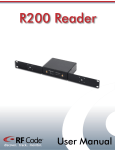
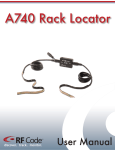
nd-user documentation for RF Code M200 Family Readers, M250 Reader, M220 Mobile Reader, R200
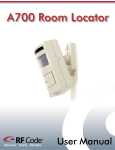
Reader, A700 Room Locator and A750 Room Locator
Introduction
e reader configuration utility is a Windows based software program that interfaces with an RF Code reader and is
Th
used to update firmware on a reader, or assign an IP address to a standard reader.
e reader configuration utility is typically used to upgrade the firmware embedded in one of the RF Code readers
Th
(mobile or standard reader). Updated firmware with new features and capabilities will periodically become available
for the RF Code readers. All firmware upgrades will be provided as one firmware update package.
e firmware image file can be uploaded to a reader connected to a network or to a reader connected to your PC by a
Th
RS-232 serial cable, PCMCIA card, or USB cable.
Requirements
System Requirements:
• 83 MB available hard drive space
• Windows 2000, NT, XP, or Vista operating system
Installation
I nsert the CD into your CD-ROM drive and click on “Install Reader Configuration Utility” to begin. If the CD
autorun program does not launch the CD main menu, you can use a Windows explorer window to browse to your
CD drive and double-click the RF Code Utility CD Menu file to start the autorun program or install the Reader
Configuration Utility directly by double clicking on the setup.exe file.
Launching Application
fter installing the application from the CD, select Start > All Programs > RF Code > Reader Configuration UtilA
ity > RF Code Reader Configuration Utility to launch the application and display the main screen.
Main Screen
fter launching the application, the main screen appears. You can select Network or Local and click Next to begin
A
the setup. The network setup is used to configure a reader connected to a network by means of an ethernet connection. The local setup is used to configure a reader connected to your PC by a RS-232 serial cable or USB cable.
PN00135 REV06
Reader Configuration Utility User Manual 4