1
the airways being modeled should be obtained from survey results or empirically computed
using suitable friction factors and airway geometry.
Resistance per length (R/L) values are entered similar to the k-factors discussed in the previous
section. R/L values can be entered in both the Schematic view and Branch Input screen. In the
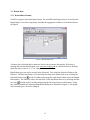
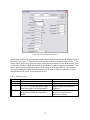
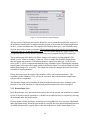
Schematic view, R/L values can be entered by pressing the Select R per L button on the Branch
Data dialog box and selecting a value from the user define list in the Select Resistance per
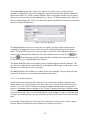
Length dialog box as shown in Figure 7. Also, the Select Resistance per Length dialog box will
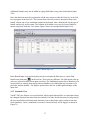
appear by double clicking on the cell under the Resistance per Length header in the Branch Input
screen. Resistance per length values are input per 1,000 units (ft or m).
Figure 7: Resistance per Length Values Dialog Box
3.3.1.5 Automatic Length Tool
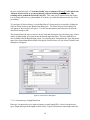
The VnetPC program incorporates an automatic length tool. This feature is accessed from the
Tools drop down menu in the Model Information, Branch Input, Branch Results, Junction Data
and Schematic Views. When the user selects "Auto Length" the Automatic Branch Length
Calculation dialog box is displayed as shown on the following page in Figure 8.
15