1
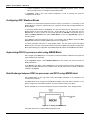
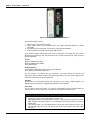
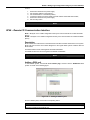
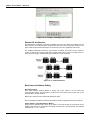
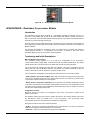
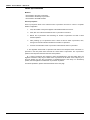
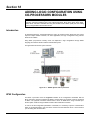
DFI302 – User’s Manual – AUG/14 - E Figure 18. 10 – Locating the DF65 Rotary Switch Detail: The Rotary Switch DF65 with Three Modbus RTU Channels When the DF65 is used as a regular co-processor, it means that no DF66 module is being used. Also, either P3 as P1 and P2 may act are available as Modbus/RTU channels. Note that none of them can act as a Modbus master. P1, P2 and P3 are independent Modbus/RTU slave channels. They can be used at the same time. P1 is recommended for point-to-point connections whereas P2 and P3 may be used in two different networks (master and slave) to increase accessibility of the co-processor through two computers (masters) or in a redundant architecture where the user can alternate between the channels in a failure situation. Settings: The rotary key must be in the position 8; One Modbus ID set for P1, P2 and P3 (set on LogicView); The P1, P2 and P3 baud rates are set on LogicView. DF65 Master in a DF66 System The DF65 can be also a master in a DF66 system. This means that the DF65 acts as the main processing unit acquiring data from the DF66 modules in its own IMB and also from any DF66 connected to it. In this case P3 is completely dedicated to DF66 communication data. P1 and P2 are slave Modbus/RTU independent channels. P1 is used for point-to-point applications whereas P2 may be used in a multidrop network. Settings: The rotary Switch must be in the position 0; One ID Modbus for P1 and P2 set on LogicView; P1 and P2 baud rates are set on LogicView; P3, the remote channel, has its own dedicated baud rate set through the frontal DIP switch. Factory Init The user can carry out a procedure to make the DF65 to assume its factory configuration. This procedure is called factory init. 18.12