1
Page 6
Section 4 - Chapter 5
5.4.6FORMS
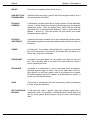
FORMS is a 1 to 6 character name you choose to identify a type of form (for example,
CHECKS, 2PART, etc.). If you omit the FORMS command, the spooler uses the default
form name of NORMAL (normal paper). You may select this option with the PRNT
command also.
This command allows you to specify the kind of forms that should be mounted on the
particular printer defined by this parameter file. The PRNT command then checks print
requests against this to see if the forms should be changed; if the print request specifies
a different form than the one mounted on the printer, an error message tells the operator
the forms need to be changed.
5.4.7CLUSTER
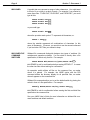
If CLUSTER is ON/TRUE, then files in the print queue requiring the same type of forms
will be printed as a group. For example, if you enter a PRNT command like this:
PRNT PRT1=PAYCHK/FO:CHECK,REPORT/FO:NORMAL,PO.CHK/FO:CHECK
the first and third files (PAYCHK.LST and PO.CHK) will be printed together, and the
second file (REPORT.LST) will be printed last. After the two files using CHECK forms
are printed, the spooler pauses and displays on the operator terminal the message:
Please mount form NORMAL on PRT1
When you have changed the forms in the printer, use the SET command described
below to tell the spooler the correct forms are mounted.
5.4.8BANNER
If BANNER is set to ON/TRUE, a banner page will be printed at the front of each listing.
The banner identifies the file printed, the printer on which the listing was made, the date
the listing was printed, etc. If you omit the BANNER command, the spooler assumes
BANNER = ON. You may select this option with the PRNT command also.
5.4.9HEADER
If HEADER = ON, the spooler program prints page headers for the document it is
printing. Page headers are titles printed at the top of every page which give the name of
the file, the date on which it was printed, and the current page number. If you omit the
HEADER command, the spooler assumes HEADER = OFF. You may select this option
with the PRNT command also.
System Operator’s Guide, Rev. 00