1
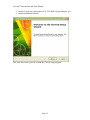
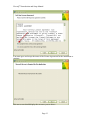
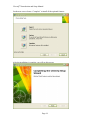
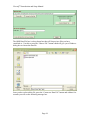
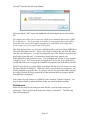
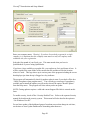
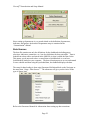
CleverQ™ Introduction and Setup Manual The software uses Microsoft Access and is compatible with Access 2002/XP, Access 2003, Access 2007, and Access 2010. If you do not have Access installed on your system, the installation program will provide an option to install a runtime version of Access so you do not need to purchase Access if you do not have it. Also required is Microsoft .net Framework 3.5. This is generally already part of your operating system update, and if you do not have this installed, the installation program will inform you and direct you to a website where you can download it and install it. There are no special requirements for your computer hardware, but the faster the CPU in your system and the more RAM/memory you have, the better performance you will have with the software. The software once loaded will occupy approximately 100 Mb of disk space. Installation Licensing There are four options for licensing the software: CleverQ Standard Edition Single User – Single Company Single User – Multiple Companies CleverQ Professional Edition Multiple Users – Single Company Multiple Users – Multiple Companies Single user licensing is for installation on a single user operating system like Windows XP, Windows Vista, or Windows 7. Multiple User licensing is for installation on a server based operating system like Windows 2003 Server or Windows 2008 Server. If you have or want to monitor multiple companies, you will want to choose the Multiple Companies licensing option. The Single Company license will only allow you to use one specific company. The Setup Program The setup or installation program is generally downloaded from our website. Once downloaded, run the file and you will see various screens to guide you through the installation. The same setup program is used no matter what your licensing option is. This installation needs to be done by a user with administrative privileges. The administrator can install for a non-administrator using a separate setup program discussed later in this section. The installation consists of four steps: 1. Check for installation of Microsoft Access and if not available, automatically install Microsoft Access 2002 Runtime. 2. Install CleverQ Std/Pro Page 11