1
3.24
User-defined Model
3.24.1 Add an User-defined Model
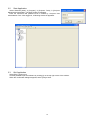
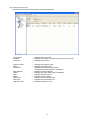
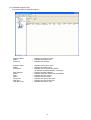
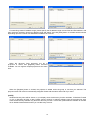
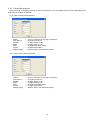
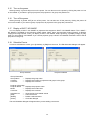
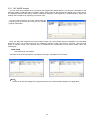
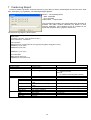
You can create your own projector definition and add it as User-defined model. In order to add new User-defined
model, click [Add Model…] button on the Add Projector window. Once you have added a User-defined model, the
new model is added in the standard model list.
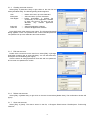
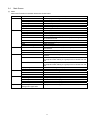
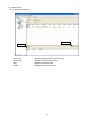
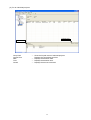
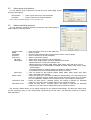
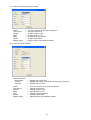
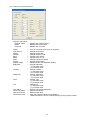
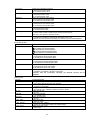
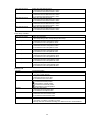
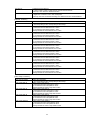
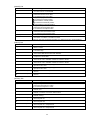
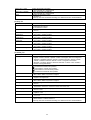
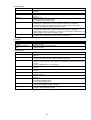
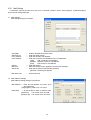
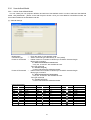
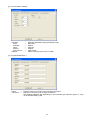
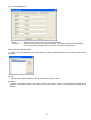
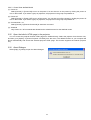
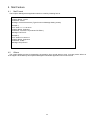
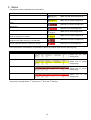
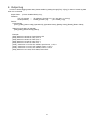
(1) General Settings
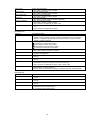
Model Name
Command Type
Power On Command
-------
Power Off Command
---
Enter the name of User-defined model
Select command type wither Binary or Text (ASCII)
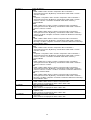
Define Power On command. It allows up to 32 ASCII character length.
Binary type command
Ex: BEEF030600BAD2010000600100
* Only 0-9, a-f and A-F are available to enter.
Text type command
Ex: POWER ON[CR]
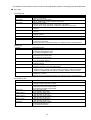
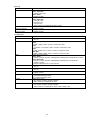
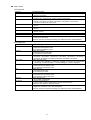
* Control characters are defined as below.
Define Power Off command. It allows up to 32 ASCII character length.
Binary type command
Ex: BEEF0306002AD3010000600000
* Only 0-9, a-f and A-F are available to enter.
Text type command
Ex: POWER OFF[CR]
* Control characters are defined as below.
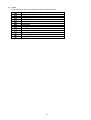
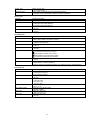
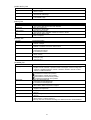
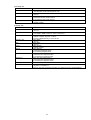
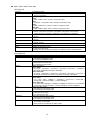
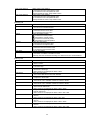
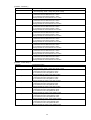
Control Characters
Control Character
NUL
0x00
SOH
0x01
STX
0x02
ETX
0x03
EOT
0x04
ENQ
0x05
ACK
0x06
BEL
0x07
BS
0x08
HT
0x09
LF
0x0a
Notation
[NUL]
[SOH]
[STX]
[ETX]
[EOT]
[ENQ]
[ACK]
[BEL]
[BS]
[HT]
[LF]
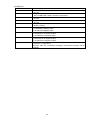
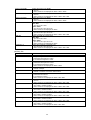
Control Character
VT
0x0b
NP
0x0c
CR
0x0d
SO
0x0e
SI
0x0f
DLE
0x10
DC1
0x11
DC2
0x12
DC3
0x13
DC4
0x14
NAK
0x15
51
Notation
[VT]
[NP]
[CR]
[SO]
[SI]
[DLE]
[DC1]
[DC2]
[DC3]
[DC4]
[NAK]
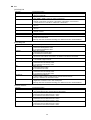
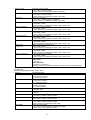
Control Character
SYN
0x16
ETB
0x17
CAN
0x18
EM
0x19
SUB
0x1a
ESC
0x1b
FS
0x1c
GS
0x1d
RS
0x1e
US
0x1f
DEL
0x7f
Notation
[SYN]
[ETB]
[CAN]
[EM]
[SUB]
[ESC]
[FS]
[GS]
[RS]
[US]
[DEL]