1
Practical
Configuration:
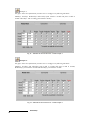
Camera #1
(entrance) will be
recording at 3 IPS
when motion is
detected.
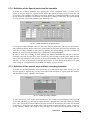
Camera #2
(Office) will
record at 1 IPS
during working
hours and at 3 IPS
when an event
occurs.
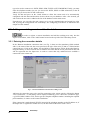
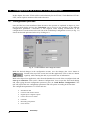
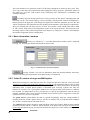
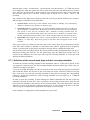
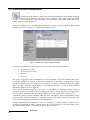
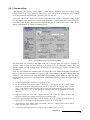
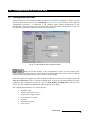
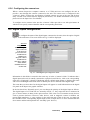
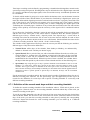
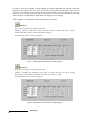
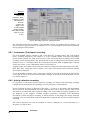
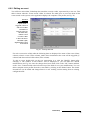
Fig. 66 – Recording frequencies configuration folder
The left-hand column lists the names of the installed cameras. For models with 16 cameras, you
have to select the group of cameras to configure (1-8 or 9-16) through the selection box located on
the top right part of the window.
6.8.1 Continuous (Time-lapse) recording
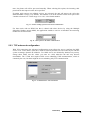
For each installed camera, columns 2 and 3 will show the “working hours” and “non-working
hours” recording frequencies (see chapter 6.7). In the columns named “Time-lapse Recording”
specify which cameras are going to be used to record, and when these recordings will be made
(working or non-working hours). The specified time of the recordings will work when no special
incidents occur, i.e. recordings which do not take into account the status of digital inputs, disk full
or busy line events, or any combination of these (see section 5.9).
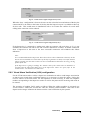
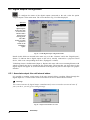
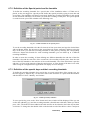
Frequency units are indicated by an acronym written in colored text to the right of these cells (IPS /
IPM / IPH / IPD - images per second / minute / hour / day). Click on this text several times until the
desired unit is displayed.
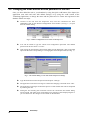
To set the number of images, click on the cursors shown to the right of the acronym. Click on the
cursor with an UP arrow to increase the number of images or the cursor with the DOWN arrow if
you wish to reduce it.
6.8.2 Activity detection recording
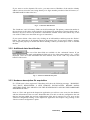
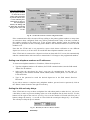
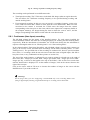
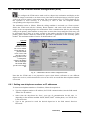
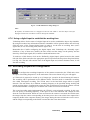
It is possible to activate the activity detection recording for cameras with time-lapse recording
configuration by marking the corresponding “Activity detection” verification box .
By this operation if motion in detected in the image – or part of it- the camera will immediately
start to record at the programmed rate (with some previous time to ensure that the cause of the
activation is recorded) and will keep on recording a few second after the activity stopped to ease
the playback of the sequence avoiding multiple consecutive recordings with intermittent
movements. Unlike time-lapse recording, if motion absence in the image the activity detection
recording is not activated, which reduces the hard disk occupation and eases the recorded sequence
searching.
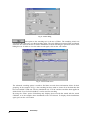
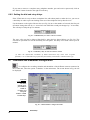
The activity detection can only be enabled in cameras configured to record time-lapse at a
frequency of 1 IPS or more.
VideoSetup
62