1
the lap timer memory or manually by scrolling through the memory in Recall
Mode. The second memory is the data logging memory which holds the samples
of speed, time, RPM and two other parameters taken at intervals along the track.
If you answer yes to this option, you will clear the lap times memory, and you will
be given the option of running a diagnostic routine to check the system‘s data
logging memory. This will completely erase the data logging memory and cause
a New Track sequence (See Section 5) to be performed at the end of the next
complete lap.
4. Data Logging
4.1
General
The data logging function is fairly simple and is not to be compared with the sophisticated, expensive systems on the market with many channels, a large
memory and high sample rates. The data stored by the RCA40 is speed, RPM
and two other parameters. That said, the results are very useful in comparing
driver performance as opposed to detailed car performance.
The main features of the data logger are as follows:
About 50 miles of data is held in memory – depends on sample distance.
The memory is non–volatile – that is, it needs no power to hold the data
The fastest lap is always kept
The remainder of the memory holds the most recent laps completed
Black Box facility – IN laps or uncompleted laps are recorded up until the
power is turned off. Provides helpful hints in avoiding engine blow ups gravel traps and tyre walls!
If the system is in Performance Mode – that is the Performance? setting is Yes,
then the Up Load function will transfer the complete data logger memory to your
PC. The data is in binary and requires the special Podium software to interpret it.
This is included with the RCA40 on the CDROM.
4.2
Loading the Podium Data Analysis Software
To load the Podium software, simply put the CDROM into your CD drive. It
should automatically start, but if not click on the START button, then select Run
and enter D:\setup in the run box. (Where D is the drive letter of your CDROM
Drive. Podium should now install itself. Podium requires two other software
items to be installed on your PC—the Microsoft .NET Framework and Internet
Explorer 6. If a message appears saying that either of these is missing, simply
click on My Computer or use Windows Explorer to display the contents of the
CDROM. To install the .NET Framework, double click on dotnetfx.exe and to
install Internet Explorer 6, double click on ie6setup.exe.
Page 38
5
Beacon Settings and Siting
5.1 Understanding Infra Red Communications
5.2 Aligning Beacon and IR Detector
5.3 Beacon Conflicts
5.4 Beacon Battery Voltage and IN Channel Display
6. Specific Information for Karts and Bikes
6.1 Karts
6.2 Bikes
7. Changing Batteries
7.1 Junction Box
7.2 Beacon
8. Adjusting Contrast
9. Trouble Shooting
10. Technical Specification
1. Introduction
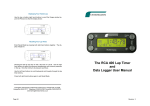
Thank you for purchasing the Farringdon Instruments RCA40 Lap Timer System.
It has been designed and developed by a group of keen club racers for cars,
bikes and karts. We hope you will find the Lap Timer a helpful addition to your
motor racing instrumentation.
Please read these instructions carefully. The Quick Installation section will provide you with all the information you need to install the system and to use its
basic facilities. However, we would recommend that you read section 5 before
you try the system on the track. Section 3 provides you with the details that you
will need to use all the facilities of the system.
These instructions have been written for systems installed in cars but Section 6
gives specific information for Karts and Bikes.
The RCA40 Lap Timer has been manufactured to the highest commercial quality
standards but should be treated carefully. For example the liquid crystal display
is rated at no more than 0.5g vibration and 3g shock in operation (2g vibration
and 50g shock non operational) so please use the recommended mounting
methods or better.
Part 2 of this manual starts on Page 28 and covers the operation of the Performance Monitor licensed from STACK Limited. However, we strongly recommend
that you try out the lap timer with the Performance Monitor switched off first
(Section 3.2.13) and when you are confident that you understand how to operate
the lap timing features, then try the Performance Monitor.
Page 3