1
Table of Contents
1
Revision history ..................................................................................................................4
2
Introduction.........................................................................................................................5
3
Hardware Preparations ....................................................................................................6
3.1
3.2
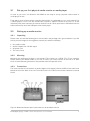
Set up your first physical media monitor or media player .......................................................... 7
Setting up a media monitor ............................................................................................................... 7
3.2.1
3.2.2
3.2.3
3.2.4
3.2.5
3.2.6
3.3
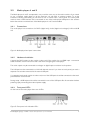
Media players 4 and 5 ........................................................................................................................ 9
3.3.1
3.3.2
3.3.3
3.4
3.5
Connections ....................................................................................................................................................................................... 9
Hardware Installation................................................................................................................................................................... 9
Front panel LEDs ........................................................................................................................................................................... 9
Configuration ...................................................................................................................................... 10
Monitor adjustments ......................................................................................................................... 10
3.5.1
3.5.2
3.6
Unpacking............................................................................................................................................................................................ 7
Mounting ............................................................................................................................................................................................... 7
Connections ....................................................................................................................................................................................... 7
Hardware Installation................................................................................................................................................................... 8
Control panel buttons and LEDs......................................................................................................................................... 8
Buttons................................................................................................................................................................................................... 8
To “Auto adjust” the image location on the monitor .......................................................................................... 10
To calibrate the touch panel ................................................................................................................................................ 10
Configuration and connection check ............................................................................................ 12
3.6.1
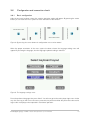
Basic configuration .................................................................................................................................................................... 12
4
Standalone setup ........................................................................................................... 14
5
Centrally managed network setup.............................................................................. 19
5.1
5.2
5.3
6
Login to the web client ................................................................................................. 22
6.1
7
Media spots ........................................................................................................................................ 25
Playlists ................................................................................................................................................ 25
Channels.............................................................................................................................................. 26
Areas .................................................................................................................................................... 27
Infrastructure –Sites and units ....................................................................................................... 27
Image retention .................................................................................................................................. 28
Set up your first store and media player ................................................................... 29
8.1
9
Remote unit access .......................................................................................................................... 23
Management system basics –some important definitions .................................... 24
7.1
7.2
7.3
7.4
7.5
7.6
8
Downloading content ....................................................................................................................... 20
Flash installation................................................................................................................................. 20
Troubleshooting ................................................................................................................................. 20
Decreasing the media player report interval ............................................................................... 31
The Import tab –To upload and define your media spots ..................................... 33
MultiQ Digital Signage – DSMS 3 User’s manual, Version 3, 11/11/2010
2