1
Klinkmann Automation S7ETHMPI Server
25
Using the S7ETHMPI Server with Suite Link and
DDE Clients
The “Suite Link & DDE” version of S7ETHMPI Server is accessible from Suite Link
clients (e.g. InTouch) and DDE clients (e.g. Excel). The “OPC & DDE” version of
S7ETHMPI Server is accessible from DDE clients.
Using the S7ETHMPI Server with InTouch
To access to data from Siemens S7 PLCs from InTouch by using S7ETHMPI Server, the
Access Names and Tag names should be defined in WindowMaker.
Defining the Access Names
InTouch uses Access Names to reference real-time I/O data. Each Access Name
equates to an I/O address, which can contain a Node, Application, and Topic. In a
distributed application, I/O references can be set up as global addresses to a network I/O
Server or local addresses to a local I/O Server.
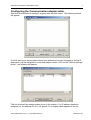
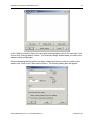
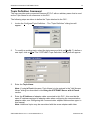
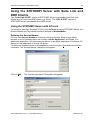
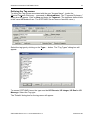
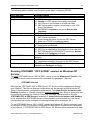
To define the Access Names in WindowMaker node invoke the /Special/Access Names...
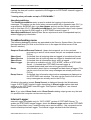
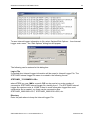
command. The "Access Names" dialog box will appear:
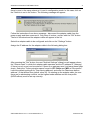
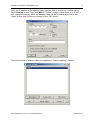
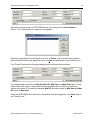
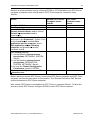
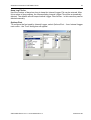
Click on Add…. The "Add Access Name" Dialog Box will appear:
S7ETHMPI Server Ver 1.x User Manual Rev1.2
470xxm12.doc