1
Klinkmann Automation S7ETHMPI Server
i
Table Of Contents
Overview......................................................................................................................... 1
Communication Protocols............................................................................................... 1
Accessing Remote Items via the Server......................................................................... 3
Installing the S7ETHMPI Server..................................................................................... 3
Installing the Server ................................................................................................... 3
Installing the I/O Server Infrastructure........................................................................ 5
Installing and Configuring the Communication adapter-cable ........................................ 6
Installing the Communication adapter-cable driver .................................................... 6
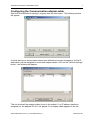
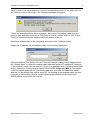
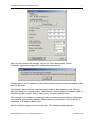
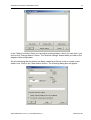
Configuring the Communication adapter-cable .......................................................... 7
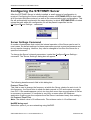
Configuring the S7ETHMPI Server................................................................................. 12
Server Settings Command ......................................................................................... 12
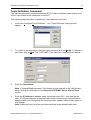
Topic Definition Command......................................................................................... 14
Saving S7ETHMPI Configuration File ........................................................................ 15
Configuration File Location ........................................................................................ 15
Item Names .................................................................................................................... 16
Monitoring and Controlling Communication with a PLC ............................................. 23
Using the S7ETHMPI Server with Suite Link and DDE Clients ...................................... 25
Using the S7ETHMPI Server with InTouch ................................................................ 25
Defining the Access Names................................................................................... 25
Defining the Tag names......................................................................................... 27
Monitoring the Status of Communication with InTouch.......................................... 29
Notes on Using Microsoft Excel ................................................................................. 29
Reading Values into Excel Spreadsheets.............................................................. 29
Writing Values to S7ETHMPI Points...................................................................... 30
Using the S7ETHMPI Server with OPC Clients.............................................................. 31
Configuring DCOM ..................................................................................................... 31
Running S7ETHMPI “OPC & DDE” version as Windows NT Service ........................ 33
Using S7ETHMPI with OPCLink Server ..................................................................... 34
OPCLink Topic Definition....................................................................................... 34
Accessing S7ETHMPI Items via the OPCLink Server ........................................... 35
Error messages .............................................................................................................. 36
Troubleshooting.............................................................................................................. 37
WIN.INI entries........................................................................................................... 37
Troubleshooting menu ............................................................................................... 38
Internal Logger ........................................................................................................... 38
S7ETHMPI Server Ver 1.x User Manual Rev 1.2
470xxm12.doc