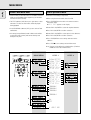
1
Finalizing CDR & CDRW discs
Unfinalizing CDRW discs
During finalizing the Table of Contents (TOC) is written to the
disc.
For CDRW discs only.
If you want to make more recordings (or erasure of tracks) on a
finalized disc you must unfinalize it first. The Table of Contents
(TOC) will be removed. (This is not possible for CDR discs.)
To unfinalize:
Finalizing is a simple procedure, necessary to:
- be able to play recordings on a CD PLAYER,
- avoid further unwanted recordings on a disc,
- avoid erasure of tracks on a CDRW,
- write CD text on a CDR(W).
Auto finalizing
Auto finalizing is possible when using the MAKE CD recording
function.
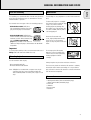
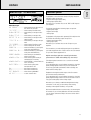
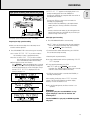
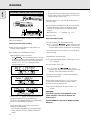
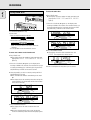
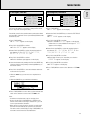
2 With the recorder stopped press FINALIZE.
➜ The display shows FINALIZE CD and PRESS
RECORD.
TIME TRACK
SYNC MANUAL
DIGITAL I
OPTICAL I
ANALOG
REM
TOTAL REM
TRACK TIME
RECORD
CD
CHANGER
RW
REC
REC
TIME TRACK
TIME TRACK
CD
RW
TOTAL REM
TRACK TIME
REM
RECORD
CD
RW
CHANGER
CD
RW
CHANGER
CD
CD
REC
RW
TIME TRACK
SYNC MANUAL
TOTAL REM
TRACK TIME
RECORD
DIGITAL I
OPTICAL I
ANALOG
CHANGER
CD
CD
RW
RW
STEP
PROG
SHUFFLE ALL
REPEAT
SCAN TRACK
STEP
PROG
SHUFFLE ALL
REPEAT
SCAN TRACK
STEP
PROG
SHUFFLE ALL
REPEAT
SCAN TRACK
STEP
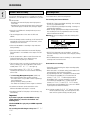
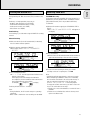
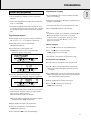
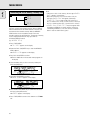
2 Press JOG (ENTER).
➜ The disc will now be unfinalized and can be recorded on
again and the Recording or Erasure mode is entered.
REM
1
REC
2 3 4
DIGITAL I
OPTICAL I
ANALOG
DIGITAL I
OPTICAL I
ANALOG
TRACK TIME
RW
TIME TRACK
5
6
7
SYNC MANUAL
SYNC MANUAL
TOTAL REM
RECORD
DIGITAL I
OPTICAL I
ANALOG
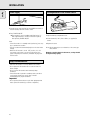
1 Make sure the disc (in the CD recorder deck) is absolutely
free of scratches and dust particles.
REC
REM
SYNC MANUAL
Manual finalizing
REM
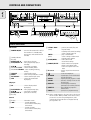
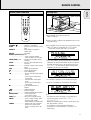
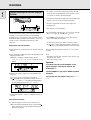
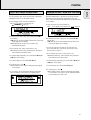
1 With the CD recorder stopped, press RECORDING-TYPE or
ERASE.
➜ UNFINALIZE and PRESS ENTER will appear on
the display.
PROG
SHUFFLE ALL
REPEAT
SCAN TRACK
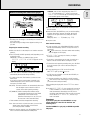
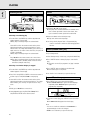
3 Press RECORDING-RECORD.
➜ XX XX FINAL and the approximate finalization time
appears on the display.
The display counts down through the finalization.
On completion, the total number of tracks and the total
time recorded appears on the display.
For CDR(W),
changes to
on display.
RW
Finalizing will take at least 2 - 4 minutes.
Note:
- During finalization, the CD recorder accepts no operating
commands.
- When a CDR is finalized no more recordings can be added.
8
TOTAL REM
TRACK TIME
9 10 11 12 13 14 15
RECORD
CD
RW
STEP
CHANGER
CD
RW
PROG
SHUFFLE ALL
REPEAT
SCAN TRACK
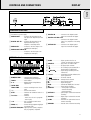
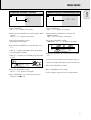
3 You can now start recording or erasing. If no further
recording or erasure is required press STOP 9.
Note:
- Unfinalizing will take approximately 1 minute 30 seconds.
- When unfinalizing a CDRW disc with text on it available,
this text will be transferred to the CD recorder memory. It
may occur that the text memory is full. The message
MEMORY FULL/FINALIZE CD will be displayed.
To empty the recorders text memory you have to erase text
from it. This can be done in two ways:
1) Finalize one or more unfinalized discs for which CD text is
available.
2) Delete text of unfinalized discs with the ‘memory view’
option in the Menu mode.
23
English
RECORDING