1
PROGRAMMING
• You can program up to 99 tracks to play in any desired
sequence.
• Tracks can be programmed more than once, but each time
counts as a track.(STEP)
• A program for playback can be made from both the disc in
the recorder deck and the disc in the player deck. A program
for recording can only be made from the disc in the player
deck.
Programming for playback
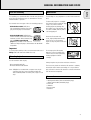
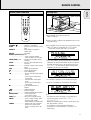
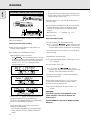
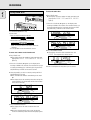
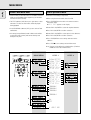
1 Select Changer mode or DJ mode using the DJ MODE key.
➜ CHANGER or DJ MODE appears on the display.
2 Press CDR or CD to select the required deck.
➜ Selected key lights up.
REC
TIME TRACK
TOTAL REM
TRACK TIME
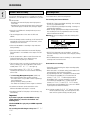
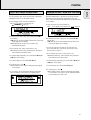
1 Press RECORDING-TYPE to select the required recording
mode (see ‘Recording’).
2 Compile your programme as described in “programming for
playback”. (steps 3 to 5)
• Only tracks from the disc in the CD player can be stored.
3 Press RECORDING-RECORD to start recording.
Note:
- To review the program, press PROG(ram), followed by 5 or
6 with the CD player or CD recorder in stop mode.
- To add more tracks to the program, repeat steps 1 to 7.
- If you try to store more than 99 tracks, PROG FULL
appears on the display.
Clearing a program
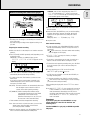
3 Press PROG(ram) to enter Program mode.
➜ PROG flashes and PROGRAM followed by track
information appears on the display.
REM
English
Programming for recording
Remarks about programming
1 Press STOP 9 if necessary to stop programmed play.
2 Press STOP 9 again to clear the program.
➜ PROG disappears from the display.
STEP
• The program is also cleared if you open the disc tray.
1
2 3 4
5
6
7
8
9 10 11
SYNC MANUAL
DIGITAL I
OPTICAL I
ANALOG
RECORD
CHANGER
CD
RW
CD
RW
PROG
SHUFFLE ALL
REPEAT
SCAN TRACK
Erasing a track from a program
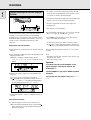
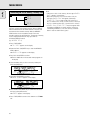
1 In Stop mode press PROG(ram) to enter Program mode.
REM
REC
TIME TRACK
TOTAL REM
TRACK TIME
STEP
1
SYNC MANUAL
DIGITAL I
OPTICAL I
ANALOG
RECORD
CHANGER
CD
RW
CD
RW
PROG
SHUFFLE ALL
REPEAT
SCAN TRACK
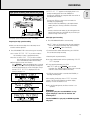
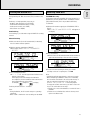
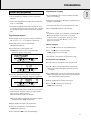
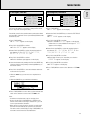
4 Select the required track numbers by turning the EASY
JOG/ENTER key left or right and store by pressing ENTER.
REM
REC
TIME TRACK
TOTAL REM
TRACK TIME
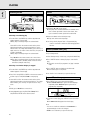
2 Use 5 or 6 to select the track that has to be deleted.
➜ The track number and program step will be shown on
the display.
3 Press CANCEL/DELETE to erase the track from the program.
➜ The remaining program steps and the remaining playing
time of the program will be displayed.
STEP
4 Repeat step 2 and 3 for all tracks to be erased.
2
7
SYNC MANUAL
DIGITAL I
OPTICAL I
ANALOG
8
11
RECORD
CD
RW
CHANGER
CD
RW
PROG
SHUFFLE ALL
REPEAT
SCAN TRACK
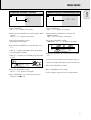
5 Press STOP 9 or PROG(ram) to end erasing.
➜ PROG lights continuously.
or:
Key in a track number with the number keys on the remote
control and press ENTER to confirm. For 2-digit numbers,
press the keys in rapid succession.
➜ The track will be stored in the program.
➜ The track number, total program time and the number of
programmed tracks (STEPS) are displayed.
5 Repeat step 4 for all tracks to be programmed.
6 Press STOP or PROG(ram) to end programming.
➜ PROG lights continuously.
7 Press PLAY/PAUSE 2 ; to start programmed play.
27