1
Return to Table of Contents
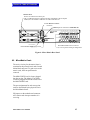
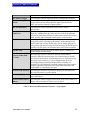
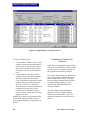
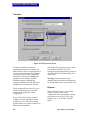
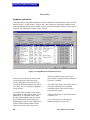
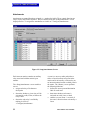
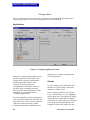
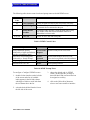
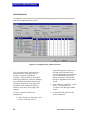
Figure 15: Key Assignments Edit Screen
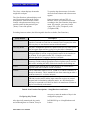
4. Choose a label for assignment from the
list on the left. Click in the appropriate
cell on the right side to assign that label
to a talk or listen key. When assigning
multiple talk labels to a selector key, it
is necessary to assign labels to the first
key position before assigning to the
secondary key positions (e.g., {Talk 1}
must be assigned before {Talk 2} can be
assigned, {Talk 2} must be assigned
before {Talk 3} can be assigned, etc.). If
a label has previously been assigned to a
cell, the new label replaces the old label.
5. Double clicking on a cell with an
assigned label deletes that label.
6. Select a new station for key assignment
by clicking the [Select New] button.
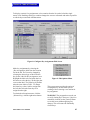
To assign a label to an expansion-panel key,
scroll down the list of keys in
<ConfigureKey Assignments> on the right
MicroMatrix User Manual
side of the screen until expansion panels
appear. If the station has no more than 30
expansion keys, as many as 60 talk and/or
listen labels can be assigned to the selector
keys. If a station has 50 expansion panel
keys, only the first 10 have separately
assignable talk and listen keys. If a station
has 40 expansion panel keys, only the first
20 have separately assignable talk and listen
keys. If there are 60 expansion panel keys,
all of the keys must have identical talk and
listen labels.
Refer to Section 9.2 for a discussion of the
functionality and capability of AP-22
assignment panels before proceeding.
To assign a source to a button, click on the
desired source, which will be assigned as a
listen label, on the left and then click on the
desired assignment listen key. To assign a
destination, click on the desired destination
(which will be assigned as talk label) on the
left and then click on the desired assignment
57