1
Return to Table of Contents
Local Advanced
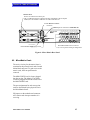
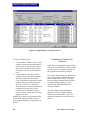
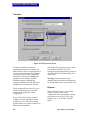
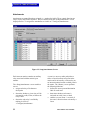
<ConfigureLocal Advanced> sets functions affecting the interaction of stations and interfaces
with other components in the system.
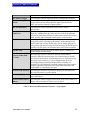
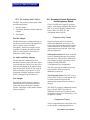
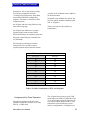
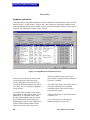
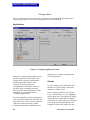
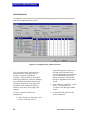
Figure 16: Configure|Local Advanced Screen
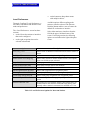
The <Local Advanced> tab features two
selection choices. In the upper left are
selections for which component to
configure—either a station or an interface.
In the upper middle are selections enabling a
user to establish associations between the
configured component (on the upper left)
and other system components (stations,
interfaces, party lines, fixed groups, and
controls).
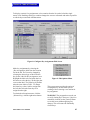
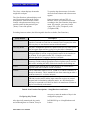
To select a station or interface for
configuration:
1. select {Station} or {Interface} from
the box on the left; a list of
64
components appears in the box on
the right, each with labels and a
series of options that vary with each
type of component; the selected
station or interface is indicated in
the upper, right-hand corner of the
screen
2. select {Station}, {Interface}, {Party
Lines}, {Fixed Groups}, or
{Controls} from the upper middle
section
3. select the desired option for each
system component.
MicroMatrix User Manual