1
Main Menu
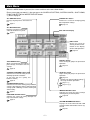
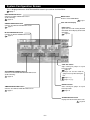
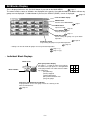
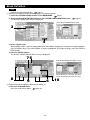
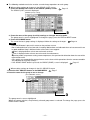
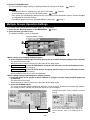
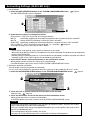
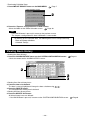
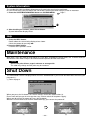
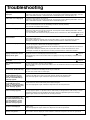
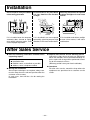
When the MENU button is pressed, the screen switches to the one shown below.
Please enter your password (∗) after you press the SCHEDULE SETTING, SYSTEM CONFIG., SHUT DOWN,
FUNCTION SETTING or IMPORT EXPORT button.
(∗) Refer to page 6.
ALL GROUPS button
Displays all group names and status in a
list.
page 17
CHANGE ALL button
Switches the screen for changing group
batch operation settings.
page 19
ALL BLOCKS button
Displays a list of the names and
status of all blocks in a panel.
page 9
Date and Time display
HELP button
Opens the screen for
viewing detailed information on the display
content and operations.
page 30
RUN ALL button
Starts running for groups set up for batch
operation.
page 19
SHUT DOWN button
When it is known that there will be a
power outage, this button saves the
settings.
page 30
STOP ALL button
Stops running for groups set up for batch
operation.
page 19
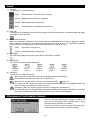
Settings can also be made for groups
not set up for batch operation.
page 11 1
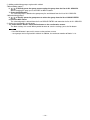
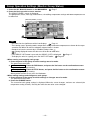
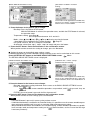
SCHEDULE SETTING button
Switches the screen for setting air conditioning operation schedules.
(If you have not set a group, this
button is invalid.)
page 20
SYSTEM CONFIG. button
Switches the screen for making group and block
settings, date and time settings and accounting
settings (SLB-3-ER only) as well as viewing the
alarm history.
page 8
page 12 56
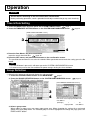
IMPORT EXPORT button
Switches the screen for saving settings
and outputting accounting data.
page 28
FUNCTION SETTING button
Switches the screen for making backlight settings and function settings.
page 27
SYSTEM INFORMATION button
Displays the SLA-3-ER and SLB-3-ER
version number and number of units registered.
page 30
–7–