1
LIST OF FIGURES--continued
Figure
3.17
3.18
3.19
3.20
3.21
3.22
3.23
3.24
3.25
3.26
3.27
3.28
3.29
3.30
3.31
3.32
3.33
3.34
3.35
3.36
3.37
3.38
3.39
3.40
3.41
3.42
3.43
3.44
3.45
3.46
3.47
3.48
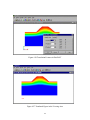
4.1
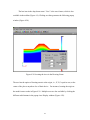
4.2
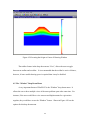
4.3
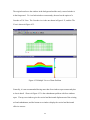
4.4
4.5
page
Placing Vertical Rollers (Zero Lateral Movement) on Right Boundaries.......
Assigning Flow or Zero Pore Pressure at Boundary .......................................
Applying No Flow Conditions ........................................................................
Changing the Description of a Region ............................................................
“Undo” and “Redo” Options on the Drop Down Menu and Toolbar..............
Save the Problem as “example1” ....................................................................
Editing the “All Events”..................................................................................
New Event or Properties Popup Window........................................................
The Event Insitu and Associated Regions .......................................................
Remove a Region from the Insitu Event .........................................................
Active Regions for the Insitu State..................................................................
Adding the Embankment as the Second Event................................................
Two Events in “All Events” ............................................................................
Active Regions for Event Two ........................................................................
Applying a Surface Load.................................................................................
Event Three: Surface Load.............................................................................
Selecting Quadrilateral or Triangular Mesh....................................................
Selection of Quadrilateral or Triangular Mesher ............................................
Mesh Window with Options............................................................................
Quadrilateral Mesh and PlasFEM Data Set.....................................................
Triangular Mesh Properties .............................................................................
Triangular Mesh Popup Window ....................................................................
Identify the Exterior Boundary for Triangular Mesher ...................................
Triangular Mesh Generation ...........................................................................
Zooming in the Draw Screen...........................................................................
Translated Drawing Object..............................................................................
Inclusion of Water Table in Draw Screen .......................................................
Meshed Regions with Inclusion of Water Table .............................................
Right Clicking the Mouse Outside the Drawn Objects ...................................
Right Clicking the Mouse Inside a Region .....................................................
Right Clicking the Mouse at the Center of Any Boundary Line.....................
Properties Window for a Boundary.................................................................
PlasPLOT Opening Screen..............................................................................
Selecting a PlasPLOT file to View..................................................................
Embankment Problem Selected for Viewing ..................................................
Drop Down Menus and Toolbar......................................................................
Features of Drop Down Menu “Options”........................................................
iv
35
36
37
38
39
40
41
42
43
44
44
45
46
47
48
49
50
51
52
53
54
55
56
57
58
59
60
61
62
63
64
64
65
66
67
68
68