1
3.
Program operating
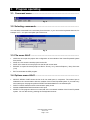
3.1. Command menu................................................................................
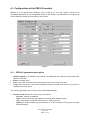
Fig. 4
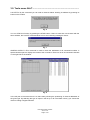
3.2. Selecting commands .........................................................................
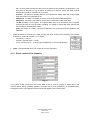
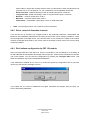
You can select commands in the usual way from the menu, or you can use the keyboard shortcuts, for
example: ALT + O to open the Option part of the menu.
Fig. 5
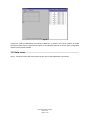
3.3. File menu Alt+F ..................................................................................
•
•
•
•
•
OPEN Ctr+O to open the project with configuration of the modules of the Power Express® system
from the file.
SAVE Ctr+S to save the actual project into the file.
SAVE AS to save the current project into the file with a new name.
EXPORT to export the actual project as file for: Excel (*.csv), Internet Explorer (*.htm), Plain text
(*.txt)
EXIT to terminate the PEX program.
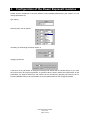
3.4. Options menu Alt+O ..........................................................................
•
•
•
•
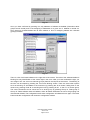
SELECT SERIAL PORT shows the list of all free serial ports in computers. The marked port is
selected for the communication with the modules of the Power Express® system. If you select any
other serial port, the program performs RESET and loads data from new selected port.
PARITY CHECK switches on/off communication parity check
QUICK COMMUNICATIONS switches on/off quick
RESET F5 The program carries out a new load of the connected modules of the Power Express®
system. You can also do it by pressing the F5 keyboard shortcut.
User Manual PEX Software
www.cue.cz
Page 7 of 25