1
SmartSENSOR[OPERATIONS GUIDE]
v2.0
Light Level Calibration
When a building is being constructed, the designer will nominate the required level of Lux to be present
in each area. The values may vary from area to area depending on the type of activity carried out in that
space. To set this type of variable, the work is best done at night. When no ambient light interferes
with the process.
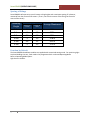
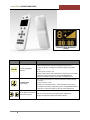
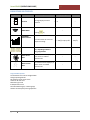
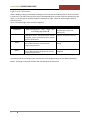
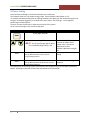
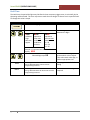
Go to a convenient light in the area to be adjusted.
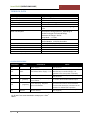
PRESS
FUNCTION
SEND
BRCST
DISPLAY
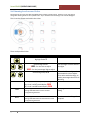
Keep Pressing (press … Press … Press …etc)
until the Big Digit flashes 5
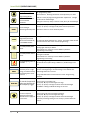
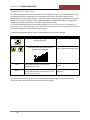
The system takes the light level reading from the
inbuilt photo sensor. This represents the set level
for lighting, used in the calculation of the ambient
light level performance
SEND image flashes for 1 second
Fitting’s RED LED Flashes 2 times to show
“Programming Received
SEND image flashes for 1 second
Fitting’s RED LED Flashes for 60 seconds to show
“Programming Received”
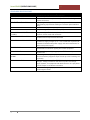
COMMENTS
The display will start at 1 and then
step through to 9 with each
button press
This is a self driven process and
requires no input from the user
This programs an individual
fitting
Broadcast to other fittings if
required
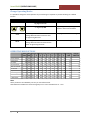
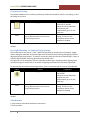
This program stores the high level set point used later in Lumen maintenance, and Ambient light sensing.
If necessary that all the fittings in this area have the same programming, press the BRCST (Broadcast)
button. All fittings in the area will flash their LED indicators for 60 second
14