1
© NOTOCORD Systems
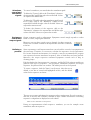
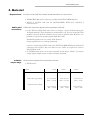
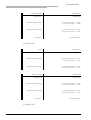
To define a sequence, click the line related to the sequence
in the "Type" column, then select a type. Default "Type"
value for sequences is : Wait.
In order to prepare the entire protocol, the type of each
sequence must be selected.
As the module is started and the sequences follow one
another, the type of each sequence is displayed in the status
bar.
Each sequence is given a number by the module. This
number is the sequence order number.
A comment can be added to each sequence. To enter a
comment, click the line related to the sequence in the
"Comment" column, then enter a short comment in the
field that appears. This comment will eventually be used to
define event marker labels when the sequence is activated.
As the module is started and as the sequences follow one
another, the comment of each sequence is also displayed in
the status bar.
To delete a sequence, simply click the "Delete" icon
(button).
To start sequencing, simply click the "Start" icon (button).
Important :
The DOC10s software module start does not depend on main
NOTOCORD-hemTM start. Therefore, it is recommended to first start signal
acquisition, and next, start the stimulator.
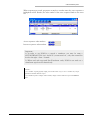
Start times are displayed in the "Start Time" column. For
each sequence (in each line), there is a start time.
A start time is defined for each sequence according to time
when sequencing is started.
To stop sequencing, simply click the "Stop" icon (button).
To loop through the sequences, simply click the "Loop"
icon (button).
November 28, 2007 Edition
3/8