1
ZERO
SEARCH
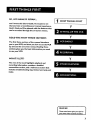
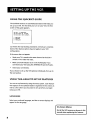
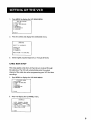
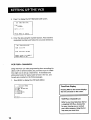
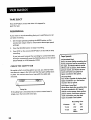
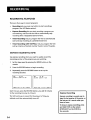
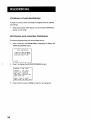
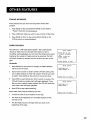
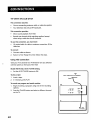
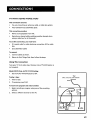
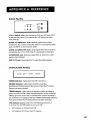
The zero search feature enables the VCR to quickly return to a
counter
reading of 0:00:00 anywhere on the tape. This is
especially convenient
ZERO
when you want to repeat a segment of the
CURRENT
TAPE COUNTER
2:17:25
tape several times.
1.
Go to the beginning
2.
Press CLEAR to reset the counter to 0:00:00.
3.
Continue playing the tape.
4.
Press STOP.
5.
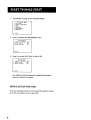
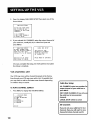
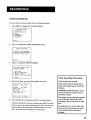
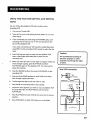
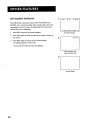
Press SEARCH on the remote IL_viceto display the ZERO
Press REV to return to 0:00:00 on the tape.
7.
Press STOP to stop zero searching.
PLUS
LOCKI NG FEATU RE
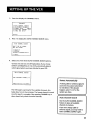
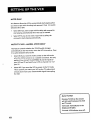
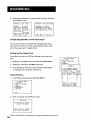
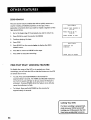
To Lock: Press and hold POWER on the remote for
6 seconds. The TIMER and RECORD indicators
on the front panel will flash to let you know the feature
is
activated. Pressing POWER while the feature is on will also
cause the indicators to flash.
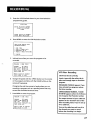
To Unlock: Press and hold POWER on the remote for
approximately
34
SEARCH
PRESS
recordings, you can lock the VCR so that the buttons on the VCR
or remote won't work.
•
PRESS
SEARCHING
0:00:00...
To disable the usage of the VCR, or to protect your timer
approximately
REV TO GO TO
0:00:00
ZERO
6.
PRO-TECT
PRESS
of the program you wish to return to.
SEARCH menu.
six seconds.
SEARCH
STOP
TO
EXIT
SEARCH
FOR
TO
CANCEL
ZS