1
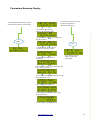
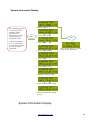
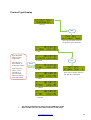
Parameters Browsing Display
Press the ESC button to return
to the first interface of
parameters browsing
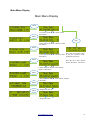
In the parameters interface, press the
menu button to enter the main menu.
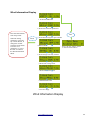
1. The battery power, state;
voltage and charging current
Menu
2. Night and day state, solar voltage and
charging current
ESC
3. Wind turbine rotation speed,
voltage and charging current
4. Wind turbine output power
and current.
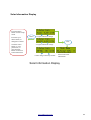
Press the up or down
button, browse the
parameters
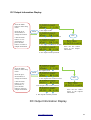
5. DC output 1 mode, light-control-on-volt,
time-control-off -time
6. DC output 2 mode, light-control-on-volt,
time-control-off -time
7. DC output power, current
8. Total input power, solar input power,
wind input power
9. Total energy system generated
www.laddertech.com.au
8