1
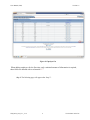
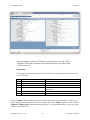
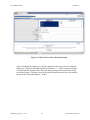
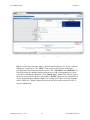
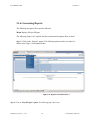
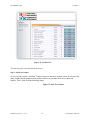
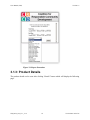
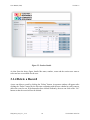
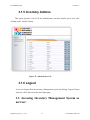
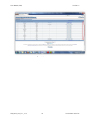
User Manual (UM) Version 1.2 2.1.3 Deleting an Employee For deleting an employee, similar steps should be followed up to certain point which were followed while “adding” an employee. The following navigation flow remains same as compared with Section 3.1.1: Menu: Admin Employee Administration Refer to Figure (8) mentioned above which shows the navigation flow described The following steps should be followed in order to delete an employee from the record. Step1: Select the “Checkboxes” for each of the employees you want to delete the record. Refer to Section 5.2 of Section 5:Appendix of the manual for more information about Checkboxes. Step 2: Click on the “Delete” button encircled with red color as shown in Figure 11 below. A small window will pop up and will ask you for your confirmation before deleting the employee details. Click on “Yes” if you are sure that you want to delete the employee from the record or else click on “No”. If you have clicked on “Yes” button the updated page will appear automatically as soon as the “Yes” button has been clicked and then you can see the corresponding changes on the page. UM_IOC2_S12_T11_V1.2 11 Version Date: 04/27/12