1
Manual V1.4 ENG
Copyright © 2008-2009 Vladimir Afanasiev E-mail: [email protected] WWW: www.digflow.ru
Page 3
Receiver settings
Settings can be changed after pressing Button 1. They are then listed sequentially by pressing this
button. Warning: power can be turned off only when device is in graph display mode. Power button is
blocked when viewing or changing settings, and it is necessary to return to the graph display mode to turn
off the device.
Programmable parameters:
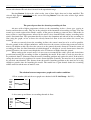
1. «Y Axis Range» – Selection of the temperature scale for
Y axis. The scale should be selected based on weather conditions. If
Configuration
temperature fluctuations are significant and temperature graph is not
Y Axis Range – 0.64 °C
fully displayed on the screen, then the scale value needs to be
modified and increased. In the opposite case, if the amplitude of
temperature fluctuations is insignificant, then a more sensitive scale
needs to be selected. The following scale values are supported: 0.16,
0.32, 0.64, 1.28, 2.56, 5.12, and 10.24 °С, where each value is the maximum height of the graph on Y
axis. Therefore, if scale value is set to 0.64 °С, the Y axis is going to be 0.32 °С in its positive direction
and -0.32 °С in its negative direction from 0 °С scale mark. Pressing Button 2 selects the previous value,
and pressing Button 3 selects the next value for the scale range. Pressing Button 1 saves the selected
value into battery-independent memory and switches to the next configuration parameter. When device is
in graph display mode, the value of Y Axis Range is displayed in the top right corner, and it can be
turned on or off using Button 3.
2. «Update Speed» — The refresh rate, or the speed at which
Configuration
the graph is being shifted on X axis. «Update Speed» is a period of
Update Speed – 0.5 sec
time at which the graph is shifted on one Pixel to the right and a new
X Axis Range – 48.0 sec
value is calculated. Values can range from 0.2 to 4.0 Sec with an
increment of 0.1 Sec. Pressing Button 2 allows selection of a higher
value, and pressing Button 3 allows selection of a lower value.
The value for «Update Speed» parameter has to be determined based on wind's speed and distance from
sensor's mast to the location of the airplane model start, or based on personal preference. In the case of
strong winds, it is recommended to set a high value for the «Update Speed» parameter. If the «Update
Speed» is slow, it might be necessary to activate graph smoothing. Smoothing is performed based on two
(2x) or four (4x) consequential readings of temperature by calculating their arithmetic average. Note that
after smoothing option is enabled, it would apply to all points on the graph only after its complete refresh.
«X Axis Range» — The period of time it takes to completely refresh the graph. This value is autocomputed by microprocessor based on the «Update Speed» parameter. The average temperature (Tavg) is
calculated over “X Axis Range” time period, and the microprocessor recalculates Tavg every time there
is an incoming value from the temperature sensor. Tavg is then set as a zero point on Y-axis. As a result,
when temperature increases, the graph line goes up, but the whole graph is shifted downwards. This is
rather convenient because there is no need to manually adjust the zero point on the graph with
temperature fluctuations. When device is in graph display mode, the value of “X Axis Range” is
displayed in the top right corner and it can be turned on/off using Button 3.
3. Contrast – The contrast of LCD display. Pressing Button 2 increases the contrast, and
pressing Button 3 decreases it.
4. Sensor ID – Individual code of a transmitting sensor,
Configuration
which can range from 0001-9999. This property allows the selection
Sensor ID – 0001
of a sensor, which then will be used for measuring temperatures.
Each sensor has its unique ID code, which is assigned during
manufacturing and can't be further changed. All register-receiver
devices are identical. They can be setup to received signal from any