1
Table of Contents
1.
2.
3.
4.
5.
7.
8.
9.
10.
BEFORE USING YOUR DRIVING RECORDER
TECHNICAL SPECIFICATIONS AND FUNCTIONS
Specifications & Functions
IMPORTANT SAFETY WARNINGS
QUICK START GUIDE
CONFIGURATION
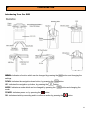
Introducing Your Driving Recorder
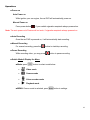
Operations
Install the battery
Power on
Auto Recording
Manual Recording
Pause Recording
Switch Mode & Display the Menu
Power off
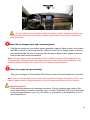
Adjust your view angle
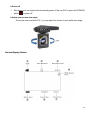
Screen Display Status
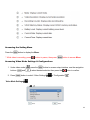
Accessing the setting Menu
Accessing Video Mode Settings & Configurations
Video Mode Settings
Video Size
Date Stamp
Video Length
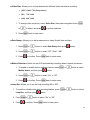
Motion detection
Loop Rec
Loop time
Continue
Video Sound
System Settings
Sounds
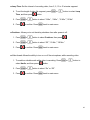
Power Frequency
Power Save
Panel Protect
Date & Time
Language
TV Out
Start-up Image
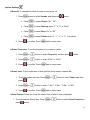
Format
IR LED
Reset All
Accessing the Photo Settings
Resolution
Quality
Exposure
Timer
Date Stamp
Playback Settings
Lock file(s)
Delete file(s)
ACCESSING RECORDED VIDEOS
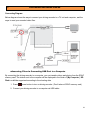
Connecting Diagram
Accessing files via connecting USB port to a computer
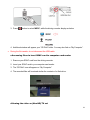
Accessing files via Inset SDHC card to computer card reader
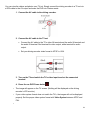
Viewing the video on (Non-HD) TV set
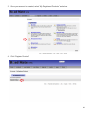
HOW TO REGISTER MY PRODUCT
ONE YEAR CONSUMBER LIMITED WARRANTY
TROUBLESHOOTING AND FAQs
3
5
5
6
9
11
11
12
12
12
12
12
12
12
13
13
13
14
14
14
15
15
15
16
16
16
16
16
17
17
17
17
18
18
18
18
19
19
19
19
20
20
20
20
20
21
21
21
21
22
22
23
23
24
25
27
30
2