1
Before you start…
This software is supplied with the files necessary for the operation of the sonde for which it
was developed and has been optimised to operate under Microsoft Windows XP in mode 32bit colour.
On connecting the logger acquisition system to your computer for the first time, you will be
asked to install the USB. It is available in the driver repertory file for your application or your
installation CD.
The install documentation and USB driver is also available on the site www.electromind.eu,
follow the download link and click Full package v1.06.06 with user guide FR & UK. For old
OS, for Windows 7 use Full package v2.06.00 for Windows7 .
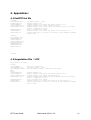
Note that the OPTV sonde configuration file (EmOptv.tol) supplied with this software should
not be modified; since this may cause incorrect operation or even damage to the sonde. For
reference, a copy of the original, unmodified configuration file is included as an appendix to
this document.
A sample data file is installed with the software in the sub-directory “Demo” to allow the
software to be used in replay mode.
Recommended minimum system configuration:
Intel Pentium XXX Mhz/ AMD Athlon 1800 – 256 MB RAM – 1 free USB port
OS: Microsoft Windows XP (SP2) , Microsoft Windows 2000 or Windows 7
OPTV User Guide
Electromind ©2011 r1.4
3