1
Avoiding Board Bring-up Problems
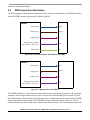
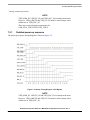
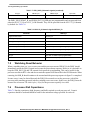
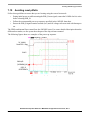
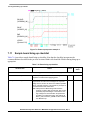
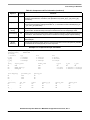
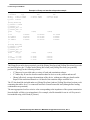
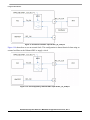
SW1A/B
(VDDARM_IN)
SW1C
(VDDSOC_IN)
SW2
(VDDHIGH_IN)
VGEN2
(System 1.5V)
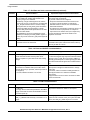
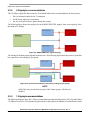
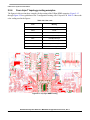
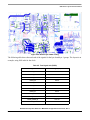
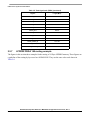
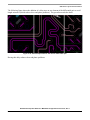
Figure 7-6. Power-up sequence example 2
7.11
Sample board bring-up checklist
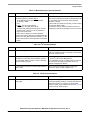
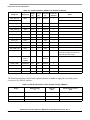
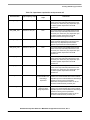
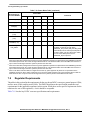
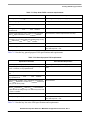
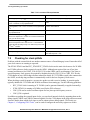
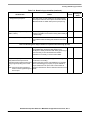
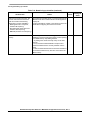
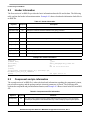
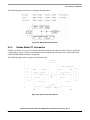
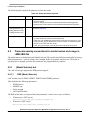
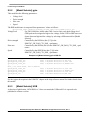
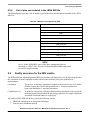
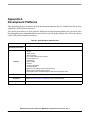
Table 7-14 provides a sample board bring-up checklist. Note that the checklist incorporates the
recommendations described in the previous sections. Blank cells should be filled in during bring-up as
appropriate.
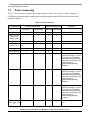
Table 7-14. Board bring-up checklist
Checklist Item
Details
Owner
Findings &
status
Note: The following items must be completed serially.
1. Perform a visual inspection.
Check major components to make sure nothing has been
misplaced or rotated before applying power.
2. Verify all i.MX6 voltage rails.
Confirm that the voltages match the data sheet’s
requirements. Be sure to check voltages not only at the
voltage source, but also as close to the i.MX6 as possible
(like on a bypass capacitor). This reveals any IR drops on
the board that will cause issues later.
Note: Ideally all of the i.MX6 voltage rails should be
checked, but VDD_ARM_IN and VDD_SOC_IN are
particularly important voltages. These are the core
logic voltages and must fall within the parameters
provided in the i.MX6 data sheet. VDD_SNVS_IN,
NVCC_JTAG, and NVCC_DRAM are also critical to
the i.MX6 boot up.
Hardware Development Guide for i.MX 6SoloLite Applications Processor, Rev. 1
7-18
Freescale Semiconductor