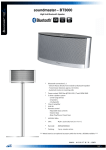
1
OPERATOR MANUAL BT 3000 PLUS cod. MO-04444-05-ING SOFTWARE VERSION 8 Rev.0; 04/10/ 2004 This product conforms to the safety requirements of the Council Directives 98/79/EEC of 27 October 1998 (European Parliament) regarding the In-Vitro Diagnostic Medical Devices. This directive is in accordance with the Article 2, Paragraph 2 of the Directive 89/336/EEC, which ceases to apply to the products complying with the present directive. Refer to Paragraph 7, Article No.1 of the IEC Official Gazette No. L331 of Dec. 1998. It also conforms to Italian Regulations CEI EN 61010-01 and CEI EN 61326-1 (EMC). The conformity is attested when the equipment is installed in accordance with the conditions outlined in the manual Biotecnica Instruments S.p.A. Via Licenza, 18 00156 Rome – ITALY Tel. +39-06-4112316 Fax +39-06-4103079 E-mail: [email protected] Website: www.biotecnica.it INDEX - BT3000 PLUS - Operator Manual SECTION I: GENERAL INFORMATION CHAPTER A 1. INTRODUCTION 2. BASIC OPERATING PRINCIPLES OF THE ANALYZER 3. SYMBOLS: explanation of the used or applied symbols 4. BRIEF DESCRIPTION OF THE SYSTEM 4.1. Front view of the analyzer 4.2. Rear Panel Controls and Connectors 4.3. Modules Page: Page: Page: Page: Page: Page: Page: 2 3 4 9 9 10 10 Page: Page: Page: Page: Page: Page: 2 2 5 9 9 10 Page: Page: Page: Page: Page: Page: Page: Page: Page: Page: Page: Page: Page: Page: Page: Page: Page: Page: 2 5 5 7 9 10 11 16 16 17 18 23 24 25 26 27 31 32 Page: 2 Page: Page: Page: Page: Page: Page: Page: 2 2 4 6 12 16 16 CHAPTER B 1. INSTALLATION 1.1. Unpacking the analyzer 1.2. Installation 1.3. Setting up the instrument 1.3.1. Turning on the instrument for the first time 1.3.2. Preliminary checks CHAPTER C 1. FUNCTIONS 1.1. Description of the Program Menu 1.2. Operating principles 1.2.1. Computations 1.2.2. Applied mathematical functions 1.2.3. Initial computation 1.2.4. Optimization techniques for Clinical Chemistry 1.2.5. Methods Description 1.3. Analyses Programming 1.3.1. Creating a New Code 1.3.2. Relation Tests 1.3.3. Primary Analytical Parameters 1.3.4. Check Parameters 1.3.5. Secondary Analytical Parameters 1.3.6. Automatic re-runs 1.4. Controls 1.5. Calibrations 1.6. Creating Profiles 1.7. Creating the Current Analyses’ Tray CHAPTER D 1. PERFORMANCE AND LIMITS CHAPTER E 1. OPERATIING PROCEDURE 1.1. Turning on procedure 1.2. Reagents: insertion and removal 1.3. Running Standard and Controls (on demand or timed) 1.4. Samples 1.5. Work Lists 1.6. Turning off procedure 1.7. Access password Index BT3000 PLUS Rev.0, Soft Ver. 8 Page: 1 of 4 INDEX - BT3000 PLUS - Operator Manual CHAPTER F 1. QUALITY CONTROLS 1.1. Controls - Inserting/modifying controls 1.2. Displaying and processing by date 1.3. Displaying and processing by lot pairs: Juden graph 1.3.1. Westgard Graph 1.3.2. Daily Chart Graph 1.4. Additional Functions 2. POPULATION 2.1. Analysis Selection (How to run a Query) 2.2. Principal statistics formulas used in Population module 2.3. Diagrams 2.4. Inserting external analyses 2.5. Other menu functions 3. PATIENTS’ ARCHIVE 3.1. Selection (How to run a Query) 3.2. Patient’s report 3.3. Printing Reports 3.4. Other menu functions Page: Page: Page: Page: Page: Page: Page: Page: Page: Page: Page: Page: Page: Page: Page: Page: Page: Page: 2 2 3 4 5 7 8 9 10 11 13 15 16 17 18 19 21 23 Page: Page: Page: Page: Page: Page: 2 2 4 5 6 7 Page: Page: Page: Page: Page: 2 2 3 5 7 Page: Page: Page: Page: 2 2 2 4 Page: Page: Page: Page: Page: Page: Page 2 3 3 4 4 4 5 Page: 6 Page: Page: 6 7 CHAPTER G 1. DISPLAYING AND PRINTING RESULTS 1.1. Results per patient 1.2. Results per test 1.3. Displaying real-time data 1.4. Reaction Graphs 1.5. Flags List CHAPTER H 1. ANALYZER TECHNICAL FUNCTIONS 1.1. Service Functions 1.1.1. Analyzer Utilities 1.1.2. Mechanical Calibrations 1.2. Diagnostic Functions 2. ANALYZER SETUP CHAPTER I 1. BARCODE AND RELATED FUNCTIONS 2. USING THE BARCODE 2.1. Barcode on Samples 2.2. Barcode on Reagents CHAPTER K 1.VACUUM PUMP SYSTEM INSTALLATION/OPERATION 1.1. Functional characteristics 1.2. System control functions 1.3. Waste container (external) 1.4. Installation and operation 1.5. Maintenance and care 1.6. Trouble-shooting 1.7. Spare parts for maintenance 2. VACUUM PUMP SYSTEM P/N 662.0788 & BYPRODUCTS OBSOLETE - (No longer in production) 2.1. Introduction 2.2. Technical description vacuum pump Index BT3000 PLUS Rev.0, Soft Ver. 8 Page: 2 of 4 INDEX - BT3000 PLUS - Operator Manual 2.3. Principles of operation 2.4. Vacuum gauge 2.5. Vacuum level regulator 2.6. Hydrophobic filter 2.7. Warnings 2.8. Technical Specifications 2.9. Caution! Shipping retainer - Vacuum pump system 2.10. Installation 2.11. Quick start-up 2.12. Care and maintenance 2.13. Fuse replacement mains power inlet module 2.14. Filter replacement 2.15. Peristaltic pump cartridge replacement 2.16. Trouble-shooting guide 2.17. Cleaning of the hydrophobic filter 2.18. User serviceable spare parts Page: Page: Page: Page: Page: Page: Page: Page: Page: Page: Page: Page: Page: Page: Page: Page: 7 7 7 7 8 10 11 11 11 12 12 12 13 14 15 16 Page: Page: Page: Page: Page: Page: Page: Page: Page: Page: 2 3 5 8 9 10 11 12 13 13 Page: Page: Page: Page: 2 3 6 6 Page: Page: Page: Page: Page: Page: Page: Page: Page: Page: 2 3 7 9 10 10 11 11 14 16 Page: 2 CHAPTER L 1.ISE MODULE 1.1. Introduction 1.2. Parameters 1.3. Programming Standards and Controls 1.4. Replacing and Installing Electrodes 1.5. Preliminary steps before starting the system 1.6. Calibration procedure 1.7. Measuring unknown samples 1.8. Precautions for ISE Module usage 1.9. Suggestions for performance maintenance 1.10. Troubleshooting CHAPTER M 1. WARNINGS AND PRECAUTIONS 1.1. Potential risks during operation and maintenance 1.2. Interferences and actions to be avoided 1.3. Waste disposal 1.4. Safe disposal of the unusable instrument CHAPTER N 1. MAINTENANCE AND CARE 1.1. Preventive maintenance and Extra Wash 1.2. Replacing tubing and accessories 1.3. Additional Maintenances 1.4. Cleaning the Instrument 2. MALFUNCTIONS 2.1. Troubleshooting 2.2. Screen messages 2.2.1. Screen messages - Causes and remedies 2.2.2. Messages requiring technical assistance 2.2.3. Optical verification messages CHAPTER O 1. TECHNICAL SPECIFICATONS Index BT3000 PLUS Rev.0, Soft Ver. 8 Page: 3 of 4 INDEX - BT3000 PLUS - Operator Manual SECTION II: SUPPLEMENTARY INFORMATIONS CHAPTER 1 1. ABBREVIATED OPERATING INSTRUCTIONS 1.1. Turning on and preliminary procedures 1.2. Inserting Reagents in Clinical Chemistry and ISE 1.3. Analytical calibrations and Controls 1.4. Entering Patients and Work Lists 1.5. Running Tests 1.6. Displaying and Printing Results 1.7. Turning off the analyzer Page: Page: Page: Page: Page: Page: Page: Page: 2 3 6 7 10 14 15 19 Page: 2 Page: Page: Page: Page: 2 2 3 4 Page: Page: Page: 2 6 17 Page: Page: Page Page Page Page 2 6 12 14 19 22 Page: 2 Page: 2 Page: 2 CHAPTER 2 2. WARRANTY CONDITIONS CHAPTER 3 3. ORDERING INFORMATION 3.1. General terms and conditions for sale 3.2. Consumables for BT3000 PLUS 3.3. ISE Module consumables CHAPTER 4 4. SOFTWARE 4.1. Serial Communication between BT3000 PLUS and Host Computer 4.2. Variable communication protocol 4.2.1. Serial communication test programs CHAPTER 5 5. INSTALLATION OF THE OPERATING SYSTEM 5.1. Preliminary phase 5.2. Setup of the Operating System 5.3.Completing the Installation 5.4.Settings of the Operating System 5.5. Installation of the BT3000 PLUS Operating Program 5.6. Upgrading the BT3000 PLUS software CHAPTER 6 6. TECHNICAL ASSISTANCE CHAPTER 7 7. BIBLIOGRAPHY OF ALLIED SUBJECTS CHAPTER 8 8. LIST OF APPLICATIVE METHODOLOGIES Index BT3000 PLUS Rev.0, Soft Ver. 8 Page: 4 of 4 OPERATOR MANUAL BT3000 PLUS SECTION I: GENERAL INFORMATION CHAPTER A 1. INTRODUCTION 2. BASIC OPERATING PRINCIPLES OF THE ANALYZER 3. SYMBOLS: explanation of the used or applied symbols 4. BRIEF DESCRIPTION OF THE SYSTEM 4.1. Front view of the analyzer 4.2. Rear Panel Controls and Connectors 4.3. Modules Page: Page: Page: Page: Page: Page: Page: IMPORTANT NOTICE The introduction of access passwords has been rendered mandatory since 2004 for safeguarding sensitive data (refer to CHAPTER E, paragraph 1.7.). Biotecnica Instruments S.p.A. Via Licenza, 18 00156 Rome – ITALY Section I Chapter A System Description Index BT3000 PLUS Rev.0, Soft Ver. 8 2 3 4 9 9 10 10 1. INTRODUCTION The BT3000 PLUS is an automatic analyzer for Clinical Chemistry and Immunoturbidimetry, represents the technological evolution of the T.A.R.G.A. line (“Technology Advanced Random Generation Analyzer”), manufactured by Biotecnica Instruments S.p.A. Rome, Italy. ® The BT3000 PLUS software is based upon Windows 2000 NT (Fig. 1). It is easy to learn and offers the operator (thanks to its selective random access) the maximum flexibility in the acquisition and performing of ROUTINE and URGENT (“STAT”, “Single Test Actual Time”) tests on serum, plasma and urine. Designed for continuous use (24 hours non-stop), the analyzer can perform STANDARDS’ CALIBRATION and QUALITY CONTROLS upon operator’s request or at programmed time intervals. An AUTODIAGNOSTIC FUNCTION is built into the operative software, continuously monitors the analyzer system for correct operation. Besides clinical chemistry and immunochemistry tests, it is equipped for ions determination for Na+, K+, Cl-, (CO2 upon request) with ion selective electrodes (ISE. Module, “Ion Selective Electrodes”). The analytical throughput is 330 tests/h for clinical chemistry, 205 tests/h for the ISE Module including CO2 without I.S.E. module. The methods used are: End Point, Fixed Time, Kinetic, Initial-Rate (I.R.), Sample Blank type A and B, Only Read, End Point 2 points, Sample Blank (A-b), Sample Blank (B-b), and End Point Starter. It is possible to store up to 500 different test codes, plus “Relation Tests” with no limit. In the stored analyses list the operator can generate customized test codes sequence of reagent plate in use, including the relation tests. During analyzer operation, the refrigerated reagents chamber ensures a longer stability of the products in use. The positive barcode identification of reagents position, eliminates any possible error during the positioning of bottles. It is possible to perform repetitions (“Re-run”) upon operator's request or automatically (pathological results). In case of hyperactive results, the test repetition can be performed with automatic dilution of the sample, as programmed in the parameters page. It is also possible to run tests on already diluted samples, thanks to the automatic data processing function. Random positioning of samples and positive barcode identification. The bar-code feature and the connection to the Host Computer allow the system to be fully automated. An internal software manages the QUALITY CONTROL (statistics of control sera and population) and PATIENTS’ ARCHIVE with data display and printouts. Figure 1 Section I Chapter A System Description BT3000 PLUS Rev.0, Soft Ver. 8 Page 2 of 11 2. BASIC OPERATING PRINCIPLES OF THE ANALYZER The BT3000 PLUS is an automatic analyzer based upon the spectrophotometry principles. The light absorption laws rule the performance of spectrophotometers. The amount of light radiation that passes through a homogeneous absorbing medium is defined as transmittance, T, where: T = I / I0 I0 = incident light radiation intensity I = transmitted light radiation intensity The absorbance, A, (or extinction, E) is defined as: A = log (1/T) = log I/I0 The Lambert-Beer law states the relation between absorbance, concentration of a compound absorbing light and sample thickness: A=εcd ε = molar extinction coefficient of the compound absorbing light at a certain (λ) wavelength. c = molar concentration of the compound absorbing light d = optical path of the radiation into the solution The absorbing spectrum of a compound is represented by a graph where the absorbed light (= absorbance) is related with the wavelength. For a colored solution, the graph will show one or more absorbance peaks. These may be in the visible part of the spectrum (400-700 nm) as in the ultraviolet (200-400 nm) region. The BT3000 PLUS uses a photometric system specially designed by the R&D Dept. of the Biotecnica Instruments S.p.A. A light beam is sent through a cuvette that contains the solution that has to be read. The exiting light beam is transmitted to a photometer containing 10 interference filters of different wavelengths. The signal is amplified and then processed by the specific electronics and by the computer. The program then makes all the necessary calculations and controls, so that it can finally present the concentration of the compound in the sample and the any irregularities found in the reaction. The general principle upon which the photometry in clinical chemistry is based is the following: the increasing or the decreasing of the color intensity in a specific solution is proportional to the searched compound concentration. Generally speaking, when a sample is added to a specific reagent, it starts a reaction carried out by specific enzymes or substrates. This reaction causes the increasing (or decreasing) of the solution color inside the cuvette. During the reaction process, the instrument “reads” it by means of its absorbance. The final data processing is done with reference to a calibration or a theoretical factor, so to give at the end the concentration of the compound into the sample. The ISE (Ion Selective Electrodes) module is a device dedicated to the determination in the samples of the electrolytes: K+, Na+, Cl-, plus a channel for an optional CO2 electrode (see chapter L). This device is defined as “ion selective” as the used electrodes react with the corresponding ions in accordance with the following Nernst law: E = E0 + RT/nF log aM+ + + aM = M ion activity E = potential in Volt + E0 = constant (H electrode redox semi-reaction std potential) R = gas constant F = Faraday’s constant T = temperature expressed in Kelvin degrees n = ion charge The average life of the electrodes is approx one year for sodium and reference; approx three months for potassium, and approximately six months for chloride and carbon dioxide. However, the electrodes’ life is dependent upon the number of sample runs and the routine maintenance procedures outlined in this manual. Section I Chapter A System Description BT3000 PLUS Rev.0, Soft Ver. 8 Page 3 of 11 3. SYMBOLS: EXPLANATION OF THE USED OR APPLIED SYMBOLS As the BT3000 PLUS analyzer software is based upon Windows, it uses the Windows style, icons, quick commands, function keys and curtain-shaped menus. Every screen has its own icons and specific menus that will be described hereafter. The full meaning of each command will be explained in the corresponding chapters. At the start-up, the program will display the following main window: 2 1 3 4 5 8 10 7 6 9 ① Main menu: each menu generates other commands and/or options ② & ③ Direct access icons: selecting each icon the relative command is directly activated ④ Software version: operative program version ⑤ Access level: is the access level of the operator: it is password dependent ⑥ Messages bar: clicking here opens a window showing the messages received by the program ⑦ Errors bar: by clicking here a window is opened showing the errors occurred during the work session ⑧ Vertical Bar - Commands: Direct access to function commands ⑨ Refrigerator Status Indicator ⑩ Indicator for Operating Pressure, Ambient Temperature (RT), Cuvette Temperature (CT) Section I Chapter A System Description BT3000 PLUS Rev.0, Soft Ver. 8 Page 4 of 11 SERVICE ICONS BAR Reset Analyzer (F5) Stand-by Analyzer (F6) Displays the Volumes’ Status; Used to Insert/Remove Reagents (F10) Password (F7) Status Analyzer (F2) Printer Setup (F4) Help on line (F1) FUNCTION ICONS BAR 1 - To Insert New Codes, Parameters, Standards and Controls for all Analyses 2 - To Create the On-Line Reagents’ Tray 3 - To Insert Parameters/ Standard and Controls for the On-Line Reagents 4 - To Insert/Modify Profiles 5 - To Insert Routine - View Programmed or In-Run Patients 6 - To Insert Batch 7 - To Run Standards 8 - To Run Controls 9 - Analyzer’s Utilities 10 - Mechanical Calibrations Section I Chapter A System Description BT3000 PLUS Rev.0, Soft Ver. 8 Page 5 of 11 11 - a) Results Listed per Patient b) Results per test in real time 12 - No Results 13 - Reaction Graphs 14 - Turning ofF the System Simply positioning the cursor on the icons the “hint” will appear (where available), showing a brief description of the icon function. This is followed (when available) by the function key between brackets, which allows for the same function or command as the icon. For example, the hint “Reset (F5)” means that the function key F5 has the same function of the icon. In the same way, in each menu are shown (when available) the quick commands (e.g. “Insert Batch” (Ctrl+B) means that the same function is activated by typing simultaneously on the keyboard the keys “Ctrl” and “B”). GENERAL ICONS Cancel (aborts the programming and closes the window) Save (saves the program and closes the window) Print (prints the window's contents, i.e. parameters, graphs etc.) Reduces the window to the upper bar where the analyzer's name appears. An icon representing refrigeration system operation has been added to the status bar in the main menu. The "Refrigerator disabled" state may be necessary if the operator decides not to use the refrigerator for reactions or after a refrigeration operating error generated by the system. Refrigerator enabled Section I Chapter A System Description Refrigerator disabled BT3000 PLUS Rev.0, Soft Ver. 8 Page 6 of 11 IVD SYMBOLS: PRINTED PACKAGING ITEMS Caution, consult instructions for use In vitro Diagnostic Medical Device Catalog number Manufacturer Lot number or Batch code Storage temperature Expiry date Biological hazard Risk symbols CE Logo (Directive 98/79/CE) Section I Chapter A System Description BT3000 PLUS Rev.0, Soft Ver. 8 Page 7 of 11 SYMBOLS APPLIED ON THE ANALYZER Direct current Alternating current Both direct current and alternating current Earth ground Protective earth conductor terminal Chassis ground terminal Equipotentiality ON (Main supply) OFF (Main supply) Equipment protected throughout by double insulation or reinforced insulation Caution, risk of electric shock (black on yellow background) Caution, refer to accompanying documents (black on yellow background) Section I Chapter A System Description BT3000 PLUS Rev.0, Soft Ver. 8 Page 8 of 11 4. BRIEF DESCRIPTION OF THE SYSTEM 4.1. FRONT VIEW OF THE ANALYZER 2 8 1 6 7 3 5 4 10 11 9 Figure 2 1 ON/OFF BUTTON FOR COMPUTER 2 LCD DISPLAY 3 REFRIGERATED REAGENT COMPARTMENT 4 SAMPLES TRAY 5 SAMPLING ARM FOR CLINICAL CHEMISTRY 6 SAMPLING ARM ISE 7 ISE MODULE 8 FLUIDIC CIRCUIT AND READING STATION 9 PUSH-PULL HANDGRIPS 10. ISE FUNNEL 11. DILUENT BOTTLE Section I Chapter A System Description BT3000 PLUS Rev.0, Soft Ver. 8 Page 9 of 11 4.2. REAR PANEL CONTROLS AND CONNECTORS TO HOST COMPUTER MAINS POWER INLET LINE FUSES 250 VOLT 8 AT EXTERNAL MONITOR PS2 # MOUSE PORT COM 3 SERIAL PORT LPT 1 PRINTER ACCESSORY POWER CONNECTORS MAX LOAD = 100 WATTS TOTAL LOAD # 3 OUTPUTS = 300 WATTS USB USB 2 INPUT H2O OUTPUT 2 COM 2 TO UPS RS232 CONNECTOR SERVICE PANEL OUTPUT 1 Midi (Sound) COM 1 RX # KEYBOARD PORT LAMP FAN OPTIONAL Mic (Sound) Line in (Sound) Line out (Sound) BLUE TUBE: WASTE 1 (NEEDLE WASH) BLACK TUBE: WASTE 2 - READING CUVETTES (REAGENTS + SAMPLE) Figure 3 4.3. MODULES The BT3000 PLUS analyzer is constructed of a one-piece stainless steel structure. The injection-molded body (in Baydur®) is placed on the chassis to cover the instrument. Fig. 4 shows the modular composition of the instrument. Each module has its own specific function. Modules definition • COMPUTER BOX: consists of LCD Monitor, Touch screen, Main board, Power Supply and peripheral devices. • READING STATION MODULE: comprises cuvette plate, photometer, diluter, reading unit, washing station, H2O reservoir and electronics. • POWER SUPPLY MODULE: houses the main power supply of the analyzer. • REAGENT TRAY MODULE: is composed of the rotating reagent's tray, the refrigeration chamber, the bar-code reader and the electronics. • SAMPLE TRAY MODULE: is composed of the rotating samples tray, the bar-code reader, the sample tube sensors, the washing wells and the control electronics. • ISE MODULE: consists of the electrodes panel, the diluter, the reagents holder and the electronics. • SAMPLING ARM (two): is composed of a two-axes based mechanical system accommodating sampling needle head with built-in electronics including correct position sensor (Encoder). Section I Chapter A System Description BT3000 PLUS Rev.0, Soft Ver. 8 Page 10 of 11 Modules Arrangement Figure 4 Section I Chapter A System Description BT3000 PLUS Rev.0, Soft Ver. 8 Page 11 of 11 SAMPLES PHOTOMETER DILUTER READING STATION MODULES VIEW 1 – COMPUTER BOX 2 – READING STATION 3 – POWER SUPPLY 4 – REAGENTS MODULE 5 – SAMPLES TRAY MODULE 6 – ISE MODULE 7 – SAMPLING ARM OPERATOR MANUAL BT3000 PLUS SECTION I: GENERAL INFORMATION CHAPTER B 1. INSTALLATION 1.1. Unpacking the Analyzer 1.2. Installation 1.3. Starting the instrument 1.3.1. Turning on the instrument for the first time 1.3.2. Preliminary checks Page: 2 Page: 2 Page: 5 Page: 9 Page: 9 Page: 10 Biotecnica Instruments S.p.A. Via Licenza, 18 00156 Rome – ITALY Section I Chapter B Unpacking & Installation Index BT3000 PLUS Rev.0, Soft Ver. 8 1. INSTALLATION 1.1. UNPACKING INSTRUCTIONS ♦ Unpacking the analyzer and the accessories The crates can be easily opened by applying the lever action, with a large screwdriver, to remove all the spring clips on the base of the crate as shown in the Figure 1. Carefully remove the upper covering. Remove the analyzer and place it on a stable vibration-free surface. Carefully unpack all the accessories and place them in a protected place. Store the empty wooden crate in a safe place for future use. CAUTION The analyzer is provided with four integral push-pull handgrips located on the left and right sides of the base frame. To lift or move the instrument from one location to another, always use the handgrips. Arrow Pointing Upwards Base Spring Clip Figure 1 Section I Chapter B Unpacking & Installation BT3000 PLUS Rev.0, Soft Ver. 8 Page 2 of 10 ♦ Verification Of the contents of the wooden crates Verify upon receipt of the BT3000 PLUS analyzer system that all parts are present and intact when opening the wooden crates and packaging. In the basic package, the BT3000 PLUS analyzer system is provided with the following items in the checklist: Contents of the large wooden crate: Qty 1 1 1 2 1 1 1 1 2 Description OK ANALYZER USER'S MANUAL INSTALLATION DISK DISKS FOR TOUCH-SCREEN WINDOWS SOFTWARE DISK KEYBOARD DRIVER UPS DRIVER PRINTER DRIVER DISKS OF PARAMETERS Contents of the small wooden crate - accessories and peripherals: Qty Description 1 1 1 CORDLESS KEYBOARD & MOUSE (P/N 662.2057) 1 UPS UNIT 1100VA (P/N 330.2132), 1 POWER CORDSET (P/N 330.6391), 2 POWER CORD FOR PERIPHERAL DEVICES (330.6400) INTERFACE CABLE FOR PRINTER (P/N 330.2165) PRINTER (P/N 330.2172) VACUUM PUMP SYSTEM (P/N 06-05161-01): 1 WASTE SUCTION PUMP, 1 WASTE PROBE, 1 BLACK TUBE #WASTE, 1 BLUE TUBE #WASTE, 1 TRANSPARENT TUBE FOR DISTILLED WATER, 1 TRANSPARENT OVERFLOW TUBE SURFACTANT WASH CONC. 2x50 ml (P/N 392) 1 1 WASHING SOLUTION FOR CUVETTE 1 liter (P/N 393) ISE STARTER KIT (P/N 947) 1 1 Cl ELECTRODE CLEANING TOOL (P/N 03254) FUNNEL CAP OPENER, TOOL (90-05201-01) 2 2 FUSES 250 VOLT, 0.5AT (P/N 330.6338) FUSES 250 VOLT, 8AT (P/N 330.6342B) 1 1 QUARTZ HALOGEN LAMP 12V, 35W, 9° (P/N 330.9321) CLEANING TOOL FOR SAMPLING NEEDLE (662.0629A) 1 1 - Section I Chapter B Unpacking & Installation BT3000 PLUS OK Rev.0, Soft Ver. 8 Page 3 of 10 Qty 1 1 3 1 1 1,000 50 50 25 25 1 Description OK SIX-MONTHLY MAINTENANCE KIT (11-05219-01) ANNUAL MAINTENANCE KIT (11-05220-01) CUBITAINER 10 LITERS WITH BOX (P/N 662.1010) BIMONTHLY MAINTENANCE KIT (662.1016) WASHING PISTON GRIP SLEEVE, TOOL (662.1025) TRANSP. SAMPLE CAPSULE 2ml #STD & CTRL (667.1040) REAGENT CONTAINER 80 ml WITH CAP (667.1072) REAGENT CONTAINER 50 ml WITH CAP (667.1073) REAGENT CONTAINER 20 ml WITH CAP (667.1074) REAGENT CONTAINER 10 ml WITH CAP (667.1076) 50 ml BOTTLE WITH SCREW CAP (667.1080) ♦ Verifying eventual damages occurred during shipment It is highly recommended to accurately verify the instrument and its accessories for any damages that could have occurred during shipment. In case there is a damage or missing items then please fill out all the sections of the Mod. 05-35a in this manual in the SECTION II, Chapter 2 “WARRANTY CONDITIONS”. Send it to your nearest sales/service office or directly to Biotecnica Instruments S.p.A. Rome, Italy. After appropriate evaluation, Biotecnica or its branch office will provide the best solution to the problem. Section I Chapter B Unpacking & Installation BT3000 PLUS Rev.0, Soft Ver. 8 Page 4 of 10 1.2. INSTALLATION The analyzer must be placed on a stable vibration-free-surface, level table or cart. It should be easily accessible to the operator to load samples, consumables, reagents, etc. Ensure that the table can bear the instrument’s weight (95 Kg) and is large enough for its dimensions (refer to Chapter O, paragraph 1. “Technical Specifications”). Avoid exposure to direct light, heat, air streams and draught. The instrument’s left, right and rear sides must be left free (min. 20 cm from the wall) to ensure the produced heat dispersion and easy tubes and cables connection. Room temperature must not exceed 32°C. We recommend placing on the same table the analyzer and its peripherals (max allowed distance: 1.5 m). The vacuum system must be placed under the table in a position that allows its comfortable use and the easy connection of the waste tubes to the waste chambers. The printer can be placed in any location, always taking into consideration the paper feed, the connections with the instrument and the power supply needs. It is very important to place the analyzer away from strong electromagnetic fields, such as centrifuges, electric motors, big refrigerators, X-ray instruments, etc. The table must be near a wall outlet with earthing and differential switch (life-saving) The analyzer refrigerator produces water condensation in the reagent chamber. This is important for cooling the reagents in the bottles. In case of too much condensation, wipe it off with a clothe without drying it completely (never do this operation with the analyzer on). The instrument can be leveled by means of the four adjustable feet, to ensure the good drainage of the condensation. CAUTION The analyzer is provided with four integral push-pull handgrips located on the left and right sides of the base frame. To lift or move the instrument from one location to another, always use the handgrips. Note: all the components shown in the following figures may undergo modifications over the time. Therefore, it is recommended to verify them accurately prior to any repair or installation (refer to eventual specific manuals included). ELECTRICAL CONNECTIONS Connect main power cable from the instrument to the UPS and connect the latter to the mains wall outlet (Figure 2). Power circuit should respect current laws and have a good earth connection. ON-OFF TO THE MAIN POWER TO BT 3000 PLUS TO BT 3000 PLUS Figure 2 - UPS Section I Chapter B Unpacking & Installation BT3000 PLUS Rev.0, Soft Ver. 8 Page 5 of 10 Vacuum pump and printer should be connected to the appropriate accessory power connectors on the analyzer rear panel (adjacent to mains power inlet). See Figure 3. FUSE PRINTER POWER ON-OFF ANALYZER VACUUM POWER PUMP FROM UPS Figure 3 CONNECTING MOUSE AND KEYBOARD Keyboard and mouse are cordless, and work by radio transmission. The receiver with PS/2 adapter should be plugged into the appropriate port on the rear panel. The receiver has two cables with colored connectors that should be plugged into the respective ports of the same color. They are generally violet for keyboard and green for mouse (Figure 4). Receiver, mouse and keyboard should be already tuned. If not, then observe the following procedure: PRINTER MOUSE/KEYBOARD CONNECOTRS FROM THE UPS Figure 5 Figure 4 Turn on the analyzer, after program loading (system boot) is finished, press "connect" button on the receiver, and then press "connect "button" on mouse. Next, press "connect" button on receiver again and press connect button on keyboard (rear). Refer to Figure 5. Connect buttons are generally located on the rear and can be pressed with the tip of the pen or pencil. Test mouse and keyboard and eventually repeat the tuning operation starting from the receiver. These devices need tuning only once Section I Chapter B Unpacking & Installation BT3000 PLUS Rev.0, Soft Ver. 8 Page 6 of 10 from BT 3000 Plus from BT 3000 Plus Figure 6 PRINTER: Refer to Figure 6 for connections. FLUIDIC CONNECTIONS The external fluidic manifold (to the upper right side on the rear - Figure 7) has three connectors for intake and discharge of fluids. A transparent tube supplies double distilled water from the external container, and the black & blue tubes discharge the analyzer waste through vacuum pump system to the external waste container. In addition, a transparent tube for fluid overflow is located at a lower level from the fluidic manifold. Figure 7 The transparent, black, and blue tubes are fitted with quick-connects having built-in shut-off valves, which in case of disconnection prevents liquid spillage. The transparent tube (double distilled H2O plus Surface Active Agent i.e. tensioactive 1ml every liter of water, ratio 1/1000) must be connected to the upper connector, identified by a white flange. Its other end goes to the external water container. The black tube for cuvettes waste fluid must be connected to the middle connector, identified by a black flange. Its other end goes directly into the second input connector of the vacuum pump. The blue tube must be connected to the lowest connector with blue flange on the fluidic manifold. Its other end goes directly into the first input connector of the vacuum pump system. Refer to Figure 8. Section I Chapter B Unpacking & Installation BT3000 PLUS Rev.0, Soft Ver. 8 Page 7 of 10 WARNING 1) Do not use the vacuum pump System with any other fluid source except the BT3000 PLUS analyzer. The unauthorized use may result in serious injury to the user and permanent damage to the vacuum pump system. Vacuum Pump System Always check and empty the full waste container and press "Restart" button Analyzer Blue Tube Analyzer Black Tube Restart Waste Probe To Analyzer Normal Pressure WARNING Low Pressure Low-Pressure Alarm 1) Read vacuum pump system instruction and warning notices carefully 2) Disposable gloves must be worn when servicing the vacuum pump system where hands may contact potentially contaminated waste materials biotecnica instruments Figure 8 Vacuum Pump System P/N 06-05161-01/03 for BT3000 PLUS & by-products LEVEL DETECTOR RED LED Figure 9 – WASTE PROBE The waste probe shown above, should be inserted directly into the waste container for waste liquids collection. Section I Chapter B Unpacking & Installation BT3000 PLUS Rev.0, Soft Ver. 8 Page 8 of 10 1.3. STARTING THE INSTRUMENT 1.3.1. TURNING ON THE INSTRUMENT FOR THE FIRST TIME Turning on procedure for the first time: 1) Turn on the UPS device as described in the appropriate supplied manual. 2) Power on the printer (refer to the specific manual enclosed). 3) To switch on the analyzer, use the mains power switch on the rear panel of the instrument. This button activates only the refrigerating system for the reagents. To properly turn on the analyzer system, momentarily press the push-button under the LCD display (Figure 10). CAUTION Do not press this push-button during analyzer operation, because when pressed it stops the instrument, leaving only the refrigerating system on (refer to Paragraph 1.6., Chapter E, "Turning off the instrument"). 4) Once turning on procedure has completed (lasting about 1 minute), wait for the system to warm up. During warm-up phase the temperature indicator flashes on the bottom right of the display until the appropriate temperature is reached. The instrument reaches the steady state after approximately 20 minutes. 5) After turning on the system, there is an access password requirement. Refer to Chapter E, paragraph 1.7. ACCESS PASSWORD regarding the utilization of the password. 6) Prime the hydraulic circuit using the commands outlined in Chapter H, paragraph 1.1. “Service Functions” (“Dilutor prime”, “Wash and fill-up” “I.S.E. module prime” for the last command it is necessary to set the analyzer with working solutions for the ISE module, refer to Chapter L). Fig. 10 FLOPPY DISK AND CD-ROM POWER PUSH-BUTTON FOR COMPUTER Section I Chapter B Unpacking & Installation BT3000 PLUS Rev.0, Soft Ver. 8 Page 9 of 10 1.3.2. PRELIMINARY CHECKS Before using the analyzer, it is recommended to perform the preliminary checks outlined below. Some of these checks should be performed daily and others are periodically. DESCRIPTIVE TABLE OPERATIVE CONTROL PERIODICITY NOTES Verify that there is sufficient washing solution in the external tank for the needs of the working day. The washing solution is prepared by adding to double distilled H2O the Surface Active Agent – tensioactive - 1ml per liter of water (i.e. ratio 1:1000). See technical specifications regarding double distilled water below. Daily Check that the waste containers are empty or that they are of sufficient capacity for at least containing washing solution corresponding to the daily waste liquid volume. Daily Zeroing of the photometer Daily Wait 20 min from start up Wash the cuvettes with the proper solution Daily Before turning off Wash of the ISE system with the appropriate solutions Daily Before turning off DOUBLE DISTILLED WATER SPECIFICATIONS: Resistivity: >5MΩ Conductivity: < 1µS/cm3 pH: 6,4 Residual Ions: < 1µg/l Section I Chapter B Unpacking & Installation BT3000 PLUS Rev.0, Soft Ver. 8 Page 10 of 10 OPERATOR MANUAL BT 3000 PLUS SECTION I: GENERAL INFORMATION CHAPTER C 1. FUNCTIONS 1.1. Description of the Program Menu 1.2. Operating Principles 1.2.1. Computations 1.2.2. Applied mathematical functions 1.2.3. Initial computation 1.2.4. Optimization techniques for Clinical Chemistry 1.2.5. Methods Description 1.3. Analyses Programming 1.3.1. Creating a New Code 1.3.2. Relation Tests 1.3.3. Primary Analytical Parameters 1.3.4. Check Parameters 1.3.5. Secondary Analytical Parameters 1.3.6. Automatic re-runs 1.4. Controls 1.5. Calibrations 1.6. Creating Profiles 1.7. Creating the Current Analyses’ Tray Page: Page: Page: Page: Page: Page: Page: Page: Page: Page: Page: Page: Page: Page: Page: Page: Page: Page: Biotecnica Instruments S.p.A. Via Licenza, 18 00156 Rome – ITALY Section I Chapter C Functions - Analyses Prog. - Ctrls - Calib. Index BT3000 PLUS Rev.0, Soft Ver. 8 2 5 5 7 9 10 11 16 16 17 18 23 24 25 26 27 31 32 1. FUNCTIONS 1.1. DESCRIPTION OF THE PROGRAM MENU As already described in the Chapter A, the BT3000 PLUS is a clinical chemistry automated analyzer for programming and performing tests in Routine (programming per patient), Batch (samples per test) and STATs on serum, plasma and urine. The single samples are always accessed in random mode. Besides the clinical chemistry, it is possible to perform turbidimetry tests (immunochemistry) for specific Proteins, pharmaceuticals & drug abuse, reading of potassium, sodium and chloride (carbon dioxide upon request) with indirect ISE method (“Ion Selective Electrodes”) (see Chapter. L). Once the program is loaded, the main page appears, where it is possible to enter all the menus. These are available in two variants: the horizontal and the vertical menu bars. Moreover, there is the icon bar that can be used for a rapid access to the most frequently used commands (refer to Chapter A, paragraph 3). The analyzer provides access to the operating commands in the following three different ways: Menus Shortcuts Icons Menu: move the cursor on the selected command and click once to access the function. Shortcuts: the shortcut is a particular combination of the keys: “Ctrl or Alt + one letter of the function’s name” (ex. “Ctrl+P” or “Alt+A”). It gives a direct access to the requested command. The Shortcuts are available for the menu items in “Patients” and “Tests”. These are always enabled, except for the external programs, the diagnostic page, and the parameters’ programming pages or in case of errors’ notification. Icons: it is the symbolic representation of a given function. Move the mouse cursor on the desired icon and confirm by a single click to access the function. The menus contain five items: “Patients”, “Tests”, “Analyzer”, “Utility” and “External programs”. Each item has a sub-menu that provides access to additional commands, some of which can also be selected through combination of keys corresponding to the desired shortcut. “Patients Menu” (Fig. 1) «Insert Routine/STAT», «Insert Batch»: these items are used to enter samples for Routine/STAT and Batch mode. «Run all pending patients»: Restarts the work list after an interruption. «Repetition for analyses»: Selects the repetition by analyses upon operator's request. «Clear Patient List»: Deletes the entire memorized patients list. The analyzer will request confirmation before deleting. Figure 1 Section I Chapter C Functions - Analyses Prog. - Ctrls - Calib. BT3000 PLUS Rev.0, Soft Ver. 8 Page 2 of 32 “Tests Menu” (Fig. 2) «Tests’ parameters (All Tests)»: It is used for programming and memorizing tests. «Analyses’ parameters (Only In Tray)»: It provides direct access to the analyses on the current reagents’ tray. «Create current tray»: This item is used to create the list of analyses’ in the current reagents tray. «Insert profiles»: See paragraph 1.6. “Creating Profiles”. Figure 2 «Run Standards/Controls»: Activates the procedure for running standard/controls. «Export Data»: Copies onto a floppy disk or any other desired location, the abovementioned parameters. There are two available options: "Back-up" (for exporting all the analyses) and "Single Test" (exports the single tests). «Import Data» Copies the above-mentioned parameters from a floppy disk or from any other location. There are two available options: “Restore” (will import all parameters) and “Single test” (imports single tests). “Analyzer Menu” (Fig. 3) «Analyzer’s utilities»: Provides access to the service procedures of the analyzer. «Mechanical Calibrations»: For making adjustments to mechanical devices. «Diagnostic»: The technical assistance personnel mainly use this function (see Chapter H). Figure 3 “Utility Menu” (Fig. 4) Figure 4 Section I Chapter C «Archive Data»: This command stores the processed patients’ data into the patients’ archive. «View reaction’s curves»: This command displays on a graph the reaction’s curves of tests, with print capability. «View results for Analyses»: Displays results for test. «Setup Analyzer»: It is used to define some system parameters. This command is disabled during analyzer operation. Refer to "Setup Analyzer" in Chapter H, paragraph 2. «Sleep»: This command sets the analyzer to a standby mode, during which the cuvettes are washed and the monitor displays the screensaver. Press any key to exit this mode, then a reset will occur and the analyzer will be immediately ready to operate. This option is useful when the analyzer is not being used for a while, but it must be kept on to resume work immediately. Functions - Analyses Prog. - Ctrls - Calib. BT3000 PLUS Rev.0, Soft Ver. 8 Page 3 of 32 Note: The analyzer switches automatically to standby mode when left unused for more than thirty minutes. «Suspend activity (Log-Off)”: This command is used for programming the power on of the analyzer on a specific date and hour. A small window will appear on the monitor where the restart time and date can be set. After the programming is confirmed, a guided procedure will lead to the system’s washing procedure and afterwards the analyzer will suspend its activity. The system will be off except for the reagent refrigeration chamber. At the expiry of programmed time and date the analyzer will exit the sleep mode by performing a system reset. To resume the analyzer activity before the programmed time, press any key. The system will reset and after approximately 20 minutes warmup time the analyzer will be ready to operate. «Shut-Down»: To turn off the analyzer, it is important to observe the shutdown procedure (refer to Chapter E, paragraph 1.6.). The program, through a guided procedure, will perform the shutdown wash, and then the computer will turn off leaving only the reagent refrigeration chamber turned on. Press the ON/OFF button on the rear panel to turn also the refrigerator off. Note: The analyzer’s program will guide the operator through screen messages in the analyzer turning on and turning off procedures. He will be invited to place the solutions when needed and to ensure correct execution of washing procedures. In case the washing procedures are not performed during shutdown, then at the next restarting of the analyzer (before any sample run) the system will display a message inviting the operator to perform the required washings. Bear in mind that it is not possible to ensure data precision and accuracy if the normal washing and maintenance procedures are not observed. «RS232»: This command is active only when the serial communication is enabled (see “Analyzer Setup”, Chapter H, paragraph 2). It allows the analyzer to send data to the host computer, upon operator’s request. «Log Files»: A memory location in which all the operations performed by the analyzer are stored. This function is divided in two parts: the first part memorizes the type and the number of tests performed; the second stores the errors and the incorrect procedures. This read-only area is very important for the Technical Assistance/service personnel. “External Programs" Menu (Fig. 5) The functions in this menu are outlined in the Chapter F. Fig. 5 Successiva Precedente Section I Chapter C Two buttons "<" & ">" have been introduced (on the title bar) in the screens of standards and controls analysis parameter insertion. These buttons allow for moving to previous or successive analyses without returning to the initial page. Functions - Analyses Prog. - Ctrls - Calib. BT3000 PLUS Rev.0, Soft Ver. 8 Page 4 of 32 1.2. OPERATING PRINCIPLES Generally, adding a sample to its reagent determines a chemical reaction (involving enzymes and/or substrates) whose effect is to increase (or decrease) the color and thus the optical density of the solution in the cuvette. As the reaction proceeds, it is “read” by the analyzer in terms of “absorbance” (“A” or “Abs” for absorbance). As every analyte has its own reagent with its proper characteristics; therefore it becomes necessary to use different methodologies (preparation and reading) based upon different wavelengths for each test. Many tests are based on similar principles, hence they will have in common the method and the wavelength, but not necessarily the incubation and reading times. To obtain the concentration of an analyte in a sample, the analyzer multiplies the absorbance (or the absorbance delta ∆A = absorbance variation) developed by that sample reaction with a multiplication factor. Besides some analyses for which a theoretical factor is used, usually the factor is calculated during a calibration. During the calibration the analyzer reads the reaction obtained with a known concentration sample called “standard”. The factor is calculated by dividing the known concentration value by the absorbance read for the standard. For the non-linear analyses (e.g. immunoturbidimetric tests) it is necessary to create an interpolation curve by means of several standards at different concentrations. 1.2.1. COMPUTATIONS ♦ COMPUTING ABSORBANCE (“ABS”) End Point ABS = Mean value of the last points in reading time (max 3) With subtraction of the Blank reagent. Kinetics • • Linear regression computation ABS = (straight line coefficient) x 60 sec Fixed Time ABS = ∆ ABS (last reading – first reading) Initial-Rate • • Linear regression computation ABS = Straight line coefficient In case test is unstable: • Linear regression computation • Elimination of 49% of the most distant points from the straight line • ABS re-computation Sample-Blank (A) ABS = Last reading of the second phase – last reading of the first phase x K* * K = Volumetric factor Section I Chapter C Functions - Analyses Prog. - Ctrls - Calib. BT3000 PLUS Rev.0, Soft Ver. 8 Page 5 of 32 Sample-Blank (B) ABS = Last reading of the second phase – last reading of the first phase End Point 2 Points If readings are more than 3: • L1 = First reading • L2 = Mean value of the last 3 readings If readings are more than 2: • L1 = First reading • L2 = Mean value of the last 2 readings Otherwise: • L1 = First reading • L2 = Last reading ABS = L2 - L1 Sample-Blank A-b Blank: 1st phase: 2nd phase: Computation: R1 + R2 R1 + Serum R2 (Reading 2nd phase – Reading 1st phase) – blank Sample-Blank B-b Blank: R2 st 1 cuvette: 2nd cuvette: Computation: R1 + serum R2 + serum (Reading 2nd cuvette – Reading 1st cuvette) – blank End Point Starter Dynamic: As normal End Point with serum starter 1 phase: 2nd phase: Computation: Only reagent (R1 or R1+R2) Serum Reading 2nd phase – Reading 1st phase st Absolute End Point This method is identical to the End Point but without subtraction of the Blank reagent. ♦ COMPUTING CONCENTRATION VALUE Fnr • • • If the External Dilution Factor is less than or equal to 1 then Fnr = 1 In other cases Fnr = External Dilution Factor If sample is run with dilution then Fnr = External Dilution Factor Section I Chapter C Functions - Analyses Prog. - Ctrls - Calib. BT3000 PLUS Rev.0, Soft Ver. 8 Page 6 of 32 Dynamic Blank Check If Dynamic Blank is present and test is either a Kinetic, or a Fixed Time, then: • ABS = ABS – Dynamic Blank Value If Dynamic Blank is not present and test is an End Point, then: • ABS = ABS – Blank Value ABS = ABS x Fnr • • If the factor is used, then: Conc = ABS x Factor Otherwise the concentration is extrapolated from the standard’s curve, where: Fnr : Internal Factor ABS : Test ABS Conc : Final concentration 1.2.2. APPLIED MATHEMATICAL FUNCTIONS ♦ Correlation Coefficient ∑ (T n CC = i 1 n ∑ (L i − T )( Li − L) − L) 2 1 n ∑ (T i − T )2 1 where: n i T L : Number of readings : Number of reading (i) : Times : Readings ♦ Linear Regression n n ∑ (T L ) − n i M= ∑ (T ) n n 1 i 1 ∑ (T ) i 2 1 − (∑ Ti ) 2 1 Chapter C 2 i n n Section I n ∑ ( Li ) 2 Functions - Analyses Prog. - Ctrls - Calib. 1 n BT3000 PLUS Rev.0, Soft Ver. 8 Page 7 of 32 n ∑L i 1 n Q= n Li n ∑ 1 − ∑ (Ti Li ) − n 1 n M n ∑ T i 1 n where: M Q n i T L : Angular coefficient for the line : Final point for the line : Number of readings : Number of reading (i) : Times : Readings ♦ Distance point-line D =| Y − MX − Q | where: M Q X Y : Angular coefficient for the line : Final point for the line : Point Abscissa : Point Ordinate ♦ Distance between two points Y= X − x0 ( y1 − y 0 ) + y1 x1 − x0 where: X Y x0 x1 y0 y1 : Abscissa : Ordinate : First Point Abscissa : Second Point Abscissa : First Point Ordinate : Second Point Ordinate Mathematical Functions for Clinical Chemistry ♦ VOLUMETRIC FACTOR (USED IN SAMPLE BLANK A TESTS) K= vS + vR1 vS + vR1 + vR2 where: K vS vR1 vR2 Section I : Volumetric factor : Serum volume : First reagent volume : Second reagent volume Chapter C Functions - Analyses Prog. - Ctrls - Calib. BT3000 PLUS Rev.0, Soft Ver. 8 Page 8 of 32 I.S.E. Module Functions ♦ COMPUTING THE SLOPE Si = where: S i BSF mVh mVl BLh BLl Ch Cl (mVh − BLh ) − (mVl − BLl ) C − BSF Log h − C BSF l : Slope : Electrodes : Base Line Factor : mV High Standard : mV Low Standard : Base Line High Standard : Base Line Low Standard : High Standard Concentration : Low Standard Concentration ♦ COMPUTING THE RESULT ( mVi − BLi ) − ( mVsl − BLsl ) Si Conc = Csl + BSF ⋅10 − BSF where: S i BSF mVi mVsl BLi Blsl Csh : Slope : Electrode : Base Line Factor : mV Electrode : mV Low Standard : Base Line Electrode : Base Line Low Standard : Low Standard Concentration 1.2.3. INITIAL COMPUTATION The initial computation is important for transforming the microprocessor data into compatible data for the program to generate the single absorbance value, which will be used afterwards for the final absorbance computation. ♦ Clinical Chemistry F − Fz1 Z − Log 1 F2 − Fz 2 V= Of − Op where: Z F1 F2 Fz1 Fz2 Op Of Section I : Zeroing with water : First Filter’s Value : Second Filter’s Value : First Filter’s Zero-Value : Second Filter’s Zero-Value : Optical path : F.C.C. Chapter C Functions - Analyses Prog. - Ctrls - Calib. BT3000 PLUS Rev.0, Soft Ver. 8 Page 9 of 32 ♦ I.S.E. Module V= Vi − 32768 52.4288 Vi = reading from a single electrode 1.2.4. OPTIMIZATION TECHNIQUES FOR CLINICAL CHEMISTRY ♦ Searching for the right reading point (for Fixed Time test): If the point (P1) is not read exactly at (T0), then the ABS value for P1 must be extracted with the following procedure: with N < 3 1. Compute the Regression line y = mX+q from the reading points 2. Search for the point on the line at T0 with N ≥3 1. Compute Best-Fit curve coefficients from the reading points 2. Search for the point on the line at T0 N = number of points during reading time ♦ Normalization of reading data (elimination of erroneous readings) (for Kinetics and Initial-Rate tests): If more than two points are obtained during reading time, then: a. If CC is > 0.99, the procedure stops b. If CC is ≤ 0.99: 1. 2. 3. 4. 5. 6. NN = N / 3 Compute linear regression and store m and q Compute the first most distant point from the line y = mX+q Trace the point on the line NN = NN – 1 If NN is > 0 go back to step (2) where: CC N NN m q Section I : Correlation Coefficient : Number of points during reading time : Number of points to be traced : Angular coefficient for the line : Known line coefficient Chapter C Functions - Analyses Prog. - Ctrls - Calib. BT3000 PLUS Rev.0, Soft Ver. 8 Page 10 of 32 1.2.5. METHODS DESCRIPTION End Point Once the sample has been added to its reagent, a reaction occurs first causing a variation in the solution’s color i.e. the absorbance (usually during incubation time), followed by a phase in which the reaction’s color is stable, defined as “plateau”. Generally, the absorbance value (A) is read from the first point after the incubation time. This value is then multiplied by the factor computed during calibration, to obtain the concentration of the analyte in the sample. Conc. in sample = Factor x (A3 - Reagent Blank) A2 A3 A1 DELAY TIME INCUBATION TIME READING TIME Absolute End Point This method is identical to the End Point but without subtraction of the Reagent Blank. Fixed Time In this type of reaction, there is an increase (or decrease) of the absorbance during both incubation’s and reading’s phases. However, the slope of the line may not be the same during the two phases. The reaction graph displayed to the user is not always linear, but can also appear as piecewise linear. This is because the graph is obtained by the union of the read points that may not be aligned. A regression line is calculated during both incubation’s and reading’s phases. These provide the user with information about the correct evolution of the reaction. During reading time, the absorbance delta (∆A) is also computed, which is used for calculating the final concentration for the analyte in the sample. It may happen, due to a physical delay, that the instrument does not respect the timing and that tests are read at a different final time from the one set in the parameters. In this case the analyzer performs one more reading, traces the regression line between the last two points, moves to the exact reading time and derives the correct absorbance value from it. Concentration is calculated by multiplying the absorbance delta (during reading time) by the factor obtained from the calibration: Conc. In Sample = Factor x (A3 - A2) A1 DELAY TIME Section I A2 INCUBATION TIME Chapter C (A3 - A2) = ∆A A3 READING TIME A1 DELAY TIME Functions - Analyses Prog. - Ctrls - Calib. A2 INCUBATION TIME BT3000 PLUS A3 READING TIME Rev.0, Soft Ver. 8 Page 11 of 32 Kinetics This kind of reaction is very similar to the previous one, with the difference that the reaction and the graph derive both from the computation of two regression lines: one for the incubation phase and the other for the reading phase. These two lines are often the same if the reaction has a good quality. The regression line for the reading phase is then scaled to minutes to compute absorbance delta (∆A/min.). This value is then multiplied by the factor to compute the concentration of the analyte in the sample: Conc. in Sample = Factor (A3 - A2) (A3 - A2) = ∆A/min. A1 DELAY TIME A2 INCUBATION TIME A3 A1 READING TIME DELAY TIME A2 INCUBATION TIME A3 READING TIME Initial Rate (I.R.) This type of reaction is very similar to the kinetic one. If the initial phase is stable, then it behaves exactly like a kinetic reaction. If the initial phase in unstable, the regression line is computed by eliminating the points outlying it from 49% to 100%. Thus, the calculation is identical to the one for kinetic reaction: Conc. in sample = Factor x (∆A/min) Sample Blank (A) This method is used whenever it is required to eliminate the photometric interference of the sample (for example turbid sera) from the reaction. These are double-reagent End Point reactions. The reaction and the computation are performed during two distinct phases: in the first phase (sample blank) the reaction between the first reagent and the sample (R1+S) takes place, while in the second phase the second reagent is added to R1+S (R1+S+R2). The final absorbance used for computing the concentration of the analyte is obtained from the difference in absorbance between the two phases: Conc. in sample = Factor x [A2 - (A1 x k)] A2 A1 R1+S Section I Chapter C R2 Functions - Analyses Prog. - Ctrls - Calib. BT3000 PLUS Rev.0, Soft Ver. 8 Page 12 of 32 Sample Blank (B) This kind of reaction is very similar to the previous one. The reaction always occurs in two phases: in the first phase (sample blank) the analyzer reads the final absorbance (A1) of the reaction between the first reagent and the sample (R1+S), in the second phase it reads the final absorbance (A2) of the reaction between the second reagent and the sample (R2+S). The two reactions are distinct and separate, and the sampling in the two phases takes place in two different reading cuvettes. The final absorbance used for computing is obtained from the difference between the two phases: Conc. in sample = Factor x (A2 - A1) A1 A2 R1+S R2+S End Point 2 Points This method (only for single reagent tests) is used whenever it is required to eliminate from the reaction the interference due to the sample. The absorbance of the first reading in incubation phase is subtracted from the final absorbance: Conc. in Sample = Factor x (A3 - A1) A1 DELAY TIME A2 A3 INCUBATION TIME READING TIME Only Read This method is used to read in End Point solely the sample, with a reagent blank. It can be used to read an already prepared (manually) solution. The factor for the computation can be either derived from calibration or set by the user: Conc. in Sample = Factor x final A Section I Chapter C Functions - Analyses Prog. - Ctrls - Calib. BT3000 PLUS Rev.0, Soft Ver. 8 Page 13 of 32 For all the methods, except for Only Read, it is possible to work with one or two reagents. These reagents can be ready to use or concentrated (in this case the analyzer provides automatic dilution). The reagents can be placed in bottles of different volumes (50 ml, 80 ml, 20 ml and 10 ml) and in case of double reagent, the different size bottles are coupled together (e.g. 80+10, 10+20, 50+50, 10+10, etc.). The “End Point”, “Fixed Time”, “Kinetic” and “I.R.” methods allow, both with single and double reagent, the use of a special feature called Serum Starter. Normally, during test runs, the same preparation arm samples single or double reagents plus sample. By using the Serum Starter function, the reagents are placed into the cuvette by the main preparation arm and the sample is placed separately by the secondary arm. In this way, the reagents can incubate in the cuvette for the programmed time, before the sample is added which starts the reaction. The sampling dynamics of the above-mentioned methods are tabulated as follows: NORMAL SAMPLING PROCEDURE Reagent Blank Reagent Method End Point - Fixed Time Kinetic - I.R. Only Read End Point - Fixed Time Kinetic - I.R. End Point - Fixed Time Kinetic - I.R. Sample Blank (A) Sample Blank (A-b) Sample Blank (B) Sample Blank (B-b) Dynamic Single R1 R1 + S ⇒Ta ⇒L Single R1 S⇒ L Double R1 + Ta + R2 + Tb R1 +S + Ta + R2 + Tb ⇒ L Double R1 + R2 + Tb Double R1 + R2 Double R2 R1 + R2+ S + Tb ⇒ L R1 +S + Ta ⇒ L1+ R2 + Tb ⇒ L2 Sample Blank (L2 –L1) R1 +S + Ta ⇒ L1 R2 +S + Tb ⇒ L2 Sample Blank (L2 –L1) Ta and Tb = Incubation times for R1 and R2, L = Reading SERUM STARTER SAMPLING PROCEDURE Reagent Blank Reagent Dynamic Method End Point - Fixed Time Kinetic - I.R. End Point - Fixed Time Kinetic - I.R. End Point - Fixed Time Kinetic - I.R. Single + S.S. R1 R1 + Tr + S ⇒Ts ⇒ L Double + S.S. R1 + Tr + R2 + Tr R1 + Tr + R2 + Tr + S + Ts ⇒ L Double + S.S. R1 + R2 + Tr R1 + R2 + Tr + S + Ts ⇒ L S.S. = Serum Starter, Tr = Delay Time for R1 and R2, Ts = Serum Incubation Time, L = Reading The way the Reagent Blank and the Reaction’s Dynamics are used is tabulated below: End Point Reagent blank. Final reaction datum detection (at the end of programmed time for incubation and reading) and concentration’s value computation. Fixed Time Reagent’s reading check. Data detection during programmed reading time, absorbance delta determination (∆A) and concentration’s value computation. Kinetic Reagent’s reading check. Data detection during programmed reading time, determination of the absorbance delta per minute (∆A/min.), processing of the linear regression and computation of the concentration's value. Initial Rate Reagent’s reading check. Data detection during programmed reading time, determination of the absorbance delta per minute (∆A/min.), processing of the linear regression and computation of the concentration’s value. Section I Chapter C Functions - Analyses Prog. - Ctrls - Calib. BT3000 PLUS Rev.0, Soft Ver. 8 Page 14 of 32 Sample Blank (A) Reagents’ reading only for check (R1+R2); first phase (sample blank) with reagent 1 and sample (data detection at the end of incubation time 1), second phase (analysis) adding reagent 2 (data detection at the end of incubation time 2), absorbance delta determination (∆A) between first and second phase and concentration’s value computation. Sample Blank (A-b) Blank Reagent (R1+R2); first phase (sample blank) with reagent 1 and sample (data detection at the end of incubation time 1), second phase (analysis) adding reagent 2 (data detection at the end of incubation time 2), absorbance delta determination (∆A) between first and second phase and concentration’s value computation. Sample Blank (B) Reagent’s reading only for check with R2 (Working Reagent); first phase (sample blank) with reagent 1 and sample (data detection at the end of incubation time 1), second phase (analysis) with reagent 2 and sample (data detection at the end of incubation time 2), absorbance delta determination (∆A) between first and second phase and concentration’s value computation. Sample Blank (B-b) Blank Reagent with R2 (Working Reagent); first phase (sample blank) with reagent 1 and sample (data detection at the end of incubation time 1), second phase (analysis) with reagent 2 and sample (data detection at the end of incubation time 2), absorbance delta determination (∆A) between first and second phase and concentration’s value computation. Only Read * (End-Point) Reagent blank. Final reaction data detection (at the end of programmed time for reading) and concentration’s value computation. End Point 2 points Reagent’s reading check. Data detection during programmed reaction time (first datum in incubation time and the last datum in reading time), absorbance delta determination (∆A) and concentration’s value computation. Without Blank Reagent (reading only with reference to H2O). Final reaction data detection (at the end of programmed time for reading) and concentration’s value computation. However the Blank is read to verify the reagent. End Point Absolute * During “Only Read” (End-Point) analyses, the analyzer uses the reactive just to prepare the reagent blank. The analysis’ procedure requires then to sample at least 300 µl from the final solution in the sample cups and pour it into the cuvettes for the reading phase. Only single reagent use is allowed. For the “End Point”, “Kinetic”, “Fixed Time”, “Initial-Rate” and “End-Point 2 Point” methods it is possible to use single and double reagent methodologies. The “Reading only” method uses only a single reagent, and the “Sample Blank” (A) & (B) methods require exclusively double reagent methodologies. Section I Chapter C Functions - Analyses Prog. - Ctrls - Calib. BT3000 PLUS Rev.0, Soft Ver. 8 Page 15 of 32 1.3. Analysis Programming The analyzer can store virtually endless analysis codes (with parameters). There are two different codes’ lists: a “global” (All Tests) list where all programmed codes are stored, and an “on-line reagents tray” (Current Tray) list, where only the codes for the analyses that have their reagent in the tray are stored. Patients, standards and controls can be programmed and performed only for the on-line list. Fig. 6 Fig. 7 The analysis programming page can be accessed from the main menu (“Tests”) or from the specific icon that gives direct access (see Chapter A, paragraph 3., icon n°1 in the Function Icons Bar) (Fig. 6). To set out new analyses it is necessary first to create the code (this function is enabled only in the “All Tests”) and then to assign the parameters, the standards and the controls (these are enabled also in the “Current Tray”). To perform any test it is necessary to move its code from the “All Tests” to the “Current Tray” by using the command “Modify Current Tray” (Function Icons Bar, icon n°2). Once the Current Tray is created, it will be possible to assign a position to each reagent bottle. 1.3.1. Creating a new code Open the analysis programming page and select “New Code”. Enter the test’s code and select the “Test Type” among the options showed by clicking on the button“u”. The test type, defines whether the programmed test is a Clinical Chemistry, an ISE. (if enabled, refer to Chapter L) or a relation test (mathematical computation, refer to paragraph 1.3.2. “Relation tests”). Use the button Save to memorize the test, or press Cancel to exit and abort programming. Any code can be deleted with “Clear Code” or modified with “Rename”. Once a code is set, it is possible to program the analytical parameters (see paragraph 1.3.3. and the following). Section I Chapter C Functions - Analyses Prog. - Ctrls - Calib. BT3000 PLUS Rev.0, Soft Ver. 8 Page 16 of 32 1.3.2. Relation tests Fig. 8 Once the code has been created for the relation test (as shown in Fig. 8), it is possible to program its general parameters and the related mathematical function. In the analyses list click on the code (the check symbol will be displayed), then select “Parameters”. Fig. 9 In the parameters window (fig. 9) enter the following information: “Name”: complete test name “1st Unit”: measurement unit. Clicking on the “2nd Unit” it is possible to enter a secondary unit, with its conversion factor (the analyzer will multiply the 1st unit by the given factor). “Supplementary Factor”: The result of the mathematical function will be multiplied also by this value. This is simply an additional calculation offered by the analyzer. “Normal Range”: insert the min. and max. values of the normal range for male, female and child. “Decimals”: it is possible to choose the number of decimals after the point. Leaving the “Automatic” option the analyzer will follow this principle (floating point): for values like 0.XXX three decimals for values up to 9.XX two decimals for values up to 99.X one decimal for values over 100 no decimals To enter the mathematical function select “Function” Section I Chapter C Functions - Analyses Prog. - Ctrls - Calib. BT3000 PLUS Rev.0, Soft Ver. 8 Page 17 of 32 Fig. 10.a Fig. 10.b A window divided in two parts will be displayed: one for the calculator and one for the analyses list (current tray), Fig. 10.a. The mathematical function can be composed of simple values and operations or can recall sample results acquired by the analyzer (serum and urine) on other tests (complex function). To enter a simple mathematical function avail yourself of the calculator. To enter a complex function, select the code of the test to be inserted into the function. A small field will appear, where it is possible to select between serum or urine results for that test. Then complete the function with the needed operations. To create more complex functions (involving more than one test’s result) it is advisable to use the parenthesis as for all normal mathematical functions. Ex. For the creatinine clearance with urine/24h = 900ml [(urine CRE x urine ml 24/h)/(serum CRE x 1440)] the formula would be: ( [CRE&U] * 900) / ([CRE&S] * 1440). The button “Test Function” (Fig. 10.b) is used for checking the relation test result from the analyzer, based on values given to the tests involved in the function. This option is useful for verifying the correct use of values and parenthesis in the formula. The other options (Figure 9) available are: “Save”: saves and exits from the window. “Print”: prints parameters. “Cancel”: exits without saving. Note. The relation tests can be inserted into the available analyses’ list for the current tray, even if they have no determined reagent position (refer to paragraph 1.7. “Modify Current Tray”). The result for a relation test can be returned only if both the test itself and all the other analyses involved in the function are present in the current reagent tray. 1.3.3. Primary Analytical Parameters From the page All Tests or Current Tray select the desired test code, then move mouse cursor over “Parameters” and click to confirm. In the displayed page, the analytical parameters for the chosen test are shown: they are divided into “Primary Parameters”, “Secondary Parameters” and “Check Parameters”. By clicking on the > or < buttons it will be possible to go to the next or previous test parameters. The first screen shows “Primary Parameters”, to display the other screens click on the corresponding tags. Section I Chapter C Functions - Analyses Prog. - Ctrls - Calib. BT3000 PLUS Rev.0, Soft Ver. 8 Page 18 of 32 “Primary Parameters” “Code”: The code of the selected analysis is shown in the text-box. It is not possible to write in this field. “Bar-Code”: It is possible to assign a numerical code for positive barcode identification. It enables (if activated in the “Setup Analyzer”) bar-code scanning to correctly identify the bottle during reagent’s insertion phase. Figure 11 “Test methodology”: In this field the reaction principle used for the test can be specified (for example: Jaffè, IFCC, etc.). This option is useful when recalling the tests from the QUALITY CONTROL archive, in accordance with different principles, during the function “Data Processing”. “Method”: This parameter defines the main methodology for the analysis. To program move the cursor over “6” and select the chosen method. The available methods are detailed in paragraph 1.2.5. of this chapter. Figure 12 “Kind of process”: defines the kind of test’s calibration: “linear”, “with factor” or “with curve”. The following choices are available: Available Methods (Fig.13) End Point Kinetic Fixed Time Initial-Rate (I.R.) Sample Blank type (A) Sample Blank type (B) Only Read End Point 2 Points Sample Blank (A-b) Sample Blank (B-b) End Point Starter Absolute End Point Figure 13 Section I Chapter C Functions - Analyses Prog. - Ctrls - Calib. BT3000 PLUS Rev.0, Soft Ver. 8 Page 19 of 32 • “linear”: This function is used for linear reactions, it requires analytical test calibration to process computing factor. • “with factor”: It is used for linear reactions whenever the computing factor is known. • “with curve”: Non-linear tests, distinguished by: - Polynomial: It is used for non-linear tests. Here an almost perfect cubic approximation curve is generated, which lacks infinite approximations on too distant points. - Cubic spline: It is used for non-linear reactions. A cubic interpolation is created for solving the problems of polynomial curve in some particular cases; the approximation is zero on the points, not flex point free. - Log-logit 4 and Log-logit 5: It is a logarithmic approximation on four or five points, used for non-linear tests. - Multi-point: Linear interpolating function for several standard concentrations (max 6). It mathematically extrapolates data that are out of calibration’s limit. - Minimum squares: Used in non-linear reactions. A minimum squares approximation is created for solving the problems of polynomial & spline curves in some particular cases and is flex point free. - Line for two points: Used for linear reactions. It requires analytic calibration of the test. Processes the passing line for two different concentrations. Represents FACTOR (SLOPE) and INTERCEPT (SHIFT). "FILTER": The operator can select the desired filter value for the "1st Filter" and the "2nd Filter" (reference filter) from the available filter wavelengths: 340, 380, 405, 436, 480, 510, 546, 578, 630, 700 nm (Figures 14 and 15). For the tests in bichromatism, click on the "1st Filter" and select the desired filter value from the cascading window and then go to "2nd Filter" and select the desired filter value from its cascading window (1st position has empty field). For the tests in monochromatism, select the desired filter value in the "1st Filter" cascading window. Since the second filter is not used in this test, therefore select the first position (empty field) in the cascading window of "2nd Filter". Figure 14 Figure 15 “Reaction direction”: select the kind of absorbance variation to be checked during reaction. The following choices are available: (h h) “Increasing” (h h) “Decreasing” "None": Selecting "None" excludes the possibility of controlling the reaction direction, and in addition no control is performed on the flags of ABS Limit and out of range reagents. This function is useful when testing new methods. Section I Chapter C Functions - Analyses Prog. - Ctrls - Calib. BT3000 PLUS Rev.0, Soft Ver. 8 Page 20 of 32 Select correct option so that the parameters later described: “Final ABS”, “Initial ABS” and “Reagent Limit” have the necessary reference with reaction progress. “Reagents”: click on this button to select the reagents’ parameters (Fig. 16). The user can enter the following information: • “Number of reagents”: Enter the number of reagents the methodology requires, max. 2. Use up/down arrow keys “v” or move the cursor directly on the box and enter the value. Insert the volume of each reagent by selecting the corresponding table (Reagent #1 & Reagent #2, see Fig. 16) in accordance with number of reagents programmed. Figure 16 • “Volume µl”: enter the reaction volumes for each reagent expressed in µl selecting the corresponding tag (Reagent #1 and Reagent #2, see Fig. 16). Always bear in mind that the minimum volume for the final solution (reagent + sample) is 300 µl, while the maximum allowable volume is 700 µl. • “Concentrated”: this field refers to concentrated reagents. If ready-to-use reagents are used this option should be disabled. If the program for volume of the "Concentrated" is enabled, then insert in the "Volume µl" text box, the volume of the concentrated reagent that the analyzer will withdraw for sampling, select the type of diluent to be used: if double distilled water "Dilution with water" or dedicated diluent "Dilution with solution". Write in the apposite field "µl Diluent" the volume of diluent to be added to the concentrated reagent. For example: for a dilution ratio of 1:2 write 100µl for the concentrated reagent and 200µl for the diluent. The dedicated diluent is considered by the analyzer as a further reagent and will therefore take a position of its own in the reagents’ tray. If the diluent is the distilled water, the analyzer will take it from the main reservoir. “Sample”: clicking on the button will open the window where sampling parameters for "Serum" and "Urine" can be programmed (Fig. 17 and 18). The “Serum” card is displayed first. To move between the "Serum" and "Urine" cards, click on the desired tag. The user can enter the following information: Figure 17 Section I Chapter C Functions - Analyses Prog. - Ctrls - Calib. Figure 18 BT3000 PLUS Rev.0, Soft Ver. 8 Page 21 of 32 Serum Parameters (Fig. 17) • • • “Name”: Enter the complete name. “Serum µl”: Sample volume expressed in µl (100 µl max). “Dilution”: In this screen, two fields are available, “Pre-Dilution 1:” (predilution ratio) and “Dilution 1:” (ratio of dilution repetitions). Maximum pre-dilution limit is 1/499. In case both ratios are set, the user can work within this limit or in case a higher limit is necessary then an external dilution must be performed (refer to chapter E, paragraph 1.4. “Samples”). “Pre-Dilution 1:”: Set sample’s pre-dilution ratio only if required by the methodic otherwise enter 1 for not to predilute. “Dilution 1:”: Set the sample’s dilution ratio to be used for automatic repetitions of tests, which during the determination have either Max ABS Delta or Final ABS or Test Limit values out of the programmed limits (see ensuing “Control Parameters”). The user can then set an adequate dilution ratio in order to bring the reaction into linearity limits. Urine Parameters (Fig. 18) • • • “Name”: enter the complete name “Urine µl”: sample volume expressed in µl (100 µl max). “Dilution”: The programming of fields (text boxes) for “Pre-Dilution 1:” and “Dilution 1:”, the procedure is identical to the above-mentioned Serum Parameters. “Times”: this command allows setting of incubation and reading times. Move the mouse cursor over “Times” command and click to confirm; a form appears on a side of the screen with programmable fields (Fig. 19). The user can then enter the following information: Figure 19 • • • • “Sample Starter”: This parameter, if enabled, allows separate dispensation between sample and reagent. To enable click on this box to confirm. “Delay Time”: Parameter expressed in seconds preceding the incubation time, and it indicates a time gap available for the solution in the cuvette to become stable. During delay time no reading is performed (different from the incubation time) and it is useful in tests with "0" incubation time. “Incubation Time”: This parameter expressed in seconds, indicates incubation time for the analysis (reagent and samples dispensed in the cuvettes) as required by the methodology. The possible values range from 0 to 999 seconds. For double-reagent methods, it is possible to enter different incubation times for the first and second reagent originating in different sampling dynamics. During incubation time the analyzer performs reading for capturing in advance the reactions that are out of linearity range (see later “Check Parameters”). “Reading Time”: The user must enter the total reading time in seconds, keeping in mind that the analyzer performs a reading every 10 seconds. The possible values range from 0 to 990 s. Section I Chapter C Functions - Analyses Prog. - Ctrls - Calib. BT3000 PLUS Rev.0, Soft Ver. 8 Page 22 of 32 1.3.4. Check Parameters Figure 20 Figure 21 Select the “Check Parameters” table (Fig. 20 and 21). To set a given parameter, move the cursor on its corresponding textbox and click to confirm. The user can enter the following information: • “Reagent limit (mABS)”: this parameter indicates the limit absorbance (ABS) value that is acceptable for the reagent (maximum for increasing reactions, minimum for decreasing ones) and it is expressed in mABS. If reagent’s absorbance is beyond this limit, the analyzer will check the results with “O” flag (Reactive out of limit). This parameter allows monitoring reagents quality as well as checking any variation from the specific techniques. The parameter is identical for the serum and urine. Note: This control has the highest priority on all the other check flags and inhibits the automatic repetition functions. • “Curve Acceptance (%)”: C.C. = Correlation Coefficient. The programmable values range from 0% to 100%. This parameter is identical for both serum and urine and indicates the acceptability limit for any data instability that is detected during programmed reading time. If this value is exceeded, the final result will be checked with a “± ±” flag (Unstable Sample – C.C.% greater than assigned value). • “Test limit (Conc)”: This parameter is used in all methodologies and it allows verification of the final concentration of the analyses. It represents a threshold value beyond which the analyzer detects an out-of-linearity condition (hyperactivity). With “Re-run hyperactive” check enabled (refer to paragraph 1.3.6. “Automatic re-runs”), the analyzer will automatically re-run the test, by pre-diluting the sample in order to bring the reaction into linearity range. The final result is automatically multiplied by the dilution factor and will be checked with “I” flag (= Hyperactive Sample – out of Test Limit-). • “Initial ABS (mABS)”: This parameter is used only for the methods “Kinetics”, “Fixed Time” and “Initial-Rate”. It is expressed in mABS and defines the limit for the total absorbance (reagent + serum) expected for this test. The first reading of the incubation phase is compared with this value. If the read value is greater than the parameter, the analyzer will consider that as a possible interference of serum in the reaction (for example: lipemic serum), thus marking the final result with “~” flag (= Serum Interference). • “Final ABS (mABS)”: this parameter is used only for the methods “Kinetics”, “Fixed Time” and “Initial-Rate”. It is the last reading of the reaction expressed in mABS; it indicates the limit (upper limit for increasing analyses, lower limit for decreasing ones) beyond which the analyzer detects an out-of-linearity test (hyperactivity). With “Re-run hyperactive” check enabled (refer to paragraph 1.3.6. “Automatic Re-runs”), the analyzer will automatically re-run the test by prediluting the sample (refer to Chapter E, paragraph 1.4. “Samples”) in order to bring the reaction into linearity range. The final result is automatically multiplied by the dilution factor and will be checked with “A” flag (= Hyperactive Sample – out of final ABS Limit-). Section I Chapter C Functions - Analyses Prog. - Ctrls - Calib. BT3000 PLUS Rev.0, Soft Ver. 8 Page 23 of 32 • “Max ABS Delta” (mABS): This parameter expressed in mABS is used in all the methods, except “Only Reading”. It represents the maximum Delta (∆) for the reaction detected during incubation phase. Test is considered out of linearity when this value is surpassed. For the methods “Kinetics”, “Fixed Time” and “Initial-Rate” the analyzer processes data, using the obtained result till the end of test’s reading phase. This ABS Delta is compared with the set value. For kinetics this value is scaled to minutes, for the methods “End Point”, “End Point 2 point”, “Sample Blank A-B”, Sample Blank (A-b), Sample Blank (B-b), and "End Point Starter" the analyzer checks ABS variation produced by the reaction at ¼ of incubation time, and if this value is surpassed the test will result in out-of-linearity condition. With the “Re-run hyperactive” check enabled (refer to paragraph 1.3.6. “Automatic Re-runs”), the analyzer will automatically re-run the test by pre-diluting the sample (see. “Samples”) in order to reenter the reaction into linearity range. The final result is automatically multiplied by the dilution factor and will be checked with “D” flag (= Hyperactive Sample – out of Max ABS Delta-). • “Check Prozone” (mABS): this parameter checks the ABS variation tendency during all processing time of the test. In case of inversion it is likely to be in a Prozone situation. The final result will be checked with “C” flag. This parameter is used for all methods, except for “Reading only” and indicates the maximum allowable inversion variation (expressed in mABS). • Note. The parameters “Test limit”, “Initial ABS”, “Final ABS”, “Max ABS Delta” and “Check Prozone” are different for serum and urine (see Fig. 19 and 20). 1.3.5. SECONDARY ANALYTICAL PARAMETERS Figure 22 After selecting the “Secondary Parameters” (Figure 22) to program click inside the desired parameter textbox and confirm. The user can enter the following information: • • "1st Unit": Enter the measurement unit in this field. Click on the "2nd Unit" to enable it for the second unit of measurement. Instantly a new textbox will appear where the operator can type in the second unit of measurement. In case of two units of measurements, the test value is expressed in two results. In the analytical calibrations the "1st Unit" of measurement is used. If "Urine" is selected then it is possible to enter a specific unit of measurement and therefore a conversion factor between the measurement unit used in the "Serum" and the one used in the "Urine". Dynamic Blank: This parameter can be enabled or disabled. If the parameter is enabled, then the analyzer quantifies and memorizes the photometric drift of the blank by processing only the reagent as sample. After the determination of the Reagent Delta ABS, this value is then subtracted from the Sample ABS value. The value of Reagent Delta ABS is then visualized in the "STANDARD" page adjacent to the absolute value of the reagent. Section I Chapter C Functions - Analyses Prog. - Ctrls - Calib. BT3000 PLUS Rev.0, Soft Ver. 8 Page 24 of 32 • • • "Number of needle washes": Normally one washing is sufficient, however in case of highly contaminating tests more washings will be necessary. To set washing numbers (maximum 9 washings) in accordance with the contaminating force of the used product, press the up/down arrow keys “v” or move the mouse cursor inside the dedicated box and enter directly the value. With this command the user can set the number of washings to be performed after the dispensing of the reagent used for the test in the programming phase. “Number of cuvette washes”: Normally only one washing is sufficient, but in the case of very aggressive tests more washings will be necessary. To set washing number (max. 9) required by the contaminating force for the used product, press “v” or move the mouse cursor over dedicated box and enter directly the value. With this command the user can set the number of washings for the cuvette used by the current analysis, before making it available to other tests. In practice, the analyzer verifies and selects from all the cuvettes that have terminated analysis, the one that requires minimum number of washes. “Reagent Blank" Timing”: This parameter is used for automatic determination of the ABS value for the reagent. Select, among available choices present in the “Reagent Blank" timing list (see Fig. 22), one of the following: (h h) “Every run”: The absorbance determination for the reagent will be performed at work start-up. (h h) “Every day”: The absorbance determination for the reagent will be performed once a working day (when the first working list of day is started). (h h) “up Hour”: The absorbance determination for the reagent will be performed at the time intervals as programmed into the “Hour” and “Minute” boxes. For example, setting “02” hour and “00” minutes, determination will be performed every two hours. To set the value, press “v” or move the mouse cursor inside the dedicated box and enter directly the value. • • • “Decimals”: If this parameter is used with the "Custom" then it sets the number of decimal places that should be used to represent numerical results of the tests. Alternatively, if the decimal places are not programmed "Automatic", then the analyzer automatically sets the number of decimal places in accordance with “floating point” algorithm. "Instrumental Factor: This function introduces a constant percentage correction of the final data of the executed test. It may be used for making adjustments to test data obtained from analytical methods or different type of instruments. Shift: This function introduces a constant quantitative correction of final test data. It may be used for making adjustments to test data obtained through analytical methods or instruments of different types. 1.3.6. AUTOMATIC RE-RUNS The commands “Re-run Serum” and “Re-run Urine” are available (automatic repetition parameters for hyperactive or pathological tests) in the “Check Parameters” table. To set, move the mouse cursor over the desired command and click to confirm. The following functions are available in the displayed table: • “Normal range”: • • • Min. Max. U: normal reference values (min. and max.) Min. Max. D: Min. Max. B: for men (U), women (D) and children (B). “Re-run hyperactive”: It allows automatic re-run for a hyperactive result, with sample dilution. Confirm with check to enable. “Re-run pathological”: it allows automatic re-run for a pathological test, without sample dilution. Check the box to confirm and enable. The “Panic range” box appears; similar to the "Normal range", it allows programming the limits beyond which the analyzer performs test rerun. Values in the “Panic range” can be different from those in the “Normal range” tests. “Profile”: it is available when automatic (hyperactive/pathological) re-run option is enabled and it allows automatic execution of analyses to be associated to programmed test. To set, move the mouse cursor over “Profile” command and click to confirm. The available analyses list will then appear, select the tests to be associated and store with “Save” command. Section I Chapter C Functions - Analyses Prog. - Ctrls - Calib. BT3000 PLUS Rev.0, Soft Ver. 8 Page 25 of 32 GENERAL CONSIDERATIONS ON TEST LIMIT, REACTION LIMIT AND MAX DELTA ABS These three parameters are used to monitor a likely hyperactive situation in a sample, whether it is serum or urine. With automatic hyperactive samples re-run option enabled, the analyzer produces two results: the first value indicates the specific parameter that has been passed (for example, if Reaction Limit has been passed, the “A” flag is displayed), while the second one indicates what has been detected after repetition. In case the automatic sample’s re-run has not been sufficient to restore the reaction within programmed limits, the user can insert a manually pre-diluted sample. For this purpose, a field called “Dilution Factor” has been added to the patient entry page. During check-in or sample’s re-run phase, it is possible to set a pre-dilution parameter that will be used by the analyzer when calculating final result. For manually pre-diluted samples, if the result is hyperactive, this will be checked with the appropriate flag, but test won’t be automatically re-run. The user has thus the opportunity to run the test again with an increased predilution for pre-diluted samples, manually or automatically. The test results will be then checked with these parameters before calculating the dilution factor. Note: Reporting the first and second result when automatically re-running pathological and hyperactive tests: in case of automatic re-running of hyperactive and pathological tests, the analyzer displays and prints in real time a compressed report. The report shows the results obtained from the first and second determination naming them first and second result. However, one should bear in mind that in the patients archive only the second result is stored, the one obtained after the repetition. 1.4. CONTROLS In the pages "All Tests" and "Current Tray" select desired test code then move the mouse cursor to the command “Controls” and click to confirm. The parameters for the desired test are contained in the displayed page. The controls are divided into “Known” and “Unknown”, where it is possible to program three levels for each one subdivided in tables: “Known”: Level 1, 2, 3 “Unknown”: Level 1, 2, 3 Figure 23 Section I Chapter C Functions - Analyses Prog. - Ctrls - Calib. Figure 24 BT3000 PLUS Rev.0, Soft Ver. 8 Page 26 of 32 The first displayed tables are “Level 1” for “Known” and “Unknown” controls. To select move onto the desired tag title and click to confirm (Fig. 23). • “Known”: To program move the cursor over desired boxes and confirm. Enter "Lot name or number", mean value, and min & max limits. Enter "Sample position", already set to controls in the section “Setup Analyzer” included in the inner ring of samples’ tray. • “Unknown”: Enter "Lot name or number" and "Sample position". Reserved positions are those already set in the program “Setup Analyzer”, which are shared with known ones. • “Timed re-run”: With this program it is possible to set automatic controls run for a selected analysis. For each control it is possible to enter the time of automatic execution. Move over “Timed re-run” field and check the box. It is possible to enter intervals of days and hours for automatic controls run (Fig. 24): - “upon Date” (daily interval): Select the function and set interval days, then enter test running time (for example 1 08,30 means every day at 08,30 or in any case at start up). - “upon Hour” (hour interval): Select the function and set the desired interval, hours and minutes. Every day or when the preset time expires, the analyzer will automatically alert the user that there are controls to be run. If reagents and controls are present, then the user can directly confirm to execute the tests. • “View used positions”: This command displays the test disposition. 1.5. CALIBRATIONS Programming The analytical calibrations that can be run by the analyzer are divided as follows: Linear and Non Linear Selection occurs during the programming of the analytical test parameters (refer to paragraph 1.3.3. “Primary Analytical Parameters” and the following) and can be executed on user’s request or automatically. In the pages "All Tests" and "Current Tray" select desired test code then move the mouse cursor to the command “Standard” and click to confirm. The parameters of calibration, execution and verification of the preselected test are shown in the displayed page. Linear and With factor analyses Figure 25 Section I Chapter C With “Factor”: This parameter converts absorbance (ABS) values detected by the analyzer into final concentration values. A text box field appears (Figure 25) where it is possible to enter the known factor reported in the methodology, while the ABS value of reagent detected by the analyzer is represented contextually. Linear “Range limit” (Factor and acceptable Limit): A parameter for conversion of absorbance values (ABS), determined by the analyzer into the final values of the concentration. Enter the factor value, if known, or else leave the displayed value, because the analyzer after each calibration calculates and updates the data. In order to verify calibration’s validity, enter the "Minimum" and "Maximum" range in which the calculated factor must be included. After the determination of an out-of-limit value, a message informs the user, and the previously stored value is not modified. If the values for concentration and absorbance are known, it is possible to process mathematically the factor through the “Calculation” command. Functions - Analyses Prog. - Ctrls - Calib. BT3000 PLUS Rev.0, Soft Ver. 8 Page 27 of 32 "Timed re-run" (standardization time): Using this parameter, it is possible to set an automatic execution of calibration of a selected analysis (commonly used for Linear and Non-Linear analysis). At the programmed standardization time-out, the analyzer will alert the user through a message, and if the reagents and standards are present then one can directly perform the calibration. Check the "Timed re-run" box and enter the standardization time in the "Time selection" field. It is possible to enter the intervals of days or hours: - “Each” (daily interval): Select the function and set interval days, then enter test running time (for example 1 08,30 means every day at 08,30 or in any case at start up). - “Every” (hour interval): Select the function and set the desired interval, hours and minutes. At the end of programming press "Save" to store data. Press "Exit" to leave the program and not to save any eventual modifications. Figure 26 Calibrators or standards used must be placed into dedicated positions on the samples’ tray (keep in mind that enumeration is the one set in the program “Analyzer Setup”, paragraph 2., Chapter H). It is possible to use up to 4 different standard concentrations or run up to 4 repetitions on a single title (and position) in the linear analyses. It is also possible to assign the same positions to several analyses when using multi-calibrators. Programming several standards Enter the number of standards to be used in the “Number of samples” textbox (up to 4 samples). The programmable fields for positions "Pos" and the concentration values "Conc" for the selected number of standards are then automatically displayed. In the “ABS” boxes, the values are automatically updated during the calibration, if known then the operator can insert them. Move cursor to each textbox field to be programmed and click to confirm, and then enter data (Figure 26). Programming replicates on a single title Enter “1” into the “Number of samples” field, then enter the “N. replicates” (up to 4 max). The position (default position is n°1) as well as standard’s concentration is automatically displayed together with other read-only fields equivalent to the number of replicates entered., The values are automatically updated in the “ABS” boxes during the calibration, if known then these can be inserted by the operator. Move cursor to each textbox field to be programmed and click to confirm, and then enter data (Figure 25). Section I Chapter C Functions - Analyses Prog. - Ctrls - Calib. BT3000 PLUS Rev.0, Soft Ver. 8 Page 28 of 32 “Max Var. (%)” (Maximum percentage variation): This parameter is for verifying percentage variation. It represents the acceptable difference between the ABS values calculated for the different calibration points, in case more calibrators are used or repetitions are performed on a single title. When an out-of-limit variation occurs, a message alerts the user and the calibration will not be stored (the previous positive calibration will remain in memory). “Reagent mABS”: It is a read-only field (a function common to all the analyses) and it is updated every time the blank reagent is performed. In case “Dynamic Blank” is enabled, (subtraction of the photometric variation of the reagent, refer to paragraph 1.3.3. “Primary Analytical Parameters”), then the reagent ABS value and the variation detected during blank’s reading are displayed. “% from last calibration”: It is a percentage check made between current and previous calibration. It compares the newly determined ABS data with already stored data. If the programmed limit is surpassed, then a message informs the user and the previous positive calibration will remain intact in memory. “View used positions”: This command opens a unique window to represent tests disposition. “Automatic adjust”: It is a password-protected parameter that enables or disables automatic modification of test results in case of an additional calibration run during patients’ execution. It is a percentage check made between current and previous calibration. It compares the newly determined data with already stored data. If the programmed limit is surpassed, then a message informs the user and the previous positive calibration will remain intact in memory. “Last Standardization”: This field displays date and time for the last stored positive calibration (common to all the analyses). By double clicking over the date textbox it is possible to display the previous calibration parameters. Simply selecting the "Restore" button can restore this calibration. “Print”: This command prints calibration parameters. “Save”: This command saves data and then closes the window. “Cancel”: This command exits without saving. Non Linear analyses: These tests require from 3 to 6 standards. If the type of process is Multi Point analyses then the number to be inserted in the “Number of Samples” field, varies from minimum 2 standards to maximum 6 standards. The corresponding number of programmable textboxes for positions and standards concentrations are automatically displayed. Log-logit 4 and 5 will use respectively 4 or 5 standards). The values are automatically updated in the “ABS” boxes during the calibration, if known then the user can insert these manually. The programming is similar to the one for linear analyses, but in this case, the standards automatic dilution is also available. Section I Chapter C Functions - Analyses Prog. - Ctrls - Calib. BT3000 PLUS Rev.0, Soft Ver. 8 Page 29 of 32 To use function of standards pre-dilution observe the following procedure: Program the positions and enter the calibrator concentrations (entire) corresponding to the first desired position. Select the desired dilution ratio in "Dilution" field. The calculated serial dilution (starting from the entire standard) will be automatically presented in the concentration fields. Place on the serum plate one cup with the highest standard, followed by some empty cups to be used for preparation of the serial dilution. During the execution of test calibration, first the standard dilutions are prepared and then the determinations are performed and at last the curves are processed. The programming procedure is identical in the non-linear analyses "Log logit 4 & 5", the required positions are 4 & 5 respectively. Note: It is possible to perform normalization of stored calibration curves using only one calibrator. Normalization procedure for the stored calibration curve Figure 27 Enable the check “Re-calibrating on single point”, then enter in the “Calibration point”, the position number occupied by the desired calibrator during the plotting of previous curve. Then enter in the “Sample position”, the position on the tray where it should be placed. After the determination, the analyzer calculates the percentage offset for the current result from the stored value, then reprocesses and mathematically updates the remaining ABS values of standards already pertaining to the curve, thus normalizing the whole calibration. “Graph”: this command displays the graph for the stored interpolation curve. In the graphic display page, data and curve are displayed together. “Print”: This command prints programmed data. “Save”: This command saves data and then closes the window. “Cancel”: This command exits without saving. Section I Chapter C Functions - Analyses Prog. - Ctrls - Calib. BT3000 PLUS Rev.0, Soft Ver. 8 Page 30 of 32 1.6. CREATING PROFILES Figure 28 Figure 29 INSERT/MODIFY PROFILES: this function creates/modifies analyses groups, useful when checking-in patients. It can be accessed from “Tests” menu or from the specific icon that allows direct access (Figure 28). "Save": Memorizes data. "Exit": To leave (exit) the program. It is possible to delete, update and print an already existing profile. Creating a profile: click over “New” button: the “Profile Name” textbox will appear. Enter the name for the profile and click on “Analyses”: this will open a window where it will be possible to select the analyses for the profile. Click “Save” to store the selected analyses (Fig. 29). It is possible to enter in the “Code for Bar-Code” field a numerical code used by the analyzer for bar-code scanning option. This code allows totally automated patient’s acquisition. To update an existing profile, select it from the list and click on “Modify”, and then proceed as outlined previously. To delete an existing profile, select its name and press “Erase”, confirmation is requested prior to erasing. Note: During patients’ check-in, the profiles with analyses not included in the current tray are NOT displayed. Section I Chapter C Functions - Analyses Prog. - Ctrls - Calib. BT3000 PLUS Rev.0, Soft Ver. 8 Page 31 of 32 1.7. CREATING THE CURRENT ANALYSES TRAY Figure 30 The function “Create/Modify current reagents' tray” creates the list for the reagents placed on the tray. It can be accessed from the main menu “Tests” main menu or from the specific icon that allows direct access. "Save": Memorizes data. "Exit": To leave (exit) the program. “Print”: To print data. Into the window (Fig. 30) the “All tests” list (“Available”) is displayed and adjacent to it (“In Tray”) the tests for the current tray are listed. To create the reagents’ tray list, select one or more tests from the left window then transfer them with arrow commands “ ” (move single test) or “ ” (move multiple tests). To remove from the current tray list select and transfer codes with commands “ ” (single) o “ ” (multiple). Once tests are transferred, the analyzer automatically assigns the positions and the type of bottles, but the user can modify both according to his needs. To modify, select the desired test in "Reagents' positions" and then move the cursor in “Position #” textbox. Now enter directly the number or use up/down arrow keys “v” to scroll. Bottle size can be selected by checking “hBig” or “hLittle”. There is also a field for selecting the volume of available bottles. In case of “Double Reagents” or “Concentrated”, to be diluted with solution, positions and bottles’ type are displayed for each product. It is possible to use the same reagent positions for several analyses. The creation of the current reagents list is automatic when the Bar-Code option is enabled (refer to Chapter I). The Relation Tests can be entered in the analyses tray. They are placed at end of the generated list and no physical position is assigned to them. Section I Chapter C Functions - Analyses Prog. - Ctrls - Calib. BT3000 PLUS Rev.0, Soft Ver. 8 Page 32 of 32 OPERATOR MANUAL BT 3000 PLUS SECTION I: GENERAL INFORMATION CHAPTER D 1. PERFORMANCE AND LIMITS Page: Biotecnica Instruments S.p.A. Via Licenza, 18 00156 Rome – ITALY Section I Chapter D Performance and Limits Index BT3000 PLUS Rev.0, Soft Ver. 8 2 1. PERFORMANCE AND LIMITS PERFORMANCE Operating Mode Methods I.S.E. Module Test Mode Tests on line Tests in memory Test Reruns Calibrations and Controls Automatic Profiles Measurement Samples Tray Capacity Bar code scanner “Random access” Tests for Clinical Chemistry and Immune-Chemistry Na, K, Cl (CO2 optional) Routine, Batch, Emergencies (STAT), Profiles 80 refrigerated reagents + Relation Tests 500 single- or double- reagent + unlimited Relation Tests Automatic or on demand Automatic or on demand Automatic execution of related profiles or on demand Direct reading of 34 cuvettes (made of special optical glass) 52 positions for Samples & STATs, 26 for Standards and Controls 2 separate scanners for positive identification of samples & reagents TIME REQUIRED TO REACH STEADY STATE Ambient conditions (Analyzer): 21°C R.T., 33% RH Time required for the analyzer to completely reach steady state: 20 minutes Ambient conditions (Refrigeration Chamber): 21°C R.T., 33% RH Time required for the refrigerated bottles to completely reach steady state: Approx. 2 hours CLINICAL CHEMISTRY Sampling cycle: Analytical throughput: Test execution time 11 seconds 330 tests/hour (single reagent) max 360 seconds ISE PROCEDURE ISE Test execution time: Sample throughput: Analytical throughput: 70 seconds 51 Samples/hour 204 Results/h (K+, Na+, Cl- and CO2) CUVETTE OPERATING TEMPERATURE Programmable Temperatures: Room Temperature, 32 °C, and 37 °C Precision ± 0,2°C - Accuracy ± 0,2°C Temperature Monitoring Device based on Peltier Effect REAGENT CHAMBER TEMPERATURE Nominal Temperature: 11°C Approx. Temperature Monitoring Device based on Peltier Effect OPERATING AMBIENT TEMPERATURE 18 °C to 32 °C, 10% to 90% RH, Non condensating Section I Chapter D Performance and Limits BT3000 PLUS Rev.0, Soft Ver. 8 Page 2 of 5 PHOTOMETER Optical System Detectors Solid state photometry, (patented by Biotecnica Instruments S.p.A.) 10 silicon photodiodes for UV/Visible +1 reference channel PRECISION AND ACCURACY Spectral response: 340, 380, 405, 436, 480, 510, 546 578, 630, 700 nm Bandwidth: ± 5 nm max Photometric precision: ± 1% from 0 to 2.000 O.D., ± 2.5% at 2.400 O.D. Photometric sensitivity: ± 0.0005 ABS Drift: ± 0.005 ABS/h (steady state) Light path: 7 mm Light source (Photometer): Reflectorized Halogen dichroic lamp, 12 VDC, 35 Watts Life hours: Approximately 2000 hours NOTE: For optimal result the lamp can be used for about 1,500 hours. The long-term use will result in the gradual deterioration of the UV emission. DILUTER - TECHNICAL SPECIFICATIONS Diluters Type: Max Volume: Linearity: Accuracy at 3 µl: Accuracy from 10 to 470 µl: Reproducibility: Life Expectancy: Maintenance: Biotecnica Diluter Module 470 µl ± 0.1% (full scale) ± 3% ± 1% ± 0.7% at 3 µl ± 0.6% > 3µl 3 million operating cycles every 300.000 operating cycles (O-ring seal replacement) VOLUMES WORKING SOLUTIONS Clinical Chemistry Reaction Volume: Sample Volume: 280 µl min. to 700 µl max. (double reagent) 1 to 100 µl ISE System Concentrated Buffer Solution: Concentrated Reference Solution: Sample Volume: Concentrated Buffer 10 ml: Concentrated Reference Solution 10 ml: 50 µl + 400 µl (H2O) 50 µl + 400 µl (H2O) 30 µl 200 tests 200 tests RESIDUAL VOLUMES FOR REAGENT BOTTLES NEW SERIES 80 ml BOTTLES: 50 ml BOTTLES: 20 ml BOTTLES: 10 ml BOTTLES: Section I Chapter D Approx Approx Approx Approx Performance and Limits 1 ml 1 ml 0.5 ml 0.5 ml BT3000 PLUS Rev.0, Soft Ver. 8 Page 3 of 5 ISE MODULE Number of electrodes: Analytes: Test execution time for ISE: Sample throughput: Analytical throughput: Reagents: Sample Type: Sample Volume: Concentrated Reagents Dilution: Dilution of Serum/ Buffer: Precision on Serum test: Precision on Urine test: Linearity for Serum test: Linearity for Urine test: Accuracy for Serum test: Intra Run Serum (N°20 samples): Infra Run Serum (N°20 samples): Accuracy for Urine test: Intra Run Urine (20 samples): Infra Run Urine (20 samples): Life expectancy for electrodes: 4 plus Reference Electrode K+, Na+, Cl- and CO2 on command 70 seconds 51 Samples/hour 204 Results/hour (K+, Na+, Cl- and CO2) Buffer and Reference Solution (concentrated) Serum, Urine (whole) 30 µl 1/10 with H2O (automatically) 1/14 (automatically) ± 1% for K+ & Na+ , ± 2% for Cl-, ± 3% for CO2 ± 2% for K+, Na+ and ClNa=50-200mEq/L K=1-20mEq/L Cl =50-400mEq/L CO2=10-45mEq/L Na=20-400mEq/L K =2-200mEq/L Cl =40-400mEq/L Na+ and K+ ClCO2 Na+ and K+ ClCO2 C. V. < 1% C. V. < 2% C. V. < 5% C. V. < 2% C. V. < 2.5% C. V. < 5% Na+, K+ and Cl- C. V. < 2% Na+, K+ and Cl- C. V. < 2.5% Na+ and Reference Electrode K+ Cl- & CO2 12 months 3 months 3 months RUNNING TIMES FOR “UTILITY” Wash & Fill Up: Wash H2O: Zeroing: F.C.C.: Extra Wash ISE: Extra wash cuvette: Wash Shut Down: 270 seconds (approximately) 180 seconds (approximately) 420 seconds (approximately) 900 seconds (approximately) 800 seconds (approximately) 540 seconds (approximately) 12 minutes (approximately) WASHES VOLUMES Clinical Chemistry Washes H2O single wash of cuvette: H2O Single wash of Needle: Consumption per test: 5 ml (approximately) 2 ml (approximately) 7 ml (approximately) H2O for zeroing: H2O total wash of cuvette: Extra wash of cuvettes: 250 ml (approximately) 170 ml (approximately) approx. 170 ml H2O + 13 ml Cuvettes Washing Solution ISE Washes H2O per test: ISE extra wash: Section I 2 ml (approximately) 0.5 ml ISE Washing Solution 0.5 ml Enzyme Solution Chapter D Performance and Limits BT3000 PLUS Rev.0, Soft Ver. 8 Page 4 of 5 Operating Limits The instrument cannot guarantee the preceding performance specs in the following conditions: 1) Ambient conditions beyond the specified range. 2) Use of non-conformant clinical chemistry products such as washing solution, distilled water, ISE reagents and etc. 3) Maintenance schedule and expiry date ignored. 4) Use of non-original spare parts and consumables. The manufacturer does not guarantee the correct instrument. Incase of implementation of unanticipated methodologies. Consult your nearest sales/service office or factory for the use of different methodologies. Section I Chapter D Performance and Limits BT3000 PLUS Rev.0, Soft Ver. 8 Page 5 of 5 OPERATOR MANUAL BT3000 PLUS SECTION I: GENERAL INFORMATION CHAPTER E 1. OPERATING PROCEDURE 1.1. Turning on procedure 1.2. Reagents: insertion and removal 1.3. Running Standard & Controls (on command or timed) 1.4. Samples 1.5. Work Lists 1.6. Turning off procedure 1.7. Access Password Page: 2 Page: 2 Page: 4 Page: 6 Page: 12 Page: 16 Page: 16 Biotecnica Instruments S.p.A. Via Licenza, 18 00156 Rome – ITALY Section I Chapter E Operating Procedure Index BT3000 PLUS Rev.0, Soft Ver. 8 1. OPERATING PROCEDURE 1.1. TURNING ON PROCEDURE Turn on the analyzer by pressing on/off switch on the rear panel (refer to Chapter B, paragraph 1.3. “Starting the instrument”. This operation turns on only the refrigerating system for the reagents. To properly turn on the analyzer, momentarily press the pushbutton located below the LCD display (Chapter B, Figure 11). Remember that if the same pushbutton is pressed again, it turns off the analyzer, leaving only the refrigerating system on. After this initial phase of power on, it will be necessary to enter the password (see paragraph 1.7. ACCESS PASSWORD in this chapter). After the turning on procedure (lasting approx. 1 minute), allow the analyzer to warm-up. The instrument is ready for use after about 20 minutes, when the temperature in the cuvettes tray has reached the proper value and the photometric lamp is stable. 1.2. REAGENTS: INSERTION AND REMOVAL Figure 1 Figure 2 This function is accessed either by pressing F10 key or by clicking on the specific icon. It helps the user to correctly position the reagent bottles, as programmed in the current tray. The reagent tray is divided into five removable sectors, identified by the letters A, B, C, D, and E. Each sector has 8 positions. The screen displays the representation of 8+8 bottles (Figure 1). The analysis codes of large bottles are displayed on the lower positions, while the upper positions indicate the codes used for small bottles. The Figure 2 shows the reagents volume status and the sample diluent for the ISE Module. The symbols "+" or "XXX<2" can be displayed inside the code boxes (fields). The symbol "+" indicates that the position is used for many analyses, while the symbol "XXX<2" indicates the position of second bottle pertaining to the double-reagent analyses. In the field “SECTOR” the belonging group is shown, and the default choice is “A”. To change group click on the left and right hand buttons. There are two ways to insert/remove reagent bottles in the tray: one can insert bottles for single analysis or for the whole sector and the same is valid for removal of bottles. Section I Chapter E Operating Procedure BT3000 PLUS Rev.0, Soft Ver. 8 Page 2 of 19 Single bottle: Right-click over analysis code. A combo box asks the user to choose between "Insert bottle" or "Remove Bottle". After the choice has been made, the analyzer will correctly position the tray to match with the arrow at the base of the tray itself. The verification of fluid volume contained in the bottle is associated with the insertion procedure. With the barcode option enabled, identification is correctly achieved through the automatic scan of the barcode on the inserted bottle. The same function can be performed on command, by activating the “Scan bottle” command, near the insertion and removal commands. Whole sector: Right-click over the “SECTOR” field. A combo box asks the user to choose between sector's insertion "Insert sector" or removal "Remove sector". After the choice has been made, the analyzer will correctly position the whole sector for insertion or removal. The verification of fluid volume contained in the bottles is associated with the sector insertion procedure. With bar-code option enabled, identification is correctly achieved through the automatic scan of the bar code of the inserted bottles. The same function can also be performed on command through "Scan sector", near the sector insertion and removal commands. “Scan all bottles” Enabled only when barcode option is on. It automatically performs the correct identification of all bottles’ positions. Move cursor to this command and click. “Check volumes” This option checks, on user’s demand, the volume contained in all the bottles that are placed on the tray. Click with mouse on this command to confirm. “Volume’s information” By clicking on the each analysis code, the volume of the reagent contained in the bottle is displayed as well as the number of tests that can be performed with it (Figure 3). Figure 3 “Special Reagents” This command displays the volume status of the ISE reagents, ISE washing solution, and the special solution NaCl 0.9% (diluent for serum). Click on the field "Special reagents", a screen "View volumes status (special reagents)" showing a sequence of bottles appear (Figure 2). Click on “Check volumes”, the analyzer automatically verifies volume contained in all the existing bottles. Section I Chapter E Operating Procedure BT3000 PLUS Rev.0, Soft Ver. 8 Page 3 of 19 "Single reagent bottle" Right-click with mouse on the desired bottle representation (Figure 2), a screen appears with options "Insert bottle" and "Check volume". After selecting the option, for example "Insert bottle" the analyzer will verify the volume contained in this bottle. 1.3. RUNNING STANDARDS & CONTROLS (ON DEMAND OR TIMED) Figure 4 Figure 5 The “Run Standards” and “Run Controls” functions are available from the “Tests” main menu or through the specific icons that allow direct access. The displayed analysis codes belong to the list generated in the “Current tray” list. RUNNING STANDARDS Standards’ calibration can be run either on command or automatically at pre-determined time intervals (refer to Chapter C, paragraph 1.5. “Calibrations”). Both choices can coexist. The commands are “Immediate Standards” and “Timed Standards (Fig. 4). “Immediate Standards”: Once the button is clicked a list of codes appears, select the desired tests and run by pressing “Run”. With “Select All” or “Deselect All” commands, it is possible to select or deselect the whole list. A message will ask the user whether the calibration samples are already present in the tray or not. If the samples are already present, click “Yes” and calibration procedure will automatically start. Otherwise, if calibration samples aren’t already placed on the tray, click “No”; in this case a procedure will guide the user through samples’ insertion. By clicking over sample’s position, the tray moves itself to accommodate cup’s insertion. Once the necessary cups have been inserted, it is possible to run the calibration. “Timed Standards”: Only the codes with programmed times are enabled. After selection of tests, the calibrations can be run. In this case, the interval of the automatic calibration starts when test terminates. In case the calibrations aren’t run, then the time count of calibration’s interval starts from the moment the selection was made. Once the automatic calibration time has expired, then a screen message asks the user whether tests should be run next. Answer with “Yes” or “No”. In case the answer is yes, then the analyzer will proceed as already explained for immediate standards. A message asks if there are calibration samples in the plate. If the samples are already introduced then respond with "Yes", the calibration procedure starts automatically. Section I Chapter E Operating Procedure BT3000 PLUS Rev.0, Soft Ver. 8 Page 4 of 19 If there are no samples in the plate then answer "No". In this case, a guided procedure will assist the user to introduce samples. Confirm with cursor on the sample position, the plate prepares for cup insertion. After the insertion of necessary cups, run the calibration. When a negative answer is given to the request for standards’ run, the count of calibrations’ time interval starts again. In case no answer is given to the analyzer message and the analyzer has no tests running, then after 3 minutes it is considered automatically as a negative answer and a screen message informs that no test will be run. With the analyses in process, the analyzer proceeds with the calibrations. But if there are no reagents or standards present, this procedure is interrupted and the counting of the calibration time interval restarts. The previous calibration settings remain saved in memory. Running Controls Controls Sera can be run on command or automatically, according to programmed time intervals (refer to Chapter C, paragraph 1.4. “Controls”). The two modes can coexist. Commands are “Immediate Controls” and “Timed Controls” (Fig. 5). “Immediate Controls”: Clicking this button generates a list of codes. Select the desired tests and run by pressing “Run”. With “Select All” or “Deselect All” commands, it is possible to select or deselect the whole list. A message will ask the user whether the control samples are already present in the tray or not. If samples are already present, click “Yes” and run will automatically start. Otherwise, if controls samples aren’t already placed on the tray, click “No”; in this case a guided procedure is presented for samples’ insertion. By clicking over sample’s position, the tray moves itself to accommodate cup’s insertion. After the insertion of necessary cups, run the controls. “Timer-driven Controls”: Only the codes with programmed times are enabled. After selection of tests, the controls can be run. In this case, the interval of the automatic execution starts when test terminates. In case the controls aren’t run, then the count of execution time interval starts from the moment the selection was made. Once the automatic execution time has expired, then a screen message asks the user whether tests should be run hereafter. Answer with “Yes” or “No”. In case the answer is yes, then the analyzer will proceed as already explained. A message asks if there are samples in the plate. If the samples are already introduced then respond with "Yes", the execution procedure starts automatically. If there are no samples in the plate then answer "No". In this case, a guided procedure will assist the user to introduce samples. Confirm with cursor on the sample position, the plate prepares itself for cup insertion. After the insertion of necessary cups, start the run. When a negative answer is given to the request for execution of controls, the count of automatic execution time interval starts again. In case no answer is given, and the analyzer has no tests running, then after 3 minutes it is considered automatically as a negative answer and a screen displays message of no test execution. With the analyses in process, the analyzer proceeds with the execution of the controls. But if there are no reagents or samples, this procedure is interrupted and the counting of automatic execution time interval restarts. Standards, Controls and Patients Run The analyzer allows the associated running of standards, controls and patients. The standards, on user’s demand, can be processed before, during or after patients’ run. These three options provide the analyzer with maximum operating flexibility. Section I Chapter E Operating Procedure BT3000 PLUS Rev.0, Soft Ver. 8 Page 5 of 19 To run calibrations during patients' tests observe the previously outlined procedures. After the termination of calibrations performed during the determination of the tests, the successive test results are processed in accordance with the last calibrations. The previous test results are processed using previous calibrations. At the end of work phase, it is possible to recalculate all the tests using the latest calibrations through the command "Adjust" followed by "With Standard". The command "Adjust" can be accessed through the page "Available results" (real time results). Refer to Chapter G, paragraph 1.1. "Displaying Patient Results". For results calculation see Chapter C paragraph 1.5. “Calibrations”. NOTE: In case of analytical errors during calibrations, the analyzer displays the error type and conserves the previous validated calibrations in the analyzer memory. 1.4. SAMPLES Entering Samples (Routine, STAT, Controls and Batch) Samples can be entered with “Insert Routine/STAT” or with “Insert Batch”. These can be accessed from “Patients” main menu or from dedicated icons. Select "Exit" to leave the program. The represented analyses codes pertain to the list generated in the "Create current tray". Insert Routine/STAT: The following options are available in this page "Global Insert/View Patients" (Figure 6): Figure 6 NOTE: Point the cursor on the desired option and click to confirm. Section I Chapter E Operating Procedure BT3000 PLUS Rev.0, Soft Ver. 8 Page 6 of 19 “Re-run”: allows tests re-run (repetitions) on user’s demand. “Routine”: Default display of Patient positions. “STAT”: Displays STAT (Single Test in Actual Time, i.e. urgent positions) positions. “Control”: Displays Control positions. “Standard”: Displays Calibrator positions. “New Entry”: Enables data entry procedure for Routine, STAT and Controls. “Extra Patients”: Displays the list of patients with no assigned position. Patients selected in the work-list may be moved here (“Options” menu, “Send to extra patients” command) and then back. "Exit": To leave program press "Exit". New Entry Routine: After the selection of "Routine" followed by confirmation through command "New Entry", the patients acquisition frame is displayed (Figure 7). The programmed patient can be executed immediately or saved for later use. The programming fields and the functions are outlined below: Duplicate Patient Figure 7A Figure 7 “Group”: Select the group (Man, Woman, Child) for correct reference with normal values range. “Type”: It is default set to “Serum”. The sample type (Serum or Urines) is selected here. If “Urine” is selected, then the volume of diuresis (in liters) is requested. This is required for processing data acquired with automatic calculation on 24 hours. If this processing is not required then leave the value at zero "0". “Assigned Group” (“Routine” or “CTRL Routine”): The default setting is “Routine”. It is used for selecting the category (Patient or Control Serum) during sample programming. Selecting “CTRL Routine” the type (“Known” or “Unknown”) and levels (Level 1, 2, 3) must be specified. Section I Chapter E Operating Procedure BT3000 PLUS Rev.0, Soft Ver. 8 Page 7 of 19 NOTE: With this type of acquisition, the controls belonging to the stored Q.C. will use the positions assigned to routine patients, not the dedicated ones. “Position”: Displays the first free position from the available positions. To modify this field use horizontal arrows “⇐ ⇐ ⇒” or type in the desired position. Do not modify to accept. “Code”: It is the identification number assigned by the user to the patient. The user can also enter the code of a patient saved in the work list, even if in execution. In this case, a message asks the user to confirm patient’s data cloning. In case of affirmative response, all the data relevant to the patient is instantly displayed and is linked to the current position. The cloning of a patient’s code allows the user to obtain one report in case different samples are used. If this option is not used, then separate reports are obtained. “Duplicate patient”: By clicking on the icon, it is possible to create a worklist with the same profile (Autobatch) or else a list with sequential codes. When the patients are entered using the duplication method, their codes may be assigned by the analyzer, or it may be a progressive number. In the case of progressive number, the operator must enter the first code to be used. “Surname”, “Name”: Enter patient’s personal data. “Draw Date”: System date is automatically displayed. To modify, move mouse cursor on textbox, click and edit. “Note”: Additional information to be added to the report. “External Dilution Factor”: By default set to “1”. It allows analysis determination on externally diluted samples. Enter in this field the external dilution factor ratio used in sample preparation. Final result is multiplied by the inserted ratio. NOTE: If a hyper-activity parameter value is surpassed (indicated by an appropriate flag) during determinations of externally diluted samples, the “Automatic Re-run” is not performed. “Test”: Generates the Analysis List. Select each analysis to be performed on the sample. Section I Chapter E Operating Procedure BT3000 PLUS Rev.0, Soft Ver. 8 Page 8 of 19 Profiles, Select/Deselect Tests “Profile”: The stored "Profiles" list (Fig. 8) is displayed through this command (refer to Chapter. C, paragraph 1.6. "Creating Profiles"). Two acquisition modes are available. The first one requires a double-click on profile’s name. The second mode, after choosing the profile with one click, requires confirmation by activating “Select”. The analyses programmed in this way can be modified. To add or remove tests, it is necessary to enter in the screen "Select tests" and confirm by clicking on the textboxes. With “Deselect”, it is possible to delete an already selected profile. Figure 8 “Delete”: Cancels the programmed patient. Confirmation is requested. “Save”: Saves patient’s data and the associated analyses. With this command test execution is delayed. NOTE: In the routine programming, it is possible to acquire a greater number of patients than the available number of positions in samples’ tray. All the patients acquired with no associated position are saved and displayed in the extra patients list and can be transferred to the main list on user’s demand (refer to paragraph 1.5. “Work Lists”). “Run”: This command immediately starts the execution of the programmed patient. The sample plate adjusts itself to match the position assigned to the patient, and a blinking red LED indicates the position for inserting cup or primary tube. If patient code is missing or no analyses have been selected then this command cannot be activated. Section I Chapter E Operating Procedure BT3000 PLUS Rev.0, Soft Ver. 8 Page 9 of 19 New Entry/STAT: After the selection of "STAT" followed by confirmation through "New Entry", the STAT acquisition frame is displayed (Figure 9). Bear in mind that the tray positions reserved for emergencies are the ones assigned in the “Analyzer Setup” (Chapter H, paragraph 2.). An appropriate screen message alerts the user when a wrong position number is entered. Patients acquired as “STAT” can be saved as described in “Routine”, but if sent for execution, they are analyzed immediately with highest priority. All the acquired patients with no assigned position are saved and displayed in the temporary list "Extra Patients (STAT)", from where they can be transferred back to the work-list on user’s demand (refer to paragraph 1.5. “Work Lists”). Figure 9 New Entry/Controls: Once the icon “Controls” is selected, the list of control positions is displayed (Fig. 10). Controls acquisition frame is displayed by activating “New Entry” command or with a double click on a given position. A window identical to the one displayed in “Routine” appears but without the patient fields. Bear in mind that the tray positions reserved for controls are the ones assigned in the “Analyzer Setup” (Chapter H, paragraph 2.). An appropriate screen message alerts the user when a wrong position number is entered. Patients acquired as “Controls” can be saved as described in “Routine”, and are executed afterwards. All the acquired controls without assigned position are saved and displayed in the temporary list "Extra Patients (Control)", from where they can be transferred on user’s demand (refer to paragraph 1.5. “Work Lists”). Figure 10 Section I Chapter E Operating Procedure BT3000 PLUS Rev.0, Soft Ver. 8 Page 10 of 19 Insert Batch: In this page (Figure 11) select the desired analysis code and associate sample positions with it. Analysis list and routine numerations are displayed. Click on the check boxes to enable or disable a test. The "Select" command (located next to the tray positions) automatically enables all the positions entered in the fields "From" and "To", and the "Deselect" disables them all. The selection or deselection of serum plate can also be performed by indicating the first and the last position of the work list. After entering one or more analysis code, enable test run check and start working phase by pressing “Run”. The enabled sera positions are highlighted in red, while the analyses codes in blue. Press “Exit” to terminate and leave. This check-in procedure is simplified as it doesn’t require patients data entry and doesn’t make any distinction between serum and urine. In the report, A progressive numerical identification is automatically assigned to the report, for example Batch # xx. NOTE: Even if the programming is based on analyses, the analyzer processing is always patient selective. Figure 11 Section I Chapter E Operating Procedure BT3000 PLUS Rev.0, Soft Ver. 8 Page 11 of 19 1.5. WORK LISTS Figure 12 The Work Lists can be accessed through the menu "Patients" → "Insert Routine/STAT" or directly using its proper icon. The screen displays the “Current Tray (Routine)” in the center and the “Extra Patients (Routine)” on the right. During the working phase, the "Re-run" is also shown. Click on the “Routine”, “STAT”, “Control” and “Standard” buttons to view the corresponding work lists. For "Control" and "STAT", as for the patients, the screen displays the "Current Tray (Routine)" list, "Re-run" list and the "Extra Patients (Routine)" list. It is possible to run controls and calibrators even during the determination of patients. The “New Entry” command, available only for “Routine”, “STAT” and “Control”, allows programming and running new acquisitions (refer to paragraph 1.4.). The lists show the positions number and test codes. Samples in execution are highlighted in red, free positions in green, while the programmed samples in "Stand-By" state are indicated in blue. If there is lack of serum or reagent, the samples are highlighted in yellow. Patients’ codes that are cloned are written in italics, while the determinations that are currently being repeated are underlined. The absence of results is in white color and the yellow color is used for processed data. The Samples in “Extra Patients (Routine)” list and the "Re-run" list are displayed in blue. The font color and style of patient codes have the same codification as the list of sample tray. Work Lists are used to display the entered patients’ codes or to verify the samples’ state on the tray (Fig. 12) together with the situation for Routines, STAT, Controls and Calibrators. Routine Tray List: Inside this list it is possible to view in real-time the actual situation. The user, by double clicking on an active position, enables the Registry situation with information on selected code and analyses. It is possible to modify if the sample is not being run. It is possible to enter new data by just double-clicking on a vacant position. During tray processing, as the samples are analyzed, the positions that were previously occupied become vacant (green). Section I Chapter E Operating Procedure BT3000 PLUS Rev.0, Soft Ver. 8 Page 12 of 19 “Options”: The “Options” menu is available in the "Current Tray" (Routine, STAT and Controls). It displays the following commands: “Send to extra patients”: The selected patients are removed from current samples tray list for placement on "Extra Patients List". Selection can be done by checking the appropriate boxes. Use “Select All” to select the whole list and “Deselect All” to deselect it but in this case confirmation is required. “Print”: Prints the partial (for selected items) or total samples list. “Select All”: Automatically selects the whole list. “Deselect All”: Automatically deselects the whole list, confirmation required. “Run”: Work start command. If single patients or the whole list is selected, a message asks if the samples have been inserted. If the answer is affirmative, the analyzer automatically starts processing. In case of a negative answer, a guided procedure will assist the user to insert the samples. The selection of the sample to be inserted is performed by confirming with cursor on the check box. After the insertion of all the samples, activate "Run". “Delete”: Removes selected or all the patients. Confirmation is required. NOTE: In case the serum barcode is enabled in the "Options" menu, then two additional commands are automatically added (Controls are excluded). The two commands are “Scan Tray” and “Scan Tray and Run”. Both commands allow further selection: “All” and “Single Position”. “Scan tray": Allows positive identification and saves present samples on the tray. It is subdivided into the following two functions: “All”: The tray performs a rotation scan to make a positive identification, and saves all the samples (codes) in the sera tray. “Single Position”: Allows positive identification and saving of only one single code. The analyzer requests the desired position and the tray accordingly positions itself for sample’s insertion. Makes one rotation for reading the present code. “Scan tray and run”: Performs reading rotation as before, but runs the tests immediately. Section I Chapter E Operating Procedure BT3000 PLUS Rev.0, Soft Ver. 8 Page 13 of 19 NOTE: In patients’ bar-code printing protocols it is possible to add “Profile Number”, which provides total automation in patient acquisition (refer to Chapter C, paragraph 1.6. “Creating Profiles” and Chapter I, paragraph 1. “Bar-code and related functions”). During bar-code reading, the analyzer provides a list of likely errors that occurred. In this case the reading can be repeated by re-activating the command. "Extra Patients": It displays the acquired patients that haven't been inserted in the run list. The user by double-clicking on an active position enables Registry Situation with selected code and analyses information. It is possible to modify it. “Options”: The “Options” menu allows the following functions: “Send to Current Tray”: The selected patients are removed from "Extra Patients List" for placement on current samples tray list. Selection can be done by checking the appropriate boxes. Use “Select All” to select the whole list and “Deselect All” to deselect it. The confirmation is required. “Print”: Prints the selected or total samples list. “Delete”: Removes selected or all the patients. Confirmation is required. "Performed Patients List": This list displays the codes and positions for the completed patients that are available for repetition. The user, by double-clicking on an active code, enables patient’s information page with assigned analyses and relevant results, while by clicking on a given analysis code, the reaction graph is presented. To re-run, the desired patient code must be transferred to Current Tray List and then run again. Confirm with a single click on the position, confirmation is requested before transferring. If the answer is positive, then the screen “Select Repetition Position” is displayed. If available the previously used position is shown otherwise the first vacant position is presented, modify if necessary. Once the position is confirmed or modified, Registry Situation with related analysis is presented. Deselect the analysis that should not be repeated, add new tests if needed. Once programming has been terminated confirm with command "Run" to run the sample or "Save" for memorizing. NOTE: Confirmation is requested in all the patients’ work lists, to perform Codes Transfer Commands. The analyzer verifies the availability of positions in the samples tray list and eventually prompts the user about the impossibility to complete the task. Section I Chapter E Operating Procedure BT3000 PLUS Rev.0, Soft Ver. 8 Page 14 of 19 “Global Insert/View patients” The “Functions” menu in the “Global Insert/View patients” (fig 13) bar provides access to the following commands: Figure 13 ♦ “Run All Pending Patients”: A sole command for running the already acquired patients and the partially processed patients (because of an interruption during tests execution). The analyzer will continue to process suspended patients. Confirmation is required. ♦ “Repetition for Analyses”: This command re-runs test for samples. First the selection of the desired analyses codes is required and then the confirmation. The analyzer automatically searches for the samples which had already undergone determination of selected analytes, and performs the newly assigned work list and then updates patient reports with new data obtained from the repetition. ♦ “RS 232”: This function is used for transferring data from the analyzer to the host computer. Data transfer can be automatic if enabled in the Setup. If it is not enabled, then the data transfer occurs on user’s request through the command “Accept Result to be sent”. Confirmation is required. The function “Delete Result to be sent”, always present, allows deletion of the data to be sent to the host computer; confirmation is required (see also Chapter H, paragraph 2. "Analyzer Setup"). ♦ “Clear Patients’ List”: This command allows deletion of the previously acquired patients list. Confirmation is required. It deletes the whole list. "Standards": Activation of “Standard” button displays a list (Fig. 14) of Calibrator Positions "Current Tray (Standards)". This list is in a read-only format. A double-click on an active position displays the assigned analyses codes. Figure 14 Section I Chapter E Operating Procedure BT3000 PLUS Rev.0, Soft Ver. 8 Page 15 of 19 1.6. TURNING OFF PROCEDURE To turn off the instrument, the "SHUT DOWN" procedure must be performed. In this way the instrument is definitely turned off, except for the refrigerator for the reagents. The shut down procedure proposes the wash of the cuvettes as well as the ISE Module with appropriate washing solutions before turning off. The analyzer indicates the position where the detergent should be inserted for the cuvettes washing (see also Chapter. C, paragraph 1.1.). As regards the ISE Module, the two dedicated solutions must be placed in the basket for the ISE reagents (see Chapter L). The analyzer provides two other modes for interrupting its operation: 1) “SLEEP-MODE” This mode can be manually activated, or it starts automatically when the instrument is left inactive for more than 30 minutes. The Sleep-Mode automatically performs the wash and fill up of the cuvettes with bi-distilled water and remains idle (waiting for user’s commands for immediate operation). 2) “LOG-OFF” The "Log-Off" mode represents a partial turning off of the analyzer. It disables some devices: Halogen Lamp of the photometer, cuvettes thermostat and drive motors. This mode is used for energy saving. The Log-Off mode is utilized for programming automatic turning on at a desired date and time. The instrument will remain in a stand-by condition and it will automatically turn on 30 minutes before the programmed time. The turning on in anticipation (30 minutes before the programmed time) allows the analyzer to reach steady state thus allowing immediate operation at the programmed time. CAUTION! If the "SHUT DOWN" procedure has not been observed, then do not ever stop the analyzer by turning off the main switch. 1.7. ACCESS PASSWORD The access passwords have been implemented to activate the various functions/procedures of the instrument and in compliance with European normatives regarding privacy (safeguarding sensitive data). PROCEDURE: The system can be accessed only if a correct sequence of USER NAME/ PASSWORD is entered. The sequence comprises the initial access level. The password Administrator is the unique person, who can provide the user with system access by creating the user name, access level (3) and the initial password (opening). The access level (3) is the initial password (opening). Section I Chapter E Operating Procedure BT3000 PLUS Rev.0, Soft Ver. 8 Page 16 of 19 The single password sequences, except for the Administrator, will expire every three months and will make the password modification necessary. The user with previous password will make all the necessary password modifications. The manufacturer will supply with the installed software, only the factory default password for the administrator as follows: User Name: ADMIN Password: ADMINISTRATOR When accessing for the first time, the Administrator will be asked to change the factory default password (ADMINISTRATOR). Afterwards he can set the passwords for the various users. NOTE: The Biotecnica Instruments S.p.A. is responsible for the password application. If necessary one can request the current software version with different procedures from the ones outlined here. Any eventual request must be drawn up freeing manufacturer of any responsibility. Refer to the following pages for detailed description. Refer to the following illustrated text for detailed description: The user must be created by the administrator of the password (the person responsible for the system administration of archives and the management of the users passwords for system access). The administrator has the User Name ADMIN and any password selected by him prior to log-in (the factory default password is ADMINISTRATOR, which should be changed on the first log-in by the administrator). The administrator password is the only password without expiry date, while the other passwords must be changed once every three months. NOTE: The password must have at least 8 characters. The administrator has no access to the instrument but to a special window for the management of users and the possibility of insertion/removal of users. Section I Chapter E Operating Procedure BT3000 PLUS Rev.0, Soft Ver. 8 Page 17 of 19 List of authorized users with proper access level highlighted. Each single user is associated to a basic access level: LEGEND: 0: Normal user 1: User having the possibility of modification of values. 2: User having access to analytical parameters. 3: User with access to the diagnostic of the instrument. To assign the user an access level different than 0 it is important to know the corresponding access level password. Section I Chapter E Operating Procedure BT3000 PLUS Rev.0, Soft Ver. 8 Page 18 of 19 Press New User in the previous screen "Manage Users" to insert a new user. 1) Insert user name (may be already present). Here it is not possible to use the combination of identical User Name and Password. 2) Insert password (minimum 8 characters). 3) Repeat password in the Confirm field. 4) Assign the initial access level to the user (to select a level different from 0, the knowledge of corresponding password is necessary). 5) Enable or not "Access Patient Archive". 6) Click "Accept". Section I Chapter E Operating Procedure BT3000 PLUS Rev.0, Soft Ver. 8 Page 19 of 19 OPERATOR MANUAL BT3000 PLUS SECTION I: GENERAL INFORMATION CHAPTER F 1. QUALITY CONTROLS 1.1. Inserting/modifying controls 1.2. Displaying and processing by date 1.3. Displaying and processing by lot pairs: Juden graph 1.3.1. Westgard Graph 1.3.2. Daily Chart 1.4. Additional Functions 2. POPULATION 2.1. Analysis Selection (How to run a Query) 2.2. Principal statistics formulas used in Population module 2.3. Diagrams 2.4. Inserting external analyses 2.5. Other menu functions 3. PATIENTS’ ARCHIVE 3.1. Selection (How to run a Query) 3.2. Patient’s report 3.3. Printing Reports 3.4. Other menu functions Page: Page: Page: Page: Page: Page: Page: Page: Page: Page: Page: Page: Page: Page: Page: Page: Page: Page: Biotecnica Instruments S.p.A. Via Licenza, 18 00156 Rome – ITALY Section I Chapter F Q.C. - Population - Patient's Archive Index BT3000 PLUS Rev.0, Soft Ver. 8 2 2 3 4 5 7 8 9 10 11 13 15 16 17 18 19 21 23 1. QUALITY CONTROLS It is an external program for inserting, modifying and processing quality controls. Fig. 1 It allows to: ♦ Insert/Modify controls ♦ Display and process by date ♦ Display and process by lot pares ♦ Additional functions 1.1. INSERTING/MODIFYING CONTROLS After selection of key parameters such as "Analyses", “Lot”, “Method”, "Type" (type of control "Known/Unknown") and "Level", one must set the "Value" (Value in concentration). In case of insertion of new "Lot", the program will request its range (valid only for known control). See Figure 2. Figure 2 Section I Chapter F Q.C. - Population - Patient's Archive BT3000 PLUS Rev.0, Soft Ver. 8 Page 2 of 23 1.2. DISPLAYING AND PROCESSING BY DATE It allows display and data processing after selection of key parameters ("Analyses", “Lot”, “Method”, "Type of control" ("Known/Unknown"), and "Level". The search of controls can be performed for a single data "Daily" (results within a given time range) or for a given date range "Total". The controls are ordered by date and hour (if daily) and the “Out of limit” is displayed only if there are known controls. It is possible to delete the selected control by right-clicking on a given value, only if the search is made on the "Daily" and not on the "Total". The boxes of control's range and "Westgard decision" become invisible in case an "Unknown" lot is selected. Once all the key data is inserted, just press "Search" to proceed with search, visualization, and control processing. If "All" is selected in the fields "Lot" and "Method", then the search will be complete for all the lots and the methods relevant to the tests selected in the "Analyses" field. In this condition the "Range" values will be set to "0" (zero). The "Westgard", "D-C", and "Print" buttons activate functions of data report printout, visualization of the "Westgard" graphic & "Daily Chart graph". Figure 3 Section I Chapter F Q.C. - Population - Patient's Archive BT3000 PLUS Rev.0, Soft Ver. 8 Page 3 of 23 1.3. DISPLAYING & PROCESSING BY LOT PAIRS: JUDEN GRAPH After selecting the key parameters "Analyses", "Lot", "Method", “Type” (“Known/Unknown”) and “Level”, data processing and visualization is performed.The controls are ordered by date and only in case of known controls the "Out of limit" condition is indicated. Refer to Figure 4. This function relates two different levels for the same lot displaying distribution of controls within the limits of lots. Figure 4 By clicking over a value plotted on the graph, the information relating the pair of values will be displayed. Section I Chapter F Q.C. - Population - Patient's Archive BT3000 PLUS Rev.0, Soft Ver. 8 Page 4 of 23 1.3.1. WESTGARD GRAPH The "Westgard graph" provides a global vision of a given lot by plotting data on a diagram having the origin at "0" line representing the actual mean (not the theoretical value) of the same lot and as division values such as Mean+1S to Mean+4S and Mean-1S to Mean -4S (see Westgard table in Figure 5). All data within the given range will be displayed with a green triangle while the out of range data will be plotted using red squares. Figure 5 By clicking the mouse over a given value in the graph, its information will be displayed (fig. 6). Click on the “Print” button to print the graph. Fig. 6 Section I Chapter F Q.C. - Population - Patient's Archive BT3000 PLUS Rev.0, Soft Ver. 8 Page 5 of 23 "Westgard's Decision" It is a procedure for classifying values of a "Known" lot taken into consideration for processing. The following procedure is observed for classification: Class A (1-2S): A result exceeds Mean by +/- 2S. Class B (1-3S): A result exceeds Mean by +/- 3S. Class C (2-2S): Two consecutive results exceed mean by 2S in the same direction. Class D (R-4S): Difference between two consecutive results is higher than 4S and at least one result exceeds mean by +/- 2S. Class E (4-1S): Four consecutive results exceed mean by more than 1S in the same direction and at least one result exceeds mean by +/-2S. Class F (10x): Ten consecutive results are all in the same direction of the mean value and at least one result exceeds the mean by +/- 2S. Mean: Mean range of the Lots S : (Max range – Min range) / 8 Classes are controlled from F to A. The classes are mutually exclusive, that is, if a given value is mapped to one class then it can't be part of another class. Example: 2 E classes means that 5 consecutive results exceed Mean by more than 1S in the same direction and at least one result exceeds mean by +/-2S; alternatively two groups of 4 consecutive results exceed the mean by more than 1S in the same direction and at least one result exceeds mean by +/-2S. Section I Chapter F Q.C. - Population - Patient's Archive BT3000 PLUS Rev.0, Soft Ver. 8 Page 6 of 23 1.3.2. DAILY CHART GRAPH The "Daily Chart graph" provides a global vision of a given lot, plotting data on a diagram having the origin represented by the actual mean (not by the theoretical value) of the same lot and as divisions values such as Mean+Standard Deviation*1, Mean+Standard Deviation*2 to Mean+Standard Deviation*4. In addition the red dashed lines indicate the upper and lower limits of the lot. All data within the range will be represented by a green triangle, while the out of range data will be plotted using red squares. Figure 7 By clicking the mouse over a given value in the graphic, its information will be displayed. Click “Print” to print the graph. Figure 8 Section I Chapter F Q.C. - Population - Patient's Archive BT3000 PLUS Rev.0, Soft Ver. 8 Page 7 of 23 1.4. ADDITIONAL FUNCTIONS Figure 9 Figure 10 “Export Data”: saves memorized quality controls on disk by selecting a particular "Method”, “Analyses”, “Lot”, and “Date”. If "All" is selected in the above mentioned fields then all controls will be memorized. Refer to Figure 10. “Import Data”: Overwrites the actual stored data with those stored on a disk. CAUTION: It is not possible to restore overwritten data. “Delete Data”: it is possible to delete records in the archive by “Date”, “Method”, “Analyses”, “Lot” or erase the whole archive (Figure 9). CAUTION: It is not possible to restore deleted data in the previous "Delete Data" command. “Archive on floppy”: Displays and prints quality controls stored on a disk. Functions such as Insert/Modify Data, Cancel, Export and Import are not available (Figure 11). Figure 11 Section I Chapter F Q.C. - Population - Patient's Archive BT3000 PLUS Rev.0, Soft Ver. 8 Page 8 of 23 2. POPULATION Figure 12 The Population module manages and displays graphs as well as data, and computes statistics on data of all the analyses performed by the instrument. This software module is independent from the operating program for analyses performed by the instrument. The main functions are: Display and data acquisition from updated analyses file. Update internal archives. Delete analyses files. Generate dynamic query that allows to sort and display data by analysis, analytical method, results’ range, group, type and date. Statistical operations: display number of run tests, mean calculation, standard deviation, variation & correlation coefficients, variance, deviance, angular coefficient and known term of the minimum square line. Display data graphs: Trender (data with fitting line), L. Jannings, histograms with base zero and statistical (mean value represents the base). Printout of total and partial data, graphs, and statistics. Moreover the program has the following built-in secondary functions: Total and partial “Back-Up” and “Restore” (selected by date and/or group and/or type and/or method and/or by results’ range) functions. Total “Restore” function appends (adds) data to the existing archive. Printer setup. Deletion of the whole population archive. Addition of external tests for storing in the memory results belonging to different analyses than those performed by the analyzer: these results will be saved in the archive thus allowing data display and statistics generation. Section I Chapter F Q.C. - Population - Patient's Archive BT3000 PLUS Rev.0, Soft Ver. 8 Page 9 of 23 2.1. ANALYSIS SELECTION (How to run a Query) Figure 13 To perform any query it is necessary to select an analysis from the “Select Analysis” list (Fig. 13). Once selected all existing methods associated to the analysis (“Select Method”) are displayed. It is possible to select among the available methods by clicking on the check box. Select only particular methods. In case no box is checked then the search will be performed on all the methods. One can simultaneously enable the search for one or more groups "Group" (Man, Woman, Child) or Test Type (Serum, Urine, Relation). Moreover it is possible to limit search within two dates (Date range) or according to a given data range (Results range). Figure 14 Figure 14 After selection of the Analysis, Method, Group, Test Type, Results Range, and Date Range; the graph display page "Diagrams DOM" (Figure 14) is accessed by clicking on "Diagrams" (Figure 13) in the main page. The following statistical data for the selected option is presented, same as in the preceding main page: Section I Chapter F Q.C. - Population - Patient's Archive BT3000 PLUS Rev.0, Soft Ver. 8 Page 10 of 23 Number of selected records Mean Median Standard Deviation Correlation coefficient Variation coefficient Variance Deviance Clicking on one of the keys corresponding to desired graph in the "Diagrams for DOM" page (Figure 14), it is possible to display one of the following graphs: − Data sequence: displays data sequence, indicating on the abscissa the value number and on the ordinates its related value. − Trender: displays data sequence together with minimum square line; in the lower part of the graph the equation for the represented line is shown. − L. Jennings: displays L. Jennings graph for the selected data. − Histogram: displays the histogram for the selected data. − Statistical Histogram: displays the histogram for the selected data respect to the mean value 2.2. PRINCIPAL STATISTICS FORMULAS USED IN POPULATION MODULE ♦ Mean: X: X1 ..Xn selected elements; being “n” the number of elements: X= X1 + X2 + … + X n n ♦ Standard Deviation: SD: is a quantity that measures the spread of data across its mean value. If data is mostly located near the mean SD assumes a small value, otherwise a large value indicates large data spread. n DS = Σ (Xi – X) 2 i=1 n-1 ♦ Variation coefficient: CV%: is computed as the ratio between mean square error and arithmetic mean. CV% is a relative quantity and independent from the measurement unit used. CV= Section I DS*100 X Chapter F Q.C. - Population - Patient's Archive BT3000 PLUS Rev.0, Soft Ver. 8 Page 11 of 23 ♦ Minimum square line y = ax + b Where: a= Σ XY-nΣxΣy Σ X2 - n(ΣX)2 b = ΣY-aΣx ♦ Correlation Coefficient: Σ[(Y-Y)*(X-X)] CC = Σ(X-X)*(Y-Y) ♦ Variance: V= [ X* X] ΣΧ2 - Σ nΣ n-1 ♦ Deviance: D =Σ X2 2 ( X) Σ - n Median: The Median for an ordered ser of data is the central value or the arithmetic mean of the two central values, depending on the fact that the number of elements in the set be odd or even. In particular the median for N odd elements, is the X[(N+1)/2]th element. Example.: given the following 9 elements set 1, 2, 2, 17, 21, 34, 34, 34, 67 X[(9+1)/2] = X[5] = 21 median is 21, the fifth element The median for N even elements, is the { X(N/2) +X[(N+2)/2] }/2 element. Ex.: be given the following 8 elements set 1, 2, 12, 24, 26, 45, 45, 46 {X[4]+X[5]}/2 = (24+26)/2 = 25 median is 25. By comparing the median and the arithmatical mean, one can assume the existence of a measurement error or an asymmetry in the distribution function, in case these two quantities differ greatly. Section I Chapter F Q.C. - Population - Patient's Archive BT3000 PLUS Rev.0, Soft Ver. 8 Page 12 of 23 2.3. DIAGRAMS Data Sequence Graph Figure 15 By clicking on “Data Sequence” (Fig.15) key, the data sequence is displayed. In all available diagrams, by double-clicking the mouse on a given plotted point, information about its coordinates (position and value) is shown. Figure 16 Trender Graph Figure 17 By clicking on Trender button, data sequence is displayed together with its related minimum square line (Fig. 17); in the lower part of the graph the equation for the line is shown. By double-clicking the mouse on a given plotted point, information about its coordinates (position and value) is shown (Fig.16). Section I Chapter F Q.C. - Population - Patient's Archive BT3000 PLUS Rev.0, Soft Ver. 8 Page 13 of 23 L. Jennings Graph Figure 18 By clicking on "L. Jennings" button, L. Jennings graph is displayed for the selected data (Fig. 18). By double-clicking the mouse on a given plotted point, information about its coordinates (position and value) is shown (Fig.16). Histogram Graph Figure 19 By clicking on Histogram button, the histogram for the selected data is displayed (Fig. 19). By double-clicking the mouse on a given plotted point, information about its coordinates (position and value) is shown (Fig.16). Section I Chapter F Q.C. - Population - Patient's Archive BT3000 PLUS Rev.0, Soft Ver. 8 Page 14 of 23 Statistic Histogram Graph Figure 20 By clicking on Stat. Histogram button, the histogram for the selected data with respect to the mean value is displayed. (Fig. 20). By double-clicking the mouse on a given plotted point, information about its coordinates (position and value) is shown (Fig.16). 2.4. INSERTING EXTERNAL ANALYSES Figure 21 It is possible to store in the analyzer’s memory results of other analyses not performed by the analyzer. These data will be saved into the archive and it will be possible to display statistics as well as analyses results. The input screen (Fig. 21) shows the following fields: “Analysis Name”, “Analytical Method”, “Result”, “Date”, “Group” and “Test Type”. Data entry is case sensitive, meaning that an analysis name written in capital letters (YOU) is different from the one written in lower case letters (you) and is different from the one written with initial upper case letter (You). Every time a new analyses is inserted the window does not close automatically, instead the same window is displayed again with the fields “Analysis Name” and “Analytical Method” showing the preset values of the analysis just inserted. Section I Chapter F Q.C. - Population - Patient's Archive BT3000 PLUS Rev.0, Soft Ver. 8 Page 15 of 23 2.5. OTHER MENU FUNCTIONS The main menu contains two additional sub-menus with the following options: FILE “Backup”: creates a backup of the archive in a floppy disk “Restore Backup”: restores the archive backup from a floppy disk “Exit”: closes the population archive and goes back to the operating program. UTILITY “New Record”: allows external analyses to be stored into the population archive (see paragraph 2.4. and Fig. 21). “Delete Records selected”: records in the archive can be randomly selected by holding pressed the “Ctrl” key while clicking with the mouse. Once selected, the records can be deleted by clicking on this button. “Delete Analysis Data”: this command will delete the archive (all records) corresponding to the selection made, i.e. if selection is: all “DOM” results for “male”, “serum”, with method M.D. and within the date and results ranges will be deleted. “Delete Archive”: this command will delete the whole archive, no matter which selection has been made. “Format Floppy”: used to format the floppy disk. Section I Chapter F Q.C. - Population - Patient's Archive BT3000 PLUS Rev.0, Soft Ver. 8 Page 16 of 23 3. PATIENTS ARCHIVE Figure 22 The “Patients Archive” module displays patients’ information and allows report printing. It is also possible to display, select and print external data that was previously saved on external files. This software module is independent from the operating program for running analyses. Its main features are: ♦ ♦ ♦ ♦ ♦ Displaying as well as data acquisition from updated analysis file. Innternal archives update. Internal and external archives display. Cancelling of analyses files. Dynamic query that allows sorting, ordering and displaying data by date range, code, patient’s name/surname, test date. Moreover the program has a series of built-in secondary functions such as: ♦ ♦ ♦ ♦ ♦ Archive backup; Printer set-up Cancelling the whole archive Start up of the general setup program of the BT3000 PLUS Floppy disk formatting Section I Chapter F Q.C. - Population - Patient's Archive BT3000 PLUS Rev.0, Soft Ver. 8 Page 17 of 23 3.1. SELECTION (How to run a Query) Figure 23 To run a query it is possible to specify various parameters (Fig. 23) such as: ♦ Tests date range; ♦ Analysis code range; ♦ Name; ♦ Surname; ♦ Arrangement by code, surname, test date. All available fields are selected by default, so that all data contained in the archive is displayed. By right-clicking on "Print" it is possible to obtain a complete printout of all the reports or one compressed report. By right-clicking over one record it is possible to choose among the following functions: “View Analyses”: (can be activated also by double-clicking), displays information related to the selected record (see the data display of the selected record) “Info Record”: displays the position of the selected record in the query result. “Quick print”: prints immediately the patient’s report. Select date: Clicking on the icon next to the editing window "Choose Date" for selection of tests date, it is possible to select the desired date range for search (query). It is possible to select the initial and final date with simple clicks in the window (shown at the left). Click on “exit” to save and close the frame. Press ESC to abort. Figure 24 Section I Chapter F Q.C. - Population - Patient's Archive BT3000 PLUS Rev.0, Soft Ver. 8 Page 18 of 23 Codes Selection: It is possible to enter the information regarding the search range for desired analyses codes by clicking on the icon (hand) next to "Choose Codes". The search is case sensitive, meaning that the system distinguishes the capital letters (Upper case letters) from the small letters (lower case letters). Clicking on the button "Accept" will save the values entered in the editing fields "Insert Initial Code" and "Insert Final Code". Pressing of "Cancel" will cancel the operation of the codes selection. Figure 25 Name/Surname Selection: click on the “hand” icon corresponding to "Choose Name" or "Choose Surname" (Fig. 23) to open the "Name Selection" window for seraching by name or surname. Write name or surname in the dedicated field and click “Accept” to save the name or surname for search or click "Cancel" to abort the operation. Figure 26 3-2. PATIENTS REPORT “View Analyses”: In this page (Figure 27) it is possible to view the test results of a selected code. Figure 27 In addition to the list of "Analysis" of selected code, the following informations are displayed: name, surname, test date, group, measurement unit, flags (an asterix identifies tests with flags; see flag page below), Min - Max range, and notes. There is a possibility to change the analysis results by right-clicking with mouse on the relative line and selecting the option "Modify Value". It is also possible to view the analysis flag by selecting the option "View Flags" or by double-clicking with mouse on the desired analysis line. Using the keys "Previous" & "Next" one can scroll through the entire list of previously selected codes with corresponding analysis results. Section I Chapter F Q.C. - Population - Patient's Archive BT3000 PLUS Rev.0, Soft Ver. 8 Page 19 of 23 View Flags: This option is accessed through the page displaying the analysis results of a particular code "View Analyses" (Fig. 27). Here it is possible to view the analysis flags by double-clicking with mouse or by right-clicking with mouse on the desired analysis code. Any problem that occurred during sampling is shown here highlighted in red. Figure 28 The "Flag Window" (Figure 28) displays a brief description of the flags, the results, unit of measurement, and the acceptability range (Min Value & Max Value). Figure 29 Modify Analysis Value: It is possible to modify the selected analysis (Fig. 29) result by right-clicking with mouse in the "Info Record" page. In the first field the "Old Value" of the result is shown, while in the second field "New Value" it is possible to insert the modified result. In case a wrong value is entered, then a screen message will alert the user to repeat the operation. Please pay careful attention to the correct entry of the decimal separator. In the patient’s report page there are also the following options: “Send to RS232”: when enabled sends results to the host computer. “Print preview”: displays the printing preview for the patient (see also Fig. 32). “Previous” / “Next”: goes to the previous / next patient. “Exit”: exits from the patient’s report. Section I Chapter F Q.C. - Population - Patient's Archive BT3000 PLUS Rev.0, Soft Ver. 8 Page 20 of 23 3.3. PRINTING REPORTS The following options are available in the main search window "Patient Archives" (Fig. 23): “TEST REPORT”: from here it is possible to select one of the available tests and to print the corresponding results (Fig. 30 and 31) Select the test and click on “Print preview” Fig. 30 All results matching with the search criteria are displayed. Fig. 31 “PRINT ALL”: from here it is possible to print patients results corresponding to the search criteria. “Complete Report (with preview)”: this option will allow printing of all patients’ reports matching with the search criteria. A printing preview will be displayed. “Complete Report (Quick print)”: this option will allow printing of all patients’ reports matching with the search criteria. Printing is immediate, with no preview. “Records Selected (Quick print)”: if only one or a few patients are selected, it will be possible from here to print only these reports. These three kinds of printings will produce reports as shown in Fig. 32. Section I Chapter F Q.C. - Population - Patient's Archive BT3000 PLUS Rev.0, Soft Ver. 8 Page 21 of 23 Fig. 32 In this kind of printout, all patient data are shown, followed by the analyses list with analytical method, result (with flags) and normal range. The last kind of printout, “Compress Report”, will produce a different kind of report, where only analyses are listed, with no reference to the pertinent patient (Fig. 33). Fig. 33 Section I Chapter F Q.C. - Population - Patient's Archive BT3000 PLUS Rev.0, Soft Ver. 8 Page 22 of 23 3.4. Other menu functions In the main page "Patient Archives" (Fig. 23), some menus are available, as shown below. FILE: in this menu the only command available is “Exit”, which is used to close the Patients Archive program. UTILITY: the following commands are available. “SetUp”: opens the printer setup. “Backup”: creates a backup copy of the selected search, without deleting files from the HD. To create the backup it is necessary to first perform a search, then select a location for the backup files. “View External Archive”: click on this button, select the location where the backup files are and then press the search button to view data. “View Internal Archive”: press this button to go back to the internal archive after having viewed an external backup file. “Format Floppy”: it is used to format a floppy disk. DELETE: the following commands are available. “Delete Records Selected”: Allows deletion of only the randomly selected records. “Delete All Search”: it deletes the whole performed search. “Delete All Archive”: it deletes the whole archive. SEND TO RS232: “Send Records Selected”: sends randomly selected records to the host computer. “Send All Search”: sends the whole performed search to the host computer. HELP: displays the help-on-line window. Section I Chapter F Q.C. - Population - Patient's Archive BT3000 PLUS Rev.0, Soft Ver. 8 Page 23 of 23 OPERATOR MANUAL BT3000 PLUS SECTION I: GENERAL INFORMATION CHAPTER G 1. DISPLAYING AND PRINTING RESULTS 1.1. Results per Patient 1.2. Results per Test 1.3. Displaying Real-Time data 1.4. Reaction graphs 1.5. Flags list Page: Page: Page Page: Page: Page: Biotecnica Instruments S.p.A. Via Licenza, 18 00156 Rome – ITALY Section I Chapter G Displaying and Printing Results Index BT3000 PLUS Rev.0, Soft Ver. 8 2 2 4 5 6 7 1. DISPLAYING AND PRINTING RESULTS The representation of the test results can be accessed through the specific icon (shown on the right) for the two available options: “View results for sample” (results will be displayed for patient) and “View results for test” (results will be displayed for test). 1.1. RESULTS PER PATIENT Figure 1 The "Patient’s" data display page is shown in Figure 1. It can be accessed through the specific icon (shown on the right). When no data is present this page is empty. It is a brief representation of data and allows visualization of results of patient in execution as the tasks for the single patients are completed. Once the results are archived, the information present in this page will no longer be available. Test results with flags are highlighted in red. The following information is displayed for each sample: a) Sample Position (#XX) Section I Chapter G Progressive number from 01 to 52 for Routine and STAT. Progressive number from 01 to 26 for STD and CTRL. Displaying and Printing Results BT3000 PLUS Rev.0, Soft Ver. 8 Page 2 of 8 b) Sample Code For Patients (Routine and STAT) it is assigned at check-in. For STD and Batch it is automatically assigned. It is automatically assigned for CTRL, but can be assigned by the user during input. The relevant group level is also indicated (see Chapter F, paragraph 1. “Quality Controls”). c) Surname, Name Patient’s personal data. d) Sample Type The relationship of Sample to one of the groups: Routine, STAT, CTRL or STD is indicated between brackets. e) Results Tests’ results for a given patient are displayed indicating extended name of the analysis, test methodology, normal values range and any eventual warning flags (see paragraph 1.5 "Flags List"). For automatic repetitions, the values for the first and second determination are shown. NOTE: The information regarding calibrations such as computed factor values and any eventual errors that occurred during execution (standardization), are shown in the data display page. The following commands are available in the data display page: “Print”: Print command. It allows two options: “Normal print-out” (will print the pages as they are displayed i.e. samples will be printed sequentially) or “Print-out for sample” (will print one single patient for each page). “Sort”: Data sorting command. This function is enabled only at the end of working session. The real-time data are displayed in random order as the analyzer returns them. The "Sort" command allows rearranging of data by test sequence (start time). “Adjust”: Data re-reprocessing command. This function is enabled only at the end of working sessions. After confirming the command and selection of the desired analysis, two data re-processing modes are available. The first mode allows a positive or negative percentage correction, and the second mode uses the latest valid calibration This function is password protected (see Chapter C paragraph 1.5.). “Archive Data”: This command saves data into the patients archive. “Delete results”: This command deletes data. It is password protected. “Exit”: Exits from data display page. Section I Chapter G Displaying and Printing Results BT3000 PLUS Rev.0, Soft Ver. 8 Page 3 of 8 1.2. RESULTS PER TEST Figure 2 After the termination of programmed task, the results can be viewed per "Test". The test Results display page is shown in Figure 2. Test results with flags are highlighted in red. The following information is displayed for each single test: a) Sample Position (#XX) Progressive Number from 01 to 52 for Routine and STAT. Progressive Number from 01 to 26 for STD and CTRL. b) Sample code For patients (Routine and STAT) it is assigned at input. It is automatically assigned to STD and Batch. It is automatically assigned to CTRLs, but it can be given by the operator during input. The group pertinence is indicated. (see Chapter F, paragraph 1. “Quality Controls”). c) Sample Type The relationship of Sample to one of the groups: Routine, STAT, CTRL or STD is indicated between brackets. d) Results Tests’ results with any eventual warning flags. The following commands are available in the results display page: “Print”: It provides hard copy of the entire contents of the data display page. “Exit”: Exits from data display page. Section I Chapter G Displaying and Printing Results BT3000 PLUS Rev.0, Soft Ver. 8 Page 4 of 8 1.3. DISPLAYING REAL-TIME DATA Figure 3 The Figure 3 shows the data display page for "Real Time". This page can be accessed through the specific icon. When no data is present this page is empty. It is a brief representation of data and allows real time visualization of results of tests in execution as the single tests are completed. Once the results are archived, the information present in this page will no longer be available. Test results with flags are highlighted in red. The following information is displayed for each single test: a) Sample Position (#XX) Progressive Number from 01 to 52 for Routine and STAT. Progressive Number from 01 to 26 for STD and CTRL. b) Sample code For patients (Routine and STAT) it is assigned at input. It is automatically assigned to STD and Batch. It is automatically assigned to CTRLs, but the operator can give it during input. The group pertinence is indicated. (see Chapter F, paragraph 1. “Quality Controls”). c) Surname, Name Patient’s personal data. d) Sample Type The relationship of Sample to one of the groups: Routine, STAT, CTRL or STD is indicated between brackets. e) Results Tests’ results for a given patient are displayed indicating extended name of the analysis, test methodology, normal values range and any eventual warning flags (see paragraph 1.5. "Flags List"). For automatic repetitions, the values for the first and second determination are shown. Tests’ results with any eventual warning flags. Section I Chapter G Displaying and Printing Results BT3000 PLUS Rev.0, Soft Ver. 8 Page 5 of 8 The following commands are available in the "Real Time" data display page: “Print”: It provides hard copy of the entire contents of the "Real Time" data display page. “Exit”: Exits from "Real Time" data display page. 1.4. REACTION GRAPHS This function can be accessed through a specific icon. It is used for displaying and eventually printing the graphs of the analyses. The analyzer proposes two graphic display options: "All Patients" or "Single Patient". By default the first graph in the memory of "All Patients" will be displayed. Using the up/down hand keys the user scrolls through different patients, while using left/right arrow keys, the different graphs for a single patient are shown (Figure 4). If "Single Patient" is selected then the analyzer will request its identification code. By selecting an identification code, among the available in the “Skip to code” field, it is possible to go directly to the single patient. IMPORTANT: The graphic pages are available only after test runs and prior to data archival. Graphs are divided into two parts by 2 dashed orthogonal axes. On the left part there is the incubation time graph, while on the right there is the reading time graph. On the right of the window, there are 2 frames containing the information concerning the absorbance determined during the two phases (incubation and reading times), and ∆ABS that refers to the divisions on the ABS axis. Each division in the Time axis is approx 12secs. Figure 4 Section I Chapter G Displaying and Printing Results BT3000 PLUS Rev.0, Soft Ver. 8 Page 6 of 8 1.5. FLAGS LIST The analyzer uses flag symbols to properly check analyses result. These symbols are printed in the report adjacent to the result. The following priority exists for the flags indicating hyperactivity: I (Test Limit), A (Reaction Limit) d (Max ABS Delta) The flags and their meanings are tabulated below: FLAG + I d A O ! S R r ~ P B D L (+/-) ± > >> < << ? X C T MEANING Pathological above range Pathological below range Hyperactive sample (Test Limit exceeded) Hyperactive sample (Max. ABS Delta surpassed) Hyperactive sample (Reaction Limit exceeded) Reagent Out of Limit Inverse Reaction Serum missing Reagent missing Dilution reagent missing (for diluting samples) Serum interference Errors in Parameters Bubbles in ISE Module Unstable ISE Electrode Reference (baseline) solution missing (ISE) Imprecise or non accurate value in the ISE Electrode Unstable sample (C.C. % greater than assigned value) Sample above Calibration curve Sample above Calibration curve after repetition Sample below Calibration curve Sample below Calibration curve after repetition No Error: result to be accepted Impossible to calculate Relation Test, due to missing data Error in Relation Test due to lack of Serum or Reagent Probable Prozone Effect (Prozone Check value exceeded) Result processing impossible: analysis is not resident on the tray Note: During report printing from patients’ archive, all flags are replaced by the generic symbol (asterisk). Section I Chapter G Displaying and Printing Results BT3000 PLUS Rev.0, Soft Ver. 8 Page 7 of 8 In the patients archive active flags will be highlighted in red and will have the check in the corresponding box. Flags quick reference with patients archive. S R O I A d + << > ? X T P ~ ± ! R D B < >> C Figure 5 Section I Chapter G Displaying and Printing Results BT3000 PLUS Rev.0, Soft Ver. 8 Page 8 of 8 OPERATOR MANUAL BT3000 PLUS SECTION I: GENERAL INFORMATIONS CHAPTER H 1. ANALYZER TECHNICAL FUNCTIONS 1.1. Service Functions 1.1.1. Analyzer Utilities 1.1.2. Mechanical Calibrations 1.2. Diagnostic Functions 2. ANALYZER SETUP Page: Page: Page: Page: Page: Biotecnica Instruments S.p.A. Via Licenza, 18 00156 Rome – ITALY Section I Chapter H Analyzer Technical Functions/Setup Index BT3000 PLUS Rev.0, Soft Ver. 8 2 2 3 5 7 1. ANALYZER TECHNICAL FUNCTIONS 1.1. Service Functions The analyzer has dedicated commands to allow Service and Diagnostic operations. The Service functions are divided into “Analyzer Utilities” and “Mechanical Calibrations”. These functions are accessed from Analyzer’s main menu or through the appropriate direct access icons. 1.1.1. Analyzer Utilities Direct Access Icon Figure 1 To activate any of the following commands click on the corresponding button (Figure 1): “Wash cuvettes”: Washes (with distilled water) and dries all the reading cuvettes. “Wash and fill up”: Washes and fills cuvettes with distilled water. This procedure can be performed either on request or automatically. After 20 minutes of total inactivity, the analyzer enters the sleep mode and washes the cuvettes. “Extra wash”: It is used for complete washing with appropriate washing solution of the hydraulic circuit and cuvettes. When this function is activated, a message prompts the user to insert into the reagent tray (in the position matching with the arrow #39) a large bottle containing washing solution. “Dilutor prime”: Performs a filling-up cycle with distilled water of the hydraulic circuit and sampling system. “I.S.E. module prime”: Fills up the fluidic circuit of the ISE module. “Extra Wash I.S.E. Module”: It is used for a complete extra wash with appropriate solutions (ISE Cleaning Solution and Enzymatic Solution) of the fluidic circuit of the ISE module. “Zeroing on water”: Performs photometer zeroing with distilled water. This procedure can be performed either on request or automatically. When the analyzer is turned on the zeroing is required. It is highly recommended to allow the analyzer to reach steady state (approximately 20 minutes) before running the zeroing. “Check volumes”: The analyzer checks the volumes of reagents present in the reagent tray. These volumes are updated in the corresponding window "Reagents status" for the reagents insertion procedure (F10 key). Section I Chapter H Analyzer Technical Functions/Setup BT3000 PLUS Rev.0, Soft Ver. 8 Page 2 of 11 “Volumes calibration”: A screen message invites to insert a large bottle fitted with a small bottle 10 ml (both empty) into the position number 1 of the reagents tray. It then asks to insert an empty sample cup into position #1 of the sample plate. These are automatically and gradually filled up with distilled water in order to create references for determining the volumes of the bottles and the cup. If the instrument is equipped with an ISE module, then place an empty reagent container (10 ml) in the position of Wash Solution (ISE module). “F.C.C. calculation”: This procedure is for calculating the optical correction factor for the reading cuvettes. A screen message invites to insert a bottle with appropriate solution into the position #40 of the reagents tray. Generally a solution of Potassium Bichromate with absorbance between 0,500 Abs and 1,200 Abs (read at 340 - 700nm) is used. The analyzer guides the user through the procedure. This function is password protected. The FCC procedure is useful for the correction of optical path of the cuvettes. It is performed only when one or more cuvettes are replaced or after a thorough service is performed on the instrument computer (e.g. hard disk substitution) where correction factors may be lost. “Lamp Setup”: This function performs a partial FCC procedure, i.e. a specific zeroing of the photometer which is necessary every time the lamp is replaced. It is advisable that only technical assistance personnel use this function. “Temperature test”: Verifies thermostatic temperature of the reading cuvettes plate. For a correct measurement it is important that the thermometer of low temperature absorbance (miniature probe tip) is used. The measurement cuvette should be filled with 300 to 400µl of solution. It is also important that the measurements are taken after the instrument has reached steady state (approximately 20 minutes). “Empty Fluidics”: This command completely empties the fluidic circuit. It is to be used exclusively as preliminary operation for maintenance or eventual moving of the instrument. 1.1.2. MECHANICAL CALIBRATIONS This function allows mechanical centering and adjustments for the different positions of the sampling arm, cuvettes plate, sample plate and reagents tray. Bear in mind that the analyzers are already factory-calibrated and a new adjustment is seldom necessary. To perform calibrations, move the mouse cursor on the desired function and click to confirm. Two buttons "☜ ☜ (-) Dec" and "(+) Inc☞ ☞ " are enabled on the screen (Figure 2), and by pressing them the given object moves step by step either clockwise or counterclockwise. The “(x) Test” command verifies the correct centering of the sampling needle by moving it up and down. NOTE: It is highly recommended to calibrate the trays (Sample/Reagent/Cuvette) first and then the positions of sampling arm. In addition the sampling needle must be centered on the required positions. Section I Chapter H Analyzer Technical Functions/Setup BT3000 PLUS Rev.0, Soft Ver. 8 Page 3 of 11 Direct Access Icon Figure 2 The "Calibrations" menu is subdivided into three columns: Clinical Chemistry Arm, ISE. Arm and Tray as shown in Figure 2. The following commands are available: CLINICAL CHEMISTRY ARM Washing position: Arm remains on the washing position upon which it must be centered. Arm on 1st ring: The sampling arm moves to position #1 of the 1st ring (outer circle). Insert an empty cup into the tray to better observe the position. Arm on 2nd ring: The sampling arm moves to position #27 of the 2nd ring. Arm on 3rd ring: The sampling arm moves to position #1 of the 3rd ring. Arm on 4th ring: The sampling arm moves to position #14 of the 4thring. 1st reagent: the sampling arm moves to the appropriate hole on the instrument’s top for accessing 1st reagent. 2nd reagent: The sampling arm moves to the position for the second reagent corresponding to the appropriate hole for accessing small reagent bottle on the instrument’s top. It is recommended to calibrate the reagent tray prior to calibrating the sampling arm. Cuvettes position: The sampling arm moves over cuvettes tray. The sampling needle must be centered on the cuvette. ISE ARM Washing position [ISE]: Arm on 1st ring [ISE]: Arm on 2nd ring [ISE]: Arm on 3rd ring [ISE]: Arm on 4th ring [ISE]: Arm on Funnel [ISE]: Same as clinical chemistry sampling arm. Same as clinical chemistry sampling arm. Same as clinical chemistry sampling arm. Same as clinical chemistry sampling arm. Same as clinical chemistry sampling arm. The sampling arm moves on to the ISE funnel, where it must be centered. Arm on enzyme solution [ISE]: The sampling arm moves on to the appropriate hole corresponding to the enzyme solution, in the instrument’s top. Arm on washing solution [ISE]: Same as above, but for the washing solution. Arm on buffer solution [ISE]: Same as above, but for the buffer solution Arm on reference solution [ISE]: Same as above, but for the reference solution Cuvettes position [ISE]: The sampling arm moves over cuvettes tray. The sampling needle must be centered on the cuvette. Section I Chapter H Analyzer Technical Functions/Setup BT3000 PLUS Rev.0, Soft Ver. 8 Page 4 of 11 TRAY Sample tray: The sampling arm moves to position 1 of the sample tray. Reagents tray: It is recommended to insert a large reagent bottle fitted with small bottle into position #4 prior to the calibration. By activating this command the reagents tray moves and puts position #4 below the hole for the first reagent. Center the bottle for the first reagent in this position. It is suggested to check also the position for the second reagent. The procedure is identical for the instrument equipped with ISE module and the second sampling arm. Follow the guide shown on the right side of the page for relevant positions. Cuvettes tray: The washing piston must be centered on the cuvette. Check correct centering through the piston up/down movement using the command “(x) Test”. 1.2. DIAGNOSTIC FUNCTIONS Diagnostic pages are accessible only from Analyzer’s main menu (Fig. 3). The “Diagnostic” functions are partially reserved for approved service personnel only. Therefore the access to some of the functions is password protected. It contains the following options: “Show F.C.C.”, “Show Optical Transmission”, “Show Diagnostic” and “General Diagnostic”. Figure 3 “Show F.C.C.”: It shows the optical correction factor calculated for all the reading cuvettes. For each cuvette, the mABS and the F.C.C. values (Figure 4) are reported. It also indicates the cuvettes with correction factor exceeding the preset limits. Figure 4 Section I Chapter H Analyzer Technical Functions/Setup BT3000 PLUS Rev.0, Soft Ver. 8 Page 5 of 11 “Show Optical Transmission”: After each photometric zeroing, it indicates the percentage transparency of the cuvettes. The cuvettes with poor transparency are highlighted (Figure 5). Figure 5 “Show Diagnostic”: it shows the status of the various parts of the system that should be replaced regularly. This page shows the consumable parts, life cycles, remaining cycles and the replacement date (Figure 6). When at the analyzer start up, the message “There are the following obligations in Figure 6 diagnostic”, appears, it means that the indicated item has to be replaced or an action has to be undertaken. In the “Show Diagnostic” page there will be one or more flashing lines corresponding to the parts needing replacement (refer to Chapter N). Once the required maintenance has been performed, reset the internal counters of the analyzer, by clicking on the single voice described in the table on the right side. “General Diagnostic”: This function is reserved for the Technical Assistance personnel for diagnosing problems which cause analyzer malfunction. There is free access to most of this program. However, the use of this program without the proper supervision of approved technical personnel, is user's responsibility. Therefore it is highly recommended that the operator is assisted by the specialized technical personnel when using this program. This command verifies the operation of the following devices and the operating phases: 1) Photometer stability and operation. 2) Hydraulic functions: sampling, washing, and emptying of cuvettes. 3) ISE Module operation. 4) Barcode operation and programming. 5) Stress program. Access to this program is password protected and is for the exclusive use of the service personnel. Section I Chapter H Analyzer Technical Functions/Setup BT3000 PLUS Rev.0, Soft Ver. 8 Page 6 of 11 2. ANALYZER SETUP This command is used for entering additional information on the various controls of the system. It can be accessed through the “Utility” ⇒ “Setup Analyzer” in the main menu. It is disabled during working sessions of the analyzer. By clicking on the “Setup Analyzer” command a screen displays various programmable items. Point the cursor on the desired title and click to confirm. After setup is done, click "Save" to save changes or "Cancel" to leave the program without saving (bear in mind that setup is an external program and must be closed once changes are made). It is highly recommended that operations in the setup program are performed by specialized personnel. “Language”: In this page (Figure 7) it is possible to select a desired language (e.g. English or Italian). The default language is English. To let the analyzer use a different language, language files must be placed inside the “Language” directory (Analyzer \ Operative \ Language). Figure 7 “System”: In this page it is possible to modify the following options (Figure 8): If selected the patients will be sent to the extra patients “Icons”: It enables or disables list only if it is not full. the displaying of the icons on top of the screen. “Navigation Bar”: It enables If selected the patients will be sent to or disables the displaying of the the extra patients list in any case. navigation bar on the left side of the screen. “Voice”: it enables or disables Figure 8 vocal function (vocal messages). “Use European Menu”: If disabled, it changes the menu bar as well as the operating functions from European mode to the ones exclusively dedicated to USA mode. NOTE The USA operating modes are not outlined in the present manual. “Print-out real time results with color”: When enabled, the real time print-out will be in colors, otherwise it will be in black and white. “Print-out real time results with final report”: When enabled, it provides test results per patient in real time hard copy print-out in report format. Section I Chapter H Analyzer Technical Functions/Setup BT3000 PLUS Rev.0, Soft Ver. 8 Page 7 of 11 “Printer Header/Footer”: Customizes the printouts generated by the analyzer in the Archive and Quality Control Utilities (Figure 9). Two editable fields are displayed for programming of "HEADER" & "FOOTER". Characters can be formatted (“B” for bold, “U” for underline, “I” for italic) as needed. Font type, size and text color are also available. To print a test page click “Test” button. Figure 9 “Bar-Code”: Enables bar-code scanning option (Figure 10). Confirm “Present” to enable it or “Not Present” to disable it. With bar-code enabled, further options are: “On Samples” and “On Reagents” (or just one of the two). “Setup Bar-code on Samples”: This function customizes the contents of the patient code reported on the bar-coded label. “Dimension Sample Code”: This field is used to define the number of characters dedicated to the patient code. If set to zero, the code length is variable Figure 10 (codes with a number of characters between 1 and 13 are accepted automatically). If as an example 10 is entered, then the patient code must have ten characters. “Use a digit for Serum/Urine”: If enabled it is possible to use one character to automatically identify the type of sample (Serum/Urine) undergoing test. “Use one or two digits for profile number”: When enabled it is possible to use one or two characters to identify automatically the profile number assigned during profiles programming (refer to Chapter C, paragraph 1.6., Creating Profiles). Section I Chapter H Analyzer Technical Functions/Setup BT3000 PLUS Rev.0, Soft Ver. 8 Page 8 of 11 “Serial”: Enables RS232 serial port to communicate with host computer (Figure 11). Check “Present” to enable or “Not Present” to disable. Once the serial port is enabled, the “Parameters” functions with the fields “COM Number”, "BaudRate", and “Hand-Shake” are enabled too. Figure 11 “COM Number”: Sets the serial port number (for example COM 1, COM 2 etc.) “Baud-Rate”: Sets data transmission speed between the analyzer and the host computer. Click “u” to view all the possible transmission speeds. To select, click on the desired value. “Hand-Shake”: Enables Data Flow Control to be used during data transmission. Click “u” to view the available options. To select, click on the desired option. “All results must be sent automatically (without validation)”: When this option is enabled, all results from the analyzer are sent automatically and immediately to the host computer. If the option is not enabled, then the operator decides when to send the data (see Chapter C, paragraph 1.1. Description of the program Menu). Analyzer will display the following options for sending patients to the host computer: “accept results to be sent” or “delete results to be sent” (see Chapter. E, paragraph 1.5. WORK LISTS). “Protocol”: it is possible to use the internal communication protocol or a variable protocol. When choosing the variable protocol, it will be possible to set the protocol options by clicking on the dedicated icon. Only expert operators should set the variable protocol (see Chapter 4, Section II, paragraph 4.2). “I.S.E. Module”: Activates the ISE module (Figure12). Check “Present” to activate or “Not Present” to deactivate. When the ISE module is disabled, all relevant menu options will be disabled too or not visible at all. Figure 12 Section I Chapter H Analyzer Technical Functions/Setup BT3000 PLUS Rev.0, Soft Ver. 8 Page 9 of 11 Working Temperature: Sets working temperature for reading cuvettes and activates the refrigerator for the reagents. Click to select the desired temperature among the available (Figure 13). • Room Temperature • 32°C • 37°C “Enable Reagent Refrigerator”: If not selected, it excludes the reagent refrigeration. Figure 13 “Samples’ Tray”: Customizes samples’ tray (Figure 14). Here it is possible to change the number of positions dedicated to the samples of Routine, STAT, Standards and Controls. Routine and STAT positions are included in the two outermost rings with progressive numeration from 1 to 52. Standard and Controls positions are in the innermost Figure 14 rings with progressive numeration from 1 to 26. It is not possible to exclude one typology to advantage of the other one. The minimum number of assignable positions is "1" for the Routine, STAT and Standards; and "3" for the controls. Click up/down arrows to increase/decrease the number of dedicated positions, or write the desired number into the textbox. The analyzer will automatically upgrade the positions for the second item of the pair every time the first one is changed. “Passwords”: This function is for personalization of the passwords that grant access to program levels 2 and 3 (Fig. 15). This operation is reserved for specialized personnel only. Figure 15 Section I Chapter H Analyzer Technical Functions/Setup BT3000 PLUS Rev.0, Soft Ver. 8 Page 10 of 11 "Audio Engine" To activate the "Audio Engine" (Figure 17) go to "Utility", "Setup Analyzer", "System" (Figure 8, 16), "Voice", choose "Present" and click adjacent button (Figure 16). This option permits audio volume regulation and the velocity of audio reproduction. If audio volume regulation and the velocity of audio reproduction is not required then select "Not Present". Click this button to activate "Audio Engine" Figure 16 Figure 17 Section I Chapter H Analyzer Technical Functions/Setup BT3000 PLUS Rev.0, Soft Ver. 8 Page 11 of 11 OPERATOR MANUAL BT3000 PLUS SECTION I: GENERAL INFORMATION CHAPTER I 1. BARCODE AND RELATED FUNCTIONS 2. USING THE BARCODE 2.1. Barcode on Samples 2.2. Barcode on Reagents Page: Page: Page: Page: Biotecnica Instruments S.p.A. Via Licenza, 18 00156 Rome – ITALY Section I Chapter I Barcode and Related Functions Index BT3000 PLUS Rev.0, Soft Ver. 8 2 2 2 4 1. BAR-CODE AND RELATED FUNCTIONS The software for the BT3000 Plus allows independent enabling (and disabling) for bar-code scanning on Samples and Reagents (refer to Chapter H, paragraph 2. “Analyzer Setup”). The enabling of barcode scanning on serum visualizes specific commands in the program (refer to Chapter E, paragraph 1.5. “Work Lists”). The BT3000 PLUS uses as format a numeric code of max 13 digits (for example EAN 13). If the used format has a lesser digits, then the information space is reduced in the labels printing protocol. In fact it is not possible to add profiles number, serum and urine identification and besides the number of available characters for patient code are also reduced. Printing protocol for barcode labels for patients with EAN-13 format (for Serum, Urine, and Profile Number). EAN 13 POSITION 01 - 10 11 12 - 13 USE Patient’s code Serum or Urine (S/U) Profile Number Patient’s Code 2. S/U NOTES (0000000000-9999999999) 0 = Serum; 1 = Urine (01-99) [00 = None] Profile No. USING THE BAR-CODE 2.1. BARCODE ON SAMPLES Entering Patients Tests to be run can be acquired from the Host Computer, from those stored after manual input (refer to Chapter E, paragraph 1.4. “Samples”) and through barcode scanning using the "Profile" utility (refer to Chapter C, paragraph 1.6. “Creating Profiles”). Bear in mind that when analyses programming is done manually with barcode enabled, the codes and assigned analyses must be entered prior to verification of assigned positions. With acquisition via host computer it is sufficient to verify positions just before test’s run. In case of acquisition via barcode scanning using "Profile" utility, it is sufficient to verify positions just before running tests. Section I Chapter I Barcode and Related Functions BT3000 PLUS Rev.0, Soft Ver. 8 Page 2 of 4 Entering patients with and without bar-code on the same tray Patients with barcode and those without can be run together. Patients without barcode must be inserted exactly into the positions assigned during programming. Patients with bar-code can be freely placed in any of the free position with no need to respect the assigned position number. If the user does not respect this procedure during barcode verification, the patients without barcode will be moved to the "Extra List" (refer to Chapter E, paragraph 1.5. “Work Lists”). Afterwards these patients will be submitted for the execution of the assigned tests. Additional Informations regarding types of barcodes: The barcode scanner located inside the analyzer has 5 or 6 different codes stored in its flashram memory. At present the following codes are default set in the flashram memory of the barcode scanner module: Ean13, code39, Codabar, Interleaved 2 of 5 (6); Interleaved 2 of 5 (8); Interleaved 2 of 5 (10). The scanner automatically detects the presence of one of the preceding codes on the barcode label. Additional codes can be programmed upon request. These are available in groups of 5 (see below) and can be loaded into the scanning module using a floppy disk. Codes available upon request: CODE39, CODE39, FULL ASCHII, CODABAR, CODE128 EAN128, CODE93, PLESSEY, PHARMACODE, EAN13 UPCA, UPCE, EAN13 AddON2, EAN8 AddOn2, UPCA AddOn2 UPCE AddOn2, EAN13 AddOn5, EAN8 AddOn5, UPCA AddOn5, UPCE AddOn5 Suggested dimensions for the labels: Although the analyzer is equipped with a high quality barcode scanner, the labels of improper dimensions or defective labels may not be read. For correct readings the barcode label should be properly centered on the tube and should have dimensions between xxx cm and xxx cm. The barcode on the label should be completely visible after the tube has been inserted into the sample plate. It must not be partially covered on the top and the bottom. If the tube is partially covered by barcode, then the tube must be positioned in such a way that the barcode is facing outwards of the sample plate. Section I Chapter I Barcode and Related Functions BT3000 PLUS Rev.0, Soft Ver. 8 Page 3 of 4 2.2. BARCODE ON REAGENTS The analyzer has the possibility to work either as closed system or open system. The closed system means the exclusive use of reagents with special barcodes provided by the instrument manufacturer. The barcode reading provides positive identification of the bottle, with all the information regarding the reagent bottle (small or large bottle, volume), expiry date, and the lot number. The instrument can also work as an open system after an agreement with the manufacturer. The open system allows total exclusion of the barcode, or the reading of analysis code only. CAUTION! For reagents bottles, only the EAN 13 format labels are used. The manufacturer provides the identification code directly on the bottle. The reagent placement can be at random. During the scanning, the analyzer stores the newly generated map. It is highly recommended to observe a systematic positioning of reagents in accordance with the problems of the contamination. Some highly aggressive reagents may generate a carryover problem causing contamination phenomena in the successive tests. “Check volumes” This command allows measurement of the volume of the reagent bottles (refer to Chapter E, paragraph 1.2. “Reagents: insertion and removal”). With reagent barcode enabled, it is also possible to check the actual position of all the bottles in tray. At the end of the reagent scanning, the analyzer sorts codes disposition and provides a list of all the errors found during reading phase. In case of detected anomalies, the procedure can be repeated once the problems have been solved. Every time a new reagent bottle is inserted (by sector or single reagent), the analyzer will read the inserted codes. Section I Chapter I Barcode and Related Functions BT3000 PLUS Rev.0, Soft Ver. 8 Page 4 of 4 OPERATOR MANUAL BT3000 PLUS SECTION I: GENERAL INFORMATION CHAPTER K 1. VACUUM PUMP SYSTEM INSTALLATION/OPERATION 1.1. Functional characteristics 1.2. System control functions 1.3. Waste container (external) 1.4. Installation & operation 1.5. Maintenance and care 1.6. Trouble-shooting 1.7. Spare parts for maintenance 2. VACUUM PUMP SYSTEM P/N 662.0788 & BYPRODUCTS OBSOLETE - (No longer in production) 2.1. Introduction 2.2. Technical description vacuum pump 2.3. Principles of operation 2.4. Vacuum gauge 2.5. Vacuum level regulator 2.6. Hydrophobic filter 2.7. Warnings 2.8. Technical Specifications 2.9. Caution! Shipping retainer - Vacuum pump system 2.10. Installation 2.11. Quick start-up 2.12. Care and maintenance 2.13. Fuse replacement mains power inlet module 2.14. Filter replacement 2.15. Peristaltic pump cartridge replacement 2.16. Trouble-shooting guide 2.17. Cleaning of the hydrophobic filter 2.18. User serviceable spare parts Page: Page: Page: Page: Page: Page: Page: 2 3 3 4 4 4 5 Page: 6 Page: Page: Page: Page: Page: Page Page: Page: Page: Page: Page: Page: Page: Page: Page: Page: Page: Page: 6 7 7 7 7 7 8 10 11 11 11 12 12 12 13 14 15 16 Biotecnica Instruments S.p.A. Via Licenza, 18 00156 Rome – ITALY Section I Chapter K Vacuum Pump System Index BT3000 PLUS Rev.0, Soft Ver. 8 1. VACUUM PUMP SYSTEM INSTALLATION/OPERATION 1.1. FUNCTIONAL CHARACTERISTICS Vacuum Pump System Always check and empty the full waste container and press "Restart" button Analyzer Blue Tube Analyzer Black Tube Restart Waste Probe To Analyzer Normal Pressure WARNING Low Pressure Low-Pressure Alarm 1) Read vacuum pump system instruction and warning notices carefully 2) Disposable gloves must be worn when servicing the vacuum pump system where hands may contact potentially contaminated waste materials biotecnica instruments Figure 1 Vacuum Pump System P/N 06-05161-01 for BT3000 PLUS & BY-PRODUCTS This silent and compact vacuum pump system has been specifically designed for use with BT3000 PLUS type analyzers. It provides for an automatic and safe collection of waste liquids from analyzer’s reaction cuvettes and sampling needle washing into the external waste disposal container in lab environment. The system consists of a metallic cabinet containing two membrane pumps controlled by a microprocessor, electronics, and the electrical and fluidic connections to the analyzer. The microprocessor manages three main functions: pressure measurement, waste container full check, and pump shutdown. The waste discharge has the following pathway (course): A) The liquids aspirated by the pumps from the needle washing funnels (bowls) and the cuvettes washing through the two tubes (Blue and Black tubes) respectively are transferred to an internal waste chamber (made of transparent Pyrex). From here, the waste fluid is ejected to the external waste container through the waste probe equipped with liquid level sensor. B) Whenever the external waist container is full, the waste-probe liquid level sensor activated audio/visual alarm alerts the operator and instantly shuts down the pumps. Section I Chapter K Vacuum Pump System BT3000 PLUS Rev.0, Soft Ver. 8 Page 2 of 19 1.2. SYSTEM CONTROL FUNCTIONS Pressure: Three LEDs on the front panel indicate the system vacuum level. Green LED: Normal operating vacuum level (approximately –60 millibar). Yellow LED: Low vacuum level (below 40 millibar). Red LED: Vacuum level lower than –15 millibar Alternating Green, Yellow, and Red LEDs: Indicate high vacuum level (higher than –300 millibar). All LEDs turned off: Pumps disabled. The green LED indicates that the system is functioning properly. The yellow LED may indicate an operating limit condition, still satisfactory but signaling the beginning of vacuum level deterioration. The red LED indicates vacuum level failure due to various reasons. The alternate lighting of Green, Yellow, and Red LEDs indicate excessive vacuum level probably caused by an occluded waste probe tube (from the vacuum pump system to the external waste container. All LEDs turned off condition is reached when the standby time (2 minutes) terminates without resetting the system (pumps disabled). In this case, the green LED of the Restart button flashes in quick successions. 1.3. WASTE CONTAINER (EXTERNAL) The waste probe is placed into the external waste container to transfer liquid ejected from the waste pumps into the container. For safety reasons the waste probe is equipped with a liquid level sensor, which is activated when the external waste container is full. In this condition, the liquid level sensor transmits the signal to the microprocessor, thus putting the system in standby mode. In addition, the vacuum pump system generates an intermittent audible alarm and the red LED on top of the waste probe is lit. During the standby (lasting approximately 2 minutes) the waste fluid flow is deviated through a three-way solenoid valve into the internal waste chamber, thus continuing the waste aspiration function transitorily but the fluid flow to the external waste container is stopped. The purpose of this momentary deviation is to avoid any spillage during the transfer of the waste probe from one waste container to another empty container. After emptying or substituting the external waste container press "Restart" button on the vacuum pump system front panel to continue the operating procedure and reset the alarm. If the preceding step is not taken, after 2 minutes the system will enter the alarm condition by turning off the aspiration pumps of the vacuum pump system. Simultaneously the analyzer enters the standby mode and a corresponding warning message "LOW PRESSURE" appears on the screen. NOTE: The liquid level sensor is magnetically actuated reed switch make and break type. Section I Chapter K Vacuum Pump System BT3000 PLUS Rev.0, Soft Ver. 8 Page 3 of 19 1.4. INSTALLATION & OPERATION 1) Connect the Blue and Black waste tubes from the right side of the analyzer to the appropriate quick connect on the vacuum pump cabinet front panel (Fig.1). 2) Connect the Waste Probe electric cable (liquid level detector) and the drain tube of to the vacuum pump cabinet front panel (Fig.1 and Fig.3). 3) Insert the Waste Probes in authorized external waste container. 4) Plug the power cordset to power inlet on the rear of vacuum pump cabinet and then into one of the accessory power connectors on the analyzer rear panel. 5) Now the system is fully installed and ready for operation. 6) Switch on the analyzer. The vacuum pump will start running NOTE: The vacuum pump system power inlet on the rear has no ON/OFF switch. The system turns ON and OFF simultaneously with the analyzer. The vacuum Pump System is equipped with a universal power supply of 90 to 240 Volt AC, 50/60 Hz similar to the power supply of BT3000 PLUS. 1.5. MAINTENANCE AND CARE This compact pump system is virtually maintenance-free and offers continuous duty collection of waste liquids outside the analyzer. Does not require inconvenient peristaltic pump cartridge and filter changes. The theoretical operating life of the pumps is between 4000 to 5000 hours, after that the service technician should substitute the pumps. WARNING a) DISPOSABLE GLOVES MUST BE WORN WHEN SERVICING THE VACUUM PUMP SYSTEM WHERE HANDS MAY CONTACT POTENTIALLY CONTAMINATED WASTE MATERIALS. b) THE SAFE DISPOSAL OF THE WASTE MATERIALS IS THE RESPONSIBILITY OF THE USER. INSURE THAT THE DISPOSAL OF WASTE CONTAINER FLUIDS IS DONE ACCORDING TO ALL APPLICABLE LAWS AND REGULATIONS. 1.6. TROUBLE-SHOOTING TROUBLE-SHOOTING GUIDE SYMPTOMS CORRECTIVE ACTIONS The vacuum pump is silent "Restart" green LED not lit. and Audible alarm of intermittent frequency, some flashing LEDs and the instrument in standby mode. Audible Alarm of intermittent frequency with the LED on the waste probe lit. Damaged Unit Smoke, strange odor or noise Section I Chapter K a) No power to the system. Power cord disconnected. Connect the power cord. b) Blown fuse/s. Replace with appropriate fuses as marked. Indicates vacuum level variation due to leakage in the hydraulic circuit connection/s. Ensure that the waste tubes (blue and black tubes connecting vacuum pump to the analyzer) are firmly connected. During the analyzer operation, this phenomenon may be considered normal, as there may be sudden variations in the vacuum level during emptying of the reading cuvettes. External waste container full. Empty the external waste container and press “RESTART” button on the vacuum pump cabinet to continue the operating procedure and to reset the alarm. The unit has suffered severe shock such as being dropped. Do not use the unit. Consult your nearest sales/service office regarding repair. Stop using the unit immediately and disconnect the power supply. Consult your dealer regarding repair. Vacuum Pump System BT3000 PLUS Rev.0, Soft Ver. 8 Page 4 of 19 ANALYZER Blue Tube Black Tube Vacuum Pump System Power Cord Aspiration Pump Waste Probe Internal Waste Chamber External Waste Container Fluidic Pathway Figure 2 Drain Tube Electric Cable Level Sensor Red LED Waste Probe (P/N 07-05165-01) FIGURE 3 1.7. SPARE PARTS FOR MAINTENANCE The following is listing of spare parts, which are available for field replacement: PART NO. 06-05161-01 07-05165-01 330.6338 330.6400 Section I DESCRIPTION VACUUM PUMP SYSTEM (COMPLETE) FOR BT3000 PLUS WASTE PROBE FUSE 250 VOLT, 0.5 AT MAIN POWER SUPPLY CORDSET Chapter K Vacuum Pump System BT3000 PLUS Rev.0, Soft Ver. 8 Page 5 of 19 2. VACUUM PUMP SYSTEM P/N 662.0788 and BYPRODUCTS OBSOLETE - (NO LONGER IN PRODUCTION) 2.1. INTRODUCTION This compact and silent waste suction unit has been specifically designed for use with the BT3000 PLUS chemistry analyzer where continuous elimination of liquid is required to be automatic removal of waste. The gauge-controlled suction can reach a maximum vacuum of -400 mbar. It produces low-noise level while maintaining strong suction capabilities. It provides for an automatic and safe collection of waste liquids from to the external waste disposal containers in laboratory. Whenever the external waist container is full, the wasteprobe liquid level sensor activates a low frequency audio/visual alarm and instantly shuts down the peristaltic pump. The vacuum pump stops running, if any of the internal waste collection chamber is full and remains in the standby mode until the waste containers are emptied and the alarm reset. The suction unit cabinet accommodates two inner waste collection chambers of approximately 300ml capacity each. The vacuum to the waste chambers is aspiration of waste liquids from analyzer is provided by the vacuum pump. The waste liquid, aspirated from the analyzer is collected in these waste chambers. Simultaneously, two high throughput peristaltic pumps are used to transfer the waste liquid to the external waste containers through external waste probes, thus preventing secondary contaminant exposure. The peristaltic pump features a removable and disposable cartridge that is preloaded with special Pharmed tube. Section I Chapter K Vacuum Pump System BT3000 PLUS Rev.0, Soft Ver. 8 Page 6 of 19 2.2. TECHNICAL DESCRIPTION VACUUM PUMP The waste suction unit utilizes a vacuum pump for differentiated aspiration of waste fluids from the analyzer. The vacuum pump system consists of the following items: 1) Two (2) identical waste chambers in Pyrex for differentiated collection of waste fluids from the analyzer. 2) Vacuum pump with hydrophobic filter and a silencer. 3) Two (2) peristaltic pumps for emptying the waste chamber fluids. 4) Two (2) waste probes with liquid level sensors for inserting in the special waste containers (external) for safe liquid disposal. 5) Four (4) liquid level sensors in Hi/Low positions inside the waste chambers. 2.3 PRINCIPLES OF OPERATION The fluids aspirated from the analyzer are separated according to degree of contamination into two separate channels. Basically, the blue tube evacuates less contaminated fluids while the black tube evacuates highly contaminated fluids. The peristaltic pump does not empty the internal waste chamber receiving the fluid until the rising liquid level (few centimeters) actuates the bottom liquid level sensor. The liquid level sensor controls the peristaltic pump until the liquid level returns to the minimum position. The liquid level sensor is used for operating the peristaltic pump when necessary instead of continuously. The liquid level sensor located on the top of waste chamber is for signaling any system error. In case of peristaltic pump malfunction, the waste chamber will continue to fill up until the liquid overflows into the vacuum pump. To prevent this happening the upper liquid level sensor is actuated, which disables the system by turning off the vacuum pump. Instantly an audible alarm is activated (intermittent acoustic signals of high frequency). The waste probes transfer the liquid ejected from the peristaltic pumps into the external waste containers. For safety reasons each waste probe is equipped with a liquid level sensor, which is activated, when the external waste container is full. In this condition the vacuum pump system generates an intermittent audible alarm of low frequency and simultaneously the red led on top of the waste probe is lit. NOTE: The liquid level sensors are magnetically actuated reed switch make and break type. 2.4. Vacuum Gauge The vacuum status is clearly indicated on the front panel vacuum gauge. 2.5. Vacuum Level Regulator The pump circuit incorporates an automatic vacuum level regulator, which is factory set at -400 mbar (-40 kPa, -300 mm Hg, -11.8 in Hg). The vacuum regulator monitors the vacuum level and automatically adjusts it when the vacuum level rises above the desired point, in the event of clogged filter or any other system occlusion. By using the vacuum regulator the risk of a pump failure due to excessive is eliminated, extending the pump life and ensuring high performance. 2.6. Hydrophobic Filter A disposable hydrophobic filter protects the vacuum pump from contamination If the filter becomes clogged it may be replaced any time. The hydrophobic filter captures superfine particles, bacteria, condensate, and any liquid that may contaminate or damage the pump. Section I Chapter K Vacuum Pump System BT3000 PLUS Rev.0, Soft Ver. 8 Page 7 of 19 2.7. WARNINGS (Refer to Fig.4A) 1) Read vacuum pump system instructions and warning notices carefully. 2) Always make sure that the power cord is unplugged from the unit before performing any installation/maintenance procedure. 3) To protect the vacuum pump from vibration and impact during shipment, it comes installed with a clamping device. W hen unpacking the vacuum pump system, make sure to remove tw o transit screw s (colored red) at the bottom of cabinet to release the vacuum pump. Turning on the pump with the transit screws installed will manifest itself increasing the apparent noise level during operation and may damage internal mechanisms. 4) For proper Vacuum Pump System operation and safety, use only with Biotecnica analyzer suitable for this pump type. Biotecnica makes no warranty of fitness for use other than its specific analyzer. 5) Do not use the pump unit for cleaning of any laboratory spillages or direct removal of liquids from any container. The unauthorized use may result in serious injury and permanent damage to vacuum pump system. 6) Do not ever leave the W aste Probe outside its external waste container during the analyzer operation or standby. The waste probe must always be kept on the waste container to avoid waste liquid spillages. 7) W aste products must be handled with extreme caution. 8) It is recommended that disposable gloves for the safe handling of the waste in the laboratory must be worn before removing and replacing the peristaltic pump cartridge or servicing the unit and when hands may contact potentially contaminated materials and surfaces or components. 9) Carefully discard the used gloves in a proper refuse container. 10) The waste chambers inside the pump system should be fully discharged prior to any internal repairs or shipping for service. Press “RESTART” button for approximately 30 seconds to fully discharge the waste chambers inside the pump cabinet. Section I Chapter K Vacuum Pump System BT3000 PLUS Rev.0, Soft Ver. 8 Page 8 of 19 DANGER a) TO AVOID ACCIDENTAL CONTAMINATION WITH CHEMICALS, PATHOGENS, AND MICROBIAL CONTAMINANTS, USE SUITABLE GUARDS AND/OR PERSONAL PROTECTION-WHEN HANDLING CHEMICALS, SERUMS, REAGENTS ETC. b) THE SAFE DISPOSAL OF THE WASTE MATERIALS IS THE RESPONSIBILITY OF THE USER. INSURE THAT THE DISPOSAL OF RINSE WATER IS DONE ACCORDING TO ALL APPLICABLE LAWS AND REGULATIONS. ACCIDENTAL INJECTION OR PRICKING OF THE SKIN WITH ANY SHARP OBJECT (NEEDLE ETC.) MAY CAUSE A PROLONGED AND VERY PAINFUL LOCAL ANTIMICROBACTERIAL INFLAMMATORY REACTION. EVERY PRECAUTION SHOULD BE TAKEN TO AVOID SUCH ACCIDENTS. c) d) IMPORTANT NOTICE THE "WARNINGS" INFORMATION ITSELF IMPLIES MANY NATURAL AND ACCEPTED PRECAUTIONS. THE "WARNINGS" INFORMATION, THEREFORE, IS NORMALLY USED TO CALL ATTENTION ONLY TO THE MOST IMPORTANT PRECAUTIONS OR TO THOSE THAT ARE NOT NECESSARILY LISTED WITH THE INSTRUMENT COMPONENTS. THE RESPONSIBILITY FOR THE SAFE USE OF THE INSTRUMENT OF "BIOTECNICA INSTRUMENTS S.p.A." RESTS WITH THE CUSTOMER. THE INSTRUMENT SHOULD BE OPERATED OR SERVICED BY THE QUALIFIED PERSONNEL FAMILIAR WITH LABORATORY PROCEDURES AND WHO ARE ALSO FAMILIAR WITH THE NATURE OF THE SUBSTANCES USED IN COMBINATION WITH THE INSTRUMENT AND ANY NECESSARY PRECAUTIONS WHICH SHOULD BE TAKEN IN THE HANDLING, USE AND STORAGE OF THE PRODUCTS IN NORMAL USE. THE CUSTOMER SHALL BE RESPONSIBLE FOR THE CONTROL AND USE OF THIS INSTRUMENT WHETHER ALONE OR IN COMBINATION WITH OTHER ARTICLES OR SUBSTANCES OR IN ANY OTHER MANNER WHATSOEVER. Section I Chapter K Vacuum Pump System BT3000 PLUS Rev.0, Soft Ver. 8 Page 9 of 19 2.8. TECHNICAL SPECIFICATIONS Technical Specifications Mains Voltage: 230 VAC, 50 Hz or 117 VAC, 60 Hz (As per Clients disposition) AC-DC Power Supply for Electronics Input Voltage Range: Input Frequency: Output Voltage Range: Operating Temperature: Vacuum Pump Pump Type: Rated Voltage: Operating Vacuum ± 10%: Attainable Vacuum (Max): Peristaltic Pump Drive: Motor Speed: Flow Rate: Tube Material and Bore: Transmission: Media: Life Expectancy: Hi-Lo Level Sensor: Filter: Life expectancy Dimensions (Approx.) Height: Width: Depth: Weight: EMC: Electrical Standards: Warranty: 85-265 VAC, Switched Mode (AC) 47-63 Hz 24VDC ± 10% 0 to +50°C Linear-motor driven free piston, oil-less 230VAC 50 Hz or 115VAC 60 Hz (As per Clients disposition) Automatically regulated by Vacuum Limit Valve factory set at 400 mbar, -40kPa, -300 mmHg, -11.8 in. Hg (Located downstream of the Hydrophobic Filter) -800 mbar, -80 kPa, -600 mmHg, -23.6 in. Hg Direct Current Motor 24 VDC 3000 RPM 110 ml/min PharMed; Bore: Ø3.2 mm Friction transfer of nominal speed directly onto the rollers. Analyzer waste NOTE: It is recommended that the Pump Cartridge be changed every 6 months. Liquid Level Float Switch with hermetically sealed magnetic Reed Switch and permanent magnet. Disposable hydrophobic/bacteria filter NOTE: It is recommended that the filter be changed every 6 months. 310 mm (12.2 inches) 230 mm (9.1 inches) 420 mm (16.54 inches) 15 kg (33.1 lbs) Meets EN 55011, EN 50082-1 For conducted and radiated emission. Conforms to Council Directives 98/79/EEC of 27 October 1998. 1 year including parts and labor, excluding Consumables The Biotecnica Instruments S.p.A. reserves the right to alter technical specifications without prior notice. Section I Chapter K Vacuum Pump System BT3000 PLUS Rev.0, Soft Ver. 8 Page 10 of 19 2.9. CAUTION! SHIPPING RETAINER - VACUUM PUMP SYSTEM TO PROTECT THE VACUUM PUMP FROM VIBRATION AND IMPACT DURING SHIPMENT, IT COMES INSTALLED WITH A CLAMPING DEVICE. WHEN YOU UNPACK YOUR VACUUM PUMP SYSTEM, MAKE SURE TO REMOVE TWO TRANSIT SCREWS (COLORED RED) AT THE BOTTOM OF CABINET TO RELEASE THE VACUUM PUMP. TURNING ON THE PUMP WITH THE TRANSIT SCREWS INSTALLED WILL MANIFEST ITSELF INCREASING THE APPARENT NOISE LEVEL DURING OPERATION AND MAY DAMAGE INTERNAL MECHANISMS. 2.10. INSTALLATION (Refer to Fig.1A) Install all electrical cables and tubes as follows: 1) 2) 3) 4) 5) Remove the transit screws at the bottom of the pump cabinet. Connect waste tubing f rom the right side of the analyzer to appropriate quick connects on top of the vacuum pump cabinet. Connect the liquid level detector cables and the drain tubes of W aste Probes to the vacuum pump cabinet f ront panel. Insert the W aste Probes in authorized external waste containers. Plug the power cordset to power inlet on the vacuum pump cabinet and then into one of the accessory power connectors on the analyzer rear panel. 2.11. QUICK START-UP 1) 2) 3) Switch on the analyzer. The vacuum pump will start running. Maximum operating vacuum is preset at –400 mbar ± 10%. The vacuum level during unit's normal standby/operating mode may vary between –100 mbar (-75 mmHg) to -300 mbar (-225 mmHg). In case the vacuum level drops below – 100 mbar then refer to Paragraph 12-1.14. entitled "Trouble-Shooting Guide". NOTE: The waste probe LED and audible alarms keep you aware of the unit’s status as follows: a) 1st alarm (Beep of 1-second frequency): The LED on the waste probe will be lit. The external waste container is full. Empty it. In the mean time vacuum pump continues to function without blocking the analyzer for about 4 minutes as the waste chamber inside vacuum pump system is being used. It is important to press the “RESTART” button on the vacuum pump cabinet to continue the operating procedure and to reset the alarm. b) 2nd alarm (Beep of 0.5 second frequency): The LED on the waste probe will be lit: This alarm is activated when the external waste container is not emptied and the waste chamber inside the vacuum pump system is full. A signal is sent to the analyzer to interrupt the operating functions with a "Waste Bottle Full" message. c) The “Waste Bottle Full” message will stop analyzer function. Once the cause of the message is remedied, the command “Start Another Tray“ can be selected to carry on the operating procedure with the analyzer. Section I Chapter K Vacuum Pump System BT3000 PLUS Rev.0, Soft Ver. 8 Page 11 of 19 2.12. CARE AND MAINTENANCE (Refer to FIG. 2, 3 & 4) It is highly recommended to replace every 6 months the peristaltic pump cartridge P/N 330.9088 and the Hydrophobic Filter P/N 662.0807 (located inside the vacuum pump cabinet). ! a) b) CAUTION HIGH VOLTAGE INSIDE! HAZARD OF ELECTRICAL SHOCK. PUMP WIRING IS LIVE. DISCONNECT INPUT POWER (POWER CORD) BEFORE SERVICING. NEVER OPERATE WITHOUT SECURE GROUND CONNECTION. FAILURE TO DO THIS MAY CAUSE ELECTRIC SHOCK OR INJURY. THE VACUUM PUMP SYSTEM MUST NOT BE DISMANTLED OR REPAIRED BY ANYONE WHO HAS NOT BEEN QUALIFIED BY THE MANUFACTURER. INCORRECT WORK MAY CAUSE FIRE OR IRREPARABLE DAMAGE TO THE VACUUM PUMP SYSTEM. 2.13. FUSE REPLACEMENT-MAINS POWER INLET MODULE The mains power inlet module has a built-in fuse holder and two fuses of 250 Volt, 2 AT (P/N 330.6340) #230 VAC pump or 250 Volt, 4 AT (P/N 330.6342) #115 VAC pump. Fuses protect the system against power surges and overload by interrupting power. Replace fuse/s as marked on the rear panel. To replace the fuse proceed as follows: 1) Disconnect the power cord. Remove the fuses by gently extracting the fuse-holder with a tool. The fuse-holder has two grooves on the sides for tool accessibility only. 2) Discard the old fuses and replace with new fuses, which match the selected voltage rating indicated on the back panel label. 3) Insert the fuse-holder into the compartment and push until its latch snaps back into position. 2.14. FILTER REPLACEMENT 1) 2) 3) 4) 5) 6) Disconnect the power cable. Loosen the cover screws and remove cover. Remove the Filter tubing (blue) from the waste chamber and the vacuum pump quick connects. Discard the filter. Install a new filter by connecting longer tubing (filter outlet) to the quick connect on the vacuum pump. The arrow indicator (➨) on the filter must point towards the air intake of the pump. Connect the shorter feed tubing to the quick connect on the waste chamber. Install the cover and tighten screws. NOTE: The hydraulic circuit inside the pump cabinet accommodates quick-connect fittings. The fittings provide excellent sealing reliability, no flow restriction and prevent accidental disconnection. The approved tubing for quick connects must always be cut clearly at 90° angle. To connect/disconnect, observe the following simple steps: a) To connect simply push tubing into collet past the O-ring to the internal tube stop. Steel teeth on the collet grip tubing for leakproof connections. b) To disconnect press collet against fitting body to disengage steel teeth and slide out tubing. Section I Chapter K Vacuum Pump System BT3000 PLUS Rev.0, Soft Ver. 8 Page 12 of 19 2.15. PERISTALTIC PUMP CARTRIDGE REPLACEMENT Peristaltic pump features removable cartridge pre-loaded with special PHARMED tube, eliminating set up errors. To replace cartridge proceed as follows: 1) 2) 3) 4) Remove both ends of the peristaltic tubing with elbow inserts from the quick-connect couplings. Remove elbow inserts for reuse. Squeeze the locking catches and remove the defective cartridge and discard it. Introduce elbow inserts into the pump tubing. Place the new cartridge on the drive shaft and gently press to snap fit. Carefully connect the pump tubing to both quick-connects on the front panel. The pump is now ready for operation. NOTE: a) b) The disposable cartridge is based on snap-fit principle. As the cartridge is put in place and locked, the three rollers within the cartridge engage the unit's drive shaft. Quick-connect couplings consist of two fitting halves – coupling bodies (female halves) and inserts (male halves). Valved fittings have Delrin shutoff valves that automatically stop flow when coupling is disconnected. Body and insert snap together for a secure seal. To connect coupling simply plug insert into body – fitting halves lock in place instantly with an audible "click", which assures a reliable and leak-free connection. To disconnect the fitting halves, simply press the thumb latch (lever) on the coupling body and the coupling halves separate. Section I Chapter K Vacuum Pump System BT3000 PLUS Rev.0, Soft Ver. 8 Page 13 of 19 2.16. TROUBLE-SHOOTING GUIDE SYMPTOMS a) b) CORRECTIVE ACTIONS Audible Alarm of 1 second frequency with the LED on the waste probe lit. Waste Bottle Full. a) b) External waste container full. Empty the external waste container and press “RESTART” button to reset. Remedy the causes of alarm and then enter the command “Start Another Tray“ to carry on the operating procedure with the analyzer. NOTE: In the mean time vacuum pump continues to function without blocking the analyzer for about 4 minutes as the waste chamber inside vacuum pump system is being used. It is important to press the “RESTART” button on the vacuum pump cabinet to continue the operating procedure and to reset the alarm. Audible Alarm of 0.5 second frequency with the LED on the waste probe lit. a) The vacuum level below –200 mbar (-150 mmHg) a) b) The external waste container is not emptied and the waste chamber inside the vacuum pump system is full. In this case, a signal is sent to the analyzer to interrupt its functions. Empty the external waste container. Press the “RESTART” button to reset the alarm. In the normal operating conditions, the vacuum range may vary between –250 mbar (-188 mmHg) to –400 mbar (-300 mmHg). The vacuum level below -200 mbar (-150 mmHg) indicates leakage in hydraulic circuit. Ensure that the waste tube (blue tube connecting vacuum pump to the analyzer) and the exhaust tubes in the analyzer are firmly connected. Partially occluded hydrophobic filter located inside vacuum pump system. Replace with Part No. 662.0807. Caution: Always install filter with flow (flow directional arrow pointing towards the pump) entering the vacuum pump from the waste chamber side. Damaged Unit a) The unit has suffered severe shock such as being dropped. Do not use the unit. Consult your dealer regarding repair. Liquid such as water has been sucked into the vacuum pump a) Stop using the unit immediately and disconnect the power supply. Consult your dealer regarding repair. Smoke, strange odor or noise a) Stop using the unit immediately and disconnect the power supply. Consult your dealer regarding repair. Section I Chapter K Vacuum Pump System BT3000 PLUS Rev.0, Soft Ver. 8 Page 14 of 19 2.17. CLEANING OF THE HYDROPHOBIC FILTER (Vacuum Pump System #BT3000 PLUS & BT2000/3000 TARGA) Normally during the routine maintenance, the hydrophobic filter, located inside the vacuum pump system, is replaced approximately every 12 months. Sometimes the filter may become occluded after a short period of time or suddenly. These occlusions are generally caused by the presence of excessive foam formed in the waste liquid by agitation. This can happen if an excessive amount of surfactant detergent is used in the washing liquid or reagents containing too much surfactant. Even if there is a waste chamber in the vacuum pump system to attenuate the problem, the foam may overflow from the waste chamber into the hydrophobic filter, before the liquid level detector turns off the vacuum pump. Observe the following procedure to resolve this problem: 1) 2) 3) 4) When the external waste container is full, the system generates an audio-visual alarm. The operator must intervene soon to avoid overfilling of internal waste chamber causing foam to overflow into the filter. Regeneration of the filter through cleaning. This operation is possible if the filter is occluded recently and has not exceeded its current operating life. In practice an old filter with membrane occluded by dried up residues, must be substituted. Disconnect the power cable. Remove the cover from the vacuum pump system. Remove the filter tubing from the internal waste chamber and the vacuum pump quick connects (metallic). Turn the filter upside down with the flow arrow indicator (⌦ ⌦) on the filter (Fig. A) must point upwards. Remove the vent cap (Fig. A) at the bottom of the filter and drain any liquid inside the filter. Use a plastic pipette on the top (opposite to flow arrow indicator) to blow out any liquid or wet residues from the clogged filter membrane. Now about 90% of the filter efficiency must have been restored. Best results can be obtained by using compressed air in place of the pipette. Replace vent cap (Fig. A) and tighten it. Install the filter and the vacuum pump system cover and tighten screws. Apply Plastic Pipette or Compressed Air (Applicare Pipetta Plastica o Aria Compressa) Figure A Vent Cap (Tappo uscita liquido) Section I Chapter K Vacuum Pump System BT3000 PLUS Rev.0, Soft Ver. 8 Page 15 of 19 2.18. USER SERVICEABLE SPARE PARTS Operator Maintenance is limited to the following spare parts. Warranty will be considered void if any other part of the Waste Suction Pump Unit is tampered with during the warranty period. PART NO. 330.6340 330.6342 330.6400 330.9088 330.9623 330.9625 662.0788 DESCRIPTION FUSE 250 VOLT, 2 AT (# 230 VAC VACUUM PUMP SYSTEM) FUSE 250 VOLT, 4 AT (# 115 VAC VACUUM PUMP SYSTEM) MAINS POWER SUPPLY CORDSET CARTRIDGE # PERISTALTIC PUMP (FIG.2A) ELBOW FITTING FOR PERISTALTIC PUMP CARTRIDGE SINTERED BRONZE SILENCER (FIG. 2A) VACUUM PUMP SYSTEM # TARGA PLUS (COMPLETE SYSTEM WITH 2 WASTE PROBES– 230 VAC 662.0788A 662.0788B 662.0788E WASTE PROBE-1 (FIG. 3A) WASTE PROBE-2 (FIG. 3A) VACUUM PUMP SYSTEM # TARGA PLUS (COMPLETE SYSTEM WITH 2 WASTE PROBES– 110 VAC HYDROPHOBIC FILTER ASSY # VAC PUMP (FIG.2A) 662.0807 IMPORTANT NOTICE: a) There are no user replaceable parts within the pump system. For any repairs to the vacuum pump system, contact your local Sales/Service representative office. b) Continue pressing the “RESTART” button until the waste chamber inside the cabinet is emptied (approximately 30 seconds) and the pump will beep continuously. This operation must always be performed prior to any internal repairs or shipping for service. Section I Chapter K Vacuum Pump System BT3000 PLUS Rev.0, Soft Ver. 8 Page 16 of 19 TRANSPARENT TUBE TUBO TRASPARENTE ANALYZER ANALLIZATORE V AC U U M P U M P S Y S T E M Installation FIGURE 1A Section I Chapter K Vacuum Pump System BT3000 PLUS Rev.0, Soft Ver. 8 Page 17 of 19 Restart Push Button Hydrophobic Filter P/N 662.0807 REPLACE FILTER EVERY 6 MONTHS. Silencer P/N 330.9625 Pump Cartridge P/N 330.9088 REPLACE CARTRIDGE EVERY 6 MONTHS. Elbow Fitting P/N 330.9623 U S E R S E R V I C E AB L E S P AR E P AR T S FIGURE 2A WASTE PROBE (P/N 662.0788A & B) FIGURE 3A Section I Chapter K Vacuum Pump System BT3000 PLUS Rev.0, Soft Ver. 8 Page 18 of 19 Always connect the tubing to the analyzer. Do not use the Vacuum Pump System and Waste Tube with any other fluid source, direct suction of liquid from any container or cleaning of any laboratory spillages. The unauthorized use may result in serious injury to the user and permanent damage to the Vacuum Pump System. Always unplug the power cord from the unit before performing any installation or maintenance procedure NO NO Remove Transit Screws at the bottom before operating. NO NO Do not ever leave the WasteProbe on the floor or outside its external Waste Container during the analyzer operation or standby. The Waste-Probe must always be kept on the Waste Container to avoid waste liquid spillages. V AC U U M P U M P S Y S T E M W AR N I N G S ! FIGURE 4A Section I Chapter K Vacuum Pump System BT3000 PLUS Rev.0, Soft Ver. 8 Page 19 of 19 OPERATOR MANUAL BT3000 PLUS SECTION I: GENERAL INFORMATION CHAPTER L 1. ISE MODULE 1.1. Introduction 1.2. Parameters 1.3. Programming Standards and Controls 1.4. Replacing and Installing Electrodes 1.5. Preliminary steps before starting the system 1.6. Calibration procedure 1.7. Measuring unknown samples 1.8. Precautions for ISE Module usage 1.9. Suggestions for performance maintenance 1.10. Troubleshooting Page: Page: Page: Page: Page: Page: Page: Page: Page: Page: Biotecnica Instruments S.p.A. Via Licenza, 18 00156 Rome – ITALY Section I Chapter L ISE Module Index BT3000 PLUS Rev.0, Soft Ver. 8 2 3 5 8 9 10 11 12 13 13 1. ISE MODULE 1.1. INTRODUCTION In addition to the Clinical Chemistry and Immune-chemistry tests, the BT3000 PLUS analyzer allows tests for the Na+, K+ and Cl- (CO2 optional) ions with ion selective electrodes (ISE module). The device consists of a reading module with a dedicated sampling arm and therefore can be considered as a stand-alone module of the instrument. The system is called "Ion Selective" as the electrodes used respond to their respective ions in accordance with the Nernst equation: E = E0 + RT/nF log aM+ aM+ = M+ ion activity E = observed potential in Volts E0 = constant (standard potential for a redox semi-reaction referred to hydrogen electrode) R = gases’ constant F = Faraday’s constant T = temperature in Kelvin degrees n = ion’s charge It is highly recommended to carefully read this chapter before using the system. The user should also keep in mind that all the ISE components must be maintained in optimal operating conditions to ensure precise and accurate determination of results. The correct use by the well-qualified personnel, assures quality test results as well as a longer duration of the electrodes. Lifetime for electrodes is about 1 year for sodium and reference, 3 months for potassium, chloride and carbon dioxide. However, the electrodes lifetime depends upon the number of samples determined, and the observation of routine maintenance at proper intervals. For a correct use of the system, the user must observe some basic functions such as initial restoring for electrodes conditioning, calibrations repeated every 4 hours or at any temperature variation that is greater than 3°C and at the substitution of working solutions (Buffer & Reference). When turning off the analyzer it is necessary to perform a washing procedure with appropriate detergent solutions. This chapter gives some operating suggestions and GLP to help assure precision and accuracy of the system. The ISE module (Figure 1) is located inside the right side of the analyzer. The ISE reagents are positioned near the ISE module and are accessible through an appropriate panel. The module can be removed by opening the panel and extracting it upwards (all fluidic tubes must be disconnected before ISE module removal). If the module is removed from, it's lodging, the ISE arm will be inoperative. Section I Chapter L ISE Module BT3000 PLUS Rev.0, Soft Ver. 8 Page 2 of 17 Funnel (or bowl) Pinch-valve K+, Na+, Cl- Electrodes Reference electrode By-pass Electrode (or CO2 optional) “Ground” Electrode Figure 1 1.2. PARAMETERS Modify analytical parameters (Current Tray) Modify analytical parameters (All Tests) Go to "Test Parameters, Standards and Controls (Global)" page (Figure 2) or the "Test Parameters, Standards and Controls (Current Tray)" page (Figure 3). Select "ISE", and then click "Parameters" to display the screen showing analytical parameters for the ISE: "General Parameters", "Serum’s Parameters", and "Urine’s Parameters". The "General Parameters" is displayed first (Figure 4), to access the other parameters click on the corresponding tags. Figure 2 Section I Chapter L ISE Module BT3000 PLUS Rev.0, Soft Ver. 8 Page 3 of 17 Figure 3 GENERAL PARAMETERS: In this page it is possible to program the general parameters for the ISE. "Sample µl": Sample volume expressed in µl, default value is 30 µl. "Serum dilution 1:": Sets dilution ratio between sample and reagent, default value is set at 14. "Reagent dilution 1": Sets dilution ratio for concentrated reagent, default value is 10. Using this parameter the analyzer prepares (dilutes) the working reagents such as “Reference (Baseline) Solution” and “Buffer Solution”, which are CONCENTRATED. "1st Unit": Enter value in the corresponding field and enable "2nd Unit" to enter a second value and Figure 4 instantly a new textbox appears where the user can enter the second unit and the second unit’s conversion factor. In case of double units, the test values are expressed with two results. In analytical calibrations, the first measurement unit is used. "Number of Washes": Normally one wash is usually sufficient. To set a different number of washes (maximum 9) use up/down arrow keys “v” or enter the value directly into the box. This option allows the user to set the number of washes that will be run at the end of dispensing the reagent used for the programmed test. "Incubation Time": Incubation time expressed in seconds, default value is 2 seconds. "Reading Time": Analysis’ reading time, expressed in seconds, default value is set at 4seconds. "Decimals": For setting the number of decimal digits in test results ("Automatic" or "Custom"). If a value is not specified, then the analyzer automatically assigns number of decimal digits using the “Floating point” algorithm. "Electrodes in use" (K Na Cl CO2)": Click the check boxes to select the electrodes to be used among those available here. This command selects or deselects electrode. Press "Cancel" to exit this page. Section I Chapter L ISE Module BT3000 PLUS Rev.0, Soft Ver. 8 Page 4 of 17 SERUM’S PARAMETERS: Here it is possible to assign the "Normal range" (Figure 5) for each electrode and, if needed the panic range for pathological repetition. The programming of the normal range values for "Man", "Woman" and "Child" is assigned specifically to each electrode. To assign the normal (and panic) range to each electrode, click corresponding tag. To visualize the “Panic range”, click "Re-run pathological" checkbox. If "Re-run pathological" option is selected, the analyzer will repeat all pathological results outside the given range. Figure 5 URINE’S PARAMETERS: In addition to the same functions as the "Serum’s Parameters", it also has the "µl Water" field (Figure 6). This is used for entering the volume in µl of water that must be used for washing the hydraulic circuit at the end of a test determination. Note: The CO2 electrode is automatically excluded In Urine’s parameters (it does not appear even if it is present in the electrodes in use). Figure 6 1.3. PROGRAMMING STANDARDS AND CONTROLS INSERTING STANDARDS: Go to "Test Parameters, Standards And Controls (Global)" page (Figure 2) or the "Test Parameters, Standards And Controls (Current Tray)" page (Figure 3). Select "ISE", and then click "Standards" to display the "Standard parameters for ISE" (Figure 7). Standards programming (automatic or on request) follows the same procedure of Clinical Chemistry (Chapter C, paragraph 1.5. "Calibrations"). For system calibration, two known standards (Low and High) are required. The calibration parameters of the module and the relevant slopes calculated for each electrode are displayed together. Here it is possible to set an Figure 7 automatic standardization timer and assign two positions for low and high standards (same as clinical chemistry procedure outlined in Chapter C, paragraph 1.5.). "Low standard position" and "High standard position": Write in these fields or select with up/down arrow keys “v” the positions for I.S.E. calibrators. NOTE: The low standard position must precede the high standard position. Section I Chapter L ISE Module BT3000 PLUS Rev.0, Soft Ver. 8 Page 5 of 17 "Timed re-run": It is possible to program automatic execution of calibration using this parameter. The analyzer will issue a warning message when the programmed standardization ends. If the reagents and standards are present, then one can directly perform the calibration. Insert the standardization time by enabling "Time selection" and program the corresponding field. One can enter interval of hours or days in this field. "Last Standardization": The time and date of last test calibration are shown here. "Slope": After each calibration, the calculated values for the slopes are updated in these fields. Calculated slope values must be within the indicated ranges. "Slope Min / Max": By doubleclicking the textboxes, slope ranges are individually set for each electrode. Refer to test methodology for correct values. The slope values are important for verifying a correct calibration and the electrodes status. When a slope is out of range, it will probably mean that the electrode must be replaced. “Standard Low/High”: Double clicking the appropriate fields one can program the concentration values of the two standards for each electrode. Every time standards are changed, the set points must be changed as well. Refer to the kit insert or to the standards label for the correct values. BSF: This parameter is a Base Line Factor and is used only for CO2. It must be set to 10. It is a linearity correction factor. “View used positions”: This command shows all the positions used by standards. INSERTING CONTROLS Go to "Test Parameters, Standards And Controls (Global)" page (Figure 2) or the "Test Parameters, Standards And Controls (Current Tray)" page (Figure 3). Select "ISE", and then click "Controls" to display the "Controls parameters for ISE" (Figure 7). The Controls programming (automatic or on request) follows the identical procedure of Clinical Chemistry Figure 8 (Chapter C, paragraph 1.4. "Controls"). Selection of a single electrode is required prior to controls programming. Use the command "Save" for memorizing data, "Cancel" for leaving the program without saving changes, and "Print" for hard copy printout. Section I Chapter L ISE Module BT3000 PLUS Rev.0, Soft Ver. 8 Page 6 of 17 The displayed page is divided into two parts, one for the "Known" controls and the other for the "Unknown" controls (Figure 8). The opening page is default set to "Level(1)" controls. To set parameters for Level 2 and 3, click corresponding tabs. KNOWN CONTROLS "Known" Controls: Select the electrode, prior to entering the control’s range values. "Lot Name": Enter a name or a lot number. "Sample position": Enter the sample’s physical position on the plate. The reserved sample positions are located in the inner circles of the sample plate and are dedicated to calibrators and controls. The numerical positions on the sample plate correspond to those established in the "Setup Analyzer" (refer to Chapter H, paragraph 2. "Setup Analyzer"). "Low value": Enter the lower value for the control’s range. "Theoretical Value": Enter the theoretical value for the control. "High value": Enter the higher value for the control’s range. "Timed re-run": This parameter allows programming of automatic execution of controls. It is possible to insert automatic execution time for each single control. Check "Timed re-run" box and then Click "Timed rerun" (just above the "View used positions") to display "Insert reFigure 9 run timing" screen (Figure 9). Here one can enter interval of hours or days (refer to Chapter C, paragraph 1.4.) for automatic controls run. “upon Date” (daily interval): Select the function and set daily interval, then enter test running time (for example 1 08,30 means every day at 08,30 or in any case at start up). “upon Hour” (hour interval): Select the function and set the desired hour interval, hours and minutes. Every day or when the preset time expires, the analyzer will automatically alert the user that there are controls to be run. If reagents and controls are present, then the user can directly confirm to execute the tests. “View used positions”: This command displays the test disposition. NOTE: Enter the same parameters also for Level 2 and 3 controls. UNKNOWN CONTROLS The only parameters to be set are the lot name or number, the sample position on the sample tray and the timed re-run for each level. Reserved positions are located in the inner circle of the sample plate and are dedicated to the calibrators and controls. The numerical positions on the sample plate correspond to those already set in the program “Setup Analyzer” (refer to Chapter H, paragraph 2. "Setup Analyzer"). After programming all the parameters, save parameters by clicking “Save” button. Click “Print” for hardcopy printout of control parameters. Section I Chapter L ISE Module BT3000 PLUS Rev.0, Soft Ver. 8 Page 7 of 17 1.4. REPLACING AND INSTALLING ELECTRODES The analyzer is supplied with the electrodes already installed in the ISE module. To replace or install the electrodes the analyzer must be turned off and then the following steps must be observed: WARNING Do not touch with bare hands the small metallic tubes of the electrodes, the contacts of electrodes, or the sensor electronics, in order to avoid electrostatic discharges that may cause permanent damage or system malfunction. Thumbscrew securing Metallic shield Pump Cartridge Dilutor Pinch Valve Dilutor Peristaltic Pump Figure 10 1. Before installing or replacing electrodes, remove the ISE module as shown in Figure 10 and unscrew the thumbscrews securing the metallic shield. 2. Disconnect the tubes 2, 3, 4 and 5 (Figure 11) from the electrodes. Remove the housing containing measurement electrodes (K, Na, Cl, By-pass or CO2) by gently moving leftwards (Figure 11). Remove the housing containing Reference and Ground electrodes by carefully moving it rightwards. Keep these housings in vertical position when electrodes are present. 3. Carefully remove the electrodes from their respective housings by gently pressing on the backside. Always maintain the electrodes stack in vertical position. 4. It is recommended to immediately disconnect the first electrode (K) from the next one. 5. Replace the defective electrodes with new ones. 6. Reassemble the electrodes stack and place it into its housing. 7. Position the housing with the measurement electrodes on the ISE panel, and gently press fit to the right into the appropriate connecting pins of the detection electronics. 8. Carefully fit the housing with Ref & Ground electrodes by gently pushing to the left into the pins of the detection electronics. 9. Reconnect tubes 2, 3, 4 and 5. 10. Secure the metallic shield using the thumbscrews. 11. Insert ISE module into its appropriate slot. Section I Chapter L ISE Module BT3000 PLUS Rev.0, Soft Ver. 8 Page 8 of 17 Tube 2 Tube 3 Tube 4 Tube 5 Figure 11 1.5. PRELIMINARY STEPS BEFORE STARTING THE SYSTEM This procedure is necessary when installing the system or after replacing the electrodes. For normal operating functions, observe the following procedure: a) Place the working solutions in their respective lodgings (Figure 12). b) Make sure that the contents of the working solutions are sufficient for the necessary workload. Caution This verification of volumes (for necessary workload) is highly recommended. Whenever baseline or buffer solutions are changed, a new calibration of the system must be performed, which is not possible during the determination of tests. c) Run “Prime I.S.E.” (refer to Chapter H, paragraph 1.1.1.) and repeat it for at least three times. Working Solutions Figure 12 Section I Chapter L ISE Module BT3000 PLUS Rev.0, Soft Ver. 8 Page 9 of 17 NOTE: If one or more electrodes or any other component has been replaced, then it will be necessary to perform additional calibrations for reconditioning. d) Verify that programmed values for the standards (high level/low level) correspond to the used lot. Programming is performed as shown in Figure 7, where the values for two standards must be entered for the calculation of slope during the calibration. e) To reduce the risk of contamination of baseline and buffer solutions through ambient air, it is suggested to remove and close the two bottles at the end of daily working sessions. Remember to open and replace these bottles at the beginning of every new working session. The ISE module should be considered by the user as an ordinary test for Clinical Chemistry requiring a programming of its own for standards and controls. Calibration should be performed every four hours and it is essential for precise and accurate results. In addition, it is recommended to execute repeated calibrations until a stable slope value is obtained. 1.6. CALIBRATION PROCEDURE Standards are automatically diluted with buffer solution (pH 8.6) with a ratio of 1:14. The mixed product is aspirated into the electrodes through the peristaltic pump. After an incubation period, the reading is performed. At the end of calibration phase, the slope is calculated in accordance with Nernst equation: Slope (s) = ∆E/(log STD high - log STD low) where ∆E = difference in mV between STD high and STD low After calibrating each electrode, optimal slopes are obtained which should be within the following acceptance range: K Na Cl CO2 50 / 60 mV 55 / 65 mV -35 / -52 mV -22 / -32 mV NOTE: In addition to the acquired slopes values, it is important to observe also the potential of the standards mV STD Low and mV STD High in the calibration printout (refer to Chapter G, paragraph 1.). In the optimal conditions, these values can be reproduced quite easily with slight variations around nominal value. The potential of the standards in association with the obtained slope values, are useful for evaluation of a correct calibration. When electrodes are not efficient, for example, when poor or no maintenance has been performed, or in case of contamination or degradation of the working solutions (Buffer, Baseline, or STD), the potential values vary considerably. This results in erroneous slopes indicating that the operating conditions are not optimal. However, in some cases, the potentials have incorrect values, but the slopes are apparently acceptable. Be cautious with this situation as the precision and accuracy of tests results will be affected by an incorrect calibration. The potential values are related to standards, thus by changing standard’s lot with another concentration, the different potentials will be observed with the same slope values. To optimize system performance it is fundamental that both the slope and potential values are always around established levels. In case the slope values are out of range, an on-screen error message is displayed, even if there is an incorrect response from only one electrode. A check is also performed on the slopes reproducibility. The values obtained during current calibration are compared to the values of previous calibration. An error message appears during calibration if there is a variation greater than 3% for K and Na, and 5% for Cl and CO2. Each standard measurement is followed by a baseline measurement. The baseline is a reference solution used for compensating any eventual drift of the system. Section I Chapter L ISE Module BT3000 PLUS Rev.0, Soft Ver. 8 Page 10 of 17 IMPORTANT NOTICE a) After an incorrect calibration or in case of a calibration beyond the preset limits, the analyzer automatically performs a new calibration with up to 3 calibrations maximum. b) Once the calibration standards are poured into the sampling cups, they are stable for no longer than 15 minutes. If calibrations, for any reason, last longer than this time, it is necessary to replace standards with fresh ones and repeat the calibration. The bottles containing buffer and reference solutions must be placed on the analyzer (open bottles at room temperature) at least 30 minutes before operating phases begin and to allow for equilibrium with ambient temperature and with the carbon dioxide (CO2) level in the air. If the thermal equilibrium is not reached, then the phenomena of drift effects and erroneous results can occur, while a lack of equilibrium with CO2 may provide higher results for the latter test. NOTE: If slopes and potentials are constantly out-of-range, this indicates that the electrodes are exhausted, or there is an aspiration error of the reference (baseline) solution in the reference electrode, or the working solutions (buffer, baseline, STD) are contaminated or degraded. In case of contamination or degradation, replace in sequence the buffer solution, then the reference solution and at last the standard. Whenever a product is replaced, repeat the calibration procedure. In the other cases such as exhausted electrodes or a baseline aspiration error in the reference electrode, refer to the Troubleshooting guide. 1.7. MEASURING UNKNOWN SAMPLES After a correct calibration, the samples are determined, which are prepared and read in similar manner to standards: dilution 1:14, aspiration into the electrodes, potential reading, and the reference (baseline) aspiration. The samples are calculated applying Nernst equation: E - E0 = s log (Cx / C Std) Considering the fact that the system requires a calibration, the measurement method is defined as “comparative”. ISE tests are programmed in the same way as any other analysis of clinical chemistry. Precision and accuracy errors when determining samples NOTE: In case of errors during samples determination, please follow indications outlined in the Troubleshooting guide. Determined results can be associated to a flag that indicates eventual problems occurred during measurement. The presence of “D” flag near a result, relevant to one or more electrodes, indicates drift during sample reading, i.e. the drift has exceeded ±2mV and thus the electrode may be unstable. The flag “L” near the results indicates the absence of reference (baseline) solution. The flag “B” adjacent to results indicates the presence of air (bubble) in the hydraulic circuit during the transfer of the sample into the electrodes. The sign “…… +” in place of the results, indicates abnormal values (for example 9999999,999). This situation may be result from an interruption of the liquid flow into the electrodes during the test reading phases. Section I Chapter L ISE Module BT3000 PLUS Rev.0, Soft Ver. 8 Page 11 of 17 1.8. PRECAUTIONS FOR ISE MODULE USAGE ♦ The ambient conditions play an important role in the correct use of the ISE module. Room temperature must be between 20°C and 26°C, and the humidity between 35% and 75%. ♦ If the room temperature varies (even by 2°C or 3°C) during a working day, then it will be necessary to repeat the calibration of the ISE module just before running tests to avoid errors during next readings. ♦ It is suggested to insert the bottle containing buffer solution (open bottle - at room temperature) in the reagent tray at least 30 minutes before operating phases begin and to allow for equilibrium with ambient temperature and with the carbon dioxide (CO2) level in the atmosphere. If the thermal equilibrium is not reached, then the phenomenon of drift and erroneous results may occur, while a lack of equilibrium with CO2 may provide higher result values for the latter test. NOTE: ISE Module should be calibrated only after the above-mentioned equilibrium has been reached. ♦ When using the chemical standards, bear in mind that they are altered by air exposition. Therefore, it is recommended to fill the cups ¾ full (to minimize evaporation effect) and run the calibration immediately afterwards and then discard the remaining standard. In any case, do not leave standards exposed to air for longer than 15 minutes. ♦ It is suggested to run “Prime I.S.E.” before running tests and repeat this procedure at least three times. ♦ It is recommended to run the standardization twice a day, in the morning and in the afternoon or in any case every four hours. To ensure a successful calibration, repeat it up to three times and verify if the results are stable. Standards and samples should be at room temperature before they can be used. ♦ Bear in mind that also the samples are altered if exposed to air for more than 30 minutes. ♦ The buffer bottle must always be closed after the ISE determinations, as the CO2 in the solution degrades when exposed to air for more than three days. If CO2 slope should drop below 15, then replace the buffer solution and calibrate again. If the slope is still low even with a new buffer, then replace the electrode. ♦ If one of the two solutions, buffer or reference, is replaced, then the calibration should be performed again to avoid possible incorrect results. ♦ If the electrodes are removed for any reason, then carefully note down the electrodes sequence positions. The potassium electrode (K) must be immediately detached (by disconnecting tube) from the next electrode (Na) in the stack and maintained in vertical position, because even a small reflux of liquid from Cl and CO2 electrodes can destroy it. Carefully observe the liquid flow direction in the ISE module fluidic circuit. Liquid’s flow should be clockwise, while hydraulic pump should rotate counterclockwise. ♦ The electrodes should be washed every day, even if the ISE module has not been used for some time. This makes the electrodes more stable and guarantees a longer life. Section I Chapter L ISE Module BT3000 PLUS Rev.0, Soft Ver. 8 Page 12 of 17 1.9. SUGGESTIONS FOR PERFORMANCE MAINTENANCE. To eliminate any problems during ISE operation, observe the following suggestions: Before a long period of system’s inactivity, proceed as follows: a) Perform an extra wash (refer to Chapter H, paragraph 1.1.1.), even if no ISE determination has been performed. b) Run "Prime I.S.E." and repeat it three times (refer to Chapter H, paragraph 1.1.1.). c) At the end of this operation, release tube 5 (Figure 11) from the peristaltic pump and remove the tubes from the pinch valve to avoid sticking and collapsing of tubes. NOTE: In case the ISE module has the Cl and CO2 electrodes, then also disconnect the tube 2 connected to K electrode (see Figure 11). After a long period of system’s inactivity, perform the following: a) Connect tube 5 to the peristaltic pump, insert tubing into the pinch valve and connect the tube 2 to K electrode. b) Run "Prime I.S.E." and repeat this procedure for three times (refer to Chapter H, paragraph 1.1.1.). CAUTION Refer to the Troubleshooting guide in case of problems during system restoring. Turning off BT3000 PLUS system equipped with ISE Module During turning off procedure, the analyzer requests whether the cuvettes and the ISE Module should be washed (with Cleaning Solution and Enzymatic Solution). In case of an affirmative response, the analyzer will wash both cuvettes and electrodes, otherwise it is possible to wash the cuvettes only and not the ISE module or vice-versa by clicking the appropriate icon in the “Analyzer Utilities” menu. NOTE: It is important to wash electrodes everyday even if the ISE Module has not been used. This makes the electrodes more stable prolongs their life. 1.10. TROUBLESHOOTING If the routine maintenance is performed regularly, the ISE module functions correctly. The most common problems encountered in the ISE Module are as follows: a) b) c) Calibration errors. Unreliable sample results with flags. Error messages of air bubbles. a) CALIBRATION ERRORS The causes may be due to various reasons and can be diagnosed through close examination of mV values of slopes. Typical values of calibration potentials in mV: K std low = -8 mV std high = +22 mV Section I Chapter L difference 30 mV (slope 57 mV) ISE Module BT3000 PLUS Rev.0, Soft Ver. 8 Page 13 of 17 Na std low = -10 mV std high= + 5 mV difference 15mV (slope 63 mV) Cl std low = +6 mV std high = -4 mV difference 10mV (slope 50 mV) CO2 std low = +4 mV std high = - 6 mV difference 10mV (slope 32 mV) The above-mentioned values are indicative and may deviate due to the wear and tear of the electrodes. A positional error or an incorrect concentration of reagents may determine a considerable variation of potentials and slopes. The mV values (in brackets) in the calibrations printout can give additional indications, which are useful for the diagnostics. For example: Std low -8mV Std high +22mV (-208 -200) (-178 -200) One can observe in the above example the Baseline value (-200), which must be always included between two Std values. In fact the value -200 is between the two values -208 and -178. Various combinations of error a) Inversion of Buffer / Baseline Considerable increase of potentials (up to 100mV), decrement of slopes. b) Insertion of identical reagents: Buffer / Buffer or Baseline / Baseline. The potentials are almost within norms but there is considerable decrement of slopes. In the above items a) and b), the Baseline values shown in the preceding example shall not be coherent. Obstructions caused by proteins in electrodes Cl &CO2 After approximately 150 to 200 samples, the Cl & CO2 electrodes may be periodically obstructed. In this case, one observes an increase in the slopes of K & Na, and decrement in the slopes of Cl & CO2. Follow the instructions for the cleaning of electrodes. A similar error may also be caused by a partially occluded Ground electrode. Generally, the obstructions are caused by the foreign matter and not by protein. Carefully observe the cleaning procedures as outlined in the Figures 13 and 14 on the ensuing pages. NOTE: A prolonged obstruction of the Cl electrode may progressively obstruct the electrodes below it (CO2 and Bypass). For cleaning these electrodes, use syringe for the CO2 and the cleaning tool on the Bypass as shown in the Figure 14. Section I Chapter L ISE Module BT3000 PLUS Rev.0, Soft Ver. 8 Page 14 of 17 b) BAD RESULTS OF SAMPLES: Generally, this phenomenon occurs during sampling but it may take place afterwards. Observe the above-mentioned diagnostic procedures. c) ERROR MESSAGES, AIR BUBBLES, FLAGS During a calibration or a run an error message "Air bubbles" may appear. The error may be momentary and not appear afterwards. In this case, it means a casual formation of bubbles. If it persists then it may be due to problems of hydraulic nature. a) ISE funnel takes long time to empty. It may be caused by defective or worn peristaltic pump for draining or an obstruction in the electrodes stack. Repair or replace. b) Prime operation failure. The Prime also calibrates the bubble sensor. Check that prime is performed properly. c) Collapsed tube in the ISE pinch-valve. The Baseline solution doesn't enter the Reference electrode and the funnel doesn't empty. The Reference electrode is filled during the prime. Check and correct. Results with flag "D" During the reading, the flag "D" on one or more electrodes indicates a drift of potential greater than 2 mV. The phenomenon may be determined by one of the following causes: • Defective electrode. • Electrode to be reconditioned. • Partial occlusion of the electrode. • Incorrect reagents. • No washing after a consistent run. • Correlation with general problems already explained. Section I Chapter L ISE Module BT3000 PLUS Rev.0, Soft Ver. 8 Page 15 of 17 NOTICE CHLORIDE ELECTRODE NEEDLE TOOL P/N 03254 It is often possible to extend the life of a chloride electrode by using the supplied CHLORIDE ELECTRODE NEEDLE TOOL. 1) Grasp the NEEDLE TOOL as shown. Gently insert the tip of the needle tool into either end of electrode. Keeping your fingers off the opposite end of electrode, slowly but firmly push the needle straight through the electrode's inner core until the needle tip appears at the other end of the electrode (be careful not to bend the needle inside the electrode). Wipe off any debris on the needle tip and gently pull the needle back out of the electrode. Wipe off the needle and remove any debris or moisture from the electrode surface. CHLORIDE ELECTRODE NEEDLE TOOL 2) Reinstall the electrode into the electrode housing in the correct order. 3) Install the electrode housing into the ISELyte Analyzer. Connect tubing and prime the ISE module completely. If the electrode's performance does not improve, contact your local Technical Support. WARNING NEEDLE TOOL can damage all other electrodes (K, Na, CO2, REF). Do not use! Chloride Electrode Cleaning Procedure Figure 13 Section I Chapter L ISE Module BT3000 PLUS Rev.0, Soft Ver. 8 Page 16 of 17 NOTE: FOR CONVENIENCE SAKE, IT IS IMPORTANT TO DETACH THESE ELECTRODES IN SMALL GROUPS FROM THE REST TO AVOID POSSIBLE ACCIDENTAL DAMAGE WHEN HANDLING A LONG STRING OF ELECTRODES. OBSERVE THE CLEANING PROCEDURE OUTLINED HERE FOR OTHER ELECTRODES. GND Electrode REF Reference Electrode BI-DISTILLED WATER CLEANING TOOL, P/N 03254 REFERENCE SOLUTION REFER TO INSTRUCTIONS IN THE FIGURE 13 Na Cl Sodium Electrode K Potassium Electrode Chloride Electrode CO2 Carbon REF Dioxide Electrode Reference Electrode CLEANING PROCEDURE 1) Carefully insert the tip of 5ml - 10 ml syringe filled with appropriate solution onto the top duct of electrode assembly as shown. 2) Inject solution until all the solution is forced through interconnecting bores of the electrodes and flows out from the bottom electrode, thus thoroughly removing any contamination. WARNING a) PUSH THE PLUNGER ONLY TO EJECT THE SOLUTION. DO NOT PULL THE PLUNGER TO ASPIRATE THE SOLUTION INSIDE ELECTRODES. THIS WILL CAUSE IRREPARABLE DAMAGE AND CONTAMINATION TO THE POTASSIUM ELECTRODE WITH Cl OR CO2 PARTICLES. b) DO NOT USE PLASTIC STRING FOR CLEANING THE REFERENCE OR Na ELECTRODES AS IT MAY DAMAGE THE ELECTRODES INTERNALLY ISE ELECTRODES CLEANING PROCEDURE Figure 14 Section I Chapter L ISE Module BT3000 PLUS Rev.0, Soft Ver. 8 Page 17 of 17 OPERATOR MANUAL BT3000 PLUS SECTION I: GENERAL INFORMATION CHAPTER M 1. WARNINGS AND PRECAUTIONS 1.1. Potential risks during operation and maintenance 1.2. Warnings and precautions 1.3. Waste disposal 1.4. Safe disposal of the unusable instrument Page: Page: Page: Page: Biotecnica Instruments S.p.A. Via Licenza, 18 00156 Rome – ITALY Section I Chapter M Warnings and Precautions Index BT3000 PLUS Rev.0, Soft Ver. 8 2 3 6 6 1. WARNINGS AND PRECAUTIONS 1.1. POTENTIAL RISKS DURING OPERATION AND MAINTENANCE USE Although the BT3000 PLUS analyzer system uses high performance components, which provide a high degree of safety, it is essential that the user takes the usual precautions to safeguard himself and to ensure a safe working environment. Biotecnica Instruments S.p.A. only guarantees the workmanship and materials of its products. It is the duty of the user to take care of safe operation and no amount of warnings can take place of such care. As regards the moving parts in the analyzer, these have been appropriately protected to avoid any potential risks to the user, and for proper instrument operation and safety. However, it is highly recommended to exercise extreme care during analyzer operation and especially when working close to the devices. To avoid accidental contamination, use suitable guards and/or personal protection, such as overall and gloves. When handling reagents, it is advisable to observe good laboratory practice (GLP) rules. Chemicals, serum samples and reagents must be handled with extreme caution. Patient samples may be biologically hazardous. The reagents or any other substances that may enter in contact with samples should be treated in the same way as samples themselves. The materials of human origin, such as control sera, are tested for the detection of HbsAg, anti-HCV anti-HIV-1 anti-HIV–2 antibodies. Even if the result is negative, as no known analytical method can exclude any infection’s risk with certainty therefore these materials must be considered as potentially infective and thus must be handled with extreme caution. The reagents and any other substance entering in contact with samples must be treated in the same way. The reagents must be manipulated (before, during and after the use) by qualified personnel familiar with their characteristics in order to safeguard the user as well as the quality of the reagent itself. MAINTENANCE • It is of extreme importance that the instrument is fully turned off and the power cord unplugged from the wall outlet to safely perform any maintenance or service procedure. • During maintenance procedures (see "Chapter N, “Maintenance“), the safety and warning precautions must be observed as outlined in the preceding paragraph. • The exterior of the analyzer casing may be cleaned periodically to remove dust grease and other contamination. It is not necessary to clean the inside. Use soft cloth dampened with a mild solution of detergent with water. • The owner shall be responsible for maintenance of the analyzer. Wear or damage caused by lack of normal maintenance or by misuse of the analyzer shall not be considered as defective workmanship and material. Section I Chapter M Warnings and Precautions BT3000 PLUS Rev.0, Soft Ver. 8 Page 2 of 6 1.2. WARNINGS AND PRECAUTIONS The following warnings will aid the user to provide adequate safeguards to assure safe trouble-free performance: 1. 2. BEFORE OPERATING THIS SYSTEM, BE SURE TO READ THE OPERATOR MANUAL THOROUGHLY AND CAREFULLY. AFTERWARDS, KEEP IT HANDY FOR FUTURE REFERENCE. TAKE SPECIAL CARE TO FOLLOW THE WARNINGS AND CAUTIONS INDICATED ON THE SYSTEM REAR PANEL AS WELL AS IN THE OPERATOR MANUAL. 3. SYSTEM’S USE SHOULD BE RESTRICTED TO LAB’S QUALIFIED PERSONNEL ONLY. 4. SLOTS AND OPENINGS IN THE CASE, BACK PANEL, AND BOTTOM ARE PROVIDED FOR VENTILATION. THIS ENSURES RELIABLE OPERATION OF THE SYSTEM AND TO PROTECT IT FROM OVERHEATING. DO NOT BLOCK OR COVER THESE OPENINGS. BEFORE USING THE SYSTEM, CHECK THAT THE VOLTAGE ON THE REAR PANEL LABEL MATCHES THE LOCAL LINE VOLTAGE. 5. 6. TO GUARANTEE SAFETY THE SYSTEM MUST BE GROUNDED. THE WIRES IN THE MAINS POWER CORDSET ARE COLORED IN ACCORDANCE WITH THE FOLLOWING CODES: GREEN AND YELLOW: EARTH BLUE: NEUTRAL BROWN: LIVE THE WIRE COLORED BLUE IS INTERCHANGEABLE WITH WIRE COLORED BROWN. IN CASE OF DOUBTS CONTACT THE NEAREST SALES/SERVICE OR A QUALIFIED ELECTRICIAN. 7. REPLACE FUSE AS MARKED (see Chapter N, "Maintenance"). PRIOR TO THE 8. REMOVAL OF ANY FUSE, TURN POWER OFF AND UNPLUG THE CORDSET FROM THE WALL. UNDER NO CIRCUMSTANCES IS THIS INSTRUMENT CASE TO BE OPENED. THIS INSTRUMENT IS NOT USER SERVICEABLE. DANGEROUS HIGH VOLTAGES INSIDE THIS INSTRUMENT CASE. IN EVENT OF DIFFICULTY, PLEASE NOTIFY YOUR DEALER FOR PROMPT SERVICE. 9. FOR OPERATING SAFETY, DO NOT INSTALL THE SYSTEM IN A LOCATION WHERE IT WILL BE EXPOSED TO HEATING EQUIPMENT OR RADIATORS, DIRECT SUN LIGHT, OR ANY OTHER SOURCE OF EXTREMELY HIGH TEMPERATURES. 10. DO NOT OPERATE THE SYSTEM IN THE PRESENCE OF FLAMMABLE FLUIDS OR GASEOUS ATMOSPHERE, DISINFECTING AGENTS, CLEANING AGENTS, ETC., DUE TO POSSIBLE FIRE OR EXPLOSION. 11. DO NOT KINK, BEND, LAY OBJECT ON, OR OTHERWISE DAMAGE OR RESTRICT CABLES AND TUBES. 12. BE SURE THAT THE POWER SWITCH ON THE BACK PANEL OF SYSTEM IS OFF WHEN PLUGGING IN, OR REMOVING THE POWER CORDSET FROM A WALL OUTLET. 13. TURN OFF THE MAINS POWER SWITCH ON THE REAR PANEL WHENEVER THE SYSTEM IS NOT IN USE. THIS PREVENTS DAMAGES DUE TO SURGE IN THE MAINS POWER. Section I Chapter M Warnings and Precautions BT3000 PLUS Rev.0, Soft Ver. 8 Page 3 of 6 14. 15. DO NOT ATTEMPT TO ALTER THE SHAPE OF ANY PART OF THE SYSTEM. 16. INSPECT ALL ACCESSORIES AND SYSTEM CORDS. DO NOT USE IF DAMAGE CAN BE SEEN SUCH AS CUT INSULATION OR OUTER COVERING, FRAYED OR BROKEN WIRES, CORRODED OR BROKEN CONNECTORS ETC. 17. TO REDUCE THE RISK OF FIRE OR ELECTRIC SHOCK, DO NOT ALLOW FLUIDS OR ANY FOREIGN OBJECT TO ENTER THE SYSTEM. WIPE OFF SPILLS IMMEDIATELY. 18. DO NOT USE BENZENE, THINNER, ANY KIND OF SOLVENTS, OR ABRASIVE DETERGENTS TO CLEAN THE CASE. CLEAN WITH SOFT DUSTING CLOTH DAMPENED WITH DISTILLED WATER. IF NECESSARY USE ONLY NEUTRAL DETERGENT. 19. DO NOT STICK OBJECTS OF ANY KIND INTO THE SYSTEM THROUGH BACK PANEL OR CASE SLOTS AS THEY MAY TOUCH DANGEROUS VOLTAGE POINTS OR SHORT OUT PARTS THAT COULD RESULT IN FIRE OR ELECTRIC SHOCK. 20. INSTALL THE SYSTEM IN SUCH A WAY THAT ADEQUATE VENTILATION IS PROVIDED ALL AROUND TO PROPERLY DISSIPATE THE HEAT. 21. USE ONLY ORIGINAL TUBING REPLACEMENTS-"MONTHLY AND QUARTERLY REPLACEMENT KITS". DO NOT USE CONVENTIONAL TUBING. THIS WILL CAUSE MALFUNCTION OF THE SYSTEM. 22. MAKE SURE ALL FLUID LINES ARE FREE OF KINKS, NICKS, SHARP BENDS, PUNCTURES, OR OCCLUSIONS BEFORE INSTALLING ON SYSTEM. 23. DO NOT TWIST THE PERISTALTIC PUMP TUBING WHEN PLACING IN THE RACEWAY OF THE PUMP ROLLER. 24. RELEASE THE PERISTALTIC PUMP TUBING WHENEVER THE SYSTEM IS UNUSED FOR LONG PERIODS OF TIME. 25. IF IT IS NOT BE USED FOR SOME TIME, THE PINCH-VALVES TUBING SHOULD BE RELEASED. IF THE SYSTEM IS NOT OPERATING PROPERLY AND THE TROUBLE-SHOOTING SECTION (refer to Chapter N, “Maintenance”) DOES NOT PROVIDE A SATISFACTORY SOLUTION TO THE PROBLEM, THEN DO NOT USE THE SYSTEM UNTIL THE DEFECTS ARE REMEDIED. CAUTION THE HYDRAULIC CIRCUIT SHOULD BE FULLY DISCHARGED AND THE WATER RESERVOIR DISCONNECTED FROM THE CIRCUIT PRIOR TO RELEASING THE TUBES FROM THE PINCH VALVES. IF THESE STEPS ARE NOT TAKEN, SERIOUS DAMAGE MAY BE CAUSED TO THE ANALYZER. 26. THE HALOGEN LAMP MUST BE REPLACED SOME MINUTES AFTER THE INSTRUMENT HAS BEEN TURNED OFF AND POWER CORD UNPLUGGED (refer to Chapter N, “Maintenance”). 27. ALWAYS ALLOW THE BURNT OUT LAMP TO COOL DOWN BEFORE HANDLING OR ATTEMPTING REPLACEMENT. 28. NEVER TOUCH THE LAMP OR THE REFLECTOR WITH BARE FINGERS. USE A RAG WHEN CHANGING. 29. IF THE LAMP IS TOUCHED INADVERTENTLY DURING INSTALLATION, CLEAN THE LAMP OR REFLECTOR WITH ALCOHOL AND DRY WITH A CLEAN, SOFT CLOTH BEFORE BURNING. CONTAMINATION OF THE LAMP OR REFLECTOR MAY REDUCE LAMP PERFORMANCE. Section I Chapter M Warnings and Precautions BT3000 PLUS Rev.0, Soft Ver. 8 Page 4 of 6 30. THIS LAMP EMITS UV (ULTRAVIOLET) RADIATION. PROLONGED EXPOSURE TO THIS LAMP MAY CAUSE SKIN AND EYE IRRITATION. 31. THE ANALYZER SYSTEM MUST NOT BE DISMANTLED OR REPAIRED BY ANYONE WHO HAS NOT BEEN QUALIFIED BY THE MANUFACTURER. INCORRECT WORK MAY CAUSE FIRE OR IRREPARABLE DAMAGE TO THE SYSTEM. 32. DO NOT OVERLOAD ACCESSORIES POWER OUTLETS AND EXTENSION CORDS AS THIS CAN RESULT IN FIRE OR ELECTRIC SHOCK. 33. DO NOT PLACE THE SYSTEM ON AN UNSTABLE CART, STAND, OR TABLE; THE SYSTEM MAY FALL, CAUSING SERIOUS INJURY TO USER, AND SERIOUS DAMAGE TO THE APPLIANCE. PLACE THE SYSTEM ON A STABLE, VIBRATION-FREE, LEVEL TABLE OR CART. 34. USE ONLY SECURE POWER SOURCE TO PROTECT THE ANALYZER SYSTEM AGAINST POWER SURGES. DISCONNECT TEMPORARILY THE ANALYZER POWER CORD FROM THE WALL OUTLET IN CASE OF BAD ATMOSPHERIC CONDITIONS. 35. DO NOT USE VACUUM PUMP UNTIL THE TWO TRANSIT SCREWS (COLORED RED) AT THE BOTTOM OF CABINET HAVE BEEN REMOVED (OLD VACUUM PUMP SYSTEM P/N 662.0788 AND BY-PRODUCTS). 36. 37. DO NOT OIL ANY PART OF THE SYSTEM. 38. THE SAFE DISPOSAL OF THE ANALYZER WASTE MATERIAL WITH MINIMAL ENVIRONMENTAL IMPACT IS THE RESPONSIBILITY OF THE USER. 39. DO NOT ATTEMPT TO REMOVE ANY PANELS OR COVERINGS OF THE ANALYZER OR THE VACUUM PUMP SYSTEM WHILE THE SYSTEM IS IN OPERATION. 40. AFTER OPERATION/SERVICING, COVER THE SYSTEM WITH A PROTECTIVE PLASTIC OR CLOTH SHEET. 41. DO NOT USE SOFTWARE DISKS OF UNKNOWN ORIGIN IN THE ANALYZER COMPUTER AS THEY MAY INTRODUCE VIRUSES. 42. DO NOT USE THE COMPUTER OF THE ANALYZER FOR ANY OTHER PURPOSE THAN THE ONE FOR WHICH IT IS DESIGNED FOR. 43. BE PARTICULARLY CAUTIOUS THAT NO PARTS OF YOUR BODY (e.g. FINGERS HAIR, ETC.) OR LOOSE OBJECTS (e.g. CABLES, TUBING, ETC.) CAN BE TRAPPED BY ANY MOVING OR ROTATING PARTS (e.g. SAMPLING ARM, PLATES, WASHER MODULE, PUMP ROLLERS ETC.) OF THE ANALYZER SYSTEM. EMPTY WASTE CONTAINERS WHENEVER THEY ARE FULL. ENSURE THAT THE CONTAINER LIDS ARE SCREWED ON TIGHTLY TO PREVENT LEAKAGE OR DISPERSION INTO THE ENVIRONMENT. NOTE: a) The careful observation of the proceeding warnings should result in a long and satisfactory performance. If the above-mentioned notices are not fully observed, then any form of warranty is no longer valid and Biotecnica Instruments S.p.A. will not be responsible for any subsequent damage or loss. (see Section II, 2 “Warranty Conditions”). b) The information in this manual is based upon the hardware and software currently in use. Biotecnica Instruments S.p.A. reserves the right to make software and hardware changes or improvements for product enhancement without notice and without imposing any obligation upon itself to install these changes or improvements on its products previously manufactured. Section I Chapter M Warnings and Precautions BT3000 PLUS Rev.0, Soft Ver. 8 Page 5 of 6 1.3. WASTE DISPOSAL • To ensure environment health and safety, it is recommended not to discard the used consumables, waste liquids or disposable maintenance kits into the environment. • Insure that the disposal of waste material is done according to all applicable laws and regulations. 1.4. SAFE DISPOSAL OF THE UNUSABLE INSTRUMENT For the proper disposal of instrument that is obsolete, outdated, beyond repair, or unusable, follow these steps carefully: 1) Remove all consumables from the instrument (test tubes, cups, bottles, containers, fluidic tubing etc.), and thoroughly clean the instrument with an approved disinfectant for decontamination. 2) Contact a firm specialized in "hazardous waste disposal" for safe instrument disposal. NOTE: a. The manufacturer of the instrument assumes no responsibility for any breaches resulting from the delivery of the analyzer to a third party for disposal. b. The manufacturer of the instrument is not responsible for collection and safe disposal of the instrument. The safe disposal of the instrument and its contents is the responsibility of the user. Section I Chapter M Warnings and Precautions BT3000 PLUS Rev.0, Soft Ver. 8 Page 6 of 6 OPERATOR MANUAL BT3000 PLUS SECTION I: GENERAL INFORMATON CHAPTER N 1. MAINTENANCE AND CARE 1.1. Preventive maintenance and Extra Wash 1.2. Replacing tubing and accessories 1.3. Additional maintenances 1.4. Cleaning the instrument 2. MALFUNCTIONS 2.1. Troubleshooting 2.2. Screen messages 2.2.1. Screen messages - Causes and remedies 2.2.2. Messages requiring technical assistance 2.2.3. Optical system verification messages Page: Page: Page: Page: Page: Page: Page: Page: Page: Page: Biotecnica Instruments S.p.A. Via Licenza, 18 00156 Rome – ITALY Section I Chapter N Maintenance & Troubleshooting Index BT3000 PLUS Rev.0, Soft Ver. 8 2 3 7 9 10 10 11 11 14 16 1. MAINTENANCE AND CARE 1.1. PREVENTIVE MAINTENANCE AND EXTRA WASH Exercise extreme care to ensure that the system is regularly provided with proper maintenance and care to avoid any problems and malfunctions, which can potentially generate erroneous results. This will give longest life at lowest overall cost. The maintenance is normally performed every six months or whenever the operating conditions dictate it. The analyzer stores the number of run tests and a built-in maintenance software alarm automatically alerts the operator through on-screen messages whenever any part needs attention or replacement. Failure to follow proper maintenance and replacement procedures may result in system malfunction. EXTRA WASH: This function is similar to the one performed daily, but it is performed with an aggressive detergent. The analyzer at about the expiry of a month prompts this operation. Place a bottle containing sodium hypochlorite solution (at 5%) in the position 40 of the reagent plate as indicated in the on-screen message and activate the washing function. At the end perform one or two washings of cuvettes using "Wash and fillup" function. It is highly recommended to perform the Extra Wash whenever there is any uncertainty regarding the execution of normal daily washings. A progressive accumulation of contaminants inside the cuvettes may cause serious problems by slowly releasing them during the test runs. The following simple steps serve as practical guidelines in establishing your care and maintenance program: CAUTION: a) Completely empty hydraulic circuit, using the program outlined in the Chapter H, paragraph 1.1., “Empty Fluidics” and wait until this operation terminates. b) Always make sure that the mains power switch on the instrument is turned off and the power cord is unplugged from the wall outlet before performing any maintenance procedure. 1) Replace the worn out component soon after the on-screen message from the maintenance software has been displayed (Figure 1 “Show Diagnostic”). To access this function refer to chapter H. 2) Any consumable part showing signs of wear or damage should be immediately replaced, even if the appropriate on-screen message is not already displayed. 3) Use only original Biotecnica parts. Do not replace defective parts with non-original parts as this will cause malfunctioning of the analyzer. In case of any doubt, contact the Biotecnica Instruments S.p.A. or nearest service center. 4) Use only bi-distilled water for the washes performed during working phases. 5) Use only Biotecnica Instruments S.p.A. approved wash solution for the washing procedures at the end of working session. 6) During routine maintenance, exercise extreme caution to avoid any contamination. When replacing tubing, needle, or handling waste container etc. accidental contact with organic liquid is possible. For individual safety, use suitable protective garments, such as overalls and gloves (refer to Chapter M, paragraph 1.1. “Potential risks during use and maintenance”). The components that are most subject to wear are the fluidic tubing used in the pinch-valves, the peristaltic pump cartridges and the photometric lamp. The hydraulic circuit items, not mentioned in the maintenance table, should be considered as non-consumable and should be replaced only by the qualified technical personal during service. Section I Chapter N Maintenance & Troubleshooting BT3000 PLUS Rev.0, Soft Ver. 8 Page 2 of 16 Figure 1 1.2. REPLACING TUBING AND ACCESSORIES The components that should be replaced are clearly indicated in the Figure 2. The items that don't require replacement are not indicated for simplification. There are three tubing and accessory kits for maintenance. A Bimonthly Maintenance Kit for ISE tubing (ISE Module tubes ①A, ⑤, ⑥, and ⑦ should be replaced every two months for error-free operation), Six Month Maintenance Kit (Reading Station, ISE Module, Vacuum Pump System) for special tubes exposed to wear and tear, including pump cartridges etc., and an annual maintenance kit (Reading Station, ISE Module, Vacuum Pump System) for an over-all maintenance. When installing any tubing kit, it is important that the hydraulic circuit is empty. To avoid any undesired liquid spills, disconnect the external water input before applying any maintenance kit. Turn on the instrument and perform a washing cycle to evacuate all liquid in the hydraulic circuit. When changing tubes, pump cartridge etc. follow the illustrative diagrams (Figure 2) on the next page. a) Reading Station (see Figure 2, "Reading Station") - Peristaltic Pump Tubing ④: Remove both ends of the peristaltic pump tubing from the diluter manifold. Squeeze the locking catches and remove the defective cartridge. Place the new cartridge on the drive shaft and gently press to snap-fit. Carefully attach the pump tubing to both fittings in the diluter manifold. - Pinch-valve tubing replacement ①: Detach pinch-valve tube and discard it. Carefully insert the tube through the perpendicular intake port down into side slot of the pinch valve. Pressing of the black button on the front of pinch-valve facilitates insertion. Carefully attach ends of pinch-valve tubing to appropriate fittings as shown in the "Reading Station" in Figure 2. - Washer aspiration tube ②: Detach defective tube and replace with new aspiration tube. Section I Chapter N Maintenance & Troubleshooting BT3000 PLUS Rev.0, Soft Ver. 8 Page 3 of 16 - Washer H2O tube ③: Remove and discard the old tubing. It is possible that a small quantity of distilled water will flow out of the water reservoir. Immediately dry it after the tube replacement. Carefully insert the new tubing into the pinch-valve and attach the ends to the appropriate fittings of the water reservoir and the washer. - Normally the reading cuvettes should be substituted only if it is impossible to clean them properly or of they are damaged. After substitution with new cuvette/s it is important to perform the FCC procedure for the recalculation of the correction factor of the optical path. If the FCC procedure is not performed then it may result in an optical transmission error of approximately ±3% max. - After removing cuvette plate and then replacing cuvette/s on the cuvette plate, give it a final inspection to make certain everything concerning cuvettes cleanliness and integrity is satisfactory. Gently place the cuvette plate downwards onto the rotor. Be sure it is uniformly seated and secure all the cuvettes by gently pushing downwards until they bottom against the depth of the rotor. Do not force the any cuvette into place in the cuvette plate, use a light pressure with thumb. Fasten the cuvette plate securely by tightening all the mounting screws. To ensure that pressure is applied uniformly, first tighten all mounting screws finger-tight and then tighten them in a crosswise pattern. Do not use excessive force on the screws. Note: The cleaning of cuvettes is of special importance and demands the complete removal of all contaminations from the inner surfaces. If the cuvettes are not regularly cleaned, then during the tests the slow release of contamination deposits from the inner surfaces may cause serious problems of contaminations and carry-over. In such situations it is highly recommended to perform thorough washing of cuvettes using appropriate solution during extra wash followed by a washing cycle. Consult factory for additional information regarding the washing procedure. b) ISE Module (see Figure 2, "ISE MODULE") - To access the ISE Module tubing, remove the plastic lodging for the reagents. Slide up the ISE electrodes panel to have an easy access to disconnect the waste tube connecting peristaltic pump to the ISE Module (refer to chapter L, par.1.4). - Replace the Y-shaped tubing set ⑦ by first inserting the single tube end into the bubble sensor, and then connect it to the funnel located above. Insert the remaining two tube attachments into the appropriate slots (K+ tube in the upper slot and the REF tube in the lower slot) of the pinch valve and then correctly connect their ends to the REF and K electrodes as shown in the figure. Verify correct tubing placement in the pinch valves. - Replace the ISE peristaltic pump tube ⑥ by connecting one end to the ground electrode, then around the pump head, and the other end to the waste liquid connector as illustrated. - Connect tube ⑤ to the Co2 electrode (or By-pass) and the ground electrode. - Replace peristaltic pump cartridge ④ as explained in the preceding "a) Reading Station". - Replace tube ①A connecting the peristaltic pump through pinch-valve to the dilutor. Section I Chapter N Maintenance & Troubleshooting BT3000 PLUS Rev.0, Soft Ver. 8 Page 4 of 16 - Carefully lower the ISE electrodes panel back into place ensuring that the tube ⑥ is free and not pinched or crushed by the panel. After replacing tubes and accessories, turn on the analyzer. Insert the plastic lodging with the reagent bottles containing appropriate products and run a few times the function “Dilutor prime” and “Prime I.S.E.” (refer to Chapter. H, paragraph 1.1.1.) to prime the hydraulic circuit. c) Vacuum Pump System From June 2004 onwards all BT3000 PLUS family analyzers are supplied with a new vacuum pump system. Its performance characteristics are identical to the previous model. For detailed description and installation/instructions refer to Chapter K, Section I, Vacuum Pump System Installation/Operation. This compact pump system is virtually maintenance-free and offers continuous duty collection of waste liquids outside the analyzer. Does not require inconvenient peristaltic pump cartridge and filter changes. The theoretical operating life of the pumps is between 4000 to 5000 hours, after that the service technician should substitute the pumps. WARNING a) DISPOSABLE GLOVES MUST BE WORN WHEN SERVICING THE VACUUM PUMP SYSTEM WHERE HANDS MAY CONTACT POTENTIALLY CONTAMINATED WASTE MATERIALS. b) THE SAFE DISPOSAL OF THE WASTE MATERIALS IS THE RESPONSIBILITY OF THE USER. INSURE THAT THE DISPOSAL OF WASTE CONTAINER FLUIDS IS DONE ACCORDING TO ALL APPLICABLE LAWS AND REGULATIONS. Section I Chapter N Maintenance & Troubleshooting BT3000 PLUS Rev.0, Soft Ver. 8 Page 5 of 16 4 7 2 1 3 6 WASHER/DILUITOR SYSTEM BT 3000 PLUS (READING STATION) 4 5 1A I.S.E. MODULE BT3000 PLUS Figure 2 BIMONTHLY MAINTENANCE KIT (P/N. 662.1016) ITEM 1A 5 6 7 Section I QTY 2 1 1 1 Chapter N DESCRIPTION Diluter/Pinch Valve Tube ISE Interconnection Tube for GND/Bypass OR CO2 Electrode ISE Pump Tube REF - K Tube Manifold Maintenance & Troubleshooting BT3000 PLUS Rev.0, Soft Ver. 8 Page 6 of 16 SIX MONTH MAINTENANCE KIT (P/N. 11-05219-01) ITEM 1 1A 2 3 4 5 6 7 QTY 2 2 1 1 2 1 1 1 DESCRIPTION Diluter/Pinch Valve Tube Diluter/Pinch Valve Tube ISE Aspiration Tube for Washing Module H2O Tube for Washing Module Peristaltic Pump Cartridge Interconnection Tube for GND/Bypass OR CO2 Electrode ISE Pump Tube REF - K Tube Manifold ANNUAL MAINTENANCE KIT (P/N. 11-05220-01) ITEM 1 1A 2 3 4 5 6 7 8 9 QTY 2 2 1 1 2 1 1 1 1 2 DESCRIPTION Diluter/Pinch Valve Tube Diluter/Pinch Valve Tube ISE Aspiration Tube for Washing Module H2O Tube for Washing Module Peristaltic Pump Cartridge Interconnection Tube for GND/Bypass OR CO2 Electrode ISE Pump Tube REF - K Tube Manifold Tubular Filter for Water Container Sampling Needle Table of Figure 2 1.3. ADDITIONAL MAINTENANCES a) Photometric lamp replacement The analyzer controls the Halogen lamp condition, and it should be replaced annually or when there is a faulty operation. The analyzer verifies lamp efficiency and stability, and alerts the user through appropriate messages in case of fault. (see Figure 3, 4 & 5) Figure 3 Section I Chapter N Maintenance & Troubleshooting Figure 4 BT3000 PLUS Rev.0, Soft Ver. 8 Page 7 of 16 4 3 2 1 REPLACING THE HALOGEN LAMP Figure 5 Precautions for handling the halogen lamp: • Turn off power and remove the power cord from the wall outlet before servicing. The replacement of the Halogen lamp can be done by the removal of the rear panel, or by sliding the transparent shutter on the front panel and then removing the access cover from the deck (Figures 3,4 & 5). • • • Always allow the burnt out lamp to cool down. • It is recommended to initially burn the new lamp for about 30 minutes before analyzer operation. Never touch the reflector or the lamp with bare fingers. Use a rag when changing. If the lamp is touched inadvertently during installation, clean the lamp or reflector with alcohol and dry with a clean, soft cloth before burning. Contamination of the lamp or reflector may reduce lamp performance. Release the lamp assembly by gently sliding downwards. Loosen the front screws ❷ in the socket ❸ and remove the burnt out lamp ❹. Insert a new halogen lamp fully into the socket and firmly tighten the screws to secure the lamp. It is recommended to slightly press both of the lamps retaining spring clips ❶ before fitting the lamp. Slide the lamp assembly onto the light cone and orient the lamp socket in the vertical position as shown in the Figure 5. b) Tubular filter for external water container Tubular Filter The analyzer does not monitor the maintenance of this filter. It is included in the annual maintenance kit. Replace filter when it malfunctions or totally occluded (Figure 6). Figure 6 Section I Chapter N Maintenance & Troubleshooting BT3000 PLUS Rev.0, Soft Ver. 8 Page 8 of 16 c) Sampling arms and sampling tubes The analyzer does not monitor the sampling arms maintenance. Two sampling needles (refer to No. 12 in Table of Figure 2) are provided for yearly replacement (or when necessary) in the annual maintenance kit. SAMPLING NEEDLES SAMPLING TUBES Figure 7 To replace the needle, Loosen and remove retaining nut with needle from the needle holder. Clean or substitute with new needle. Gently push in needle into the needle holder until fully seated, Carefully remove the needle with retaining ring from the needle holder. Clean or replace the needle and firmly secure to the needle holder with retaining ring. 1.4. CLEANING OF THE INSTRUMENT It is a Good Laboratory Practice (GLP) to maintain the instrument in optimal operating conditions. The instrument should be fully turned off and the power cord unplugged from the wall outlet prior to performing any cleaning procedure. The exterior of the analyzer casing may be cleaned periodically to remove dust grease and other contamination. Use soft dusting cloth dampened with distilled water or a mild solution of detergent with water. Do not use alcohol, solvents, or abrasives. Use appropriate soft lintless cloth or tissues for LCD Display cleaning. Clean gently and avoid excessive rubbing to prevent damage to the LCD Display surface. Do not use any liquid that may damage the invisible matrix of the touchscreen. Protective gloves and laboratory coats/gowns should be worn to prevent contamination when cleaning the inside of the reagent chamber or serum plate chamber because of liquid contaminants. Use appropriate disinfectant for the thorough cleaning and elimination of biological residues. Clean the cuvettes thoroughly with approved washing solution. Immediately eliminate any traces of serum drops or liquid contaminants using appropriate disinfectant to avoid difficulties associated with removal of dry and tenacious contaminations. Handle cuvettes with protective gloves. Section I Chapter N Maintenance & Troubleshooting BT3000 PLUS Rev.0, Soft Ver. 8 Page 9 of 16 2. MALFUNCTIONS 2.1. TROUBLESHOOTING The risk of encountering system malfunctions is very low if the routine care and maintenance procedure (outlined in the previous chapter) and the instructions in the operating manual are strictly observed. Refer to the troubleshooting guide below and the subsequent text regarding symptoms and corrective actions. SYMPTOMS CORRECTIVE ACTIONS The instrument or one of its peripheral devices does not turn on Verify that the UPS group is turned on, the electrical cables are correctly connected and check the fuses. If fuses need replacement then observe the following procedure: 1) Turn off the instrument by pressing the main switch on the rear panel and unplug power cord. 2) Extract the fuse-holder (located above the main switch on the rear panel) by gently opening the latch with a tool. Discard the old fuses and replace with new fuses, which match the selected voltage rating indicated on the rear panel label. Insert the fuse-holder into the compartment and push until its latch snaps back into the position (see Figure 3, Chapter B). Sampling imprecision due to dirt in the dilutor: Results are invalid or cannot 1) Disconnect dilutor tubes be reproduced due to residues 2) Remove the two mounting screws on the transparent in the dilutor. dilutor chamber and clean the piston with soft lintless cloth dampened with alcohol. Rinse the chamber and reassemble. Connect the tubes to appropriate ports. Results are invalid or cannot be Sampling imprecision due to the presence of air in the reproduced due to air in the hydraulic circuit. Probably caused by the clogged tubular filter in the external water container: sampling system. Check, replace Filter if necessary (Figure 6). Sampling imprecision due to deteriorated tube in the dilutor pinch-valve: Inspect and replace Tube (Figure 2, No.1). Sampling imprecision due to reagent or sample residues in the sampling tube or in the needle: − Inspect and replace Peristaltic Pump Cartridge (Figure 2, No.4). − Check and replace the Sampling Needle (Figure 7). − Check and replace the Sampling Tube (Figure 7). To be replaced by qualified service technician only. Sampling imprecision due to reagent or sample residues on the external surface of the needle, with consequent contamination during preparation: Remove Needle/s and clean them externally using gauze soaked with alcohol (Figure 7). Check the efficiency of built-in devices for needle cleaning. In case of vacuum pump malfunction refer to items in "VACUUM PUMP SYSTEM" on the next page. in this chapter. If the problem with vacuum pump still persists or if there are any obstructions in the cleaning devices, contact immediately the nearest Biotecnica sales/service office. Section I Chapter N Maintenance & Troubleshooting BT3000 PLUS Rev.0, Soft Ver. 8 Page 10 of 16 SYMPTOMS CORRECTIVE ACTIONS Results are imprecise due to Vacuum pump malfunction or occluded washing piston. insufficient cleaning or drying − In case of vacuum pump malfunction refer to items in "VACUUM PUMP SYSTEM" below. If the problem with of the reading cuvettes. vacuum pump still persists or if there are any obstructions in the washing piston, contact immediately the nearest Biotecnica sales/service office. NOTE: Check sampling/washing hydraulic circuit for leaks, which may affect system performance. Invalid results or cannot be Defective or burnt-out lamp. Inspect and replace the lamp, refer to item a) in paragraph reproduced. Invalid results or cannot be reproduced without any evident reason. 1.3. "Photometric lamp replacement". Perform all maintenance procedures and check all possible causes described earlier in this chapter. VACUUM PUMP SYSTEM The vacuum pump is silent and "Restart" green LED not lit. Audible alarm of intermittent frequency, some flashing LEDs and the instrument in standby mode. Audible Alarm of intermittent frequency with the LED on the waste probe lit. Damaged Unit Smoke, strange odor or noise a) b) No power to the system. Power cord disconnected. Connect the power cord. Blown fuse/s. Replace with appropriate fuses as marked. Indicates vacuum level variation due to leakage in the hydraulic circuit connection/s. Ensure that the waste tubes (blue and black tubes connecting vacuum pump to the analyzer) are firmly connected. During the analyzer operation, this phenomenon may be considered normal, as there may be sudden variations in the vacuum level during emptying of the reading cuvettes. External waste container full. Empty the external waste container and press “RESTART” button on the vacuum pump cabinet to continue the operating procedure and to reset the alarm. The unit has suffered severe shock such as being dropped. Do not use the unit. Consult your nearest sales/service office regarding repair. Stop using the unit immediately and disconnect the power supply. Consult your dealer regarding repair. 2.2. SCREEN MESSAGES 2.2.1. SCREEN MESSAGES - CAUSES AND REMEDIES The BT3000 PLUS software has a built in Auto-diagnostic function, which is enabled during normal working sessions. This function allows verification of any system malfunction or lacking of any solution necessary for running the tests. In presence of any system malfunction, an appropriate message is displayed on the screen indicating the type of error and the suggested solution. The system goes into the standby mode until the causes of error are eliminated and then the operation can be resumed from where it stopped. When anything necessary for test run is lacking (for example reagent or sample) an appropriate message is displayed on the screen, sampling procedure for the missing element is interrupted while the analyzer continues with the next working phases. Section I Chapter N Maintenance & Troubleshooting BT3000 PLUS Rev.0, Soft Ver. 8 Page 11 of 16 SCREEN MESSAGE CAUSES & REMEDIES SAMPLE IS MISSING NO ROUTINE XX NO STAT XX NO STANDARD XX NO CONTROL XX REAGENT IS MISSING NO REAGENT XXX POSITION XX The error “SAMPLE IS MISSING” is displayed when the analyzer detects the absence of sample through a builtin liquid sensor. It is subdivided into NO ROUTINE, NO STAT, NO STANDARD, NO CONTROL. After this message the sampling of the missing sample is interrupted. It is possible to run missing tests using the rerun commands (Chapter E, paragraph 1.5). The error “REAGENT IS MISSING” is displayed when the analyzer detects through a built-in liquid sensor the absence of reagent needed for test run. After this message the sampling of the missing reagent is interrupted. It is possible to run missing tests using the rerun commands (Chapter E, paragraph 1.5). SPECIAL REAGENTS SCREEN MESSAGE CAUSES & REMEDIES NO I.S.E. BUFFER The error message “NO ISE BUFFER” is displayed when the analyzer detects through a built-in liquid sensor the absence of ISE buffer solution needed for programmed tests. Immediately after this message the ISE sampling is interrupted. Insert new buffer. It is possible to repeat interrupted tests using the Re-run option (Chapter E, paragraph 1.5). NO I.S.E. BASELINE The error message “NO ISE BASELINE” appears when the analyzer detects through a built-in liquid sensor the absence of ISE reference solution (Baseline) required for running programmed tests. Immediately after this message the reagent sampling is interrupted. Insert fresh reference solution (baseline). It is possible to repeat interrupted test using the Re-run option (Chapter E, paragraph 1.5). NO I.S.E. WASHING SOLUTION The error message “NO ISE WASHING SOLUTION” is displayed when the analyzer detects through a builtin liquid sensor the absence of ISE washing solution and instantly the ISE sampling is interrupted. To restart washing insert new washing solution bottle. NO SAMPLE DILUENT The error message “NO SAMPLE DILUENT” is displayed when the analyzer detects the absence of sample diluent solution and instantly the testing of samples to be prediluted is interrupted. To solve the problem add fresh diluent solution and re-run the sample (Chapter E, paragraph 1.5). Section I Chapter N Maintenance & Troubleshooting BT3000 PLUS Rev.0, Soft Ver. 8 Page 12 of 16 VACUUM PUMP SYSTEM SCREEN MESSAGE CAUSES & REMEDIES 1) When the vacuum level drops below the preset level the message "-WARNING- LOW PRESSURE" is displayed, and instantly the sampling procedure is interrupted. To continue the tests, it is important to solve the problem by verifying items under "VACUUM PUMP SYSTEM" in paragraph 2.1. in this chapter. After resolving the problem, the analyzer can be restarted and continue testing from where it stopped. - WARNING – LOW PRESSURE NOTE: The message "-WARNING- LOW PRESSURE" may also appear when waste liquid container is full. The vacuum pump system connected to the analyzer automatically transfers waste liquids into the waste container. Whenever the waste container is full the level detector activated audio/visual alarm alerts the user. The audible alarms have two beep frequencies (slow/rapid). When the external waste container is full, the vacuum pump system generates slow intermittent beeps. The second alarm of rapid intermittent beeps is activated when the waste chamber inside the vacuum pump is full. When the first alarm sounds, the analyzer will continue to function for about 4 minutes, until the internal waste chamber is full, then it stops working. 2) Operative steps sequence in case of alarm: First alarm on (slow intermittent beeps) and the waste probe LED is lit. External waste container full. Empty or replace it and press "RESTART" button (Green) to continue the operating procedure and to reset the alarm. Second alarm on (rapid intermittent beeps) with the LED on the waste probe lit. - WARNING NO WATER THERE ARE THE FOLLOWING OBLIGATIONS IN DIAGNOSTIC: EXTRA WASH Section I Chapter N The external waste container and the internal waste chamber are full. The vacuum system stops itself, the analyzer interrupts working phases and displays the message “Low pressure…”. Empty or replace the waste container and press the green “RESTART” button on the vacuum pump cabinet to continue the operating procedure and to reset the alarm. If the audible alarm is still activated, it means vacuum pump for draining is not efficient or the defective 3-way solenoid valve and that the internal waste chamber is still full. The vacuum system stops itself, the analyzer interrupts working phases and displays the message “Low pressure…”. Consult your nearest sales/service office regarding repair. The message “No Water …” appears when washing water does not reach the analyzer because the external water container is empty or defective loading pump. When this message is displayed, the sampling procedure for programmed tests is stopped. Fill the external water container to continue the tests. Check, replace if necessary the tubular filter on the intake tube inside the water tank (item b), paragraph 1.3.). The analyzer will start working from where it stopped (see Chapter E, paragraph 1.5.). If the error message persists, because of defective loading pump, contact the approved technical assistance. The message “Extra wash” is displayed during normal working sessions when the analyzer has been previously switched off without following the proper shutdown procedure (Chapter E paragraph 1.6.). Execute a washing procedure (Chapter H, paragraph 1.1.) to prevent continuous appearance of this message. This message does not stop test execution, but it is not possible to guarantee correct results if an effective Extra Wash is not performed. Maintenance & Troubleshooting BT3000 PLUS Rev.0, Soft Ver. 8 Page 13 of 16 2.2.2. SCREEN MESSAGES REQUIRING TECHNICAL ASSISTANCE SCREEN MESSAGE ERROR RESETTING SAMPLE TRAY ERROR RESETTING REAGENT TRAY ERROR RESETTING DILUTOR ERROR RESETTING CUVETTE TRAY Section I Chapter N CAUSES & REMEDIES This message stops the execution of programmed tests. The message “ERROR RESETTING SAMPLE TRAY” is generated by an incorrect home position of the sample tray. This error can be caused either by an absence of sample tray, or defective position sensor. In case of a wrong positioning or absence of sample tray, correctly position the sample tray in its chamber and then press “F5” (“Reset”) key to restore correct analyzer operation. In case of defective position sensor contact qualified technical assistance to solve the problem. This message stops the execution of programmed tests. The message “ERROR RESETTING REAGENT TRAY” is activated by an incorrect zero positioning of the reagent tray. This error can be caused either by an incorrect placement of reagents tray into the analyzer or by a defective position sensor. Verify and correctly place the reagents tray and then press “F5” (“Reset”) key to restore correct analyzer operation. In case of defective position sensor contact qualified technical assistance to solve the problem. This message stops the execution of programmed tests. The message “ERROR RESETTING DILUTOR” is generated by an incorrect zero positioning of the dilutor piston. This error can be caused either by an excessive piston friction or a defective position sensor. In the event of friction it is sufficient to disassemble and clean the piston with a soft cloth dampened with alcohol, reassemble and then press “F5” (“Reset”) key to restore correct analyzer operation. In case of defective position sensor contact approved technical assistance to solve the problem. This message stops the execution of programmed tests. A position sensor error of the cuvette tray generates the message "ERROR RESETTING CUVETTES' TRAY". Press “F5” (“Reset”) key to try to restore the correct operation of the analyzer. If this does not solve the problem, then it will be necessary the to contact approved technical assistance. Maintenance & Troubleshooting BT3000 PLUS Rev.0, Soft Ver. 8 Page 14 of 16 SCREEN MESSAGE ERROR RESETTING ARM ARM (HORIZONTAL) ERROR RESETTING I.S.E. ARM (HORIZONTAL) ERROR RESETTING ARM (VERTICAL) ERROR RESETTING ARM I.S.E. (VERTICAL) CAUSES & REMEDIES This message stops the execution of programmed tests. The message “ERROR RESETTING ARM (HORIZONTAL)…” is generated by a defective position sensor of the arm. Press “F5” (“Reset”) key to restore the correct analyzer operation. If the problem persists, then contact approved technical assistance. This message stops the execution of programmed tests. The message “ERROR RESETTING ARM (VERTICAL)” is generated by an error during up/down motion the sampling needle. This error may be caused by a deformed needle, obstructions (i.e. improper placing of the reagent bottles) or a defective position sensor. If the needle is deformed, replace it. As regards obstructions, just place the bottles correctly. Afterwards press “F5” (“Reset”) key to restore correct analyzer operation. In case of defective position sensor, contact approved technical assistance. ERROR RESETTING WASHING STATION This message stops the execution of programmed tests. A defective position sensor of the washer module generates the message "ERROR RESETTING WASHING STATION". Press “F5” (“Reset”) key to restore correct analyzer operation. If the message persists, contact approved technical assistance. IMPOSSIBLE TO RESET ANALYZER The message “Impossible to reset analyzer” indicates a system error. It does not allow the continuing of working phases. Restart the system computer by pressing the start button located under the LCD screen. If the message persists, contact approved technical assistance. SYNCH ERROR The message “Synch” indicates a system error. It does not allow the continuing of working phases. Restart the system computer by pressing the start button located under the LCD screen. If the message persists, contact approved technical assistance. SYSTEM BLOCKED CALL ASSISTANCE Section I Chapter N The message “System blocked” indicates a total blockage of the system. Restart the system computer by pressing the start button located under the LCD screen. If the message persists, contact approved technical assistance. Maintenance & Troubleshooting BT3000 PLUS Rev.0, Soft Ver. 8 Page 15 of 16 2.2.3. OPTICAL SYSTEM VERIFICATION MESSAGES ERROR MESSAGE - WARNING LAMP PROBABLY OFF - WARNING LAMP PROBABLY EXHAUSTED ERROR IN OPTICAL GROUP CUVETTES TRANSMISSION OUT OF LIMITS CAUSES & REMEDIES The message “LAMP PROBABLY OFF” is displayed after a photometric zeroing, when the analyzer detects that the optical system has a lower efficiency than the minimum value stored. When this message is displayed it is not possible to continue sampling tests. Replace photometric lamp (see item a) in paragraph 1.3.) and perform Photometric Zeroing (refer to Chapter H paragraph 1.1.1.). In case the error message still persists, contact approved technical assistance. The message “LAMP EXHAUSTED” is displayed after a photometric zeroing, when the analyzer detects that the optical system has a lower efficiency than the minimum value stored. The sampling tests are stopped instantly after this message. Replace the photometric lamp (see item a) in paragraph 1.3.) and then perform an “Extra wash”. Afterwards perform a “Wash and Fill Up” followed by a new Photometric Zeroing (refer to Chapter H paragraph 1.1.1.). If after observing these steps, the message no longer appears, then it is possible to continue testing. In case the error message still persists, contact approved technical assistance. The message “ERROR IN OPTICAL GROUP” is displayed after resetting the analyzer and indicates an optical group malfunction. Contact approved technical assistance. The message “CUVETTES TRANSMISSION OUT OF LIMITS” is displayed after a photometric zeroing, when the analyzer detects optically unusable cuvettes. The sampling tests are stopped instantly after this message. Replace the photometric lamp (see item a) in paragraph 1.3.) and then perform an “Extra wash”. Afterwards perform a “Wash and Fill Up” followed by a new Photometric Zeroing (refer to Chapter H paragraph 1.1.1.). If after observing these steps, the message no longer appears, then it is possible to continue testing. In case the error message still persists, contact approved technical assistance. IMPORTANT NOTICE: The above-mentioned messages are only a partial representation of all the possible warnings that the analyzer may output to the user. In case of any messages that are not covered here or are not clear, please contact Technical Assistance Dept. at Biotecnica Instruments S.p.A. Section I Chapter N Maintenance & Troubleshooting BT3000 PLUS Rev.0, Soft Ver. 8 Page 16 of 16 OPERATOR MANUAL BT3000 PLUS SECTION I: GENERAL INFORMATION CHAPTER O 1. TECHNICAL SPECIFICATONS Page: NOTE: Specifications are subject to change without notice Biotecnica Instruments S.p.A. Via Licenza, 18 00156 Rome – ITALY Section I Chapter O Technical Specifications Index BT3000 PLUS Rev.0, Soft Ver. 8 2 1. TECHNICAL SPECIFICATIONS PERFORMANCE Operating Mode Methods ISE Module Test Mode Tests on line Tests in memory Test Re-runs Calibrations and Controls Automatic Profiles Measurement Sample Tray Capacity Bar code scanner “Random access” Tests for Clinical Chemistry and Immune-Chemistry Na, K, Cl (CO2 optional) Routine, Batch, Emergencies (STAT), Profiles 80 refrigerated reagents + Relation Tests 500 single or double- reagent + unlimited Relation Tests automatic or on demand automatic or on demand automatic execution of related profiles or on demand direct reading of 34 cuvettes in optical glass 52 positions for Samples & STAT, 26 for Standard and Controls 2 distinct readers for positive identification of samples and reagents TIME REQUIRED TO REACH STEADY STATE Ambient conditions: Time required for the analyzer to reach steady state: 21 °C R.T., 33% RH 20 min. Ambient conditions: Time required for refrigerated bottles to reach steady state: 21 °C R.T., 33% RH approximately 2 hours CLINICAL CHEMISTRY Sampling Cycle: Analytical throughput: Test processing time 11 seconds 330 tests/hour single reagent max 360 seconds ISE PROCEDURE ISE Test processing time: Executive throughput: Analytical throughput: 70 seconds 51 Samples/hour 204 Results/h (K+, Na+, Cl- and CO2) CUVETTE OPERATING TEMPERATURE Programmable Temperatures: Room Temperature, 32 °C, and 37 °C Precision ± 0,2°C - Accuracy ± 0,2°C Temperature Monitoring Device based on Peltier Effect REAGENT CHAMBER TEMPERATURE Nominal Temperature: 11°C Approx. Temperature Monitoring Device based on Peltier Effect OPERATING AMBIENT TEMPERATURE 18 °C to 32 °C, 10% to 90% RH, Non condensating Section I Chapter O Technical Specifications BT3000 PLUS Rev.0, Soft Ver. 8 Page 2 of 6 DIMENSIONS AND WEIGHT NOTE: weight and dimensions shown are approximate Packaged Instrument Packaged Instrument with Accessories Packaged Accessories Instrument’s Dimensions Packaged Instrument’s Dimensions Packaged Accessories’ Dimensions 135 Kg . (298 lb) 225 Kg. (496 lb) 90 Kg. (199 lb) L = 100 cm (40") L = 120 cm (48") L = 120 cm (48") D = 58 cm (23") D = 80 cm (32") D = 72 cm (29") H = 68 cm (27") H = 80 cm (32") H = 70 cm (28") ANALYZER POWER REQUIREMENTS Universal Input: 90 / 240 V~, 50-60 Hz Power: 590 Watt PFC Unit (Power Factor Correction) included. VACUUM PUMP POWER REQUIREMENTS New "Vacuum Pump System" P/N 06-05161-01: Input: 90/240 V~, 50-60 Hz Power: 60 Watts Previous "Vacuum Pump System" P/N 662.0788 - (OBSOLETE) Input: 220 V~, 50-60 Hz (110 V~ on request) Power: 80 Watts PRINTER POWER REQUIREMENTS Universal Input: Power: UPS (optional): Input: Output: Power: 100 / 240 V~, 50-60 Hz 50 Watts 220 V~, 50-60 Hz (110 V~ on request) 220 V~, 50-60 Hz (110 V~ on request) 1100 VA (710 Watts) ELECTROMAGNETIC COMPATIBILITY AND ELECTRICAL SAFETY The BT3000 PLUS instrument has passed all tests related to Electromagnetic Compatibility (EMC), and "Safety requirements for electrical equipment for measurement, control, and laboratory use" performed by the OCE Lab (EMC & Electrical Safety Compliance Test Laboratory), Ministry of Communication - Italy accredited EMC certification body, No. 051 of 21 October 1998. Certificate's documentation is available on request. The BT3000 PLUS is in conformity with the following normative/standards: EN 61326: EMC EN 61010-1: ELECTRICAL SAFETY PHOTOMETER Optical System Detectors Solid state photometry, (patented by Biotecnica Instruments S.p.A.) 10 UV/VIS photodiodes + reference channel PRECISION AND ACCURACY Spectral Response: 340, 380, 405, 436, 480, 510, 546 578, 630, 700 nm Bandwidth: ± 5 nm max Photometric precision: ± 1% from 0 to 2.000 O.D., ± 2.5% at 2.400 O.D. Section I Chapter O Technical Specifications BT3000 PLUS Rev.0, Soft Ver. 8 Page 3 of 6 Photometric Sensitivity: Drift: Optical path: Photometric Lamp: Power: Input voltage: Avg Rated Life: ± 0.0005 ABS ± 0.005 ABS/h (steady state) 7 mm Tungsten Halogen Lamp with Dichroic Reflector 35 Watts 12 VDC Approximately 2000 hours NOTE: For optimal result the lamp can be used for about 1,500 hours. The long-term use will result in the gradual deterioration of the UV emission. DILUTORS Dilutors Type: Biotecnica Dilutor TECHNICAL SPECIFICATIONS Max Volume: Linearity F.S.: Accuracy at 3 µl: Accuracy (Full Scale): Reproducibility Average Life: Maintenance: 470 µl ± 0.1% F.S. (Full Scale) ± 3% ± 0.1% from 10 µl to 470 µl ± 0.7% at 3 µl; ± 0.6% at >3 µl 3 million operating cycles Every 300,000 operating cycles (O-ring seal replacement) VOLUMES WORKING SOLUTIONS Clinical Chemistry Reaction Volume: Sample Volume: 280 µl minimum; 700 µl max. (double reagent) from1 to 100 µl ISE Concentrated Buffer Solution: Concentrated Reference Solution: Sample Volume: Concentrated Buffer 10 ml: Concentrated Reference Solution 10 ml: 50 µl + 400 µl (H2O) 50 µl + 400 µl (H2O) 30 µl 200 tests 200 tests RESIDUAL VOLUMES OF REAGENTS BOTTLES NEW SERIES 80 ml BOTTLES: 1 ml 50 ml BOTTLES: 1 ml 20 ml BOTTLES: 0.5 ml 10 ml BOTTLES: 0.5 ml ISE MODULE Number of electrodes: Analytes: Test processing Time for the ISE: Executive throughput: Analytical throughput: Reagents: Section I Chapter O 4 plus Reference Electrode K+, Na+, Cl- and CO2 (optional) 70 seconds. 51 Samples/h 204 Results/h (K+, Na+, Cl- and CO2) Buffer and Reference Solution (concentrated) Technical Specifications BT3000 PLUS Rev.0, Soft Ver. 8 Page 4 of 6 Sample Type: Sample Volume: Concentrated Reagents Dilution: Dilution of Serum/ Buffer: Precision on Serum test: Precision on Urine test: Linearity for Serum test: Linearity for Urine test: Accuracy for Serum test: Intra Run Serum (20 samples): Infra Run Serum (N°20 samples): Accuracy for Urine test: Intra Run Urine (20 samples): Infra Run Urine (20 samples): Average Life of Electrodes: Serum, Urine (Whole) 30 µl 1/10 with H2O (automatically) 1/14 (automatically) ± 1% for K+, Na+ ± 2% for Cl ± 3% for CO2 ± 2% for K+, Na+ and ClNa+ = 50-200mEq/L K+ = 1-20mEq/L Cl- = 50-400mEq/L CO2 = 10-45mEq/L Na+ = 20-400mEq/L K+ = 2-200mEq/L Cl- =40-400mEq/L Na+ and K+ ClCO2 Na+ and K+ ClCO2 C. V. C. V. C. V. C. V. C. V. C. V. < 1% < 2% < 5% < 2% < 2.5% < 5% Na+, K+ and ClC. V. < 2% Na+, K+ and ClC. V. < 2.5% Na+ and Reference Electrode 12 months K+ 3 months Cl- & CO2 3 months “UTILITY” EXECUTION TIMES Wash & Fill Up: Wash H2O: Zeroing: F.C.C.: Extra Wash I.S.E.: Extra Wash Cuvette: Wash Shut Down: 270 seconds (approximately) 180 seconds (approximately) 420 seconds (approximately) 900 seconds (approximately) 800 seconds (approximately) 540 seconds (approximately) 12 minutes (approximately) WASH VOLUMES Clinical Chemistry Washes: H2O Single Wash of Cuvette: H2O Single Wash of Needle: Consumption per test: 5 ml (approximately) 2 ml (approximately) 7 ml (approximately) H2O for Zeroing: H2O Total Wash of Cuvette: Extra Wash of Cuvettes: 250 ml (approximately) 170 ml (approximately) approx. 70 ml H2O + 13 ml Cuvettes Washing Solution I.S.E. Washes: H2O per test: I.S.E. Extra Wash: Section I Chapter O 2 ml (approximately) 0.5 ml I.S.E. Washing Solution 0.5 ml Enzyme Solution Technical Specifications BT3000 PLUS Rev.0, Soft Ver. 8 Page 5 of 6 DATA MANAGEMENT Computer DVD/CD Rom Player Hard disk Floppy Disk Drive Monitor Interface Printer Mouse & keyboard External Modem Error Messages > Pentium IV > 2400 MHz or more, IBM compatible > 16X >20 Gb 1,44 Mb LCD Display Module TFT 12” with integrated touchscreen 2 Serial Ports RS232C + 2 USB PORTS Ink-jet Color IBM compatible or other Cordless Optional Visible (Vocal optional) NOTE: 1 As regards the technical specifications for the system "instrumentation + reagent" used in the applications of kit, these are the responsibility of kit’s manufacturer and will be stated in the applications (refer to the instructions accompanying the kits). 2 The analyzer BT3000 PLUS does not require (after sales) regular calibration and mechanical adjustment procedures. There are mechanical and electronic adjustments performed by the manufacturer (Biotecnica Instruments S.p.A.) during assembly and quality controls. These adjustments may be performed again in case required by a particular technical service and in any case are at the discretion of the authorized technical personnel only. However, It is highly recommended to check the system periodically to prevent any faults or malfunction of the analyzer. Section I Chapter O Technical Specifications BT3000 PLUS Rev.0, Soft Ver. 8 Page 6 of 6 OPERATOR MANUAL BT3000 PLUS SECTION II: ADDITIONAL INFORMATION CHAPTER 1 1. ABBREVIATED OPERATING INSTRUCTIONS 1.1. Turning on and preliminary procedures 1.2. Inserting Reagents for Clinical Chemistry and ISE 1.3. Analytical calibrations and Controls 1.4. Entering Patients and Work Lists 1.5. Running Tests 1.6. Displaying and Printing Results 1.7. Turning off the analyzer Page: Page: Page: Page: Page: Page: Page: Page: 2 3 6 7 10 14 15 19 FOREWORD This quick guide gives a global view of the system operation by outlining the sequence of fundamental operating phases. It is highly recommended to carefully read these instructions and allied information in order to have a deeper knowledge of each argument. Biotecnica Instruments S.p.A. Via Licenza, 18 00156 Rome – ITALY Section II CHAPTER 1 Abbreviated Operating Instructions BT3000 PLUS Rev.0, Soft Ver. 8 Page 1 of 19 1. ABBREVIATED OPERATING INSTRUCTIONS The BT3000 PLUS is an automatic analyzer for clinical chemistry,. immunochemistry analyses, and for electrolytes determination of Na+, K+, and Cl- through Ion Selective Electrodes (ISE Module). It is possible to add the CO2 electrode (optional) to the ISE Module. The instrument is a fully automatic analyzer for processing serum, urine and plasma samples. The analyzer can be divided into the following two distinct parts: a) Sampling Unit: It prepares for tests the samples and single or double reagent. b) Reading Unit: Cuvette plate with integral automatic washing system. SYMBOLS As the BT3000 PLUS analyzer software runs under Windows, it uses the same philosophy with windows, icons, quick commands, function keys and curtain-shaped menus. Every window has its own icons and specific menus that will be described hereafter. The full meaning of each command will be explained in the corresponding chapters. At the start-up the program will display the following main window: 2 1 3 4 5 6 ① 7 Main menu: Each menu generates additional commands and/or options ② & ③ Direct access icons: Selecting any icon the corresponding command is directly activated. Section II ④ Software version: Operating program version. ⑤ Access level: It is the password dependent access level allowed to the operator. ⑥ Message bar: Clicking here opens a window showing messages received by the program. ⑦ Errors bar: Clicking here opens a window showing the errors that occurred during the work session. CHAPTER 1 Abbreviated Operating Instructions BT3000 PLUS Rev.0, Soft Ver. 8 Page 2 of 19 1.1. Turning on and preliminary procedures. 1) Check that the UPS device is turned on. 2) Check that the printer is on and that there is enough paper in the tray. 3) To start the analyzer, press the mains switch on the rear panel of the instrument. This operation turns on only the refrigeration chamber for the reagents. Start the computer, by briefly pressing the push-button under the screen (Figure 1). CAUTION! Do not press this push-button during analyzer operation. Bear in mind that if this button is pressed again it shuts down the analyzer (but not completely), leaving only the refrigeration chamber turned on. (refer to Chapter E, paragraph 1.6. “Turning off procedure”). 4) Once turning on is completed (lasting approximately 1 minute), wait for the instrument to warm up. During the warm-up period the LED bar indicator flashes until the proper temperature is reached. The instrument reaches the steady state in approximately 20 minutes after power on. 5) Verify the presence of the washing liquid (at least for the daily needs). It consists of bi-distilled H2O plus surfactant (1ml/l of water - ratio 1/1000). 6) Verify that waste liquid containers are empty or at least have the capacity to contain the quantity of liquid produced during the working day. START BUTTON COMPUTER NOTE: It is important to observe steps 2), 5) and 6) to ensure a continuous operation of the analyzer without interruptions. Figure 1 Direct Access Icon Run a dilutor prime by the command “Dilutor prime” (Fig. 2). Run a wash by the command “Wash and fill up”. After the instrument has been turned on for 20 minutes (warm-up time), run a photometric zeroing by the command “Zeroing on water”. Figure 2 Section II CHAPTER 1 Abbreviated Operating Instructions BT3000 PLUS Rev.0, Soft Ver. 8 Page 3 of 19 SERVICE ICONS BAR Reset Analyzer (F5) Stand-by Analyzer (F6) Displays the Volumes’ Status; Used to Insert/Remove Reagents (F10) Password (F7) Status Analyzer (F2) Printer Setup (F4) Help on line (F1) FUNCTION ICONS BAR 1 - To Insert New Codes, Parameters, Standards and Controls for all Analyses 2 - To Create the On-Line Reagents’ Tray 3 - To Insert Parameters/ Standard and Controls for the On-Line Reagents 4 - To Insert/Modify Profiles 5 - To Insert Routine - View Programmed or In-Run Patients 6 - To Insert Batch 7 - To Run Standards 8 - To Run Controls 9 - Analyzer’s Utilities 10 - Mechanical Calibrations 11 - a) Results Listed per Patient b) Results per test in real time Section II CHAPTER 1 Abbreviated Operating Instructions BT3000 PLUS Rev.0, Soft Ver. 8 Page 4 of 19 12 - No Results 13 - Reaction Graphs 14 - Turning ofF the System Simply positioning the cursor on the icons the so called “hint” will appear (where available), showing a brief description of the icon function. This is followed (when available) by the function key between brackets, which allows for the same function or command as the icon. For example, the hint “Reset (F5)” means that the function key F5 has the same function of the icon. In the same way, in each menu are shown (when available) the quick commands (e.g. “Insert Batch” (Ctrl+B) means that the same function is activated by typing simultaneously on the keyboard the keys “Ctrl” and “B”). GENERAL ICONS Cancel (aborts the programming and closes the window) Save (saves the program and closes the window) Print (prints the window's contents, i.e. parameters, graphs etc.) Reduces the window to the upper bar where the analyzer's name appears Selections (clicking on the arrow opens a selections’ list) Exit (exits from the window) Closes the application or switches off the system Windows commands: Reduces the window to an icon (with ALT+TAB, it is possible to switch between open applications, even if they are reduced to icons) Closes a window or an application Reduces the window to a single upper bar where only the analyzer’s name will appear An icon representing refrigeration system operation has been added to the status bar in the main menu. The "Refrigerator disabled" state may be necessary if the operator decides not to use the refrigerator for reactions or after a refrigeration operating error generated by the system. Refrigerator enabled Section II CHAPTER 1 Abbreviated Operating Instructions Refrigerator disabled BT3000 PLUS Rev.0, Soft Ver. 8 Page 5 of 19 1.2. Inserting Reagents for Clinical Chemistry and ISE Figure 3 Direct Access Icon Figure 3A This function can be accessed either by pressing F10 key or by clicking on the specific direct access icon. It assists the user in correct positioning of the reagent bottles, as programmed in the current tray. The reagent tray accommodates five removable sectors, identified by the letters A, B, C, D, and E. Each sector has 8 positions. The screen displays the representation of 8+8 reagent bottles (Figure 3). The analysis codes that use large bottles are displayed in the lower positions, while the codes using small bottles are displayed in the upper positions. The reagents volume status for the ISE Module and the sample diluent are illustrated in the Figure 3A. The insertion of reagents in the reagent tray for clinical chemistry, and in the ISE Module is shown in Figures 4 & 5 respectively. Figure 5 Figure 4 Single bottle: Right-click over analysis code. Choose between bottle’s insertion or removal. The analyzer will correctly position the tray to match with the arrow at the base of the tray itself. With bar-code option enabled, identification is correctly accomplished through the automatic scan of the bar code on the inserted bottle. The same function can be performed on demand, by activating the "Scan Bottle" command (near the insertion/removal commands) Whole sector: Right-click on the “SECTOR” field. Choose between bottle’s insertion or removal. The analyzer will correctly position the whole sector for insertion or removal. With bar-code option enabled, identification is correctly achieved through the automatic scan of the bar code for the inserted bottles. The same function can be performed on demand through "Scan Sector" (near the sector insertion/removal commands). Section II CHAPTER 1 Abbreviated Operating Instructions BT3000 PLUS Rev.0, Soft Ver. 8 Page 6 of 19 1.3. Analytical Calibrations and Controls CALIBRATIONS The analytical calibrations that can be run by the analyzer are divided as follows: With Factor, Linear and Non Linear. The selection occurs during the programming of the analytical test parameters (refer to Chapter C, paragraph 1.3.3. “Primary Analytical Parameters”) and can be executed on user’s request or automatically. Linear and With factor analyses “Factor”: This parameter converts absorbance (ABS) values detected by the analyzer into final concentration values. When a theoretical factor is used (i.e. “With Factor” methodologies), enter in this field the known factor. The analyzer, when calibrating, calculates and updates the factor value. “Range limit”: In order to verify calibration’s validity, enter the "Minimum" and "Maximum" range in which the factor must be included. If an out-of-limit factor is detected, a message informs the user and the previously stored value is not modified. Calibrators or standards used must be placed into dedicated positions on the samples’ tray. It is possible to use up to 4 different standard concentrations or run up to 4 repetitions on a single title (and position) in the linear analyses. Figure 6 Programming replicates on a single title Enter “1” into the “Number of samples”, then enter the “N. replicates” (up to 4 max). Select the actual position (“Pos.”) on the tray for the replicated standard and then the concentration (“Conc.”). The values are automatically updated in the “ABS” boxes during the calibration. Programming several standards Enter the number of standards to be used in the “Number of samples” textbox. Enter the actual positions (“Pos.”) on the tray for each standard and then the concentrations (“Conc.”). The values are automatically updated in the "ABS" boxes during the calibration. Calibration parameters “Max Var. (%)” (Maximum percentage variation): This parameter is for verifying percentage variation. It represents the acceptable difference between the ABS values calculated for the different calibration points, in case more calibrators are used or repetitions are performed on a single title. When an out-of-limit variation occurs, a message informs the user and the calibration will not be stored (the previous positive calibration will remain in memory). Figure 7 “Reagent mABS”: It is a read-only field and it is updated every time the blank reagent is performed. In case “Dynamic Blank” is enabled, (refer to Chapter C, paragraph 1.3.3. “Primary Analytical Parameters”), then the reagent ABS value and the variation detected during blank’s reading are displayed. Section II CHAPTER 1 Abbreviated Operating Instructions BT3000 PLUS Rev.0, Soft Ver. 8 Page 7 of 19 “% from last calibration”: It is a percentage check made between current and previous calibration. It compares the newly determined ABS with already stored data. If the programmed limit is surpassed, then a message informs the user and the previous positive calibration will remain intact in memory. “Automatic adjust”: It is a password-protected parameter that enables or disables automatic modification of test results in case of an additional calibration run during patients’ execution. “Last Standardization”: This field displays date and time for the last stored positive calibration. By double-clicking over the date textbox it is possible to display the previous calibration parameters. “Save”: This command saves data and then closes the window. Non Linear analyses: These tests require from 3 to 6 standards. Enter the number of standards to be used in the “Number of Samples” field. Enter the actual positions (“Pos.”) on the tray for each standard and then the related concentrations (“Conc.”). The values are automatically updated during calibration into the “ABS” boxes. To use standards pre-dilution function, enable the “Automatic Dilution”. It is then possible to select whether dilution must be performed with water or physiological solution (“Dilution with solution”). In the “Dilution” field enter the required dilution ratio. If automatic dilution is not required, then appropriate concentration of the corresponding standard must be entered in the each concentration field. “Graph”: This command displays the graph of the stored interpolation curve. In the graphic display page, data and curve are displayed together and can be printed. Fig. 8 Normalization procedure for the stored calibration curve Enable with check “Re-calibrating on single point”, then enter in the “Calibration point”, the position number (corresponding to the “Number” field) occupied by the desired calibrator during the plotting of previous curve. Then enter in the “Sample position”, the position on the tray where it should be placed. After determination, the analyzer calculates the percentage offset for the current result from the stored value, then reprocesses and mathematically updates the remaining ABS values of standards already pertaining to the curve, thus normalizing the whole calibration. Section II CHAPTER 1 Abbreviated Operating Instructions BT3000 PLUS Rev.0, Soft Ver. 8 Page 8 of 19 CONTROLS The controls are divided into “Known” and “Unknown”, where it is possible to program three levels for each one subdivided in tables: “Known”: Level 1, 2, 3 “Unknown”: Level 1, 2, 3 Figure 10 Figure 9 “Known”: Enter lot name or number, mean value, and min & max limits. Enter tray’s position, already set to controls in the section “Setup Analyzer” included in the inner ring of samples’ tray. “Unknown”: Enter lot name or number and tray’s positions. Reserved positions are those already set in the program “Setup Analyzer”, which are shared with known ones. RUNNING STANDARDS AND CONTROLS The functions “Run Standards” and “Run Controls” can be accessed from “Tests” main menu or through the specific icons that allow direct access (Fig. 11 and 12). The displayed analysis codes pertain to the list generated in the “Current tray”. To run standards and controls, select the desired tests and then click on the “Run” button. To leave program press "Exit". Run Controls Direct access icon Run Standards Direct access icon Figure 11 Section II CHAPTER 1 Abbreviated Operating Instructions Figure 12 BT3000 PLUS Rev.0, Soft Ver. 8 Page 9 of 19 1.4. Entering Patients and Work Lists Entering Samples (Routine, STAT, Controls and Batch) Samples can be entered with “Insert Routine/STAT” or with “Insert Batch”. These can be accessed from “Patients” main menu or through appropriate direct access icons. Select "Exit" to leave the program. The represented analyses codes pertain to the list generated in the "Create current tray". Entering Patients: The options outlined below are available in this page "Global Insert/View Patients" (Figure 13). Point the cursor on the desired option and click to confirm. To leave program press "Exit". Direct access icon Figure 13 “Re-run”: allows tests re-run (repetitions) on user’s demand. “Routine”: Default displays of Patient positions “STAT”: Displays STAT (Single Test in Actual Time, i.e. urgent positions) positions. “Control”: Displays Control positions. “Standard”: Displays Calibrator positions. “New Entry”: Displays window for entering data of Routine, STAT and Control samples. “Extra Patients”: Displays the list of patients with no assigned position. Patients selected in the work-list may be moved here (“Options” menu, “Send to extra patients” command) and then back. "Exit": To leave program press "Exit". Section II CHAPTER 1 Abbreviated Operating Instructions BT3000 PLUS Rev.0, Soft Ver. 8 Page 10 of 19 Example of entering samples New Entry Routine: Figure 14 After the selection of "Routine" followed by confirmation through command "New Entry", the patients acquisition frame is displayed (Figure 14). The programmed patient can be executed immediately or saved for later use. The programming fields and the functions are outlined below: “Code”: It is the identification number assigned by the user to the patient. It is possible to assign an already given code thus creating a clone of the patient. The cloning of a patient's code allows the user to obtain one report in case different samples are used. If this option is not used, then separate reports are obtained. It is also possible to create multiple duplicates of the same patient, where the codes will be automatically assigned and identified by the name “Autobatch”. These will have individual reports. “Surname”, “Name”: Enter patient’s personal data. “External Dilution Factor”: By default set to “1”. It allows analysis determination on externally diluted samples. Enter in this field the external dilution factor ratio used in sample preparation. Final result is multiplied by the inserted external dilution factor. “Group”: Select the group (Man, Woman, Child) for correct reference with normal values range. “Type”: It is default set to “Serum”. The sample type (Serum or Urines) is selected here. If “Urine” is selected, then the volume of diuresis (in liters) is requested. “Assigned Group” (“Routine” or “CTRL Routine”): The default setting is “Routine”. It is used for selecting the category (Patient or Control Serum) during sample programming. Selecting “CTRL Routine” the type (“Known” or “Unknown”) and levels (Level 1, 2, 3) must be specified. Section II CHAPTER 1 Abbreviated Operating Instructions BT3000 PLUS Rev.0, Soft Ver. 8 Page 11 of 19 “Position”: Displays the assigned position on the sample tray. “Test”: Generates the Analysis List. Select each analysis to be performed on the sample. “Profile”: Select the desired profile among the available. The analyses programmed in this way can be modified. To add or remove tests, it is necessary to enter in the screen "Select tests" and confirm by clicking on the textboxes. With “Deselect” it is possible to delete an already selected profile. “Save”: Saves patient’s data and the associated analyses. With this command test execution is delayed. NOTE: In the routine programming, it is possible to acquire a greater number of patients than the available number of positions in samples’ tray. All the patients acquired with no associated position are saved and displayed in the extra patients list and can be transferred to the main list on user’s demand (refer to paragraph 1.5. “Work Lists”). “Run”: This command immediately starts the execution of the programmed patient. The sample plate adjusts itself to match the position assigned to the patient, and a blinking red LED indicates the position for inserting cup or primary tube. If patient code is missing or no analyses have been selected then this command cannot be activated. Entering samples in Batch Direct access icon Figure 15 Batch Entry: Click test code, then click each desired position (selected positions are highlighted in red). Finally click on the checkbox by the code to activate the programmed batch. Select the “Run” button to perform the patients. Refer to Figure 15. Section II CHAPTER 1 Abbreviated Operating Instructions BT3000 PLUS Rev.0, Soft Ver. 8 Page 12 of 19 Work Lists Figure 16 Work Lists (Figure 16) are used to display the patient codes or to verify the status of the samples in the tray together with the situation of Routines, STAT, Controls and Calibrators. The Work Lists can be accessed through the menu "Patients" → "Insert Routine/STAT" or using its direct access icon. The screen displays the “Current Tray (Routine)” in the center and the “Extra Patients (Routine)” on the right. During the working phase, the "Re-run" is also shown. The "Options" menu is available in the "Current Tray" (Routine, STAT, and Controls). It displays various commands outlined in the following paragraph "1.5. Running Tests" and the "Chapter E, paragraph 1.5. Work Lists". Section II CHAPTER 1 Abbreviated Operating Instructions BT3000 PLUS Rev.0, Soft Ver. 8 Page 13 of 19 1.5. Running Tests Once the data has been entered, insert the samples into the tray (Figure 17) and then place the analyzer into the tray (Figure 18). Figure 17 Figure 18 “Options”: The “Options” menu is available in the "Current Tray" (Routine, STAT and Controls). It displays the following commands: “Send to extra patients”: The selected patients are removed from current samples tray list for placement on "Extra Patients List". Selection can be done by checking the appropriate boxes. “Print”: Prints the partial (for selected items) or total samples list. “Select All”: Automatically selects the whole list. “Deselect All”: Automatically deselects the whole list, confirmation required. “Run”: Work start command. If single patients or the whole list are selected, a message asks if the samples have been inserted. If the answer is affirmative, the analyzer automatically starts processing. In case of a negative answer, a guided procedure will assist the user to insert the samples. The selection of the sample to be inserted is performed by confirming with cursor on the check box. Use “Select All” to select the whole list and “Deselect All” to deselect it but in this case confirmation is required. After the insertion of all the samples, activate "Run" “Delete”: Removes selected or all the patients. Confirmation is required. Section II CHAPTER 1 Abbreviated Operating Instructions BT3000 PLUS Rev.0, Soft Ver. 8 Page 14 of 19 1.6. DISPLAYING AND PRINTING RESULTS Displaying Patients Results The representation of the test results can be accessed through the specif ic icon (shown on the right) f or the two available options: “View results for sample” (results will be displayed f or patient) and “View results for test” (results will be displayed f or test). Figure 19 The "Patient’s" data display page is shown in Figure 19. It can be accessed through the specific icon (shown on the right). When no data is present this page is empty. It is a brief representation of data and allows visualization of results of patient in execution as the tasks for the single patients are completed. Once the results are archived, the information present in this page will no longer be available. Test results with flags are highlighted in red. The following information is displayed for each sample: a) Sample Position (#XX) Progressive number from 01 to 52 for Routine and STAT. Progressive number from 01 to 26 for STD and CTRL. b) Sample Code For Patients (Routine and STAT) it is assigned at check-in. For STD and Batch it is automatically assigned. It is automatically assigned for CTRL, but can be assigned by the user during input. The relevant group level is also indicated (see Chapter F, paragraph 1. “Quality Controls”). Section II CHAPTER 1 Abbreviated Operating Instructions BT3000 PLUS Rev.0, Soft Ver. 8 Page 15 of 19 c) Surname, Name Patient’s personal data. d) Sample Type The relationship of Sample to one of the groups: Routine, STAT, CTRL or STD is indicated between brackets. e) Results Tests’ results for a given patient are displayed indicating extended name of the analysis, test methodology, normal values range and any eventual warning flags (see Chapter G, paragraph 1.5 "Flags List"). For automatic repetitions, the values for the first and second determination are shown. NOTE: The information regarding calibrations such as computed factor values or any eventual errors that occurred during execution (standardization), are shown in the data display page. The following commands are available in the data display page: “Print”: Print command. If enabled, it prints the entire contents of the data display page. “Sort”: Data sorting command. This function is enabled only at the end of working session. The real-time data are displayed in test execution order. The "Sort" command allows rearranging of data by test sequence order. “Adjust”: Data re-reprocessing command. This function is enabled only at the end of working sessions. After confirming the command and selection of the desired analysis, two data reprocessing modes are available. The first mode allows a positive or negative percentage correction of increment or decreasing, and the second mode uses the latest valid calibration This function is password protected (see Chapter C paragraph 1.5.). “Archive Data”: This command saves data into the patients archive. “Delete results”: This command deletes data. It is password protected. “Exit”: Exits from data display page. Section II CHAPTER 1 Abbreviated Operating Instructions BT3000 PLUS Rev.0, Soft Ver. 8 Page 16 of 19 RESULTS PER TEST Figure 20 After the termination of programmed task, the results can be viewed per "Test". The test Results display page is shown in Figure 20. Test results with flags are highlighted in red. The following information is displayed for each single test: a) Sample Position (#XX) Progressive Number from 01 to 52 for Routine and STAT. Progressive Number from 01 to 26 for STD and CTRL. b) Sample code For patients (Routine and STAT) it is assigned at input. It is automatically assigned to STD and Batch. It is automatically assigned to CTRLs, but it can be given by the operator during input. The group pertinence is indicated. (see Chapter F, paragraph 1. “Quality Controls”). c) Sample Type The relationship of Sample to one of the groups: Routine, STAT, CTRL or STD is indicated between brackets. d) Results Tests’ results with any eventual flags. The following commands are available in the results display page: “Print”: It provides hard copy of the entire contents of the data display page. “Exit”: Exits from data display page. Section II CHAPTER 1 Abbreviated Operating Instructions BT3000 PLUS Rev.0, Soft Ver. 8 Page 17 of 19 DISPLAYING REAL-TIME DATA Figure 21 The Figure 21 shows the data display page for "Real Time". This page can be accessed through the specific icon. When no data is present this page is empty. It is a brief representation of data and allows real time visualization of results of tests in execution as the single tests are completed. Once the results are archived, the information present in this page will no longer be available. Test results with flags are highlighted in red. The following information is displayed for each single test: a) Sample Position (#XX) Progressive Number from 01 to 52 for Routine and STAT. Progressive Number from 01 to 26 for STD and CTRL. b) Sample code For patients (Routine and STAT) it is assigned at input. It is automatically assigned to STD and Batch. It is automatically assigned to CTRLs, but it can be given by the operator during input. The group pertinence is indicated. (see Chapter F, paragraph 1. “Quality Controls”). c) Surname, Name Patient’s personal data. d) Sample Type The relationship of Sample to one of the groups: Routine, STAT, CTRL or STD is indicated between brackets. e) Results Tests’ results for a given patient are displayed indicating extended name of the analysis, test methodology, normal values range and any eventual warning flags (see Chapter G, paragraph 1.5 "Flags List"). For automatic repetitions, the values for the first and second determination are shown. Section II CHAPTER 1 Abbreviated Operating Instructions BT3000 PLUS Rev.0, Soft Ver. 8 Page 18 of 19 The following commands are available in the "Real Time" data display page: “Print”: It provides hard copy of the entire contents of the "Real Time" data display page. “Exit”: Exits from "Real Time" data display page. 1.7. TURNING OFF THE ANALYZER To turn off the instrument, the "SHUT DOWN" procedure must be observed. In this way the instrument is turned off (not completely), except for the reagent refrigerator. The shut down procedure proposes the wash of the cuvettes as well as the ISE Module with appropriate washing solutions before turning off. The analyzer indicates the position where the detergent should be inserted for the cuvettes washing (see also Chapter. C, paragraph 1.1.). As regards the ISE Module, the two dedicated solutions must be placed in the lodging for the ISE reagents (see Chapter L). There are two additional modes for interrupting analyzer operation: 1) “SLEEP-MODE” This mode can be manually activated, or it starts automatically when the instrument is left inactive for more than 30 minutes. The Sleep-Mode automatically performs the wash and fill up of the cuvettes with bi-distilled water and remains idle (waiting for user’s commands for immediate operation). 2) “LOG-OFF” The "Log-Off" mode represents a partial turning off of the analyzer. It disables some devices: Halogen Lamp of the photometer, cuvettes thermostat and drive motors. This mode is used for energy saving. The Log-Off mode is utilized for programming automatic turning on at a desired date and time. The instrument will remain in a stand-by condition and it will automatically turn on 30 minutes before the programmed time. The turning on in anticipation (30 minutes before the programmed time) allows the analyzer to reach steady state thus allowing immediate operation at the programmed time. CAUTION! a) Do not ever stop the analyzer by turning off the main switch prior to performing the correct "SHUT DOWN" procedure. b) Improper shutdown may cause loss of data and programs and will necessitate reinstallation of the operating software. Section II CHAPTER 1 Abbreviated Operating Instructions BT3000 PLUS Rev.0, Soft Ver. 8 Page 19 of 19 OPERATOR MANUAL BT3000 PLUS SECTION II: ADDITIONAL INFORMATION CHAPTER 2 2. WARRANTY CONDITIONS Page: 2 Biotecnica Instruments S.p.A. Via Licenza, 18 00156 Rome – ITALY Section II Chapter 2 Warranty Conditions Index BT3000 PLUS Rev.0, Soft Ver. 8 2. WARRANTY CONDITIONS • Biotecnica Instruments S.p.A., after having accurately tested this analyzer, guarantees the instrument for 1 (one) year starting from invoice. • The warranty includes the repairing and the replacement for free of the faulty parts due to wrong manufacturing. Warranty is not extended to the normally consumable parts of the system. • The warranty is not valid in case of improper use, negligence, improper or lack of maintenance and cleaning, tampering or repairing by third parties not authorized by Biotecnica Instruments S.p.A. and in any case when the cause cannot be stated as original manufacturing fault. • The costs of shipment and transport to Biotecnica Instruments S.p.A. for repair or substitution, and the risks deriving from this is the responsibility of the buyer, including all the costs of onsite technical service at client's location (transport, board and lodging) as well. • If the stated defects will result to be out of warranty limits, the buyer will pay repair or replacement costs. • Biotecnica Instruments S.p.A. is not responsible for any unforeseen technical problem that might occur. If the requested technical assistance is outside the terms of warranty a charge will me made to the customer as per current rates in force. • Biotecnica Instruments S.p.A. is an internationally known for its high quality standards in production. Biotecnica Instruments S.p.A. is thus responsible for providing to the customer clear and effective information for use of it's products, including all the precautions and warnings for a secure and risk-free use. • Service personnel must also refer to the warnings and cautions notices in this manual. It is the duty of the service engineer of Biotecnica to instruct his service personnel to take all necessary precautions during repair and handling of products. • Biotecnica Instruments S.p.A. is not responsible for any damage that may be caused directly or indirectly to persons or things due to a lack of observance of all the warnings and cautions outlined in the user's manual, and concerning the warnings and cautions during the different working phases of the instrument (see chap. M). Direct, indirect, incidental, special, moral damages as well as other damages of any type (including, with no limitation, those deriving from profit’s loss, business interruption or information loss) cannot be ascribed to Biotecnica Instruments S.p.A. even in the case in which the possibility of the event had been explicitly stated. Biotecnica Instruments S.p.A. Via Licenza, 18 00156 Rome – ITALY Tel. +39-06-4112316 Fax +39-06-4103079 E-mail: [email protected] Web: www.biotecnica.it Section II Chapter 2 Warranty Conditions BT3000 PLUS Rev.0, Soft Ver. 8 Page 2 of 4 NOTES FROM THE MANUFACTURER The Biotecnica Instruments S.p.A. reserves the right to revise this manual without notice, for any reason. This includes but is not limited to, utilization of advance in the state-of-the-art and changes thereof. Product enhancement resulting from our continuing quality improvement effort may necessitate changes in specifications without notice. This fact doesn’t oblige the company to inform its actual customers because the information included in the present manual refers to state of the product when shipped, thus no warranty about notification of future changes is given. The information contained in this manual is proprietary with "Biotecnica Instruments S.p.A.". Reproduction of any part or whole may only be performed with written permission from "Biotecnica Instruments S.p.A.". Section II Chapter 2 Warranty Conditions BT3000 PLUS Rev.0, Soft Ver. 8 Page 3 of 4 Page 1 of 1 Mod.05-35a-ing Rev. 0 Parts / Instruments Return Authorization DATE: ______/______/____ From: To: Technical Assistance – Export Manager Client information Instrument model: Serial number: Defective part Part description: Code: Bar-code number: Under warranty: Yes No Serial number: Quantity: Date: Order number: Description of the problem: Request for: Repair Exchange Quotation Name: Urgent Signature: Biotecnica Instruments response Return authorization number: Approved: Yes No Repair Exchange Note: / 2004 Destroy Date: Quotation: Approved by: Technical Assistance Dept. Signature: Quality Control Manager Supervising Signature: NOTE: No parts or instruments will be accepted for repair or replacement without a Return Authorization number which can be obtained from Biotecnica Instruments S.p.A. Fax this Return Authorization form to +39 06 410 3079 to the attention of Technical Assistance/Export Manager, who will then evaluate and issue a Return Authorization number. WARRANTY EXCTRACT: Biotecnica Instruments S.p.A. warrants its instruments to be free from defective parts and workmanship for a period of one (1) year from the date of purchase. Liability under this warranty is expressly limited to repair or replacement of defective parts at the option of Biotecnica Instruments S.p.A. This warranty does not cover the results of misuse, accident or abuse of any parts of its instruments which have been repaired, tampered with or altered by anyone other than personnel authorized by Biotecnica Instruments S.p.A. This warranty does not apply to fluid handling devices, consumables or reagents. Products returned to Biotecnica Instruments S.p.A. for repair or replacement shall be sent with transportation prepaid. If found not to be defective under the terms of warranty, a charge will be made for repair or replacement and freight costs will be at customer’s expense. Warranty Conditions Page 4 of 4 OPERATOR MANUAL BT3000 PLUS SECTION II: ADDITIONAL INFORMATION CHAPTER 3 3. ORDERING INFORMATION 3.1. GENERAL TERMS AND CONDITIONS FOR SALE 3.2. Consumables for BT3000 PLUS 3.3. ISE Module Consumables Page: Page Page: Page: Biotecnica Instruments S.p.A. Via Licenza, 18 00156 Rome – ITALY Section II Chapter 3 Ordering Information Index BT3000 PLUS Rev.0, Soft Ver. 8 2 2 3 4 3. ORDERING INFORMATION Please contact Biotecnica Instruments S.p.A. for any configuration or special requirement not covered in this manual. For technical or ordering assistance start with our convenient ordering check list located in the ensuing paragraphs 3.2. and 3.3. For further assistance, don't hesitate to call the Biotecnica Instruments S.p.A. or your local sales/representative office. To obtain accessories/spare parts, address order or enquiry to your Biotecnica Instruments S.p.A. sales/service representative or to Biotecnica Instruments S.p.A. and supply the following Informations: a) b) c) d) Instrument Model and Serial Number Quantity of parts desired Part Number Description Biotecnica Instruments S.p.A. Via Licenza,18 00155 - Rome (ITALY) Phone: +39 06 411 2316 Fax: +39 06 410 3079 E-mail: [email protected] NOTE: DUE TO IMPROVEMENTS IN DESIGN AND/OR SPECIFICATIONS, SOME PRODUCTS MAY DIFFER SLIGHTLY FROM THE PREVIOUS DESCRIPTION. 3.1. GENERAL TERMS AND CONDITIONS FOR SALE ORDERS: All telephone or written orders placed by the customer are considered a binding contract created with the Company, when a written order acceptance has been sent by the Company or the ordered goods have been shipped. For orders with a value over Euro 150,00 each, the goods including the packing cases are shipped carriage paid. All prices listed exclude VAT and all similar taxes and the purchaser will be liable for such taxes if applicable. SHIPMENTS: In accordance with the general provisions of law, the goods are shipped at the customer's risk even where shipped carriage free. The goods with cold storage temperature between 2 - 8° are shipped at controlled temperature. CLAIMS: Any claims must be made within 10 days from the receipt of goods. PAYMENT TERMS: The terms of payment indicated on the invoice are valid. In the event of overdue account, default interest at the rate of 2% above the official discount rate will be added to the outstanding account. JURISDICTION: For any judicial contest, legal venue for both parties is Rome (Italy). For further info, see Biotecnica site at www.biotecnica.it Section II Chapter 3 Ordering Information BT3000 PLUS Rev.0, Soft Ver. 8 Page 2 of 4 3.2. CONSUMABLES FOR BT3000 PLUS PRODUCT Surfactant Wash Concentrate Cuvettes washing solution Fuse 0.5AT, 250 Volt (for Vac Pump P/N 06-05161-01) Fuse 2AT, 250 Volt (for Vac Pump P/N 662.0788/C/D/E/F) Fuse 8AT, 250 Volt (for Analyzer) Power Cord (for analyzer) Power Cord (for peripheral devices) Peristaltic Pump Cartridge Halogen Lamp 12V/35W for Photometer Tubular Filter for H2O container Distilled Water container 5 lt Cubitainer Cleaning Tool for Arm Needle Hydrophobic Filter Assy (for Vac Pump P/N 662.0788/C/D/E/F) Waste Container 10 lt Cubitainer Sampling Needle Bimonthly Maintenance Kit (for ISE Module) Six-Monthly Maintenance Kit (tubing etc.) PART NO. SIZE 392 393 330.6338 330.6340 330.6342B 330.6391 330.6400 330.9072 330.9321 330.9614 660.4002 662.0629A 662.0807 662.1010 662.1011 662.1016 11-05219-01 2x50 ml 1 liter 1 1 1 1 1 1 1 1 1 1 1 1 1 1 1 662.1002 Refer to "Section I, Chapter K, Vacuum Pump System" 11-05220-01 1 662.1009 Refer to "Section I, Chapter K, Vacuum Pump System" 667.1040 667.1072 667.1073 667.1074 667.1076 1 (min. 1000) 1 1 1 1 (for analyzers with vacuum pump P/N 06-05161-01,02,03) Six-Monthly Maintenance Kit (tubing etc.) (for analyzers with vacuum pump P/N 662.0788/C/D/E/F) Annual Maintenance Kit (Tubing etc.) (for analyzers with vacuum pump P/N 06-05161-01,02,03) Annual Maintenance Kit (tubing etc.) (for analyzers with vacuum pump P/N 662.0788/C/D/E/F) Serum Capsule 2 ml Reagent Bottle 80 ml Reagent Bottle 50 ml Reagent Bottle 20 ml Reagent Bottle 10 ml Section II Chapter 3 Ordering Information BT3000 PLUS Rev.0, Soft Ver. 8 Page 3 of 4 3.3. ISE MODULE CONSUMABLES PRODUCT PART NO. SIZE I.S.E. Low Calibrator 943 2x20 ml I.S.E. High Calibrator 944 2x20 ml I.S.E. Starter Kit #BT3000 PLUS (600 Tests) (Consists of: 943, 944, 947A, 947B, 947C, 947D) 947 1 I.S.E. Buffer #BT3000 Plus (concentrated) 947A 3x10 ml I.S.E. Reference #BT3000 Plus (concentrated) 947B 3x10 ml I.S.E. Washing Solution 947C 3x10 ml I.S.E. Enzymatic Solution 947D 3x10 ml By-Pass Electrode 662.0709 1 Reference Electrode 662.0710 1 Sodium Electrode (Na) 662.0711 1 Potassium Electrode (K) 662.0712 1 Chloride Electrode (Cl) 662.0713 1 CO2 Electrode 662.0716 1 03254 1 Cleaning tool for Chloride Electrode Section II Chapter 3 Ordering Information BT3000 PLUS Rev.0, Soft Ver. 8 Page 4 of 4 OPERATOR MANUAL BT3000 PLUS SECTION II: ADDITIONAL INFORMATION CHAPTER 4 4. Software 4.1. Serial Communication: BT3000 PLUS <-> Host Computer 4.2. Variable communication protocol 4.2.1 Serial communication test programs Page: Page: 6 Page: 17 Biotecnica Instruments S.p.A. Via Licenza, 18 00156 Rome – ITALY Section II Chapter 4 Serial Communication Index BT3000 PLUS 2 Rev.0, Soft Ver. 8 4. SOFTWARE 4.1. SERIAL COMMUNICATION: BT3000 PLUS <-> HOST COMPUTER General The analyzer BT 3000 PLUS allows bi-directional communication through RS 232C serial connection with any host computer. The particular feature of the dialog is that it is always the host computer, which initiates the communication for either transmitting patient list or for receiving the results. To initiate any communication the host computer will have to send to analyzer the character STX (0x02) and expect the character ACK (0x06) as a response. At this point the host computer will send data to the analyzer and terminate the communication by sending the character EOT (0x04). It is important to remember that any communication is followed by a response from the analyzer. It must be noted that if the parameter to be transmitted is shorter in length than the length requirement of the communication protocol than a space must be added before or after. For example the analysis have length 4, therefore to send a code GLI one must add a space before or after to reach the length of 4 characters. Patient transmission ► Start communication with sequence STX<->ACK................. ► Send patient code.................................................................. (15 characters) ► Send list type for patient insertion......................................... ("T" for Routine or "R" for STAT) ► Send type of serum............................................................... ("S" for Serum or "U" for Urine) ► Send if the patient is a clone................................................. ("Y" for Yes or "N" for No) ► Transmit position of cup........................................................ ("00" unknown) ► Send number of tests to be executed.................................... (from "01" to "99") ► Send codes of tests to be performed..................................... (4 characters) ► Send Check-Sum................................................................... (3 characters) ► Send end transmission character EOT.................................. ► Wait for response from the analyzer...................................... (2 characters) If the communication is successful then the analyzer responds with character "Y" followed by a byte, which identifies the position where patient has been inserted. In case the communication was unsuccessful, then the analyzer responds with "N" followed by a byte identifying the type of error. The possible errors generated by the analyzer in response to the invalid insertion of patient are as follows: 0x01..................... Check-Sum Error 0x02..................... Unknown Command 0x03..................... Routine/STAT field Error 0x04..................... Serum/Urine field Error 0x05..................... Clone Yes/No field Error 0x06..................... Cup position Error 0x07..................... Number of Analysis field Error Section II Chapter 4 Serial Communication BT3000 PLUS Rev.0, Soft Ver. 8 Page 2 of 18 0x08..................... Wrong Number of Test 0x09..................... Position already in execution 0x0A.................... Cloning impossible 0x0B.................... Code duplicated 0x0C.................... One or more analysis not present in the analyzer 0x0D.................... One or more analysis not present in the current plate 0x0E.................... Too many analysis for the patient For example to send a patient with code 000000000000001, serum type and with analysis GLI, BUN and COL onto the STATS list, then one must send the following sequence of characters (excluding initial sequence STX<->ACK): 000000000000001RSN0003GLI BUN COL 134<EOT> Where: 000000000000001............. Patient code R........................................ Identifies STATS list S........................................ Identifies the type of patient (in this case: Serum) N........................................ Identifies that the patient is not a clone 00....................................... Unknown position (the analyzer will insert the patient in a convenient position) 03....................................... identifies the number of test to be executed. GLI, BUN, COL................. Test codes (observe the space after each code to reach the 4 characters limit) 134..................................... Identifies the Check-Sum <EOT>............................... This character ends communication Results reception There are three commands for receiving reports from the analyzer: R.......... Reception of next available report L.......... Reception of the last report sent (in case of reception problems) A.......... Reception of the first available report (in case one desires to receive again all the reports) The commands R, L, and A require standard communication or the procedure STX<->ACK and the character EOT to end communication. As a response to one of these three commands the analyzer sends the requested report (if available) or the character NAK (0x15) if there is no report to be sent. It must be borne in mind that after a run test the reports are not immediately available for transmission as these need validation. To do this, go to Utility menu, RS232 and enable the option "Accept result to be sent". This operation must always be performed after each run test or groups of run test. Section II Chapter 4 Serial Communication BT3000 PLUS Rev.0, Soft Ver. 8 Page 3 of 18 There is also an additional option for performing validation operation automatically. Go to Setup of the analyzer (Menu Utility, Setup Analyzer), go to the Serial (fourth from the left) and enable the option "All results must be sent automatically (without validate)" at the bottom of the page. In case of positive response to the request for a report the analyzer transmits: Patient code........................ 15 characters List type............................... "T" for Routine or "R" for STATS Sample type........................ "S" for Serum or "U" for Urine Number of reports.............. 3 characters For each report: Analysis code..................... 4 characters Result.................................. 7 characters Check-Sum......................... 3 characters <EOT> The following is an example of eventual response to the data sent in "Sending a patient to BT3000 PLUS": 000000000000001RS003GLI 000.000BUN 0010.10COL 00100.0107<EOT> Where: 000000000000001........ Patient code R.................................... Identifies STATS list S.................................... Identifies the type of patient (in this case: Serum) 003................................ Identifies numbers of reports GLI................................ First test code 000.000......................... GLI test result BUN.............................. Second test code 0010.10......................... BUN test result COL............................... Third test code 00100.0......................... COL test result 107................................ Identifies the Check-Sum <EOT>.......................... This character ends communication Calculation of Check-Sum: This procedure calculates a Control code in accordance with the transmitted or received data. An algebraic sum of ASCII values of all the sent characters is executed. For example the character "A" has ASCII value 65 - 0x41. Consequently the module 256 of the found value is executed (balance of dividing the value by 256). This is the Check-Sum to be sent. Section II Chapter 4 Serial Communication BT3000 PLUS Rev.0, Soft Ver. 8 Page 4 of 18 Wiring Diagram of Interface Cable BT3000 PLUS Figure 1 BT3000 PLUS Figure 2 Section II Chapter 4 Serial Communication BT3000 PLUS Rev.0, Soft Ver. 8 Page 5 of 18 4.2. VARIABLE COMMUNICATION PROTOCOL Introduction The variable serial protocol has been designed to provide the user with possibility to personalize the transmitted and received data from the analyzer. The user can transmit or receive in addition to preset data (patient code, analysis code, results etc.), also the simple text strings and/or characters in order to meet the personal requirements. Not only the user can decide to send or receive numerical information (for example number of tests) not as single byte but as a preset numerical string or vice versa. For example the user can decide to receive something like: "Initiate analysis data" <Analysis data true and typical> "End analysis data" Where the phrases "Initiate analysis data" and "End analysis data" do not refer to any preset data by the analyzer but serve only for monitoring communication process (can be useful for inserting specific markers on those programs which obtain information from text files). It is obvious that the protocol of initiation and end of communication, the commands for the request of report, and the analyzer responses in case of error or success remain identical to the usual preset serial communication. NOTE: a) If a check-sum is omitted in a communication then the analyzer will not control it. b) The following numbers have been used to represent the error codes relevant to sending a patient to the analyzer as regards the parameters not part of the standard serial communication: Error Code 1 2 3 4 Section II Chapter 4 Description Number of invalid analysis Invalid Data (not through variables) Invalid Data (through variables) An analysis variable is outside the SET BEGIN/END relative to the analysis Serial Communication BT3000 PLUS Rev.0, Soft Ver. 8 Page 6 of 18 Notes regarding Scripts A script is a text document. Each one of the single commands must each reside in a different line and be complete. In other words a single command cannot be divided into more lines. Stringn ‘Name’|$10 Stringn ‘Name’|$10 char ‘A’ -> Valid line -> Invalid line Stringn ‘Name’ |$10 -> Invalid Command An editor for writing, modifications, saving and compiling of one or more scripts is accessible inside the program (setup function). In any case it is possible to write a script with any text editor (DOS or Windows) like Notepad of Windows or the EDITOR of the DOS. It is not possible to import documents written with UNIX as the characters used for going to the next line are different from the ones used by the DOS or Windows. CAUTION! If one wants to use the script stored in a removable disk (for example floppy disk) then it will be necessary to copy it on the hard disk. TYPE OF DATA Character: Identifies a single character, can pass as printable character (enclosed between single apostrophes), as decimal ASCII value (followed by symbol $) or else hexadecimal ASCII value (followed by 0x). If for example we want to identify the character A (decimal value 65 or hexadecimal value 41) then we can write 'A', $65 or 0x41. String: Identifies a sequence of printable characters enclosed in single apostrophes, for example: 'this is a string'. Comment: Identifies a portion of test (preceded by a character ; which will not be compiled but will serve as note only for the programmer. Variables: These are particular sequence of characters preceded by the symbol #, which will be used by the program for storing internal information (patient code, analysis name and etc.), refer to "TABLE 1 - TRANSMISSION/RECEPTION". There are also variables for direct uses, which allow for identification of any character below ASCII 32 (space) to facilitate the writing of the script (for example, one can use the variable #EOT to identify the character $4), see "TABLE 2 - INTERNAL VARIABLES". Section II Chapter 4 Serial Communication BT3000 PLUS Rev.0, Soft Ver. 8 Page 7 of 18 SCRIPT FUNCTIONS String: Identifies a string of variable length ending with a particular character. Syntax: String <string>I<Terminator> Where <String> Transmit/receive string <Terminator> End character Note: It is not possible to use the variables like parameter <Terminator> Example: String ‘Hello Word’|$0 String ‘My String’|’@’ String #Variable1|0x10 Stringn: Identifies a string of fixed length Syntax: Stringn <String>|<Length> Where <String> Transmit/receive string <Length> String length Note: If the length of the text strings is less than the data length then a series of spaces will be added on the right to reach the data preset length. In case the text string is longer than the data length then the string end will be cut off to match the data length. If the length of the numerical values is less than the data length then a series of characters '0' will be added to the left to reach the preset data dimension. In case the length of the numerical values string is longer than the data length then the string will be truncated to match the data length. It is not possible to use variables as parameter <Length>. Example: Stringn ‘Hello Word’|$40 Stringn #Variable1|0x10 Section II Chapter 4 Serial Communication BT3000 PLUS Rev.0, Soft Ver. 8 Page 8 of 18 Char: Identifies a single character (or single byte) Syntax: Char <Character> Example: Char ‘H’ Char $20 Char 0x10 Char #STX Set: Identifies the beginning and the end of the group of repetitive commands Syntax Set Begin<Name of group> Begin repetitive group Set End<Name of group> End repetitive group Note: Actually the ANALYSESDATA is the unique SET present, which identifies the analysis in transmission/reception. Only one command SET BEGIN and one command SET END can be present in a script. A script must always contain the command SET. The variable PATIENTNUMBERTEST must be present before the command SET. Section II Chapter 4 Serial Communication BT3000 PLUS Rev.0, Soft Ver. 8 Page 9 of 18 COMPILATION ERROR One or more errors due to incorrect script writing or the system error may show up during compilation of a script. The compiler shows the error code, the description of error, and the line where it has been detected. The following table shows the error codes, description, and the possible causes: Error Code Description 1 Unknown command 2 A string request 3 A number request 04 Invalid number format 5 Excessive data 6 7 Invalid data String Terminator Request 8 Too little data 9 Invalid String Length 10 Empty string 11 Unknown variable 12 Damaged file 13 Unknown file 14 Incorrect identifier SET command. 15 16 17 18 19 20 21 in the Damaged exit file SET command not closed Too many SET commands SET command not found Incorrect variable for SET command Variable not found before the SET command The variable must be String type Section II Chapter 4 Possible Causes An invalid command has been inserted in the commands of script. A string as first parameter for String or Stringn command has not been inserted. A string like parameter <lunghezza> of command Stringn has been inserted. Inserted invalid decimal or hexadecimal number. a) Inserted more than two parameters for command String or Stringn. b) Inserted more than one parameter for the command Char or Set. A string for command Char has been inserted. The end (') character of a string not found. a) Inserted less than two parameters for command String or Stringn. b) No parameter inserted for command Char or Set. The string length for Stringn command is less than 0 or more than 128. a) An empty string inserted for the command String or Stringn. b) Inserted a character identified as " a) Tried to transfer an invalid variable in the list of internal variables. b) Tried to use a transmission variable in the script of reception or vice versa. Hard disk error. Contact Sales/Service. Internal error. Probably damaged program. Reinstall the program. If the problem persists contact sales/service. a) The text SET BEGIN or SET END not written. b) A different value from ANALYSEDATA transferred as <Group name> for the SET command. Hard disk error. Contact sales/service. The SET END not inserted in the script. More than one SET BEGIN command inserted. The SET BEGIN command not found in the script. A different value from ANALYSEDATA transferred as <Group name> for the SET command. The highlighted variable required in the script before the SET BEGIN command. The highlighted variable must be String type, not Char Serial Communication BT3000 PLUS Rev.0, Soft Ver. 8 Page 10 of 18 TABEL 1 – TRANSMISSION The following variables are used for the transmission of a report from analyzer to the host computer: Variable Usage PATIENTCODE PATIENTNAME PATIENTSURNAME PATIENTGROUP PATIENTLISTTYPE PATIENTTYPE PATIENTNOTE PATIENTNUMBERTEST CHECKSUM ANALYSESCODE ANALYSENAME ANALYSESTYPE ANALYSESCONCENTRATION1 ANALYSESCONCENTRATION2 ANALYSESFLAGS1 ANALYSESFLAGS2 ANALYSESMINVALUE ANALYSESMAXVALUE ANALYSESUM1 ANALYSESUM2 ANALYSESUMFACTOR ANALYSES2RESULT ANALYSESSERUMTYPE ANALYSESURINE24H Patient Code Patient Name Patient Surname (1) Group (2) List (3) Method Type Descriptive Note Number of Results Check-Sum Analysis Code Analysis name (4) Analysis Type 1st Concentration 2nd Concentration Flag 1st Result Flag 2nd Result Minimum Value Maximum Value 1st Unit of Measurement 2nd unit of measurement Unit Factor (5) Does the 2nd result exists? (3) Method Type Urine in 24/h Type of valid data String String String String Character String Character String Character String String Character String Character String String String Character String String String String String String String String String String Character String Character String (1) Identifies Male, Female or Child (Select one of these): ‘M’ : Male ‘F’ : Female ‘C’ : Child (2) Identifies Routine or STAT (Select one of these): ‘R’ : Routine ‘S’ : STAT Transmitting patient from archive will always have identifier of Routine. (3) Identifies Serum or Urine (Select one of these): ‘S’ : Serum ‘U’ : Urine (4) Identifies Clinical Chemistry, ISE Module or Relation Analysis (Select one of these): ‘C’ : Clinical Chemistry ‘I’ : ISE Module ‘R’ : Relation Analysis (5) Identifies if the 2nd result exists or not (Select one of these): ‘Y’ : 2nd result exists ‘N’ : 2nd result does not exist • • If only the final result is desired then always refer to variables pertaining to 2nd result. In case of the absence of 2nd result then its variables will have the same values of the 1st result. Section II Chapter 4 Serial Communication BT3000 PLUS Rev.0, Soft Ver. 8 Page 11 of 18 TABLE 1 – RECEPTION The following variables are used for reception of a patient by the analyzer: Variable Usage PATIENTCODE PATIENTNAME PATIENTSURNAME PATIENTLISTTYPE PATIENTGROUP PATIENTTYPE PATIENTURINE24H PATIENTNOTE PATIENTISCONTROL PATIENTCONTROLKNOK PATIENTCONTROLLEVEL PATIENTCLONE PATIENTCUPPOSITION PATIENTNUMBERTEST CHECKSUM ANALYSESCODE Patient Code Patient Name Patient Surname (1) List (2) Group (3) Method Type Urine in 24/h Descriptive Note (4) If the patient is a control (5) If it is a known control (6) Control Level (7) If it is a clone Vial (Cup) position Number of test Check-Sum Analysis Code Type of valid data String String String String Character String Character String Character String String String Character String Character String Character String Character String Character String Character String Character String (1) Identifies Routine or STAT (Select only one of these): $0 : Routine $1 : STAT ‘0’ : Routine ‘1’ : STAT ‘R’ : Routine ‘S’ : STAT ‘ROUTINE’ : Routine ‘STAT’ : STAT (2) Identifies Male, Female or Child (Select only one of these): $0 : Male $1 : Female $2 : Child ‘0’ : Male ‘1’ : Female ‘2’ : Child ‘M’ : Male ‘F’ : Female ‘C’ : Child ‘MAN’ : Male ‘FEMALE’ : Female ‘CHILD’ : Child (3) Identifies Serum or Urine (Select only one of these): $0 : SERUM $1 : URINE ‘0’ : SERUM ‘1’ : URINE ‘S’ : SERUM ‘U’ : URINE ‘SERUM’ : SERUM ‘URINE’ : URINE Section II Chapter 4 Serial Communication BT3000 PLUS Rev.0, Soft Ver. 8 Page 12 of 18 (4) Identifies a Control or a Sample (Select only one of these): $0 $1 ‘0’ ‘1’ ‘N’ ‘Y’ ‘S’ ‘C’ ‘NO’ ‘YES’ ‘SAMPLE’ ‘CONTROL’ (5) : Sample : Control : Sample : Control : Sample : Control : Sample : Control : Sample : Control : Sample : Control Identifies a Known or Unknown Control (Select only one of these): $0 $1 ‘0’ ‘1’ ‘N’ ‘Y’ ‘U’ ‘K’ ‘NO’ ‘YES’ ‘UNKNOW’ ‘KNOW’ : Unknown : Known : Unknown : Known : Unknown : Known : Unknown : Known : Unknown : Known : Unknown : Known (6) Identifies Control Level (Select only one of these): $1 : Level 1 $2 : Level 2 $3 : Level 3 ‘1’ : Level 1 ‘2’ : Level 2 ‘3’ : Level 3 ‘L’ : Level 1 ‘N’ : Level 2 ‘A’ : Level 3 ‘LOW’ : Level 1 ‘NORMAL’ : Level 2 ‘ABNORMAL’ : Level 3 (7) Identifies if it is a Clone (Select only one of these): $0 : Normal $1 : Clone ‘0’ : Normal ‘1’ : Clone ‘N’ : Normal ‘Y’ : Clone ‘NOCLONE’ : Normal ‘CLONE’ : Clone Section II Chapter 4 Serial Communication BT3000 PLUS Rev.0, Soft Ver. 8 Page 13 of 18 TABEL 2 – INTERNAL VARIABLES Variables NUL SOH STX ETX EOT ENQ ACK BEL BS TAB LF VF FF CR SO SI DLE DC1 DC2 DC3 DC4 NAK SYN ETB CAN EM SUB ESC FS GS RS US Section II Chapter 4 Decimal $00 $01 $02 $03 $04 $05 $06 $07 $08 $09 $10 $11 $12 $13 $14 $15 $16 $17 $18 $19 $20 $21 $22 $23 $24 $25 $26 $27 $28 $29 $30 $31 Serial Communication BT3000 PLUS Hexadecimal 0x01 0x02 0x03 0x04 0x05 0x06 0x07 0x08 0x09 0x0A 0x0B 0x0C 0x0D 0x0E 0x0F 0x10 0x12 0x13 0x14 0x15 0x16 0x17 0x18 0x19 0x1A 0x1B 0x1C 0x1D 0x1E 0x1F 0x20 0x21 Rev.0, Soft Ver. 8 Page 14 of 18 SCRIPT EXAMPLES The examples outlined here are the transformation in script of the standard routine of the patient reception by the analyzer. Stringn Char Char Char Stringn Stringn #PatientCode|$15 #PatientListType #PatientType #PatientClone #PatientCupPosition|$2 #PatientNumberTest|$2 Set #BeginAnalysesData Stringn #AnalysesCode|$4 Set #EndAnalysesData Stringn #CheckSum|$3 The following are the details of the above Scripts: Stringn #PatientCode|$15 Patient Code of fixed length equal to 15 characters Char #PatientListType Type of list (Routine/STAT) as single character Char #PatientType Serum type (Serum/Urine) as single character Char #PatientClone Identifies if the patient is or is not a clone (single character) Stringn #PatientCupPosition|$2 Position of serum cup (string of fixed length equal to 2 characters) Stringn #PatientNumberTest|$2 Number of tests to be executed (string of fixed length equal to 2 characters) Set #BeginAnalysesData Beginning of analysis codes Stringn #AnalysesCode|$4 An analysis code of fixed length equal to 4 characters. It must be entered for each type of test as per qty indicated in the #PatientNumberTest. Set #EndAnalysesData End of analysis codes Stringn #CheckSum|$3 Check-Sum (transferred as a string of fixed length equal to 3 characters) Section II Chapter 4 Serial Communication BT3000 PLUS Rev.0, Soft Ver. 8 Page 15 of 18 The following examples are the transformation in script of the standard routine for the transmission of a report by the analyzer to the host computer: Stringn #PatientCode|$15 Char #PatientType stringn #PatientNumberTest|$3 Set Stringn Stringn Set #BeginAnalysesData #AnalysesCode|$04 #AnalysesConcentration2|$7 #EndAnalysesData Stringn #CheckSum|$3 The details of the above scripts are as follows: Stringn #PatientCode|$15 Patient Code of fixed length equal to 15 characters Char #PatientType Serum type (Serum/Urine) as single character stringn #PatientNumberTest|$3 Number of results to be sent (a string of fixed length equal to 3 characters) Set #BeginAnalysesData Beginning of zone repeated for the number of results to be sent (see #PatientNumberTest) Stringn #AnalysesCode|$04 An analysis code of fixed length equal to 4 characters Stringn #AnalysesConcentration2|$7 Concentration referred to the analysis code as per #AnalysesCode (a string of fixed length equal to 7 characters) Set #EndAnalysesData End of zone repeated for the number of results to be sent Stringn #CheckSum|$3 Check-Sum (transferred as a string of fixed length equal to 3 characters) Section II Chapter 4 Serial Communication BT3000 PLUS Rev.0, Soft Ver. 8 Page 16 of 18 4.2.1. SERIAL COMMUNICATION TEST PROGRAMS Program COMUNICA.EXE: It is a simple communication program for sending command characters to the analyzer and receive any response. At the start the only input to the program is the number of the communication port (from 1 to 4). A blue screen divided into two sections is displayed. In the upper section the characters coming from the analyzer are displayed, while the lower section displays the characters sent to the analyzer. The only special keys used are F1 to clear the screen and F10 for exiting the program. The special characters (with values less than 32) are displayed in ASCII notations along with their values. For example the Character EOT - value 4 - will be shown as EOT (4). To send a special character (with values less than 32 or higher than 124) it is necessary to keep pressed the ALT key and simultaneously to write the value of the character to be sent using numerical keys. For example to send EOT it is necessary to keep the ALT key pressed and simultaneously enter the value 4 through the numerical key and then release the ALT key. Program BTPLUS.EXE: It is a simple communication program that simulates the host computer. At the start it is necessary to identify the number of communication port (from 1 to 4) and the desired procedure (Transmission or Reception). In case the Transmission is selected the program will ask for patient code (from 1 to 15 characters), the test number (from 1 to 9) and the relevant analysis code for each test (for example: BUN). It is a good practice to use the same analysis codes, which the analyzer has memorized in the plate actually in use, if otherwise then an error will result in the transmission phase. Now the program will execute an initialization procedure of communication with the analyzer, will send patient data and wait for the outcome of transmission. At the end the screen will display the outcome of the operation or show the position number of the plate where the patient has been inserted or explanation of error code sent by the instrument (for example: Patient Code Duplicated). If the Reception procedure is selected, then the program will begin initialization of communication with analyzer, will ask for data of the next report ready for serial dispatch and show data of relevant downloaded report. If there are no reports to be received, then a relevant message will be displayed. Every time the program waits for a response from the analyzer, in case of problem it is possible to abort the current operation by simply pressing the Esc (Escape) key. Note: Both the programs must reside in the computer connected serially to the analyzer through appropriate cable indicated in the Operators Manual. The computer must be an IBM compatible equipped with DOS operative system: Windows 95, Windows 98, or Windows 2000. The operating systems such as MAC, UNIX, Windows ME or XP are not supported. Since the programs operate in DOS ambience, therefore in case the Windows operating system is used then it will be necessary to open a DOS shell (the command Prompts of MSDOS is found in the menu Programs, Accessories - accessed through the Start button on the bottom left of the screen). Section II Chapter 4 Serial Communication BT3000 PLUS Rev.0, Soft Ver. 8 Page 17 of 18 Both the programs use serial port with the following setups: Baude-Rate....................... Stop-Bits........................... Parity................................. Hand-shake...................... 9600 1 None Hardware Important Notice: These two programs are in the installation disk under Utility folder. Section II Chapter 4 Serial Communication BT3000 PLUS Rev.0, Soft Ver. 8 Page 18 of 18 OPERATOR MANUAL BT3000 PLUS SECTION II: ADDITIONAL INFORMATION CHAPTER 5 5. INSTALLATION OF THE OPERATING SYSTEM 5.1. Preliminary Phase 5.2. Setup of the Operating System 5-3. Completing the installation 5-4. Settings of the Operating System 5-5. Installation of BT3000 PLUS Program 5-6. Upgrading the BT3000 PLUS software Section II Chapter 5 Software: Installation & Upgrade BT3000 PLUS Page: Page: Page: Page: Page: Page: Rev.0, Soft Ver. 8 Page 1 of 23 2 6 12 14 19 22 5. INSTALLATION OF THE OPERATING SYSTEM (OS) CAUTION! INSTALLATION OF THE OPERATING SYSTEM MUST BE DONE BY EXPERT PERSONNEL, AND ONLY IN CASE THE OS HAS TO BE RE-INSTALLED EX-NOVO. BEFORE STARTING ANY SOFTWARE INSTALLATION PROCEDURE, CONTACT THE AUTHORIZED TECHNICAL PERSONNEL ONLY. 5-1. PRELIMINARY PHASE 1) Ensure that the BIOS has the following Boot configuration: - Hard-Disk CD-ROM Drive A 2) Check that the mouse and the keyboard are properly connected. 3) Ensure that the following supplementary hardware has been correctly installed: - Additional Serial - Audio Card (optional) - Network Interface Card (optional) - Touch Screen - Connecting cable between IBM & 552 4) Turn on the instrument and insert Windows 2000 disk in the CD-ROM drive The following screen appears: Press enter to initiate installation. Section II Chapter 5 Software: Installation & Upgrade BT3000 PLUS Rev.0, Soft Ver. 8 Page 2 of 23 Now the screen displays the end-user license agreement for Microsoft Windows: Press "F8" (I agree) to accept it. Windows displays the existing partition of the hard disk: Press "ENTER" to use the default partition. Section II Chapter 5 Software: Installation & Upgrade BT3000 PLUS Rev.0, Soft Ver. 8 Page 3 of 23 Select "Format the partition using the FAT file system": Press “ENTER” to continue. Now the Setup formats the hard disk and this phase may last for a few minutes: Section II Chapter 5 Software: Installation & Upgrade BT3000 PLUS Rev.0, Soft Ver. 8 Page 4 of 23 Now the Setup copies files to the Windows 2000 installation folders in the hard disk and this may take several minutes to complete: At the end of preceding phase the system will restart (DO NOT REMOVE CD-ROM FROM CD-ROM DRIVE). Section II Chapter 5 Software: Installation & Upgrade BT3000 PLUS Rev.0, Soft Ver. 8 Page 5 of 23 5-2. SETUP OF THE OPERATING SYSTEM After the restart, the system displays the "Setup Wizard" which will guide the user during Setup of the Operating System: Click “NEXT” key to continue with Setup. Now the Windows Setup detects the existing hardware and installs devices in the system. This will take several minutes. In case the system halts (crash), that means some hardware is not compatible with the system and/or the board utilized. CAUTION DO NOT INTERRUPT THIS OPERATION!!! Section II Chapter 5 Software: Installation & Upgrade BT3000 PLUS Rev.0, Soft Ver. 8 Page 6 of 23 Now the Setup asks for setting the correct date and time for the system. One may skip this now and set the date & time later. After making appropriate corrections, click “NEXT” key. The Setup requests to enter Name of instrument and Organization: Enter “bt 3000 plus” "Organizzazione". Click “NEXT” key. Section II Chapter 5 as "Name" and Software: Installation & Upgrade “biotecnica BT3000 PLUS instruments S.p.A.” Rev.0, Soft Ver. 8 Page 7 of 23 as Now type the Product Key of Windows (the Product Key is composed of 5 groups of 5 characters each): The 25 character Product Key appears on the installation CD-ROM cover. After typing the Product Key click “NEXT” key. In case of incorrect Product Key entry, a message will alert the operator to enter the correct Product Key. Now provide the Administrator Password for your system: In the field “Administrator Password” type “ENZO” and rewrite it in the field “Confirm Password”. Section II Chapter 5 Software: Installation & Upgrade BT3000 PLUS Rev.0, Soft Ver. 8 Page 8 of 23 In case the board has a LAN (network) communication hardware, then the following screens will be displayed: Do not change the default parameters and click “NEXT” in both the screens. Section II Chapter 5 Software: Installation & Upgrade BT3000 PLUS Rev.0, Soft Ver. 8 Page 9 of 23 Now the Setup installs the Windows components and then completes the final set of tasks, which may take several minutes: Section II Chapter 5 Software: Installation & Upgrade BT3000 PLUS Rev.0, Soft Ver. 8 Page 10 of 23 The second phase of the installation has been successfully completed. Remove CD from the drive. Click "Finish" to restart the system: Section II Chapter 5 Software: Installation & Upgrade BT3000 PLUS Rev.0, Soft Ver. 8 Page 11 of 23 5-3. COMPLETING THE INSTALLATION This is the most delicate phase of the whole process. If it is not performed correctly then it will be necessary to repeat the whole installation procedure of the operating system. A welcome message is displayed: Click “NEXT” key. Enter user name who will log on to the system (STRICTLY OBSERVE THESE INSTRUCTIONS). Enter “Administrator” as “User Name”. Enter "ENZO" as "Password", which was also used in the previous installation phase. Confirm password by rewriting it. Click “NEXT” to continue. Section II Chapter 5 Software: Installation & Upgrade BT3000 PLUS Rev.0, Soft Ver. 8 Page 12 of 23 The Windows installation has been completed. Click “Finish” to exit. Section II Chapter 5 Software: Installation & Upgrade BT3000 PLUS Rev.0, Soft Ver. 8 Page 13 of 23 5-4. SETTINGS OF THE OPERATING SYSTEM Uncheck the box “Show this screen at startup” (at the bottom left of the screen) and click "Exit" (at the bottom right of the screen). Open Control Panel: Click “Start”, point to “Settings”, and click “Control Panel”. Section II Chapter 5 Software: Installation & Upgrade BT3000 PLUS Rev.0, Soft Ver. 8 Page 14 of 23 Double click on “Display” icon. Select “Settings”: Set “Screen area” to 800 by 600 pixels. Section II Chapter 5 Software: Installation & Upgrade BT3000 PLUS Rev.0, Soft Ver. 8 Page 15 of 23 Click “Yes” on the "Monitor Settings". Go to “Screen Saver”: Click “Power” (at the bottom right). Section II Chapter 5 Software: Installation & Upgrade BT3000 PLUS Rev.0, Soft Ver. 8 Page 16 of 23 Select the settings "Never" in “Turn off monitor” and “Turn off disks”: Click “OK”. If one desires to select a background picture go to "Background" page. Select the desired background picture and set “Stretch” in the "Picture Display". Click “OK”. Section II Chapter 5 Software: Installation & Upgrade BT3000 PLUS Rev.0, Soft Ver. 8 Page 17 of 23 If a question is asked then respond by clicking “Yes”: The Operating System is now configured correctly and one may proceed to the installation of the drivers of the peripheral devices (e.g. Additional Serial port, Touchscreen, and printer). CAUTION: The supplementary drivers must be installed prior to installation of the BT3000 PLUS operating program in the system. Section II Chapter 5 Software: Installation & Upgrade BT3000 PLUS Rev.0, Soft Ver. 8 Page 18 of 23 5-5. INSTALLATION OF THE BT3000 PLUS OPERATING PROGRAM Insert the CD-ROM containing the operating program of the BT3000 PLUS in the CD-ROM drive. The following screen appears: Click “LAUNCH SETUP”. Now the installation procedure begins, which will guide the user during operating program installation. Click “NEXT”. Section II Chapter 5 Software: Installation & Upgrade BT3000 PLUS Rev.0, Soft Ver. 8 Page 19 of 23 The installation procedure automatically checks the communication port (COM) used for communication with the 552. In case the communication port not found (cable disconnected, no processor, etc.), the following screen "Select communication port" will appear: Here the operator will manually select the Com port used for communication (normally "Com4" is utilized). Select Com4 and click “Accept”. Now the installation of operating programs begins. CAUTION: DO NOT INTERRUPT THE ONGOING INSTALLATION, UNLESS FOR SERIOUS REASONS. Section II Chapter 5 Software: Installation & Upgrade BT3000 PLUS Rev.0, Soft Ver. 8 Page 20 of 23 After the termination of previous phase, a message "Setup has finished installing bt Plus on your computer" will be displayed: Click “Finish”. Now a screen with various options for "End installation" (with restart or without restart of the system) is displayed. In case of the new installation, select "Yes, I want to restart my computer now" (first option). Now the operating program has been installed correctly in the system. Section II Chapter 5 Software: Installation & Upgrade BT3000 PLUS Rev.0, Soft Ver. 8 Page 21 of 23 5-6. UPGRADING THE BT3000 PLUS SOFTWARE If a software upgrade disk is inserted or reinstallation of BT3000 PLUS program, then the following screen is displayed: Select the option “Remove” and click “NEXT”. NOTE: The ensuing procedure will remove only the executable files but not the data. A screen "Confirm File Deletion" appears: Click “OK”. Section II Chapter 5 Software: Installation & Upgrade BT3000 PLUS Rev.0, Soft Ver. 8 Page 22 of 23 Wait for the completion of the procedure: Now click “Finish”. Now a screen with various options for "End installation" (with restart or without restart of the system) is displayed. Select the second option "No I will restart my computer later" (no reboot): Now click “Finish”. Now the proper installation procedure begins: - Open and close the CD-ROM drive to enable autorun (automatic starting) of the BT3000 PLUS. Proceed with installation as for a new instrument. Section II Chapter 5 Software: Installation & Upgrade BT3000 PLUS Rev.0, Soft Ver. 8 Page 23 of 23 OPERATOR MANUAL BT3000 PLUS SECTION II: ADDITIONAL INFORMATION CHAPTER 6 6. TECHNICAL ASSISTANCE Page: Biotecnica Instruments S.p.A. Via Licenza, 18 00156 Rome – ITALY Section II Chapter 6 Technical Assistance Index BT3000 PLUS Rev.0, Soft Ver. 8 2 6. TECHNICAL ASSISTANCE Please do not return any equipment or system before discussing your application problem with a Biotecnica Instruments S.p.A. representative and obtaining an Return Authorization. The Technical Assistance Department at Biotecnica Instruments S.p.A. or your Biotecnica representative is available for your assistance. For other analyzer applications, your Biotecnica representative or Biotecnica Instruments S.p.A. is eager to help you. Please feel free to call your representative or the number below to discuss your application. BIOTECNICA INSTRUMENTS S.p.A. Via Licenza, 18 00156 – ROME ITALY ℡ Tel. +39.06.4112316 ¬Fax +39.06.4103079 Technical Assistance E-mail [email protected] Biotecnica E-mail [email protected] Websiteà à www.biotecnica.it Section II Chapter 6 Technical Assistance BT3000 PLUS Rev.0, Soft Ver. 8 Page 2 of 2 OPERATOR MANUAL BT3000 PLUS SECTION II: ADDITIONAL INFORMATION CHAPTER 7 7. BIBLIOGRAPHY OF ALLIED SUBJECTS Page: NOTE: The following bibliography is given to supplement this manual, whose scope as an operator manual permits only the mention or brief explanation of some subjects. Biotecnica Instruments S.p.A. Via Licenza, 18 00155 Rome – ITALY Section II Chapter 7 Bibliographical Reference Index BT3000 PLUS Rev.0, Soft Ver. 8 2 7. BIBLIOGRAPHY OF ALLIED SUBJECTS ♦ Burtis C.A., Ashwood E.R.: “Tietz Textbook of Clinical Chemistry” IInd Ed. W.B. Saunders Company, 1994 ♦ Press W.H., Flannery B.P., Teukolsky S.A., Vetterling W.T.: “Numerical Recipes” The Art Of Scientific Computing -, Cambridge Univ. Press, 1986 ♦ EN 591 (1994): In vitro diagnostic systems – Requirements for user manuals for in vitro diagnostic instruments for professional use (ital. UNI 96) ♦ EN 61010-1: Safety requirements for electrical equipment for measurement, control and laboratory use – Part 1: General requirements (amendment to IEC 1010-1:1990 + A1:1992) ♦ EN 1658 (1996): Requirements for marking of in vitro diagnostic instruments ♦ Directive 98/79/EC on in vitro diagnostic medical devices (1998) ♦ EN 980 (1996): Graphical symbols for use in the labelling of medical devices Section II Chapter 7 Bibliographical Reference BT3000 PLUS Rev.0, Soft Ver. 8 Page 2 of 2 OPERATOR MANUAL BT3000 PLUS SECTION II: ADDITIONAL INFORMATION CHAPTER 8 8. LIST OF APPLICATIVE METHODOLOGIES Page: Biotecnica Instruments S.p.A. Via Licenza, 18 00156 Rome – ITALY Section II Chapter 8 List of Applicative Methodologies BT3000 PLUS Rev.0, Soft Ver. 8 Page 1 of 2 2 8. LIST OF APPLICATIVE METHODOLOGIES All available applicative methodologies are resident in the analyzer’s hard disk. Section II Chapter 8 List of Applicative Methodologies BT3000 PLUS Rev.0, Soft Ver. 8 Page 2 of 2