1
10
4COM Site Management System
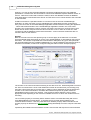
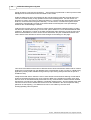
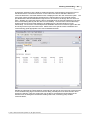
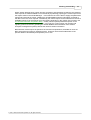
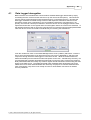
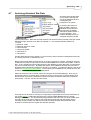
# ExternalFileAccess may be None, Full or Restrict. If you choose
# Restrict, provide ';'-separated trees list, where external files
# are stored. Relative paths are treated relative to RootDirectory entry
# (see above). Default value 'None' disables any use of external files
# on your site. To specify access to specific trees, enum all required
# paths (for Win32 this may be something like 'C:\ExternalTables',
# for unix - '/db/extern;/mnt/extern').
#
# NOTE: THE EXTERNAL TABLE ENGINE FEATURE COULD BE USED TO COMPROMISE
# THE SERVER/HOST AS WELL AS DATABASE SECURITY!!
#
# IT IS STRONGLY RECOMMENDED THAT THIS SETTING BE USED TO LIMIT
# EXTERNAL TABLE LOCATIONS!
#
# Type: string (special format)
#
ExternalFileAccess = Full
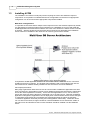
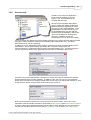
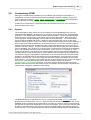
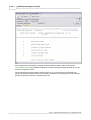
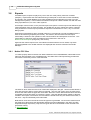
Install 4COM Components:
After the Firebird server software has been installed it is necessary to install the 4COM software
onto each of the 4COM client PC's by selecting the Install 4COM option from the Postec Installer
on the 4COM Installation CD.
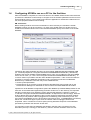
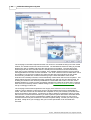
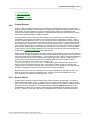
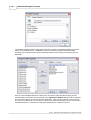
Install Firebird Client Components (optional):
Next it is necessary to install the Firebird client software onto any 4COM client PC's that do NOT
have the Firebird server software installed onto it AND where 4COM access is desired.
Remember if you desire 4COM to be run in single user mode (the majority of installations) where
4COM and the database will reside and be accessed from only a single PC, then this step is not
necessary.
© 1987 - 2009 Postec Data Systems Ltd, all rights reserved.