1
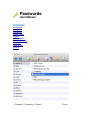
Preferences
Some options won’t be available in the Windows version of the app.
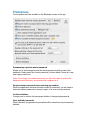
Database/app optional master password
Allows you to set/change/remove the master password which protects the
database. Simply enter the current password (or leave blank if there isn’t one)
and supply a new one.
Note: If you forget your master password you will not be able to access the
database (and, obviously, your passwords contained in it).
Require master password when restoring app window
When the application window has been closed or minimised, you will need to
enter the master password to access it again. Use as a security measure.
Confirm deletions
Prompts you to confirm the permanent deletion of categories/passwords.
Save deleted passwords
When checked, any passwords you delete will be saved and not permanently
deleted.