1
32 | MIMO OTA Environment Builder User Manual
3.7.1.2
Remote Programming Interface (RPI) Commands for MIMO OTA
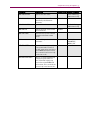
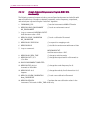
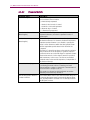
The following table contains a list of relevant remote commands to configure MIMO OTA
in your VR5 system. For a complete list of remote commands, refer to the VR5 HD Spatial
Channel Emulator User Manual.
Command
Description
Default Value
Range of Values
*IDN?
Queries the identity of the
instrument
ERR?
Polls for any errors generated in
the instrument
MEB:CMB:LIB <filename>
Loads the Chamber Setup
named <filename>
DEFAULT
MEB:CMB:LIB?
Queries the name of the current
Chamber Setup file
DEFAULT
MEB:CMB:LIBAV?
Returns the list of Chamber
Setups available in the Chamber
Library
MEB:CAL:LIB <filename>
Loads the amplitude calibration
data file identified by the
<filename> parameter.
MEB:ENV:OUTP <value>
Sets the nominal output power
level of the MEB. This
determines the set point used to
calculate the actual power levels
of the output ports of the VR5.
This command can be used only
in real-time mode.
-30.0
-20.0 to -110.0
MEB:ENV:VEL <value>
Sets the MS velocity for all paths
to the <value> in km/hr. This
command can be used only in
real-time mode.
10.0
0 to 5400.0
MEB:ENV:DOT <value>
Sets the MS direction of travel in
degrees for all paths. This API
can be called in real-time mode.
0.0
-180.0 to 180.0
MEB:ENV:FREQ <value>
Sets the carrier frequency in
MHz of all VR5 output ports used
in the current MIMO OTA
environment. This command can
be used only in real-time mode.
2600.0
380.0 to 6000.0
MEB:ENV:ALG <value>
Sets the algorithm type for the
MIMO OTA Environment Builder.
PRECISION
PRECISION, FAST,
REAL_TIME
MEB:ENV:SENDCAL
Sets the Amplitude Calibration
values. This command can be
used only in real-time mode.
MEB:ENV:BUILD
Builds the MIMO OTA
environment and configures the
VR5 accordingly.