1
OPC Server L, User’s Manual
3.2
Configuration
The Options Dialog
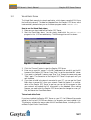
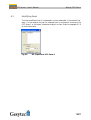
To configure the OPC Server select the Options command from the Controls-menu. Basic configuration options can be specified here.
3.2.1
Project Settings
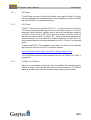
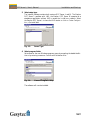
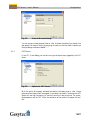
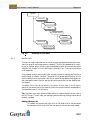
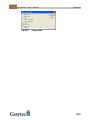
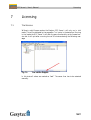
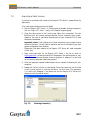
The Project settings contain connection and start-up mode options of the OPC Server.
The parameters in this dialog cannot be changed once the OPC Server is running.
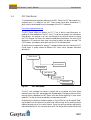
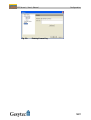
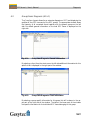
Fig. 3.1:
Project Settings
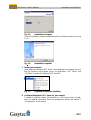
Network access
The Network access option defines the type of connection to the LonWorks
network. There are three possible options:
Local: The network access is gained via the same computer as the OPC
Server. Select a network name and the USB interface from the two options
Network and Network Interface in the same dialog window. This configuration
is most common.
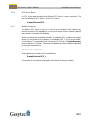
Remote Full Client: The OPC Server connects to a LNS Server via the network
using a full remote access LonWorks connection. Select a Network interface
connected to your server. The appropriate LNS Server will automatically appear in the field Network.
Note: This access method is not recommended, as the access to the LNS
Server will be very slow.
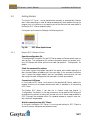
Remote Lightweight Client: The OPC Server connects to a LNS Server via the
network using the TCP/IP protocol. From the range of available LNS Servers
select the desired network using the option Network in the same dialog. The
Network interface will automatically be set to Internet. To create a remote LNS
21