1
SAFETY
1.
Honeywell • 2
SAFETY
This manual contains clearly marked cautions and warnings which are intended for your personal safety and to avoid any unintentional damage to the product or connected appliances.
Please read the information included in cautions and warnings carefully.
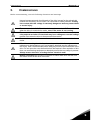
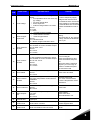
The cautions and warnings are marked as follows:
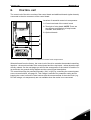
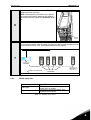
= DANGEROUS VOLTAGE!
= WARNING or CAUTION
= Caution! Hot surface
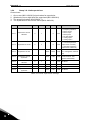
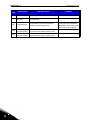
Table 1. Warning signs
1.1
Danger
The components of the power unit of the Smart VFD HVAC are live when the
drive is connected to mains potential. Coming into contact with this voltage is
extremely dangerous and may cause death or severe injury.
The motor terminals U, V, W and the brake resistor terminals are live when
the drive is connected to mains, even if the motor is not running.
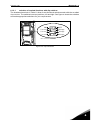
After disconnecting the drive from the mains, wait until the indicators on the
keypad go out (if no keypad is attached see the indicators on the cover). Wait 5
more minutes before doing any work on the connections of the drive. Do not open
the cover before this time has expired. After expiration of this time, use a measuring equipment to absolutely ensure that no voltage is present. Always ensure
absence of voltage before starting any electrical work!
The control I/O-terminals are isolated from the mains potential. However, the
relay outputs and other I/O-terminals may have a dangerous control voltage
present even when the drive is disconnected from mains.
Before connecting the drive to mains make sure that the front and cable covers
of the drive are closed.
During a ramp stop (see the Application Manual), the motor is still generating
voltage to the drive. Therefore, do not touch the components of the drive before
the motor has completely stopped. Wait until the indicators on the keypad go out
(if no keypad is attached see the indicators on the cover). Wait additional 5 minutes before starting any work on the drive.
1