1
Supplying the desired vowels: (see 4.2.5 Consonants and vowels)
Click in the first open space (the space next to 1:) in the box with the
heading Vowels in priority order (or press Alt+W on the keyboard). Type
in the first vowel in the space.
You can now supply as many vowels as you want in the open spaces, by
clicking in the next space or by pressing the Tab key on your keyboard to
move to the next space and typing the desired vowels in priority order.
You can go back to the previous vowel, simply by clicking in that text box,
or by pressing Shift+Tab on your keyboard.
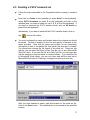
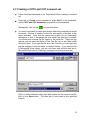
After following these steps, your screen should look something like this:
Note:
Ignore the values specifying the consonant and vowel ranges and the type of
reduction. These will only be needed later.
You should now save the new patient file (see 4.10 Saving a patient file).
The new patient file is created and ready for future use.
To create a word set from this file, see the next section: 4.4 Preparation
before creating a nonword set.
15