1
2. Installation
The Speech Motor Learning Program has an automated installer. This installer
handles all the installation procedures. All you need to do is to execute this
installer and follow the onscreen prompts.
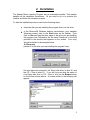
To start the installation process, execute the following steps:
Insert the disk you are installing the program from, into the drive.
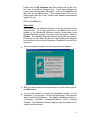
In the Microsoft® Windows desktop environment (your standard
Windows screen), click on the Start button on the taskbar. Then
click on Run and type the drive name of the drive you are installing
the program from, followed by the file name “Setup.exe” in the field
provided in the window that appears on the screen. Your entry
should be similar to the example below:
A:\Setup.exe
(where A:\ is the drive you are installing the program from).
On most personal computers, the floppy disk drive is drive A:\ and
the CD – Rom is drive D:\. If you are not sure what the name of
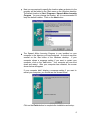
your floppy disk drive or CD – Rom is, click on the Browse button
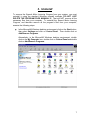
on the screen shown above. A screen similar to the following will
appear:
3