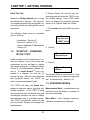
1
CHAPTER 1. GETTING STARTED
• pH in the range 0 to 14
• Volts, millivolts, or microvolts
• Temperature in degrees Celsius or
Fahrenheit
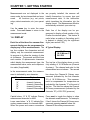
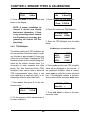
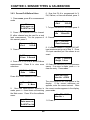
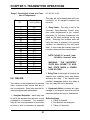
25.00
a 25.00 Deg C
b 408.3 kPas
Line 1 and 2 display Channel “a” (Secondary Measurement) for resistivity, tem- ORP (Oxidation Reduction or Redox Potential)
perature in degrees Celsius. Line 3 dis- Sensor:
plays Channel “:b” (Secondary Measure- • Measurement in millivolts
ment) for pressure in kilo Pascals (metric).
Flow Sensor:
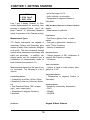
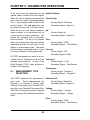
Measurement Types
• Total flow in gallons, liters, or cubic
meters
770 Series Instruments are capable of • Flow rate in gallons/min, liters/min or
3
measuring Primary and Secondary para- meter /hour, Frequency
meters on each of two channels, designat- • Velocity in feet/second
ed A and B. The user can specify through
menus which parameters are primary and Pressure Sensor:
which are secondary. In addition, dis- • Gauge pressure in PSI, millimeters of
played results can be computed from a mercury, kilo Pascals or voltage
combination of measurements made on • ∆ Pressure
both channels (see section 5.01).
Tank Level Sensor:
Measurements depend on the type of sen- • Volume of liquid in cubic meters, liters,
sor connected. The following is a list of gallons or % full
options.
Temperature Sensor:
Conductivity Sensor:
• Conductivity in mS/cm, µS/cm, nS/cm.
• Resistivity in ohm-cm, kohm-cm, Mohmcm
• Total Dissolved Solids, TDS, in kppm
(ppt), ppm, mppm (ppb).
• Temperature in degrees Celsius or
Fahrenheit
• Temperature in degrees Celsius or
Fahrenheit
Chemical Sensor:
•
•
•
•
Resistivity, conductivity, temperature
%HCI
%NaOH
%H2SO4
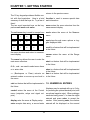
Keypad & Menu Software
pH Sensor:
10