1
XspouseTM Data Entry
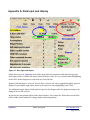
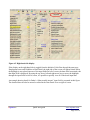
Note: If you are completely new to Xspouse you may find it helpful to first briefly look at Appendix A
at the end of this document to assist with understanding the mechanics of operation of Xspouse
screens.
Help and Documentation.
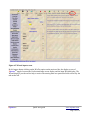
The extreme right icon in the XspouseTM main screen is labeled Wiz/Pro. This stands for
Wizard/Professional. The Wizard is the data entry wizard. The Professional screen is the regular
XspouseTM main screen. Clicking this icon repeatedly switches between the two screens.
You may enter data in either the Professional screen or the Wizard.
Overview of Data Entry.
The overall scheme of XspouseTM is very simple.
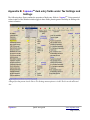
Enter the information about children (lines 1 and 2).
Enter FC 4058 (guideline) income (the five lines between Wages and Other Nontaxable Income). This
is the guideline gross income.
Enter FC 4059 (guideline) deductions (the four lines near the bottom of the screen, from Required
Union Dues to Other GDL Deductions; the lines half-way down the screen, child and spousal support
paid for prior relationships; and health insurance).
The guideline net is the difference between guideline gross income and guideline deductions. This is
the income which figures in the guideline child support formula (FC 4055).
NOTE: In XspouseTM , you will often see the words adjusted or unadjusted next to the word net. These
adjectives refer to whether the net has been adjusted for the tax consequences of spousal support. This
topic is discussed fully in Appendix D of the XspouseTM manual.
XspouseTM will then calculate child and spousal support.
Taxes.
FC 4059(a) lists federal and state income taxes as guideline deductions. Thus, we need to enter
information which will allow XspouseTM to calculate these taxes.
You have probably already entered all taxable income when entering guideline income. The categories
of taxable income and guideline income largely overlap.
Next, enter Adjustments to Income (line half-way down the screen ). These are defined in IRS Form
1040.
XspouseTM
Quick start guide
www.xspouse.com
Page 2 of 14