1
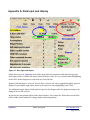
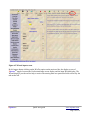
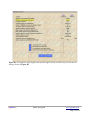
Figure A2 Right hand side display.
If the display on the right hand side is toggled from the default of Cash flow through Income taxes,
Employment taxes and Guideline to Data Detail, the right side of the screen will appear blank. When
the highlight is next placed into one of the input fields on left of screen, the data detail associated with
that input field is displayed. By using the up, down, left and right arrow keys to move the highlight
through the input fields on left of screen, it is possible to quickly view all of the detail input data.
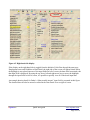
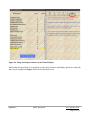
An example showing detail for Father's “Other taxable income” input field is presented in this figure.
The detailed data can also be entered or edited in the Data Detail view on right of screen.
XspouseTM
Quick start guide
www.xspouse.com
Page 9 of 14