1
CHAPTER 6
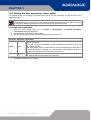
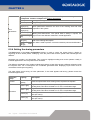
6.5.5 Setting Input/Output parameters
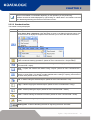
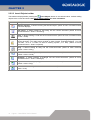
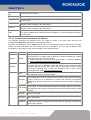
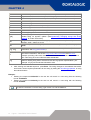
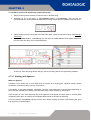
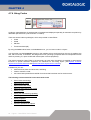
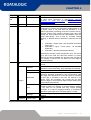
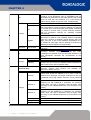
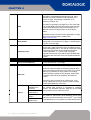
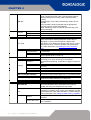
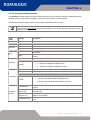
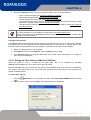
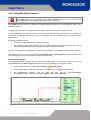
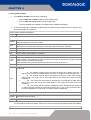
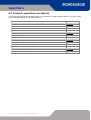
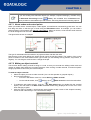
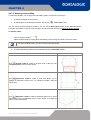
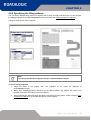
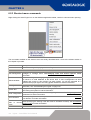
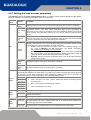
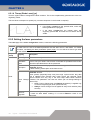
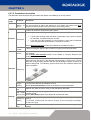
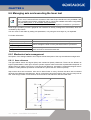
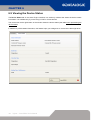
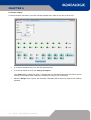
The Input / Output page of the Laser configuration window is used to set durations and delays of laser
Input signals in relation to engraving.
Properties
Group
Property
Description
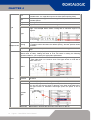
Start time [ms] Sets the minimum duration, in ms, of the start engraving signal.
Start delay
[ms or mm]
Inputs
Sets the delay, in ms, between acceptance of the start engraving signal
and actual start of engraving.
Stop time [ms] Sets the minimum duration, in ms, of the stop engraving signal.
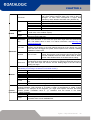
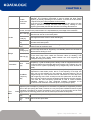
Delay between the work in progress (Laser Busy) signal and actual laser
Busy advance
emission. This parameter may be useful if this signal is used to open an
[ms]
electromechanical shutter.
Outputs
Busy delay
[ms]
Delay between the end of actual laser emission and the end of Laser
Busy signal.
End time [ms]
Duration of the end engraving signal (Laser End) after Laser Busy signal
ends.
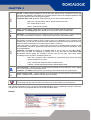
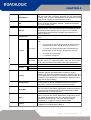
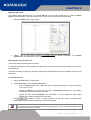
Sw Ready
Compatibility
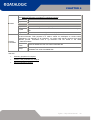
If set to true the SW_Ready signal goes high when a document or a
sequence is in AUTO MODE. This setting maintains the same
management as Smartist.
If set to false the SW_Ready signal go high when a document or a
sequence is in AUTO MODE and the laser status is READY (Key=active;
Enable=active)
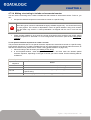
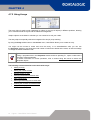
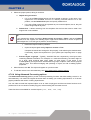
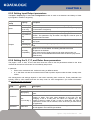
6.5.6 Setting the X, Y, Z, and Rotor Axes parameters
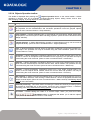
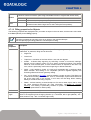
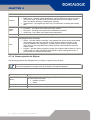
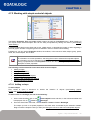
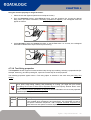
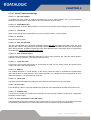
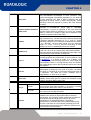
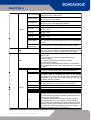
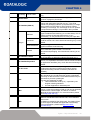
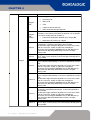
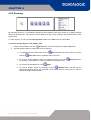
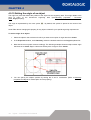
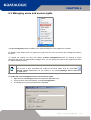
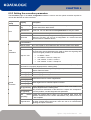
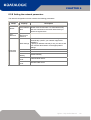
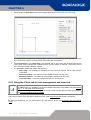
The pages Y Axis, X Axis, Z Axis, and Rotor Axes are used to set the parameters related to the three
mechanical axes whose movement are controlled by step motors.
In particular:
•
Z axis is the mechanical axis. It allows focusing on different levels.
•
X, Y, and Rotor axis are the mechanical axes used to position objects under the laser via step motor
control.
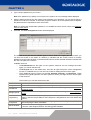
Axis management and settings depend on the board controlling their movement. These parameters are
typically used by who installs and sets the step motor for axis management. (For further information,
see Mechanical axis management).
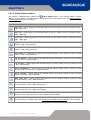
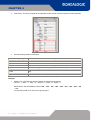
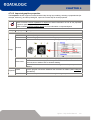
Properties
Group
Property
Description
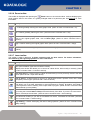
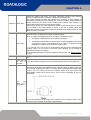
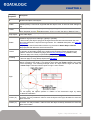
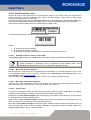
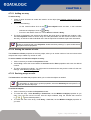
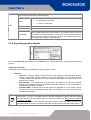
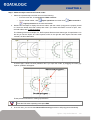
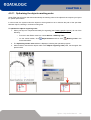
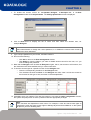
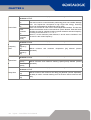
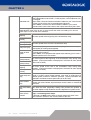
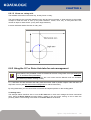
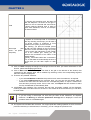
These two parameters set the conversion between motor steps and axis movement.
Steps [steps]
The number of steps to move the motor to the distance given a the Units
value.
Units
[mm,inch,deg...]
The distance to move the axis when the motor moves the specified
number of steps. The units value depends on the axis you are
managing: if this is a rotary axis, the value is in degrees (e.g., the
number of steps to rotate of 360°); if this is a linear axis, the value is
expressed in a linear unit of measure, which is the one you have set for
the application.
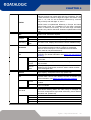
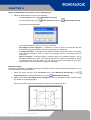
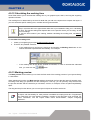
Enable axis
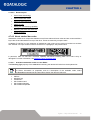
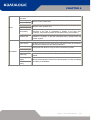
It it is set to True (default), enables the axis management. The relevant
tab will appear in the Laser Engine window.
Conversion
Parameters
Lighter – Help Online Manual
166