1
© Florida Solar Energy Center, 2012
Ceilings
(Back to Table of Contents)
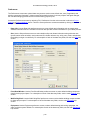
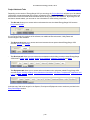
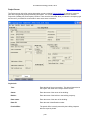
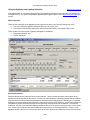
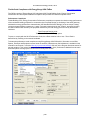
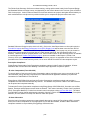
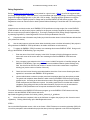
This section provides specific help for the Ceilings data entry fields (for general building component entry help,
see the building components help section). To access the Ceilings screen, click on the Envelope tab, then
Ceilings subtab.
For sealed attics (no attic ventilation to the outdoors with insulation at the roof deck) see the Sealed (Unvented)
Attic Note in the Roof screen help section for input guidance. For additional assistance with entering ceilings for
multi-family projects, see the Multi Family Note in the Project screen help section.
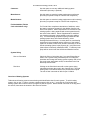
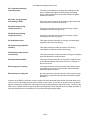
Current Ceiling
Type:
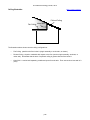
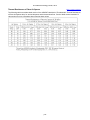
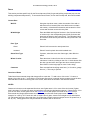
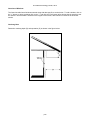
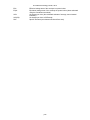
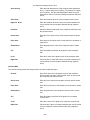
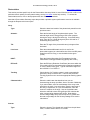
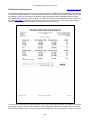
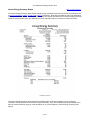
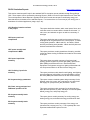
Enter the ceiling Type from the drop-down menu. See the
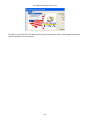
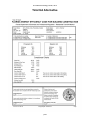
Ceiling Illustration for examples of common ceiling
configurations. Also see the Sealed (Unvented) Attic Note on
the Roof Help page for input guidance for sealed attics. For
additional assistance with entering ceilings for multi-family
projects, see the Multi Family Note on the Project Help page.
Under Attic
Select Under Attic if ceiling has airspace between ceiling
insulation and roof deck.
Cathedral/Single Assembly
Select Cathedral / Single Assembly if there is no air space
between the ceiling and roof.
Knee Wall
Select knee wall for vertical walls that separate conditioned
space from unconditioned attic space- see the Ceiling
Illustration for help in identifying knee walls. Note that for
HERS ratings, code calculations and other non-system sizing
calculations, skylight shafts that separate conditioned space
from unconditioned attic space are included as kneewall area
unless there is also glazing at the skylight's ceiling plane.
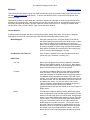
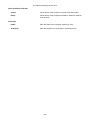
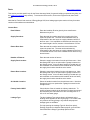
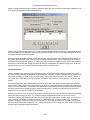
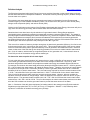
R-Value:
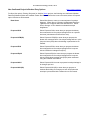
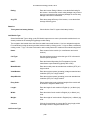
Enter the R-Value of the insulation. Use labeled R-Values of
insulation product(s) installed. Do not use composite ceiling
system R-Value (don't include R-Value of sheet rock etc.).
Insulation compressed more than 85% of rated thickness
should use reduced R-Value. The total U-Value of the
complete ceiling as entered is shown below the entry box. Note
that the insulation grade, framing fraction, material type, and Rvalue determine the on-screen U-value. The insulation grade
will not affect the Florida Code Performance calculation but will
affect the Total UA Alternative Method.
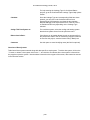
Ins. Grade:
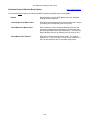
Use the pull-down menu to select the grade (quality) of the
ceiling insulation installation (I, II or III) or select Not Inspected if
no assessment has been made. For more information see the
Insulation Grades help page.
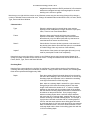
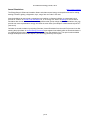
Space Name:
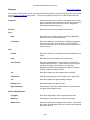
If the project has more than one Space, enter the Space that
this ceiling is part of from the pull-down menu options. Note
that Spaces are added, defined, or deleted on the Spaces
screen.
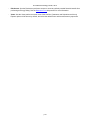
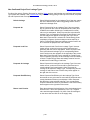
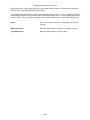
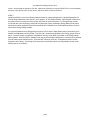
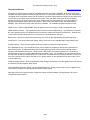
Net Area:
To enter the net ceiling area, click on the Net Area radio button
and enter the area in the corresponding box (for help with
determining the net ceiling area, see the Net Area Note below).
p40