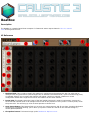
1
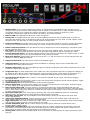
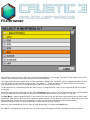
or right on the preset LCD.
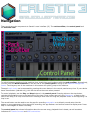
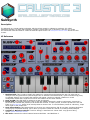
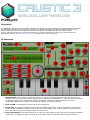
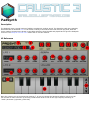
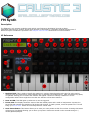
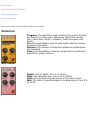
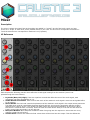
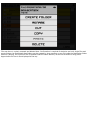
3. Save Preset button: This button allows you to save your own presets to disk for use later. Pressing this button
will bring up a keyboard allowing you to name your preset. Presets are stored on the external storage in /
caustic/presets/padsynth.
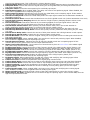
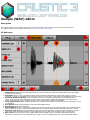
4. Note On LED: This LED lights up whenever a note is triggered.
5. A-B Blend knob: This knob controls the output mix between expression A and expression B
6. Octave knob: Coarse frequency tuning for the expression evaluator, from -4 to +4 octaves.
7. Semis knob: Frequency tuning for the expression evaluator, in semitones (regular notes on a keyboard)
8. Cents knob: Fine frequency tuning for the expression evaluator, in cents.
9. Output Volume knob: The final output volume of the PCMSynth.
10. Output VU meter: Indicated the level at which the PCMSynth is outputing signal. If this reaches RED, then
the PCMSynth will output distorted sound.
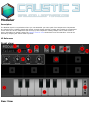
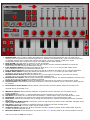
11. Expression window: This is where your expression is displayed. Touching once inside the expression window
places the cursor at the touched location. Long-pressing the expression window will offer to copy the content of
the other expression into the one currently selected.
12. Expression selection switch: Selects which expression is displayed in the expression window and which
expression is edited.
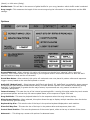
13. Expression programming keyboard: Contains various digit and operator keys as well as the time variable key
(T), parentheses, and a backspace key ( < ). Operators:
❍
^ Bitwise exclusive OR (XOR). For each bit, result is 0 if both sides are 1 or 0, and result is 1 otherwise.
❍
& Bitwise AND. For each bit, set to 1 only if the numbers on both sides are 1
❍
| Bitwise OR. For each bit, set to 1 if one the numbers on either sides is 1
❍
<< Shift left. Shifts all bits to the left by the amount specified (equivalent of multiplying by powers of 2)
❍
>> Shift right. Shifts all bits to the right by the amount specified (equivalent of dividing by powers of 2)
❍
+ Standard arithmetic addition.
❍
- Standard arithmetic subtraction.
❍
* Standard arithmetic multiplication.
❍
/ Standard arithmetic division.
❍
% Modulo (aka remainder) part of a division
❍
( and ) Parentheses, used to force the order of evaluation.
14. Mute/Solo buttons: These buttons link to the ones in the mixer and are used to cut out this machine from the
final mix or listen to only this machine.
15. Preview Keyboard: This keyboard is used to play notes to help when designing sounds with the PCMSynth.
16. Octave buttons: Raises or lowers the octave of the Preview Keyboard.