1
Pattern Editor
This editor is used in all machines to create note patterns. The pattern is the basic building block for creating tracks
in Caustic. Each pattern can span 1, 2, 4 or 8 measures and can contain notes from C1 to C8.
Creating a pattern
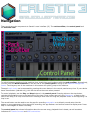
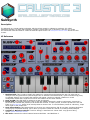
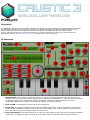
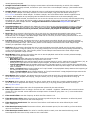
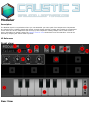
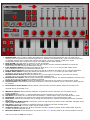
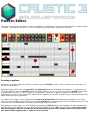
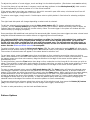
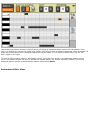
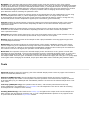
Make sure the pattern editor is in piano roll mode using the mode(1) button. There should be a vertical piano on
the left as show above.
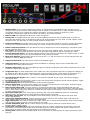
Select an empty pattern slot using bank(2) and pattern(3) buttons. By default, each pattern is 1 measure long.
To grow a pattern, press the grid(5) button and select either 2, 4 or 8. To shrink it, press the grid(5) button and
long press the new size (1, 2 or 4). When grid is pressed, a "Quantize" toggle will appear on the right. Turn
Quantize off to record, move and stretch notes without snapping to the grid. To align notes to the selected grid size,
select them then turn on Quantize.
To create a note trigger, touch inside the main piano roll window(10) at the desired note and time. The initial
size of the note will depend on the grid size. Use the grid(5)button to toggle grid sizes. The default grid size is 16th
notes but this can be extended up to 64th by selecting a smaller grid size.
Once placed, a note's length can be modified by selecting the Size(4) button and dragging the small handle which
appears next to the selected note. New notes cannot be placed when the Size button is active. Tip: to save time
and avoid going in and out of selection mode when placing new notes, simply touch the size(4) button
and hold it while dragging left or right to resize the note.