1
TURN 1
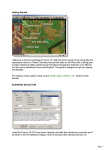
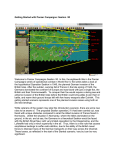
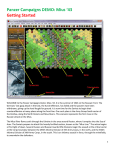
In this scenario the Russians move first. Click
on the stack indicated by the red box.
The hex contains a Submachine Gun (SMG)
Company and a Rifle Battalion.
Both belong to the 56th Rifle Brigade.
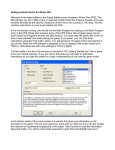
To check any units’ statistics, chain of command and special unit abilities, right
click the Hex Info Area while the desired hex with the unit(s) is selected. Right
click in the Hex Info Area now to review the two unit’s statistics.
You will see the chain of command for the unit on the left; on the right appear
its various combat factors, speed, and special abilities, if any. We want to move
a little closer to the nearest 25 point objective and see what we can find.
Double click to select the units on the map, or click each Unit Box, so that the
Unit Box lights up. They are now "selected" and ready for orders.
4