1
Processing Ballots…
selections for that row will be included in the tally. After each
ballot is scanned, a verification number is printed inside the
Ballot Verification box.
For information on how to process elections with more than
100 candidates or when using a standard answer sheet for
elections, refer to the section titled “Data Collection Operation”
on page 11.
Getting Election Results
To obtain the results of an election, insert side 1 of Item
Analysis Form 23570 through the scanner. The Item
Analysis Form can be inserted at any time during or after batch
processing without interruption of the tabulation proces
Warning: pressing the “Reset Options” button will clear
all election results.
In the event an Item Analysis Form 23570 is not available, the
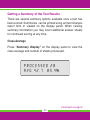
election information can be viewed in the display window. To
view election results press the “Summary Display” button after
batch processing and follow the instructions displayed in the
window for viewing the results.
-8-