1
△ 飚 ◇窳 ○
section II Maintcnancc Mcthod
Chapter I
speciaI Tips
section I Pr耐 ector se竹ings
l Rcgulating contrast ratio,brightncss and fooal distancc according to diffcrcnt
SOURCE signals is thc orux of clcar imagcs,or thc imagcs may bc blurrcd
2 High voltagc is formcd in thc prolcctor,so that opcning thc covcr and
tou。
Preparation before Use
set(ing Method
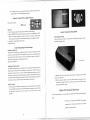
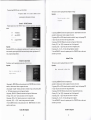
Thc pr臼 ccˉ tor has thc following txsro prolc锐
1 Pr(冫 jecllllg1ifom the flont surface∶
hing intcrnal Componcnts arc strict1y prohibitcd
ion mcthods,and plcasc sclcct an
oplimal display method according to prolcctlon plaCcs
the pr(冫
palt ls s1培 ht1y ralscd,and imagcs arc pr臼
jector is hoⅡ zOntal1y ralsed or thc】 lront
C吐 Cd to thc or臼
Cdion scrccn
2Thc pr句 cctoris hung on a ccihng,imagcs arc pr臼 CdCd from thc flont surface,and
CataIog
usc a prolc∝ or han鲈 ng bracket,so as to hang the pr臼
ector on the ccihng to pr句 ccl
imagcs to tllc prolccjon sC⒑ Cn iom thc Ⅱolltsur免 cc
Note:
Chapter I
Prepara伍 on before lJse
spccial pr句 e∝ ion han臣 ng brackctis rcqu订 cd to bc puⅡ hascd whcn suspcndcd
ccⅡ il1g is installcd on thc ccⅡ ing Ifthis rnountlng llacthod is rcquircd,plcasc consu1t
thc dcalcr
scdion I Pr臼 Cc・ tor seltings
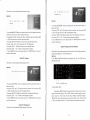
P1ease re△ r to icons to flx proJcction scrccn sizc and prOJc∝ ion distallcc
scction II Conncction of signal sourccs
(a)sc姆 Cn“ zc,(b,distance flom the pr句 ectol to thc sCrcen(± 5%)
scctlon IH Use of Rcmotc Controllcr
Chaptcr II Ba蚯 c operation
Tablc (1)
section I Swltching on POwer of Pr臼 c∝or
sct・ tion
Ⅱ Ttlming off POwel supply of Pr臼
Scrccn sizc (a)
{Inclllm)}
scction HI Rcgdating of Prolected Imagcs
aspcct
ProJcdion distancc(b)
ml△ 5%、
section Ⅳ Rcgulating ofImagc Quality
Chapter ⅡI AdⅤ anced Operations
sct・
16∶ 9display
Cctol
tion I sOURCE selection
scction∏ Contlast Rafio
scction III Brightncss
32inch
12mctcr
50inch
1 76mctcr
100inch
321netcr
128inch
42mctcr
scction IV Color
section II.Connection of signal sources
scction V shaIPlaCss
scction Iˇ /I
Languagc
Scction VII Transparcncy
Section VIII Imagc Convcrsion Function
scction IX Factory Reset
Scction X VGA sOURCE Regulation
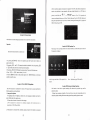
Connection with Computer
・
PIease turn off power suppⅡ
cs of tllc proJctˉ
・
Plcasc GOnnrm Whcthcr thc cOnncctol of a cablc is matchcd witll tllc sOURCE llltcrfatˉ
・Usc thc‘ SOURCE’ buton to set tlle prOJe∝
scction XII E1ectronic scahng Function
・
Yo矿 d沅 钆
er
Chapter IV Appendix
section I Trouble Rcmoval
c ofthc proJcctor,alld
oon“ rainedls・ pIugging devioes xslth difFcrcllt sllapcs and pins may caⅡ c faults ρr cquipmcllt damagc
scction XI UsB Function Use
section XⅡ I TV sOURCE Rcgulation
gnal soulcc bc允 rc connctˉ tlon,alld conncc讧 on
tor alld tllc“
pcrformcd whcn thc powcr supplies ale tumed on may causc faul‘
s∝ dlsplay Iesolutloll alld丘
or t°
bc‘ computel’
equcncy to bc800×
sOURCE∶
480and60Hz whcn thc projcctor
is oonncctcd、 Vith a computcr
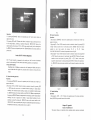
Connection with Audio and Video signa】 sources
・Usc A/V cab1c (rcd/whitc/ycllow randomly providcd) to con众
eCt signal