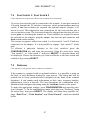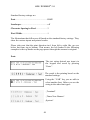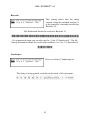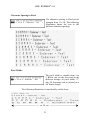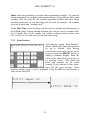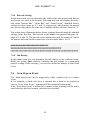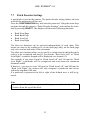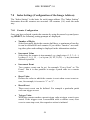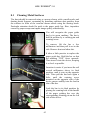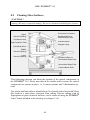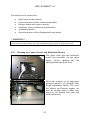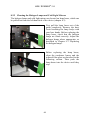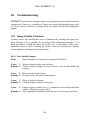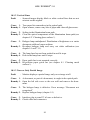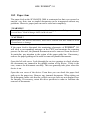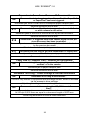
1
® H04 / SCAMAX 510 User Manual SCAMAX® - Document Scanner Version 07 / 2010 Model SCAMAX® 510 InoTec GmbH . Biedrichstrasse 11 . 61200 Woelfersheim Tel.: +49 (0) 6036 9708-0 . Fax: +49 (0) 6036 9708-15 eMail: [email protected] . http://www.scamax.com 1 ® H04 / SCAMAX 510 Table of Contents 1. Introduction ........................................................................................... 7 1.1 1.2 1.3 1.3 General Safety Notice....................................................................... 8 Description....................................................................................... 9 ® SCAMAX 510 Specifications ....................................................... 10 SCAMAX® 510 Specifications ....................................................... 11 2. Setting Up the Scanner ........................................................................ 13 2.1 2.2 2.3 2.4 Placement and Environment ........................................................... 13 Power Supply / Switching the Scanner on ....................................... 14 Switching the Scanner off............................................................... 15 Connecting the Scan PC ................................................................. 15 3. Scanning............................................................................................... 16 3.1 3.2 3.2 3.3 3.4 3.5 3.6 3.7 Input Hopper .................................................................................. 17 Using the Feeder ............................................................................ 17 Using the Feeder ............................................................................ 18 Variable Feeder Belt Pressure......................................................... 19 Output Hopper ............................................................................... 20 Ultrasonic Double Feed Detector .................................................... 21 Scanning Small Documents ............................................................ 22 Changing the Scan Background ...................................................... 23 4. Removing and Replacing Covers......................................................... 24 4.1 4.2 4.3 4.4 4.4 4.5 Front Cover .................................................................................... 25 Left Side Cover .............................................................................. 25 Service Openings ........................................................................... 26 Rear Cover ..................................................................................... 26 Rear Cover ..................................................................................... 27 Display Housing............................................................................. 27 2 ® H04 / SCAMAX 510 5. The TouchScreenCommunicationPanel (TSCP) ................................. 28 5.1 Fixed Buttons................................................................................. 30 5.1.1 Menu.................................................................................... 30 5.1.2 Pause.................................................................................... 30 5.1.3 Start ..................................................................................... 31 5.1.4 Stop...................................................................................... 31 5.2 Input Mode .................................................................................... 32 5.2.1 Batch.................................................................................... 32 5.2.2 Separation ............................................................................ 33 5.2.3 Manual................................................................................. 33 5.3 Double Feed................................................................................... 33 5.3.1 Active .................................................................................. 34 5.3.2 Inactive ................................................................................ 34 5.4 Thinner Paper / Thicker Paper ........................................................ 34 5.5 Transport........................................................................................ 34 5.6 Next (Separation and Double Feed Check OFF)............................. 35 5.7 Next (Double Feed Check off) ........................................................ 35 5.8 Counter .......................................................................................... 35 5.9 Test Run ........................................................................................ 36 5.10 Patchcode....................................................................................... 37 5.11 Info................................................................................................ 37 5.12 Function Keys ................................................................................ 37 5.13 Latched Flag .................................................................................. 38 5.14 Momentary Flag............................................................................. 38 5.15 End of Job...................................................................................... 38 5.16 User ............................................................................................... 39 5.17 Table Height .................................................................................. 39 6. Keypads................................................................................................ 40 6.1 Alphanumeric Keypad .................................................................... 40 6.2 Numeric Keypad ............................................................................ 42 3 ® H04 / SCAMAX 510 7. Configuration....................................................................................... 43 7.1 7.2 7.3 7.4 7.5 Change Password ........................................................................... 44 Load Mode..................................................................................... 45 Menu Levels .................................................................................. 46 Foot Switch 1 / Foot Switch 2......................................................... 47 Endorser......................................................................................... 47 7.5.1 Print Text ............................................................................. 48 7.5.2 Print Position........................................................................ 52 7.5.3 Print Control......................................................................... 53 7.5.4 Barcode Setting .................................................................... 54 7.5.5 Ink Density........................................................................... 54 7.6 Scan Stop on Event......................................................................... 54 7.7 Patch Decoder Settings................................................................... 55 7.8 Index Settings (Configuration of the Image Address) ...................... 56 7.8.1 Counter Configuration .......................................................... 56 7.8.2 Fixed Text............................................................................ 57 7.8.3 Use Counters of Mode .......................................................... 57 7.8.4 Ignore First Increment Event................................................. 57 7.8.5 Standard Settings.................................................................. 57 7.9 Save Mode ..................................................................................... 58 7.10 Delete Mode................................................................................... 59 7.11 Start White Calibration ................................................................... 59 7.12 Adjust Display Contrast.................................................................. 60 7.13 Language ....................................................................................... 60 7.14 Change Date/Time.......................................................................... 61 7.15 Table Height Calibration ................................................................ 61 7.16 Service Functions ........................................................................... 61 8. Cleaning ............................................................................................... 62 8.1 Cleaning Metal Surfaces................................................................. 63 8.2 Cleaning Glass Surfaces ................................................................. 64 8.2.1 Cleaning the Camera Lenses and Deflection Mirrors ............. 65 8.2.2 Cleaning the Halogen Lamps and Cold Light Mirrors............ 66 8.2.3 Cleaning the Condenser Lenses and Infrared Filter Glasses ... 67 8.2.4 Cleaning the Cylindrical Mirrors........................................... 68 8.2.5 Cleaning the Deflection Mirror of the Illumin. Beam Path ..... 68 8.3 Cleaning the Feeder Belts ............................................................... 69 4 ® H04 / SCAMAX 510 9. Maintenance......................................................................................... 70 9.1 9.2 9.3 9.4 Replacing the Halogen Lamp.......................................................... 70 Replacing the Feed Belts ................................................................ 72 Changing Separator Rollers’ Friction Linings ................................. 74 Table.............................................................................................. 75 9.4.1 Removing the Table.............................................................. 75 9.4.2 Assembling the Table ........................................................... 77 9.5 Replacing Fuses ............................................................................. 78 10. Troubleshooting ................................................................................... 80 10.1 Image Quality Problems ................................................................. 80 10.1.1 Poor Quality Images ............................................................. 80 10.1.2 Vertical Lines....................................................................... 81 10.1.3 None or Only Partial Image .................................................. 81 10.2 Paper Jam....................................................................................... 82 10.3 Error Messages............................................................................... 83 11. Optional Accessories ............................................................................ 86 11.1 Endorser......................................................................................... 86 Print Capacity per Ink Tank ............................................................ 88 Starter Kit for InkJet Cartridges BC01/BC02 .................................. 88 11.2 Ink Cartridge Cleaner (ICC) ........................................................... 89 11.3 Foot Switch .................................................................................... 90 11.4 Foot Switch Adapter....................................................................... 90 11.5 Color Dropout Filters for SCAMAX® 510....................................... 91 11.6 Cleaning Kit................................................................................... 92 11.7 Consumables.................................................................................. 92 5 ® H04 / SCAMAX 510 6 ® H04 / SCAMAX 510 1. Introduction Dear User, this manual provides you with information for the correct usage of the high volume document scanner SCAMAX® 510. Please read this manual carefully prior to using the SCAMAX® scanner to prevent operator errors. ® This manual only details the operation of the SCAMAX H04 series scanners. The operation of the scan PC and software is to be found in their respective manuals. 7 ® H04 / SCAMAX 510 1.1 General Safety Notice The power cord must always be unplugged prior to accessing the inside of the scanner. The scanner must only be connected to a properly grounded receptacle. Some internal components will get very hot during normal operation of the unit. Be mindful of this fact to avoid burns. The scanner must only be operated with all covers and lids firmly in place to prevent injury from woring belts and gears. Warning! Hazardous moving parts! Keep fingers and other body parts away. ! CAUTION ! Please pay special attention to all items marked ! CAUTION ! to prevent damage to the scanner. ! WARNING ! To prevent personal injury you must follow all instructions marked ! WARNING ! 8 ® H04 / SCAMAX 510 1.2 Description SCAMAX® 510 document scanners are designed for the processing of high volume workloads on a daily basis. The scanner comes equipped with a SCSI-III interface, which ensures seamless connection to most common systems. Operation is via a control PC running appropriate scan software. If desired, the control PC can be fitted into the PC ® slot inside the scanner, which is a standard feature of the SCAMAX 510. Certified ISIS® and Twain drivers provide easy integration into existing workflow and archiving systems. Scan resolution can be selected at 75, 100, 150, 200, 240, 300 or 400 dpi with all models, simplex or duplex if that option is installed. An integrated automatic threshold (MDIT MultiDimensionalIntelligentTreshholding) ensures the best possible contrast reproduction. The SCAMAX® 510 has a document feed with a 450-sheet feeder. The documents can be inserted in batches or individually. Document output is in the same sequence as document input and within easy reach of the user. The integrated ultrasonic double feed detector reliably detects unintended double feeds; even when different paper thicknesses occur in the same batch. The new TouchScreen Communication Panel (TSCP) provides easy operation. Explicit pictograms, full text help messages and full text error messages guarantee safe and logical scanner operation. The scanners can be fitted with an optional endorser*. It is capable of printing a character string on the back of each document. The string is freely configurable and can contain information like date, time, job name, sequence number and so on. The documents can be simultaneously scanned and microfilmed, both in the simplex and duplex mode, when using the optional microfilm accessory. Using automatic height adjustment, every user can set the height to his or her ® individual requirements. This user-friendly design makes the SCAMAX 510 an ergonomic workstation. * detailed description can be found in sections 7.5 and 11.1 9 ® H04 / SCAMAX 510 Left Side Cover Document Output Hopper Right Side Cover TSCP TouchScreenCommunicationPanel Front Cover Feed Belts Adjustment WheelFeed Control 450 Sheet Feeder Table Lower Cover Height Adjustable Ergonomic Table Right Side Cover Rear Cover Integrated PC Slot Table Rating Plate Power Supply Left Side Cover Interfaces 10 ® H04 / SCAMAX 510 1.3 SCAMAX® 510 Specifications Scan Speed at DPI 200 300 400 A4 portrait, simplex, sheets per minute 170 114 85 A4 landscape, simplex, sheets per minute 230 154 115 A4 portrait, duplex, pages per minute 340 228 170 A4 landscape, duplex, pages per minute 460 308 230 Resolution / Imaging Resolution 200/300/400 dpi yes Resolution 75/100/150/240 dpi yes Automatic white calibration yes Dynamic binarisation – threshold MDIT Bitonal (B&W) fixed threshold yes 8 bit greyscale – SCSI yes Document Feeder Changing feeder belt pressure pressure weights Single sheet feed (hand feed) yes Batch processing (auto feed) yes Stack height (in mm) 45 Stack height in sheets (80 gsm paper) app. 450 Document width in mm (min - max) 28 - 317 Document length in mm (min - max) 60 - unlimited Set wheel for paper guide adjustment yes Document length check to detect double feed yes Ultrasound sensor to detect double feed yes Document support extension for long docs. (integrated) yes 11 ® H04 / SCAMAX 510 Interfaces TSCP TouchScreenCommunicationPanel Yes Ultra 160 SCSI SCSI Dimensions/Weight/Noise Level Width (in mm) 850 Height (in mm) 1280 Depth (in mm) 1050 Weight (in kg) 110 Noise emission (in dB(A)) < 70 Electrical Requirements Power consumption 450 Watt, Standby 50 Watt Operating 1535 BTU/h, sleep mode 170 BTU/h Thermal energy (1000 BTU/h = 293W) Voltages 100V -240V Frequencies (in Hz) 50 / 60 Current (in A) 7 Fuse T 6,3A 250V Environmental Requirements Temperature (in Celsius) 10°–35° Relative humidity (non condensing) 30–80% 12 ® H04 / SCAMAX 510 2. Setting Up the Scanner 2.1 Placement and Environment ® SCAMAX scanners are ergonomically designed machines. Operator requirements and comfort were top priorities during the design process. The low noise level (< 70 dBA) the scanners generate facilitates placement in any normal office environment. Please choose a location where the scanner is not subject to direct sunlight, chemical emissions or vibrations. Ambient room temperature should be within +50°F (+10°C) and +95°F (+35°C), with a relative humidity of 30% to 80% without condensation. Please ensure the scanner is not subject to sudden changes in temperature or humidity. Although the scanner is fitted with rollers and can be moved easily, it is advisable to make sure that there is enough space for the connectors and to open the device. This product is also designed for IT power distribution system with phase–tophase voltage 230 V. ! CAUTION ! This is a Class A device This device can cause harmful interference to radio communications in a residential installation. In the case of interference occuring the operator can be required to take appropriate steps to eliminate the interference. 13 ® H04 / SCAMAX 510 2.2 Power Supply / Switching the Scanner on ! CAUTION ! The device voltage and frequency stated on the rating plate must conform with the voltage and frequency of your mains supply, otherwise the device may be destroyed when it is switched on. You will find the rating plate on the rear side of the device. ! CAUTION ! Ensure the power outlet to be used for the scanner is properly grounded. The power supply with the power switch is located in the back of the scanner. The machine should be switched off when connecting the power cord, e.g. the power switch should be sitting on “0”. Fuse Holder Power Switch Plug the supplied power cord into the power cord socket and then plug the cable into a properly grounded power outlet. Switch the power switch to “I” (On). Power Cord Socket On/Off Switch Open the display panel at the front of the scanner (refer to chapter 4.5). Use the switch located behind the display panel to turn the scanner ON. Close the display panel. 14 ® H04 / SCAMAX 510 2.3 Switching the Scanner off ! CAUTION ! Follow the directions given in the software manual. Switching the scanner off without following the software manufacturor’s instructions may lead to loss of data. The SCAMAX® 510 is designed for continuous operation. In order to minimise energy consumption, SCAMAX® 510 automatically goes into stand-by mode immediately after ending the scanning process. To turn the SCAMAX® 510 off exit any scan software that is running. Refer to the software manual for the correct procedure. After exiting the software program open the display panel and turn off the switch behind it (refer chapter 2.2). Turn the mains switch to “0” to cut power supply to the entire unit. The mains switch is located at the back of the scanner. 2.4 Connecting the Scan PC The interface connection is located on the back of the scanner at the bottom. The connection consists of a 68-pin SCSI connector and a 9-pin Serial connector, which is used as service interface, a footswitch connection or adapter connection if two footswitches are being used. 15 ® H04 / SCAMAX 510 3. Scanning The SCAMAX® 510 is designed to provide efficient processing of documents. The following chapters describe the settings, both hardware and software, which have to be made to ensure optimum paper flow. The input hopper guides are set to comfortably accommodate the documents to be scanned (see chapter 3.1). The belts’ pressure can be adjusted by changing the steel paper weights mounted on the feeder assembly. Various weights for paper input are supplied with the scanner. Use the PAPER THINNER / PAPER THICKER keys on the TSCP to change the feeder settings (section 3.2). The output hopper has to be adjusted to the paper size being scanned (section 3.4). The ultrasonic double feed detector has four different settings for efficient document processing (section 3.5). If documents narrower than 140 mm are to be processed, it is recommended to shift the transport belts to the inner tracks (section 3.6). The scan background can optionally be changed to white to provide better contrast when scanning transparencies or translucent paper (section 3.7). After all settings have been made and sample documents have been placed in the input hopper you can use the TEST RUN button to check the set-up (section 5.8). Instructions for the proper operation of the scan software and the scan PC can be found in their respective manuals. 16 ® H04 / SCAMAX 510 3.1 Input Hopper By rotating the adjustment wheel on the front side of the table, the spacing of the lateral guides of the document feed can be adjusted to the width of your documents. The width of the widest document should be selected for documents with mixed formats. The paper guide extensions are divided. To make it easier to insert single sheets manually, the upper section of the guides can be removed. Loosen the handscrews and remove the upper part of the guides. 17 ® H04 / SCAMAX 510 3.2 Using the Feeder The integrated, high performance feeder is capable of processing a wide range of paper thicknesses, even when intermixed in the same batch. The feeder can be specifically set to process either very thin or very thick paper. An additional benefit of this adjustment capability is its use in compensating for normal wear and tear of the friction linings, which greatly reduces the need for early replacement of these components. Recommended settings: Use the PAPER THINNER / PAPER THICKER keys on the TSCP (section 5.5) to select feeder settings from 1 to 15. A brand new scanner is adjusted to process 80 gsm paper properly at a setting of 10. When starting a feeder setting of 10 should be selected, the light weights should be used (section 3.3) and double feed detection should be “Active” (section 5.4.1). If the scanner stops with the error message “Double Feed” the feeder setting should be reduced by one and another attempt be made. Keep reducing the setting until the optimum feeder setting has been found. If the feeder is set too tight, or when thick paper is being processed, there is a possibility that no paper will be fed. In that case proceed in the opposite direction to the above, increase the setting by 1 unit until double feeds occur. Then reduce the setting by 1 to obtain the correct setting. Adjusting for wear and tear: The friction linings of the separator rollers will wear over time with use. The belts are designed with quite a thick wearable surface. All that is necessary to compensate for the wear is reducing the feeder setting as required. An indication for the need to reduce the setting is when double feeds are encountered with a setting known to produce no double feeds, i.e. when standard 80 gsm paper produces double feeds at a setting of 10. 18 ® H04 / SCAMAX 510 3.3 Variable Feeder Belt Pressure Efficient paper feeding depends on paper weight and surface texture. Frequently document batches are statically charged, depending on climatic conditions and where they were stored. It is recommended that document batches are fanned out prior to placing them in the input hopper. If the paper still feeds poorly, adjust the feeder belt pressure by either increasing or decreasing it as ® required. . On the SCAMAX 510 this is accomplished via weights for paper input (stainless steel pins). The scanner comes with three pairs of paper weights (light, medium and heavy). They are located in a storage rack behind the service opening for the top lamp holder (see chapter 4.3). Access to this area is via the left hand side cover (see chapter 4.2). The light pressure weights are usually all that is required to process standard 80 gsm copier paper. The heavier weighs will exert greater pressure onto the paper. It is quite possible that heavy but very smooth paper requires less pressure than thin but rough papers. The feeder belt assembly levers have threads to accommodate the weight for paper input. 19 ® H04 / SCAMAX 510 3.4 Output Hopper The output hopper is in an ergonomic scope to the input hopper. The antistatic brush ensures that any static charge present on the docu-ments after scanning is safely diverted from the scanner. Scanned documents are placed in the output hopper in the same sequence in which they were fed. Set the output hopper paper guides to the width of the documents to be scanned. Remember to set them to the widest document to be processed. To adjust the guides only grip them by the round part running on the guide rail. Adjust the front stop to accommodate the longest documents to be scanned. The height of the exit deflector can be adjusted by changing the height of the horizontal bar on the front stop. Loosen the knurled nuts and move the bar up or down, then fasten the nuts. 20 ® H04 / SCAMAX 510 3.5 Ultrasonic Double Feed Detector The ultrasound double feed detector is located right behind the feeder. It can be set to ACTIVE or INACTIVE via the menu. (for detailed description refer to chapter 5.4). The sensor also reliably detects unintended double feeds, if different paper weights occur in the same batch. The ultrasonic double feed detector can also be controlled via an optional foot switch (chapter 7.4). 21 ® H04 / SCAMAX 510 3.6 Scanning Small Documents The SCAMAX® 510 is designed to handle a wide variety of paper sizes. If mainly narrow documents, less than 5.5 inches (140mm) wide, are to be processed, it is recommended to shift the transport belts to better handle these sizes. Open the rear cover of the device (chapter 4.4). Inside the device you will see five yellow belts, which are driven by six drive sprockets. The outer belts can be shifted to the middle for the processing of smaller formats. First familiarise yourself with the position of all 6 drive sprockets by following the path of the conveyor belts in the device. One of the sprockets can only be reached through the lower service opening in the left side wall. Push the belts on all drive sprockets, starting with the lowest, into the new position. At the same time, move the conveyor belts by hand. This makes it easier to shift them. After restarting, the position of the belts on all sprockets needs to be checked again. Note Turn off the scanner prior to shifting the belts. The transport rollers cannot be moved by hand with the power on. ! WARNING ! Do NOT use the ‚Transport’ key when shifting belts since the speed thus attained could cause serious injuries!! 22 ® H04 / SCAMAX 510 3.7 Changing the Scan Background SCAMAX® scanners are fitted with a dark scan background when they leave the factory. This causes a black border to be added to the scanned image. The border is required to recognize the exact edges of the document when documents are skewed. To deskew documents properly, the black border is required. If transparencies and/or translucent paper are scanned, there is the possibility that insufficient light is transmitted and the resulting image will be too dark or very difficult to read. Fitting the white scan background ensures that an image with good contrast is generated when scanning such documents. The white scan background is a metal bar, which is located directly beneath the storage rack of the weights for paper input (see chapter 3.3). It has to be inserted into the paper guide bar. Remove the paper guide bar as detailed in chapter 8.1 and insert the bar. The smaller of the two slots at the bottom side of the paper guide bar is fitted with spring-loaded bolts. Push the metal bar into the slot till it clicks in, making sure the black side points outwards. Re-insert the paper guide bar into the scanner (see chapter 8.1). 23 ® H04 / SCAMAX 510 4. Removing and Replacing Covers To perform certain tasks on the scanner, like cleaning and maintenance, it is necessary to open and/or remove some of the covers. Removal of covers must be performed in a certain sequence. If, anywhere in this manual, you are instructed to open and/or remove a cover or baffle, please proceed as instructed in the following sections (4.1–4.4) to prevent damage to the scanner. InoTec GmbH accepts no liability whatsoever for damages caused by improper opening of a scanner, incorrect operation or damage by any tools used. ! WARNING ! Certain parts within the scanner get very hot during operation. Please be very careful when opening the scanner to avoid burning yourself. 24 ® H04 / SCAMAX 510 4.1 Front Cover The front cover is held in position by magnets. To remove it, first engage auto feed as described in chapter 5.2/5.2.1, to drive the input hopper plate downwards. Grip the bottom edge of the cover and pull it towards you. To replace the cover, hold it on the left and right hand side and guide it over the two top magnets. Then hold the cover by the bottom edge and swing it towards the scanner until it rests against the bottom magnets. 4.2 Left Side Cover The left side cover can be opened just like a car door. Pull the black handle slightly upwards and swing the side cover towards the back. Behind the cover are the service openings for cleaning and accessing the scanner. 25 ® H04 / SCAMAX 510 4.3 Service Openings Opening the left side cover (see chapter 4.2) accesses to most service and cleaning openings. The following illustration shows the most important openings. Many chapters of this user manual refer to these service openings. Upper Service Opening Upper Halogen Lamp Middle Service Opening Paper Guide Assy Scan Background Lower Service Opening Lower Halogen Lamp Rear Optic Access 26 ® H04 / SCAMAX 510 4.4 Rear Cover To open the rear cover turn the lock a quarter of a turn anti-clockwise and pull the cover open. 4.5 Display Housing The TSCP (TouchScreenCommunicationPanel) is mounted in a housing at the front of the scanner. An on/off switch is fitted behind the housing. The display housing also gives access to the drive slots (DVD, CD, Floppy and the like) if a PC has been fitted into the built in PC slot (see chapter 1.2). To open the housing, grip the bottom lefthand corner and swing the housing towards the right. 27 ® H04 / SCAMAX 510 5. The TouchScreenCommunicationPanel (TSCP) The SCAMAX® 510 is equipped with the TouchScreen Communication Panel (TSCP). The four illustrations below show the factory set standard menu items, which are stored under “Mode 0”. The panel is divided into three sections. The top section displays the scanner model. To the left and below the first section is an information window that shows scanner status, current counter and active mode. The last section, below the info window, contains eight operating buttons and a status indicator for the paper thickness. Each user can define and store his/her own buttons, up to five levels. This makes it easy to customize the display for each job and/or operator preference (see section 7.3). 28 ® H04 / SCAMAX 510 The MENU, PAUSE, START and STOP buttons are “Fixed Buttons” (see section 5.1), which cannot be changed. The CONFIGURATION button is a “Mandatory Button” (see section 7.), which can be moved to another position in a different level but it must always be defined. All other buttons are described below. 29 ® H04 / SCAMAX 510 5.1 Fixed Buttons The MENU, PAUSE, START and STOP buttons are “Fixed Buttons”. They are always located in the same position in each user interface and cannot be changed. The PAUSE, START and STOP buttons are used to interrupt or start the scanner. The MENU button gives access to the other menu levels. 5.1.1 Menu Pressing the MENU button displays the next menu level. Repeatedly pressing this button shows how many menu levels are defined and which buttons are located in which level. The mode number for the current button combination is displayed in the info window. Button definition and number of menu levels are completely configurable (see section 7.3). 5.1.2 Pause Pressing the PAUSE button during scanning stops the scanning operation. The document currently in the scanner will be scanned and ejected into the output hopper. Note Pressing the PAUSE button blocks the movement of the input hopper plate. 30 ® H04 / SCAMAX 510 5.1.3 Start If the scan process has been stopped by pressing the PAUSE or STOP button, it can be re-started by pressing START. 5.1.4 Stop Pressing the STOP button instantly halts the scanner. Documents in the paper path may not have been scanned. Pressing the START button resumes scanning operation. If a correctly scanned document, which was in the paper path, does not get ejected, the display will show the error message “Paper jam in scan area”. To clear the paper jam, firmly grip the document batch in the input hopper and keep the TRANSPORT button pressed until the document is ejected into the output hopper. It is then necessary to check whether the document has actually been scanned. Next, press the OK button and let go of the document batch in the input hopper. Restart the scan process by pressing the START button. Notice Pressing the STOP button blocks movement of the input hopper plate. 31 ® H04 / SCAMAX 510 5.2 Input Mode The INPUT MODE button offers the selection of how documents are to be fed, e.g. automatic or manual feed. Pressing the INPUT MODE button will display a pop-up menu showing the buttons BATCH, SEPARATION and MANUAL. These are described below. The pop-up menu disappears when one of its buttons is pressed or a random spot in the main display is touched. The INPUT MODE button displays the status currently in operation. 5.2.1 Batch This button is used to activate automatic batch scanning. The input hopper plate drives down and a batch of documents can be placed into the feeder. As soon as document/s cover the sensor in front of the feeder belts, the plate moves upwards. To insert a batch in stages (varying or difficult documents) it is recommended that the PAUSE button be pressed. This will cause the input hopper plate to remain in the down position until the START button is pressed. Paper separation is always active in this mode. 32 ® H04 / SCAMAX 510 5.2.2 Separation This setting is designed for hand feed operation where paper separation and double feed detection is desired. The input hopper plate remains in its top position. Documents are fed one by one by pushing each one towards the feeder belts. Paper separation is always active in this mode. 5.2.3 Manual This setting is designed for hand feed operation without paper separation. It is used when scanning difficult documents such as stapled, folded or very thick ones. The input hopper plate remains in its top position. Documents are fed one by one by pushing each one towards the feeder belts. Paper separation is NOT active. 5.3 Double Feed Pressing this button will display a pop-up menu showing the mode buttons: ACTIVE and INACTIVE. Select the mode appropriate for the current job. The pop-up menu disappears when one of the buttons displayed is pressed or another area of the display is touched. The DOUBLE FEED button displays the status currently in operation. 33 ® H04 / SCAMAX 510 5.3.1 Active In this mode the double feed detector senses a double feed (two or more pieces of paper at the same time) over the entire document length. 5.3.2 Inactive In this mode the double feed detector is switched off. 5.4 Thinner Paper / Thicker Paper These buttons adjust the distance between the feeder belts and the separator rollers, e.g. control the separation mechanism. In a brand new scanner the setting of “10” corresponds to normal 0,176 lbs (80 gsm) photocopy paper. To process thinner paper press the THINNER PAPER button. The distance between belts and rollers decreases. The pictogram above the buttons interactively shows the new setting. Conversely, pressing the THICKER PAPER button widens the distance between belts and rollers to accommodate thicker paper. Again, the indicator display above the buttons shows the new setting. Every time the scanner is switched on the last setting used will be displayed. 5.5 Transport This button activates the transport function where all belts will be made to run for a maximum of six minutes. This function is useful for cleaning belts and rollers. Pressing the button a second time stops the function. This mode cannot be activated if the PAUSE or STOP button was pressed. 34 ® H04 / SCAMAX 510 5.6 Next (Separation and Double Feed Check OFF) Pressing this button deactivates paper separation and double feed detection. It only applies to the next document fed after the button was pressed. This function facilitates the smooth processing of difficult documents such as stapled, folded or very thick ones, which may randomly occur in a batch. The function could also be controlled via the optional foot switch (section 7.4). 5.7 Next (Double Feed Check off) Pressing this key only deactivates the double feed check (ultrasound sensor off). Paper separation remains active. This function facilitates the batch scanning of documents that have a label or sticky (post-it) note on them. Again, this function is only active for the next document fed after the key was pressed The function could also be controlled via the optional foot switch (section 7.4). 5.8 Counter This button allows resetting the individual counters to a specific value. It is particularly useful when a counter has to be adjusted after a paper jam has occurred. To change a counter, press the button. The message “Counter 1–4” is displayed. Using the arrow keys select the counter required and confirm by pressing SELECT. 35 ® H04 / SCAMAX 510 A numeric keypad will be displayed, which is used to set the desired value for the counter selected. The keypad and the function of the buttons are detailed in section 6.2. 5.9 Test Run This function runs the scanner without any host software support. No actual scanning takes place but all settings for the paper handling can easily be tested prior to actually scanning. When this function is being used, paper thickness, feeder mode and double feed detector settings can be changed/adjusted. If an optional endorser is fitted, the two buttons ENDORSER ON and ENDORSER OFF are displayed. By pressing the appropriate button it is possible to print the endorser string on the back of documents during a test run. If you use other than dummy documents for the test run it is recommended that the endorser be switched off. To check that the endorser parameters are correct use dummy documents and switch the endorser on. If the ENDORSER ON / ENDORSER OFF buttons are not displayed during a test run, yet the scanner is fitted with an endorser, it indicates that the endorser has not been activated. Refer to section 11.1 on how to activate the endorser. 36 ® H04 / SCAMAX 510 5.10 Patchcode Pressing this button will display a pop-up menu showing the six possible patchcodes. Over this menu, all available patchcodes could be simulated and substitutes the concerning patchcodesheet. This patchcode is valid for the sheet that is being scanned after the choice. Function and usage of patchcodes are desribed in section 7 (Configuration). Patchcodes could also be simulated via the optional foot switch (section 7.4). 5.11 Info This function displays all vital information for the operator or service engineer. This includes: scanner serial number, total number of scans performed, number of hours scanner was switched on, total scan time, software version installed, whether it is a simplex or duplex scanner, optional accessories installed and so on. 5.12 Function Keys The scanner has six function buttons that are freely definable. Their functions can be individually allocated to each job. The buttons can be allocated to a specific menu level as described in section 7.3. This would allow the scan software to be controlled from the display panel. For further information about this feature consult your software manual. 37 ® H04 / SCAMAX 510 5.13 Latched Flag If it is desired to add an additional digit to each image address (section 7.8) press this button. It is a useful function to indicate that some post-processing of an image is required. As long as the button is activated the image address will be appended with a “1” instead of a “0”. The function could also be controlled via the optional foot switch (section 7.4). 5.14 Momentary Flag If it is desired to add an additional digit to an image address (section 7.8) press this button. It is a useful function to indicate that some post-processing of the image is required. This function is only active for the next scan after the button has been pushed and will cause a “1” to be appended to the image address instead of the standard “0”. The function could also be controlled via the optional foot switch (section 7.4). 5.15 End of Job Pressing the END OF JOB button, sends a message to the scan application that no further images are to be expected. The scan process will be terminated. 38 ® H04 / SCAMAX 510 5.16 User Touching the USER button will display a pop-up menu where you can select one of six users. Touching a symbol, selects a user and causes the scanner to drive to the height, stored under that user symbol. The pop-up menu will disappear by either touching anywhere outside the menu or touching a particular user button. 5.17 Table Height Table height can be adjusted in 2mm increments between 640mm and 760mm. To set or change table height for a particular user you must first select the USER by touching the relevant button. Then touch the button TABLE HEIGHT. The picture shown here will appear on the display. To change height either use the arrow keys or touch the arrow inside the wedge and slide it to the desired height. To save the new height setting for the current user touch the SELECT key. 39 ® H04 / SCAMAX 510 6. Keypads 6.1 Alphanumeric Keypad Certain items in the configuration menu require input via two alphanumeric keypads. The only difference between the two pads is the bottom left hand key. On one pad that key is an “ESC” key, whereas on the other one it is a “VAR” key. Individual keys and their functions are described below. The function of the “VAR” key is desribed in section 7.5.1. The key currently active will have a dark background. The shift key toggles between upper and lower case. Pressing the key once will cause the next character to be in upper case, all following characters will be in lower case. Pressing the key twice will turn the arrow around and the key will have a dark background. This indicates that all following characters will be in upper case. Pressing the key again returns it to its original setting with all following characters being displayed in lower case. 40 ® H04 / SCAMAX 510 Pressing the “ESC” key causes the keypad to disappear from the display without saving any entries that may have been made. Pressing either of these two keys displays special characters on the keypad, which might be needed for certain input. Pressing the same key a second time restores the original keypad display. The arrow keys are used to move the cursor to the left or right. The “DEL” key deletes the entry on the cursor position. All entries to the right of the cursor will follow. The “BS” key deletes all entries to the left of the cursor position. Pressing the “Enter” key saves all entries made and removes the keypad from the display. 41 ® H04 / SCAMAX 510 6.2 Numeric Keypad Certain items in the configuration menu require input via a numeric keypad. Use the number keys to enter the desired values. All other keys are described below. The “CLR” key deletes all values entered. The arrow key moves the cursor to the left. Pressing the “ESC” key causes the keypad to disappear without entries being saved. Pressing the “Enter” key will save entries made and remove the keypad from the display. 42 ® H04 / SCAMAX 510 7. Configuration This button is always present somewhere in the five possible menu levels in each mode. To be able to access the configuration menu a specific password has to be entered. After pressing CONFIGURATION an alphanumeric keypad will be displayed. Enter the password “config” and confirm by pressing the enter key. Changing the password (section 7.1) protects the configuration menu from unauthorized access. After entering the password and confirming it, a menu selection will be displayed. The menu item selected will have a dark background. All other keys are described below. To select a particular function/item use the arrow keys. The function/item currently selected will have a dark background. 43 ® H04 / SCAMAX 510 To confirm a function/item selected with the arrow keys press the SELECT button. This stores the selection and activates it. Pressing the EXIT button steps you back one menu level in the program. If you have configured several menu levels press the EXIT button repeatedly to return to the main menu. 7.1 Change Password To enter the configuration menu a certain password must be entered (see chapter 7.). To change the password select this menu item using the arrow keys. Press the SELECT button and a keypad will be displayed. Enter the new password and press “Enter”. You will be asked to enter the new password a second time to confirm it. The scanner must be switched off and then on again to activate the new password. 44 ® H04 / SCAMAX 510 7.2 Load Mode Use “Load Mode” to call up a mode saved for a particular type of job. Press the CONFIGURATION button and enter the password (chapter 7.). Using the arrow keys select the menu item “Load Mode” and confirm using the SELECT button. Use the arrow keys again to select the mode desired and confirm by pressing the SELECT button. By pressing the EXIT button repeatedly you return to the main menu. The mode selected will be displayed there. Up to 16 modes can be saved to store job and/or operator related parameters. Note On power up of the scanner mode “0” is always activated, regardless of which mode was active prior to power down. Note The following sections (7.3 – 7.8) are displayed indented in the selection menu between “Load Mode” and “Save Mode” to highlight that they are directly related to the mode settings. 45 ® H04 / SCAMAX 510 7.3 Menu Levels This menu item contains all buttons needed to configure individual menu levels according to job and/or operator requirements. You decide which button is positioned in which level and at which position. Five levels are available, each accommodating up to four buttons. To place one or more buttons at a particular menu level proceed as follows: 1. Press CONFIGURATION. 2. Enter the password (see chapter 7.) and press “Enter”. 3. Use the arrow keys to highlight “Menu Levels” and press SELECT. 4. Use the arrow keys to highlight the desired menu level (1–5) and press SELECT. 5. Use the arrow key to highlight the desired button (1–4) and press SELECT. 6. Use the arrow keys to highlight the function button desired and press SELECT. This places the button in the menu level currently selected. 7. When you have finished configuring a button, press the EXIT button as many times as required to return to the main menu. Each press of the EXIT button returns to the previous level. By pressing the MENU button you can check the correct positioning of buttons configured. If you need to configure additional buttons in a particular position only press the EXIT button until you reach “Menu Levels”. Then start again as described above. If you want to save the newly defined configuration for later use, proceed as described in “Save Mode” (see section 7.9). 46 ® H04 / SCAMAX 510 7.4 Foot Switch 1 / Foot Switch 2 (These functions are only present when a foot switch has been connected.) Up to two foot switches can be connected to the scanner. A nine pin connector is located beneath the PC interface connector, which accommodates one foot switch. If two foot switches are required, the optional adapter (chapter 11.4) has to be used. This adapter has two connections for the foot switches plus a service interface point. The foot switch must be plugged into the nine pin connector prior to switching the scanner on. If two switches are required, connect the switches to the adapter, plug the adapter into the nine pin connector and then switch on the scanner. The scanner recognizes either foot switch 1 or foot switch 1 and 2 if both are connected via the adapter. It is not possible to engage “foot switch 2” mode only. To allocate a particular function to the foot switch/es press the CONFIGURATION key and enter the password. Using the arrow keys select “foot switch 1” or “foot switch 2” and press SELECT. A selection menu will be displayed. Choose the function you want to allocate to the foot switch and confirm it by pressing SELECT. 7.5 Endorser (This function is only present when an endorser is installed.) If the scanner is equipped with an optional endorser, it is possible to print on the back of each document during the scan process. The string that will be printed can be freely positioned and configured on the back of the scanned document. It can contain such information as date, time, sequence number, alphanumeric text or a barcode. The user determines the combination of information and configures the string using the Attribute feature in the menu. To make the appropriate settings, press CONFIGURATION and enter the password (chapter 7.). In the configuration menu select the item “Endorser” using the arrow keys, then press SELECT. The display will show three possible settings “Print Text”, “Print Position” und “Print Control”, which are detailed below. 47 ® H04 / SCAMAX 510 7.5.1 Print Text This menu item facilitates definition of the text to be printed. You may enter fixed text and variables. The fixed text will be displayed in regular print whereas the variables will have a black background. The variables that control the actual printing are always entered before the text they control. Using the arrow keys highlight the menu item “Print text” and then press the SELECT button. The display will show an alphanumeric keypad, which is used to enter the desired text string. Save the string entered by pressing “Enter”. To enter a variable use the “VAR” key, which is found at the bottom left of the keypad. Pressing this key will display an additional selection menu with the items “Attribute”, “Index”, and “Date/Time”. Use the arrow keys to choose the item desired and then press SELECT. Attribute controls the print process with the following options available: Font: Selects the particular font to be used for the string. Barcode: Text string will be printed as a barcode. Landscape: Horizontal or vertical printing of each character. Character Spacing in Pixel: Sets the distance between individual characters. Pixel Width: Determines print intensity (normal, bold). 48 ® H04 / SCAMAX 510 Standard factory settings are: Font:........................................................IBM2 Landscape:..............................................off Character Spacing in Pixel:....................3 Pixel Width:............................................1 The illustrations that follow are all based on the standard factory settings. They show the various inputs and printed results. Please take note that the print direction isn’t from left to right like you see below but from top to bottom. That means, the left border in the following examples is the top border as the page passes through the scanner in original. Font: The text string desired was input via the keypad and saved by pressing “Enter”. The result is the printing based on the standard settings. Using the “VAR” key you are able to select another font. Below you see the string in the other font types:. „Terminal“ „Times New Roman“ „System“ 49 ® H04 / SCAMAX 510 Barcode: This setting shows that the string entered, using the standard settings, is to be printed as a barcode (in this case Barcode 39). This illustration shows the result as a Barcode 39. For a numerical string you can also use the „Code 2/5-Interleaved“. The following illustration shows the result of the numbers 0 to 9 as „2/5-Interleaved“ Landscape: Here we selected “Landscape on”. The string is being printed vertically on the back of the document. 50 ® H04 / SCAMAX 510 Character Spacing in Pixel: The character spacing in Pixel can be changed from 1 to 10. The following illustration shows the text in the different character spacings. Pixel Width: The pixel width is variable from 1 to 5. Below you see the text result in the different settings. At pixel width “5”, only 24 characters can be printed on a A4 format length. The following illustration is considerably scaled down ca. 29 cm 51 ® H04 / SCAMAX 510 Index offers the possibility to include index information (chapter 7.8) gathered during scanning to be included in the printed string. Along with the fixtext and counters, also the Scan-ID, the internal sequential counter and infos about decoded patchcodes or activated flags can be used for printout. All counters also can be used with “leading zeros” Under Date/Time several settings can be found to include this information in the printed string. Among standard formats you can use a lot of variables like: day of month, day of year, month, year (with or without century), hour, minute, second, etc. to create your private date/time string. 7.5.2 Print Position Selecting the setting “Print Position” allows a shift of the print start position by up to 200mm. After having selected this menu item, use the arrow keys and press the SELECT button to display a numeric keypad. Enter the value of the offset desired and save it by pressing “Enter”. This shifts the print start position by the value entered. If you entered a value larger than 200 the error message “Print position outside range” will be displayed. Press the OK key and provide a value of less than 200. 125 mm 52 ® H04 / SCAMAX 510 7.5.3 Print Control Use the arrow keys to select the menu item “Print Control” and then press SELECT. The display will then show the various settings possible. Print ON (Default) Each document will be printed on. In which way the print is executed, is dependant on which of the following four settings is activated. Print ON once on Event: Selects an event that causes a certain document to be printed on. Print OFF once on Event: Selects an event that causes a certain document not to be printed on. Print ON on Event: Selects an event that causes all following documents to be printed on. Print OFF on Event: Selects an event that terminates printing on all following documents. Beep on Print: When the endorser prints on a document, a sound is generated for control purposes. This sound can be turned off. 53 ® H04 / SCAMAX 510 7.5.4 Barcode Setting In this menu item you can determine the width of the narrow and wide bars as well as the size ratio of the barcode. Selecting this item will display the selection items “Narrow Bar”, “Wide Bar” and “Zoom Factor”. Standard factory settings for these items are 2, 5 and 1.5 respectively, which means the narrow bars are two lines thick, the wide ones 5 and the whole code has a factor of 1.5. The scaled down illustration below shows a printed barcode using the standard settings in the first line. The barcode in the middle was printed using the settings of 3, 6 and 1.5. The barcode at the bottom also used the setting of 3 and 6 for narrow and wide but the zoom factor was increased from 1.5 to 2. 7.5.5 Ink Density In this menu item you can determine the ink density of the endorser string. While the setting Auto (default) conforms the ink volume to a production specific coding of the cartridge, you can also define the density in four fixed levels. 7.6 Scan Stop on Event The “Scan Stop Event” can be triggered by either a patch code or a counter event. If, for example, a patch code sheet is inserted into a batch to be scanned to cause a “Scan Stop Event”, scanning will be terminated at that point. If the “Scan Stop Event” is defined as a counter event, scanning will be terminated after the specified counter value has been reached. 54 ® H04 / SCAMAX 510 7.7 Patch Decoder Settings A patchcode is read in the camera. The patch decoder setting defines the area in which the patchcode will be read. Press the CONFIGURATION key and enter the password. Using the arrow keys navigate through the menu to “Patch Decoder Settings” and confirm the selection by pressing SELECT. The display will show the following functions: Read Front Page Read Back Page Read Area Left Read Area Right The first two functions can be activated independently of each other. This means you can set the reading to be on the front page only, on the back page only or to read on both sides of the document. The other two functions allow you to specify a certain area in which the patchcode is to be recognized and read. If you activate “Read Area Left” or “Read Area Right” a numeric keypad will be displayed (see chapter 6.2) For example, if you enter 0 mm for “Read Area Left” and 316 mm for “Read Area Right” a patchcode will be recognized and read across the maximum document width. If however, you were to enter 100 mm for “Read Area Left” and 200 mm for “Read Area Right” the camera will only recognize a patchcode that occurs within the stipulated 100 mm. If a patchcode is present to the left or right of the defined area, it will be ignored. Note A patchcode will only be recognized, if it is present within the first 50 mm (2 inches) from the top of the sheet. 55 ® H04 / SCAMAX 510 7.8 Index Settings (Configuration of the Image Address) The “Index Setting” is the basis for each image address. The “Index Setting” determines how the counters are executed. All counters (1-4) work the same way. 7.8.1 Counter Configuration Once you have selected a particular counter by using the arrow keys and pressing SELECT, the following setting prompts are displayed: Number of Digits Select how many digits the counter shall have, a maximum of ten digits can be defined for each counter. If you define “Inactive” no counting takes place and nothing is displayed in the information window. Increment Value Select how the counter is incremented, e.g. single steps (1, 2, 3, 4,...), by three (3, 6, 9, 12, ....) or by ten (10, 20, 30, 40, ....), any increment desired is possible. Increment Event Two counter events can be set, for example “Every Scan” or “No Event”. But it is also possible to assign a patch code to a counter event. Reset Value Defines the value to which the counter is reset when a reset event occurs, for example, it is reset to “1” or “5”. Reset Event Three reset events can be defined. For example a particular patch code can trigger a reset. Trigger Value When the counter reaches a preset trigger value a trigger event is generated. If the trigger event is associated with a counter event, reset event or scan stop event, the respective action is initiated. 56 ® H04 / SCAMAX 510 7.8.2 Fixed Text Using the arrow keys to select the function “Fixed Text” and confirming it by pressing the SELECT key will cause the alphanumeric keypad to be displayed (section 6.1). Enter the desired text with a maximum of ten characters and confirm it by pressing “Enter”. This will save the text to the index setting. It can be printed by the endorser as needed. 7.8.3 Use Counters of Mode Activating this function allows the use of counter values from another mode. After pressing the SELECT key, the functions “Use Own Counters” and “Use Counters of Mode 1 – Mode 15” will be displayed. If you select “Use Own Counters” the active mode will use its own counter values. If you select for example “Use Counters of Mode 5”, even though Mode 3 is active, the counter values of Mode 5 will be used in Mode 3. 7.8.4 Ignore First Increment Event If this option is activated, the first increment event after a counter value modification will be ignored. This secures the validity of this counter value for the first sheet if it starts an increment event. (each scan). 7.8.5 Standard Settings The standard settings for counters 1–4 are as follows: Number of positions ............ 0 Counter increment............... 1 Counter event 1................... No event Counter event 2................... No event Reset value.......................... 0 Reset event 1....................... No event Reset event 2....................... No event Reset event 3....................... No event Trigger value....................... 0 If you press “Standard Settings” after having changed the counter settings the counter/s will be reset to the values listed above. The counter value will remain to be displayed in the info window. 57 ® H04 / SCAMAX 510 7.9 Save Mode Used for saving editorial changes made to button definitions and index settings. To save these new settings press CONFIGURATION, enter the password (chapter 7.) and select, using the arrow keys, the item “Save Mode” and then press SELECT. Use the arrow keys to select the mode number where you want to store these settings, then press SELECT. An alphanumeric keypad will be displayed, enter a mode name and press “Enter”. This saves the mode settings, which can then be recalled using “Load Mode” (section 7.2). Up to 16 modes can be saved to store job and/or operator related parameters. Note Changes made are only temporary. They must be saved to become permanent. 58 ® H04 / SCAMAX 510 7.10 Delete Mode If you wish to delete changes that have been made to key allocations and index settings in a mode and wish to reset to the stored standard values, select „Delete Mode“. To achieve this, press the CONFIGURATION key and enter the password (chapter 7.). Using the arrow keys, select “Delete Mode” and confirm the selection by pressing SELECT. Select the mode desired using the arrow keys and confirm the selection by pressing SELECT. This action will erase all inputs made previously and reset the mode to the stored standard values. 7.11 Start White Calibration White calibration is a process that adjusts the scanner to brightness variations that will occur over time. This process is necessary whenever lamps have been changed or image quality seems to have deteriorated. White calibration might also become necessary when scanned images show lines in scan direction or show brightness differences from image to image. However, if this is observed, the optical components of the scanner should be thoroughly cleaned first as described in section 8.2. To perform a white calibration, first open the paper guides in both input and output hopper to their maximum width using the adjustment wheel (3.1). Insert a sheet of white calibration paper in landscape mode in the input hopper. The input hopper plate should automatically drive into the top position. Press the CONFIGURATION button and enter the password (chapter 7.). Select “White Calibration” using the arrow keys, then press SELECT. The sheet will be fed about halfway and the calibration process begins. After about 30 to 75 seconds the calibration sheet will be ejected into the output hopper. The scanner automatically saves the new settings recorded during the process. If you press the EXIT button while the process is in progress no data will be saved and the display shows the error message “Calibration terminated by user”. Pressing the OK button will return you to the main menu. 59 ® H04 / SCAMAX 510 7.12 Adjust Display Contrast Selecting this menu item and pressing the SELECT button will display a gray bar across the screen. Moving ones finger along the bar will change the display’s contrast. When the desired contrast has been reached, press the SELECT button. If you inadvertendly set the contrast too light or too dark and saved that setting, resulting in a barely readable display, simply turn the scanner off and then on again. Put your finger anywhere on the display, the contrast will change during the initialization phase of the scanner. Once the desired contrast has been reached, remove the finger from the display. The contrast is now set to the new value. 7.13 Language The language is set in the display. Use the arrow keys to select the desired language, press the SELECT button and the display changes to the language selected. 60 ® H04 / SCAMAX 510 7.14 Change Date/Time To set the date and time press the CONFIGURATION key and then enter the password (chapter 7). Using the arrow keys, select “Change Date/Time” and then press SELECT. The display will show the selection menu „Day“, „Month“, „Year“, „Hour“, „Minute“. Using the arrow keys, select the desired menu item and press the SELECT key. The display will show a numeric keypad (section 6.2). Confirming your input by pressing “Enter” sets the time and date to the new values and saves these settings. Note For scanners with Ultra 160 SCSI-Interface, the scan PC sets the current date and time with the first scan. 7.15 Table Height Calibration Table height calibration should be performed when the scanner is first installed or if the height has been adjusted manually. To execute calibration, press CONFIGURATION enter the password (chapter 7) and then press „Enter“. Use the arrow keys to navigate to “Table Height Calibration” and press SELECT. The scanner will drive to its highest position (760mm) and then drive down to the height stored for the current user. 7.16 Service Functions This menu item is exclusively reserved for the service technicians who possess their own special passwords for this area. 61 ® H04 / SCAMAX 510 8. Cleaning To ensure maximum image quality and to prevent unnecessary wear and tear it is important to keep the scanner free of dust and dirt. The outside of the scanner should only be cleaned using a lint-free cloth and water. To remove paper dust from the inside of the scanner only use approved dust and lens brushes. An optional cleaning kit is available from InoTec, which contains all cleaning solutions and maintenance tools required to properly care for the scanner (section 11.6). InoTec will not be liable for any damage caused from the use of inappropriate or unapproved cleaning solutions or tools. Cleaning and maintenance work, as well as repair work, should be performed from the left side of the device. You can reach the internal components of the device via three service openings (chapter 4.3) in the side wall of the device frame. First clean the metal surfaces, then the glass surfaces of the optical components. ! WARNING ! Some parts of the scanner get very hot during operation. Take appropriate care to avoid burning yourself. ! WARNING ! Prior to working inside the scanner switch it off and unplug the power cord. 62 ® H04 / SCAMAX 510 8.1 Cleaning Metal Surfaces The dust should be removed using a vacuum cleaner with a small nozzle and dusting brush. Support vacuuming by detaching stubborn dust particles from the surfaces in front of the vacuum cleaner nozzle using the dusting brush. Particular attention should be paid to the paper guide bar. Here, impurities caused by paper scraps can impair image quality considerably. You will recognise the paper guide bar by its green marking. The bar is held in position by a centring pin and centring screw. To remove, lift the bar a few millimetres and then pull it out to the side. Remove dust and other dirt. It takes a little practice to replace the paper guide bar. Hold the bar so that the marking “TOP” faces upwards. Then insert it into the device, keeping it as level as possible. Insertion is easier if you insert the rail several millimetres above its final position, until it rests on the opposite side. Then pull the bar back again a little, until the centring screw mounted on the opposite side of the device passes audibly into the lead-in slot of the bar. Lock the bar in its final position by placing the centring hole in the handle of the paper guiding bar over the corresponding centring pin on the left side of the device. 63 ® H04 / SCAMAX 510 8.2 Cleaning Glass Surfaces ! CAUTION ! Only use approved lens cleaner to clean optical components. Inappropriate or careless cleaning can cause irreparable damage. Do not use common household glass cleaners! Front Lens of Camera Upper Service Opening Deviation Mirror of Camera Beam Path Condenser Lens Concave Mirror Heat Protection Filter Halogen Lamp Cylindrical Mirror Middle Service Opening Lower Service Opening Deviation Mirror of Illumination Beam Path Illumination Beam Path Camera Beam Path This illustration informs you about the position of the optical components of the SCAMAX® 510. Please note that in the double-sided version, the optical components are present in pairs, i.e. 2 camera systems and 2 illumination systems. The mirror and lens surfaces should always be cleaned with a lens brush! Keep this brush in a clean place, protected from soiling. Heavier soiling, such as ® fingerprints on glass or mirror surfaces, can be removed using the SCAMAX Lens Cleaner included in the cleaning set (chapter 11.6). 64 ® H04 / SCAMAX 510 The surfaces to be cleaned are: front lenses of the cameras deviation mirrors of the camera beam pathes halogen lamps and concave mirrors condenser lenses and heat protection filters cylindrical mirrors deviation mirrors of the illumination beam pathes ! WARNING ! Only carry out the following work when the device has cooled. In particular, the heat protection filter may still be very hot immediately after the device has been used.. 8.2.1 Cleaning the Camera Lenses and Deflection Mirrors The upper front lens and deflection mirror are accessible via the upper square service opening and the opening behind the front cover. Drive the scanner to its uppermost position (chapter 5.15) using the table height adjustment feature. The scanner chassis and bottom support are now far enough apart to allow easy access to the bottom front lens and deflection mirror. 65 ® H04 / SCAMAX 510 8.2.2 Cleaning the Halogen Lamps and Cold Light Mirrors The halogen lamps and cold light mirrors are located on lamp bases, which can be pulled out from the left-hand side of the device (chapter 4.3). First pull the lamp bases out of the guide completely. Remove the dust. Avoid touching the lamp bodys with your bare hands. Before replacing the lamp bases, check that the halogen lamps are fitted correctly. Adjust the halogen lamps where appropriate, as described in Chapter 9.1 ‘Replacing the halogen lamps’. Before replacing the lamp bases, clean the condenser lenses and the infrared filter glass as described in the following section. Then push the lamp bases into the device until they stop. 66 ® H04 / SCAMAX 510 8.2.3 Cleaning the Condenser Lenses and Infrared Filter Glasses The front side of the condenser lens facing the lamp can be reached through the front opening (chapter 4.1) when the lamp support is pulled out. Now clean the front side of the condenser lens. In order to clean the rear side of the lens facing away from the lamp, the infrared filter glass (i.e. the glass plate in front of the lens) must be removed. The infrared filter glass is held in its mounting by a locking device. Swivel the locking device to the side. At the same time, hold the infrared filter glass firmly so that it can not slip downwards out of its mounting after the locking device has been released. Slide the filter downwards to release it from the frame. Clean the filter using a lint-free cloth. If the filter is very dirty, moisten the lint-free cloth ® with SCAMAX Lens Cleaner. Insert the glass in the frame and hold it there till the catch engages. Make sure not to touch any of the glass surfaces. 67 ® H04 / SCAMAX 510 In the double-sided version, the second infrared filter glass can be reached through the lower service opening. This filter is not held by a catch, it can simply be pulled upwards. After cleaning reverse the procedure to re-install the filter. Again, please make sure not to touch any of the glass surfaces. 8.2.4 Cleaning the Cylindrical Mirrors The cylindrical mirrors are accessible via the middle and lower service openings respectively. Carefully clean the mirrored surface using a cloth from the cleaning kit supplied with the scanner. For heavy soilage ® moisten the cloth with SCAMAX Lens Cleaner. Any streaks that might be left can be removed using a dry cleaning cloth. 8.2.5 Cleaning the Deflection Mirror of the Illumination Beam Path You can access these deflection mirrors through the middle and the lower service opening. Never touch the glass surfaces with bare hands. In the event of fingerprints being present you must use SCAMAX® Lens Cleaner and a lintfree cleaning cloth to remove them. After carrying out the cleaning work, replace the front cover and close the left side cover again by pressing it closed until it engages. 68 ® H04 / SCAMAX 510 8.3 Cleaning the Feeder Belts Mixed batches, document condition and differing belt pressure are factors causing dirt and toner residue to collect on the feeder . To ensure reliable feeding, the belts will have to be cleaned from time to time. Belt cleaning is performed while the scanner is switched on. ! CAUTION ! Only use approved belt and roller cleaner to clean the feeder belts. NEVER use solvents like petrol, lighter fluid, acetone or the like! These solvents will cause irreparable damage to the belts. ! WARNING ! The cleaning solution is highly flamable! Do not smoke and stay away from naked flames. Adhere to all warnings and safety notices affixed to the solution! To clean the feeder belts proceed as follows: Select the BATCH mode on the display. The input hopper plate drops into its bottom position. Apply cleaning fluid to a lint-free cloth and press the TRANSPORT button. All belts and rollers will now run for a maximum of six minutes. Move the cloth forwards, above the sensor, and the input hopper plate will drive into its upper position. Retain a firm grip on the cloth to prevent it being pulled into the scanner by the feeder belts. Lightly move the cloth from side to side to create the cleaning process. Once you are satisfied that the belts have been thoroughly cleaned, pull the cloth backwards across the sensor. The input hopper plate will drive to its bottom position. Pressing the TRANSPORT button a second time stops movement of all belts and rollers. 69 ® H04 / SCAMAX 510 9. Maintenance As more and more documents are scanned, certain parts of the scanner will wear and will eventually have to be replaced. These include the feeder belts and the friction liners of the separator rollers (see section 11.7). Any operator can change these wearing parts, provided he/she follows the operator manual carefully. 9.1 Replacing the Halogen Lamp ! WARNING ! Only carry out the following work when the device has cooled. Parts in the region of the lamp may still be very hot immediately after the device has been used. Pull the lamp base completely out of the device. Pull the defective lamp out of its base and replace it with a new lamp of the same type. ! CAUTION ! Take care not to touch halogen lamps with bare hands. Use the packaging foil of the lamp or a cloth, glove or similar when inserting in order to avoid direct contact with the hands. 70 ® H04 / SCAMAX 510 The lamp must be inserted in such a manner that it is laterally offset relative to the concave mirror. It should not be positioned exactly at the centre of the concave mirror, since otherwise it would overheat as a result of the extreme reflection at this point. After you have mounted the lamp, check that it is fitted correctly. To do this, hold the lamp support horizontally in front of you and look directly at the newly mounted lamp. Focus on the lamp filament and its reflection. The two lamp filaments should be reflected in the concave mirror as shown in the illustration to the left. The filaments should be at the same level and should be spaced apart by 0.5 to 1 mm. If necessary, adjust the fit of the lamp, which can be moved backwards and forwards slightly in the mounting. After replacing the halogen lamp, white calibration should be carried out (chapter 7.11) since different lamps exhibit different light distribution. 71 ® H04 / SCAMAX 510 9.2 Replacing the Feed Belts Replacing the feed belts is performed while the scanner is switched on. Set the paper guides to their widest opening and remove the top parts of the guides (see chapter 3.1). Next, remove the weights of paper input if fitted. Remove the front cover as detailed in chapter 4.1. First unscrew the two Phillips screws on the feed device. You can now remove the cover plate carefully. Next remove the light barrier support above the feed belts. To this end, loosen the knurled nuts and remove the proximity switch from the centring pins. Place the proximity switch as far to the right as is allowed by the connection cable. 72 ® H04 / SCAMAX 510 Pull the existing belts off the rollers by moving them to the left hand side. Slightly tilt the belt assembly while pulling to aid removal of the belts over the stop. To align the new belts, simply turn the rollers, the belts will be centered automatically. Reattach all covers and all panelling parts in reverse order. First place the light barrier support on its centring pins and tighten the knurled nuts. Then replace the feed mechanism cover plate and secure it with the two Phillips screws. Afterwards the front panel can be replaced. Make sure its contours match those of the scanner. Lastly, refit the paper guide extensions and the weights for paper input. 73 ® H04 / SCAMAX 510 9.3 Changing Separator Rollers’ Friction Linings In order to replace the linings of the separator rollers, the table first needs to be removed. Follow the instructions in Section 9.4.1 “Removing the table”. The worn rubber linings can simply be removed from the retaining rollers by pulling to the left. The new linings are centred on the retaining roller by a flange on the inside of the linings, which engages in the corresponding groove in the roller. Rotating the rollers makes it easier to change the linings and to check that they are fitted correctly on the rollers. Afterwards replace the table. 74 ® H04 / SCAMAX 510 9.4 Table It is necessary to remove the table when carrying out certain maintenance work ® or when transporting the SCAMAX 510. 9.4.1 Removing the Table To remove the table, first remove the front cover as detailed in chapter 4.1. Then switch the device off. Note the instructions in Chapter 4.2 ‘Switching off’ ! WARNING ! To perform the work described in the following section the right hand side cover must be opened. To prevent injury, ensure the power cord is unplugged before opening the cover. Mechanically activated assemblies are fitted behind the right hand side cover. Remove the cable plug connection beneath the table. Adjust the lateral guide of the document feed to the smallest document width and remove the upper parts of the lateral guide ! CAUTION ! The table may fall down once the nuts have been removed. For this reason, hold the table firmly in position whilst loosening the upper nuts. Then detach the table top of the table. This is supported by four knurled nuts beneath the table top. Unscrew completely the two knurled nuts on the side of the table facing you. The two others only need to be loosened by 1-2 rotations. 75 ® H04 / SCAMAX 510 Next open the right side cover. You will find the locking screw above the control panel. Use a 4mm socket spanner (This is supplied with the scanner and is part of the cleaning kit) to open. Swivel the side cover open until the table top of the table is released. After you have also opened the left side cover, pull the table top towards you by 1-2 cm and lift it off. Subsequently, the table itself must be removed. Get a second person to help you with this. To do this, loosen the four M8 hexagon nuts joining the table and the frame of the device. First remove the lower, then the upper nuts, using a 13mm open-ended spanner (This is supplied with the scanner and is part of the cleaning kit). After removing the nuts, the table can be detached. 76 ® H04 / SCAMAX 510 Pull the table away from the device carefully, without tilting. Take care that the paper guide plate, which projects into the device, is not damaged or bent. Hold the table in the manner illustrated in the diagram opposite. Place the table in a protected position. 9.4.2 Assembling the Table ! CAUTION ! The table may fall down once the nuts have been removed. For this reason, hold the table firmly in position whilst positioning and tightening the upper nuts. Follow the reverse procedure to replace the table. It is advantageous to do the following work with a second person. Hold the table in such a manner that the paper guide plate can be guided carefully into the device, at the centre beneath the feed belts. Lift the feed rollers slightly with the paper guide plate and then guide the table slowly towards the device. Take care that the paper guide plate is not damaged or bent in the process. The four threaded bolts of the device frame slide into the associated attachment boreholes in the table. Then screw in the hexagon nuts, using a 13 mm open-ended spanner (This is supplied with the scanner and is part of the cleaning kit). Then place the table top centrally onto the table and push it towards the device frame until it stops. First tighten the front knurled nuts facing you and then the two rear ones. Close the right side cover by tightening the locking screw with a 4mm socket spanner (This is supplied with the scanner and is part of the cleaning kit). Then replace the front cover and shut the left side cover. Insert the cable plug connection beneath the table again, install the upper parts of the lateral guide and adjust the document feed to the width you need. 77 ® H04 / SCAMAX 510 9.5 Replacing Fuses The fuses of the SCAMAX® scanner are located inside the power supply unit at the rear of the scanner, immediately left to the power switch. If the scanner cannot be turned on check the fuses and replace as necessary. ! WARNING ! Turn the scanner off at the power switch and unplug the power cord! To check or replace the fuses use a small screwdriver to push the retaining latch to the left. This will cause the fuse holder to pop out sufficiently to allow easy removal by hand. 78 ® H04 / SCAMAX 510 Remove both fuses and replace with new ones of the same type (fuse type T6.3 A 250V). Push the fuse holder back into the fuse holder housing until it clicks into the power supply unit. Reconnect the power cord and turn the scanner on. Notice If, after changing the fuses, the scanner cannot be powered up, it is imperative to have a qualified service technician diagnose the situation and cause. Never attempt to remedy the fault by changing fuses a second time! 79 ® H04 / SCAMAX 510 10. Troubleshooting SCAMAX® scanners are equipped with very high quality optical and electronic components. However, a number of factors can cause diminished image quality. Their causes, and how to remedy them, are detailed in the following paragraphs 10.1 Image Quality Problems In many cases, this interference can be eliminated by cleaning the glass surfaces (chapter 8.2), or possibly by repeating white calibration (chapter 7.11). Both procedures should therefore be carried out, as described in the corresponding chapters, before looking for further causes of interference. Further causes and their elimination are listed below. 10.1.1 Poor Quality Images Fault : Small characters or marks are truncated or filled in. Cause 1: Wrong settings in the scan software. Remedy 1: Check scanner settings in scan software such as threshold and contrast. Cause 2: Dirty mirrors and/or lenses. Remedy 2: Properly clean all optical components. Cause 3: Dirty or defective lamps. Remedy 3: Clean or replace lamps as necessary. Cause 4: Images appear washed out, e.g. characters and background lack contrast (bitonal scanners only). Remedy 4: Ask a qualified consultant about the use of color drop-out filters. 80 ® H04 / SCAMAX 510 10.1.2 Vertical Lines Fault : Scanned images display black or white vertical lines that are not existent on the original. Cause 1: Torn paper bits somewhere in the optical path. Remedy 1: Open scanner, remove any bits of paper and clean all glass areas. Cause 2: Soiling in the illumination beam path. Remedy 2: Clean the optical components of the illumination beam path (see chapter 8.2 ‘Cleaning glass surfaces’). Cause 3: Halogen lamp maladjusted. Distribution of brightness over entire document width no longer uniform. Remedy 3: Re-adjust halogen lamp and carry out white calibration (see chapter 9.1 und 7.11). Cause 4: The lamp base has not been pushed in until it stops. Remedy 4: Push in the lamp base until it stops. Cause 5: Paper guide bar is not mounted correctly. Remedy 5: Re-position paper guide bar (see chapter 8.1 ‘Cleaning metal surfaces’). 10.1.3 None or Only Partial Image Fault : Monitor displays a partial image only or no image at all. Cause 1: A document, or part of a document, is caught in the optical path. Remedy 1: Open the left side cover or the rear wall and remove the document. Cause 2: The halogen lamp is defective. Error message “Document not recognised” Remedy 2: Replace halogen lamp. (chapter 9.1) Cause 3: Interface plug to scan PC is loose or defective. Remedy 3: Check cable and connectors. 81 ® H04 / SCAMAX 510 10.2 Paper Jam The paper feed on the SCAMAX® 5000 is constructed so that even creased or uneven, very thin, torn or stapled documents can be transported without any problems. However, paper jams can not be ruled out completely. ! WARNING ! Some internal parts of the scanner get very hot during operation. Take particular care to avoid burns. Heed all danger labels inside the unit. ! CAUTION ! Optical parts, like mirrors and lenses, must not be touched with bare hands to avoid contamination or damage. ® If the paper feed is disrupted, the monitoring electronics of SCAMAX 510 will issue a corresponding message via the TSCP and terminate the scanning process. In this case, the jammed documents must be removed from the device. In particular, pay attention to the region of the paper guide bar. If necessary, remove the paper guiding rail in order to removed jammed documents. Open the left side cover. Look through the service openings to check whether the documents are jammed in the middle section of the device. If this is the case, remove the documents carefully. This can generally take place when the device is on. Open the rear cover of the device. From here you can check the paper feed path up to the paper tray. Remove any jammed documents. When taking out the documents, make sure that the yellow conveyor belts are not displaced too far laterally. If necessary, rotate the drive sprockets in order to facilitate the removal of documents. 82 ® H04 / SCAMAX 510 10.3 Error Messages The following table contains error messages which will be displayed when the error condition occurs. An error message can be caused by several events. Additonal error codes are displayed to identify the possible cause. The OK key is only displayed for error messages. After correcting the error touch the OK key to make the scanner available again. Error messages in the display Errorcode Error Description Possible Reason Possible Reaction Document NOT Fed – Re-stack Input Hopper! #2 TimeOut at the feeder. Document not pulled into feeder in the required time span. Check paper input tray, check cleanliness of feeder unit, restart scan process. PaperOut* has triggered without camera was activated before. #8 A document was left in the scanner after a paper jam or a lamp prevented the trigger of a camera signal Remove document and re-scan or proof lamps. Double Feed Prior to Scan – Re-stack Input Hopper! Double feed sensor has been triggered before camera starts. #3 A double feed was detected prior to one of the cameras being activated. The documents have not yet reached the scan slot. Re-stack documents in input hopper and re-scan. Double Feed During Scanning – Re-scan Document! #11 Double feed sensor has been triggered while camera runs. A double feed was detected while the document is already in the scan slot. Reinsert documents in input hopper and re-scan. 83 ® H04 / SCAMAX 510 Paper Jam in Scan Area – Remove All Documents! Document took too long to go from SensorStart* to PaperOut* or PaperFlow* has been triggered. Document jam either in scan slot or subsequent paper transport path. #6 Remove document and re-scan. Document at SensorStart* prior to camera has been initialized #17 or while camera is still active. Document jams in scan slot or fed too far into by the last document. Remove document and re-scan. SensorStart* is triggered before the camera signal for the pre#18 vious document has been terminated. Document jam in scan slot or document has been pulled too far into the feeder by the previous document Check documents in output hopper and re-scan.. #31 Document took too long to go from SensorStart* to PaperFlow*. Document jam either in scan slot or subsequent paper transport path. Remove document and re-scan. Paper Jam in Transport Path – Remove All Documents! #9 Document length measured greater at PaperOut* than at SensorStart* or in the camera. Document jam in paper transport path. Remove document and re-scan. Document Too Long – Check Settings & Re-scan Document! Document is too long at SensorStart*. #4 This error only occurrs in conjunction with the length control, which is activated via the scanner’s driver settings. Adjust length setting or document length and re-scan. Document exceeds the max. length of 65,000 lines at Sensor#5 Start*. The resolution chosen resulted in a different document length. At 200 dpi 65,000 lines are equal to a document length of 8,255 mm. Divide long documents or scan at lower resolution. 84 ® H04 / SCAMAX 510 Last Document Ejected NOT Scanned – Please Check! #7 Doc. reaches PaperOut* too early after passing SensorStart*. An additional document or part thereof was/is in the transport path. Check documents in output hopper and re-scan. document is shorter than the min. length at SensorStart* or #14 SensorStart* switches off too early. Document is less than 60 mm long. When using a white scan background (chapter 3.6), such as cut-out, clear-view window, and so on Paste very small document to a carrier sheet. #28 Front camera signal without a preceeding SensorStart*. Usually parts of document/s remaining in frontside scan area. Check scan and front mirror (chapter 8.1) area, clean as necessary. Rear camera signal without a preceeding SensorStart*. #29 Usually parts of document/s remaining in scan area, on the deflection mirror or on the camera lens. Check and clean as necessary scan area and backside optical components. #30 PaperOut* is triggered without a preceeding SensorStart*. Documents left in scanner after previous paper jam. Check documents in output hopper and re-scan. Document reaches PaperFlow* too early #32 after passing SensorStart*. An additional document or part thereof was/is in the transport path. Check documents in output hopper and re-scan. Endorser Error: <Cause of Error> #16 Failure of a function in the Intelligent Endorser Barcode. The respective cause of the failure is displayed in the error message. Call supervisor or technician. * These are fixed terms for sensors. SensorStart denotes the sensor located in the middle of the scan background. PaperFlow denotes the sensor located in the middle paper guide plate inside the H04 scanner. PaperOut denotes the sensor located in the paper guide plate at the back of the scanner. 85 ® H04 / SCAMAX 510 11. Optional Accessories 11.1 Endorser The endorser prints on the back of the documents any character string you define. It can contain date, time, sequence number and/or textual information. You decide and combine these items, according to your needs. If the scanner is fitted with an endorser and the keys ENDORSER ON and ENDORSER OFF are not displayed when the TEST RUN is pressed, the endorser has not been activated. To activate the endorser, press CONFIGURATION, then, using the arrow keys move to “Endorser “ and press SELECT. Move to “Print Control” and then press SELECT again. The display will now show five functions which are described in detail in section 7.5.3. Using the arrow keys move to “Print ON” and press SELECT to activate the function. Press the EXIT key as many times as necessary to get back to the main menu. Press the TEST RUN key to make sure the keys ENDORSER ON and ENDORSER OFF are displayed. The endorser is located at the rear of the scanner underneath the top cover. It is held in place by a guide rail at the bottom and rests on the upper guide rail. To change the horizontal print position, lift the endorser slightly by its pointed frontend the pin and move it to the position desired. Please ensure that the yellow tranport belts are not obstructed by the endorser in any way. The scanner does not check the endorser’s functioning. You must make sure the imprint is as desired and in the right place. The imprint may be checked by using the test mode as described in section 5.9. 86 ® H04 / SCAMAX 510 The ink cartridge cartridge (see “Easy-Click-System” of Pelikan with changeable ink tanks) is held in place by a green lever on the endorser. To remove the ink cartridge, pull the green lever towards you and remove the cartridge to the right. To insert a cartridge, gently push it into place from the right and lock it by pressing the green lever down until it clicks into position. Depending on the cartridge type used, there are several possibilities to check whether it is clogged. Please refer to the cartridge manufacturer’s instructions. Apart from the recommended KMP C41 cartridges, which can be ordered via item number s 900 0164, all cartridges suitable for a Canon BJ 10e/BJ 200 inkjet printer may be used. The original Canon cartridge is a type BC01/BC02 cartridge. 87 ® H04 / SCAMAX 510 Print Capacity per Ink Tank The capacity of the cartridge type C41 is specified with 27ml by the manufacturer. An exact print capacity has not been investigated. Starter Kit for InkJet Cartridges BC01/BC02 After installing a brand new cartridge, it is possible that it will not print at all or produce a striped image. If that is the case the cartridge must be activated using a special ‘initial aid’. As shown in the next illustration, there is a small air vent at the side of the ink cartridge. Increasing pressure in the cartridge, via the air vent, will press ink into the jets of the printhead, thus forcing proper printing - without stripes. Proceed as follows: Attach the needle to the syringe with a screw action. Pull the plunger upwards till it reaches the 1 ml level. Insert the needle directly into the air vent hole of the cartridge. Place a cloth under the print head. Force the air from the syringe into the cartridge. A small drop of ink should appear on the printhead. Remove it by gentle blotting with the cloth. If printing still does not take place, or stripes still appear, repeat above procedure. If necessary, increase air amount to 2 ml or more! 88 ® H04 / SCAMAX 510 11.2 Ink Cartridge Cleaner (ICC) ! WARNING ! Avoid contact with the endorser ink. It causes stains that are very difficult to remove. The Ink Cartridge Cleaner is designed to start new endorser cartridges. It also re-activates dried-up cartridges and cleans them. Wiper Seal Mounting Screws To use the apparatus plug the power cord into a 230 V power outlet. Insert the ink cartridge (see illustration 2) into the unit. The print head of the cartridge must sit on the seal of the unit. On Switch Cover Plate Endorser Cartridge Suction Hose Push the “On Switch” and hold it. The time required to activate the cartridge depends on its condition. New ones, or ones that have not been used for a long time, require between one and three seconds. If it is desired to clean a cartridge that is currently in use, or that has not been used for only a short time, less than one second is required to re-activate/clean it. If an ink droplet has formed on the cartridge during the process use a wipe to remove it. The unit needs to be emptied and cleaned when ink is visible in the suction hose. To clean the unit, remove the two mounting screws using the hex key supplied. Remove the cover plate and pull out the spent sponges, using the tweezers supplied. Insert new sponges, fit cover plate and fasten using the screws. 89 ® H04 / SCAMAX 510 11.3 Foot Switch Up to two foot switches can be connected to each SCAMAX® 510 scanner. The functions that the foot switches apply to are freely configurable by the user. For example, the paper separation can be activated / deactivated via the foot switch. This is particularly useful when difficult documents (folded, stapled or very thick ones) are to be processed and the operator needs both hands to accomplish the task. As long as the foot switch is pressed the paper separation is off, the seperator rollers are lowered allowing the transport of documents approaching maximum paper thickness (approx. 300 gsm). The foot switches are useable provided they were plugged into the back of the scanner prior to the scanner being switched on (sections 7.4 and 11.3). 11.4 Foot Switch Adapter To connect two foot switches to the scanner an optional adapter is required. The adapter is plugged into the nine pin connector beneath the PC interface connector. The adapter has one service interface and two foot switch connectors (see chapter 7.4). 90 ® H04 / SCAMAX 510 11.5 Color Dropout Filters for SCAMAX® 510 Undesirable pre-printed colors (forms printing) can be eliminated by the use of color dropout filters. Using these filters will reduce file sizes and considerably improve the performance of OCR. The following tables are based on the color specifications for HKS “N” inks from the K+E Druckfarben company: Yellow: ............................HKS 1N, 2N, 3N, 4N Orange:...........................HKS 5N, 6N, 7N, 8N, 9N, 10N, 11N, 12N Red:.................................HKS 13N, 14N, 15N, 21N, 22N, 23N Blue: ...............................HKS 46N, 47N, 48N, 49N, 50N Green/Blue:.....................HKS 53N Green: .............................HKS 65N, 66N, 67N Green/Yellow:.................HKS 68N, 69N The number sequence, from left to right decreasing, represents the effectiveness of the respective filter. Filter No: 470 Green/Blue (Standard)........................ Item No: s 900 0012 At 100% color intensity At 40% color intensity also HKS: 1N, 2N, 3N, 50N HKS: 4N, 5N, 11N, 21N, 46N, 53N, 65N, 66N, 67N, 68N, 69N Filter No: 61 Green..................................................... Item No: s 900 0031 At 100% color intensity At 40% color intensity also HKS: 1N, 2N, 3N, 4N, 5N HKS: 6N, 11N, 67N, 68N, 69N Filter No: 90 Red (or 41 ret/orange)......................... Item No: s 900 0020/21 At 100% color intensity At 40% color intensity also HKS: 1N, 2N, 3N, 4N, 5N, 6N, 11N, 7N, 8N, 21N, 10N, 12N, 22N, 13N, 14N, 15N, 23N HKS: 68N, 69N Filter No: 81 Blue (5% less light) ............................... Item No: s 900 0010 At 100% color intensity At 40% color intensity also HKS: 50N, 1N HKS: 2N, 3N, 4N, 5N, 11N, 21N, 46N, 47N, 48N, 49N, 53N 91 ® H04 / SCAMAX 510 11.6 Cleaning Kit The Cleaning Kit contains all the neccessary items to properly care for your scanner. It can be ordered as item number: s 910 0010 for the complete set. A special vacuum cleaner is available as item number: s 910 0020. To order individual items in the Cleaning Kit, please use the following item numbers. 1. 2. 3. 4. 5. 6. 7. Lint free cloth.................................................................... e 901 0001 ® SCAMAX Lens Cleaner........................................................ e 901 0010 SCAMAX® Belt & Roller Cleaner ........................................... e 901 0020 Lens brush (blower brush) ...................................................... e 901 0030 Antistatic dust brush ................................................................ e 901 0035 Tool Set............................................................................ e 901 0040 Tweezers .......................................................................... e 901 0050 11.7 Consumables Some parts in the SCAMAX® scanners are subject to normal wear and tear. The parts affected have been bundled into a kit, which is readily available from InoTec under the part number: e 006 9010. If you wish to order or re-order individual parts of the Consumables Kit please quote the relevant number/s from the following list. 1. 2. 3. 4. 5. 6. Feed belt, red (3 pc.)................................................................ e 001 3050 Feed belt, black (3 pc.) ............................................................ e 001 3052 Friction linings, Separator rollers, yellow (2 pc.) ...................... e 001 3150 Friction linings, Separator rollers, white (2 pc.)........................ e 001 3151 Halogen lamp 150W 24V (5 pc.).............................................. e 001 5040 Set of fuses (4 each) ................................................................ e 002 8320 92 ® H04 / SCAMAX 510 Notes 93 ® H04 / SCAMAX 510 Notes 94