Download FLEX User`s Manual
Transcript
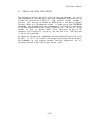
C4MAT The C4MAT command is used to format the CalComp Marksman hard disk. It performs a surface verification and format function similar to the NEWDISK utility. DESCRIPTION The general syntax of the C4MAT command is: C4MAT This command will initialize the entire surface of the hard disk. It is important to format the disk initially to build directories and sector maps. Once initialized, the disk should never need to be reinitialized unless catastrophic damage occurs (like a wild program, writing all over the disk). The initialization process destroys all data previously on the disk and it is vital that disks with good data not be formatted. The C4MAT program required approximately two hours to run. When the C4MAT program is run, it will ask you if you are sure you want to initialize the disk. If you do, type "Y". C4MAT will then ask for a volume name, which can be up to eight characters in length. The volume name is stored in the disk information sector and is displayed by the CAT command and others. Be absolutely sure the disk is not write protected when you run the C4MAT program. An initial directory capable of storing up to 250 files is build upon the disk. The directory will expand if more than 250 files are placed on the disk. Due to the large size and high density of the disk, it is not unusual for several bad sectors to be found. The program will abort if it cannot find at least 60,000 good free sectors on the disk. All bad sectors are automatically bypassed. -C.3.1-