1
Page 2 of 75
Table of Contents
1.
Introduction ............................................................................................................................................4
What This Program Can Do ..............................................................................................................4
Requirements ....................................................................................................................................5
Introducing HotPlot ............................................................................................................................5
Licensing ...........................................................................................................................................5
Terminology.......................................................................................................................................6
2.
Installation..............................................................................................................................................7
2.1
Summary ...........................................................................................................................................7
2.2
Installing the System .........................................................................................................................7
2.2.1
Installing the Combined HotPlot/dotPLOT Package .....................................................................7
2.2.2
Installing dotPLOT Only ................................................................................................................8
2.3
Running dotPLOT..............................................................................................................................9
2.4
Testing Profile Symbols...................................................................................................................10
2.5
The Licensing Process ....................................................................................................................11
2.5.1
Types of Licence .........................................................................................................................11
2.5.2
Requesting a Licence..................................................................................................................11
2.5.3
The Internet Licence Application Screen ....................................................................................11
2.5.4
Apply for a Licence......................................................................................................................13
2.5.5
Receive and Install Licence ........................................................................................................13
2.5.6
Check the Licence ......................................................................................................................13
2.5.7
Additional Licences .....................................................................................................................13
2.5.8
Changing your Company Name..................................................................................................14
2.6
Obtaining a Password .....................................................................................................................15
2.7
Selecting a Text File ........................................................................................................................16
2.8
Final Testing of dot6000..................................................................................................................17
3.
JET SETUP .........................................................................................................................................19
3.1
Accessing JET SETUP....................................................................................................................19
3.2
Using JET SETUP...........................................................................................................................19
3.3
Changing Path to Printer Port..........................................................................................................20
3.4
Changing Path to Font Files (PCL)..................................................................................................20
3.5
Changing Path to Text Files ............................................................................................................21
3.6
Changing Path to Printer Files.........................................................................................................22
3.7
Changing Screen Colours ...............................................................................................................23
3.8
Changing the Layout .......................................................................................................................24
3.9
Changing Fonts ...............................................................................................................................26
3.10
Note on PDF Fonts..........................................................................................................................28
3.11
Switching Languages ......................................................................................................................29
3.12
Switching Setup...............................................................................................................................30
3.13
Saving the Setup .............................................................................................................................31
4.
Getting Productive ...............................................................................................................................32
4.1
Creating an Input File ......................................................................................................................32
4.1.1
Text File Editors: E.com, Edit, Notepad, and the HotPlot Text Editor:........................................32
4.1.2
Microsoft-Word ...........................................................................................................................32
4.1.3
WordPad .....................................................................................................................................32
4.2
Writing the Text File ........................................................................................................................33
4.2.1
File Structure...............................................................................................................................33
4.2.2
Lines and Line Length.................................................................................................................33
4.2.3
Headers.......................................................................................................................................33
4.2.4
Layer Descriptions ......................................................................................................................34
4.2.5
The Notes (Including Samples)...................................................................................................34
4.2.6
Attributes for Borehole Logs........................................................................................................35
4.3
The Conversion of the Text File to a Transfer File..........................................................................38
4.4
The Printing of the Profile................................................................................................................41
4.5
Error Messages ...............................................................................................................................42
4.6
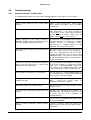
Troubleshooting...............................................................................................................................44
4.6.1
Common Problems and Remedies.............................................................................................44
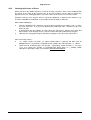
4.6.2
Locating the Causes of Errors ....................................................................................................45
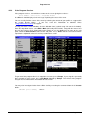
4.6.3
If the Program Crashes...............................................................................................................46
1.1
1.2
1.3
1.4
1.5
dot6000 User Manual
©Winston Jones & Software Africa
19 August 2010